WhatsApp Marketing Automation – WordPress Chatbot & Bulk Messaging Plugin by Kaddora
WhatsApp Marketing Automation – WordPress Chatbot & Bulk Messaging Plugin by Kaddora is a complete WordPress WhatsApp marketing, automation, chatbot, bulk campaign, customer communication, and lead engagement solution built for businesses that want to manage WhatsApp communication directly from their WordPress dashboard.
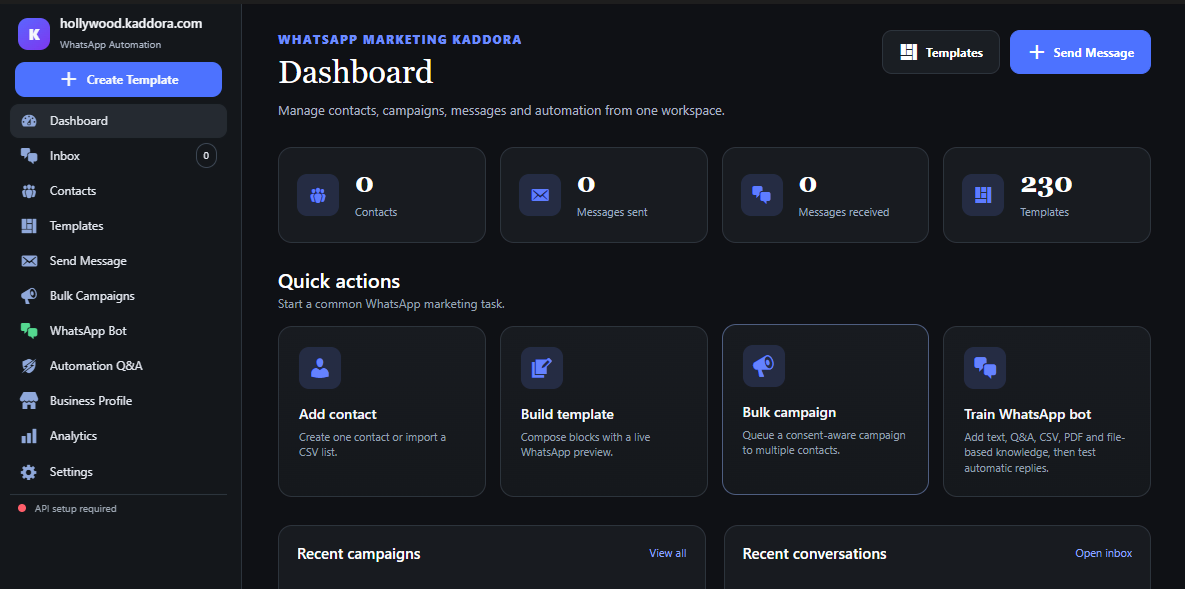
The plugin connects WordPress with the official WhatsApp Cloud API and provides a centralized workspace for managing contacts, creating WhatsApp campaigns, building message templates, automating customer replies, running chatbot workflows, sending approved bulk marketing messages, managing conversations, training a knowledge-based WhatsApp bot, tracking message activity, and analyzing campaign performance.
It is suitable for business websites, WooCommerce stores, digital agencies, service businesses, SaaS companies, educational websites, real estate businesses, healthcare service providers, travel businesses, restaurants, local businesses, consultants, and online stores that want to use WhatsApp as a professional customer communication and marketing channel.
✦ Plugin Requirements
Before installing the plugin, make sure your WordPress website meets the following requirements.
WordPress Requirements
WhatsApp Cloud API Requirements
To send real WhatsApp messages, you will need access to the official Meta WhatsApp Cloud API.
You may need:
Important Marketing Requirement
Marketing messages should only be sent to users who have provided the required WhatsApp marketing consent or opt-in.
The plugin includes tools designed to support opted-in marketing workflows and unsubscribe handling.
✦ Installation Process
Installing the plugin follows the standard WordPress plugin installation process.
1. Download the Plugin
Download the plugin ZIP package:
WhatsApp Marketing Automation – WordPress Chatbot & Bulk Messaging Plugin by Kaddora
2. Open WordPress Dashboard
Log in to your WordPress administration area.
Go to:
Plugins → Add New Plugin → Upload Plugin
3. Upload the ZIP File
Select the downloaded plugin ZIP file from your computer.
Click:
Install Now
4. Activate the Plugin
After installation is completed, click:
Activate Plugin
5. Open WhatsApp Marketing Settings
Open the plugin dashboard from your WordPress admin menu.
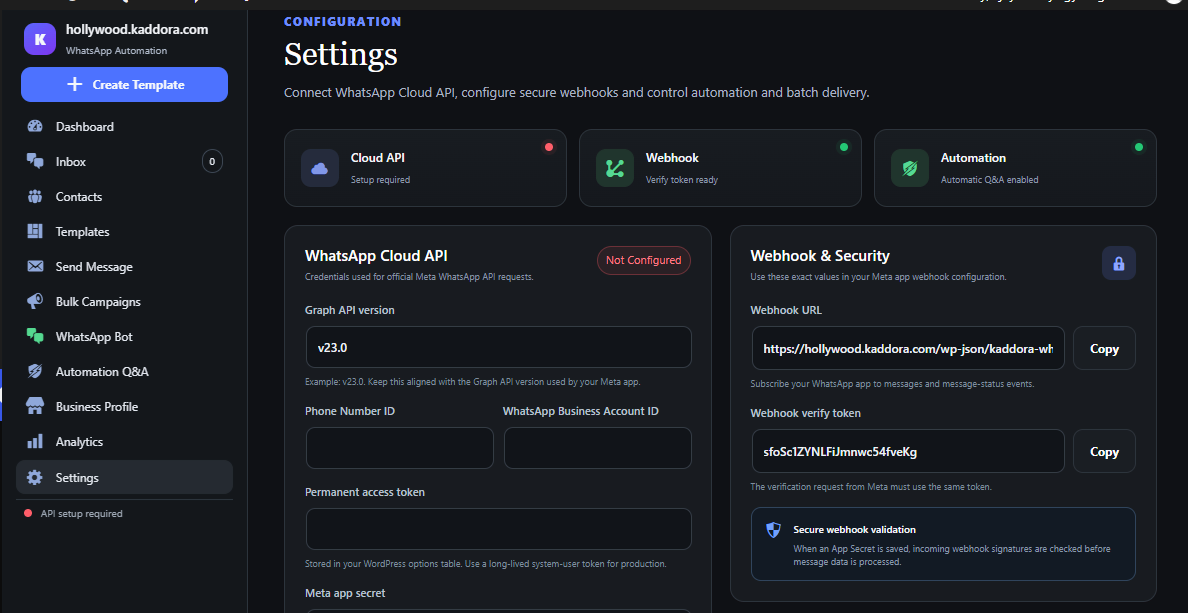
6. Connect WhatsApp Cloud API
Enter the required WhatsApp Cloud API credentials.
Depending on your configuration, these may include:
7. Configure Webhook
Configure the webhook URL and verification details in your Meta WhatsApp configuration.
The webhook enables the plugin to receive information such as:
8. Add or Import Contacts
Create contacts manually or import existing contact information through CSV.
9. Create Your First Template
Select one of the included starter templates or use the visual WhatsApp template builder.
10. Create a Campaign
Choose your contacts, configure the message, review your WhatsApp template, and prepare your campaign.
11. Test Before Sending
Always send a test message and verify your WhatsApp API configuration before launching a large campaign.
✦ Powerful WhatsApp Marketing Features
◆ Official WhatsApp Cloud API Integration
Connect WordPress directly with the official WhatsApp Cloud API.
The plugin is designed around Meta's WhatsApp Business communication workflow rather than unofficial browser-based WhatsApp automation methods.
Use WordPress as your centralized WhatsApp marketing and customer engagement dashboard.
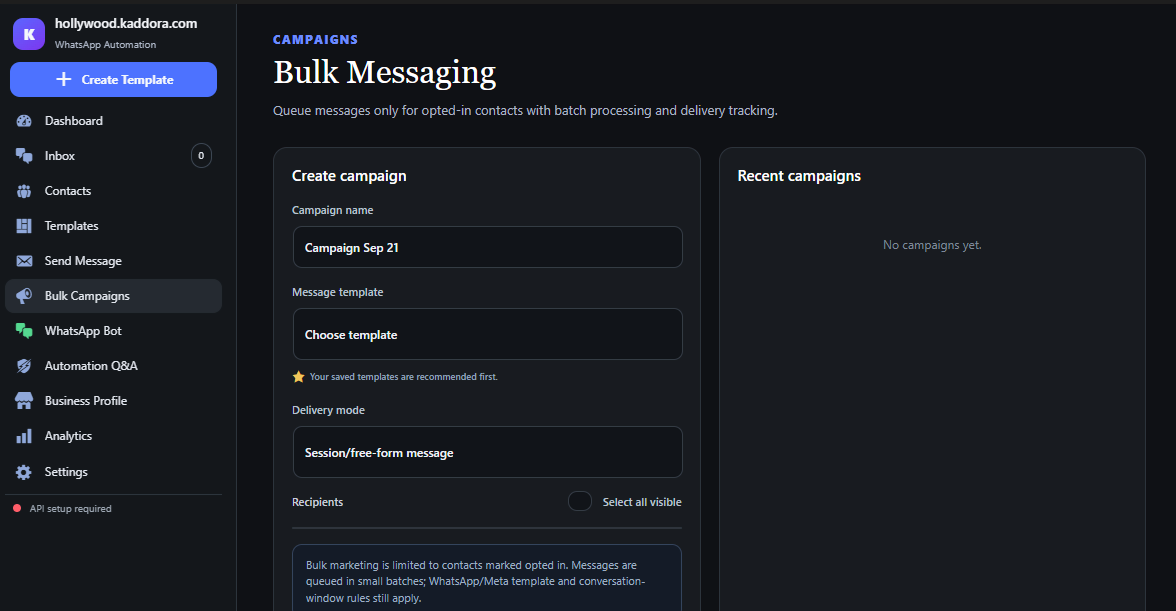
✦ WhatsApp Bulk Messaging
Create and manage WhatsApp bulk messaging campaigns directly from WordPress.
The plugin provides a campaign queue system that helps organize campaign sending.
Use bulk campaigns for:
Bulk marketing campaigns should always be sent according to WhatsApp Business policies and applicable consent requirements.
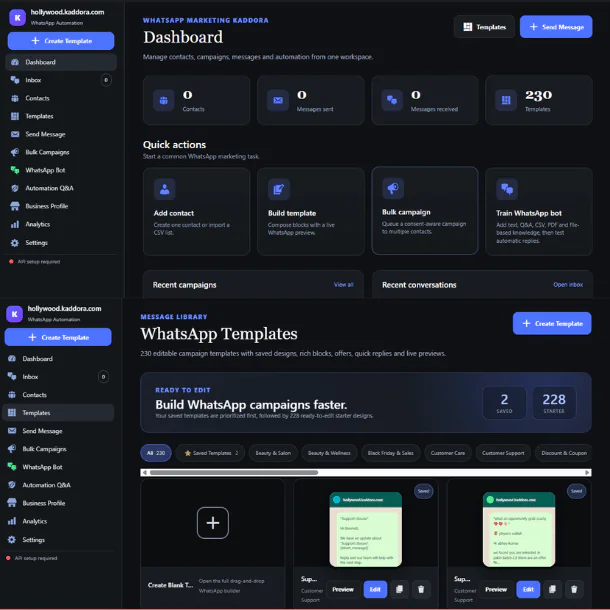
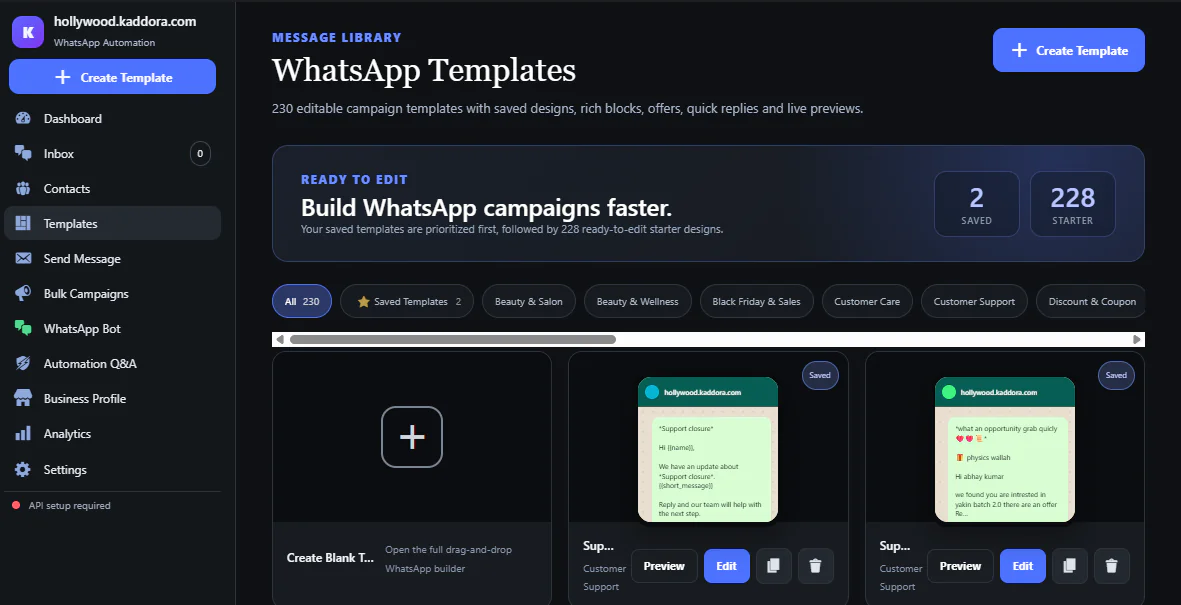
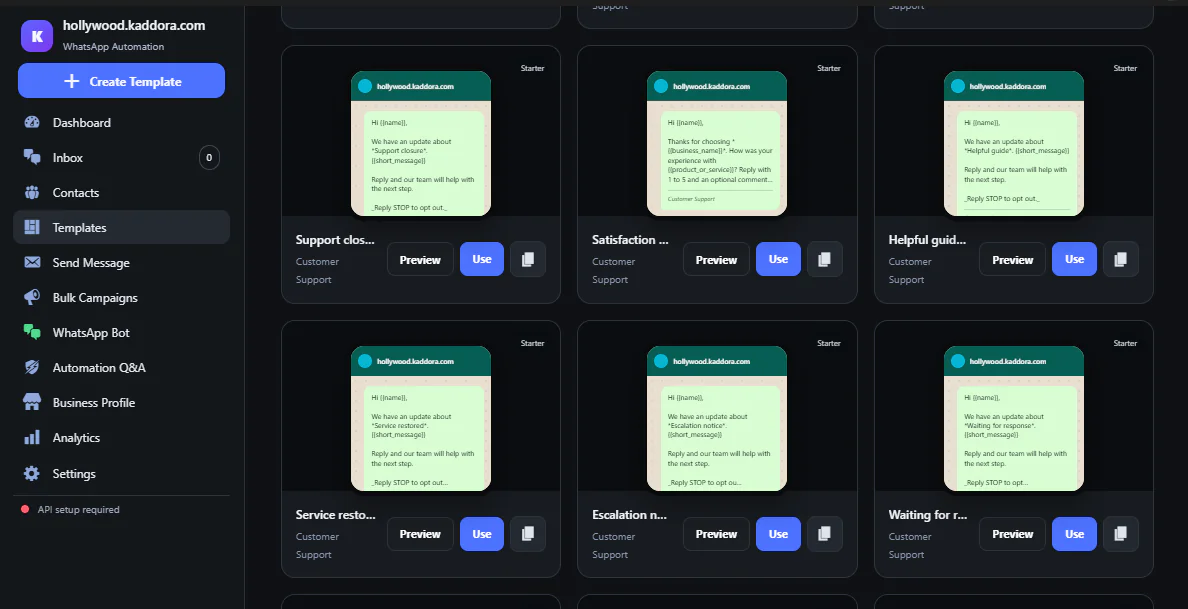
✦ 120 Ready-Made WhatsApp Campaign Templates
Start campaigns quickly using 120 starter WhatsApp message templates across 12 categories.
Instead of creating every campaign from scratch, choose an existing template and customize it for your business.
Templates can be useful for:
Marketing → Sales → eCommerce → Follow-Up → Customer Service → Promotions → Events → Offers → Business Updates → Lead Engagement → Reminders → Customer Communication
This makes campaign creation faster and easier for beginners and marketing teams.
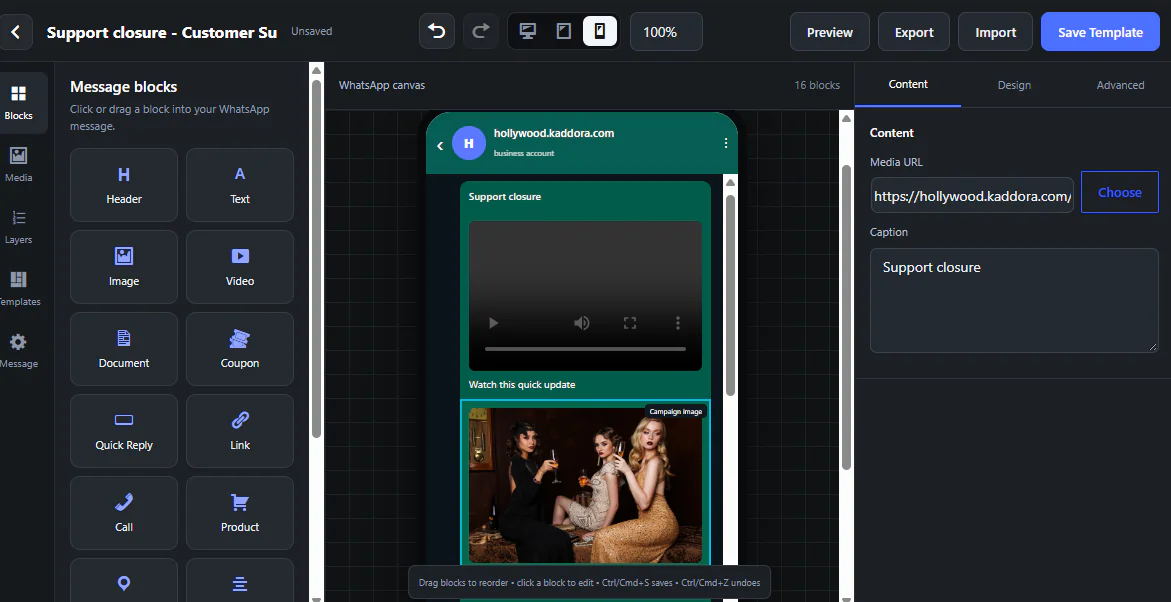
✦ Drag-and-Build WhatsApp Template Builder
Create professional WhatsApp messages through an organized visual builder.
The builder includes useful WhatsApp message blocks such as:
Create your message visually and organize the content before launching your campaign.
✦ Live Phone Preview
Preview your WhatsApp message while designing it.
The live WhatsApp phone preview helps you understand how the message structure will appear to recipients before sending.
This is especially useful when designing messages containing:
✦ WhatsApp Chatbot for WordPress
Create automated customer conversations using the built-in WordPress WhatsApp chatbot system.
The chatbot can respond to common questions and help businesses automate repetitive customer communication.
Use WhatsApp chatbot automation for:
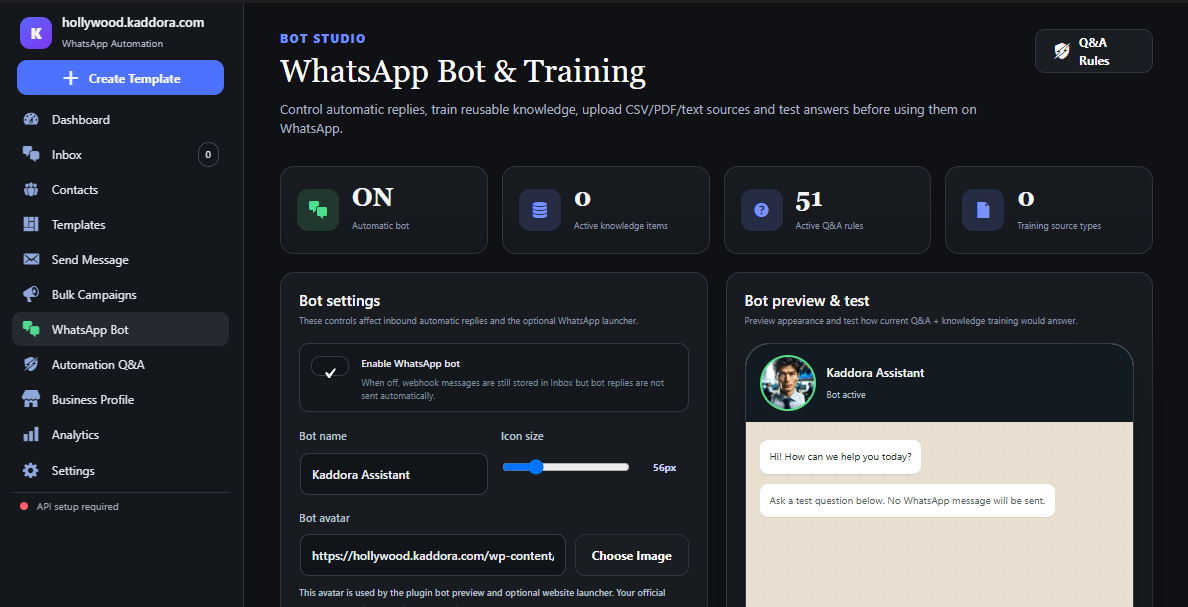
✦ WhatsApp Bot Studio
The dedicated WhatsApp Bot Studio provides a centralized interface for building and managing WhatsApp chatbot behavior.
Configure automated responses and train the bot according to your business requirements.
This makes the plugin suitable for businesses that want both:
WhatsApp Marketing Automation + WhatsApp Customer Support Automation
inside one WordPress environment.
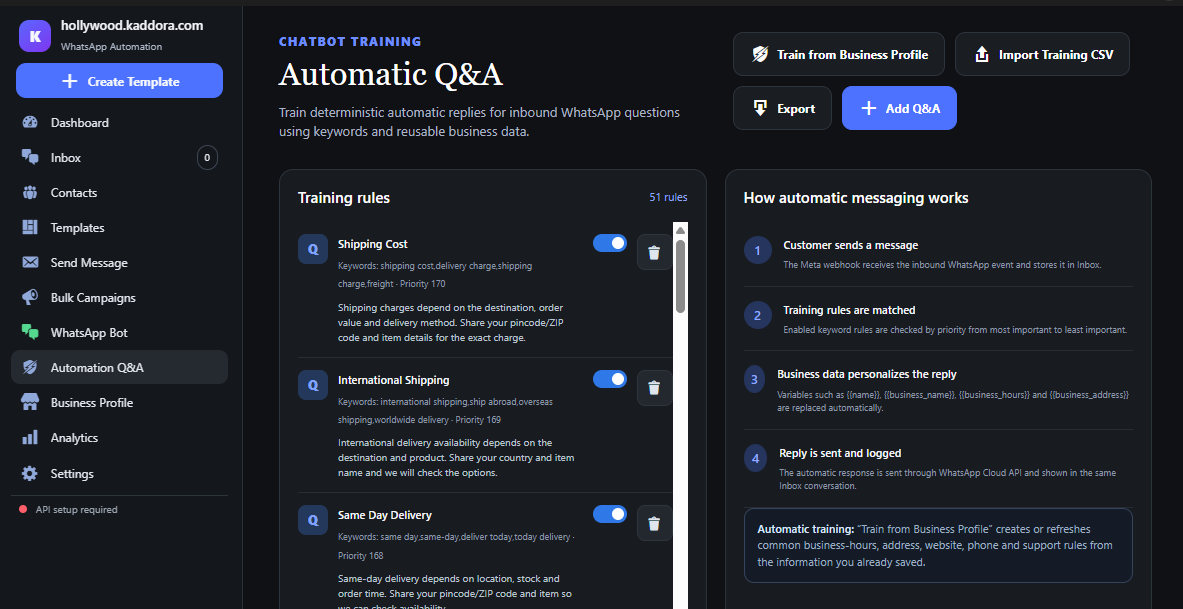
✦ 50 Starter Chatbot Intents
The plugin includes 50 starter Q&A intents to help you begin building automated WhatsApp conversations faster.
Use them as a starting point and customize the responses based on your own business information.
This can reduce the time required to build frequently used customer support workflows.
✦ Knowledge-Based WhatsApp Chatbot Training
Train your WhatsApp bot using business-specific knowledge.
The plugin supports long-form knowledge content from sources such as:
This allows you to create a more useful chatbot experience based on your own business information, services, product details, policies, FAQs, or support documentation.
✦ Local Chatbot Testing Console
Test chatbot responses before making them available to customers.
The built-in local bot testing console helps administrators review:
This makes it easier to refine automated replies before using the chatbot in real customer conversations.
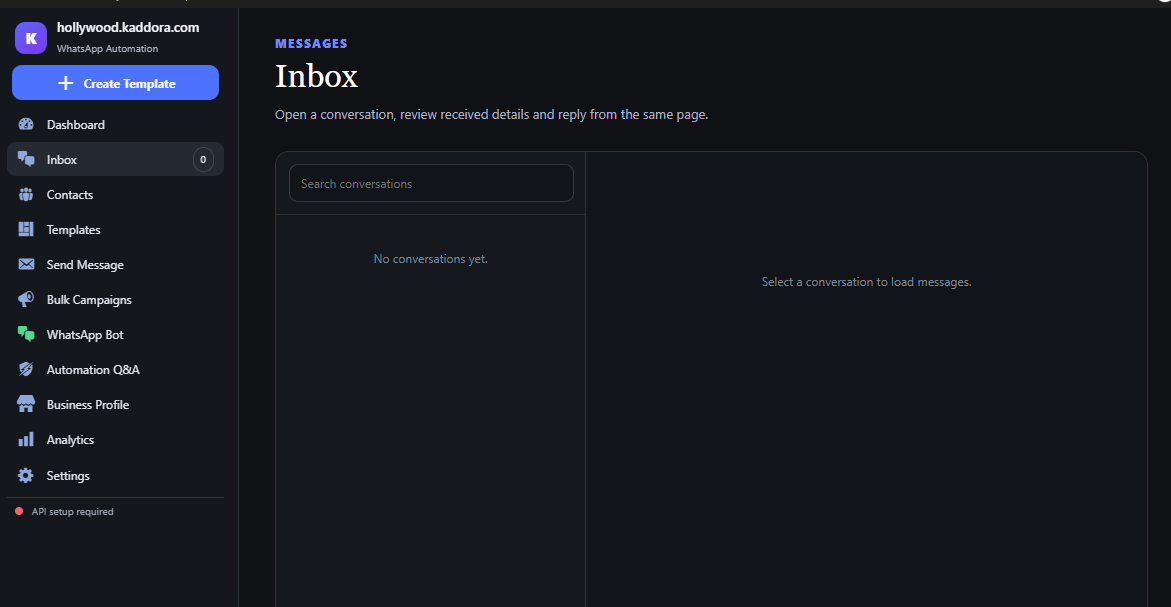
✦ WhatsApp Inbox
Manage incoming customer conversations from a centralized WhatsApp inbox inside WordPress.
Instead of switching between multiple interfaces, administrators can monitor WhatsApp conversations and respond directly from the plugin workspace.
The inbox is useful for:
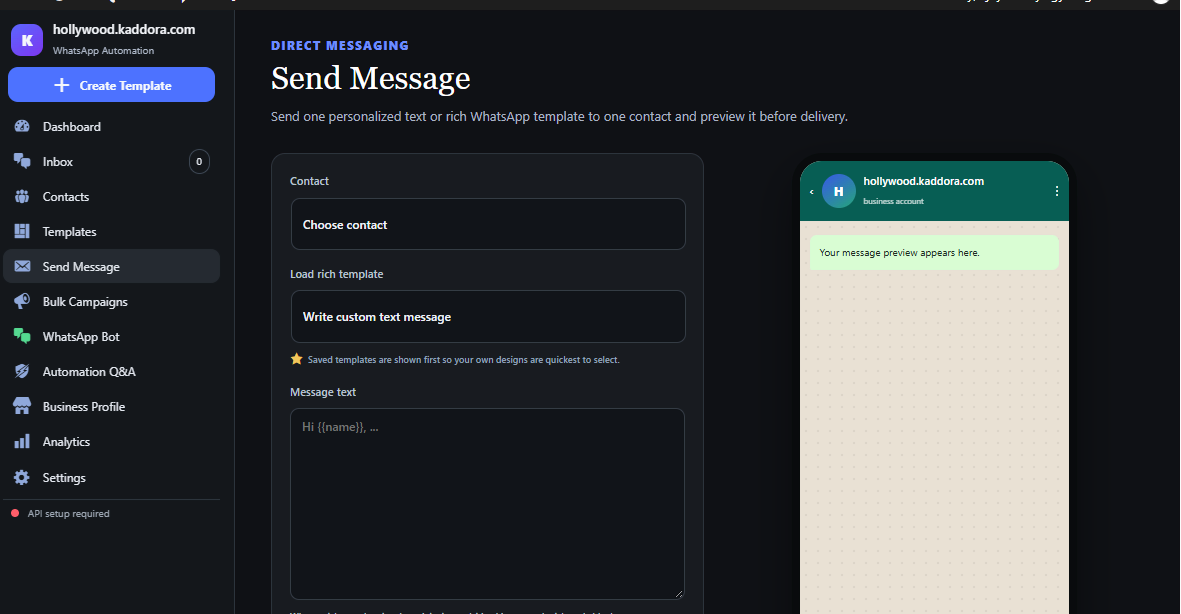
✦ Direct WhatsApp Replies
Respond directly to customer WhatsApp messages from your WordPress dashboard.
This creates a convenient workflow where marketing campaigns and customer communication can be managed together.
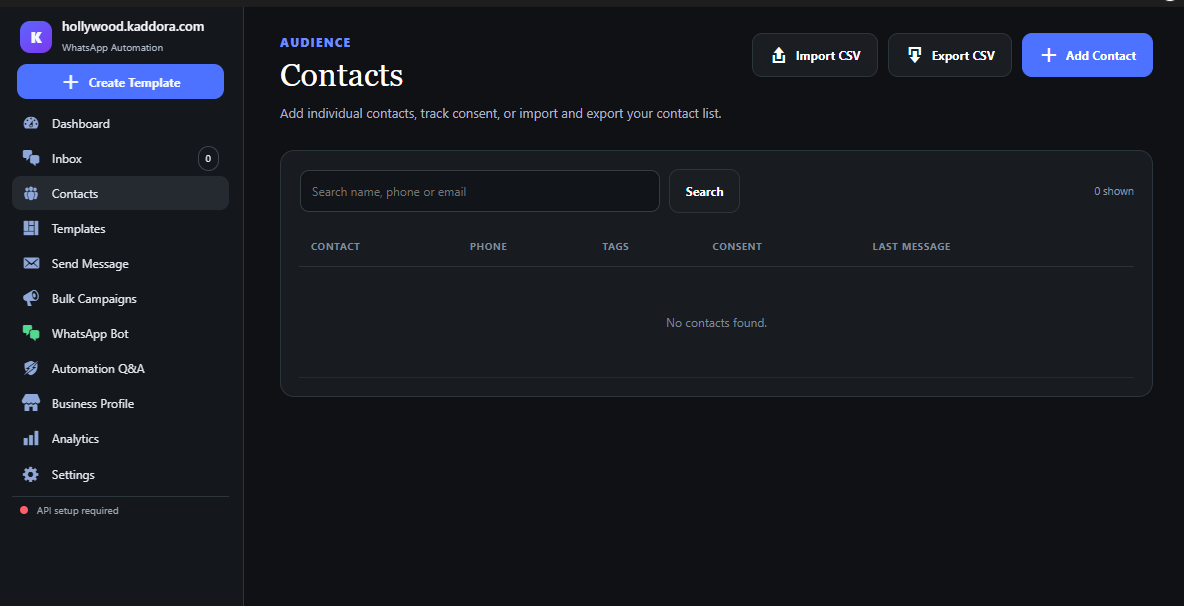
✦ Contact Management
Manage WhatsApp contacts directly inside WordPress.
Maintain organized contact information for your marketing campaigns and customer communication.
Contacts can be used for:
✦ CSV Import and Export
Import existing contacts using CSV or export contact information when required.
CSV support is useful when migrating contacts between business systems or organizing marketing databases.
This can simplify contact management for businesses with larger customer lists.
✦ Personalization Variables
Create more personalized WhatsApp messages using supported dynamic variables.
Personalization can help businesses create messages that feel more relevant to individual recipients.
Depending on your campaign configuration, variables can be used for details such as:
Customer Name → Business Information → Campaign Data → Contact Details → Other Supported Dynamic Values
✦ WhatsApp Marketing Automation
Reduce repetitive work with automated WhatsApp communication workflows.
WhatsApp automation can help businesses manage:
Automation allows businesses to maintain faster communication while keeping human agents available for conversations that require personal attention.
✦ Approved WhatsApp Template Mode
The plugin supports workflows using Meta-approved WhatsApp message templates.
Approved templates may be required for certain business-initiated conversations under WhatsApp Business rules.
Prepare your campaign inside WordPress and use the appropriate approved message template for your communication.
✦ Opt-In Marketing Workflow
Responsible WhatsApp marketing starts with permission.
The plugin includes functionality intended to support opted-in WhatsApp marketing.
Use it to organize campaigns for contacts who have provided the appropriate consent for marketing communication.
This helps create a more professional and compliant marketing workflow.
✦ STOP and Unsubscribe Handling
Customers should have a clear way to stop receiving marketing messages.
The plugin includes STOP and unsubscribe handling for managing opt-out requests.
This can help businesses maintain cleaner contact lists and respect customer communication preferences.
✦ Delivery and Read Status Tracking
Track important WhatsApp message events.
Depending on WhatsApp Cloud API availability and webhook configuration, the plugin can record message activity such as:
This helps administrators better understand campaign delivery.
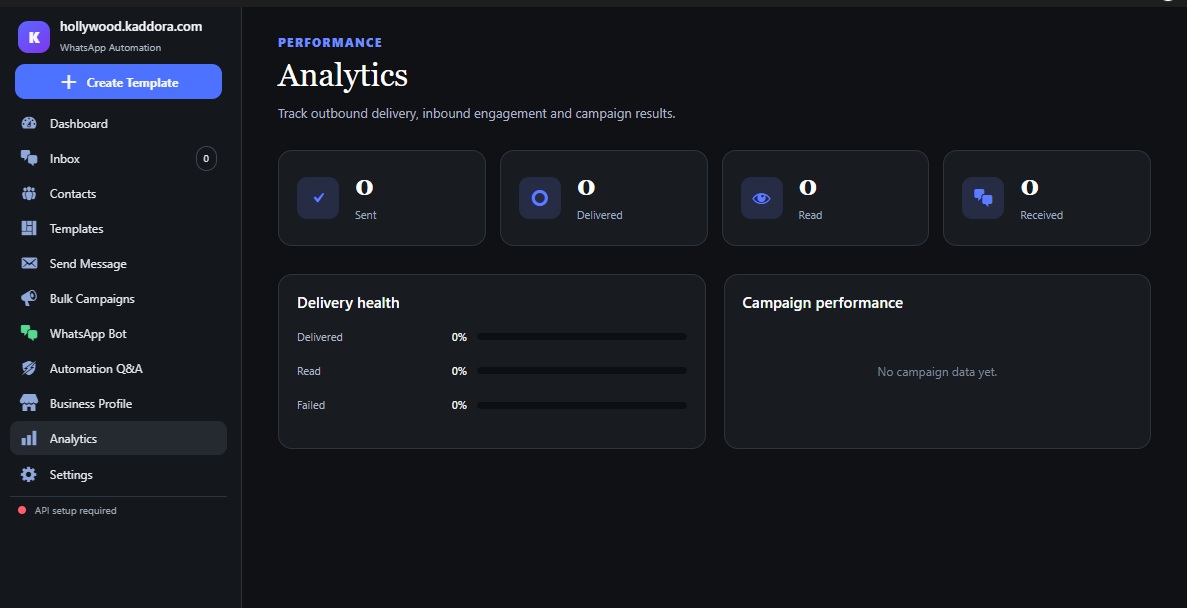
✦ WhatsApp Analytics
Monitor WhatsApp marketing activity through the built-in analytics section.
Analytics can help you review campaign performance and communication activity from inside WordPress.
Use these insights to better understand how your WhatsApp campaigns are performing.
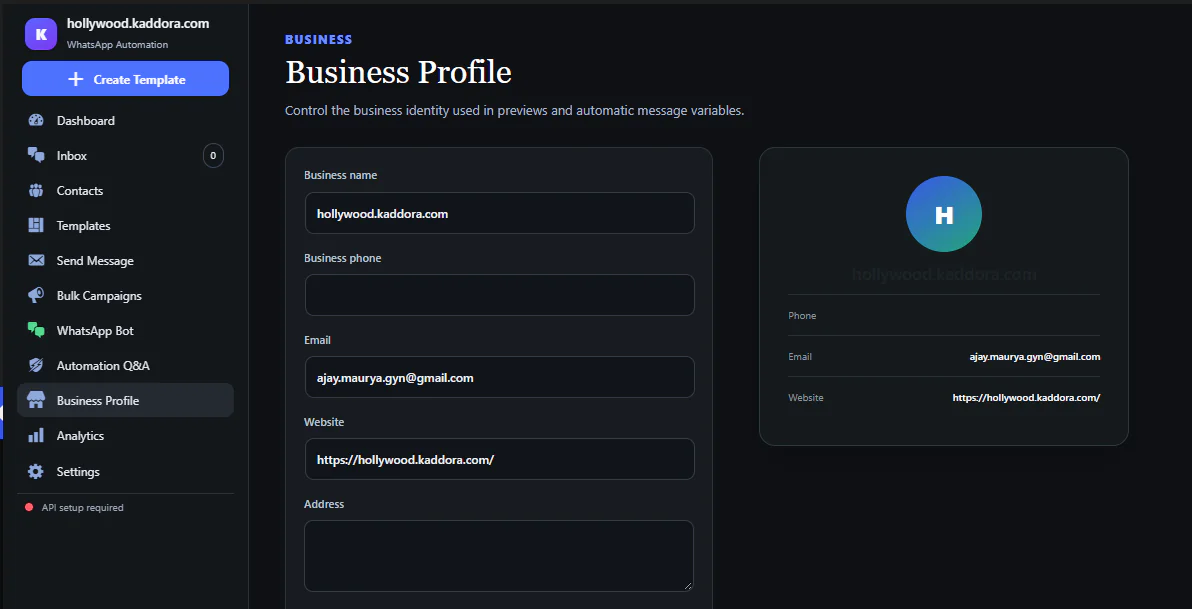
✦ Business Profile Management
Manage relevant WhatsApp business profile information from your marketing workspace.
A properly configured business profile helps customers recognize the business they are communicating with.
✦ Floating WhatsApp Website Launcher
Add an optional floating WhatsApp chat launcher to your WordPress website.
Visitors can use the launcher to quickly begin a WhatsApp conversation with your business.
This can be useful for:
✦ Webhook Signature Validation
Security is important when handling external API communication.
The plugin includes webhook validation functionality designed to help verify incoming webhook requests.
This provides an additional security layer for WhatsApp API communication.
✦ Who Is This Plugin Useful For?◆ WooCommerce Stores
Use WhatsApp for:
◆ Digital Marketing Agencies
Agencies can use the plugin to create and manage WhatsApp campaign workflows for WordPress websites.
Useful functionality includes:
Templates + Contacts + Campaigns + Automation + Chatbot + Analytics + Inbox
◆ Small Businesses
Small businesses can use WhatsApp as a direct customer communication channel without managing several separate WordPress tools.
◆ eCommerce Businesses
Promote products, respond to customer questions, share offers, and maintain customer communication through WhatsApp.
◆ Real Estate Businesses
Use WhatsApp automation for:
◆ Restaurants and Local Businesses
Use WhatsApp for:
◆ Educational Websites
Use WhatsApp marketing and automation for:
◆ Service Businesses
Consultants, agencies, freelancers, repair businesses, travel companies, and professional service providers can use WhatsApp to communicate with leads and customers more efficiently.
✦ Why Choose WhatsApp Marketing Automation by Kaddora?
◆ All-in-One WhatsApp Marketing Workspace
Instead of using separate plugins for campaigns, contacts, chatbots, templates, inbox management, and analytics, manage the essential workflow from one WordPress plugin.
◆ Built for WordPress
Manage WhatsApp marketing without constantly leaving your WordPress administration area.
◆ Official WhatsApp Cloud API
The plugin is designed to work with the official WhatsApp Business Cloud API workflow.
◆ Visual WhatsApp Message Builder
Create structured WhatsApp messages using visual content blocks instead of manually building complex message payloads.
◆ 100+ Starter Templates
Save time with a large collection of ready-made campaign starting points.
◆ Marketing and Chatbot in One Plugin
Combine:
WhatsApp Marketing + WhatsApp Chatbot + Bulk Messaging + Automation + Customer Inbox
within a single workspace.
◆ Knowledge Training
Train your chatbot using business content from text and supported document formats.
◆ Centralized Inbox
Keep customer conversations and marketing workflows closer together.
◆ Contact Import and Export
Manage existing customer lists more easily with CSV tools.
◆ Campaign Analytics
Review important WhatsApp campaign activity directly from WordPress.
◆ Designed for Customer Engagement
The plugin supports both outgoing marketing campaigns and incoming customer conversations.
This makes it suitable for businesses that want more than a simple WhatsApp chat button.
✦ Support
We want customers to have a smooth experience while using WhatsApp Marketing Automation – WordPress Chatbot & Bulk Messaging Plugin by Kaddora.
Support can assist with questions related to:
For faster support, please provide:
WordPress Version
PHP Version
Plugin Version
Relevant Error Message
Screenshot of the Problem
Steps Used Before the Problem Occurred
Support generally covers plugin-related functionality.
Third-party service availability, Meta account approval, WhatsApp Business verification, WhatsApp pricing, Meta template approval, hosting configuration, and external API service policies remain controlled by their respective providers.
Thank You Team Kaddora Tech❤️❤️.
Subscribe to access unlimited downloads of themes, videos, graphics, plugins, and more premium assets for your creative needs.

This item was featured on themekaddora
Published:
Sep 22, 2026 12:40 AM
Version:
v1.0.0
Category:
Tags: