Description
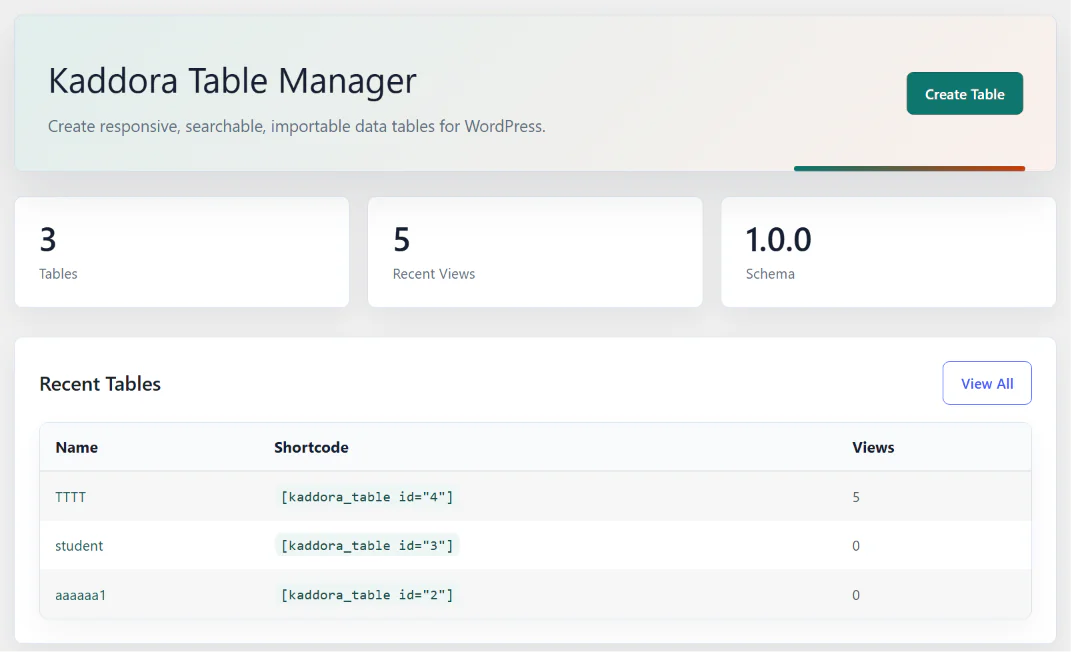
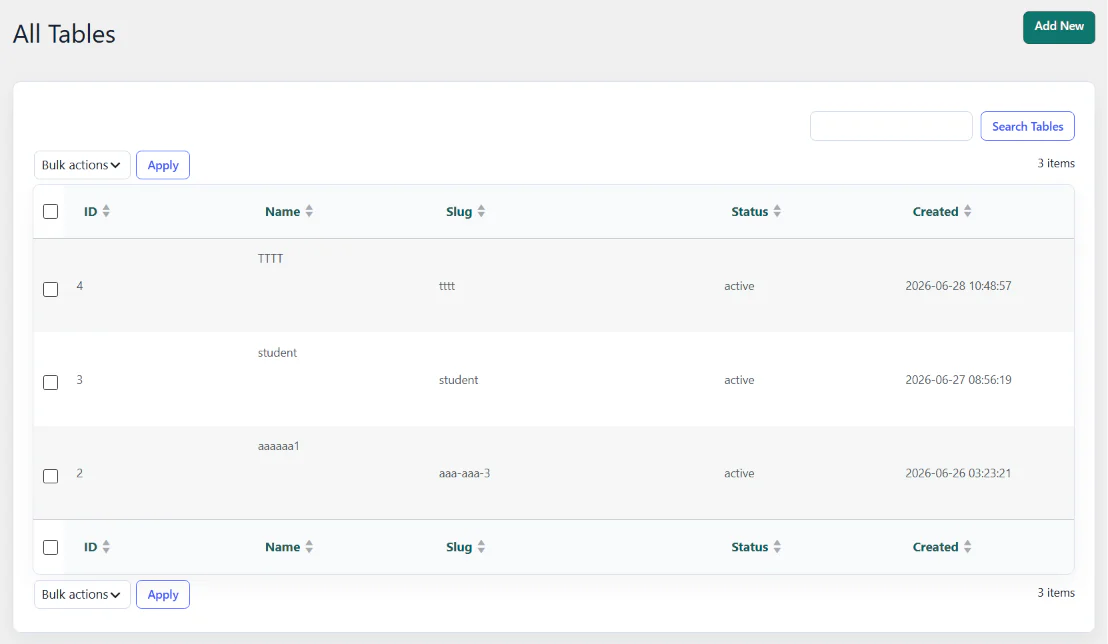
Kaddora Table Manager is a WordPress plugin designed to create, manage, organize, and display structured data tables on websites. It provides an administration interface for managing tables, columns, and rows, along with frontend table display and WordPress editor integrations.
The plugin is suitable for businesses, website owners, developers, and organizations that need to present structured information in an organized and responsive table format.
It includes a dedicated table management system, database storage, table configuration, search and pagination options, and integrations with Gutenberg and Elementor.
Technical RequirementsRequirementSpecificationPlatformWordPressMinimum PHP7.4DatabaseMySQL-compatible WordPress databaseAdmin interfaceWordPress DashboardPage buildersGutenberg and ElementorImport formatsCSV, JSONExport formatsCSV, JSONFrontendHTML, CSS, JavaScript, jQueryInstallation Process
- Download the Kaddora Table Manager plugin ZIP file.
- Log in to your WordPress website dashboard.
- Navigate to Plugins → Add New Plugin.
- Click the Upload Plugin button.
- Select the kaddora-table-manager.zip file.
- Click Install Now.
- After installation, click Activate Plugin.
- Open the Kaddora Table Manager menu in your WordPress dashboard.
- Click Add New Table to create your first table.
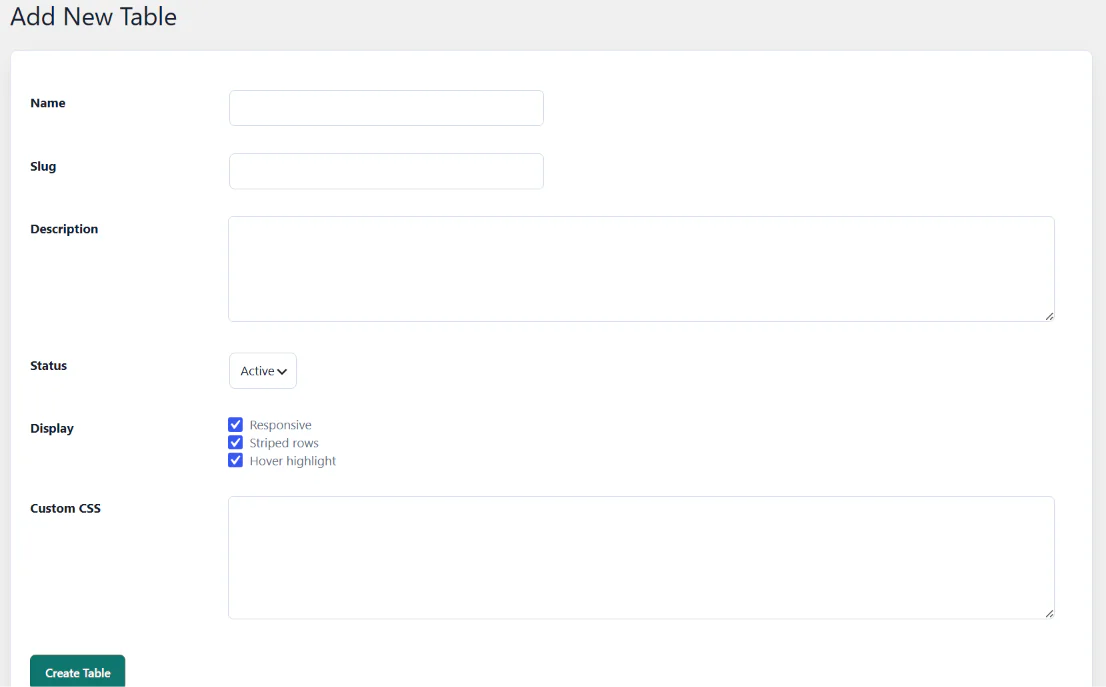
- Enter the table name, slug, description, and display settings.
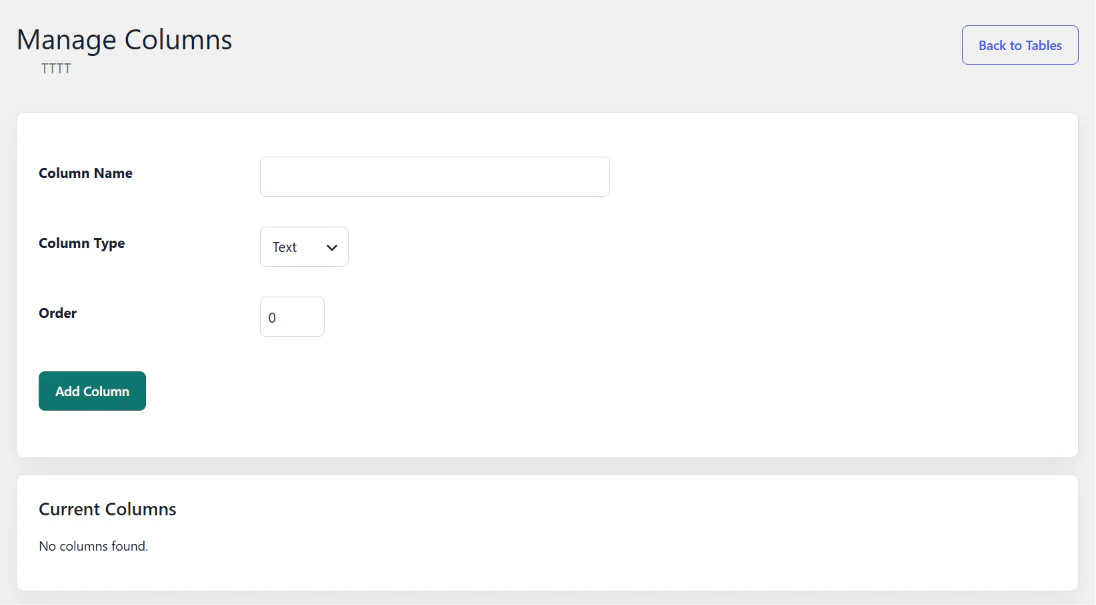
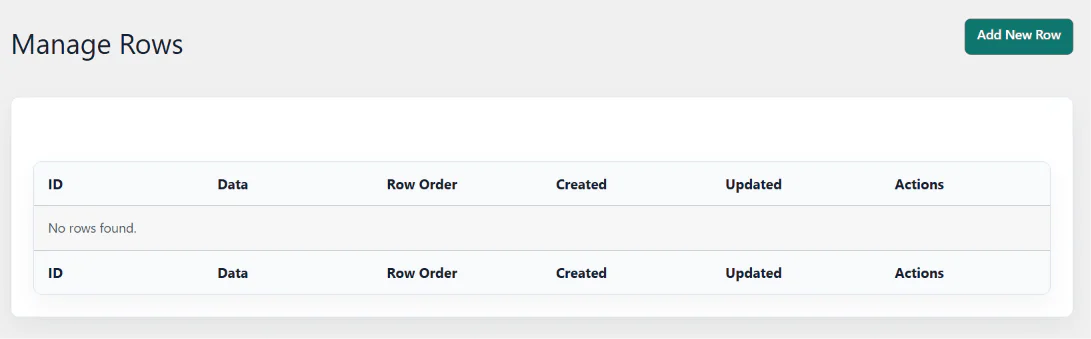
- Add the required columns and rows.
- Configure the table's responsive display options.
- Publish and display your table using the shortcode.
- Alternatively, insert your table through the Gutenberg block or Elementor widget.
Features
- Easy Table Management: Create, edit, duplicate, and delete tables directly from your WordPress dashboard.
- Custom Columns: Add and manage columns according to your data requirements.
- Row Management: Create, update, organize, and manage table rows.
- Custom Table Settings: Configure table descriptions, slugs, display options, and custom CSS.
- Responsive Tables: Display tables in a mobile-friendly layout.
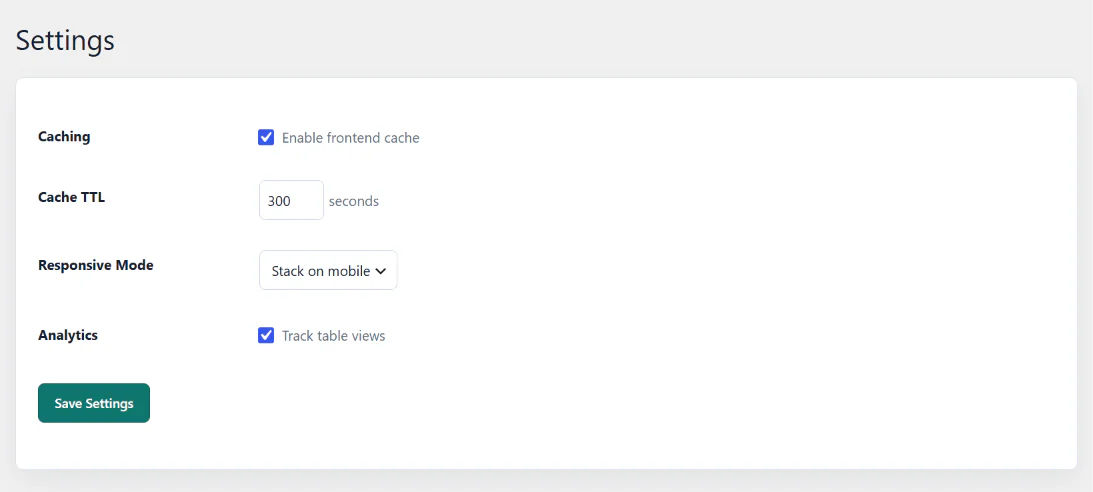
- Mobile Display Options: Choose between stacked layouts and horizontal scrolling.
- Table Search: Allow visitors to search information within displayed tables.
- Sorting: Enable visitors to sort table information by clicking column headings.
- Pagination: Divide large tables into smaller pages for easier browsing.
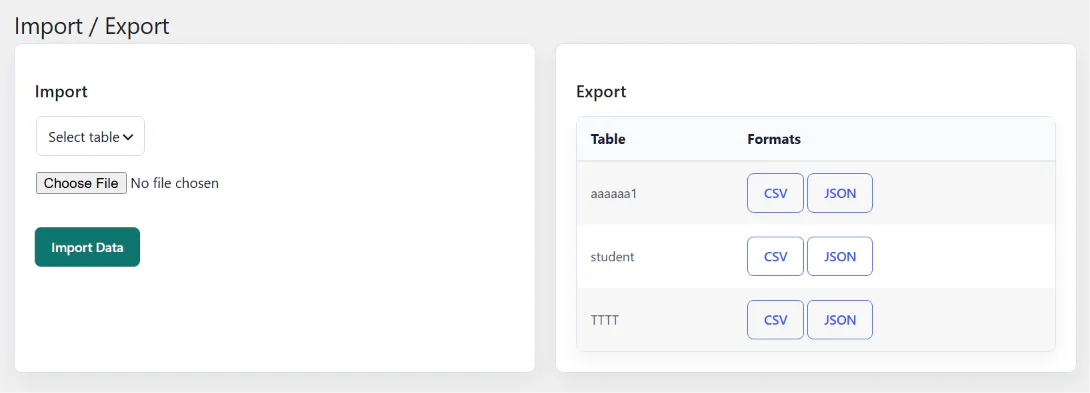
- CSV Import: Import table information from CSV files.
- JSON Import: Import structured data using JSON files.
- CSV Export: Export table data into CSV format.
- JSON Export: Download table data in JSON format.
- Table Duplication: Duplicate existing tables, including their columns, rows, and cell data.
- Gutenberg Integration: Insert tables directly into WordPress posts and pages using a dedicated block.
- Elementor Integration: Display tables using an Elementor widget.
- Shortcode Support: Embed tables anywhere shortcodes are supported.
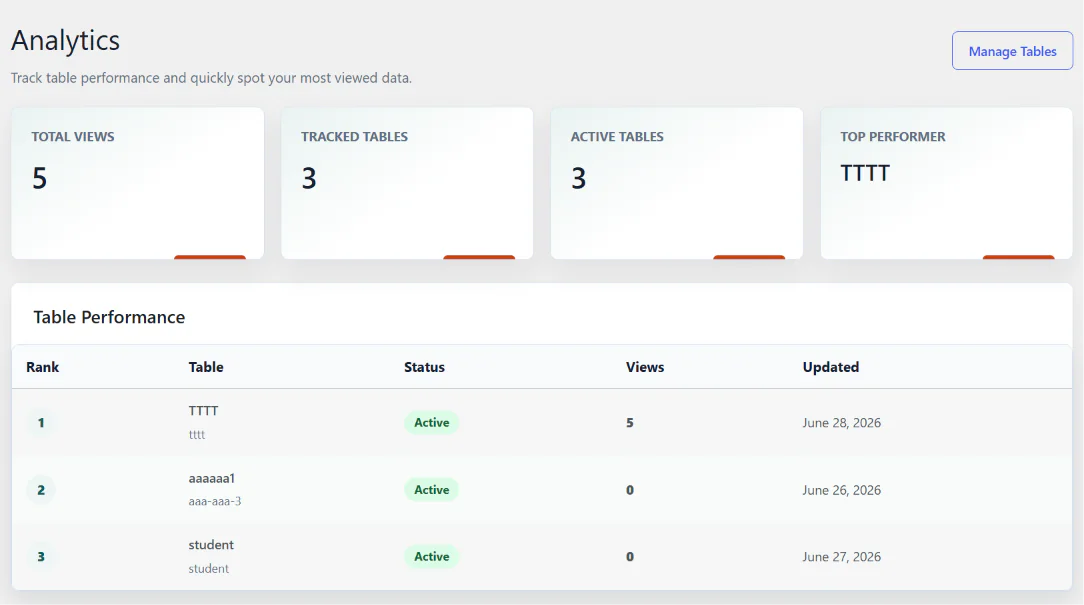
- Table Analytics: Track table views and identify your most-viewed tables.
- Custom Styling: Apply custom CSS to personalize table appearance.
- Database Management: Store table information in dedicated database tables.
- Caching Support: Use WordPress object caching to help reduce repeated data retrieval.
- Import History: Maintain records of import operations.
Performance
- Lightweight Architecture: Uses a modular PHP structure to organize plugin functionality.
- Dedicated Database Tables: Stores tables, columns, rows, cells, and metadata separately.
- Database Indexing: Uses indexes to support table and row data retrieval.
- Object Cache Integration: Supports the WordPress object cache API.
- Configurable Cache Duration: Set cache expiration time through plugin settings.
- Optimized Frontend Assets: Separates administrative and frontend CSS and JavaScript.
- Efficient Data Organization: Separates table structures from individual cell values.
- Responsive Rendering: Supports mobile-friendly table presentation.
- Minimal Dependencies: Uses WordPress functionality and jQuery for its frontend interactions.
- Configurable Pagination: Control how many rows are displayed per page.
Who Is This Plugin Useful For?
1. Business Owners
- Display product specifications, pricing, and service details.
- Organize business information in structured tables.
- Present company data professionally.
2. eCommerce Store Owners
- Display product comparisons.
- Show product specifications and features.
- Organize pricing and product information.
3. Educational Institutions
- Display student information and academic results.
- Publish course schedules and subject details.
- Organize examination and timetable information.
4. Bloggers and Content Creators
- Create comparison tables for blog articles.
- Display research data and statistics.
- Organize informational content.
5. Digital Marketing Agencies
- Display SEO service packages and pricing.
- Compare marketing plans.
- Present campaign reports and service information.
6. Developers and WordPress Agencies
- Build custom data tables for client websites.
- Integrate tables into Gutenberg and Elementor pages.
- Manage structured information without building a table system from scratch.
7. Healthcare Organizations
- Display doctor schedules and department information.
- Present medical service details.
- Organize hospital facilities and pricing information.
8. Real Estate Businesses
- Display property specifications.
- Compare property prices and features.
- Organize project and apartment information.
9. Manufacturing and Industrial Businesses
- Display product catalogs and specifications.
- Organize inventory reference information.
- Present manufacturing product details.
10. SaaS and Technology Companies
- Create subscription pricing tables.
- Compare software plans and features.
- Display technical specifications and service information.