Amazing Deals on Premium Plugins 🔥 SPECIAL OFFER – LIMITED TIME ONLY! Get It Now >

Kaddora SEO – AI Search Visibility, Schema & SEO Analytics

Description 

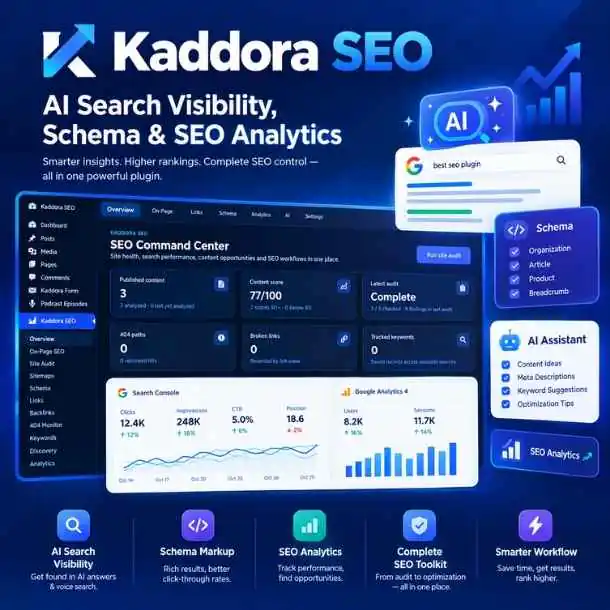
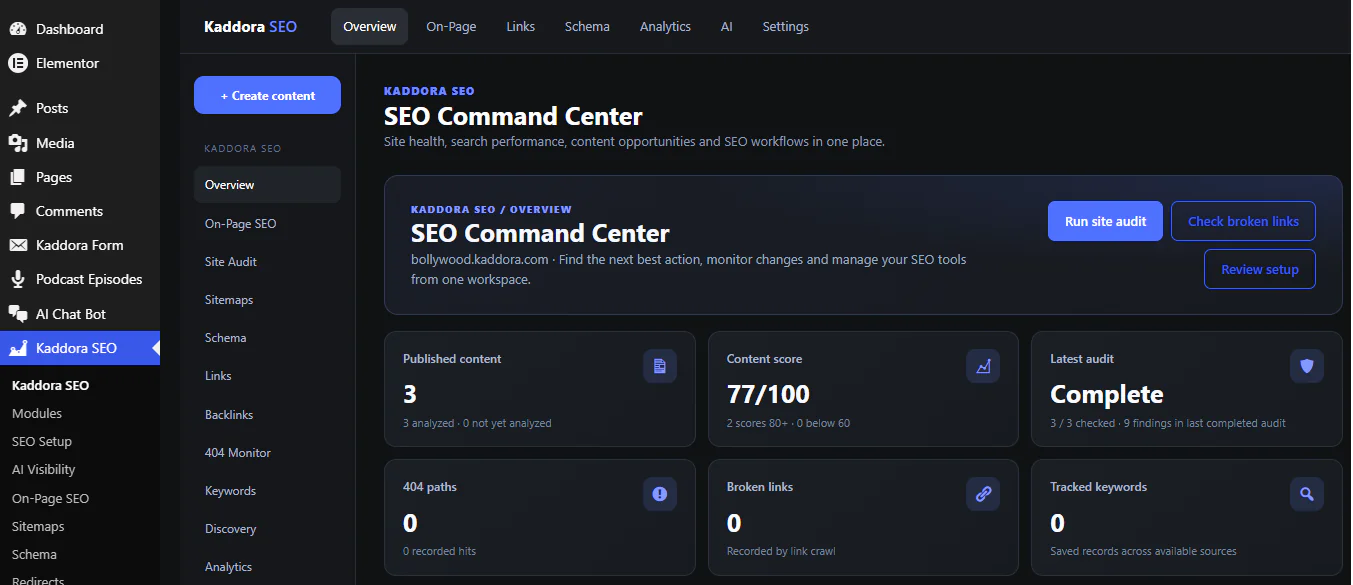
Kaddora SEO is an all-in-one WordPress SEO plugin designed to help website owners optimize content, improve technical SEO, manage structured data, monitor search performance, and streamline SEO workflows from one dashboard.

The plugin combines on-page optimization, technical SEO tools, analytics integrations, AI-assisted content workflows, local SEO, redirects, internal linking, and search visibility monitoring.

Requirements

  • Platform: WordPress.
  • Minimum WordPress version: 6.4.
  • Minimum PHP version: 7.4.
  • Plugin installation: ZIP upload through the WordPress administration dashboard, or manual installation on the server.
  • Website access: Administrator access to install, activate, and configure the plugin.
  • Database: A functioning WordPress-supported database with permissions to create or update plugin tables.
  • HTTPS: Recommended, especially for websites using authenticated APIs and external integrations.
  • Optional API credentials: Required only for the relevant third-party services, such as AI providers, Google Search Console, Google Analytics 4, or DataForSEO.
  • Optional tracking consent: Appropriate privacy notices and consent controls may be needed when visitor-tracking integrations are enabled.

Installation process

  • Step 1 — Download the plugin

        Save kaddora-seo-plugin.zip to your computer.

  • Step 2 — Upload the ZIP

        In WordPress, go to Plugins → Add New Plugin → Upload Plugin, select the ZIP file, and click Install Now.

  • Step 3 — Activate Kaddora SEO

       Click Activate Plugin after installation completes.

  • Step 4 — Configure settings

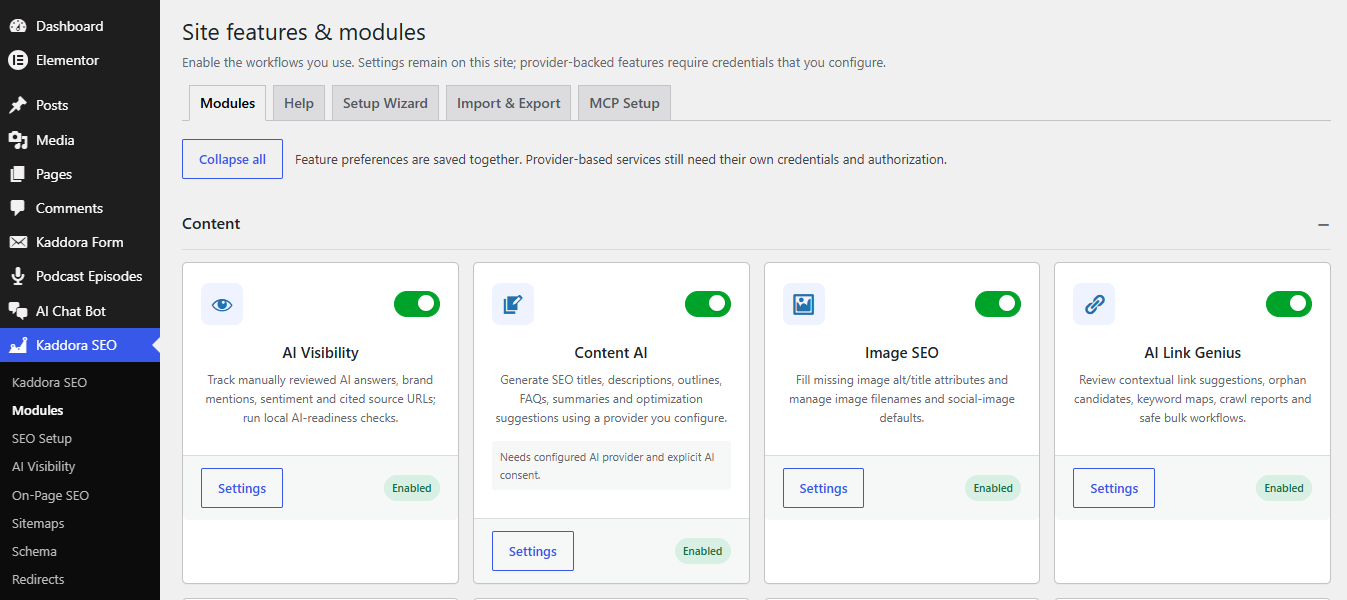
        Open Kaddora SEO → Settings and configure metadata, sitemap settings, schema, and only the additional         modules you need.

  • Step 5 — Connect optional services

       Configure AI providers, analytics, and authorized search APIs if required. Run an SEO analysis and review the         generated findings.

Key Features-

1. On-page SEO optimization

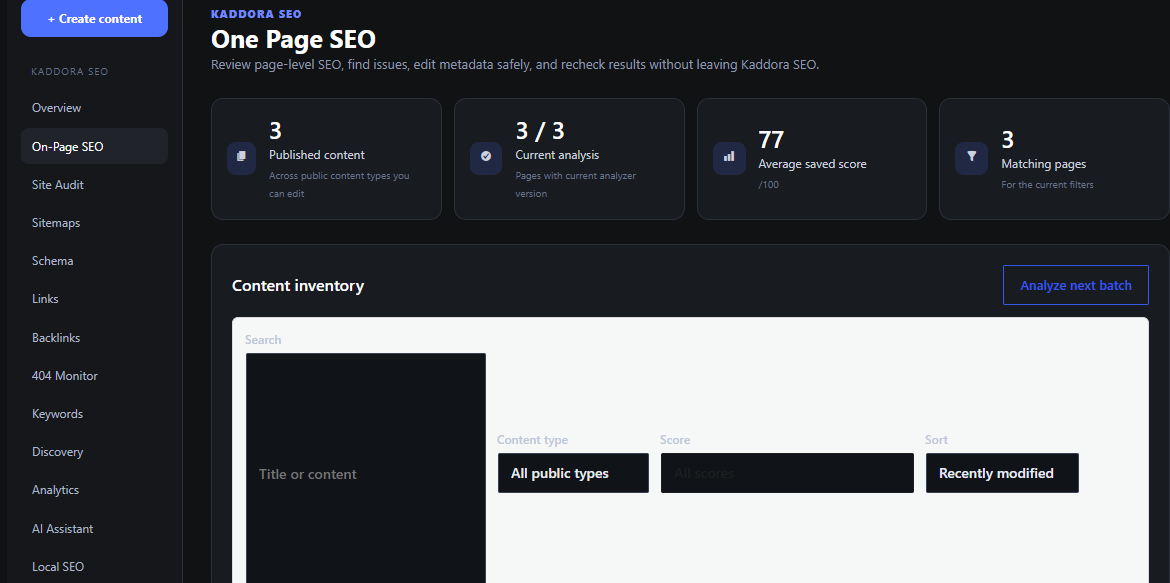
SEO titles and meta descriptions.

Focus keyphrases and readability checks.

Canonical URLs and robots directives.

Open Graph and X/Twitter social metadata.

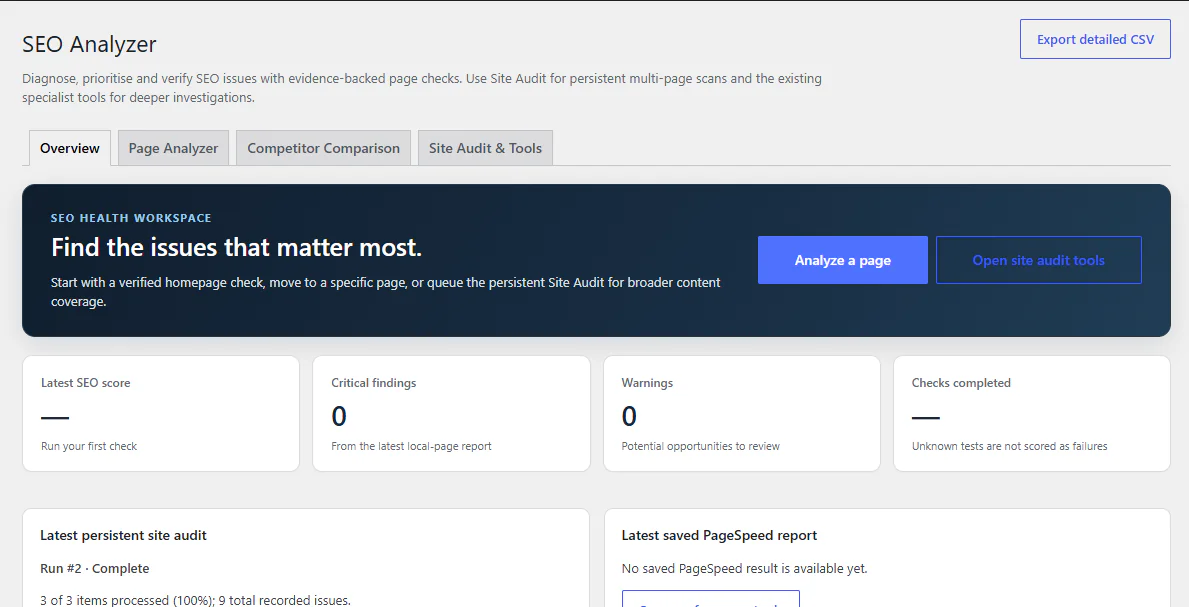
2. SEO analyzer and site audits

Page-level SEO analysis.

Technical issue detection and severity levels.

Broken and outbound link checks.

SEO Quality Center reports and CSV exports.

3. Schema and structured data

JSON-LD structured data.

Organization, article, product, and breadcrumb schemas.

Custom schema templates and conditional rules.

WooCommerce schema support.

4. Sitemaps and search discovery

XML and HTML sitemap tools.

Robots.txt controls.

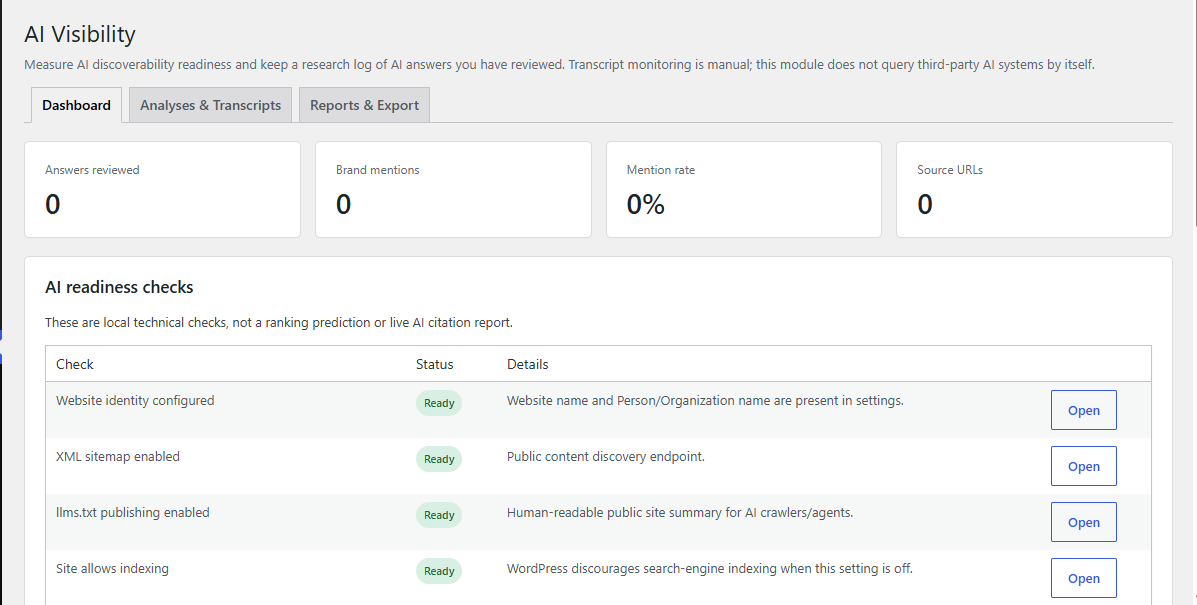
llms.txt discovery output.

IndexNow notifications and PageSpeed Insights checks.

5. AI-assisted SEO and content

AI-generated titles and descriptions.

FAQs, outlines, summaries, and alt-text suggestions.

AI schema and content recommendations.

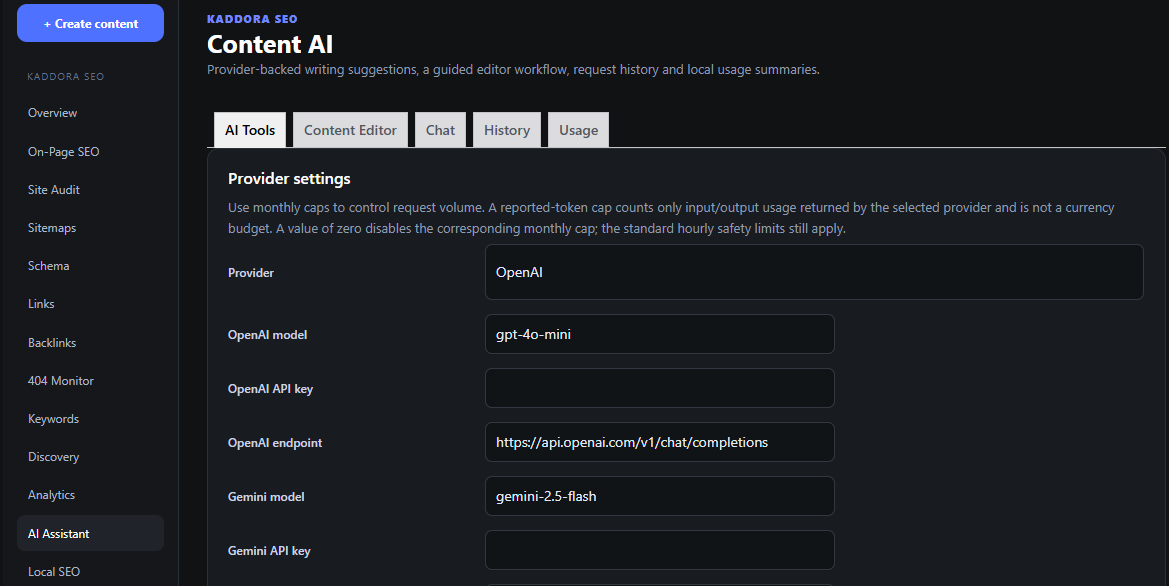
Support for configured AI providers, including OpenAI, Gemini, Claude, Mistral, and DeepSeek.

6. Redirects and 404 monitoring

Redirect rules and common HTTP status codes.

Redirect scheduling and cycle checks.

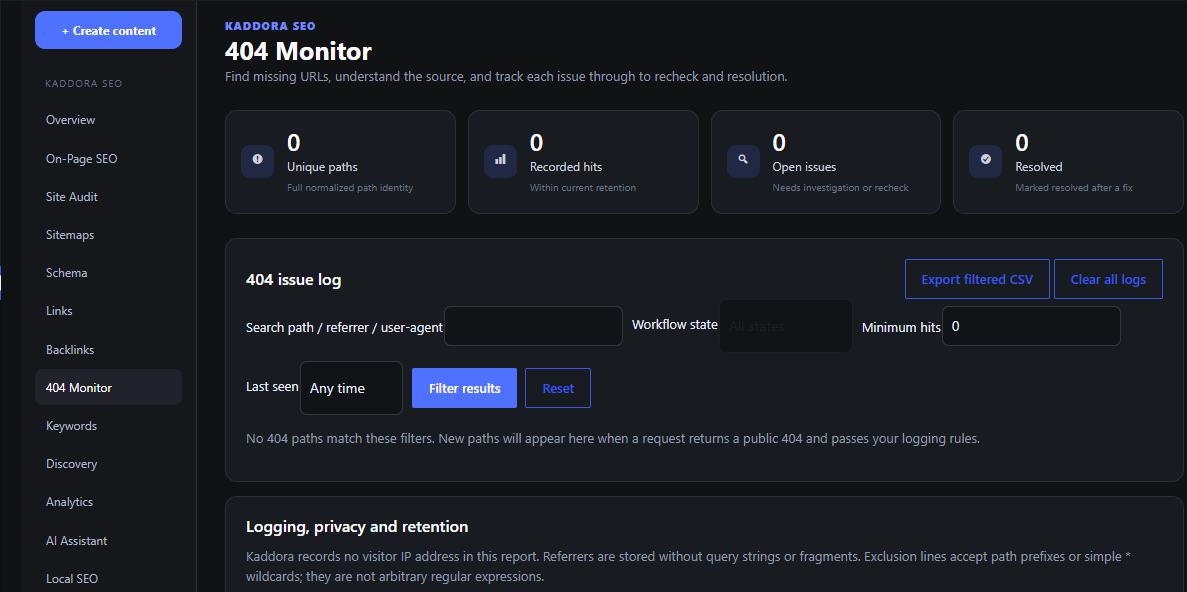
404 path monitoring.

CSV import/export and server-rule export.

7. Internal linking and keyword tools

Internal-link suggestions and rules.

Orphan-page candidates and link graph analysis.

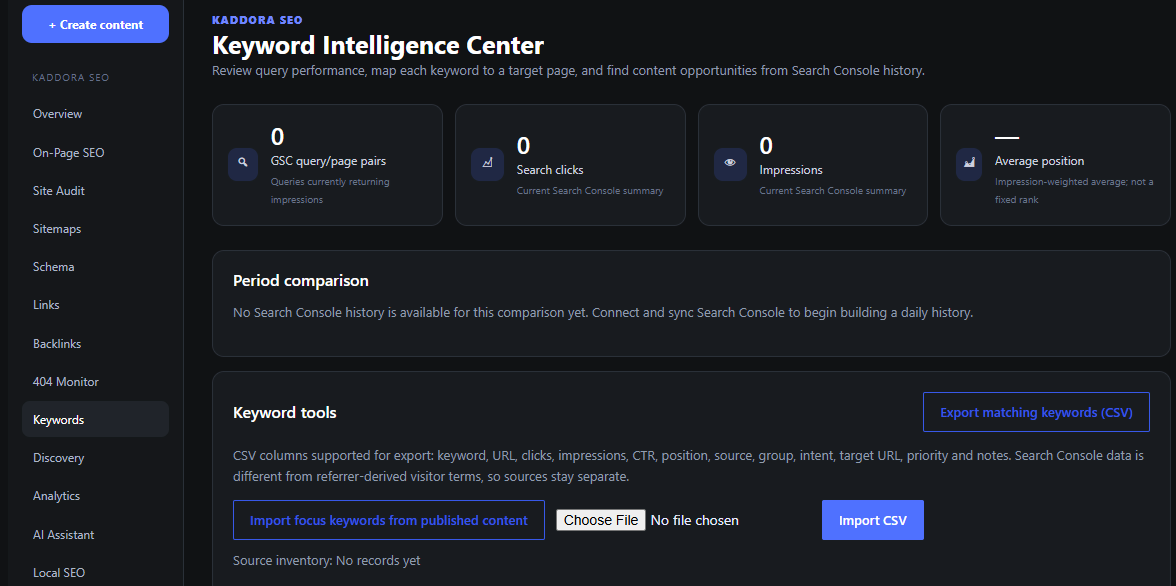
Keyword mapping and rank-tracking workflows.

Reversible link operations.

8. SEO analytics and reporting

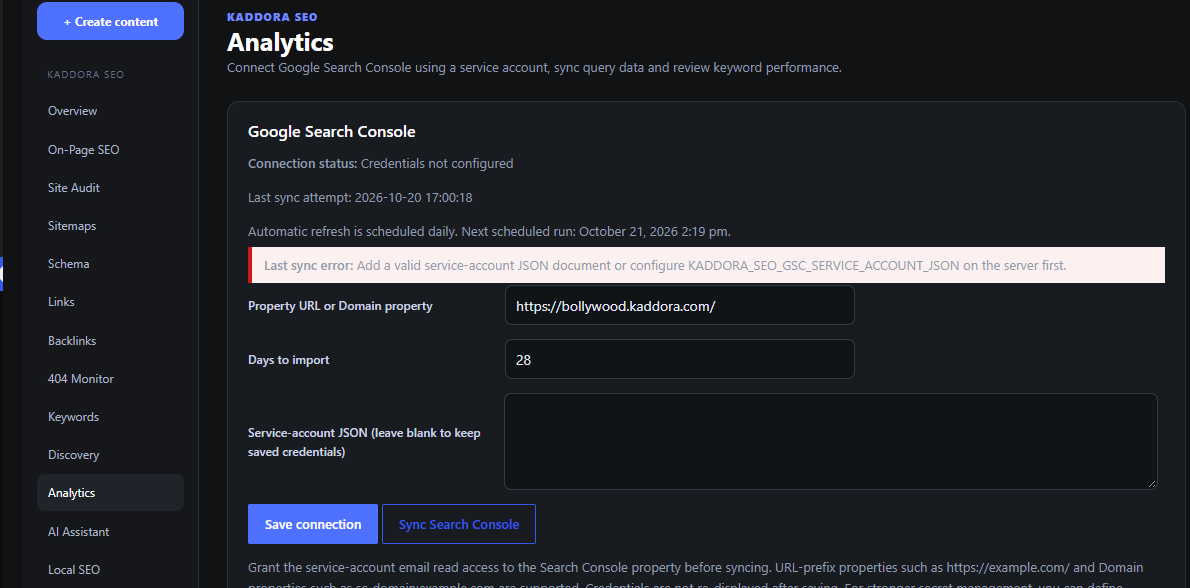
Google Search Console integration.

GA4, Microsoft Clarity, and Matomo integrations.

Scheduled reports and email/Slack alerts.

Search performance and keyword reporting workflows.

9. Local SEO and image SEO

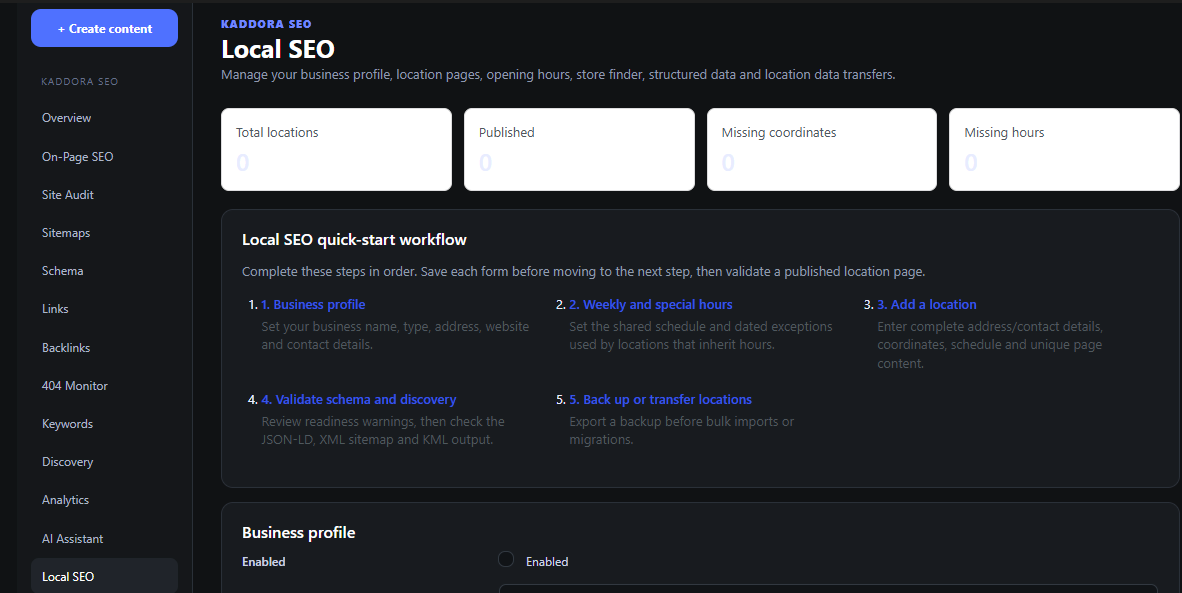
Local business profiles and location schema.

Location-related helpers and KML export.

Image SEO and social-image defaults.

Author profile links and social metadata.

10. Workflow and developer tools

Settings backup and restore.

Revision snapshots and metadata migration.

System diagnostics and database maintenance.

WP-CLI, authenticated REST endpoints, Gutenberg blocks, and shortcodes.


Performance

  • These are expected performance characteristics based on the plugin's documented design, not measured benchmark results.
  • Centralized workflow: Brings multiple SEO tasks into one WordPress dashboard.
  • Modular features: Lets administrators enable the workflows they need instead of configuring every integration.
  • Batch processing: Supports batched content checks and background processing for selected audit, crawl, and reporting tasks.
  • Reduced unnecessary API usage: External integrations generally run when configured and used, rather than requiring an external account for core metadata and schema functionality.
  • Database-backed monitoring: Stores SEO audit findings, redirect records, keywords, and 404 monitoring data for ongoing workflows.
  • Scheduled operations: Supports background jobs and scheduled reporting, with performance dependent on WP-Cron and hosting configuration.
  • Content optimization: Helps identify missing metadata, linking opportunities, and technical issues without needing a separate tool for each task.
  • Potential resource considerations: Large site crawls, bulk editing, historical reports, AI requests, and frequent analytics synchronization can consume server resources or API quotas.
  • Front-end considerations: Optional tracking scripts and maps can affect page performance when enabled. Test Core Web Vitals with the integrations your site actually uses.

Why choose Kaddora SEO?

  • All-in-one SEO toolkit: Manage content SEO, schema, sitemaps, redirects, and audits in one plugin.
  • AI-assisted productivity: Generate content suggestions through supported, administrator-configured AI providers.
  • Technical SEO management: Monitor 404s, redirects, broken links, and other site issues.
  • Search visibility insights: Connect supported analytics and search services for additional reporting.
  • Flexible integrations: Enable optional services according to your website's needs.
  • Content and technical workflows: Combine optimization recommendations with audits and monitoring.
  • Developer-friendly options: Includes WP-CLI, REST endpoints, shortcodes, and Gutenberg blocks.
  • Data management: Offers backup/restore, metadata migration, and revision-related tools.
  • Privacy-conscious configuration: Core SEO features work without requiring an external AI account; optional integrations have their own data-sharing implications.

Get unlimited downloads

Subscribe to access unlimited downloads of themes, videos, graphics, plugins, and more premium assets for your creative needs.

Subscribe to download
License Option
Free Free
$8.69 $20.79
Quality checked by themekaddora
Full Documentation
Future updates
Author Support
Featured Item
Featured Item

This item was featured on themekaddora

kaddoraTech's items

We use cookies to personalize your experience. By continuing to visit this website you agree to our use of cookies

More