
Popup Builder Kaddora
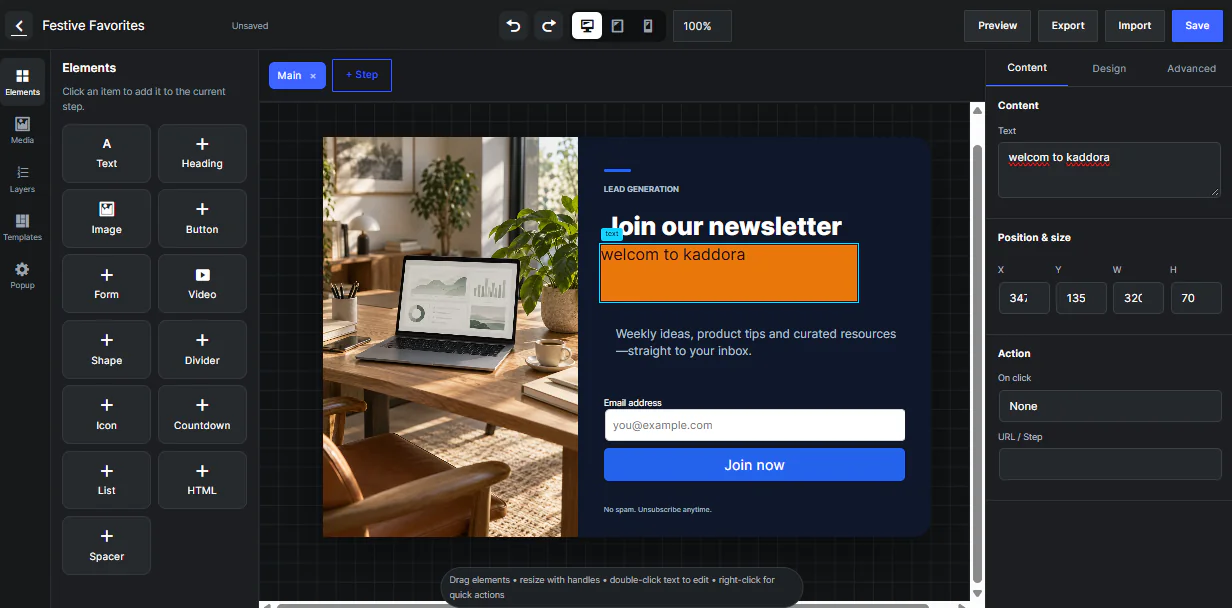
Popup Builder Kaddora is a powerful visual drag and drop WordPress popup and lead generation plugin designed for marketing campaigns, promotional offers, newsletter subscriptions, announcements, product promotions, lead capture forms, and customer engagement.
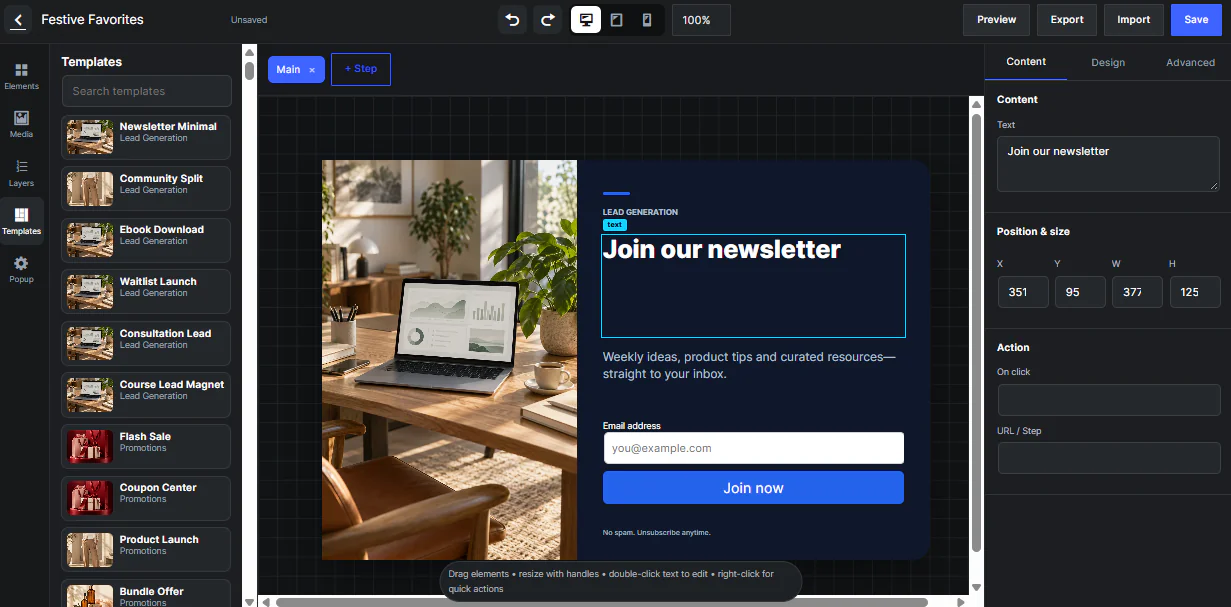
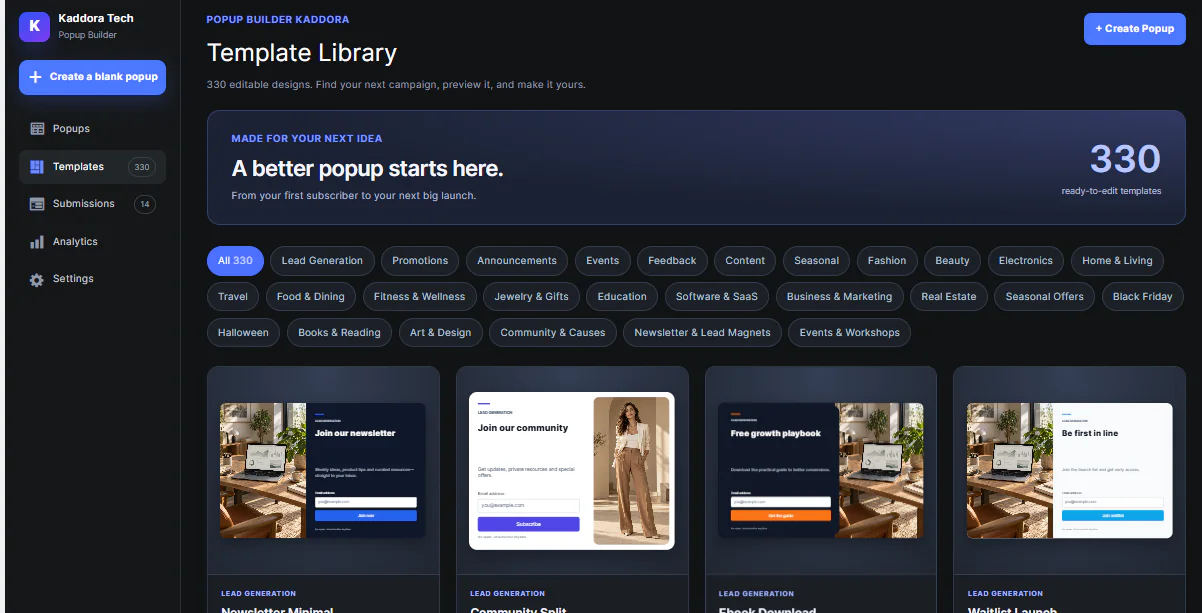
Create professional popup campaigns directly from your WordPress dashboard without coding. The plugin includes 330 ready made templates across 27 categories, multiple popup types, advanced targeting rules, flexible display triggers, responsive previews, lead generation forms, submissions, analytics, import and export tools, and complete campaign management.
👍 Easy to use
🎗️ No coding required
📜 330 ready made templates
🎀 Professional popup designs
📈 Built for marketing and lead generation
📱 Responsive on desktop, tablet, and mobile
⭐ Main Features
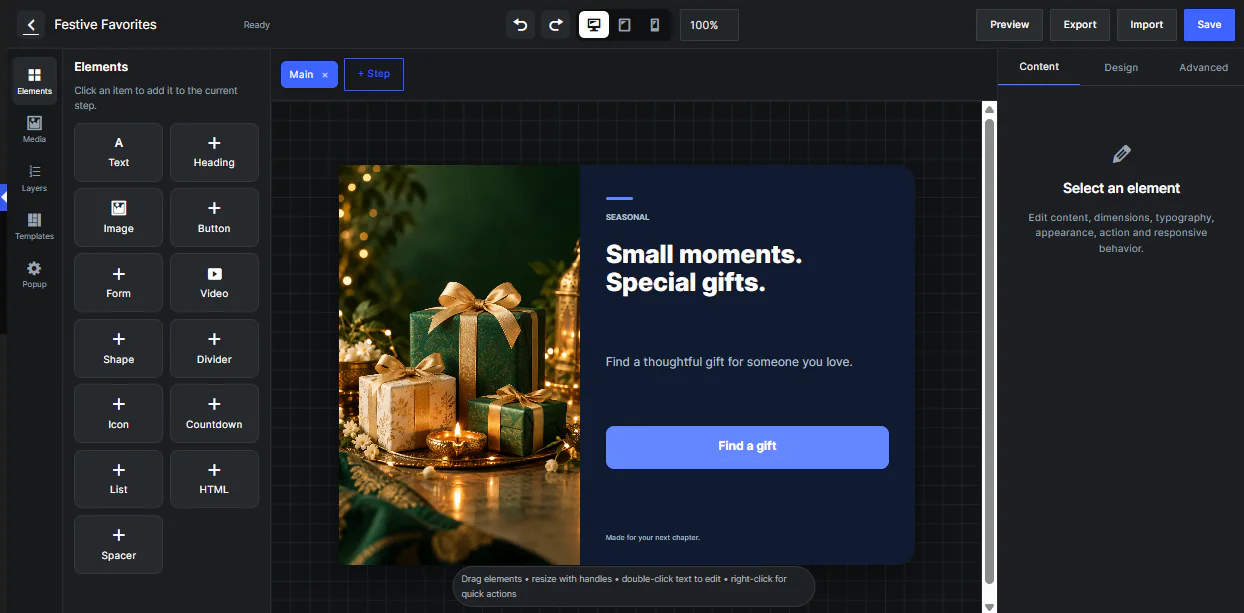
- 🎨 Visual Drag and Drop Builder
Create and customize popup layouts visually without writing code. - 📜 330 Ready Made Templates
Choose from 330 editable popup templates available across 27 categories. - 🖥️ Multiple Popup Types
Create modal, slide in, top bar, bottom bar, sidebar, fullscreen, and inline popups. - 🧩 Complete Element Library
Add text, headings, images, buttons, forms, videos, shapes, dividers, icons, countdowns, lists, HTML, and spacers. - 🎨 Advanced Design Controls
Customize size, position, spacing, background, borders, typography, shadows, opacity, rotation, alignment, and layers. - ↔️ Flexible Element Positioning
Move, resize, duplicate, delete, bring forward, and send elements backward. - 📱 Responsive Preview
Preview your popup designs on desktop, tablet, and mobile devices. - 💻 Device Display Control
Choose whether a popup appears on desktop, tablet, mobile, or selected devices. - ⚡ Multiple Display Triggers
Display popups using immediate display, time delay, exit intent, scroll depth, visitor inactivity, or CSS selector click. - 🎯 Advanced Targeting Rules
Target campaigns using page URLs, visitor login status, WordPress roles, referrer data, query strings, and device type. - 🔁 Frequency Control
Show campaigns on every visit, once per session, once per visitor, or again after a selected number of days. - 📝 Lead Generation Forms
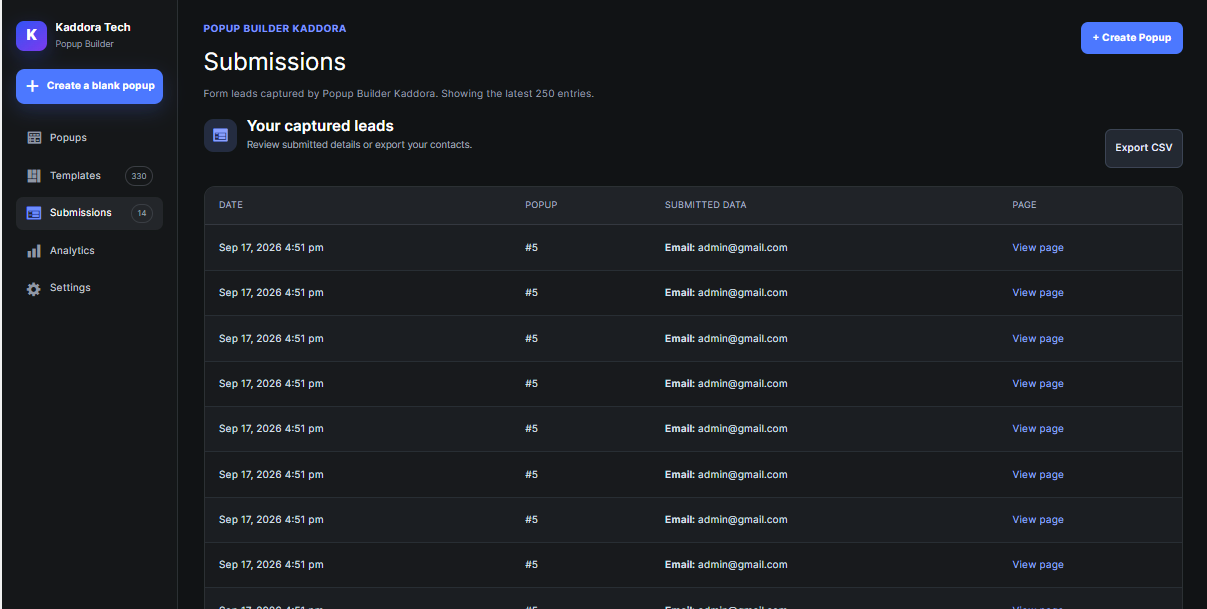
Create forms for newsletter signup, email collection, contact requests, downloads, registrations, and marketing campaigns. - 📥 Submission Management
Store and review collected form submissions directly from the WordPress dashboard. - 📊 CSV Export
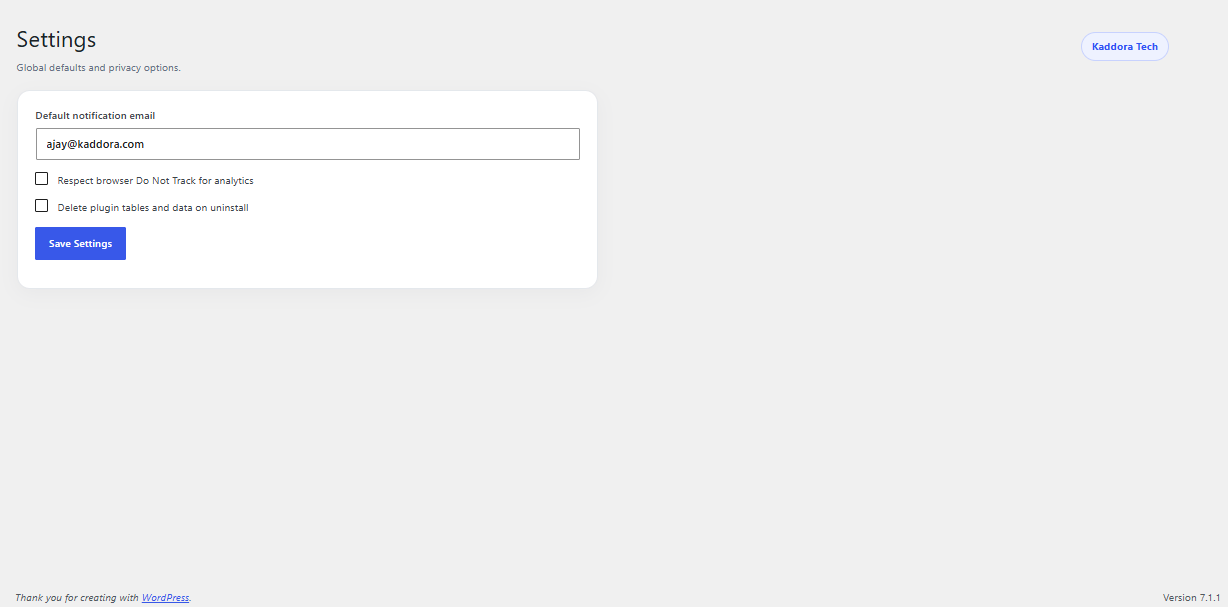
Export form submission data for spreadsheet and business use. - ✉️ Email Notifications
Send administrator notifications when visitors submit popup forms. - 💌 Visitor Auto Reply
Send automatic confirmation messages after successful form submissions. - 🔗 Redirect After Submission
Redirect visitors to thank you pages, landing pages, products, or other URLs. - 📂 Download After Submission
Provide downloadable files or resources after form submission. - 🔌 Webhook Integration
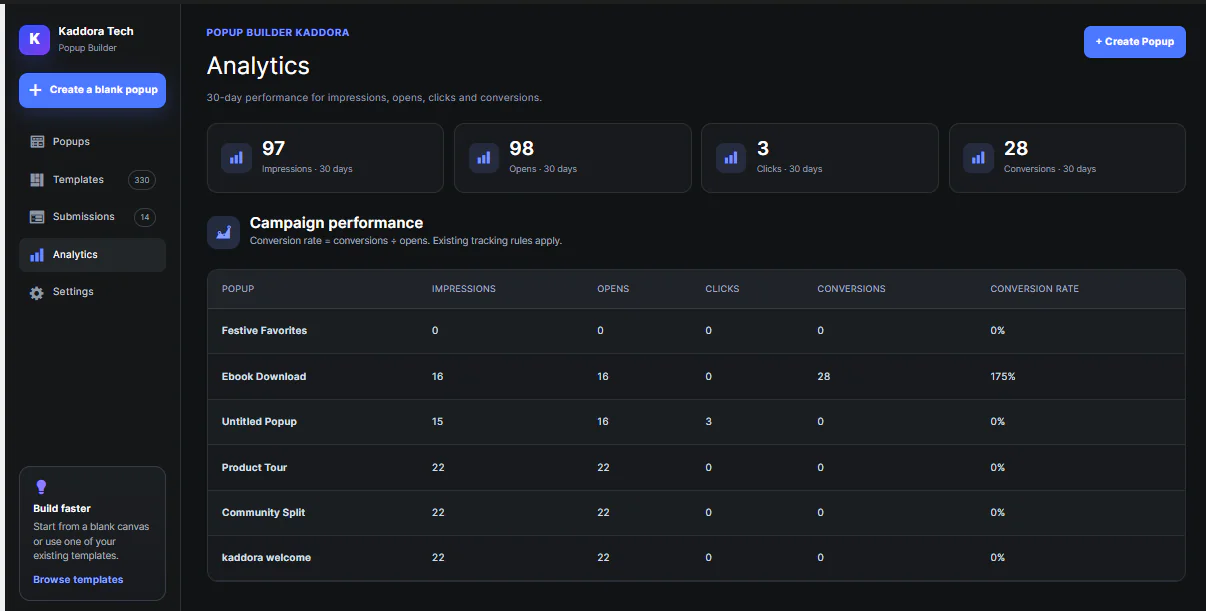
Send submission data to supported external systems and workflows. - 📈 Popup Analytics
Track impressions, popup opens, clicks, form submissions, and conversions. - 📊 Google Analytics Support
Send supported popup events to Google Analytics when available. - 🪜 Multi Step Popups
Create multi step popup campaigns for forms, offers, lead generation, and interactive experiences. - ✨ Popup Animations
Use fade, rise, zoom, and pulse animations with configurable delays. - 🎭 Popup Appearance Controls
Control popup width, height, background, background image, overlay, border radius, placement, close button, scrolling, and automatic closing. - ↩️ Undo and Redo
Reverse or restore recent builder changes quickly. - 📋 Duplicate Elements and Campaigns
Duplicate individual elements or complete popup campaigns. - 📝 Draft and Publish Workflow
Save campaigns as drafts, publish them when ready, or pause active campaigns. - 📤 Import and Export
Import and export popup configurations using JSON files. - 🔗 Shortcode Support
Display or trigger popup campaigns using supported WordPress shortcodes. - 🖼️ WordPress Media Library Integration
Select images and supported media directly from your WordPress Media Library.
🎯 Display Triggers
Your popup campaigns can be displayed using:
• ⚡ Immediate Display
• ⏱️ Time Delay
• 🚪 Exit Intent
• 📜 Scroll Depth
• 💤 Visitor Inactivity
• 🖱️ CSS Selector Click
🎗️ Targeting Options
Show the right popup to the right visitor using:
• Page URL targeting
• URL inclusion rules
• URL exclusion rules
• Logged in visitor targeting
• Logged out visitor targeting
• WordPress user role targeting
• Device targeting
• Referrer targeting
• Query string targeting
📊 Analytics and Lead Management
Popup Builder helps you monitor and manage your campaigns from one dashboard.
You can track:
• Popup impressions
• Popup opens
• Button and element clicks
• Form submissions
• Conversions
• Google Analytics events
• Lead submission data
You can also export collected leads using CSV export for additional marketing or business workflows.
🎀 Suitable For
Popup Builder Kaddora is suitable for:
• 🛒 WooCommerce stores
• 🏢 Business websites
• 📢 Marketing websites
• 🎨 Agency websites
• ✍️ Blogs
• 💼 Portfolio websites
• 📄 Landing pages
• 🧑💼 Service websites
• 🏦 Corporate websites
• 🛍️ Online stores
• 📈 Digital marketers
• 💻 Freelancers
• 👨💻 WordPress developers
• ⚙️ Website administrators
• 🚀 Startups
• 📣 Marketing agencies
💡 Popular Use Cases
Create popup campaigns for:
• Newsletter subscriptions
• Lead generation
• Email collection
• Product promotions
• Discount offers
• Special announcements
• Event promotions
• Content downloads
• Product launches
• Seasonal campaigns
• Customer feedback
• Call to action campaigns
• Promotional offers
• Marketing campaigns
• Website notifications
📜 Installation Process
- 📥 Download the Popup Builder Kaddora ZIP file.
- 🔐 Log in to your WordPress Admin Dashboard.
- Go to Plugins and select Add New.
- Select Upload Plugin.
- Choose the plugin ZIP file from your computer.
- Click Install Now.
- After installation, click Activate Plugin.
- Open Popup Builder from the WordPress dashboard.
- Choose one of the ready made templates or create a popup from scratch.
- Customize your popup using the visual drag and drop builder.
- Configure targeting rules, display triggers, frequency, and campaign settings.
- Preview your popup on desktop, tablet, and mobile.
- Save the campaign as a draft or publish it.
- Visit your website and verify the popup campaign.
⚙️ Technical Requirements
• WordPress Version: WordPress 6.2 or later
• PHP Version: PHP 7.4 or later
• Plugin Version: Version 1.0.0
• Installation: Standard WordPress plugin ZIP installation
• Coding Knowledge: Not required for normal popup creation
🌟 Main Highlights
👍 330 Editable Popup Templates
🎀 27 Template Categories
🎨 Visual Drag and Drop Builder
🖥️ Multiple Popup Types
📱 Responsive Device Preview
🎯 Advanced Targeting Rules
⚡ Multiple Display Triggers
📝 Lead Generation Forms
📥 Submission Management
📊 CSV Export
📈 Popup Analytics
🔌 Webhook Integration
🪜 Multi Step Popups
📤 Import and Export
🔗 Shortcode Support
🖼️ WordPress Media Library Integration
💻 No Coding Required
⚙️ Complete WordPress Dashboard Management
Popup Builder Kaddora gives WordPress website owners, marketers, agencies, freelancers, and online stores a complete solution for creating attractive popup campaigns, collecting leads, promoting offers, and managing popup performance from one place.