Kaddora MailFlow WP SMTP – WordPress Email Logs, Gmail, Outlook & Amazon SES
Kaddora MailFlow WP SMTP is a WordPress email delivery, logging, monitoring, and troubleshooting plugin designed to help site owners improve the reliability and visibility of outgoing WordPress emails.
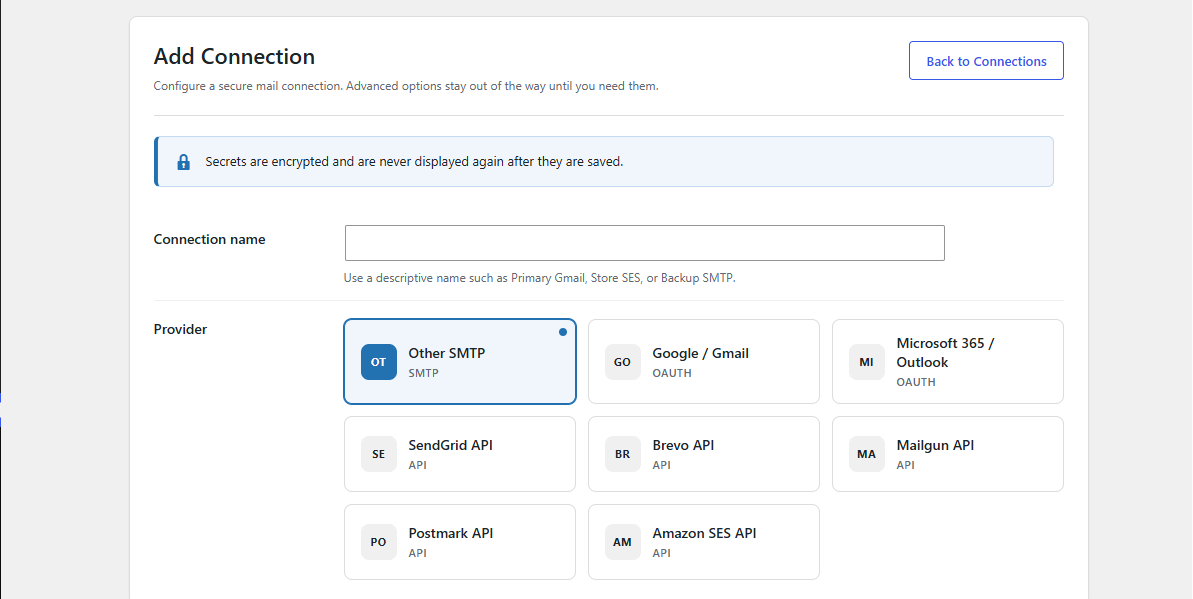
Instead of relying only on the default WordPress wp_mail() configuration, Kaddora MailFlow allows administrators to connect WordPress to authenticated email services such as Gmail, Google Workspace, Microsoft Outlook, Microsoft 365, Amazon SES, and standard SMTP servers.
The plugin is built for websites that depend on transactional email, including WooCommerce stores, membership websites, LMS platforms, contact forms, booking systems, CRM workflows, password-reset emails, account notifications, and other WordPress-generated messages.
Kaddora MailFlow combines SMTP configuration with email logs, queue management, retry handling, smart routing, reports, alerts, DNS health checks, and delivery diagnostics in one centralized WordPress admin interface.
Reliable WordPress Email Delivery
WordPress normally sends email through the server's PHP mail configuration. Depending on the hosting environment, these messages may be rejected, delayed, filtered into spam, or never delivered.
Kaddora MailFlow helps route outgoing WordPress email through an authenticated mail provider.
Supported connection types can include:
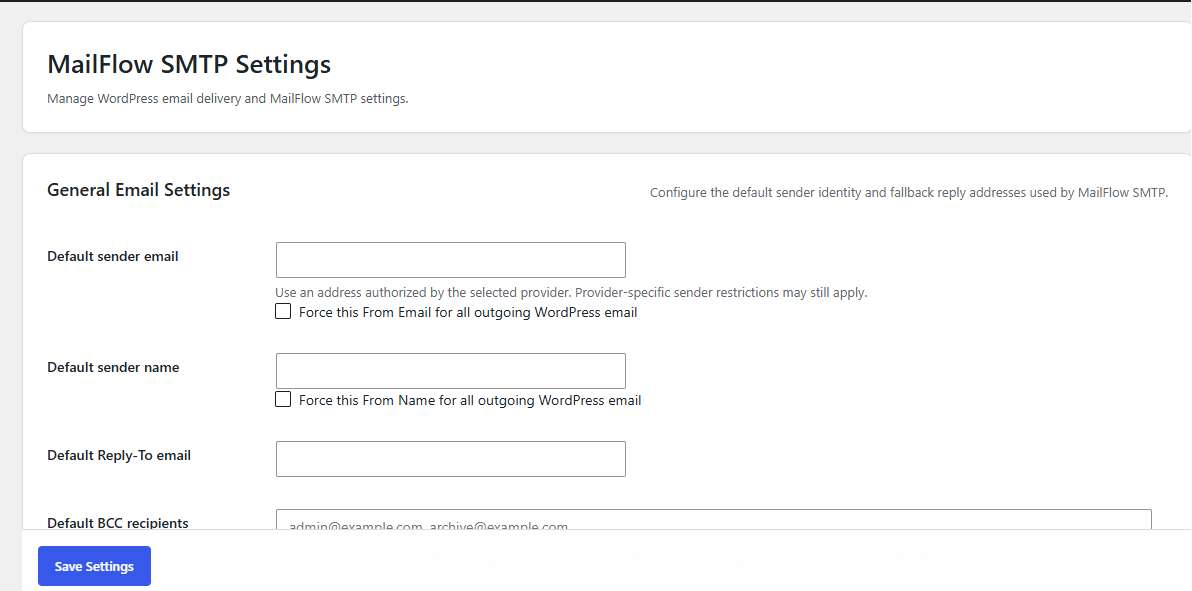
Administrators can configure sending credentials, sender identity, connection settings, and other delivery options directly from the WordPress dashboard.
Gmail and Google Workspace Email Sending
Connect WordPress with Gmail or Google Workspace and use Google's authenticated email infrastructure for outgoing WordPress messages.
Depending on the configured connection method, MailFlow can support OAuth-based authorization so administrators do not need to store a normal Gmail account password inside WordPress.
This is useful for:
OAuth-related functionality is designed so authentication services handle authorization and token exchange rather than the content of outgoing WordPress emails.
Microsoft Outlook and Microsoft 365
Kaddora MailFlow can be used with Microsoft email accounts, including supported Outlook and Microsoft 365 environments.
This makes the plugin suitable for companies that already use Microsoft email services and want their WordPress website to send transactional messages through the same ecosystem.
Supported Microsoft connection scenarios can include:
Amazon SES Integration
Amazon Simple Email Service is commonly used for scalable transactional email.
Kaddora MailFlow includes support for Amazon SES configuration so websites can send WordPress email through AWS infrastructure.
Amazon SES is especially useful for:
MailFlow can manage the connection configuration while keeping email delivery controls inside WordPress.
Standard SMTP Support
Administrators can also configure traditional SMTP servers.
Typical SMTP settings include:
This makes MailFlow suitable for hosting-provider SMTP accounts, business email servers, and other compatible SMTP services.
Email Logs
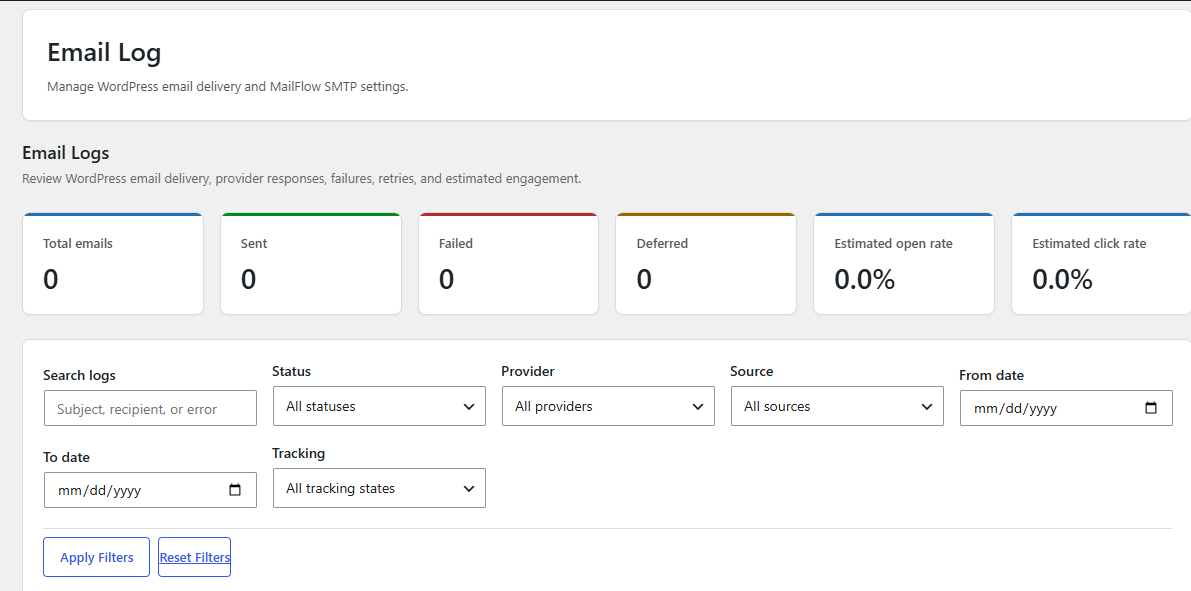
One of the most important features of Kaddora MailFlow is centralized WordPress email logging.
Instead of wondering whether WordPress attempted to send a message, administrators can review outgoing email activity from the WordPress dashboard.
Depending on configured privacy and logging settings, email logs can provide information such as:
Email logs are particularly helpful when troubleshooting forms, WooCommerce emails, password-reset messages, registration emails, and other WordPress notifications.
Delivery Attempt Tracking
When an email does not send successfully, simply displaying a generic "failed" status is often not enough.
MailFlow can track delivery attempts so administrators can understand what happened during the sending process.
A delivery history can help identify problems such as:
This provides significantly more useful diagnostic information than relying only on WordPress' default mail behavior.
Email Queue
Kaddora MailFlow includes queue-management functionality for websites that need more controlled background email delivery.
Administrators can monitor:
Queue processing can help prevent large amounts of email from being sent during a single page request.
This can be particularly useful for WooCommerce, membership, LMS, automation, and high-traffic WordPress websites.
Retry Failed Emails
Temporary email failures do not always mean an email should be permanently abandoned.
MailFlow can support retry handling so eligible failed or deferred messages can be attempted again.
This helps with temporary issues such as:
Retry behavior should still respect configured provider limits and queue policies.
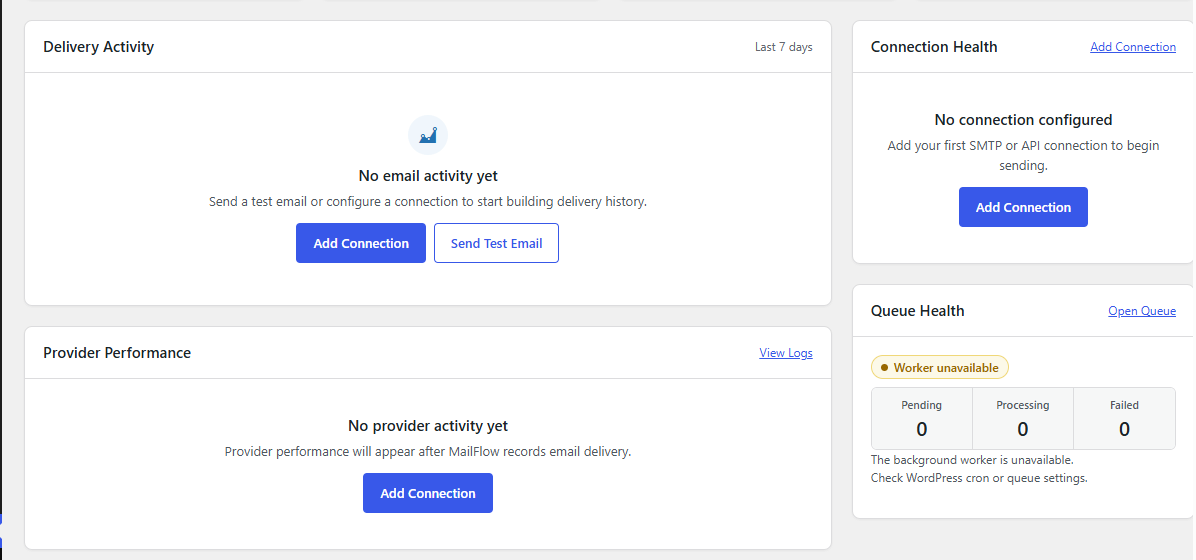
Queue Health Monitoring
MailFlow provides queue-health information so administrators can quickly identify whether background email processing requires attention.
Health information can include statuses such as:
Queue statistics can help administrators identify unusually large pending queues, failed emails, or dead-letter jobs before they become a larger delivery problem.
Smart Email Routing
Not every WordPress email necessarily needs to use the same sending connection.
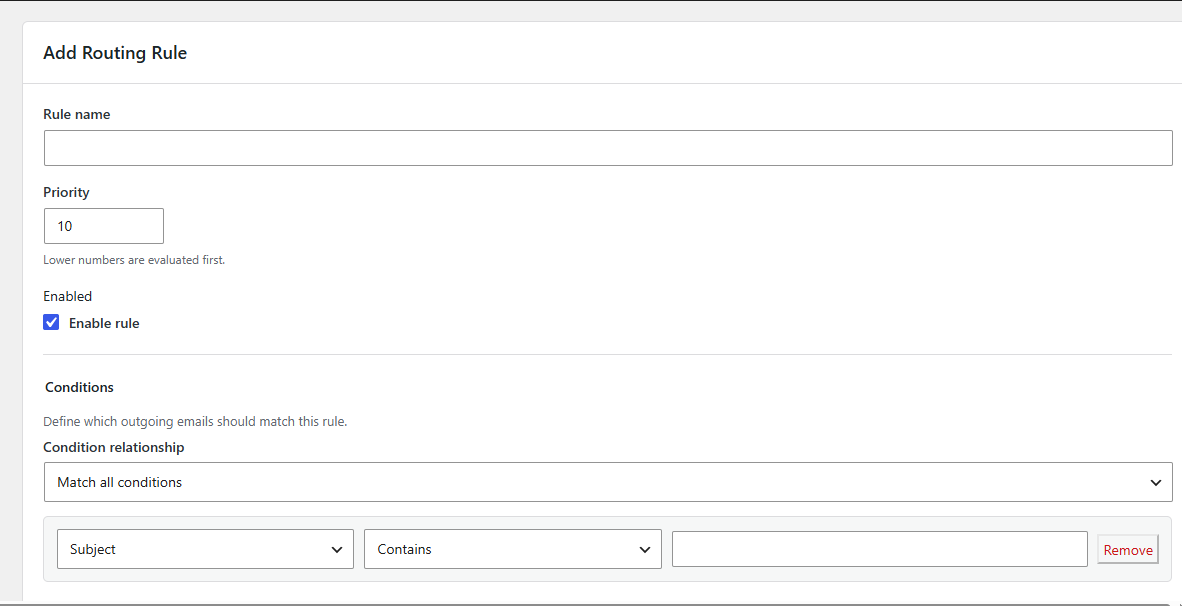
Kaddora MailFlow includes Smart Routing functionality that can evaluate outgoing email against configured conditions and select the appropriate connection or action.
Routing conditions can be based on information such as:
Possible routing actions can include:
This allows advanced websites to create different delivery strategies for different types of WordPress email.
Routing Simulator
Creating complex routing rules can be difficult without knowing which rule will match.
MailFlow includes a routing simulator that allows administrators to test sample email information against routing rules without sending a real production email.
This can help validate rules based on:
The simulator can be used before putting a routing configuration into production.
Backup and Fallback Connections
Email delivery should not always depend on a single provider.
MailFlow can support fallback connection strategies so another configured connection can be used when the preferred route is unavailable or fails under supported conditions.
For example:
Primary Connection ↓ Delivery failure ↓ Backup Connection
This can increase resilience for websites where transactional emails are business-critical.
Email Reports
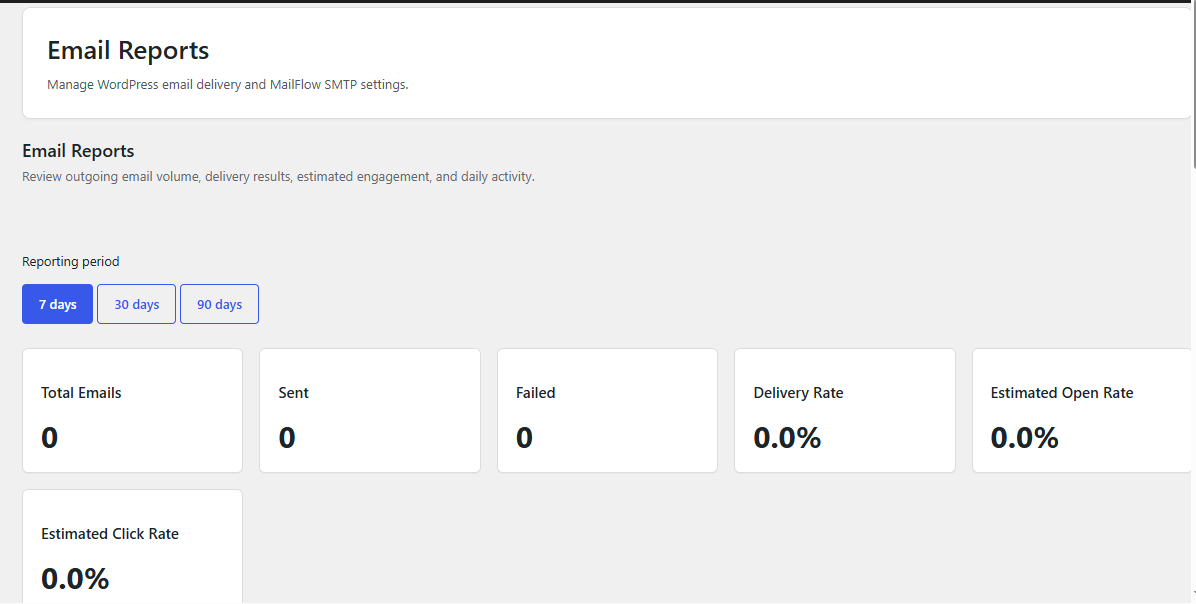
MailFlow includes reporting functionality to help administrators understand email activity over time.
Reports can summarize information such as:
Reporting periods can include commonly used ranges such as:
Reports provide a higher-level view than individual email logs.
Open and Click Tracking
Where enabled and appropriate for the website's privacy requirements, MailFlow can track engagement signals such as email opens and link clicks.
Possible reporting information includes:
Administrators should remember that open and click measurements are estimates.
Modern privacy technologies, security scanners, image blocking, link scanners, and mail proxies can affect tracking accuracy.
Tracking should therefore be configured in accordance with applicable privacy and consent requirements.
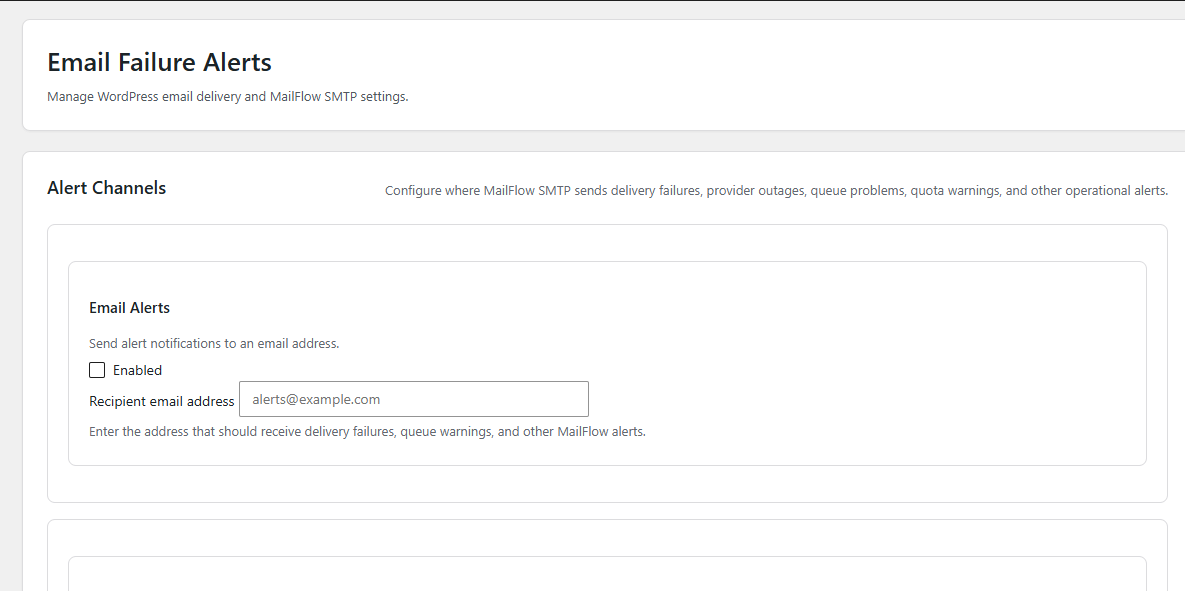
Email Alerts
MailFlow includes an alerts system for important email-delivery and queue conditions.
Supported alert channels can include:
Administrators can configure the appropriate channels for their operational workflow.
Alerts may be useful for events such as:
This allows website administrators or technical teams to respond to delivery problems more quickly.
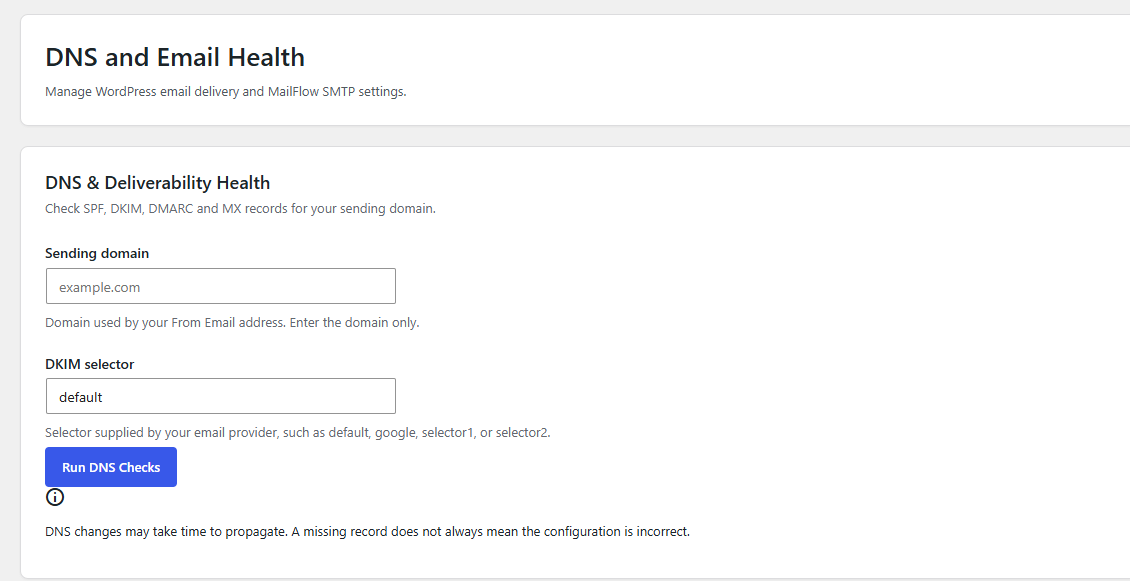
DNS & Email Health
Correct DNS authentication is an important part of reliable email delivery.
Kaddora MailFlow includes a DNS health interface that can help administrators review common email-related DNS records.
Health checks can include:
SPF
Checks whether the sending domain publishes an SPF record.
DKIM
Checks the configured DKIM selector and related public-key record.
DMARC
Checks whether the domain publishes a DMARC policy.
MX
Checks whether the domain has mail-exchange records.
The DNS Health screen can provide an overview such as:
SPF Passed DKIM Passed DMARC Warning MX Passed
Long DNS records can also be presented in a readable format for troubleshooting.
DNS results are informational and may be affected by DNS propagation and caching.
Connection Diagnostics
MailFlow is designed to provide administrators with more visibility into email configuration problems.
Diagnostic workflows can help identify:
This allows administrators to investigate problems directly from WordPress instead of relying only on hosting logs.
WordPress Notification Management
MailFlow can provide controls for selected WordPress-generated notification types.
Depending on the configured version and settings, administrators may be able to manage notifications such as:
This gives administrators more control over unnecessary or unwanted system email.
Privacy and Email Logging Controls
Email messages can contain personal or sensitive information.
Kaddora MailFlow is designed with configurable logging and privacy considerations.
Depending on settings and enabled features, administrators can control what information is retained and for how long.
Privacy-conscious configuration can include:
Website owners remain responsible for configuring the plugin according to their privacy policy and applicable regulations.
Attachment Handling
Where supported by the configured logging and queue settings, MailFlow can retain information required for queued or retried email attachments.
Attachment handling should be configured carefully because email attachments may contain sensitive information and can consume significant storage space.
WordPress Admin Dashboard Integration
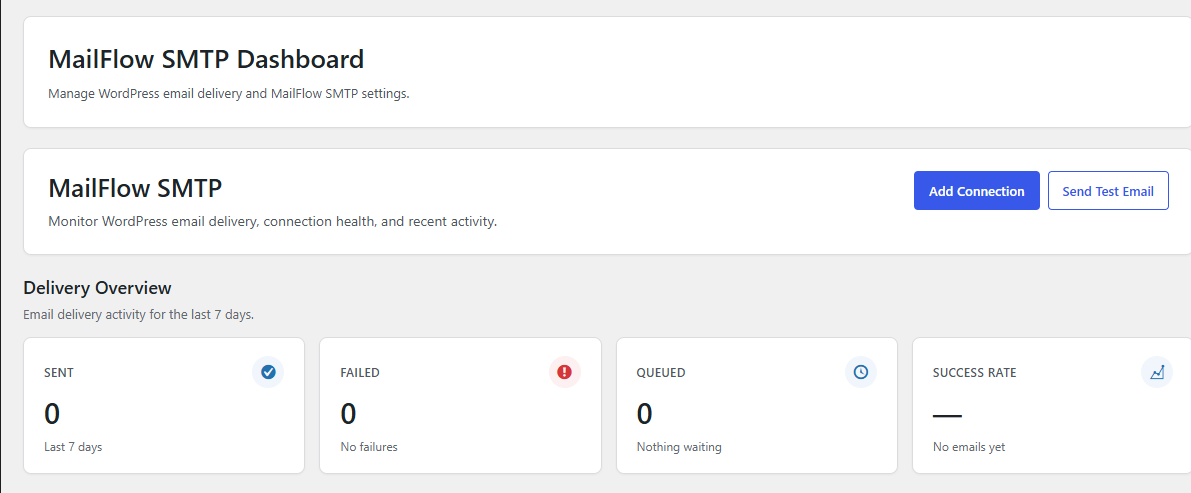
Kaddora MailFlow uses dedicated WordPress administration pages to organize email management.
The plugin interface can include:
The goal is to provide administrators with one centralized location for managing WordPress email.
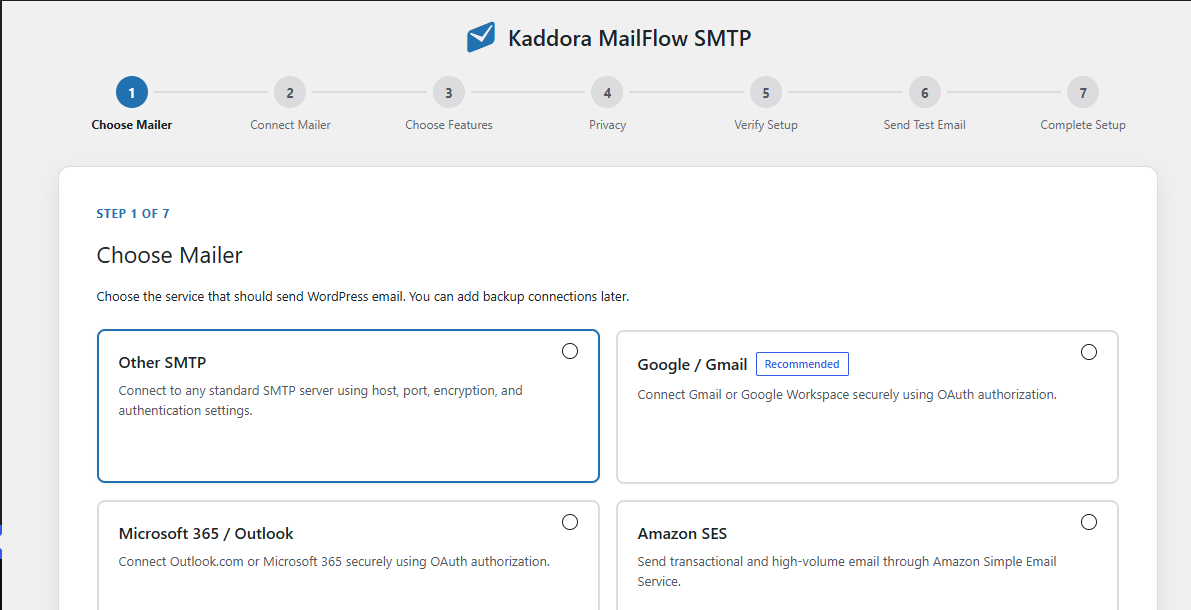
Setup Wizard
New administrators can use the Setup Wizard to configure MailFlow without manually navigating every settings page.
A typical setup process includes:
WooCommerce Email Support
Kaddora MailFlow works with outgoing WordPress email generated through the standard WordPress mail system, making it useful for WooCommerce transactional messages such as:
MailFlow does not replace WooCommerce's email templates. Instead, it focuses on delivering, logging, routing, monitoring, and diagnosing those messages.
Contact Forms and WordPress Plugins
MailFlow can also help with email generated by plugins that use the standard WordPress mail system.
Typical examples include:
Actual compatibility depends on how the third-party plugin sends its email.
Multisite Considerations
For WordPress Multisite environments, MailFlow's architecture can support site-aware configuration and administrative controls where enabled.
Connection ownership, site context, authorization, and stored settings should remain appropriately separated between sites.
Security-Focused Architecture
MailFlow's administration functionality is designed around standard WordPress security practices.
This includes using mechanisms such as:
Sensitive information such as provider tokens, SMTP credentials, and API secrets should never be exposed unnecessarily in browser-visible JavaScript or public pages.
Performance-Conscious Email Processing
Large WordPress installations need to avoid unnecessary work on every page request.
MailFlow's architecture is intended to keep expensive operations such as DNS checks, queue processing, reporting aggregation, and cleanup outside normal front-end requests wherever possible.
Recommended operational practices include:
Who Should Use Kaddora MailFlow WP SMTP?
Kaddora MailFlow is suitable for:
Key Features at a Glance
Subscribe to access unlimited downloads of themes, videos, graphics, plugins, and more premium assets for your creative needs.

This item was featured on themekaddora
Published:
Aug 12, 2026 09:49 PM
Version:
v1.0.0
Category:
Tags: