
Introduction
WhatsApp has become an important communication channel for businesses that want to connect with customers, answer questions, share updates, and support sales conversations.
From product announcements and promotional campaigns to customer service and lead follow-ups, WhatsApp can help businesses maintain direct communication with their audiences.
However, managing these activities manually can become difficult as contact lists grow. Teams may need to organize customer information, create message templates, send campaigns, answer incoming questions, track delivery activity, and follow up with interested leads.
Using separate tools for messaging, chatbot management, customer contacts, and campaign reporting can make these workflows harder to coordinate.
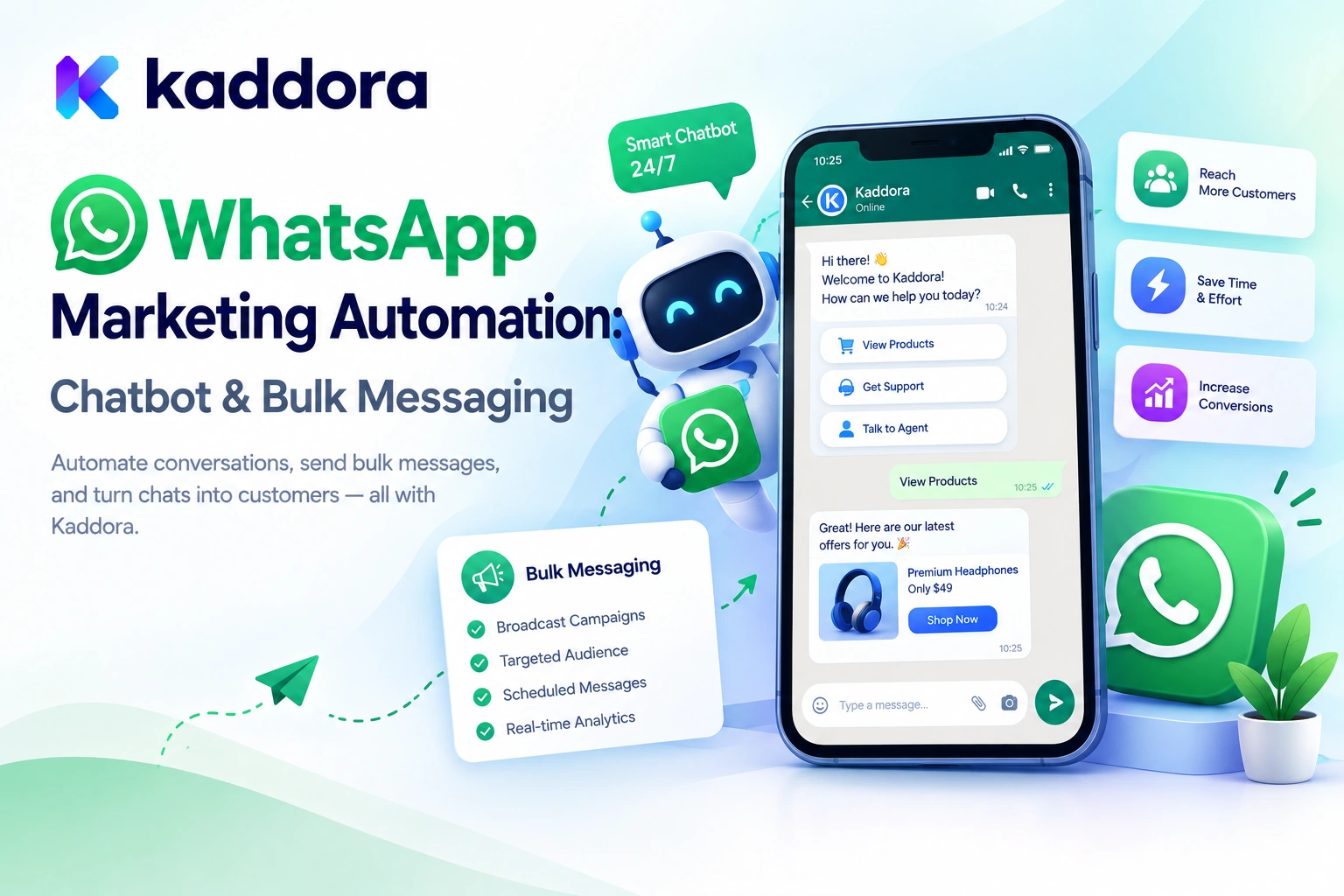
WhatsApp Marketing Automation – WordPress Chatbot & Bulk Messaging Plugin by Kaddora is designed to bring WhatsApp campaigns, bulk messaging, chatbot automation, contact management, customer conversations, message templates, and campaign analytics into one WordPress workspace.
Built around the official WhatsApp Cloud API, the plugin provides tools for businesses that want to manage supported WhatsApp communication workflows directly from their WordPress dashboard.
In this guide, we'll explore the plugin's features, how WhatsApp automation works, how to configure the integration, and how businesses can use it responsibly for customer engagement, lead generation, marketing, and support.
What Is WhatsApp Marketing Automation by Kaddora?
WhatsApp Marketing Automation by Kaddora is a WordPress plugin designed to help businesses manage WhatsApp marketing and customer communication through the official WhatsApp Cloud API.
Instead of treating every message as an isolated activity, the plugin combines several related workflows:
WhatsApp contact management
Bulk messaging campaigns
Message template creation
Automated customer replies
WhatsApp chatbot configuration
Knowledge-based chatbot training
Customer conversation management
Marketing automation
Campaign activity tracking
Delivery and read-status monitoring
Customer opt-in and unsubscribe workflows
The plugin also includes a visual message builder, a centralized WhatsApp inbox, a chatbot testing console, and a library of ready-made campaign templates.
These capabilities are intended to help businesses coordinate outbound marketing and incoming customer communication from one WordPress environment.
Learn more on the official Kaddora WhatsApp Marketing Automation product page.
Important: Sending real WhatsApp messages requires an appropriately configured Meta business setup and WhatsApp Cloud API access. Provider policies, template approvals, messaging limits, and applicable charges still apply.
Why Do Businesses Need WhatsApp Marketing Automation?
Customer communication often involves several repetitive activities.
A business may need to notify customers about a new offer, respond to common questions, follow up with leads, announce a product launch, or provide information about appointments and services.
When these activities are managed entirely by hand, opportunities can be missed and customer responses may become delayed.
Common challenges include:
Manual campaign preparation: Marketing teams repeatedly create messages for similar promotions.
Disorganized contacts: Contact information is spread across spreadsheets, forms, and separate systems.
Slow customer responses: Staff spend time answering the same basic questions.
Limited personalization: Generic messages may not address the customer's context or interests.
Disconnected conversations: Marketing campaigns and incoming customer inquiries are managed separately.
Limited visibility: Teams struggle to understand which messages were sent, delivered, read, or failed.
A structured WhatsApp marketing workflow helps organize these activities while allowing staff to focus on conversations that require personal attention.
Key Features of Kaddora WhatsApp Marketing Automation
1. Official WhatsApp Cloud API Integration
The plugin is built around the official WhatsApp Cloud API workflow.
This allows WordPress to connect to the supported WhatsApp Business messaging infrastructure rather than relying on unofficial browser-based automation methods.
The integration process requires appropriate WhatsApp business configuration. Depending on the setup, this includes:
Meta Business account
WhatsApp Business Account
WhatsApp Business phone number
Phone Number ID
WhatsApp Business Account ID
Valid access token
Configured webhook
Approved message templates where required
Once configured, the integration can support the plugin's available campaign, chatbot, contact, and conversation-management workflows.
A properly configured API connection also helps the plugin receive supported message events through webhooks, including customer replies and delivery-related updates.
Keep credentials secure and follow the official provider's current requirements for account access, authentication, message templates, and sending limits.
2. WhatsApp Bulk Messaging Campaigns
Sending messages individually can become impractical when a business needs to communicate with a large audience.
Kaddora WhatsApp Marketing Automation includes bulk messaging functionality with a campaign queue designed to organize supported campaign delivery.
Businesses can use bulk campaigns for appropriate communications such as:
Product announcements
New service launches
Promotional offers
Event reminders
Business updates
Customer engagement
Lead follow-ups
Seasonal campaigns
Relevant customer notifications
A typical campaign workflow looks like this:
Select Eligible Contacts ↓ Create WhatsApp Campaign ↓ Prepare Message ↓ Review Template and Content ↓ Queue Campaign ↓ Send Through WhatsApp Cloud API ↓ Monitor Available Results
The queue helps organize sending activity, but it does not remove API limits or guarantee that every message will reach its recipient.
Bulk messaging must follow WhatsApp's applicable policies and consent requirements. Send marketing messages only to recipients who have provided the required permission, and respect their communication preferences.
3. 120 Ready-Made WhatsApp Campaign Templates
Creating effective campaign messages repeatedly can take time, particularly for businesses that run regular promotions or operate multiple campaigns.
The plugin includes 120 starter WhatsApp campaign templates across 12 categories, according to its product listing.
These templates provide a starting point for businesses that do not want to create every message from scratch.
The advertised template categories cover activities such as:
Marketing and promotions
Sales campaigns
Ecommerce communication
Lead follow-ups
Customer service
Events and reminders
Offers and announcements
Business updates
Customer engagement
For example, an online store could adapt a product announcement template for a new collection, while a service business could customize a follow-up template for an opted-in lead.
Templates should be reviewed before use. Update the business name, offer details, dates, links, and calls to action, and ensure that the message accurately reflects the current promotion.
Ready-made templates simplify preparation; they do not automatically replace the approval process required for applicable WhatsApp message templates.
4. Drag-and-Build WhatsApp Message Template Builder
Plain text is not the only way businesses communicate through WhatsApp.
Depending on the supported message type and applicable API rules, structured messages can include text, images, documents, buttons, and other content.
Kaddora WhatsApp Marketing Automation includes a visual template builder with message blocks such as:
Header
Text
Image
Video
Document
Coupon
Quick reply
Link
Call button
Product
Location
Footer
This gives marketing teams a visual way to organize message content before launching a campaign.
For example, a product announcement can include a heading, a brief explanation, an approved product image, a relevant link, and a clear next step.
Use only message structures supported by the configured WhatsApp API and approved template type. The availability of buttons, media, product information, and other components depends on the actual message format and provider requirements.
5. Live WhatsApp Phone Preview
A message may look organized in an editor but appear differently on a mobile screen.
Kaddora WhatsApp Marketing Automation includes a live phone preview to help administrators review message layouts while designing them.
The preview is useful for checking the overall structure of messages containing text, images, buttons, links, and other supported content blocks.
Before sending a campaign, verify that:
The opening message explains its purpose.
Important information appears clearly.
The call to action is understandable.
Links point to the correct destination.
Images and text support the intended message.
Promotional terms are accurate.
A preview helps with content review, but it should not be treated as a guarantee that every WhatsApp client will render the message identically.
6. WhatsApp Chatbot for WordPress
Businesses often receive repeated customer questions about products, services, prices, operating hours, booking information, and general policies.
Answering every routine question manually can consume significant support time.
Kaddora WhatsApp Marketing Automation includes a chatbot system designed to support automated conversations through WhatsApp.
Potential use cases include:
Frequently asked questions
Product inquiries
Service information
Business hours
Pricing questions
Lead qualification
Customer support
Contact information
Store information
Appointment or booking inquiries
A typical interaction may follow this structure:
Customer Sends WhatsApp Message ↓ Chatbot Receives the Question ↓ Identify a Supported Intent ↓ Retrieve Relevant Information ↓ Prepare a Response ↓ Reply or Escalate to a Human
Automated replies can help handle routine questions, but the chatbot should not invent information or claim that an order, payment, booking, or refund has been completed without confirmation from the relevant system.
For uncertain, sensitive, or complex requests, provide a route to a human representative.
7. WhatsApp Bot Studio
The plugin includes a dedicated WhatsApp Bot Studio for configuring and managing chatbot behavior.
This interface is designed to help administrators organize automated responses and train their bot for the types of questions customers commonly ask.
The product listing also includes 50 starter chatbot intents that businesses can customize for their requirements.
An intent represents a category of user request, such as asking about opening hours, pricing, available services, or contact details.
For example, a business could customize an intent for a service inquiry with an appropriate response based on its verified information.
Starter intents can reduce initial setup effort, but they should not be treated as finished business answers. Review the wording, confirm every factual detail, and update responses whenever business information changes.
8. Knowledge-Based Chatbot Training
A chatbot becomes more useful when its answers reflect the business's actual information.
Kaddora WhatsApp Marketing Automation supports knowledge-based chatbot training using sources described in the product listing, including:
Manually entered text
PDF documents
CSV files
TXT files
Markdown documents
This allows businesses to prepare a knowledge collection containing approved information about services, product details, policies, FAQs, and other relevant topics.
A typical process is:
Prepare Business Information ↓ Import Supported Knowledge Sources ↓ Configure Chatbot Knowledge ↓ Test Questions and Answers ↓ Review Accuracy ↓ Use in Customer Conversations
The plugin also includes a local chatbot testing console for checking questions, answers, knowledge responses, intent matching, and bot behavior before using the bot with real customers.
Use current, accurate documents and remove unnecessary confidential information before importing content. Test questions that customers are likely to ask, including questions that should produce a clear escalation rather than an invented answer.
9. Centralized WhatsApp Inbox
Marketing campaigns are only one part of WhatsApp communication. Businesses also need to respond to messages that customers send.
Kaddora WhatsApp Marketing Automation includes a WhatsApp inbox inside WordPress for managing supported customer conversations.
The inbox is designed for workflows such as:
Customer inquiries
Sales conversations
Support requests
Lead communication
Order-related questions
General business inquiries
This creates a more centralized environment for reviewing incoming conversations and responding from the WordPress dashboard.
A connected inbox can help teams bring customer communication closer to their contact and campaign workflows.
For larger teams, establish clear procedures for assigning responsibility, handling unanswered questions, and escalating issues that require access to order or customer records.
10. Direct WhatsApp Replies
The plugin supports direct replies to customer WhatsApp messages from its WordPress workspace.
This allows administrators to respond to inquiries without constantly switching between unrelated interfaces.
Direct replies can be useful when a chatbot cannot resolve a question or when a customer needs personalized help.
For example, a sales representative may need to clarify a service requirement, confirm an appointment request, or answer a question that requires a human decision.
Message timing, message types, and reply availability remain subject to the WhatsApp Business API rules and the circumstances of the conversation. Follow applicable messaging-window and approved-template requirements.
11. Contact Management and CSV Import/Export
Managing WhatsApp contacts is an important part of campaign organization.
Kaddora WhatsApp Marketing Automation includes contact management functionality and CSV import/export tools.
These features can help businesses maintain contact records and organize supported marketing workflows.
Contact information can be used for suitable purposes such as:
Opted-in marketing campaigns
Follow-up communication
Segmented outreach
Customer support
Lead engagement
CSV import can be useful when moving eligible contact information from another business system, while export can support authorized data management tasks.
Before importing contacts, validate the phone-number format, remove duplicate or invalid records where appropriate, and preserve relevant consent and opt-out information.
An existing phone-number list should not automatically be treated as a list of people who agreed to receive WhatsApp marketing.
12. Personalized WhatsApp Messages
Personalization can make business communication more relevant when it uses accurate information appropriately.
The plugin supports dynamic personalization variables for supported message fields.
Depending on the configured workflow and available data, variables can help insert details such as a recipient's name, business information, contact information, or campaign-specific content.
For example, a generic greeting may be adapted to address the intended customer by name.
Always validate the data source and preview the resulting message. An incorrectly configured variable may generate empty values, expose inappropriate information, or produce a confusing message.
Personalization should improve the customer experience rather than make unsupported claims about a recipient's behavior or preferences.
13. WhatsApp Marketing Automation Workflows
Manual messaging can become repetitive when businesses need to follow up with leads, answer routine inquiries, or coordinate customer communication.
Kaddora WhatsApp Marketing Automation provides workflow features designed to support automated WhatsApp communication.
Potential workflow areas include:
Lead follow-ups
Customer inquiries
Repetitive questions
Marketing responses
Basic customer support
Campaign communication
Customer engagement
A workflow might use an approved trigger, retrieve the relevant contact information, prepare a supported message, and execute the configured action.
Automation can make communication more consistent, but each workflow should be tested for timing, recipient eligibility, duplicate execution, and opt-out handling.
Do not allow an automated workflow to continue marketing to contacts who have withdrawn their consent.
14. Approved WhatsApp Template Mode
WhatsApp Business messaging is subject to provider-specific rules. Some business-initiated conversations require an appropriately approved message template.
Kaddora WhatsApp Marketing Automation includes an approved WhatsApp template mode to support the corresponding workflow.
A general campaign process is:
Create Message ↓ Choose Supported Template Structure ↓ Review Required Content ↓ Submit for Provider Approval When Required ↓ Use the Approved Template ↓ Monitor Available Message Events
The exact approval and sending process depends on the template type, WhatsApp configuration, and applicable Meta rules.
A template created inside WordPress should not be assumed to be approved by Meta automatically. Confirm the actual approval status before attempting to send messages that require an approved template.
15. Delivery, Read Status, and Campaign Analytics
Knowing which messages were sent is useful, but administrators may also need visibility into delivery outcomes.
Kaddora WhatsApp Marketing Automation supports message activity tracking based on available WhatsApp Cloud API events and webhook configuration.
The listed events include statuses such as:
Sent
Delivered
Read
Failed
Other supported message events
The plugin also includes WhatsApp analytics for reviewing campaign and communication activity.
These insights can help businesses understand how messages are progressing through the supported delivery workflow.
Remember that sent, delivered, and read are different states. A submitted message is not necessarily delivered, and delivery does not mean that the recipient completed the intended action.
Use campaign data to improve content and timing, but interpret results alongside actual business outcomes and the limitations of the available tracking.
16. Business Profile and Website WhatsApp Launcher
The plugin lists business profile management functionality and an optional floating WhatsApp launcher for WordPress websites.
A website launcher can give visitors a convenient way to start a WhatsApp conversation with the business.
This can be useful for:
Sales inquiries
Product questions
Support requests
Booking questions
Lead generation
General business communication
A floating launcher can help connect website visitors to the business's communication workflow.
Configure its appearance and visibility to suit the website, and ensure that it does not obstruct important content or interfere with mobile navigation.
The launcher should clearly identify the business and provide a functional route to the intended WhatsApp destination.
17. Webhook Security
Webhooks allow external services to notify WordPress about events such as incoming messages and message status updates.
Because webhooks originate outside the WordPress request flow, they must be handled carefully.
Kaddora WhatsApp Marketing Automation advertises webhook signature validation to help verify incoming webhook requests.
This provides an important security measure for the communication integration, alongside proper credential management and validation of incoming event data.
Administrators should keep API credentials secure, use HTTPS, and follow the plugin and provider documentation for webhook setup and verification.
How to Install and Configure Kaddora WhatsApp Marketing Automation
Step 1: Check System Requirements
The product listing specifies:
WordPress 6.3 or later
PHP 8.0 or later
HTTPS/SSL recommended
WordPress Cron recommended for scheduled campaigns and queue processing
Confirm compatibility with your website and downloaded version before installation.
Step 2: Install the Plugin
From the WordPress dashboard:
Navigate to Plugins → Add New Plugin → Upload Plugin.
Select the downloaded WhatsApp Marketing Automation ZIP file.
Click Install Now.
Activate the plugin.
Open the WhatsApp Marketing settings.
Follow the product documentation for your installed version.
Step 3: Prepare WhatsApp Cloud API Access
Set up the required Meta business and WhatsApp Business account configuration.
Depending on the integration, you may need an access token, Phone Number ID, WhatsApp Business Account ID, and webhook information.
Follow the official provider's current setup instructions and ensure the account and phone number are eligible for the intended messaging workflow.
Step 4: Configure the Webhook
Follow the plugin's documented webhook setup procedure and configure the corresponding settings in your Meta environment.
Test that the integration receives the expected supported events, such as incoming messages and delivery updates.
Step 5: Add or Import Contacts
Create contacts manually or import a properly prepared CSV file.
Verify that contact data is accurate and that marketing permission or opt-in information is respected.
Step 6: Create a Message Template
Start with a ready-made template or use the visual message builder to create a new message.
Review the wording, variables, media, links, buttons, and other supported content. Submit templates for approval when required by the provider.
Step 7: Test the Chatbot
Add suitable business knowledge and configure the available chatbot intents.
Use the local testing console to check typical questions, ambiguous inquiries, and questions that should be escalated to a human.
Step 8: Launch a Small Campaign
Test your messaging configuration with an eligible, controlled audience before launching a larger campaign.
Review the message status, replies, failures, and any available analytics.
Step 9: Monitor and Refine
Inspect campaign performance and chatbot behavior regularly. Fix configuration problems, refine message content, and update knowledge sources as your business changes.
Practical Use Cases
WooCommerce Stores
WooCommerce stores can use WhatsApp for eligible product announcements, promotional campaigns, customer inquiries, and customer engagement.
For example, a store may prepare a product announcement campaign for an opted-in audience and use the centralized inbox to respond to questions.
Transactional and marketing communication should be managed appropriately, with messages sent according to the applicable provider rules and customer preferences.
Digital Marketing Agencies
Agencies can use the plugin to coordinate contacts, campaign templates, messaging workflows, chatbot configurations, inbox activity, and reporting for supported WordPress projects.
Multi-project use depends on the applicable license and configuration.
Real Estate Businesses
Real estate teams can use WhatsApp for property inquiries, lead follow-ups, appointment communication, and property-related questions.
Chatbot knowledge should rely on verified listing details and current availability.
Restaurants and Local Businesses
Restaurants and local service businesses can use WhatsApp to communicate about business hours, services, event announcements, reservations, and other relevant updates.
Campaigns should be directed only to appropriate audiences, and information should remain current.
Educational Websites
Educational organizations can use WhatsApp workflows for course announcements, event reminders, program inquiries, and other eligible communications.
Ensure that communications involving students are handled according to the organization's privacy and consent requirements.
Service Businesses and Consultants
Consultants, agencies, travel companies, and other service providers can use WhatsApp for lead capture, follow-ups, customer questions, and service-related communication.
Automation can handle routine requests while allowing staff to manage situations that require professional judgment.
Best Practices for WhatsApp Marketing Automation
Use official integrations. Configure the supported WhatsApp Cloud API workflow rather than relying on unofficial browser automation.
Obtain appropriate permission. Send marketing messages only to recipients who have provided the required consent.
Respect STOP and unsubscribe requests. Keep opt-out handling functional and ensure opted-out contacts are excluded from future marketing campaigns.
Use approved templates where required. Do not assume that every message format can be sent in every WhatsApp conversation context.
Personalize messages carefully. Verify variables and recipient data before launching a campaign.
Avoid excessive messaging. Establish reasonable communication expectations and provide useful content.
Test before sending in bulk. Validate credentials, templates, links, variables, webhook events, and recipient selection with a controlled test.
Keep chatbot knowledge accurate. Update prices, product details, operating hours, and policies whenever the underlying information changes.
Provide human escalation. Give customers a way to speak with a person when automation cannot resolve their request.
Monitor delivery and failures. Review available message events and investigate persistent problems.
Secure API credentials and webhooks. Protect tokens, validate incoming webhook requests, and use HTTPS.
Track meaningful outcomes. Evaluate qualified inquiries, useful conversations, and business results—not only the number of messages sent.
Common WhatsApp Marketing Mistakes to Avoid
1. Sending Messages Without Appropriate Consent
Unsolicited bulk messages can damage customer trust and violate applicable messaging rules.
Better approach: Build campaigns around appropriately opted-in contacts and maintain clear opt-out handling.
2. Ignoring Template Approval Requirements
A message template created in WordPress may still need approval through the relevant WhatsApp workflow.
Better approach: Verify the actual template status and use only supported message formats for the intended communication.
3. Treating Sent Messages as Delivered
A sent status does not guarantee delivery or readership.
Better approach: Review the available delivery events and diagnose failed messages separately.
4. Using Unverified Chatbot Information
An automated response may become inaccurate when business details change.
Better approach: Maintain current knowledge sources and test frequently asked questions.
5. Sending Too Many Campaigns
Excessive messages can frustrate recipients and increase opt-outs.
Better approach: Create a planned communication schedule and prioritize relevant content.
6. Ignoring API and Webhook Configuration
Incorrect credentials or webhook settings can prevent messages and status updates from working correctly.
Better approach: Test the connection, verify webhook events, and review configuration logs before launching campaigns.
Who Can Benefit From Kaddora WhatsApp Marketing Automation?
The plugin may be useful for:
WooCommerce stores
Digital marketing agencies
Small and medium-sized businesses
Ecommerce businesses
Real estate agencies
Restaurants and local businesses
Educational organizations
Travel and service companies
Consultants and freelancers
WordPress businesses seeking customer messaging automation
The best fit depends on your business communication needs, WhatsApp API access, messaging permissions, campaign volume, and supported integrations.
Why Choose Kaddora?
Kaddora focuses on practical WordPress products designed to help businesses organize digital workflows and customer communication.
WhatsApp Marketing Automation by Kaddora combines bulk messaging, campaign templates, visual message building, chatbot functionality, knowledge-based responses, contact management, a centralized inbox, automation workflows, and message analytics within one WordPress plugin.
For marketing teams, it provides tools to organize campaigns and customer engagement. For businesses that receive frequent inquiries, the chatbot and inbox can help bring routine communication closer to the WordPress dashboard.
The goal is not to send the maximum number of messages. It is to help businesses communicate appropriately, manage customer conversations efficiently, and connect marketing activities with useful follow-up.
Conclusion
WhatsApp can serve as an important communication channel for businesses that need to engage customers, answer questions, share updates, and support marketing campaigns.
WhatsApp Marketing Automation – WordPress Chatbot & Bulk Messaging Plugin by Kaddora is designed to bring these activities into WordPress through official WhatsApp Cloud API integration, bulk campaign management, 120 ready-made message templates, a visual template builder, chatbot training, a centralized inbox, contact management, workflow automation, and campaign analytics.
Whether you run an ecommerce store, agency, real estate business, restaurant, or service company, a structured WhatsApp workflow can help organize communication and reduce repetitive manual work.
Start by setting up the official API connection, importing eligible contacts, preparing a message template, testing the chatbot, and launching a small campaign. Monitor the results, respect communication preferences, and improve workflows based on real customer interactions.
A sustainable WhatsApp marketing strategy combines helpful messages, accurate information, responsible automation, secure integration, and human support when it is needed.
Frequently Asked Questions
What is WhatsApp Marketing Automation by Kaddora?
It is a WordPress plugin designed to manage WhatsApp marketing campaigns, bulk messaging, contact records, chatbot workflows, customer conversations, message templates, automation, and analytics through the official WhatsApp Cloud API.
Does the plugin use the official WhatsApp Cloud API?
Yes. The product listing describes official WhatsApp Cloud API integration. You need an appropriate Meta business setup and valid API configuration to send real messages.
How many WhatsApp campaign templates are included?
The product listing advertises 120 ready-made campaign templates across 12 categories. Customize and review each message before use.
Can I send bulk WhatsApp marketing messages?
Yes. Bulk messaging campaigns are a listed feature. Campaign delivery remains subject to WhatsApp policies, recipient opt-in requirements, template rules, and applicable sending limits.
Does the plugin include a WhatsApp chatbot?
Yes. The plugin includes a chatbot system with a Bot Studio, 50 starter intents, knowledge-based training, and a local testing console.
Can I manage customer conversations from WordPress?
Yes. The plugin includes a centralized WhatsApp inbox and direct replies, allowing administrators to manage supported incoming customer conversations from the WordPress dashboard.
Does the plugin track delivery and read status?
The listing describes message event tracking for statuses such as sent, delivered, read, and failed, subject to WhatsApp Cloud API availability and correct webhook configuration.
Can I import existing WhatsApp contacts?
Yes. CSV import and export are listed features. Import only appropriate contacts and preserve relevant consent and opt-out information.
Does the plugin support WhatsApp message templates?
Yes. It includes a visual template builder and approved WhatsApp template mode. Templates that require provider approval must be approved through the appropriate WhatsApp workflow before use.
Is the plugin compatible with WooCommerce?
The plugin is designed for WordPress marketing workflows and lists ecommerce businesses among its use cases. Confirm any specific WooCommerce integration requirements in the current documentation.
Is a Meta Business account required?
The product listing specifies access to the official WhatsApp Cloud API and identifies a Meta business setup, WhatsApp Business Account, phone number, API credentials, and webhook configuration among the requirements. Follow the current provider instructions for your account.
Can the chatbot replace human customer support?
Not completely. It can help answer routine questions and direct visitors to relevant information, but human support remains important for complex, sensitive, or uncertain requests.
Why choose ThemeKaddora?
ThemeKaddora provides a marketplace for WordPress plugins, themes, and website templates. Businesses, developers, and agencies can explore its catalog to find tools that fit their marketing and website requirements.
Comments (0)