
Kaddora Security Plugin Review: Is It the Right WordPress Security Solution?
Introduction
Website security has become a top priority for WordPress website owners. From malware infections and brute-force attacks to spam bots and unauthorized login attempts, websites face countless security threats every day. Whether you're running a personal blog, business website, or WooCommerce store, protecting your website should never be overlooked.
Security plugins play a crucial role in defending WordPress websites against cyber threats. They help detect malware, block suspicious activity, monitor file changes, and secure login pages before attackers can exploit vulnerabilities.
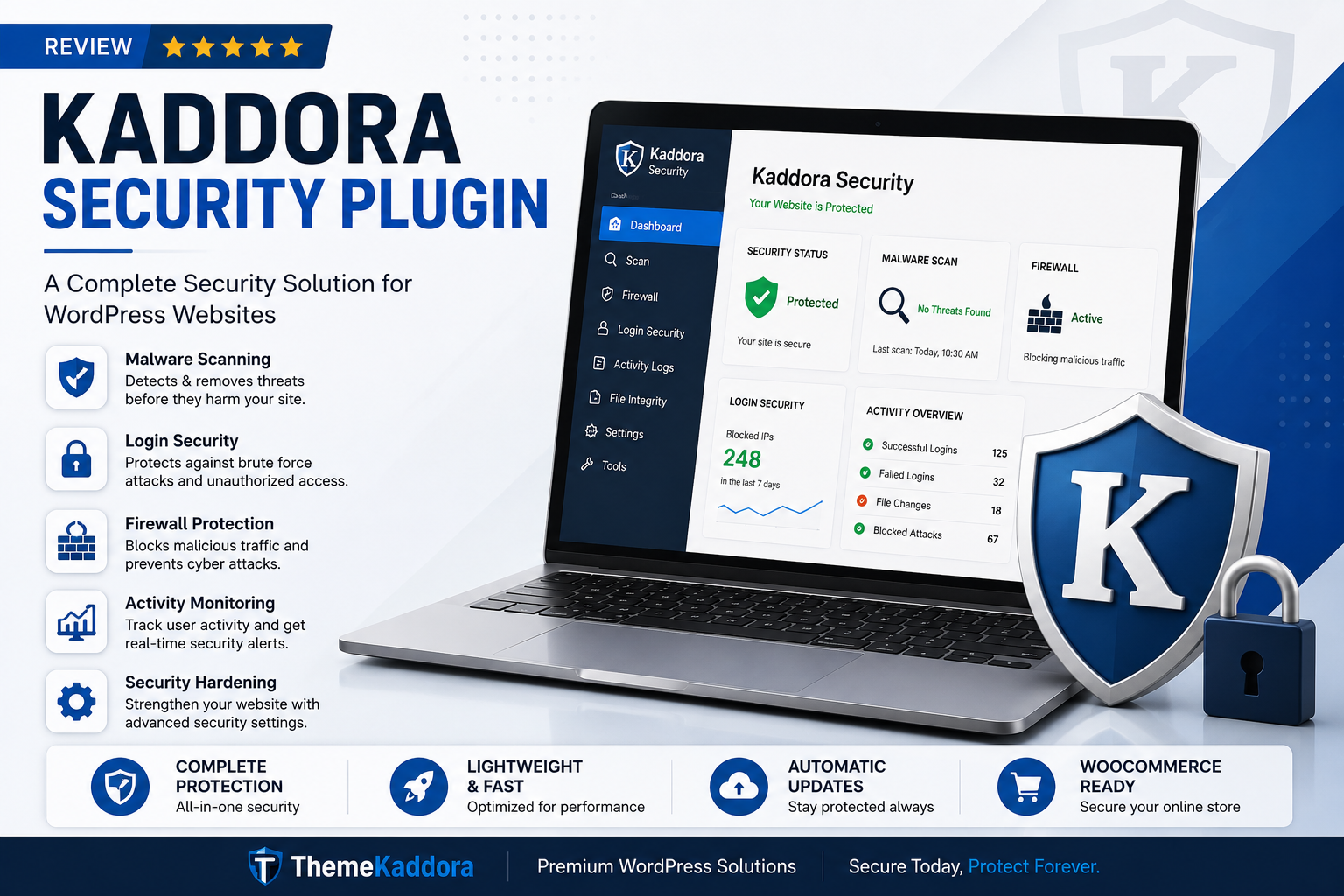
The Kaddora Security Plugin is designed to provide website owners with an easy-to-use yet powerful security solution for WordPress. It offers multiple layers of protection including malware scanning, login security, firewall protection, activity monitoring, and security hardening features.
In this Kaddora Security Plugin Review, we'll explore its features, benefits, performance impact, security capabilities, and whether it's the right choice for protecting your WordPress website.
Key Takeaways
Learn what the Kaddora Security Plugin offers.
Explore core security features and functionality.
Understand malware protection capabilities.
Review login and authentication security options.
Analyze performance impact on WordPress websites.
Compare benefits and limitations.
Determine whether it is suitable for your website.
Table of Contents
What is the Kaddora Security Plugin?
Why Website Security Matters
Key Features of Kaddora Security Plugin
Malware Detection and Scanning
Login Security Protection
Firewall and Threat Prevention
Website Activity Monitoring
Security Hardening Features
WooCommerce Security Support
Performance and Speed Impact
Pros and Cons
Who Should Use Kaddora Security Plugin?
Frequently Asked Questions
Final Verdict
What is the Kaddora Security Plugin?
The plugin focuses on:
Malware detection
Login security
Firewall protection
Website monitoring
Threat prevention
Security hardening
WooCommerce protection
Its goal is to provide comprehensive website security without significantly affecting website performance.
Why Website Security Matters
Cyberattacks can have serious consequences for website owners.
Potential risks include:
Data breaches
Customer information theft
Website defacement
Search engine penalties
Revenue loss
Reputation damage
A security plugin helps reduce these risks by continuously monitoring and protecting your website.
Key Features of Kaddora Security Plugin
Malware Scanning
The plugin scans website files and databases to identify suspicious code and malware infections.
Firewall Protection
Blocks malicious traffic before it reaches your website.
Login Security
Protects administrator accounts from unauthorized access attempts.
Activity Logs
Tracks important website activities and user actions.
Security Alerts
Provides notifications about potential security threats.
File Integrity Monitoring
Detects unauthorized modifications to website files.
Malware Detection and Scanning
One of the most important features of any security plugin is malware detection.
Kaddora Security Plugin helps identify:
Malicious scripts
Infected files
Backdoor malware
SEO spam injections
Unauthorized code changes
Regular malware scans allow website owners to address security issues before they become serious.
Login Security Protection
Login pages are among the most targeted areas of WordPress websites.
Kaddora Security Plugin helps secure logins through:
Brute Force Protection
Limits repeated login attempts from suspicious users.
Strong Password Enforcement
Encourages stronger account security.
Login Monitoring
Tracks failed and successful login activities.
Two-Factor Authentication Support
Adds an extra layer of account protection.
These features significantly reduce the risk of unauthorized access.
Firewall and Threat Prevention
A website firewall acts as the first line of defense.
The firewall helps:
Block suspicious IP addresses
Prevent malicious requests
Stop automated attacks
Filter harmful traffic
This proactive protection prevents many attacks before they can affect your website.
Website Activity Monitoring
Monitoring website activity is essential for identifying suspicious behavior.
The plugin can help track:
User logins
Plugin installations
Theme changes
File modifications
Administrative actions
Activity monitoring provides valuable insights into website security events.
Security Hardening Features
The plugin includes several security hardening options designed to strengthen WordPress installations.
Common hardening measures include:
Disabling file editing
Securing sensitive files
Protecting admin areas
Limiting access permissions
Strengthening WordPress configurations
These settings reduce potential attack vectors.
WooCommerce Security Support
WooCommerce stores require additional security because they handle customer information and payment transactions.
Kaddora Security Plugin can help protect:
Customer accounts
Checkout pages
Login forms
Order information
Store administration panels
This makes it suitable for eCommerce websites seeking additional protection.
Performance and Speed Impact
A common concern with security plugins is website performance.
An effective security plugin should:
Run scans efficiently
Minimize server load
Avoid slowing website speed
Optimize background processes
The Kaddora Security Plugin aims to balance security protection with website performance.
Pros and Cons
Pros
✔ Comprehensive security features
✔ Malware scanning capabilities
✔ Login protection tools
✔ Firewall integration
✔ Activity monitoring
✔ WooCommerce support
✔ User-friendly dashboard
Cons
✘ Advanced features may require configuration
✘ Regular monitoring still recommended
✘ Security effectiveness depends on proper setup
Who Should Use Kaddora Security Plugin?
This plugin is ideal for:
Business Websites
Protect important company data and website assets.
WooCommerce Stores
Secure customer information and online transactions.
Blogs and Content Websites
Prevent malware infections and unauthorized access.
Agencies and Developers
Manage website security across multiple WordPress installations.
Frequently Asked Questions
Is the Kaddora Security Plugin suitable for beginners?
Yes. The plugin is designed with an easy-to-use interface suitable for both beginners and advanced users.
Does it help prevent malware infections?
Yes. Malware scanning and threat detection are among its core features.
Can it secure WooCommerce stores?
Yes. It includes protections that help secure online stores and customer accounts.
Does it impact website speed?
The plugin is designed to minimize performance impact while maintaining strong security protection.
Final Verdict
Website security is essential for protecting customer information, maintaining website performance, and preserving search engine rankings. The Kaddora Security Plugin offers a comprehensive set of tools designed to help WordPress website owners defend against malware, brute-force attacks, suspicious activity, and other common threats.
With features such as malware scanning, firewall protection, login security, activity monitoring, and WooCommerce support, it provides a strong security foundation for a wide variety of websites.
Comments (0)