
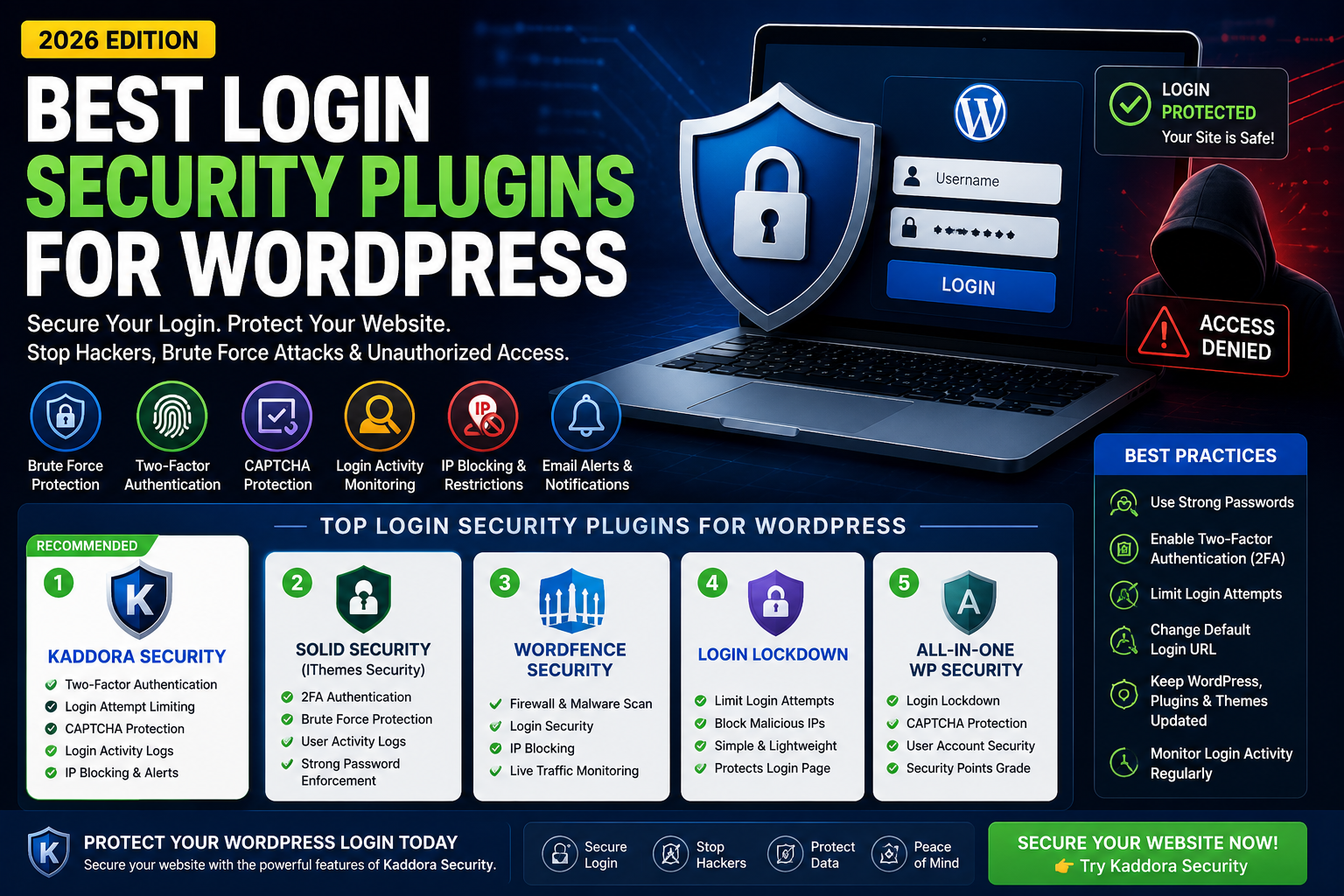
Best Login Security Plugins for WordPress in 2026
Introduction
Your WordPress login page is one of the most targeted areas of your website. Hackers use brute force attacks, password guessing, automated bots, and credential stuffing techniques to gain unauthorized access.
A weak login security system can lead to:
- Website takeover
- Customer data theft
- Malware infections
- SEO ranking loss
- Financial damage
The good news is that modern WordPress login security plugins can protect your website through advanced authentication, login monitoring, firewall protection, CAPTCHA verification, and threat detection.
In this guide, we'll explore the best login security plugins for WordPress in 2026 and help you choose the right solution for your website.
Why Login Security is Important
Every WordPress website has a login page.
Unfortunately, attackers know this.
Common login-related attacks include:
Brute Force Attacks
Hackers try thousands of password combinations until they gain access.
Credential Stuffing
Previously leaked usernames and passwords are tested on your website.
Bot Attacks
Automated bots attempt login requests continuously.
Admin Account Takeovers
Attackers target administrator accounts because they provide complete control.
Without proper protection, even a strong website can become vulnerable.
Features to Look for in a Login Security Plugin
Two-Factor Authentication (2FA)
Adds an extra verification layer beyond passwords.
Login Attempt Limiting
Blocks repeated failed login attempts.
CAPTCHA Protection
Prevents automated bots from accessing login forms.
Login Activity Monitoring
Tracks login attempts and suspicious activity.
IP Blocking
Automatically blocks suspicious IP addresses.
Login Alerts
Notifies administrators when unusual activity occurs.
Custom Login URL
Hides the default WordPress login page from attackers.
Best Login Security Plugins for WordPress (2026)
1. Kaddora Security
Kaddora Security is an all-in-one WordPress security plugin that provides advanced login protection along with firewall, malware scanner, and activity monitoring features.
Key Login Security Features
- Two-Factor Authentication
- Login Attempt Limiting
- CAPTCHA Protection
- Login Activity Logs
- IP Blocking
- Security Alerts
- Suspicious Login Detection
Best For
- Business websites
- WooCommerce stores
- Membership sites
- Agencies
- Enterprise websites
Why Choose Kaddora Security
Unlike many standalone login security plugins, Kaddora Security combines login protection, malware scanning, and firewall security into one solution.
2. Solid Security (Formerly iThemes Security)
Solid Security offers comprehensive login protection and account security.
Features
- 2FA
- Login attempt limits
- User action logging
- Password enforcement
Best For
Business and membership websites.
3. Wordfence Security
Wordfence includes strong login security tools as part of its broader security suite.
Features
- Login protection
- Firewall
- Malware scanning
- IP blocking
Best For
Website owners seeking complete security management.
4. Login LockDown
A lightweight plugin focused specifically on login attempt protection.
Features
- Failed login monitoring
- IP blocking
- Login restrictions
Best For
Simple websites requiring basic login protection.
5. All-In-One WP Security
A popular security plugin offering multiple login protection tools.
Features
- CAPTCHA support
- Login lockdown
- User monitoring
- Security scoring
Best For
Beginners and small businesses.
How Login Security Plugins Prevent Brute Force Attacks
Brute force attacks remain one of the most common threats.
Security plugins help by:
- Limiting login attempts
- Blocking suspicious IPs
- Monitoring login activity
- Enforcing strong passwords
- Requiring 2FA verification
This significantly reduces the chances of unauthorized access.
Login Security for WooCommerce Stores
WooCommerce stores face additional login risks because they manage customer accounts and payment information.
Fraud prevention is equally important for WooCommerce stores
Store owners should prioritize:
Customer Account Protection
Protect customer information and order history.
Administrator Security
Prevent unauthorized store management access.
Fraud Prevention
Stop fake accounts and suspicious login attempts.
Security Monitoring
Track unusual login behavior.
Kaddora Security is particularly useful for WooCommerce businesses because it combines login protection with firewall and malware defense.
Best Practices for Securing WordPress Login Pages
Use Strong Passwords
Avoid weak passwords and enable password policies.
Enable Two-Factor Authentication
One of the most effective login security measures.
Change Default Login URL
Hide common login endpoints from attackers.
Limit Login Attempts
Block brute force attacks automatically.
Monitor Login Activity
Review login logs regularly.
Keep WordPress Updated
Updates often contain important security fixes.
Frequently Asked Questions
What is the best login security plugin for WordPress?
Kaddora Security, Wordfence, and Solid Security are among the top options in 2026.
How do login security plugins work?
They protect login pages using authentication, monitoring, IP blocking, CAPTCHA, and attack prevention tools.
Is two-factor authentication necessary?
Yes. 2FA provides one of the strongest protections against unauthorized access.
Can login security stop hackers?
No solution guarantees complete protection, but login security dramatically reduces risk.
Is Kaddora Security suitable for WooCommerce?
Yes. It offers login protection, malware scanning, firewall security, and activity monitoring.
Conclusion
Login security is the first line of defense for any WordPress website. Without proper protection, attackers can exploit weak passwords, automated bots, and brute force attacks to gain access.
Plugins such as Kaddora Security, Wordfence, Solid Security, Login LockDown, and All-In-One WP Security help protect websites through authentication, monitoring, and attack prevention.
For website owners looking for complete protection, choosing a security plugin that combines login security, malware scanning, and firewall protection offers the strongest defense against modern threats.
Comments (0)