
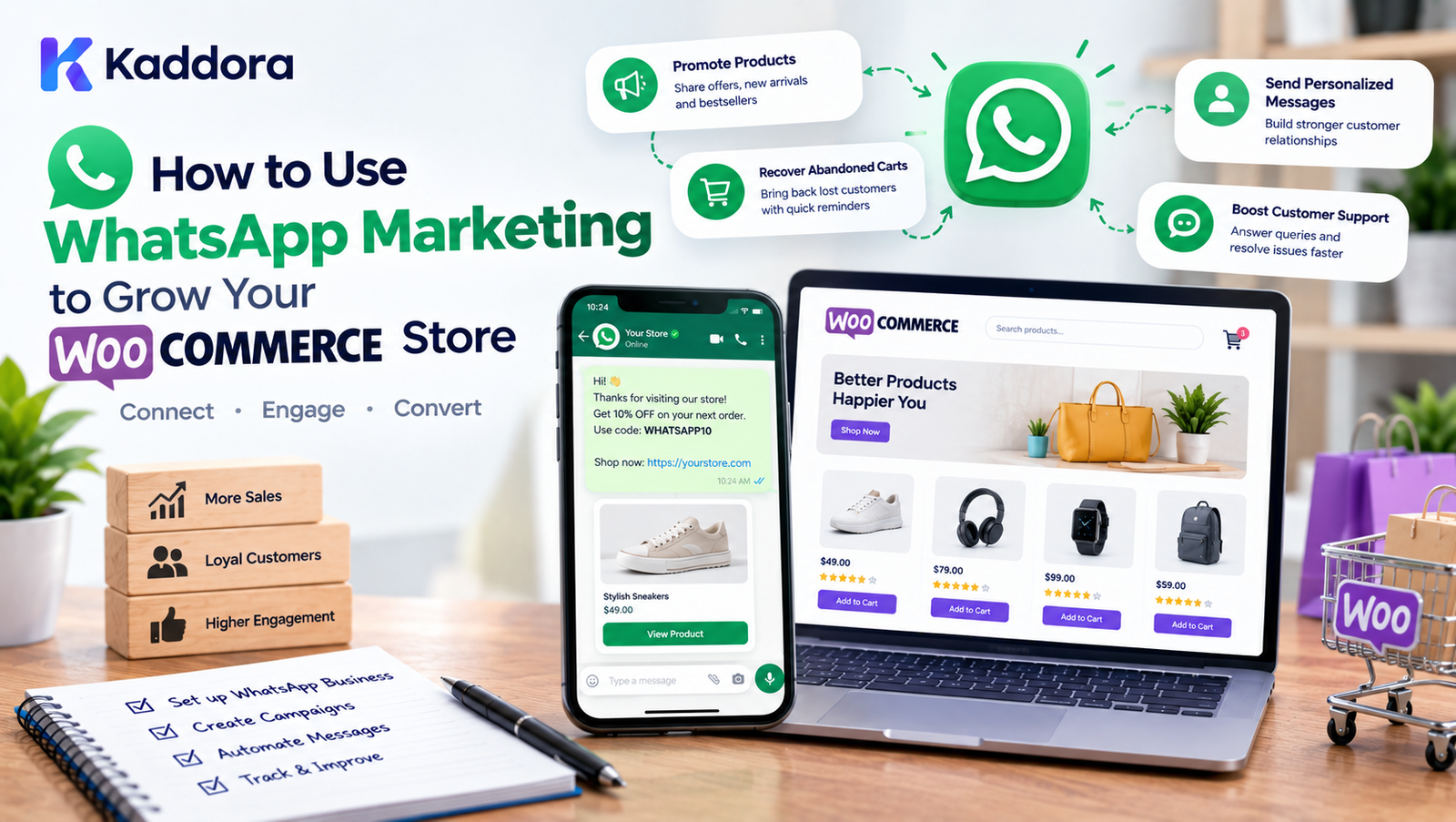
How to Use WhatsApp Marketing to Grow Your WooCommerce Store
Introduction
Running a WooCommerce store involves much more than attracting visitors.
A successful store also needs effective communication with customers throughout the buying journey.
Customers may:
Browse products
Add products to their cart
Leave without purchasing
Place an order
Need delivery updates
Ask product questions
Request support
Purchase again later
Email can handle many of these interactions, but businesses may also want to communicate with customers through messaging platforms they already use.
This is where WhatsApp marketing for WooCommerce can become part of an eCommerce communication strategy.
A WooCommerce store can use WhatsApp for appropriate customer communications such as:
Order notifications
Shipping updates
Customer support
Product inquiries
Abandoned-cart reminders
Promotional campaigns where customers have opted in
Product announcements
Back-in-stock notifications
Post-purchase communication
A simplified customer communication journey looks like this:
WooCommerce Store ↓ Customer Interaction ↓ Customer Opt-In ↓ WhatsApp Communication ↓ Relevant Message ↓ Customer Action ↓ Purchase / Support / Retention
The important principle is to make WhatsApp communication useful, permission-based, relevant, and easy to manage.
What Is WhatsApp Marketing for WooCommerce?
WhatsApp marketing for WooCommerce means using WhatsApp as a communication and marketing channel alongside your online store.
For example:
Customer places an order ↓ WooCommerce processes order ↓ WhatsApp notification ↓ Customer receives update
Marketing workflows can also be structured around customer actions:
Customer Adds Product ↓ Does Not Complete Purchase ↓ Eligible Customer ↓ WhatsApp Reminder ↓ Customer Returns ↓ Completes Purchase
The exact messages and automation should depend on customer consent, applicable messaging rules, and the WhatsApp platform or provider being used.
Why Use WhatsApp for a WooCommerce Store?
WhatsApp can support several areas of an eCommerce business.
1. Customer Communication
Customers can receive useful updates through messaging.
2. Customer Support
Businesses can use WhatsApp as another support channel.
3. Order Notifications
Customers can receive order-related updates.
4. Cart Recovery
Eligible customers can receive reminders about unfinished purchases.
5. Product Discovery
Businesses can share relevant products with customers who have opted into marketing communications.
6. Customer Retention
WhatsApp can support post-purchase engagement and repeat-purchase campaigns.
WhatsApp Marketing vs WhatsApp Customer Support
These two use cases should not be treated as identical.
WhatsApp Customer Support
Focuses on helping customers.
Examples:
Order questions
Product questions
Delivery questions
Returns
Refunds
Technical support
WhatsApp Marketing
Focuses on promotional or commercial communication.
Examples:
Product launches
Promotions
Special offers
New collections
Personalized product recommendations
Marketing messages should be sent only through appropriate, permission-based workflows.
How WooCommerce and WhatsApp Can Work Together
A typical integration can look like:
WooCommerce ↓ Order / Customer Event ↓ Integration Layer ↓ WhatsApp Provider ↓ Customer
For example:
New Order ↓ WooCommerce Hook ↓ Message Preparation ↓ WhatsApp API ↓ Customer Notification
The technical implementation depends on the WhatsApp integration method and provider.
WhatsApp Business for WooCommerce
Businesses generally need an appropriate WhatsApp business setup and compliant messaging infrastructure.
Depending on the use case, the setup may involve:
Business account
Business phone number
Messaging provider
API access
Message templates where required
Customer opt-in
Webhook handling
Delivery status handling
Always verify the current requirements and messaging policies for the WhatsApp service you use.
Customer Opt-In Is Important
Before sending marketing communications, businesses should establish appropriate customer consent.
For example, a checkout experience may include an optional communication preference:
☐ I agree to receive WhatsApp updates and marketing messages.
The wording and implementation should match the applicable legal requirements and WhatsApp's current policies.
Do not assume that purchasing a product automatically means a customer has agreed to every type of marketing message.
Transactional vs Marketing Messages
It is useful to separate communication into categories.
Transactional Communication
Examples:
Order confirmation
Shipping update
Delivery update
Account-related notification
Support response
Marketing Communication
Examples:
Promotional offers
New product announcements
Product campaigns
Seasonal promotions
Cross-sell campaigns
These communication types can have different consent and platform requirements.
WooCommerce WhatsApp Order Notifications
One of the most practical uses is order communication.
For example:
Order Received ↓ Payment Confirmed ↓ Order Processing ↓ Order Shipped ↓ Order Delivered
Relevant WhatsApp notifications can be sent at appropriate stages.
A notification could contain:
Your order has been shipped. Order: #12345 Tracking: Available in your order account
Avoid including unnecessary sensitive information in messages.
WhatsApp Shipping Updates
Shipping notifications can reduce customer uncertainty.
Possible events include:
Order dispatched
Shipment picked up
Out for delivery
Delivered
The actual available events depend on the shipping system and integration.
WhatsApp Abandoned Cart Recovery
Cart abandonment is a common eCommerce challenge.
A typical workflow looks like:
Customer Adds Product ↓ Checkout Started ↓ Purchase Not Completed ↓ Wait Appropriate Period ↓ Check Eligibility ↓ WhatsApp Reminder
For example:
You left an item in your cart. Your selected product is still available. Continue shopping when you're ready.
Messages should be sent only when the customer is eligible to receive them.
Avoid Aggressive Cart Recovery
Repeated reminders can become annoying.
Avoid workflows such as:
10 minutes → Message 20 minutes → Message 30 minutes → Message 1 hour → Message 2 hours → Message
A better approach is to establish reasonable frequency limits.
For example:
Cart Abandoned ↓ Eligibility Check ↓ One Relevant Reminder ↓ Stop if Customer Purchases
The exact timing should be tested against customer behavior and applicable messaging rules.
WhatsApp Product Recommendations
WooCommerce stores can use customer behavior and product data to create relevant recommendations.
For example:
Customer Purchased: Running Shoes Potentially Relevant: Running Socks Sports Bottle Running Accessories
Recommendations should be relevant rather than simply sending large product catalogs.
WhatsApp Cross-Selling
After a customer purchases a product, a store may have opportunities to recommend complementary products.
For example:
Laptop ↓ Laptop Bag ↓ Wireless Mouse ↓ USB Hub
However, cross-selling messages should be permission-based and appropriately timed.
WhatsApp Upselling
Upselling focuses on alternatives or upgrades.
For example:
Customer Views: Standard Plan Possible Upgrade: Premium Plan
For WooCommerce products:
Customer Interested In: Basic Product Possible Alternative: Premium Product
The recommendation should explain the additional value rather than simply pushing a more expensive product.
WhatsApp Back-in-Stock Notifications
A useful WooCommerce automation is notifying customers when an unavailable product becomes available again.
Example workflow:
Product Out of Stock ↓ Customer Requests Notification ↓ Product Restocked ↓ Eligible Customer ↓ WhatsApp Notification
Example:
Good news — the product you requested is back in stock.
This can be particularly useful for products with frequent stockouts.
WhatsApp Price Drop Notifications
A store may also provide price-change notifications where customers have explicitly requested them.
For example:
Customer Watches Product ↓ Price Changes ↓ Notification
This can support product discovery while giving customers control over the types of notifications they receive.
WhatsApp Customer Support
WhatsApp can also become a customer support channel.
Customers may ask:
Where is my order?
How do I return a product?
What size should I choose?
Is this product available?
How long does shipping take?
A support workflow could be:
Customer ↓ WhatsApp ↓ Support Team ↓ WooCommerce Order Data ↓ Response
WooCommerce WhatsApp Chat Button
A store can provide a WhatsApp contact button.
For example:
Need Help? [ Chat on WhatsApp ]
The button can appear on:
Product pages
Contact pages
Support pages
Checkout-related areas where appropriate
The message should be contextual.
For example:
Hi, I have a question about this product.
WhatsApp Product Inquiry
Product pages can include a WhatsApp inquiry option.
Example:
Interested in this product? [ Ask on WhatsApp ]
A product inquiry can include useful context such as:
Product name
Product URL
Selected variation
Avoid automatically sharing unnecessary customer data.
WhatsApp for Product Variations
Variable products create additional complexity.
For example:
Product: Running Shoes Color: Black Size: 9
A WhatsApp inquiry should ideally identify the selected variation so the support team knows what the customer is asking about.
WhatsApp Marketing Campaigns
Campaigns can be organized around legitimate customer interests.
Examples include:
New product launch
New collection
Seasonal promotion
Back-in-stock alert
Educational product information
Customer-exclusive offer
A simple campaign structure is:
Audience ↓ Consent Check ↓ Relevant Segment ↓ Message ↓ Customer Action ↓ Measurement
WooCommerce Customer Segmentation
Segmentation can make WhatsApp campaigns more relevant.
Possible segments include:
New Customers Returning Customers High-Value Customers Recent Buyers Inactive Customers Product Interest Groups
Segmentation should be based on appropriate data and used consistently with privacy requirements.
WhatsApp Marketing for New Customers
New customers may receive:
Order guidance
Support information
Product education
Post-purchase information
Relevant offers where consent exists
The first communication should establish trust rather than immediately sending multiple promotions.
WhatsApp Marketing for Returning Customers
Returning customers can receive relevant communication based on their interests and previous interactions.
For example:
Previous Purchase ↓ Relevant Product Category ↓ New Product ↓ Eligible Customer ↓ WhatsApp Message
WhatsApp Re-Engagement Campaigns
Businesses may want to reconnect with customers who have not purchased recently.
A re-engagement workflow could be:
No Recent Purchase ↓ Eligibility Check ↓ Relevant Message ↓ Customer Returns
Avoid excessive messaging to inactive customers.
If customers no longer want marketing communication, provide an appropriate way to stop it.
WhatsApp Marketing Automation
Automation can connect WooCommerce events with communication workflows.
For example:
WooCommerce Event ↓ Automation Rule ↓ Eligibility Check ↓ Message Template ↓ WhatsApp ↓ Delivery Status
Possible events include:
Order created
Order status changed
Product purchased
Cart abandoned
Product restocked
Customer requests notification
WooCommerce Hooks for WhatsApp Automation
Developers can integrate with WooCommerce events and WordPress hooks.
Examples of event categories include:
Order creation
Order status changes
Customer account events
Product updates
Cart-related workflows
The exact hook should be selected based on the desired business event.
Custom integrations should follow WordPress coding and security standards.
WhatsApp API Integration
A typical integration architecture can look like:
WordPress ↓ WooCommerce ↓ Custom Plugin ↓ Message Service ↓ WhatsApp API / Provider ↓ Customer
The custom plugin should keep business logic separated from the presentation layer.
WhatsApp Webhooks
Webhooks can help an integration receive events from the messaging provider.
For example:
WhatsApp Provider ↓ Webhook ↓ WordPress Endpoint ↓ Event Handler ↓ WooCommerce / Database
Webhook implementations should validate incoming requests according to the provider's requirements.
WhatsApp Message Templates
Depending on the messaging setup and message type, approved templates may be required.
Templates can contain variables such as:
Hello {{customer_name}}, Your order {{order_number}} has been shipped.
Template design should be clear, useful, and compliant with current platform requirements.
Personalization in WhatsApp Marketing
Personalization can make communication more relevant.
For example:
Hello {{name}}
A product campaign may also use:
Recommended for you: {{product_name}}
Only use customer information that is appropriate for the communication and handled according to applicable privacy requirements.
Avoid Over-Personalization
Personalization can become uncomfortable when a business exposes too much customer behavior.
Avoid messages that unnecessarily reveal detailed tracking information.
Instead of:
We saw that you viewed this product 7 times yesterday at 9:42 PM.
Use a simpler approach:
Still interested in this product?
WhatsApp Marketing and Privacy
Customer data should be handled carefully.
A WooCommerce WhatsApp integration may process:
Customer name
Phone number
Order information
Product information
Communication preferences
Message status
The business should collect and process only what is necessary for the intended workflow.
Secure WooCommerce WhatsApp Integration
Developers should protect:
API credentials
Customer data
Webhook endpoints
Order information
Access tokens
Message logs
API credentials should not be hard-coded into publicly accessible frontend code.
Store API Credentials Securely
Avoid:
public JavaScript ↓ API Secret
Prefer:
WordPress Server ↓ Secure Configuration ↓ API Request
Credentials should remain server-side.
WhatsApp Message Logging
Logging can help troubleshoot communication problems.
Useful information may include:
Message ID Order ID Customer Reference Message Type Status Timestamp Error Code
Do not store more customer information than necessary.
WhatsApp Delivery Status
Depending on the integration, messages may have statuses such as:
Queued Sent Delivered Read Failed
These statuses can help identify technical problems and measure communication performance.
Handling Failed WhatsApp Messages
A good integration should handle failures gracefully.
For example:
WhatsApp Request ↓ Failed ↓ Log Error ↓ Retry if Appropriate ↓ Alternative Notification
Retries should be controlled to avoid duplicate messages.
Avoid Duplicate WhatsApp Messages
Duplicate messages can occur when:
Webhooks are processed more than once
Jobs are retried
Order status changes repeatedly
Multiple automation rules trigger the same event
Use idempotent processing where appropriate.
WhatsApp Marketing Frequency
There is no universal ideal messaging frequency.
The appropriate frequency depends on:
Customer expectations
Message type
Consent
Product category
Campaign purpose
Customer engagement
Platform requirements
The key principle is relevance over volume.
WhatsApp Marketing for Indian WooCommerce Stores
WhatsApp is widely used as a communication channel in India, making it relevant for many Indian eCommerce businesses.
Indian WooCommerce stores may use WhatsApp for:
Order communication
Delivery updates
Customer support
Product inquiries
Promotional communication
Repeat purchases
Local business communication
Businesses should still implement appropriate consent, privacy, and messaging controls.
WhatsApp Marketing for Small WooCommerce Stores
Small stores can begin with simple workflows:
1. WhatsApp Support 2. Order Notifications 3. Product Inquiries 4. Abandoned Cart Workflow 5. Back-in-Stock Alerts
There is no need to implement every automation feature immediately.
WhatsApp Marketing for Large WooCommerce Stores
Large stores may require:
Customer segmentation
Automation
API integration
Message templates
Webhooks
Delivery tracking
Queue processing
Rate controls
Analytics
CRM integration
ERP integration
A modular architecture makes scaling easier.
WooCommerce WhatsApp and ERP Integration
WhatsApp can also be connected to ERP workflows.
For example:
WooCommerce Order ↓ ERP ↓ Order Processing ↓ Shipping ↓ WhatsApp Notification
This can help connect customer communication with backend operations.
WooCommerce WhatsApp and CRM
A CRM can store customer interaction information.
A possible architecture is:
WooCommerce ↓ CRM ↓ Customer Segment ↓ WhatsApp
The integration should have clear rules about which customer data is synchronized.
WhatsApp Marketing Analytics
Track relevant metrics such as:
Messages sent
Delivery rate
Read rate
Response rate
Clicks
Conversions
Revenue attributed to campaigns
Unsubscribe or opt-out activity
Failed messages
Metrics should be interpreted carefully because attribution may not capture the entire customer journey.
Measure WhatsApp Campaign Performance
A basic measurement flow:
Campaign ↓ Message ↓ Click ↓ Website Visit ↓ Product View ↓ Add to Cart ↓ Purchase
Use consistent tracking methods to understand campaign performance.
WhatsApp Marketing and UTM Tracking
For links that lead to the WooCommerce website, appropriate tracking parameters can help identify campaign traffic.
For example:
Campaign ↓ Tracked URL ↓ WooCommerce ↓ Analytics
The implementation should respect privacy requirements and the site's analytics configuration.
A/B Testing WhatsApp Campaigns
Businesses can test different message elements where permitted.
Examples:
Message wording
Product selection
Call-to-action
Send timing
Offer presentation
Avoid changing too many variables at the same time if you want interpretable results.
Example WooCommerce WhatsApp Funnel
A complete customer journey could look like:
Customer Visits Store ↓ Browses Products ↓ Adds Product to Cart ↓ Leaves Without Purchasing ↓ Eligible for Reminder ↓ WhatsApp Message ↓ Customer Returns ↓ Completes Purchase ↓ Order Confirmation ↓ Shipping Update ↓ Delivery ↓ Post-Purchase Communication
Each stage should have a clear purpose.
Best Practices for WooCommerce WhatsApp Marketing
1. Obtain Appropriate Consent
Do not treat every phone number as permission for marketing.
2. Send Relevant Messages
Communication should have a clear customer benefit.
3. Separate Transactional and Marketing Communication
Use appropriate workflows for each.
4. Limit Message Frequency
Avoid overwhelming customers.
5. Make Opt-Out Easy
Respect customer communication preferences.
6. Protect Customer Data
Use secure infrastructure.
7. Monitor Delivery
Track failed messages and integration problems.
8. Prevent Duplicates
Use reliable event processing.
9. Optimize Mobile Landing Pages
WhatsApp users will commonly open links on mobile devices.
10. Measure Results
Track meaningful business and communication metrics.
Common WooCommerce WhatsApp Marketing Mistakes
Sending Messages Without Proper Consent
This can create customer trust, privacy, and compliance problems.
Sending Too Many Promotions
Excessive messages can cause customers to disengage.
Using Generic Messages
Irrelevant campaigns are less useful than targeted communication.
Ignoring Failed Messages
Technical failures can leave customers without important updates.
Exposing Sensitive Information
Only include information appropriate for the communication.
Hard-Coding API Credentials
Secrets should remain protected on the server.
No Unsubscribe or Opt-Out Process
Customers should have an appropriate way to stop marketing communication.
No Analytics
Without measurement, it is difficult to understand whether a campaign is useful.
Ignoring Mobile UX
Links from WhatsApp should lead to fast, mobile-friendly pages.
How to Build a WooCommerce WhatsApp Marketing Strategy
Step 1: Define the Goal
Decide whether you want to focus on:
Support
Order notifications
Cart recovery
Product discovery
Retention
Promotional campaigns
Step 2: Identify the Audience
Define who should receive the communication.
Step 3: Establish Consent
Create appropriate opt-in and communication preference workflows.
Step 4: Select the Integration
Choose an appropriate WhatsApp business/API solution.
Step 5: Connect WooCommerce Events
Map relevant store events to communication workflows.
Step 6: Create Message Templates
Make messages concise and useful.
Step 7: Add Automation
Automate appropriate customer journeys.
Step 8: Add Frequency Controls
Prevent excessive messaging.
Step 9: Secure the Integration
Protect credentials, webhooks, and customer data.
Step 10: Measure Performance
Track delivery, engagement, and business outcomes.
Step 11: Optimize
Use performance data and customer feedback to improve campaigns.
WooCommerce WhatsApp Automation Checklist
Before launching, check:
WhatsApp business setup
API/provider configuration
Customer consent
Communication preferences
Message templates
Order notifications
Shipping notifications
Customer support
Cart recovery
Product inquiry
Back-in-stock notifications
Customer segmentation
Frequency limits
Opt-out handling
API security
Webhook validation
Duplicate prevention
Error handling
Message logging
Analytics
Mobile landing pages
Privacy review
Advanced WooCommerce WhatsApp Architecture
A scalable architecture can look like:
WooCommerce ↓ Event Dispatcher ↓ Automation Engine ↓ Eligibility Checker ↓ Customer Segment ↓ Message Builder ↓ Queue / Worker ↓ WhatsApp Provider ↓ Customer ↓ Webhook ↓ Status Processor ↓ Analytics
This architecture separates store events, business rules, message processing, and reporting.
Why Choose Kaddora?
Kaddora focuses on WordPress and WooCommerce solutions designed around practical business workflows.
For WooCommerce businesses, WhatsApp communication can be part of a broader eCommerce automation strategy that connects:
WooCommerce
Customer communication
Marketing automation
Analytics
ERP workflows
AI-powered recommendations
Customer support
Product discovery
Order management
Kaddora's WordPress and WooCommerce ecosystem can help businesses explore automation across different stages of the customer journey.
The goal is not simply to send more messages.
The goal is to build useful, scalable, secure, and measurable communication workflows that support the store's overall customer experience.
Conclusion
WhatsApp can become a useful communication channel for WooCommerce stores when it is implemented thoughtfully.
A strong WooCommerce WhatsApp strategy can connect:
WooCommerce + Customer Consent + Automation + Relevant Messaging + Customer Support + Analytics
Businesses can use WhatsApp for order updates, customer support, product inquiries, cart recovery, back-in-stock alerts, product discovery, and other appropriate communication workflows.
However, successful WhatsApp marketing is not about sending the highest number of messages.
It is about sending the right message to an eligible customer at the right stage of the customer journey.
Start with simple workflows such as order notifications and support. Then gradually add automation, segmentation, cart recovery, recommendations, analytics, and advanced integrations as your store grows.
When WooCommerce data, customer preferences, automation, and communication are connected properly, WhatsApp can become an important part of a broader eCommerce customer-engagement strategy.
Frequently Asked Questions
What is WhatsApp marketing for WooCommerce?
WhatsApp marketing for WooCommerce involves using WhatsApp to communicate with eligible customers about products, promotions, customer support, orders, and other relevant store interactions.
Can WooCommerce integrate with WhatsApp?
Yes. WooCommerce can be connected to WhatsApp through compatible integrations, APIs, plugins, or custom development.
Can WhatsApp be used for WooCommerce customer support?
Yes. Businesses can provide WhatsApp as an additional customer support channel.
Can WooCommerce recover abandoned carts through WhatsApp?
An appropriate integration can support abandoned-cart reminders for customers who are eligible to receive such communication.
Do customers need to opt in to WhatsApp marketing?
Marketing communication generally requires appropriate customer permission and must follow applicable laws and the messaging platform's current requirements.
Can I send WhatsApp messages to every WooCommerce customer?
A customer having a phone number does not automatically mean they have agreed to every type of WhatsApp marketing communication. Eligibility and consent should be handled appropriately.
Can WooCommerce send promotional offers through WhatsApp?
Yes, promotional communication can be part of a WhatsApp marketing strategy when customers are appropriately eligible and the communication follows applicable platform and legal requirements.
Can WhatsApp be used for product recommendations?
Yes. Stores can use relevant customer and product information to create product recommendation workflows, subject to appropriate privacy and messaging controls.
Can WhatsApp marketing improve WooCommerce sales?
WhatsApp can support customer communication, product discovery, cart recovery, and retention, but business results depend on factors such as audience, products, pricing, messaging, consent, and implementation.
How can I measure WhatsApp marketing performance?
Track relevant metrics such as delivery, reads, responses, clicks, conversions, campaign-attributed revenue, failed messages, and opt-out activity.
Can WhatsApp marketing work with WooCommerce analytics?
Yes. Campaign links, customer events, and conversion data can be connected to analytics systems where the required tracking and privacy controls are implemented.
Can AI be used with WooCommerce WhatsApp marketing?
AI can support areas such as product recommendations, customer-support assistance, message personalization, segmentation, and automation, depending on the implementation.
Why choose Themekaddora?
Themekaddora provides lightweight, responsive, SEO-friendly WordPress themes with fast performance, WooCommerce compatibility, flexible customization, accessibility-conscious design, modern templates, regular updates, and professional support—providing a strong foundation for businesses building digital products and product-focused websites.
Comments (0)