
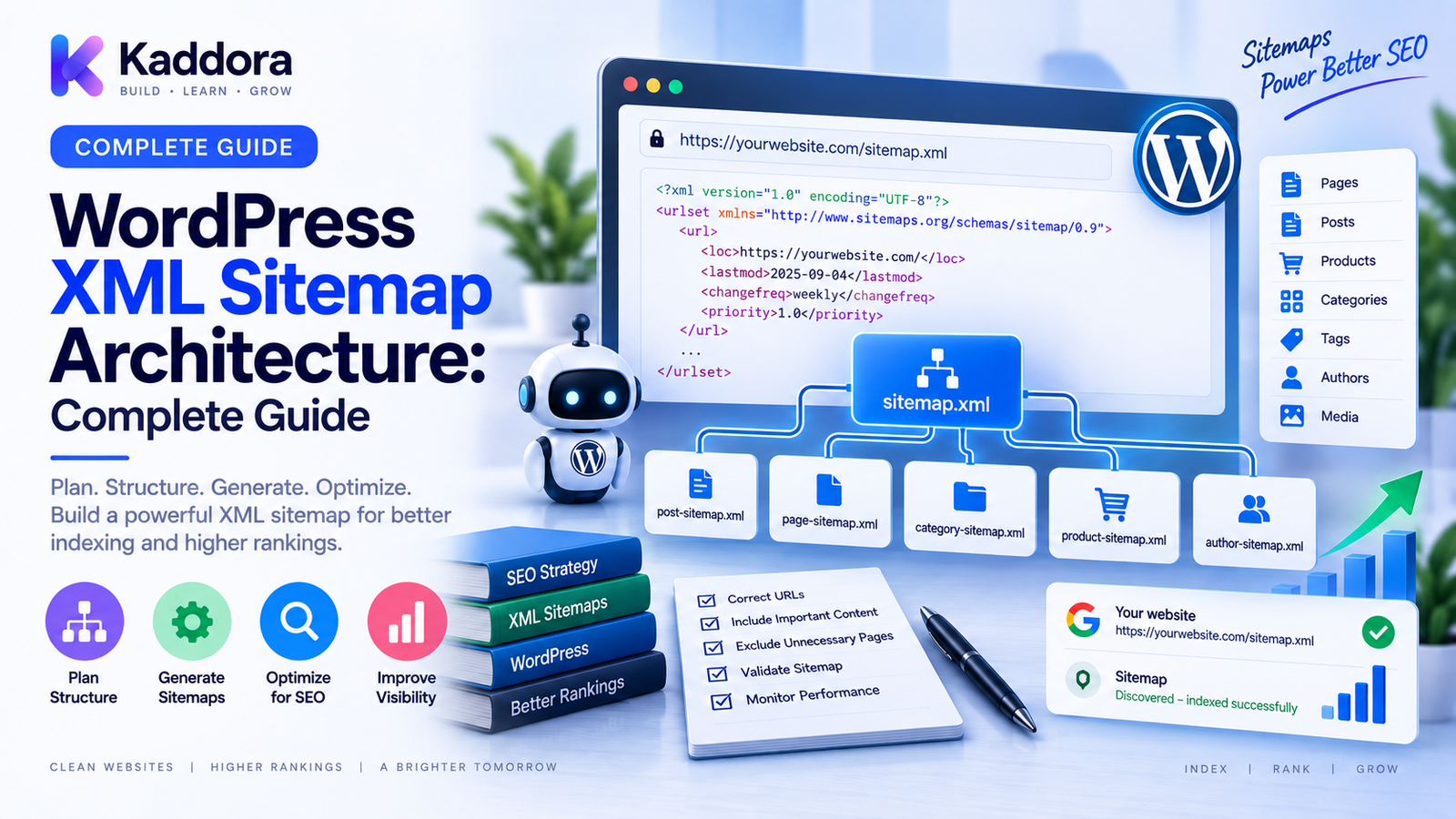
WordPress XML Sitemap Architecture : A Complete Guide
Introduction
Search engines need reliable ways to discover the important URLs on a website.
Internal links are one of the primary discovery mechanisms, but large websites often contain thousands or millions of URLs.
This is where XML sitemaps become valuable.
An XML sitemap provides a structured list of URLs that a site wants search engines to discover and consider as part of its crawl and indexing process.
For a small WordPress website, one sitemap may be sufficient.
For a large website, however, sitemap architecture can become much more complex.
A growing WordPress installation may contain:
Blog posts
Pages
Products
Product categories
Custom post types
Custom taxonomies
Media
Regional pages
Language versions
Programmatic pages
A well-designed sitemap architecture helps organize these URLs into a predictable structure.
The goal is not to put every possible URL into a sitemap.
The goal is to provide a clean, maintainable list of important URLs that supports the website's overall technical SEO architecture.
In this guide, you'll learn what WordPress XML sitemap architecture is, how sitemap indexes work, how to structure large sitemaps, which URLs should generally be included, how to manage custom content, and how to build a scalable sitemap system.
What Is an XML Sitemap?
An XML sitemap is a structured XML document containing URLs that a website wants search engines to discover.
A simplified sitemap can look like:
<?xml version="1.0" encoding="UTF-8"?> <urlset> <url> <loc>https://example.com/page/</loc> </url> <url> <loc>https://example.com/blog/</loc> </url> </urlset>
The sitemap provides URL information in a machine-readable format.
A sitemap does not guarantee crawling or indexing.
Instead, it supports discovery and communicates which URLs the site considers important.
What Is WordPress XML Sitemap Architecture?
WordPress XML sitemap architecture is the system used to organize sitemap files, sitemap indexes, URL sources, filtering rules, and generation processes.
A simple site may use:
Website ↓ XML Sitemap ↓ Important URLs
A large site may use:
Sitemap Index │ ┌─────────────┼─────────────┐ ▼ ▼ ▼ Post Sitemap Page Sitemap Product Sitemap │ │ │ ▼ ▼ ▼ URLs URLs URLs
This architecture makes large URL collections easier to organize and maintain.
Why Are XML Sitemaps Important?
A well-structured sitemap can help search engines discover important URLs more efficiently.
This can be especially useful for:
Large websites
New websites
Websites with deep content structures
Ecommerce stores
Websites with large archives
Sites with frequently updated content
Sitemaps are also useful during migrations because they provide a structured source of the site's preferred URLs.
Sitemap vs Internal Linking
A sitemap should not replace internal links.
Think of them as different discovery systems.
Internal Links + XML Sitemap ↓ URL Discovery
Internal links provide contextual relationships between pages.
The sitemap provides a structured list of URLs.
A healthy WordPress website should use both.
Sitemap vs robots.txt
robots.txt communicates crawler-access preferences.
An XML sitemap communicates URL discovery information.
Conceptually:
robots.txt ↓ Crawler guidance XML Sitemap ↓ Important URL discovery
These systems should work together.
The robots.txt file can also reference sitemap locations.
Sitemap Index Architecture
Large websites may need multiple sitemap files.
A sitemap index can organize them.
For example:
sitemap-index.xml │ ├── post-sitemap.xml ├── page-sitemap.xml ├── product-sitemap.xml ├── category-sitemap.xml └── custom-content-sitemap.xml
This makes large sitemap structures easier to manage.
The exact number of sitemap files should depend on the site's URL volume and implementation.
Organize Sitemaps by Content Type
One practical architecture is to separate URLs by content type.
For example:
Posts Pages Products Categories Events Documentation Case Studies
This can provide several advantages:
Easier troubleshooting
Easier generation
Easier monitoring
Easier migrations
Better ownership
For enterprise websites, content-specific sitemap generation can make technical SEO management much easier.
WordPress Core Content
A sitemap architecture should account for standard WordPress content such as:
Posts
Pages
Categories
Tags
However, not every content type necessarily belongs in the final sitemap.
The important question is:
Is this URL a valuable, preferred search destination?
A sitemap should generally prioritize meaningful URLs rather than automatically including every generated URL.
Custom Post Types
Modern WordPress websites frequently use custom post types.
Examples include:
Products
Courses
Properties
Events
Jobs
Case studies
Documentation
Portfolio items
Each content type should have a deliberate sitemap strategy.
For example:
Custom Post Type ↓ Public? ↓ Search value? ↓ Include in sitemap
Private, temporary, or irrelevant content should not automatically be included.
Custom Taxonomies
Custom taxonomies can generate additional archive pages.
Examples include:
Product brands
Locations
Topics
Technologies
Industries
Some taxonomy archives can be valuable search landing pages.
Others may be thin or redundant.
Your sitemap should reflect the actual indexing strategy.
Which URLs Should Be Included?
A strong sitemap generally contains preferred URLs that are:
Accessible
Canonical
Useful
Intended for search discovery
Part of the public website
For example:
Preferred URL ↓ 200 response ↓ Canonical URL ↓ Sitemap
This creates consistent signals.
Which URLs Should Usually Be Excluded?
Depending on the site's strategy, sitemap systems commonly exclude URLs such as:
Redirected URLs
Broken URLs
Administrative URLs
Internal search results
Temporary pages
Duplicate variants
Unwanted parameter variations
URLs that are not intended for search discovery
However, exclusions should reflect the actual site architecture rather than generic assumptions.
Canonical URLs and Sitemaps
One of the strongest sitemap principles is consistency with canonical URLs.
For example:
Canonical: https://example.com/product/item/ Sitemap: https://example.com/product/item/
This is a consistent signal.
A weaker configuration is:
Canonical: https://example.com/product/item/ Sitemap: https://example.com/old-product/item/
The sitemap should generally reflect the preferred URL structure.
Redirects and XML Sitemaps
Redirected URLs are generally not the URLs you want to present as your preferred sitemap entries.
For example:
Sitemap ↓ /old-page/ ↓ 301 /new-page/
A cleaner configuration is:
Sitemap ↓ /new-page/
The sitemap should represent current preferred destinations.
Noindex Pages and Sitemaps
Indexing strategy and sitemap strategy should also be coordinated.
If a page is intentionally excluded from indexing, evaluate whether it should appear in the sitemap.
Avoid creating contradictory signals.
A useful conceptual model is:
URL ↓ Indexing Policy ↓ Canonical Policy ↓ Sitemap Eligibility
Each URL should pass through these decisions deliberately.
HTTP and HTTPS Sitemap URLs
Sitemap URLs should use the preferred protocol.
For an HTTPS site:
https://example.com/sitemap.xml
should generally be used rather than an outdated HTTP variant.
Protocol consistency also matters within sitemap entries.
WWW and Non-WWW
Choose one canonical hostname.
For example:
https://example.com/
Then sitemap URLs should use the same preferred hostname.
Avoid mixing:
https://example.com/ https://www.example.com/
unless that is intentionally part of the site's architecture.
Trailing Slash Consistency
If your website uses:
/blog/article/
then sitemap entries should generally follow that same URL format.
Inconsistent trailing slash handling can create unnecessary redirects and URL variations.
Query Parameters in Sitemaps
Sitemaps should generally focus on preferred clean URLs rather than temporary tracking or navigation parameters.
For example, avoid using:
/product/?utm_source=email
as the preferred sitemap URL when the clean product URL is the intended destination.
Parameter handling should still be evaluated based on the site's architecture.
Some parameterized URLs may represent intentionally unique content.
Ecommerce Sitemap Architecture
WooCommerce websites can have large product catalogs.
A practical architecture may look like:
Sitemap Index │ ├── products-1.xml ├── products-2.xml ├── products-3.xml ├── categories.xml └── brands.xml
The exact structure depends on catalog size and implementation.
Product sitemap generation should make it easy to:
Add new products
Remove unavailable URLs
Handle large catalogs
Monitor errors
Rebuild files efficiently
Large WordPress Websites
Large sites should avoid generating huge sitemap files through expensive work on every request.
Instead, consider:
Cached sitemap generation
Precomputed sitemap files
Efficient queries
Incremental updates
Background generation
Object caching
Static output where appropriate
For large catalogs, rebuilding every URL on every request can create unnecessary server load.
Dynamic vs Static Sitemap Generation
There are two broad models.
Dynamic Generation
The sitemap is generated when requested.
Advantages:
Always current
Simple conceptual model
No separate build process
Challenges:
Can create request-time database load
Can become expensive for very large sites
Static or Precomputed Generation
Sitemap files are generated ahead of time.
Advantages:
Fast delivery
Lower request-time processing
Better for large URL inventories
Challenges:
Requires update processes
Must be regenerated when content changes
A hybrid approach is often useful for large systems.
Incremental Sitemap Updates
Large websites do not necessarily need to rebuild the entire sitemap after every change.
For example:
Product Updated ↓ Identify Sitemap Segment ↓ Update Relevant URLs ↓ Publish Updated Segment
This can reduce unnecessary processing.
Incremental generation is especially useful for:
Large ecommerce catalogs
Publishing platforms
Programmatic SEO systems
High-volume content sites
Sitemap Pagination and Large URL Collections
When a sitemap collection becomes large, divide it into manageable files and reference them through a sitemap index.
A structured architecture makes it easier to determine:
Which sitemap? ↓ Which content type? ↓ Which URL segment?
This also helps with monitoring and debugging.
Build a Sitemap Registry
For advanced WordPress websites, maintain metadata about sitemap files.
For example:
sitemap_id sitemap_name content_type url_count status last_generated last_modified
This can support a management dashboard.
Build Automated Sitemap Validation
A sitemap validation process can check:
XML syntax
URL format
Response status
Canonical consistency
Redirects
Broken destinations
Duplicate URLs
Hostname consistency
HTTPS consistency
A workflow could be:
Generate ↓ Validate XML ↓ Validate URLs ↓ Compare Canonicals ↓ Check Redirects ↓ Publish
This is much safer than publishing sitemap output without validation.
Detect Duplicate Sitemap URLs
Large sites may accidentally include the same URL multiple times.
For example:
product-sitemap.xml ↓ /products/example/
and:
custom-sitemap.xml ↓ /products/example/
A sitemap validation process should detect duplicates and assign clear ownership.
Sitemap Monitoring
Monitor:
Sitemap availability
URL counts
Generation failures
Broken URLs
Unexpected URL count changes
Canonical mismatches
Redirected URLs
For example:
Yesterday: 50,000 URLs Today: 8,500 URLs
A sudden change deserves investigation.
It could indicate a generation error, query failure, or accidental filtering change.
XML Sitemaps During Migrations
Sitemap architecture is especially important during site migrations.
Before migration:
Old Sitemap ↓ Document Important URLs
During migration:
New Sitemap ↓ Final URLs
After migration:
Compare ↓ Redirects ↓ Canonicals ↓ Final Sitemap
Do not simply carry old sitemap URLs into the new architecture if those URLs now redirect.
robots.txt and XML Sitemap Integration
A site's robots.txt can reference its sitemap index or sitemap location.
For example:
User-agent: * Sitemap: https://example.com/sitemap-index.xml
This creates a clean relationship:
robots.txt ↓ Sitemap Index ↓ Individual Sitemaps ↓ Preferred URLs
Using AI for Sitemap Management
AI can assist with sitemap analysis.
For example:
Sitemap Data ↓ Analyze URL patterns ↓ Detect anomalies ↓ Suggest exclusions ↓ Identify content-type problems ↓ Human Review
AI can help identify:
Sudden URL-count changes
Duplicate patterns
Unexpected parameter URLs
Redirect-heavy segments
Possible content classification issues
However, AI should not automatically remove large groups of URLs from production sitemaps without validation.
A single incorrect rule can remove important URLs from discovery.
Sitemap Security and Access Control
Public XML sitemaps are designed for crawler discovery.
Do not place sensitive information into sitemap files.
A sitemap should contain public URLs intended for discovery.
Never use sitemap visibility as a security boundary for private content.
Private content should be protected through authentication and authorization.
Common WordPress XML Sitemap Mistakes
Including Redirected URLs
Prefer current destination URLs.
Including Broken URLs
Validate sitemap entries.
Mixing Canonical and Non-Canonical URLs
Align the sitemap with preferred URLs.
Including Every URL Automatically
Not every generated URL deserves inclusion.
Ignoring Large-Site Performance
Generate and serve large sitemaps efficiently.
Duplicate Sitemap Ownership
Avoid putting the same URLs into multiple sitemap sources.
Ignoring URL Count Changes
Sudden changes can reveal generation problems.
Treating Sitemap as an Indexing Guarantee
A sitemap communicates discovery and site preferences; it does not guarantee indexing.
WordPress XML Sitemap Maintenance Checklist
Architecture
Define sitemap ownership
Group URLs logically
Create sitemap index when appropriate
Separate content types where useful
URL Quality
Use preferred URLs
Exclude broken URLs
Review redirects
Review duplicate URLs
Review parameter handling
SEO
Align with canonical URLs
Align with indexing strategy
Coordinate with robots.txt
Keep hostname consistent
Keep HTTPS consistent
Performance
Cache large sitemaps
Avoid expensive request-time generation
Use efficient queries
Consider incremental updates
Monitor generation time
Monitoring
Track sitemap availability
Track URL counts
Detect anomalies
Validate XML
Audit after migrations
Recommended WordPress XML Sitemap Architecture
A scalable architecture can look like:
Content Sources │ ┌──────────────┼──────────────┐ ▼ ▼ ▼ Posts Products Custom Types │ │ │ └──────────────┼──────────────┘ ▼ Sitemap Generator │ Validation Layer │ ▼ Sitemap Registry │ ▼ Sitemap Index │ ┌──────────────┼──────────────┐ ▼ ▼ ▼ Posts.xml Products.xml Custom.xml │ ▼ Crawlers
The architecture should ensure that sitemap URLs represent the website's intended preferred URL structure.
Best Practices for WordPress XML Sitemaps
Include important preferred URLs.
Don't treat the sitemap as a complete database export.
Keep URLs canonical.
Use preferred destinations rather than redirected or outdated URLs.
Group large URL collections logically.
Separate content types when it improves management.
Validate automatically.
Check XML, responses, redirects, and duplicates.
Optimize large-site generation.
Use caching, efficient queries, precomputation, or incremental generation as appropriate.
Monitor changes.
Unexpected sitemap changes can indicate technical problems.
Coordinate with other SEO systems.
Sitemaps should work alongside robots.txt, canonicals, redirects, internal links, and indexing controls.
Why Choose ThemeKaddora?
At ThemeKaddora, WordPress themes, plugins, WooCommerce solutions, HTML templates, UI kits, and business-focused digital products can generate complex content structures.
Those products may include:
Custom post types
Ecommerce catalogs
Product categories
Dynamic pages
Documentation systems
API-driven content
Good sitemap architecture helps these systems expose important public URLs in an organized way.
Developers and agencies should consider sitemap generation as part of the product's technical SEO architecture rather than as an isolated configuration option.
A well-designed product should make important content discoverable without creating unnecessary sitemap noise.
Conclusion
WordPress XML sitemap architecture is the system used to organize and manage the URLs a website presents for search-engine discovery.
A simple website may use one sitemap.
A large WordPress website may require a sitemap index, multiple content-specific sitemap files, efficient generation, validation, and ongoing monitoring.
The core architecture is:
Content → Classify → Generate → Validate → Publish → Monitor
A strong sitemap strategy should:
Include important preferred URLs
Avoid unnecessary URL variations
Align with canonical URLs
Avoid redirected and broken URLs
Coordinate with indexing policies
Support large content collections
Minimize generation overhead
Monitor unexpected changes
The sitemap should not be treated as a simple list of every URL WordPress can generate.
It should represent the website's preferred search-discovery architecture.
For small websites, standard WordPress sitemap functionality may be enough.
For large WordPress websites, WooCommerce stores, publishers, agencies, and enterprise platforms, a structured sitemap architecture provides better control, scalability, and technical SEO visibility.
When sitemap files, canonicals, redirects, internal links, and robots.txt all support the same URL strategy, the website becomes easier for search engines and developers to understand.
Frequently Asked Questions
What is a WordPress XML sitemap?
A WordPress XML sitemap is a structured XML document containing URLs that a website wants search engines to discover.
Why is sitemap architecture important?
Sitemap architecture becomes important when a website contains many URLs or multiple content types. A structured system makes URL discovery, generation, validation, and monitoring easier.
Does a sitemap guarantee indexing?
No. A sitemap provides URL discovery information and communicates site preferences, but inclusion in a sitemap does not guarantee that a URL will be crawled or indexed.
Should redirected URLs be included in a sitemap?
Generally, sitemaps should contain current preferred URLs rather than URLs that redirect to another destination.
Should noindex pages be included in a sitemap?
A sitemap should generally align with the site's indexing strategy. Pages intentionally excluded from indexing should be reviewed carefully rather than being added automatically.
Can WordPress have multiple XML sitemaps?
Yes. Large websites can use multiple sitemap files organized through a sitemap index.
Should products have their own sitemap?
For large WooCommerce stores, separating product URLs into dedicated sitemap files can simplify generation, monitoring, and maintenance.
Should custom post types be included in XML sitemaps?
Public custom post types with meaningful search value can be included when appropriate. Private, temporary, or irrelevant content should not automatically be included.
How do XML sitemaps work with canonical URLs?
Sitemap URLs should generally support the same preferred URL architecture as canonical tags.
How do XML sitemaps work with robots.txt?
robots.txt can reference sitemap locations, while the sitemap provides structured URL discovery information. The two systems serve different purposes.
Can large WordPress websites generate sitemaps dynamically?
Yes, but request-time generation can become expensive at scale. Caching, precomputed files, efficient queries, and incremental generation can improve performance.
Can sitemap URLs contain query parameters?
They can, but sitemap entries should generally focus on preferred, stable URLs. Parameterized URLs should be evaluated according to the site's actual content strategy.
Can AI help manage WordPress XML sitemaps?
AI can help analyze URL patterns, identify anomalies, detect possible duplicates, and suggest sitemap improvements, but important production changes should be reviewed and validated.
How often should WordPress XML sitemaps be monitored?
The frequency depends on site size and update activity. Large sites should monitor sitemap availability, URL counts, and generation health regularly, especially after migrations or major architecture changes.
Why choose ThemeKaddora?
ThemeKaddora develops WordPress themes, plugins, WooCommerce solutions, HTML templates, UI kits, and business-focused digital products with an emphasis on scalable architecture, performance, compatibility, maintainability, and professional website requirements.
Comments (0)