
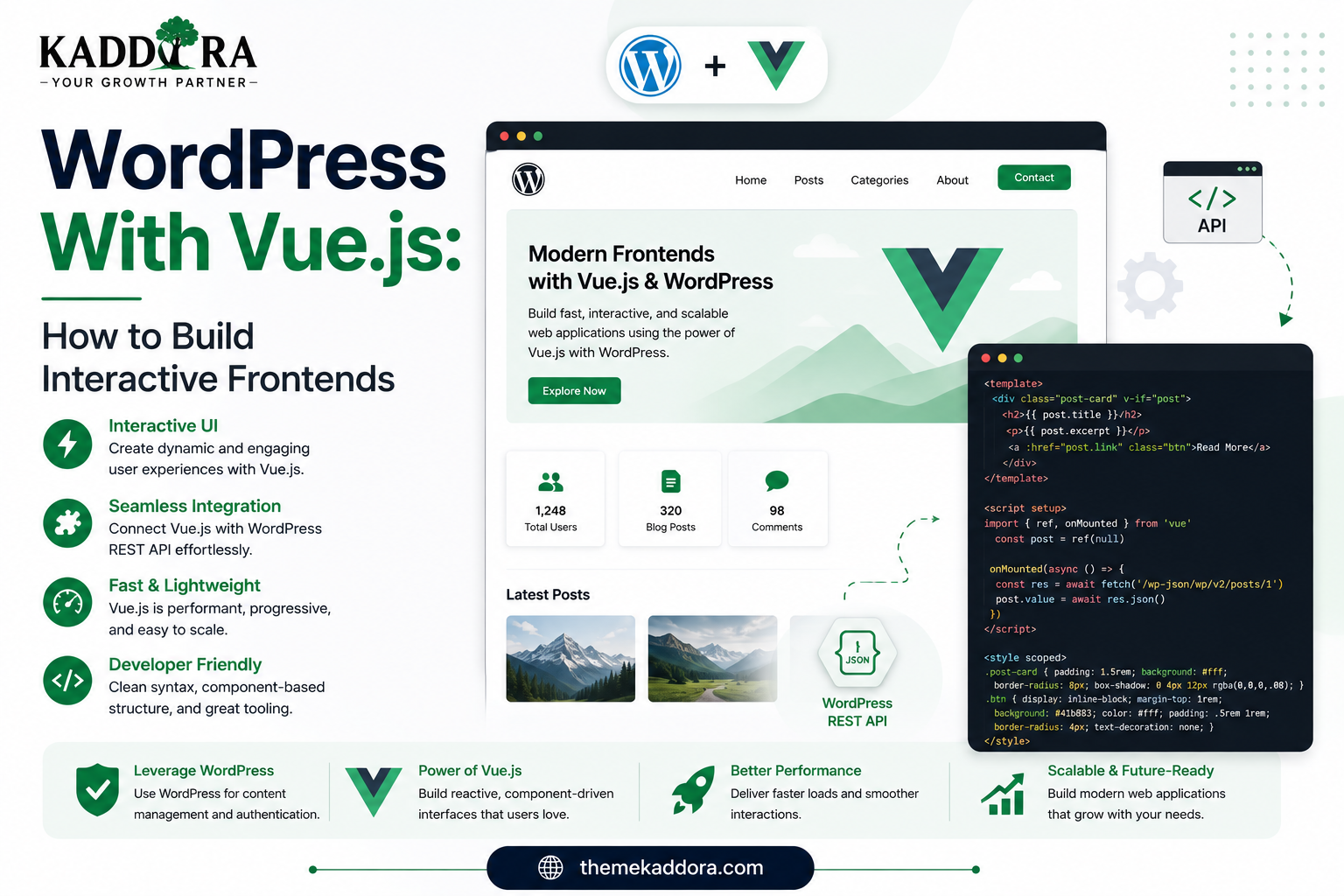
WordPress With Vue.js: How to Build Interactive Frontends
Introduction
WordPress is best known as a content management system, but it can also serve as the backend for highly interactive web applications.
Modern websites increasingly need interfaces that behave more like applications than traditional pages.
Examples include:
Interactive dashboards
Customer portals
Advanced search
Product filters
SaaS applications
Booking interfaces
Analytics dashboards
AI-powered tools
Vue.js provides a component-based JavaScript framework for building these kinds of interfaces.
When combined with WordPress, Vue.js can provide a modern frontend while WordPress continues to manage content, users, media, administration, and backend functionality.
In this guide, you'll learn how Vue.js and WordPress work together, how to connect Vue applications to the WordPress REST API, how to use Vue inside plugins, how to build dashboards, how authentication works, how to manage state, how to handle performance and security, and when Vue.js is the right choice for a WordPress project.
What Does "WordPress With Vue.js" Mean?
WordPress with Vue.js means using Vue.js as part of a WordPress website, plugin, application, or separate frontend.
There are several possible architectures.
Vue Inside WordPress
A Vue application can power a specific part of a traditional WordPress website.
For example:
WordPress ├── PHP Frontend ├── Vue Dashboard ├── Vue Search └── Standard Pages
Vue Inside a WordPress Plugin
A plugin can provide an interactive Vue-based administration interface.
For example:
WordPress Admin ↓ Plugin ↓ Vue Application ↓ REST API
Vue as a Headless Frontend
WordPress can act as a content backend while Vue handles the public frontend.
Vue Frontend ↓ WordPress REST API ↓ WordPress ↓ Database
The best architecture depends on the project.
What Is Vue.js?
Vue.js is a JavaScript framework for building user interfaces using reusable components and reactive data.
A Vue application can be divided into components such as:
Dashboard ├── Header ├── Sidebar ├── Statistics ├── Customer Table └── Activity Feed
Each component can manage a specific piece of the interface.
Why Use Vue.js With WordPress?
WordPress provides:
Content management
User management
Media management
Taxonomies
Plugins
Themes
REST APIs
Database integration
Vue.js provides:
Reactive interfaces
Reusable components
Client-side interaction
State-driven UI
Application-style experiences
Together:
WordPress → Backend Vue.js → Frontend
This combination can be particularly useful for application-focused WordPress products.
Traditional WordPress vs Vue.js Frontend
A traditional WordPress request commonly follows:
Browser ↓ WordPress ↓ PHP ↓ Database ↓ HTML ↓ Browser
A Vue-powered application may instead use:
Browser ↓ Vue Application ↓ REST API ↓ WordPress ↓ JSON ↓ Vue Updates UI
The exact architecture depends on whether Vue is embedded into WordPress or deployed separately.
WordPress REST API and Vue.js
The REST API is a common communication layer between Vue and WordPress.
For example, WordPress exposes endpoints such as:
/wp-json/wp/v2/posts /wp-json/wp/v2/pages /wp-json/wp/v2/media
Vue can request this information and render it using components.
The general flow is:
Vue ↓ REST API Request ↓ WordPress ↓ JSON Response ↓ Vue Component
Example Vue API Request
A simple Vue component can use fetch():
fetch( '/wp-json/wp/v2/posts' ) .then((response) => response.json()) .then((posts) => { console.log(posts); });
In production applications, include proper loading, error, cancellation, and pagination handling.
Rendering WordPress Posts in Vue
A basic Vue component could look like:
<template> <div> <article v-for="post in posts" :key="post.id" > <h2> {{ post.title.rendered }} </h2> <div v-html="post.excerpt.rendered" ></div> </article> </div> </template>
When rendering HTML returned by an API, developers should understand the trust boundary and ensure the source content is appropriately controlled and sanitized.
Don't inject arbitrary external HTML into a Vue application without evaluating the security implications.
WordPress as a Headless CMS With Vue
A headless architecture separates the content management system from the frontend.
For example:
WordPress ↓ Content ↓ REST API ↓ Vue ↓ Website
WordPress manages content while Vue controls the user experience.
This can be useful for projects that need a highly customized frontend.
When Is Headless WordPress With Vue.js Useful?
A headless architecture may be appropriate for:
SaaS products
Interactive websites
Customer portals
Large content platforms
Custom web applications
Multi-platform content systems
Highly customized frontend experiences
It may be unnecessary for a simple company website or standard blog.
Vue.js Inside a WordPress Plugin
Vue can be especially useful when a plugin needs a complex user interface.
For example, a plugin could provide:
Kaddora CRM ├── Dashboard ├── Leads ├── Customers ├── Reports └── Automation
Instead of building every screen with server-rendered HTML, Vue can power the interactive portions.
Vue.js for WordPress Admin Dashboards
A Vue-based dashboard can include:
Data tables
Filters
Charts
Search
Tabs
Modals
Bulk actions
Pagination
Dynamic forms
For example:
Admin Dashboard ↓ Vue App ↓ REST API ↓ WordPress Data
This can provide a more application-like administration experience.
Vue Components
Vue's component architecture makes complex interfaces easier to organize.
For example:
CRM Dashboard ├── CustomerCard ├── LeadTable ├── StatusBadge ├── SearchBox ├── FilterPanel └── Pagination
Reusable components reduce duplication and make UI changes easier to maintain.
Creating Reusable Vue Components
A project may have shared components such as:
Button Modal Dropdown Table Card Notice Tabs FormField Pagination
These components can be reused throughout the plugin.
This creates consistency across the application.
Vue Reactive Data
One of Vue's core strengths is reactivity.
For example:
Search Query ↓ Reactive State ↓ Filtered Results ↓ UI Updates
When state changes, Vue can update the relevant interface automatically.
This is useful for:
Search
Filters
Sorting
Forms
Modals
Tabs
Dashboards
Vue State Management
Small applications may be able to manage state directly inside components.
Larger applications may need centralized state management.
For example:
Global Store ├── User ├── Settings ├── Notifications ├── Customers └── UI State
Vue applications can use an appropriate state-management approach depending on project size and complexity.
Don't introduce a large state system for a simple component.
Vue and WordPress Data
A Vue application can retrieve WordPress data through:
REST API
Custom REST endpoints
AJAX
Plugin-specific APIs
For modern application-style WordPress development, REST APIs are often a natural option.
Creating Custom REST Endpoints for Vue
A plugin can expose its own API.
For example:
register_rest_route( 'kaddora/v1', '/customers', array( 'methods' => 'GET', 'callback' => 'kaddora_get_customers', 'permission_callback' => function() { return current_user_can( 'kaddora_view_customers' ); }, ) );
Vue can then request:
/wp-json/kaddora/v1/customers
This allows business logic to remain on the WordPress server.
Keep Business Logic on the Server
One of the most important architecture rules is:
Don't trust the browser.
Avoid putting sensitive authorization logic entirely in Vue.
For example, don't do:
Vue → Checks "Is Manager?" → Allows Refund
Instead:
Vue → Requests Refund WordPress → Checks Capability → Validates Request → Applies Business Rules → Performs Refund → Returns Response
This protects the actual operation.
Vue.js Authentication With WordPress
Authentication depends on where the Vue application is running.
Vue Inside WordPress Admin
The application may operate using the authenticated WordPress session and REST API authentication mechanisms.
External Vue Application
A separate frontend may require:
Application Passwords
OAuth
JWT
Custom authentication
Server-side proxying
The correct approach depends on the number of users, application architecture, and security model.
Never Put Privileged Credentials in Vue
Avoid:
const token = 'SUPER_SECRET_TOKEN';
Anything delivered to the browser can potentially be inspected.
For privileged operations, credentials should remain server-side whenever possible.
Vue.js in WordPress Admin
A common pattern is:
Admin Menu ↓ Plugin Page ↓ Vue Mount Point ↓ Vue Application
For example, a PHP page can contain:
<div id="kaddora-app"></div>
Vue then mounts its application to that element.
The exact asset loading method should follow WordPress's enqueue system.
Enqueue Vue Assets Properly
WordPress plugins should manage JavaScript through:
wp_enqueue_script()
rather than manually printing script tags.
For example:
wp_enqueue_script( 'kaddora-vue-app', plugin_dir_url( __FILE__ ) . 'build/app.js', array(), '1.0.0', true );
The exact dependencies depend on whether Vue is bundled or provided separately.
Bundle Vue or Load It Separately?
There are different approaches.
Bundle Vue
Include Vue in your application's build.
Advantages:
Predictable version
Self-contained application
Easier deployment
Potential drawback:
Larger bundle
Shared Runtime
Use a runtime already present in the environment where appropriate.
This can reduce duplication but increases dependency considerations.
Choose the strategy based on the application and WordPress architecture rather than assuming one approach is always best.
Vue.js and WordPress Build Tools
A typical Vue development workflow may look like:
Vue Source ↓ Build Tool ↓ Optimized JavaScript ↓ WordPress Enqueue ↓ Browser
The build process may handle:
Single-file components
Module bundling
Minification
Code splitting
Development builds
Production builds
Use a maintainable build system appropriate for the plugin or theme.
Vue Single-File Components
Vue supports Single-File Components such as:
CustomerTable.vue LeadCard.vue ReportChart.vue
These files can combine:
Template Script Style
This can make component development easier to organize.
Vue and WordPress Internationalization
WordPress plugins should keep user-facing strings translation-ready.
For Vue applications inside WordPress, developers need to integrate the appropriate WordPress internationalization approach into the JavaScript build and runtime.
For example, instead of hardcoding:
"Save Settings"
use a translation mechanism compatible with the WordPress plugin's localization architecture.
This is particularly important for plugins distributed to international users.
Vue and Accessibility
Vue does not automatically make an application accessible.
Developers should implement:
Semantic HTML
Keyboard navigation
Focus management
Accessible labels
Error messages
Screen-reader support
Sufficient contrast
Proper modal behavior
For example, a modal should:
Open ↓ Move Focus ↓ Allow Keyboard Navigation ↓ Close ↓ Restore Focus
Accessibility should be part of component design.
Vue and Performance
Vue can provide fast interactive interfaces, but performance depends on implementation.
Watch:
JavaScript bundle size
Component count
Rendering frequency
API requests
Images
Third-party dependencies
State updates
Don't load an entire application framework for a tiny UI feature unless the benefits justify the additional complexity.
Lazy Loading Vue Features
Large applications can load some functionality only when needed.
For example:
Admin Dashboard ↓ Initial UI ↓ Reports → Load On Demand ↓ Automation → Load On Demand ↓ Settings → Load On Demand
This can reduce the initial JavaScript payload.
The exact implementation depends on the build system.
API Pagination
Never load thousands of WordPress records into the browser unnecessarily.
Instead:
Page 1 20 Records Page 2 20 Records Page 3 20 Records
Use pagination, filtering, and server-side queries to keep interfaces responsive.
Search and Filtering
Vue is particularly useful for interactive search.
A typical workflow is:
User Types ↓ Search State ↓ API Request ↓ Filtered Results ↓ Vue Updates Table
For large datasets, perform filtering server-side rather than downloading the entire dataset to the browser.
Debouncing Search Requests
If a search field triggers an API request for every keystroke:
W Wo Wor Word Wordp ...
the application may generate unnecessary requests.
Debouncing can reduce request frequency.
For example:
User Typing ↓ Wait Briefly ↓ Send Search Request
This improves efficiency for remote search systems.
Loading and Error States
Every API-driven Vue interface should handle at least:
Loading Success Empty Error
For example:
Loading customers... No customers found. Unable to load customers. [Retry]
This is better than leaving users with a blank interface.
Vue Error Handling
Unexpected component errors should be handled so a single failure doesn't make the entire application unusable.
Large applications can use appropriate error-handling and fallback strategies.
For API errors, show user-friendly messages while keeping detailed technical information in secure logs.
Vue and WordPress AJAX
AJAX can still be used for Vue-based WordPress interfaces.
For example:
Vue ↓ AJAX ↓ admin-ajax.php ↓ WordPress ↓ Response
However, REST API endpoints are often cleaner for structured application data.
Choose the API architecture based on the existing plugin and system requirements.
Vue.js for WooCommerce
Vue can be useful for custom WooCommerce interfaces such as:
Product management
Analytics
Inventory dashboards
Customer tools
Order management
Advanced filtering
Recommendation interfaces
For customer-facing commerce features, carefully consider existing WooCommerce blocks, APIs, caching, and checkout architecture.
Vue.js for CRM Plugins
A CRM is a strong example of where Vue can be useful.
A CRM dashboard could contain:
Customers Leads Deals Tasks Reports Filters
Vue can provide:
Reactive filtering
Dynamic tables
Search
Modals
Kanban-style interfaces
Charts
WordPress can continue to handle user accounts, permissions, data storage, and business APIs.
Vue.js for AI WordPress Plugins
AI plugins can use Vue for interfaces such as:
AI chat
Content assistants
Prompt builders
Configuration screens
Usage dashboards
AI recommendations
A typical flow could be:
Vue Interface ↓ WordPress REST API ↓ Server-Side AI Service ↓ AI Provider ↓ Response ↓ Vue Interface
Keep provider API keys on the server.
Vue.js for SaaS Applications
A WordPress-powered SaaS product might use:
Vue Frontend ↓ REST API ↓ WordPress Backend ↓ Database ↓ External Services
Vue can handle:
Dashboard navigation
User interfaces
Subscription displays
Usage statistics
Reports
Settings
WordPress can provide:
Users
Content
APIs
Plugin architecture
Administration
Headless WordPress With Vue.js
A headless architecture might look like:
Vue Application ↓ Routing ↓ API Client ↓ WordPress REST API ↓ WordPress ↓ Database
The frontend can be deployed separately from WordPress.
This can provide greater control over frontend architecture.
SEO Considerations for Headless Vue
A client-side Vue application may require special consideration for public search-engine content.
Possible approaches include:
Server-side rendering
Static generation
Hybrid rendering
Pre-rendering
Framework-specific SSR solutions
A traditional WordPress-rendered website may be simpler when SEO-focused content is the primary requirement.
Choose the architecture based on business goals.
Vue.js vs React With WordPress
Both React and Vue can work effectively with WordPress.
React
Strong integration with the WordPress editor ecosystem and WordPress JavaScript packages.
Vue
Known for a flexible, approachable component model and can be a strong choice for custom standalone interfaces.
The best choice depends on:
Existing team expertise
Project architecture
WordPress integration requirements
Build tooling
Component ecosystem
Long-term maintenance
Don't choose a framework simply because it is popular.
Vue.js vs Traditional WordPress PHP
Traditional PHP
Often better for:
Simple content websites
Standard blogs
Marketing pages
Basic business websites
Vue.js
Often better for:
Complex dashboards
Interactive applications
Rich filtering
Dynamic interfaces
SaaS-style products
The correct choice is determined by the interface requirements.
Keep Vue Focused on the UI
A clean architecture can be:
Vue → Components → State → User Interaction WordPress → Database → Business Logic → Authorization → APIs
This prevents the frontend from becoming responsible for tasks that belong on the server.
Custom Vue Components for ThemeKaddora
A ThemeKaddora UI component library might include:
Buttons Cards Tables Filters Modals Tabs Charts Forms Notifications Pagination
These components can support multiple WordPress products.
A reusable design system can reduce development time across CRM, analytics, AI, and WooCommerce plugins.
Common WordPress + Vue.js Mistakes
Exposing API Credentials
Never put privileged secrets in frontend JavaScript.
Putting Authorization in Vue
Server-side capability checks are required.
Loading Huge Datasets
Use pagination and server-side filtering.
Making Requests on Every Keystroke
Debounce search interactions.
Ignoring Error States
Every API-driven interface needs proper failure handling.
Loading Vue for Tiny Features
Don't add framework complexity without meaningful benefit.
Ignoring Accessibility
Interactive components must be keyboard and screen-reader friendly.
Ignoring WordPress Asset Management
Enqueue and version assets through WordPress APIs.
WordPress With Vue.js Best Practices
Professional developers should:
Use the WordPress REST API appropriately.
Keep privileged credentials server-side.
Use capability checks for protected operations.
Validate and sanitize server-side input.
Use secure authentication mechanisms.
Build reusable Vue components.
Keep state management proportional to application complexity.
Paginate large datasets.
Debounce expensive searches.
Handle loading, empty, and error states.
Optimize JavaScript bundles.
Use WordPress's enqueue system.
Support internationalization.
Follow accessibility standards.
Test responsive layouts.
Keep business logic on the server.
When Vue.js Is the Right Choice
Vue.js can be a strong choice when the project requires:
Highly interactive interfaces
Dynamic dashboards
Complex forms
Real-time-like UI updates
Advanced search
Rich filtering
Application-style navigation
Reusable frontend components
It may be unnecessary when WordPress's normal PHP rendering already solves the problem.
A Practical Decision Framework
Ask:
Does the feature require complex interaction? ↓ YES ↓ Would reusable reactive components make the interface easier to build? ↓ YES ↓ Consider Vue.js NO ↓ Use simpler WordPress architecture
The framework should solve a real problem rather than become another dependency to maintain.
Testing WordPress + Vue Applications
Before release, test:
API
Successful requests
Authentication failures
Permission failures
Invalid input
Server errors
UI
Loading
Empty state
Error state
Forms
Search
Filters
Pagination
Security
Unauthorized users
Direct API requests
Credential exposure
Capability checks
Accessibility
Keyboard
Focus
Screen readers
Forms
Performance
Bundle size
API requests
Rendering
Large datasets
Compatibility
Supported browsers
WordPress versions
Required plugins
WooCommerce where applicable
Professional WordPress + Vue Architecture
A larger plugin might use:
kaddora-plugin/ │ ├── src/ │ ├── components/ │ ├── views/ │ ├── stores/ │ ├── services/ │ ├── composables/ │ └── app/ │ ├── build/ │ ├── includes/ │ ├── class-rest-api.php │ ├── class-permissions.php │ ├── class-admin.php │ └── class-plugin.php │ ├── assets/ │ └── kaddora-plugin.php
A clear division between frontend and backend responsibilities makes the product easier to maintain.
Why ThemeKaddora Is Worth Exploring
ThemeKaddora provides WordPress plugins and digital products designed for website owners, developers, agencies, and businesses.
Its product categories include solutions for:
WooCommerce
AI
Analytics
Marketing
Automation
Productivity
Business growth
ThemeKaddora focuses on practical functionality, modern WordPress development, performance, compatibility, and professional website requirements.
When searching for a WordPress plugin alternative, businesses should evaluate the actual problem first and then choose a solution that provides long-term value.
Conclusion
WordPress and Vue.js can work together to create powerful interactive websites and applications.
WordPress provides a mature backend platform for content, users, media, plugins, APIs, and business logic, while Vue.js provides reactive components and modern frontend interactions.
A strong architecture separates responsibilities:
WordPress
→ Data + Business Logic + Authentication + Authorization
REST API
→ Communication Layer
Vue.js
→ Components + State + User Experience
Vue.js is not required for every WordPress project. For simple websites, traditional WordPress rendering may be the better solution.
But for dashboards, CRM systems, SaaS products, AI interfaces, analytics tools, and other application-style experiences, Vue can provide a flexible foundation for building modern frontends.
The best implementation combines performance, security, accessibility, maintainability, and thoughtful user experience.
Frequently Asked Questions
Can Vue.js be used with WordPress?
Yes. Vue.js can be used inside WordPress plugins, themes, admin pages, or as a separate frontend connected through the WordPress REST API.
How does Vue.js communicate with WordPress?
Vue can communicate with WordPress through the REST API, custom REST endpoints, AJAX, and other application-specific integrations.
Can I build a headless WordPress website with Vue.js?
Yes. WordPress can manage content while a Vue application acts as the frontend.
Can Vue.js be used inside a WordPress plugin?
Yes. Vue is useful for dashboards, settings interfaces, analytics, CRM systems, AI tools, and other interactive plugin experiences.
Should I put WordPress credentials inside Vue.js?
No. Browser-delivered JavaScript can be inspected. Privileged credentials should remain server-side.
Can Vue.js be used in the WordPress admin?
Yes. A plugin can create an admin page and mount a Vue application inside it.
Is Vue.js better than React for WordPress?
Neither is universally better. React has strong integration with WordPress's block ecosystem, while Vue can be an excellent choice for custom applications and interfaces. Choose based on project requirements and team expertise.
Can Vue.js be used with WooCommerce?
Yes. Vue can power custom WooCommerce dashboards, analytics, product management, filters, and other interactive interfaces when built against supported WooCommerce APIs.
Can Vue.js be used for WordPress SaaS applications?
Yes. Vue can provide the frontend interface while WordPress handles users, APIs, content, backend logic, and plugin functionality.
Does Vue.js automatically improve SEO?
No. SEO depends on rendering architecture, content delivery, metadata, performance, internal linking, and many other factors.
Can Vue.js improve WordPress performance?
It can create efficient interactive interfaces, but large JavaScript applications can also increase page weight and execution costs. Performance should be measured.
Why should Vue.js applications use pagination?
Loading thousands of WordPress records into the browser can waste memory and increase API and rendering costs. Pagination keeps the interface and requests manageable.
Why choose Themekaddora?
Themekaddora provides lightweight, responsive, SEO-friendly WordPress themes with fast performance, WooCommerce compatibility, flexible customization, accessibility-conscious design, modern templates, regular updates, and professional support—providing a strong foundation for businesses building digital products and product-focused websites.
Comments (0)