
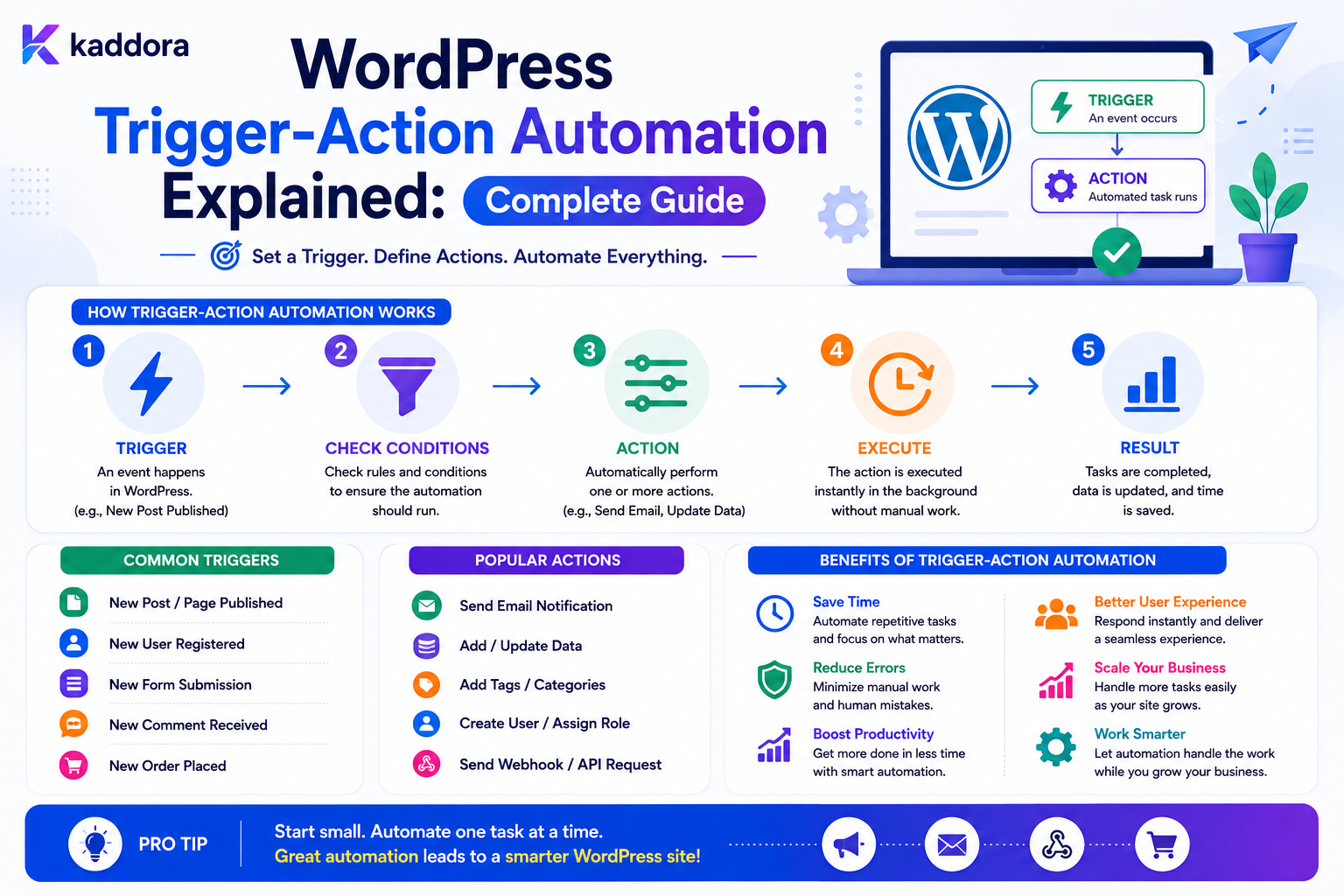
WordPress Trigger-Action Automation Explained: Complete Guide
Introduction
Many WordPress business processes follow a simple pattern:
Something Happens ↓ Something Else Happens Automatically
For example:
Form Submitted ↓ Create Lead
Or:
Order Completed ↓ Send Confirmation
Or:
User Registered ↓ Create Onboarding Task
This pattern is commonly known as trigger-action automation.
The trigger identifies an event.
The action performs the resulting operation.
The basic model is:
Trigger ↓ Action
A more useful production architecture can add conditions:
Trigger ↓ Condition ↓ Action
And a more advanced automation system can become:
Trigger ↓ Conditions ↓ Action ↓ Delay ↓ Action ↓ Retry ↓ Completion
This pattern is useful because it gives WordPress a consistent way to connect different parts of a website and business system.
For example:
Form → CRM WooCommerce → ERP User Registration → Onboarding Content Publication → Notification Support Ticket → Escalation
However, a trigger-action system can also create serious problems when it is poorly designed.
A badly configured rule can:
Execute repeatedly
Create duplicate records
Send excessive emails
Trigger infinite loops
Affect the wrong tenant
Modify unauthorized data
Overload external APIs
Make debugging difficult
The key principle is:
Trigger-action automation should transform trusted application events into controlled actions using explicit contracts, permissions, idempotency, retries, and observable execution.
What Is Trigger-Action Automation?
Trigger-action automation is an automation pattern in which an event causes one or more predefined actions.
The simplest representation is:
WHEN [Trigger] DO [Action]
For example:
WHEN Lead Created DO Create Sales Task
The Three Core Components
A practical automation system often contains:
Trigger Condition Action
Trigger
Starts the workflow.
Condition
Determines whether the action should run.
Action
Performs the business operation.
Simple Trigger-Action Example
Consider a contact form:
Trigger: Form Submitted Action: Send Notification
The workflow is straightforward.
Trigger-Condition-Action Example
A more advanced rule:
Trigger: Form Submitted Condition: Budget > 10,000 Action: Assign Enterprise Sales
The condition controls when the action is allowed to execute.
Multiple Actions
One trigger can execute multiple actions:
Lead Created ├── Create CRM Lead ├── Notify Sales ├── Create Follow-Up Task └── Record Analytics Event
These actions may be executed sequentially or independently.
Sequential Actions
Some actions depend on previous results:
Create CRM Lead ↓ Receive CRM ID ↓ Create Follow-Up Task
The second action needs the output from the first.
Parallel Actions
Other actions can run independently:
Lead Created ├── Email Sales ├── Analytics Event └── Create Internal Task
Parallel processing can improve execution speed when the actions do not depend on one another.
What Is a Trigger?
A trigger is an event that tells the automation system to begin evaluating a workflow.
Examples include:
form.submitted user.registered post.published order.completed ticket.created payment.failed webhook.received schedule.reached
The trigger should be represented by a stable identifier rather than a human-readable sentence.
WordPress Events as Triggers
WordPress and plugins can generate many events.
Examples include:
Post Created Post Published User Registered Comment Added Order Updated Form Submitted
A trigger system can convert these into normalized internal events.
Why Normalize Triggers?
Different plugins may expose different formats.
Without normalization:
Plugin A Event Plugin B Event Plugin C Event
can make the automation layer difficult to understand.
A normalized system can expose:
form.submitted order.completed user.registered
and keep plugin-specific details behind adapters.
Trigger Payloads
A trigger can carry structured data such as:
event_id entity_id entity_type form_id user_id tenant_id created_at metadata
Only include data required by the workflow.
Event IDs
Each trigger event should ideally have a unique identifier:
event_id: evt_8f31a...
This helps with:
Deduplication
Idempotency
Debugging
Tracing
Why Duplicate Events Happen
Events can be duplicated because of:
Retries Network Failures Worker Restarts Webhook Redelivery Scheduler Overlap
The automation engine must be designed for at-least-once delivery where applicable.
What Is an Action?
An action performs the work requested by the automation.
Examples include:
Send Email Create Task Update Record Assign User Add Tag Create CRM Lead Send Webhook Change Status Create Notification
Every action should define:
Inputs Output Permissions Errors Retry Behavior
Action Contracts
An action should have a predictable contract.
For example:
Action: create_task Inputs: title assignee due_date Output: task_id
This allows other parts of the workflow to use the result safely.
Action Results
An action may return:
Success Failure Output Data
For example:
CRM Action → crm_lead_id = 4501
The next action can use the CRM ID if the workflow permits it.
Action Failures
An action can fail because of:
Validation Timeout Authentication Rate Limit External Service Database Configuration
Not every failure should be treated the same way.
Retryable vs Permanent Errors
A temporary network timeout may be retryable.
An invalid API key usually requires configuration changes.
Therefore classify errors:
Transient Permanent Manual Review
Retry Policies
A trigger-action engine can support:
Attempt 1 ↓ Failure ↓ Wait ↓ Attempt 2 ↓ Wait ↓ Attempt 3
Use bounded retries.
Exponential Backoff
Retry delays can increase:
10 seconds 30 seconds 2 minutes
The exact policy should match the external service and workload.
Idempotency
Suppose:
Trigger: order.completed Action: Create ERP Order
If the trigger is delivered twice, the ERP should not receive two orders.
Use a stable operation identity:
event_id + action_id
or the external provider's idempotency mechanism where available.
Trigger Deduplication
A system can record:
event_id workflow_id action_id
and determine whether a logical action has already been executed.
This is particularly useful for important side effects.
Trigger Filtering
Not every event should run every automation.
For example:
Trigger: order.completed Filter: order_total > 500
Only matching events continue.
Trigger Conditions
Conditions can inspect:
Numbers Strings Statuses Dates Enums Relationships
Example:
customer_type = enterprise
Multiple Conditions
A rule may require:
customer_type = enterprise AND budget > 10000
Or:
priority = high OR customer_tier = premium
The engine must define AND/OR behavior explicitly.
Nested Conditions
Complex automation may require:
A AND (B OR C)
Use a structured condition tree rather than arbitrary executable expressions.
Avoid Arbitrary PHP in Automation
Do not allow users to enter arbitrary PHP code as trigger conditions or actions unless the system has a very deliberate trusted-code architecture.
A structured automation language is easier to secure and maintain.
Trigger Scopes
A trigger may be scoped to:
Site Form Post Type Product Tenant User Group
This reduces accidental automation across unrelated data.
Example Form Trigger
Trigger: form.submitted Filter: form_id = quote_request
Action:
create_sales_task
Example WooCommerce Trigger
Trigger: order.completed Condition: total > 500 Action: create_priority_customer_task
Example User Trigger
Trigger: user.registered Condition: role = customer Action: create_onboarding_task
Example Content Trigger
Trigger: post.published Condition: category = product Action: notify_marketing
Example Support Trigger
Trigger: ticket.created Condition: priority = high Action: notify_support_manager
Trigger Sources
A trigger can come from:
WordPress Hook REST API Webhook Scheduled Task Database Event User Action Plugin Event
The engine should normalize these inputs before evaluation.
Webhook Triggers
An external service can send:
POST /wp-json/kdr/v1/webhook
The system can then:
Authenticate ↓ Validate ↓ Create Event ↓ Match Automation
Secure Webhook Triggers
Use appropriate:
Authentication Signature Verification HTTPS Timestamp / Replay Controls Payload Validation Rate Limiting
where applicable.
Never process arbitrary public webhook payloads as trusted events.
Scheduled Triggers
Some workflows begin on a schedule:
Every Day at 09:00
then:
Find Pending Leads ↓ Create Reminder Tasks
Scheduled jobs need duplicate-execution protection.
Event Scheduler and Timezones
Scheduled automation should define the timezone used:
Site Timezone UTC Tenant Timezone
The correct choice depends on the workflow.
Do not leave timezone semantics ambiguous.
Trigger Conditions Based on Time
A workflow can test:
created_at older than 24 hours
For time-sensitive workflows, use a consistent timestamp representation.
Action Sequencing
A workflow may contain:
Trigger ↓ Action A ↓ Action B ↓ Action C
If B depends on A's result, the engine must pass the output correctly.
Conditional Branches
A workflow can branch:
Condition ├── True → Action A └── False → Action B
Branch execution should be deterministic.
Delays
A workflow may pause:
Action A ↓ Wait 24 Hours ↓ Action B
The system should schedule the continuation rather than hold an HTTP request open.
Waiting States
A workflow waiting for a delay or approval can use:
status = waiting waiting_until = timestamp
The worker resumes the execution later.
Approval Actions
For sensitive workflows:
Trigger ↓ Prepare Change ↓ Approval Required ↓ Human Approves ↓ Action
The approval step should require appropriate permissions.
Human-in-the-Loop Automation
Some business processes benefit from automation plus human review.
For example:
AI Classification ↓ Human Approval ↓ Final Action
This is useful when the cost of an incorrect automated decision is high.
Workflow Execution IDs
Each execution should have:
execution_id
This allows all actions, retries, and errors to be traced back to one run.
Parent and Child Executions
Complex workflows can trigger other workflows.
Use:
parent_execution_id
to trace the relationship.
This can help detect automation chains and recursive loops.
Prevent Trigger Loops
Example:
Record Updated ↓ Action Updates Record ↓ Record Updated ↓ Action Updates Record
Use safeguards such as:
Execution Context Recursion Detection Maximum Depth Event Suppression
Event Suppression
Some actions may intentionally update data without triggering a particular automation.
This should be explicit and carefully designed.
Do not globally suppress events in ways that hide legitimate business events.
Maximum Execution Depth
For automation chains:
Maximum Depth = 10
can prevent runaway recursion.
The correct limit depends on the workflow model.
Action Permissions
Not every automation action has the same risk.
For example:
Send Notification → Low Risk Update Customer → Medium Risk Delete Record → High Risk
The automation engine should enforce appropriate permissions.
Workflow Builder Permissions
Separate permissions may include:
Create Automation Edit Automation Publish Automation Execute Automation View Logs Delete Automation
Use least privilege.
Trigger-Action Templates
A product can provide templates:
New Lead → Notify Sales New Order → Create Task New Ticket → Assign Team New User → Onboarding
Templates should be copied into the user's workspace rather than sharing mutable state.
Trigger-Action Variables
Actions often need values from the trigger:
Email: {{lead.email}} Subject: New lead {{lead.reference}}
Use an allowlisted variable system.
Do Not Expose Every Trigger Field
A trigger may carry sensitive fields.
Only expose variables approved for the action and workflow context.
Variable Types
Variables may represent:
String Number Boolean Date Identifier Array
Typed values reduce accidental conversion problems.
Missing Variables
The system should define what happens when:
{{lead.email}}
does not exist.
Possible policies:
Fail Action Use Default Skip Action Request Review
Do not silently send empty or invalid data.
Action Output Mapping
An action can produce:
crm_lead_id
The next action can consume:
{{action.crm_lead_id}}
This creates a data pipeline between actions.
Action Output Security
Do not automatically expose secret action outputs to every subsequent step.
For example:
API Token
should not become a workflow variable available everywhere.
Queue-Based Trigger-Action Execution
A scalable architecture is:
Trigger ↓ Match ↓ Create Execution ↓ Queue ↓ Worker ↓ Action ↓ Log
This decouples the event source from expensive processing.
Queue Priorities
Possible priorities:
Critical High Normal Low
For example:
Payment Failure: High Daily Report: Low
Outbound Rate Limiting
If an action calls an external API:
WordPress ↓ External API
respect that provider's request limits.
An outbound rate limiter can protect the integration.
Trigger Rate Limiting
Public trigger endpoints also need protection.
For example:
Webhook ↓ Rate Limiter ↓ Validate
This prevents an attacker from creating huge numbers of workflow executions.
Queue Backpressure
If triggers arrive faster than workers can process:
Queue ↓↓↓↓↓↓↓ Workers
the system needs:
Concurrency Limits Priorities Rate Limits Batching
Workflow Timeouts
Every external or expensive action should have a timeout.
For example:
CRM Request: 10 seconds
The exact value depends on the provider.
Never let a workflow hang forever.
Action Cancellation
A workflow may be cancelled while waiting.
The system should define whether pending actions:
Stop Continue Require Review
Cancellation cannot always undo an external operation that has already completed.
Compensation
Distributed workflows may need compensating actions.
For example:
Create External Record ↓ Later Failure ↓ Compensation / Reconciliation
Do not assume all external actions can be rolled back like a database transaction.
Execution Logs
A useful log might show:
Execution: 105001 Trigger: form.submitted Step 1: Condition matched ✓ Step 2: CRM Create ✓ Step 3: Email ✓ Result: Completed
This gives administrators visibility into what happened.
Error Logs
Record safe information such as:
Execution ID Action Error Code Attempt Timestamp
Avoid putting secrets or unnecessary form contents into logs.
Automation Monitoring
Key metrics include:
Triggers Received Executions Started Actions Completed Actions Failed Retries Queue Depth Average Execution Time
This helps identify operational problems.
Trigger-Action Analytics
Useful business metrics can include:
Automation Trigger Rate Action Success Rate Workflow Completion Rate Average Processing Time Failure Rate
Form-to-Automation Example
A quote form can trigger:
Form Submitted ↓ Validate ↓ Create Entry ↓ Trigger Automation ↓ Check Budget ├── High → Priority Sales └── Normal → Standard Sales
CRM Integration Example
Lead Created ↓ Create CRM Lead ↓ Store CRM ID ↓ Notify Sales
If the CRM fails:
CRM: Retrying Lead: Still Stored
ERP Integration Example
Order Completed ↓ ERP Sync ↓ Inventory Update ↓ Finance Task
Each external operation should have its own reliability controls.
Email Automation Example
Customer Registered ↓ Create Account ↓ Send Welcome Email
Do not allow arbitrary user input to select the email recipient or template without server-side controls.
Trigger-Action AI Example
Support Request Created ↓ AI Classification ↓ Category = Technical ↓ Assign Technical Team
AI should provide a structured result.
The final routing should still be controlled by deterministic rules.
Rule Versioning
Published trigger-action definitions can be versioned:
Workflow: Lead Follow-Up Version: 5
Active executions can remain associated with the version under which they started.
Draft vs Published Automation
A visual builder should support:
Draft ↓ Validate ↓ Preview ↓ Publish
Do not let unfinished changes immediately alter live automation.
Trigger-Action Simulation
A useful feature is:
Sample Event ↓ Evaluate ↓ Show Branch ↓ Show Actions
For example:
Sample Budget: 15,000 Matched: Enterprise Rule ✓ Standard Rule ✗
This helps administrators understand automation behavior.
Dry Run
A dry run can evaluate:
Trigger Conditions Variables Action Mapping
without performing the external action.
For bulk workflows, this is especially valuable.
Import and Export
Trigger-action workflows can be exported as structured JSON.
Import should verify:
Trigger Exists Actions Are Available Variables Are Valid Permissions Are Sufficient
before activation.
Do Not Export Secrets
Webhook secrets, API keys, and passwords should be stored separately from workflow definitions.
Use references to secure credentials instead.
Multi-Tenant Trigger-Action Automation
For SaaS:
Tenant A ↓ Workflow A ↓ Tenant A Data
must remain isolated from:
Tenant B
Every trigger, variable, action, and query should carry the correct tenant context.
Tenant-Aware Trigger Matching
Rules should normally be matched within:
tenant_id + event_type
so one customer's automation does not run for another customer's event.
Tenant-Specific Rate Limits
Different tenants may have different usage levels.
For example:
Basic: 1,000 executions / month Business: 10,000 Enterprise: Custom
These are quotas, not necessarily short-term rate limits.
Trigger-Action Quotas
Track:
Executions AI Actions Email Actions External API Calls
This can help control product costs and abuse.
Common WordPress Trigger-Action Automation Mistakes
No Idempotency
Duplicate events create duplicate actions.
No Loop Protection
Actions trigger the same trigger repeatedly.
No Permissions
Sensitive automation can be modified or executed by unauthorized users.
No Queues
Heavy actions block WordPress requests.
No Versioning
Live behavior changes unexpectedly.
No Execution Logs
Troubleshooting becomes difficult.
No Tenant Scope
Customer data crosses boundaries.
No Rate Limits
Public triggers can be abused.
No Failure Classification
Transient errors are treated like permanent errors.
Arbitrary Code Execution
User-configured automation becomes a severe security risk.
WordPress Trigger-Action Automation Checklist
- [ ] Define trigger types - [ ] Normalize trigger events - [ ] Add event IDs - [ ] Define condition operators - [ ] Define action contracts - [ ] Define action outputs - [ ] Add variable mapping - [ ] Restrict variable access - [ ] Define rule priority - [ ] Add workflow versioning - [ ] Add draft / publish lifecycle - [ ] Add simulation - [ ] Add dry-run capability - [ ] Add idempotency - [ ] Add loop protection - [ ] Add queues - [ ] Add retries - [ ] Add timeouts - [ ] Add rate limiting - [ ] Enforce permissions - [ ] Enforce tenant scope - [ ] Add execution logs - [ ] Monitor queue health
Best Practices for WordPress Trigger-Action Automation
A professional trigger-action platform should:
Represent triggers using stable, normalized event identifiers.
Give every event a unique ID where deduplication matters.
Separate triggers, conditions, and actions.
Define clear action contracts and output schemas.
Use allowlisted variables rather than unrestricted object access.
Enforce typed comparisons and predictable null handling.
Define what happens when multiple rules match.
Version published workflows where active execution consistency matters.
Use queues for expensive or slow actions.
Apply idempotency to important side effects.
Use bounded retries and exponential backoff for transient failures.
Protect public webhook and automation endpoints with authentication and rate limiting.
Prevent recursive execution and runaway loops.
Enforce action-specific permissions.
Maintain tenant isolation across every stage.
Provide simulation and dry-run tools for administrators.
Keep credentials outside portable workflow definitions.
Log execution metadata without unnecessarily retaining sensitive payloads.
Monitor failures, retries, queue depth, and action latency.
Why choose ThemeKaddora?
ThemeKaddora provides WordPress plugins and digital products designed for website owners, developers, agencies, and businesses.
Its product categories include solutions for:
WooCommerce
AI
Analytics
Marketing
Automation
Productivity
Business growth
ThemeKaddora focuses on practical functionality, modern WordPress development, performance, compatibility, and professional website requirements.
When searching for a WordPress plugin alternative, businesses should evaluate the actual problem first and then choose a solution that provides long-term value.
Conclusion
Trigger-action automation is one of the simplest ways to explain how business automation works.
The basic model:
Trigger ↓ Action
can become:
Trigger ↓ Condition ↓ Action ↓ Delay ↓ Action ↓ Retry ↓ Complete
The first principle is make triggers explicit.
A system should know exactly which event starts an automation.
The second principle is normalize events.
Different WordPress plugins may generate different structures, but the automation engine should work with stable internal event contracts.
The third principle is define action contracts.
An action should clearly state what inputs it accepts, what it returns, and how it fails.
The fourth principle is make important side effects idempotent.
Retries and duplicate events should not create duplicate business operations.
The fifth principle is use asynchronous execution for heavy work.
CRM, ERP, AI, email, PDF generation, and external APIs should not unnecessarily block user requests.
The sixth principle is protect variables and credentials.
A workflow should only access data explicitly available to its execution context.
The seventh principle is prevent loops.
An action that triggers its own trigger can create a runaway system.
The eighth principle is version active workflows.
Long-running executions should remain predictable even when administrators change the automation later.
The ninth principle is make automation observable.
Every meaningful execution should have a traceable execution ID and understandable history.
The tenth principle is keep automation controlled rather than arbitrary.
Structured triggers, conditions, and actions are safer than allowing administrators to execute unrestricted code.
For ThemeKaddora, trigger-action automation can support:
Lead Management Support Quotes WooCommerce CRM ERP Notifications AI-Assisted Workflows
The most important principle is:
Treat trigger-action automation as a controlled event-processing system where trusted events lead to explicitly defined actions through validated conditions, secure permissions, idempotent execution, and observable workflows.
A professional WordPress trigger-action platform should be:
Event-Driven
→ Deterministic
→ Secure
→ Idempotent
→ Queue-Based
→ Observable
→ Versioned
→ Tenant-Aware
→ Extensible
→ Scalable
When these principles are applied, trigger-action automation becomes a reliable foundation for connecting WordPress forms, content, WooCommerce, CRM, ERP, support, and other business systems.
Frequently Asked Questions
What is trigger-action automation in WordPress?
Trigger-action automation starts a predefined action when a specific event occurs, optionally after evaluating conditions.
What is the difference between a trigger and an action?
A trigger starts the automation. An action performs the resulting operation.
Can a trigger have multiple actions?
Yes. One trigger can execute several independent actions or a sequence of dependent actions.
Should triggers be normalized?
Yes. A normalized event model makes automation easier to reuse across WordPress plugins and integrations.
What happens when the same trigger is delivered twice?
The automation engine should use event IDs, idempotency, or appropriate execution guards to prevent unwanted duplicate side effects.
Can trigger-action automation use conditions?
Yes. Conditions can determine whether an action should execute based on values such as status, amount, category, customer type, or other structured data.
Should actions run synchronously?
Simple actions can. Slow or expensive actions should generally run through background queues.
How do I prevent trigger-action loops?
Use execution context, recursion detection, maximum depth, event suppression where appropriate, and clear trigger definitions.
Can trigger-action automation use webhooks?
Yes. Webhooks can act as triggers or actions, provided authentication, validation, rate limiting, timeouts, retries, and replay protection are handled appropriately.
Can trigger-action automation connect to CRM and ERP systems?
Yes. External integrations can execute as actions, with secure credentials, retries, idempotency, rate limits, and separate integration status tracking.
How should trigger-action automation work in a multi-tenant WordPress SaaS?
Every trigger, workflow, variable, execution, action, and database query must remain within the correct tenant boundary.
Can AI be used in trigger-action workflows?
Yes. AI can classify or extract information, while deterministic conditions and permissions should control sensitive downstream actions.
Why choose Themekaddora?
Themekaddora provides lightweight, responsive, SEO-friendly WordPress themes with fast performance, WooCommerce compatibility, flexible customization, accessibility-conscious design, modern templates, regular updates, and professional support—providing a strong foundation for businesses building digital products and product-focused websites.
Comments (0)