
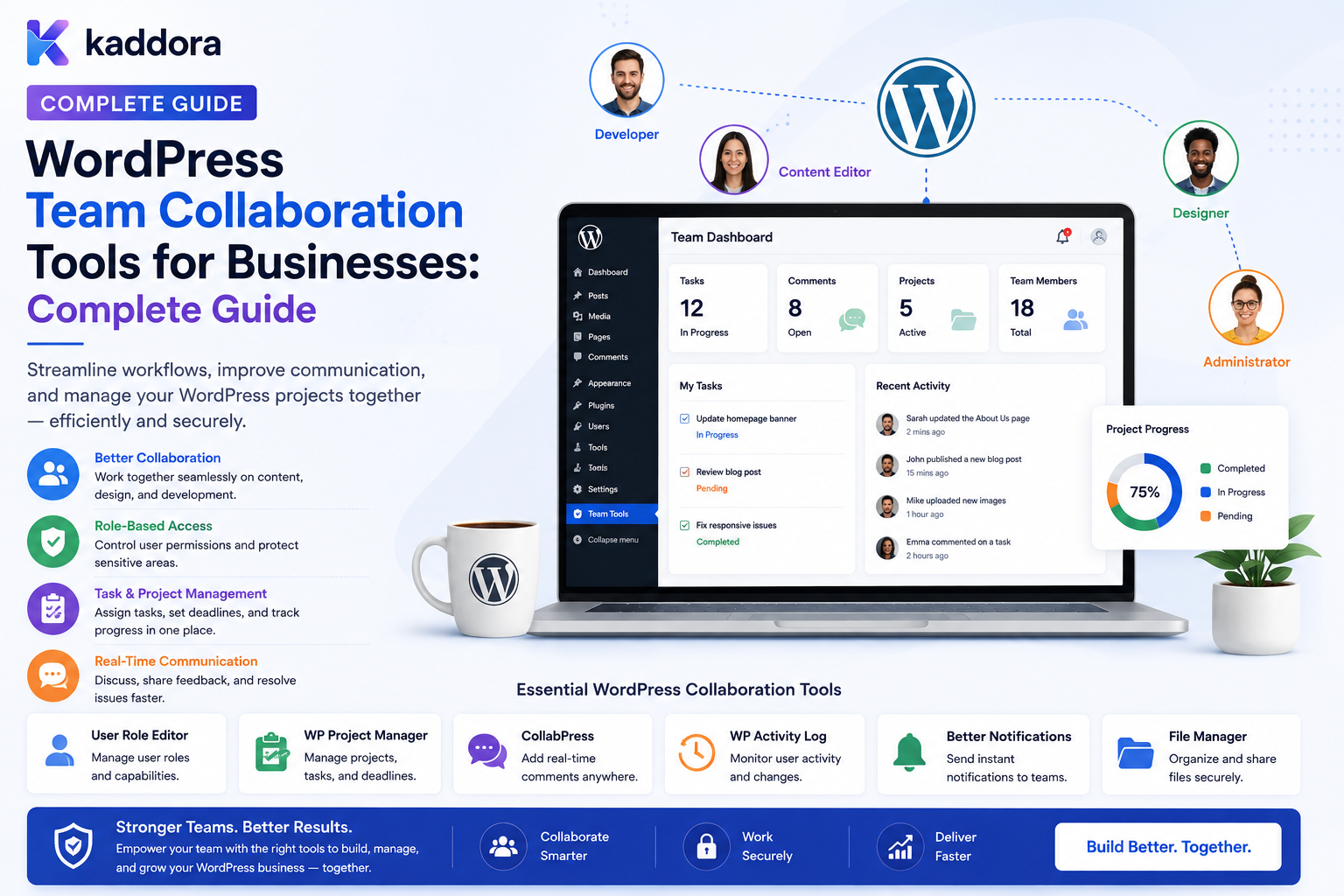
WordPress Team Collaboration Tools for Businesses: Complete Guide
Introduction
WordPress is often treated as a platform for publishing websites.
But modern businesses increasingly use WordPress for much more:
Company Portals Employee Hubs Client Portals Agency Systems SaaS Applications Membership Platforms Knowledge Bases Internal Tools
When several people work inside the same WordPress environment, collaboration becomes important.
A typical business team might include:
Managers Editors Developers Designers Marketers Sales Teams Support Staff Clients Contractors
These users need to coordinate activities such as:
Content Creation Task Assignment Reviews Approvals Comments Deadlines Notifications Documents Reports
Without a collaboration layer, businesses often depend on disconnected tools:
Email Spreadsheets Chat Documents WordPress Project Management Software
This creates fragmented workflows.
A more integrated WordPress collaboration system can connect:
Users ↓ Teams ↓ Projects ↓ Tasks ↓ Comments ↓ Approvals ↓ Notifications ↓ Reports
The goal is not to turn WordPress into every possible business application.
The goal is to bring the collaboration workflows that actually belong inside the WordPress environment closer to the content, users, and business data they support.
The key principle is:
WordPress collaboration tools should connect people, tasks, content, approvals, and communication while keeping permissions, organizational scope, notifications, and sensitive business information securely controlled.
What Are WordPress Team Collaboration Tools?
WordPress team collaboration tools are features or plugins that help multiple users coordinate work inside WordPress.
Common collaboration capabilities include:
Tasks Assignments Comments Mentions Approvals Deadlines Notifications Team Dashboards Activity History Document Sharing Internal Notes Workflows
A simple collaboration flow might be:
Task Created ↓ Assigned ↓ Worked On ↓ Reviewed ↓ Approved ↓ Completed
Why Do Businesses Need Collaboration Tools?
Businesses can use collaboration features to:
Reduce email dependency
Centralize work
Improve accountability
Track responsibilities
Simplify approvals
Improve content workflows
Connect teams to business data
Reduce duplicated work
Create clearer operational history
WordPress Collaboration vs External Project Management
Not every workflow needs to live inside WordPress.
External project management tools may be better for:
Complex Engineering Projects Large Agile Workflows Advanced Resource Planning Enterprise Portfolio Management
WordPress collaboration is especially useful when the work is directly connected to:
Content Users Customers Products Memberships Website Operations
Start With the Business Workflow
Before adding collaboration features, ask:
What problem are we solving? Who participates? What needs approval? What needs tracking? What information already exists in WordPress?
For example:
Content Team ↓ Draft ↓ Editor Review ↓ SEO Review ↓ Approval ↓ Publish
This may be an excellent WordPress-native workflow.
Teams
A collaboration platform should define teams explicitly.
Examples:
Engineering Marketing Sales Support HR Finance Content
A user can belong to:
One Team
or:
Multiple Teams
depending on organizational requirements.
Team Membership
A structured membership model can include:
User Team Role Status Joined At Ended At
This is more flexible than storing one team name in user metadata.
Team Roles
A team can have:
Manager Member Reviewer Viewer
These are organizational roles.
They should remain distinct from WordPress technical roles such as:
Administrator Editor Author
Collaboration Permissions
Define capabilities such as:
create_tasks assign_tasks edit_team_tasks approve_work manage_team view_team_reports
Avoid using display labels such as:
job_title = manager
as the authorization mechanism.
Team-Level Scope
A manager may have:
view_team_tasks
for:
Engineering
without gaining access to:
Finance
team data.
Department and Team Structure
Organizations may use:
Company ↓ Department ↓ Team ↓ Member
For example:
Engineering ├── Backend ├── Frontend └── QA
Collaboration queries should respect this hierarchy where applicable.
Projects
Projects provide a useful boundary for collaboration.
Example:
Project: Website Redesign Team: Design + Development + Marketing
Project membership can determine which tasks and comments a user can access.
Project Membership
A project membership can contain:
User Project Role Scope Joined At Status
This supports users who participate in several projects with different responsibilities.
Tasks
Tasks are one of the most useful collaboration features.
A task can contain:
Title Description Assignee Creator Project Status Priority Due Date
Additional fields may include:
Reviewer Department Team Related Content Related Customer
Task Status
A simple workflow:
To Do ↓ In Progress ↓ Review ↓ Completed
A more advanced system may add:
Blocked Cancelled Rejected Reopened
Task Priorities
Useful levels include:
Low Normal High Urgent
Priority should affect visibility and workflow handling, not bypass permissions.
Task Assignment
An authorized manager can assign:
Task ↓ Team Member
The system should verify that the selected member is eligible for the project or team.
Never Trust Assignee IDs
A request such as:
assignee_id=502
must not automatically allow assignment to any user.
The server should verify:
Project Membership Team Scope Organization Permission
Task Comments
Internal comments help teams communicate around specific work.
For example:
Task: Fix Checkout Issue Comment: "Please test the coupon flow again."
This keeps discussion connected to the task.
Internal Comments vs Public Comments
This distinction is essential.
Internal Comment
Visible to authorized team members.
Public Comment
Visible to customers, visitors, or external users.
Never assume an internal comment can safely be displayed on a public page.
Comment Visibility
A comment may be:
Private Team Department Project Client Public
The server must enforce the selected visibility.
Mentioning Team Members
Collaboration systems often support:
@John @Jane
Mentions can trigger notifications.
However, the mentioned user should only be able to receive information they are authorized to see.
Notification Security
Do not include confidential task information in notifications sent to users who may not have permission to view the underlying task.
A notification should be generated only after access scope is validated.
Collaboration Notifications
Common notifications include:
Task Assigned Task Mention Comment Added Approval Requested Approval Completed Deadline Approaching Task Reassigned Project Added
In-App Notifications
A notification center can display:
Notifications John assigned you a task. Jane mentioned you. Project review is due tomorrow. Your approval is required.
In-app notifications are useful because they keep communication inside the business platform.
Email Notifications
Email can complement in-app notifications.
However, email should not become the authoritative source of collaboration state.
The system's database should remain the source of truth.
Avoid Notification Spam
A large project can generate hundreds of events.
Use:
Digest Grouping User Preferences Priority Rules
where appropriate.
Notification Preferences
Users may choose:
Email: On Task Updates: On Marketing: Off Mentions: On
Do not allow users to disable essential security or account notifications simply through ordinary collaboration preferences.
Deadlines
Tasks can have:
Due Date Due Time Timezone
Store timestamps consistently and display local time appropriately.
Deadline Reminders
Notifications can be scheduled:
7 Days Before 1 Day Before 1 Hour Before
The system should verify that the task is still incomplete before sending reminders.
Overdue Tasks
A dashboard can show:
Overdue: 8 Due Today: 12 Upcoming: 25
Users should only see tasks within their authorized scope.
Task Watchers
A user may watch a task without being the assignee.
For example:
Assignee: Developer Watcher: Project Manager
The watcher should receive permitted updates without automatically gaining edit rights.
Task Followers vs Permissions
Following a task does not mean:
Can Edit
These are different concepts.
Approvals
Businesses often need approval workflows:
Draft ↓ Review ↓ Approval ↓ Published
or:
Expense ↓ Manager Approval ↓ Finance Approval ↓ Complete
Approval Roles
Reviewers should be determined by policy.
Do not let the requester select any arbitrary administrator as the approver.
The server should calculate who is authorized.
Multiple Approvers
A workflow can require:
Manager + Finance
or:
3 of 4 Reviewers
depending on the process.
Approval Comments
Reviewers may need to explain:
Approved Rejected Needs Changes
These comments should remain within the appropriate visibility scope.
Editorial Collaboration
WordPress is particularly suited to content collaboration.
For example:
Writer ↓ Editor ↓ SEO Specialist ↓ Publisher
Each stage can have a specific responsibility.
Content Assignments
A post can be assigned to:
Writer Reviewer SEO Specialist Publisher
without changing the WordPress author.
This is important because:
Content Author ≠ Current Workflow Assignee
Editorial Comments
Internal content comments can support:
"Add data to this section." "Improve this heading." "SEO review complete."
These comments should remain separate from public post comments.
Content Deadlines
A content team can track:
Draft Due Editorial Review SEO Review Publish Date
This provides better coordination than spreadsheets.
Editorial Reminders
The system can notify:
Writer: Draft Due Tomorrow Editor: Review Pending Publisher: Content Approved
Collaboration Around Customers
Customer-related tasks might look like:
Customer: Acme Task: Resolve Billing Issue Assigned: Support Team Priority: High
Customer data should remain restricted to authorized team members.
Collaboration and CRM Data
CRM-connected tasks may reference:
Customer Deal Lead Ticket Contact
but the collaboration layer should not copy more CRM data than necessary.
Collaboration and ERP Data
ERP workflows can include:
Invoice Review Purchase Approval Inventory Issue Finance Request
Again, only authorized users should see the underlying business data.
Collaboration and WooCommerce
WooCommerce teams may collaborate on:
Order Issues Refund Reviews Product Updates Inventory Tasks Customer Support
Order data should remain protected according to business roles.
Team Dashboards
A team dashboard can show:
My Tasks Team Tasks Overdue Work Pending Approvals Recent Comments Notifications
The dashboard should be based on current team membership and permissions.
Role-Based Dashboards
A manager may see:
Team Performance Approval Queue Overdue Tasks
while a member sees:
My Tasks My Deadlines My Notifications
Department Dashboards
Departments may receive different widgets:
Finance: Approvals Expenses Reports Engineering: Projects Deployments Bugs
Dashboard personalization should not replace data authorization.
Client Collaboration
Agencies can provide client portals containing:
Project Status Tasks Approvals Files Messages Reports
Client users should only see their organization's data.
Client vs Internal Collaboration
An internal project may contain:
Internal Notes
that should never be visible to:
Client
Use explicit visibility models.
File Collaboration
Teams may need to attach files to:
Tasks Projects Comments Approvals
Files must inherit appropriate access controls.
Do not rely on an obscure file URL as the protection mechanism.
File Versioning
Collaboration systems can track:
Document v1 Document v2 Document v3
Useful for:
Design Contracts Reports Proposals Documents
File Access Expiration
Temporary external access may be useful:
Client Download ↓ Expires in 24 Hours
The file-delivery layer should enforce expiration.
Collaboration Search
Users may search:
Tasks Projects Comments Documents Customers Approvals
Search should only return resources the current user is authorized to discover.
Search Privacy
Do not:
Search All Internal Notes ↓ Filter in Browser
The backend should enforce access before returning results.
Collaboration Activity
An activity stream can show:
John completed Task A. Jane commented on Task B. Alex approved Request C.
This can improve team awareness.
Activity vs Audit
Collaboration activity is often operational.
Security audit events are more sensitive.
Do not expose detailed security events just because users can see a normal project activity feed.
Team Activity Reports
Managers may need:
Tasks Completed Approvals Overdue Tasks Project Activity
The report should respect team scope.
Collaboration Analytics
Useful metrics include:
Task Completion Rate Average Review Time Overdue Rate Approval Time Workload
Avoid using simplistic activity counts as a measure of employee performance without context.
Don't Turn Collaboration Metrics Into Automatic Employee Scoring
For example:
Comments: 30 Tasks: 10
does not automatically mean:
Employee Performance: Excellent
Metrics should provide context, not replace human judgment.
Team Workload
A dashboard may show:
John: 12 Tasks Jane: 4 Tasks Alex: 8 Tasks
This can help managers rebalance work.
But workload should be interpreted alongside complexity and priority.
Task Dependencies
Advanced collaboration systems may support:
Task A ↓ Task B ↓ Task C
This helps manage complex workflows.
Blocking Tasks
A task can have:
Status: Blocked Reason: Waiting for Client Approval
This is more useful than simply leaving the task in "In Progress."
Collaboration Templates
Recurring workflows can use templates:
New Website Project ↓ Create Design Task ↓ Create Development Task ↓ Create SEO Task ↓ Create QA Task
Templates can reduce repetitive setup.
Automated Task Assignment
Automation may assign:
New Product ↓ Create Review Task ↓ Assign Product Team
The automation should verify current team membership and permissions.
Workflow Automation
Events can trigger:
Task Completed ↓ Create Review Task
or:
Approval Completed ↓ Publish Content
High-impact automation should require explicit authorization.
Collaboration APIs
A custom plugin may expose endpoints such as:
GET /wp-json/kdr/v1/tasks POST /wp-json/kdr/v1/tasks POST /wp-json/kdr/v1/tasks/{id}/comments POST /wp-json/kdr/v1/tasks/{id}/complete
Every endpoint must enforce:
Authentication Capability Project Scope Team Scope Tenant Scope
Never Trust Project IDs
A request like:
project_id=500
must not automatically grant access to Project 500.
The server must verify project membership.
Collaboration and REST Security
REST APIs can expose:
Tasks Comments Projects Files Approvals
The same authorization policy used by the frontend must apply to the API.
Collaboration and AJAX
AJAX endpoints should not provide weaker permission checks than normal page requests.
Collaboration and WebSockets
Real-time collaboration may use WebSockets for:
Task Updates Comments Notifications Presence
The real-time channel must respect team, project, and tenant permissions.
Real-Time Presence
A collaboration interface may show:
John is viewing this task. Jane is editing the document.
Presence data can itself reveal user activity.
Collect and expose it intentionally.
Presence Privacy
Users may not want detailed activity tracking.
Consider:
Online Away Offline
rather than detailed surveillance when full visibility is unnecessary.
Collaboration and AI
AI can assist teams with:
Task Summaries Meeting Notes Drafts Priority Suggestions Project Summaries Content Recommendations
AI should only receive data within the current user's authorized collaboration scope.
AI Collaboration Assistant
A secure model:
User ↓ Authorization ↓ Allowed Tasks / Projects ↓ AI Context ↓ Summary / Recommendation
not:
AI ↓ Entire Collaboration Database
AI-Generated Task Assignment
AI may recommend:
"Assign this task to the backend team."
but the final assignment should follow deterministic team and permission rules.
Collaboration Notifications and AI
AI-generated notification summaries should not reveal:
Private Comment Confidential Project Restricted Customer Data
to unauthorized recipients.
Multi-Tenant Collaboration
A SaaS platform may contain:
Tenant A ├── Team X └── Team Y Tenant B └── Team Z
Every collaboration resource must remain within its tenant scope.
Cross-Tenant Testing
Test:
Tenant A User ↓ Attempts Tenant B Task
The server should reject the request.
Department-Based Collaboration
Department scope can control:
Finance Tasks Engineering Tasks HR Tasks Sales Tasks
but team membership and project membership may provide additional scope.
Collaboration Permissions Matrix
Example:
Action
Member
Manager
Client
View Tasks
Yes
Yes
Scoped
Create Task
Yes
Yes
Limited
Assign Task
No
Yes
No
Comment
Yes
Yes
Scoped
Approve
No
Yes
Scoped
Export
No
Controlled
No
The actual permission model should match the workflow.
Internal Notes
Private notes can help support and operations teams:
"Customer prefers email communication."
These notes should have restricted visibility.
Never Mix Internal Notes With Public Comments
An accidental template change or API response must not expose internal notes to customers.
Keep the data models and serializers clearly separated.
Collaboration and Audit Logs
High-value actions can create audit events:
Task Assigned Permission Changed Approval Completed Export Created Client Added
Normal comments may belong in activity history instead.
Collaboration Export
Teams may need to export:
Project Report Tasks Approvals Activity
Exports should be permission-controlled.
Protect Collaboration Exports
Generated files may contain sensitive information.
Use:
Protected Storage Scoped Download Expiration Audit
where appropriate.
Collaboration Retention
Define how long the platform retains:
Comments Tasks Notifications Activity Files Audit Events
Not everything needs indefinite retention.
Data Minimization
Store only what the collaboration workflow actually needs.
Avoid collecting:
Unnecessary Location Detailed Device Fingerprints Unrelated Personal Data
simply because the system can technically store them.
Collaboration Security
Common security requirements include:
Authorization Tenant Isolation Input Validation Output Filtering File Security CSRF Protection Rate Limiting Audit Logging
Prevent Comment Injection
User-generated comments should be appropriately:
Sanitized Escaped Validated
according to the content model.
Do not allow arbitrary executable markup in internal comments without a deliberate security design.
Secure File Uploads
Attached files should use:
File Type Validation MIME Validation Size Limits Access Controls Safe Storage
Do not trust filenames alone.
Collaboration and Access Revocation
When a user leaves a team:
Team Membership Removed ↓ Collaboration Access Recalculated ↓ Private Tasks / Projects Hidden
Historical audit records can remain where policy requires.
Collaboration and Offboarding
A complete workflow may be:
Employee Departure ↓ Disable Account ↓ Remove Team Membership ↓ Revoke Sessions ↓ Revoke Temporary Access ↓ Review Assigned Tasks ↓ Reassign Work ↓ Audit
Reassigning Tasks
When a user leaves:
John: 10 Open Tasks
The system should support:
Bulk Reassign
to an authorized manager or replacement team member.
Avoid Orphaned Tasks
Tasks should not disappear simply because the assigned user is deactivated.
Use:
Unassigned Reassigned Archived
states as appropriate.
Collaboration and Notifications After Offboarding
A deactivated user should no longer receive new collaboration notifications unless an external policy explicitly requires them.
Team Collaboration Dashboard
A manager dashboard may show:
Team Tasks Overdue Pending Approval Recent Activity Workload Notifications
All metrics should be scoped to the manager's authorized team.
Common WordPress Team Collaboration Mistakes
Giving Every Team Member Administrator Access
Collaboration does not require unrestricted technical permissions.
Mixing Internal and Public Comments
Private business information can leak.
No Project Scope
Users see tasks from unrelated projects.
Trusting Assignment IDs
Attackers can assign tasks across teams.
No Tenant Isolation
Customer information crosses organizational boundaries.
Notification Overload
Users stop paying attention to important alerts.
No Offboarding Process
Former employees retain collaboration access.
Exposing Internal Notes Through APIs
The frontend may hide them while the API leaks them.
No File Access Controls
Private attachments become publicly accessible.
Treating Activity Counts as Performance Scores
Simple metrics do not capture work complexity or quality.
WordPress Team Collaboration Checklist
- [ ] Define organizations - [ ] Define departments - [ ] Define teams - [ ] Define projects - [ ] Define collaboration roles - [ ] Define capabilities - [ ] Define task ownership - [ ] Define comment visibility - [ ] Define approval workflows - [ ] Define notification rules - [ ] Define file permissions - [ ] Add tenant isolation - [ ] Add team / project scope - [ ] Protect REST / AJAX - [ ] Protect WebSockets - [ ] Validate task assignments - [ ] Sanitize comments - [ ] Validate uploads - [ ] Add search permissions - [ ] Add audit events - [ ] Add secure exports - [ ] Add retention rules - [ ] Add offboarding - [ ] Add task reassignment - [ ] Test IDOR - [ ] Test cross-team access - [ ] Test cross-tenant access
Best Practices for WordPress Team Collaboration
A professional collaboration system should:
Start with actual business workflows instead of adding collaboration features without a clear purpose.
Separate organization, department, team, project, role, and permission concepts.
Use explicit membership records rather than relying only on user metadata for complex team relationships.
Keep internal comments, customer-facing comments, and public content clearly separated.
Enforce project, team, department, client, and tenant scope on every task, comment, file, report, and API request.
Allow users to perform only the collaboration actions their role and scope authorize.
Prevent assignment, approval, export, and administration requests from trusting client-supplied IDs.
Use read/write permissions separately where possible.
Keep notification delivery independent from the authoritative collaboration state.
Provide notification preferences while preserving required security and account notifications.
Use task deadlines, reminders, and priorities to improve coordination without turning simple activity counts into automatic employee evaluations.
Protect attached files with validation, authorization, and secure delivery.
Use pagination, efficient queries, background jobs, and real-time systems only where the workflow justifies them.
Keep AI assistance downstream of authorization and provide only the collaboration data the current user is allowed to access.
Audit sensitive workflow actions such as approvals, access changes, exports, and administrative changes.
Recalculate access when users change teams, departments, projects, or organizations.
Automate offboarding, task reassignment, and notification cleanup.
Define retention policies for collaboration data, files, activity, and audit events.
Test IDOR, cross-team access, cross-tenant access, file leakage, API bypasses, and notification privacy.
Why choose ThemeKaddora?
ThemeKaddora provides WordPress plugins and digital products designed for website owners, developers, agencies, and businesses.
Its product categories include solutions for:
WooCommerce
AI
Analytics
Marketing
Automation
Productivity
Business growth
ThemeKaddora focuses on practical functionality, modern WordPress development, performance, compatibility, and professional website requirements.
When searching for a WordPress plugin alternative, businesses should evaluate the actual problem first and then choose a solution that provides long-term value.
Conclusion
WordPress can support meaningful collaboration when the tools are designed around real business workflows.
A simple collaboration model is:
User ↓ Task ↓ Comment ↓ Complete
A mature business collaboration model is:
Organization ↓ Department ↓ Team ↓ Project ↓ Task ↓ Comment ↓ Review ↓ Approval ↓ Notification ↓ Audit
The first principle is start with the workflow.
Collaboration should solve an actual coordination problem rather than simply adding more dashboards and notifications.
The second principle is separate organizational structure from technical permissions.
A team member, manager, reviewer, and WordPress Administrator represent different concepts.
The third principle is protect collaboration scope.
A user should only see tasks, comments, files, projects, and customers they are authorized to access.
The fourth principle is separate internal from public communication.
Internal notes and customer-facing comments should never accidentally share the same visibility model.
The fifth principle is make assignments secure.
A user should not be able to manipulate an ID and assign work to a different team or project.
The sixth principle is keep notifications subordinate to state.
The collaboration database is the source of truth; email and push notifications are delivery mechanisms.
The seventh principle is protect files.
Attachments can contain customer, financial, design, or operational information and require their own access controls.
The eighth principle is make offboarding part of collaboration.
When a user leaves, tasks must be reassigned and access must be recalculated.
The ninth principle is use AI carefully.
AI can summarize, recommend, and assist, but it should never receive data outside the current user's authorized collaboration scope.
The tenth principle is measure collaboration responsibly.
Task counts and comments are useful operational signals, but they should not automatically become employee-performance scores.
For ThemeKaddora, collaboration capabilities can support:
Content Teams Agencies Employee Portals Customer Portals SaaS Workspaces Support Teams Finance Workflows HR Operations Project Teams
The most important principle is:
A collaboration system should make teamwork easier without weakening the permissions, privacy, and organizational boundaries that protect the underlying business data.
A professional WordPress collaboration platform should be:
Workflow-Driven
→ Team-Aware
→ Project-Scoped
→ Permission-Aware
→ Tenant-Aware
→ Auditable
→ Notification-Smart
→ Secure
→ Scalable
→ Maintainable
When these principles are applied, WordPress can become a useful collaboration layer for business teams without turning internal tasks, comments, files, approvals, and notifications into another source of security and privacy problems.
Frequently Asked Questions
What are WordPress team collaboration tools?
They are features or plugins that help teams coordinate tasks, projects, comments, approvals, documents, notifications, and workflows inside WordPress.
Can WordPress be used for internal team collaboration?
Yes. WordPress can support employee portals, internal tools, editorial workflows, customer collaboration, project tasks, and business-specific collaboration features.
Should collaboration roles be the same as WordPress roles?
Not necessarily. Business roles such as Manager, Reviewer, or Project Member should remain distinct from technical WordPress roles and capabilities.
Can users belong to multiple teams?
Yes. A membership-based architecture can support users participating in multiple teams and projects.
How should team collaboration work in a multi-tenant SaaS?
Every organization, team, project, task, comment, file, and notification should remain within the appropriate tenant scope.
Should internal comments be visible to clients?
No, unless explicitly intended. Internal and external comments should have separate visibility controls.
Can clients collaborate through WordPress?
Yes. Agencies and businesses can create client portals with project updates, tasks, approvals, files, messages, and reports.
Can WordPress collaboration tools manage tasks?
Yes. A custom collaboration system can support task creation, assignment, priorities, deadlines, dependencies, comments, approvals, and reporting.
Can collaboration tools integrate with WooCommerce?
Yes. Teams can collaborate on orders, products, refunds, customer issues, inventory tasks, and related workflows while respecting WooCommerce data permissions.
Can collaboration tools integrate with CRM and ERP systems?
Yes. CRM and ERP records can be connected to tasks and projects through controlled APIs or synchronization workflows.
Can AI help with team collaboration?
Yes. AI can summarize tasks, projects, discussions, and documents, but it should receive only data the current user is authorized to access.
How should collaboration files be protected?
Use validated uploads, protected storage, server-side authorization, controlled downloads, and appropriate expiration for temporary access.
Why choose Themekaddora?
Themekaddora provides lightweight, responsive, SEO-friendly WordPress themes with fast performance, WooCommerce compatibility, flexible customization, accessibility-conscious design, modern templates, regular updates, and professional support—providing a strong foundation for businesses building digital products and product-focused websites.
Comments (0)