
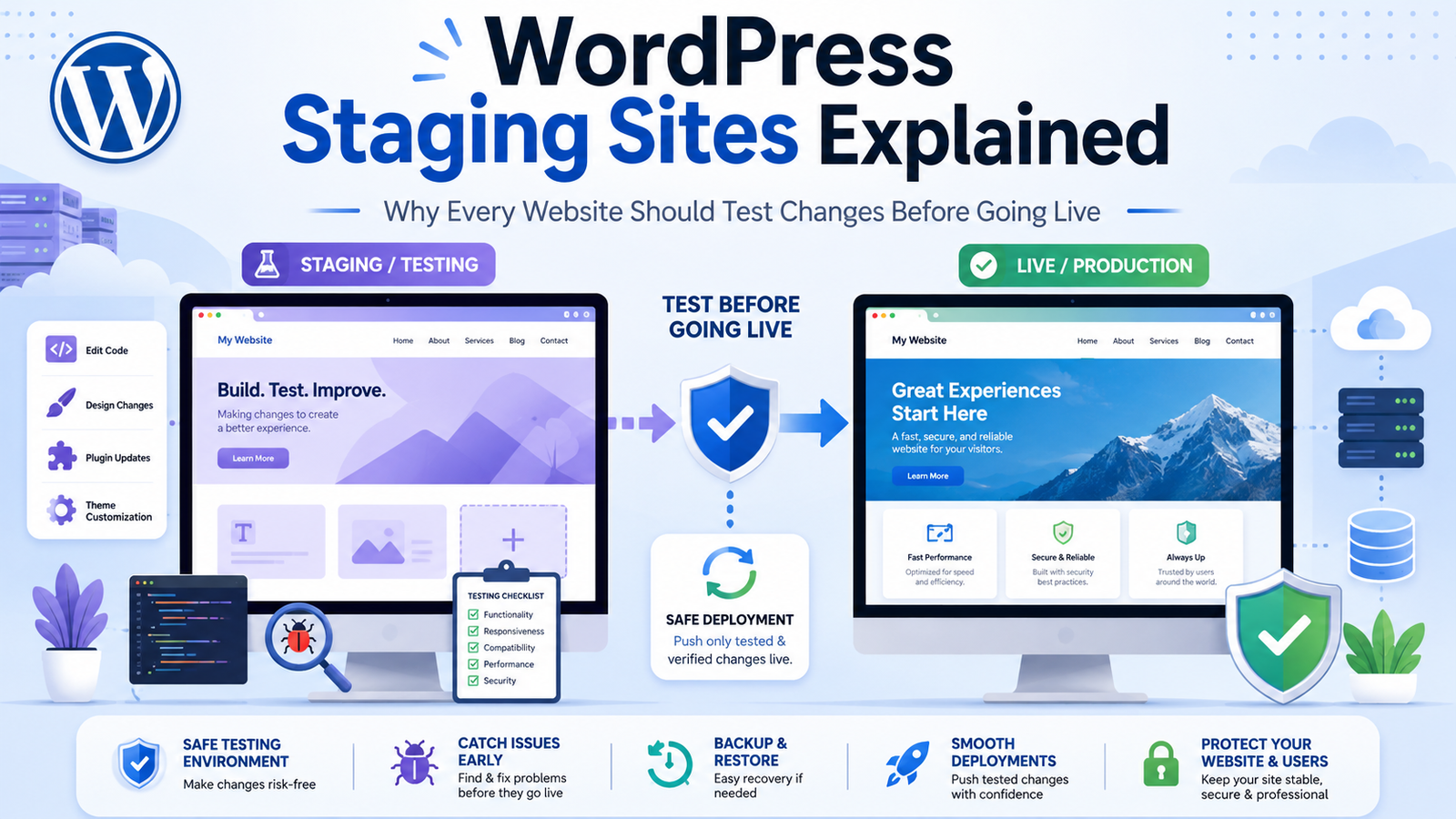
WordPress Staging Sites Explained: Why Every Website Should Test Changes Before Going Live
Introduction
Updating a WordPress website may seem like a simple task, but even a minor plugin update or design change can sometimes lead to unexpected issues. A compatibility conflict, coding error, or layout problem can interrupt your website, affect user experience, or even impact sales.
For businesses that depend on their websites, making changes directly on a live site is a risky approach.
A safer solution is to use a WordPress staging site.
A staging site is an exact copy of your live website where you can safely test updates, redesigns, new plugins, custom code, and content changes before making them available to visitors. It allows developers, designers, and content teams to identify problems early and deploy changes with greater confidence.
In this guide, you'll learn what a staging site is, how it works, its benefits, common use cases, and best practices for managing a reliable WordPress development workflow.
What Is a WordPress Staging Site?
A WordPress staging site is a private copy of your live website used for testing.
It contains the same:
WordPress installation
Theme
Plugins
Database
Media library
Content
Configuration settings
Unlike the production website, a staging environment is not intended for public access or search engine indexing.
Its purpose is to provide a safe place to experiment without affecting visitors.
How a Staging Site Works
The typical workflow is straightforward:
Create a copy of your live website.
Make changes in the staging environment.
Test every feature carefully.
Fix any issues you discover.
Deploy approved changes to the live website.
This approach reduces the chances of unexpected downtime or broken functionality.
Why Every WordPress Website Needs a Staging Site
Prevent Website Downtime
Testing updates before deployment helps identify compatibility problems that could otherwise make your website unavailable.
Test Plugin and Theme Updates Safely
New versions of themes or plugins occasionally introduce unexpected behavior.
Testing them first allows you to verify compatibility before updating your production website.
Experiment Without Risk
Developers can safely:
Test custom code
Modify templates
Change layouts
Build new features
Improve performance
If something breaks, the live website remains unaffected.
Improve Team Collaboration
A staging environment provides a shared workspace where developers, designers, content editors, and stakeholders can review changes before publication.
This reduces misunderstandings and improves project quality.
Support Better Quality Assurance
Before releasing updates, test:
Navigation
Forms
Checkout processes
Mobile responsiveness
Search functionality
Contact pages
Performance
Accessibility
A structured review process helps catch issues early.
Common Use Cases
A staging site is valuable for many types of projects.
Website Redesigns
Preview a completely new design before launching it.
Plugin Installation
Verify compatibility with your current theme and plugins.
Theme Customization
Test template changes without affecting visitors.
WooCommerce Updates
Confirm that product pages, carts, and checkout processes work correctly.
Performance Optimization
Experiment with caching, image optimization, and database improvements.
Major Content Changes
Review large content updates with your team before publishing.
Staging vs Live Website
Staging Site:
Private environment
Used for testing
Safe to experiment
Can contain unfinished work
Search engines should not index it
Live Website:
Public website
Used by visitors
Stability is essential
Should always be production-ready
Optimized for search visibility
Best Practices for Using a Staging Site
Keep It Up to Date
A staging site should closely match your live website.
Regularly synchronize:
Content
Database
Themes
Plugins
Media
Testing outdated data may produce inaccurate results.
Restrict Public Access
Protect your staging environment by:
Requiring login credentials
Blocking search engine indexing
Limiting access to authorized team members
This prevents unfinished work from becoming publicly visible.
Test Every Change
Before deployment, verify:
Desktop compatibility
Mobile responsiveness
Browser compatibility
Forms
Navigation
Search
Performance
Accessibility
Document any issues and resolve them before going live.
Deploy Changes Carefully
Avoid making multiple unrelated changes at once.
Smaller deployments are easier to test, review, and roll back if necessary.
Create Backups First
Even after testing in staging, always create a fresh backup before deploying updates to your live website.
Backups provide an additional layer of protection if unexpected issues occur.
Common Mistakes to Avoid
Avoid these common staging mistakes:
Testing with outdated data
Forgetting to block search engines
Deploying without backups
Skipping mobile testing
Ignoring performance testing
Making direct edits on the live website
Not documenting changes
A disciplined workflow improves reliability.
Staging Sites and Business Growth
As websites grow, updates become more frequent.
A staging environment supports:
Faster development cycles
Better quality control
Reduced downtime
Improved customer experience
Safer experimentation
More confident deployments
Businesses that maintain staging workflows often experience fewer website-related disruptions.
Why a Reliable Theme Matters
A well-built WordPress theme makes testing easier because it follows coding standards and maintains compatibility with modern plugins and WordPress releases.
Look for themes that offer:
Clean code
Responsive layouts
Regular updates
SEO-friendly architecture
WooCommerce compatibility
Accessibility support
These qualities reduce the likelihood of unexpected problems during testing.
Why Choose Themekaddora?
Themekaddora WordPress themes are developed for businesses that value stability, performance, and scalability.
Our themes provide:
Lightweight architecture
Responsive layouts
SEO-friendly code
WooCommerce compatibility
Flexible customization
Cross-browser compatibility
Fast loading performance
Regular updates
Professional support
Modern development standards
Whether you're testing on a staging site or deploying to production, Themekaddora themes provide a dependable foundation for professional WordPress websites.
WordPress Staging Site Checklist
Before deploying changes, confirm that you have:
✅ Updated the staging environment
✅ Tested plugins and themes
✅ Verified mobile responsiveness
✅ Checked forms and checkout
✅ Reviewed browser compatibility
✅ Tested website performance
✅ Confirmed accessibility
✅ Created a backup
✅ Documented changes
✅ Scheduled deployment during a low-traffic period
Conclusion
A WordPress staging site is one of the most valuable tools for maintaining a reliable and professional website.
By testing updates, redesigns, and new features before they reach your visitors, you reduce risk, improve quality, and create a smoother experience for both your team and your audience.
Whether you're running a business website, an online store, or a large content platform, incorporating a staging environment into your workflow is a smart investment that supports long-term growth and stability.
Combined with a high-quality WordPress theme from Themekaddora, a structured staging process helps ensure your website remains secure, fast, and ready for future development.
Frequently Asked Questions
What is a WordPress staging site?
A WordPress staging site is a private copy of a live website used to safely test updates, design changes, plugins, and custom code before deploying them to production.
Why should I use a staging site?
It helps prevent downtime, detects compatibility issues, and allows teams to review changes before they become visible to visitors.
Can search engines index a staging site?
They shouldn't. Staging sites should be protected from public access and blocked from search engine indexing.
Do I still need backups if I use a staging site?
Yes. Backups remain essential because unexpected issues can still occur during deployment.
Why choose Themekaddora?
Themekaddora themes combine lightweight performance, clean code, responsive layouts, SEO-friendly architecture, WooCommerce compatibility, regular updates, and professional support, making them ideal for safe development workflows and long-term website management.
Comments (0)