
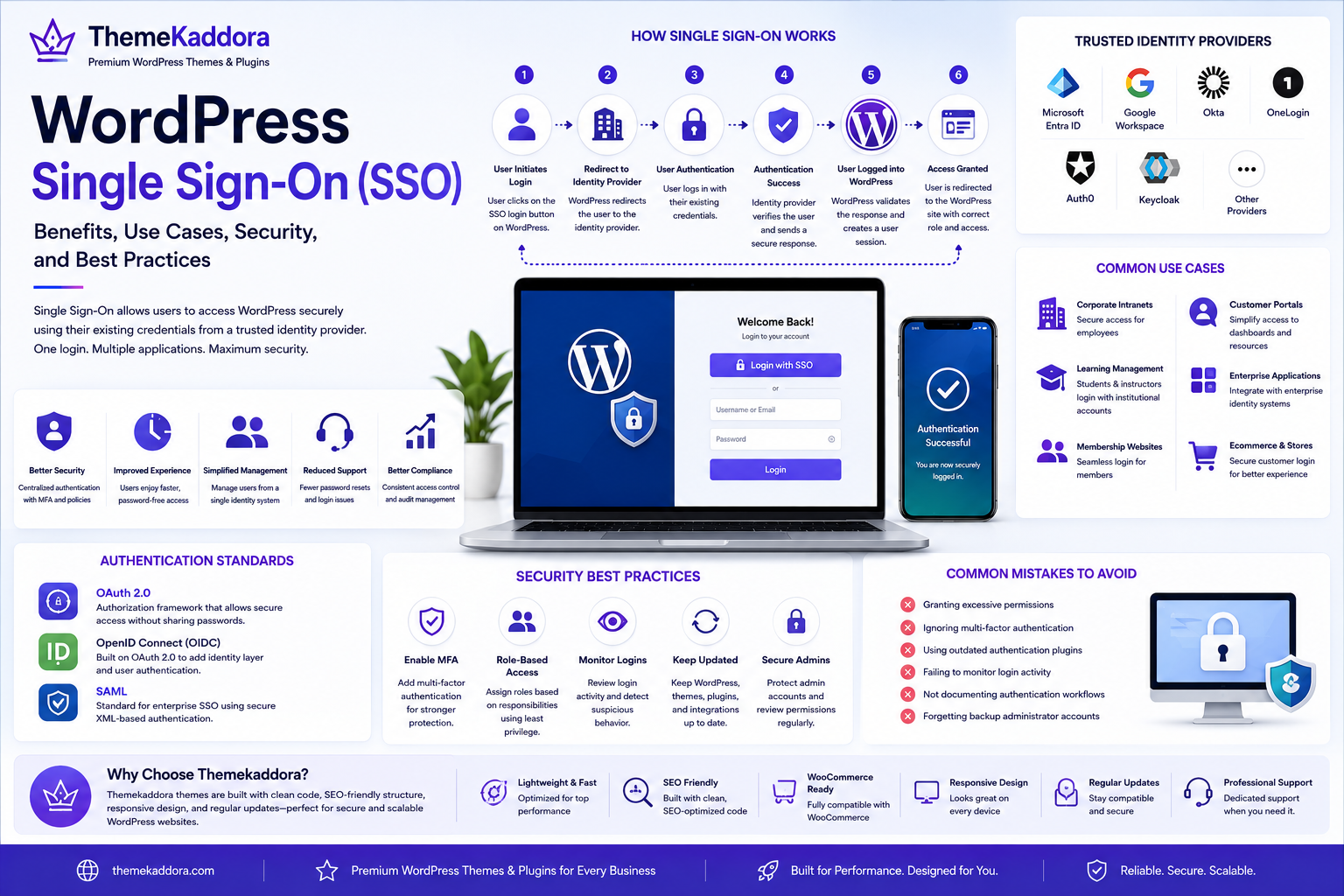
WordPress Single Sign-On (SSO): Benefits, Use Cases, Security, and Best Practices
Introduction
As businesses adopt more cloud-based applications, employees often need separate usernames and passwords for every platform they use. Managing multiple credentials can reduce productivity, increase support requests, and create security risks.
Single Sign-On (SSO) solves this challenge by allowing users to authenticate once and securely access multiple applications without logging in repeatedly.
WordPress supports Single Sign-On through authentication standards and integrations, making it an excellent solution for organizations that manage employee portals, customer dashboards, educational platforms, membership websites, and enterprise applications.
In this guide, you'll learn what WordPress Single Sign-On is, how it works, its advantages, common implementation methods, business use cases, and security best practices.
What Is WordPress Single Sign-On?
WordPress Single Sign-On is an authentication method that allows users to access a WordPress website using credentials from a trusted identity provider.
Instead of creating a separate WordPress username and password, users authenticate through an external identity system.
Common identity providers include:
Microsoft Entra ID (formerly Azure Active Directory)
Google Workspace
Okta
OneLogin
Auth0
Keycloak
After successful authentication, users are securely logged into WordPress.
How Single Sign-On Works
A typical login process follows these steps:
The user selects the Single Sign-On login option.
WordPress redirects the user to the identity provider.
The user authenticates using their existing credentials.
The identity provider verifies the login.
WordPress receives a secure authentication response.
The user is granted access according to their assigned role.
This process reduces password management while maintaining strong security.
Benefits of WordPress Single Sign-On
Improved User Experience
Users remember fewer passwords and enjoy faster access to business applications.
Stronger Security
Centralized authentication enables organizations to enforce:
Multi-factor authentication (MFA)
Password policies
Login monitoring
Conditional access rules
Simplified User Management
Administrators manage user identities from a single directory instead of maintaining separate accounts across multiple systems.
Reduced Help Desk Requests
Password reset requests often decrease because users rely on their primary business credentials.
Better Compliance
Organizations can apply consistent authentication policies that help support regulatory and internal security requirements.
Common Authentication Standards
Several industry standards support WordPress Single Sign-On.
OAuth 2.0
OAuth allows secure authorization between applications without sharing passwords.
It is widely used for modern web and mobile applications.
OpenID Connect (OIDC)
Built on OAuth 2.0, OpenID Connect adds identity verification and is commonly used with cloud identity providers.
SAML
Security Assertion Markup Language (SAML) is widely used by enterprises for secure authentication across business applications.
Many corporate environments rely on SAML for centralized identity management.
Common Business Use Cases
Single Sign-On is valuable for many organizations.
Corporate Intranets
Employees access internal WordPress portals using company credentials.
Learning Management Systems
Students and instructors log in with institutional accounts.
Membership Websites
Members authenticate using trusted identity providers for a seamless experience.
Customer Portals
Businesses simplify client access to dashboards, documentation, and support resources.
Enterprise Applications
Organizations integrate WordPress with broader identity management systems for secure and centralized access.
Security Best Practices
To maximize the benefits of Single Sign-On:
Enable Multi-Factor Authentication
Combining SSO with MFA provides an additional layer of protection against unauthorized access.
Apply Role-Based Access Control
Assign WordPress user roles according to business responsibilities and follow the principle of least privilege.
Monitor Login Activity
Review authentication logs regularly to identify unusual login patterns or potential security threats.
Keep Integrations Updated
Maintain WordPress core, themes, plugins, and authentication integrations to reduce compatibility and security risks.
Protect Administrator Accounts
Use strong policies for privileged accounts and review permissions periodically.
Common Mistakes to Avoid
Avoid these common implementation issues:
Granting excessive permissions
Ignoring multi-factor authentication
Using outdated authentication plugins
Failing to monitor login activity
Not documenting authentication workflows
Forgetting backup administrator accounts
Proper planning improves reliability and security.
Single Sign-On and User Experience
A streamlined login process helps organizations:
Improve productivity
Reduce login friction
Increase user satisfaction
Support remote work
Simplify onboarding
Strengthen overall security
These advantages become increasingly valuable as businesses grow.
Why a Reliable WordPress Theme Matters
Authentication is only one part of a professional website.
A well-developed WordPress theme should also provide:
Responsive layouts
Clean code
Accessibility support
Fast loading performance
SEO-friendly architecture
WooCommerce compatibility
Regular updates
A dependable theme ensures that secure access is matched with an excellent user experience.
Why Choose Themekaddora?
Themekaddora WordPress themes are designed for businesses, agencies, educational institutions, and enterprise websites that demand security, flexibility, and performance.
Our themes provide:
Lightweight architecture
Responsive design
SEO-friendly code
WooCommerce compatibility
Accessibility-ready layouts
Clean coding standards
Flexible customization
Cross-browser compatibility
Regular updates
Professional support
Whether you're building an employee portal, membership platform, or business website, Themekaddora themes provide a secure and scalable foundation.
WordPress Single Sign-On Checklist
Before implementing SSO, verify that you:
✅ Choose the appropriate identity provider
✅ Enable multi-factor authentication
✅ Configure secure authentication protocols
✅ Assign appropriate user roles
✅ Test login workflows
✅ Monitor authentication logs
✅ Document configuration settings
✅ Keep WordPress updated
✅ Maintain backup administrator accounts
✅ Review security policies regularly
Conclusion
WordPress Single Sign-On simplifies authentication while improving security, user experience, and administrative efficiency. By centralizing identity management, organizations can reduce password fatigue, strengthen access control, and support modern digital workplaces.
Whether you're managing an employee intranet, customer portal, educational platform, or membership website, implementing SSO can streamline operations and reduce security risks.
When combined with secure development practices and high-performance WordPress themes from Themekaddora, Single Sign-On helps create professional, scalable, and future-ready WordPress websites.
Frequently Asked Questions
What is WordPress Single Sign-On?
WordPress Single Sign-On (SSO) allows users to log in using credentials from a trusted external identity provider instead of creating separate WordPress accounts.
Which authentication standards support SSO?
Common standards include OAuth 2.0, OpenID Connect (OIDC), and SAML.
Is Single Sign-On secure?
Yes. When combined with multi-factor authentication, strong password policies, and proper access controls, SSO provides a secure authentication experience.
Who should use WordPress Single Sign-On?
SSO is ideal for enterprises, educational institutions, membership platforms, corporate intranets, and organizations managing multiple business applications.
Why choose Themekaddora?
Themekaddora themes feature lightweight architecture, SEO-friendly code, responsive layouts, WooCommerce compatibility, accessibility support, regular updates, and flexible customization—making them an excellent choice for secure and scalable WordPress websites.
Comments (0)