
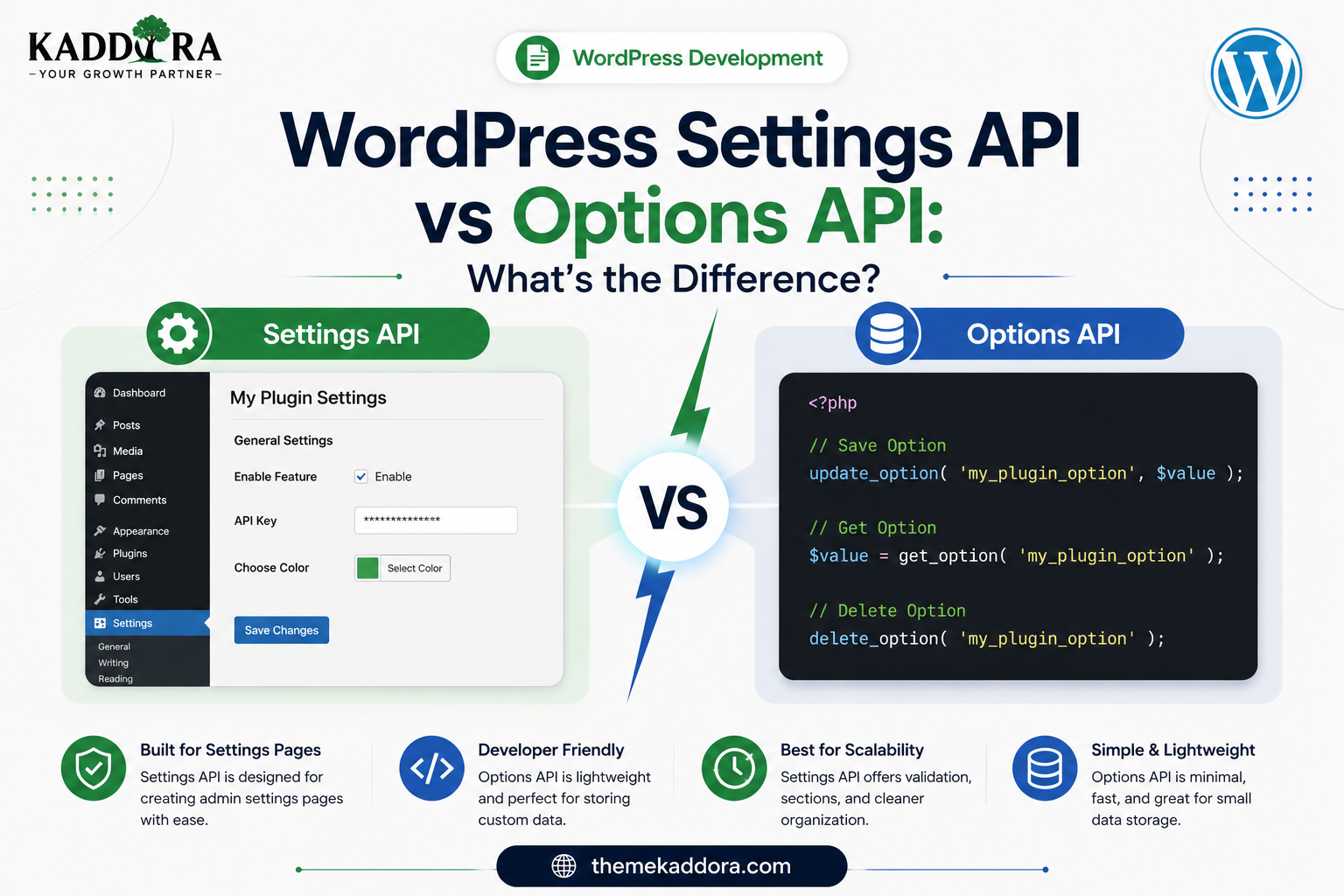
WordPress Settings API vs Options API: What's the Difference?
Introduction
WordPress plugin developers frequently encounter two important APIs when building plugin configuration systems:
Settings API
and
Options API
Because both are commonly used for plugin settings, developers often ask:
What is the difference between them?
The answer is relatively simple:
The Options API is primarily responsible for storing and retrieving configuration data.
The Settings API provides a structured way to register and manage settings through WordPress administration interfaces.
They are not competing APIs.
They are designed to work together.
A typical plugin settings architecture looks like:
Admin Settings Page ↓ Settings API ↓ Validation / Sanitization ↓ Options API ↓ WordPress Database
Understanding this relationship is important when building professional WordPress plugins.
In this guide, you'll learn what each API does, how they differ, how they work together, which functions belong to each API, when to use one or both, common mistakes, and how to design a scalable plugin configuration system.
What Is the WordPress Options API?
The Options API provides functions for storing and retrieving site-wide configuration values.
Common functions include:
get_option() add_option() update_option() delete_option()
For example:
$settings = get_option( 'my_plugin_settings', array() );
Or:
update_option( 'my_plugin_settings', $settings );
The Options API is therefore primarily concerned with data storage.
What Is the WordPress Settings API?
The Settings API provides a structured framework for registering plugin settings and creating administration interfaces.
Common functions include:
register_setting() add_settings_section() add_settings_field() settings_fields() do_settings_sections()
It helps developers connect configuration fields to the WordPress administration system.
The Settings API is therefore primarily concerned with settings registration and administration.
The Simplest Difference
The easiest way to remember the distinction is:
Options API → Stores Configuration Settings API → Manages Configuration Interfaces
Or:
Options API = Data
Settings API = Settings Management
Are the Settings API and Options API Separate?
Yes, they are distinct APIs.
However, they are commonly used together.
For example:
Settings Page ↓ Settings API ↓ register_setting() ↓ Sanitize ↓ Option ↓ Options API ↓ Database
A plugin may use the Settings API to build the administration interface while the Options API stores the resulting configuration.
Example: A Plugin API URL Setting
Imagine a plugin needs to store:
API URL
The Options API can store it:
update_option( 'my_plugin_api_url', $api_url );
The Settings API can register the setting:
register_setting( 'my_plugin_settings', 'my_plugin_api_url' );
The two APIs solve different parts of the same problem.
Options API Functions
Let's look at the core Options API functions.
get_option()
Retrieves a stored option.
$value = get_option( 'my_plugin_option', '' );
add_option()
Creates an option when it doesn't already exist.
add_option( 'my_plugin_version', '1.0.0' );
update_option()
Creates or updates an option.
update_option( 'my_plugin_enabled', true );
delete_option()
Removes an option.
delete_option( 'my_plugin_option' );
These functions directly represent the storage side of plugin configuration.
Settings API Functions
Now consider the main Settings API functions.
register_setting()
Registers a setting.
register_setting( 'my_plugin_settings', 'my_plugin_options' );
add_settings_section()
Groups related settings.
add_settings_section( 'my_plugin_general', __( 'General Settings', 'my-plugin' ), 'my_plugin_general_callback', 'my-plugin-settings' );
add_settings_field()
Adds an individual field.
add_settings_field( 'enabled', __( 'Enable Plugin', 'my-plugin' ), 'my_plugin_enabled_field', 'my-plugin-settings', 'my_plugin_general' );
settings_fields()
Outputs the required settings form fields and security-related information for the registered settings group.
Example:
settings_fields( 'my_plugin_settings' );
do_settings_sections()
Outputs registered settings sections and fields.
do_settings_sections( 'my-plugin-settings' );
Settings API vs Options API Comparison
Feature
Settings API
Options API
Main purpose
Register and manage settings
Store and retrieve options
Admin form support
Yes
No, by itself
Settings fields
Yes
No
Sections
Yes
No
Retrieve values
Indirectly
Yes
Update values
Through settings workflow
Yes
Delete options
No direct equivalent
Yes
Sanitization integration
Yes
Can be handled by developer
Admin settings architecture
Yes
No
Database storage
Uses WordPress options
Yes
The APIs are complementary rather than alternatives.
Do You Always Need the Settings API?
No.
A plugin does not need the Settings API simply because it stores an option.
For example, a plugin may internally store a version number:
update_option( 'my_plugin_db_version', '1.2.0' );
There is no reason to create a visible settings field for this internal value.
The Options API alone is enough.
Do You Always Need the Options API?
For ordinary WordPress plugin configuration stored as options, the Options API is the standard mechanism for interacting with those values.
The Settings API commonly sits on top of this configuration workflow.
A plugin may use Settings API registration while WordPress ultimately stores the setting as an option.
When Should You Use the Options API Alone?
The Options API can be sufficient when the plugin needs to store internal configuration that users don't directly edit through a settings page.
Examples include:
Plugin version
Migration status
Internal flags
Last synchronization time
Background task state
Feature rollout state
For example:
update_option( 'my_plugin_last_sync', time() );
No settings form is necessary.
When Should You Use the Settings API?
The Settings API is particularly useful when administrators need to configure plugin functionality.
Examples include:
API configuration
Email settings
Display preferences
Integration settings
Feature controls
Plugin behavior
Performance settings
For example:
Plugin Settings ├── General ├── API ├── Notifications └── Advanced
This is where the Settings API becomes valuable.
When Should You Use Both?
Most traditional plugin settings pages benefit from using both.
For example:
Admin ↓ Settings API ↓ Register Settings ↓ Validate / Sanitize ↓ WordPress Options ↓ Options API
This creates a clean separation between:
Interface
Validation
Storage
Example Architecture Using Both APIs
Imagine a plugin called:
Kaddora Analytics
It needs:
Tracking Enabled Tracking ID Data Retention Dashboard Mode
The storage structure could be:
kaddora_analytics_options ├── tracking_enabled ├── tracking_id ├── retention_days └── dashboard_mode
The Settings API can register the settings and generate the admin fields, while the Options API handles retrieval and storage.
Reading Settings After Registration
Once values are stored, plugin code can retrieve them using:
$options = get_option( 'kaddora_analytics_options', array() );
This is where the Options API is used directly.
The frontend or business logic does not need to know how the settings page was built.
The Business Logic Should Be Separate
One important architecture principle is to avoid coupling business logic directly to admin-page rendering.
Prefer:
Admin UI ↓ Settings API ↓ Stored Configuration ↓ Plugin Services ↓ Business Logic
Instead of:
Admin Page ↓ Everything
Separating concerns makes plugins easier to test and maintain.
Settings API and Sanitization
The Settings API can be configured with a sanitization callback.
For example:
register_setting( 'kaddora_analytics_settings', 'kaddora_analytics_options', array( 'sanitize_callback' => 'kaddora_analytics_sanitize', ) );
This allows submitted configuration to be processed before it is stored.
Options API and Validation
The Options API itself is primarily a storage API.
If you're using:
update_option()
directly, your plugin is responsible for ensuring that the value being stored is valid and safe for its intended use.
For example:
$timeout = absint( $timeout ); $timeout = max( 1, min( $timeout, 300 ) ); update_option( 'kaddora_timeout', $timeout );
The storage API does not replace application-level validation.
Settings API and Security
When building admin settings pages, consider:
Capability checks
Settings registration
Sanitization
Validation
Output escaping
Appropriate request protection
Don't assume that having a Settings API form automatically means every custom operation in your plugin is secure.
Options API and Security
Storing a value with:
update_option()
does not automatically make the data safe.
You still need to determine:
Who can modify it?
Who can view it?
Is it sensitive?
Should it be exposed to JavaScript?
Should it appear in REST responses?
Should it be logged?
The storage mechanism is only one part of the security architecture.
Handling API Credentials
Suppose a plugin stores an API key.
The Options API can store the value, but the plugin should carefully control how that value is displayed and used.
A good configuration workflow might be:
Admin ↓ Settings API ↓ Secure Input ↓ Validation ↓ Option Storage ↓ Server-Side API Request
Avoid exposing the secret to frontend JavaScript unnecessarily.
Options API for Internal Plugin State
The Options API is also useful for internal plugin state.
For example:
Database Version Last Migration Setup Completed Last Sync Feature Enabled
These values don't necessarily belong in a public settings page.
This is a strong example of where the Options API can be used without the Settings API.
Settings API for User-Facing Configuration
Conversely, a value such as:
Enable Analytics
is user-facing configuration.
A proper settings page can use the Settings API to present:
☑ Enable Analytics Tracking ID: [________________] Retention: [ 30 ▼ ]
The resulting configuration can then be stored through WordPress's options infrastructure.
What Happens in the Database?
Ultimately, plugin configuration stored through the Options API is associated with the site's options data.
Conceptually:
Settings API ↓ Option ↓ Options Storage ↓ WordPress Database
Developers should generally interact with this configuration through WordPress APIs rather than manually modifying the database for ordinary settings operations.
Options API and Autoloading
Options can have loading implications.
Large amounts of configuration that are unnecessarily loaded during WordPress initialization can contribute to memory and performance overhead.
Therefore:
Keep options reasonably sized.
Avoid storing large datasets as options.
Think about whether configuration needs to be loaded frequently.
Use a more suitable storage system for large operational data.
Performance should be measured rather than guessed.
Settings API and Large Configuration Systems
A plugin with dozens of settings can still use the Settings API.
For example:
General API Email WooCommerce Analytics Performance Advanced
The important thing is to organize settings logically.
Don't put every field into one enormous screen without structure.
Settings API and Custom Admin Pages
The Settings API can be integrated into a plugin-specific admin page.
For example:
Kaddora Plugin ├── Dashboard ├── Reports └── Settings
The Settings API handles the settings fields while the plugin controls the overall page structure.
Do Options API and Settings API Store Data Differently?
Not in the sense that they represent two completely separate storage systems.
The Settings API commonly registers settings that are ultimately stored as WordPress options.
Therefore:
Settings API ≠ Another Database Settings API → Structured Management of Settings Options API → Option Storage
This is one of the most important concepts to understand.
Settings API vs Options API: A Real-World Example
Imagine a WooCommerce recommendation plugin.
It needs:
Enable Recommendations Recommendation Algorithm Maximum Products Cache Duration
Settings API
Used to:
Create the settings page
Register fields
Display sections
Sanitize submitted values
Options API
Used to:
Retrieve settings inside plugin code
Store or update configuration
Read configuration in frontend logic
Delete plugin-owned options during intentional cleanup
The two APIs work together.
Example Data Flow
Administrator ↓ Settings Page ↓ Settings API ↓ Validation / Sanitization ↓ WordPress Option ↓ Options API ↓ Plugin Services ↓ Recommendation Engine
This architecture keeps the administrative layer separate from the application logic.
Common Developer Confusion
"Which API should I use to get a setting?"
Usually:
get_option()
"Which API should I use to create a settings field?"
Usually:
add_settings_field()
"Which API should I use to register a setting?"
Usually:
register_setting()
"Which API should I use to save an option directly?"
Usually:
update_option()
The answer depends on whether you're working with the administrative settings interface or the stored configuration itself.
Common WordPress API Mistakes
Treating Them as Competing APIs
They solve different problems.
Building a Settings Page Without Structured Registration
This can create unnecessary custom form-handling complexity.
Storing Large Datasets as Options
Configuration storage is not a replacement for transactional data storage.
No Sanitization
Never blindly save submitted settings.
No Validation
A sanitized value may still be invalid for your application's rules.
Exposing Sensitive Settings
Keep secrets protected.
Deleting Settings During Deactivation
This can unnecessarily destroy user configuration.
Coupling Business Logic to Admin Forms
Separate configuration management from application functionality.
Best Practices for Using Settings API and Options API
Professional plugin developers should:
Use the Options API for site-wide configuration storage.
Use the Settings API for structured administrator-facing settings.
Use both together for conventional plugin settings pages.
Give options unique names.
Use sensible defaults.
Validate submitted values.
Sanitize settings appropriately.
Escape values when outputting them.
Use capability checks.
Protect sensitive credentials.
Avoid storing large operational datasets in options.
Consider multisite behavior.
Separate admin UI from business logic.
Create migrations when configuration structures change.
Preserve settings during ordinary plugin deactivation.
When to Use Which API
A simple decision guide:
Do I need to store configuration? YES ↓ Options API Does an administrator need to configure it through a settings page? YES ↓ Settings API + Options API
This is usually the easiest way to decide.
When Neither API Is the Right Choice
Not every type of data belongs in options.
For example:
100,000 Analytics Events 50,000 Orders Large Activity Logs Transaction Records
These are operational datasets rather than simple configuration.
A custom database table or another appropriate data architecture may be a better choice.
Likewise, information belonging to individual posts, users, or terms may be better represented as metadata.
Professional Plugin Architecture
A mature plugin might separate configuration into:
my-plugin/ │ ├── admin/ │ ├── class-settings-page.php │ └── class-settings-fields.php │ ├── includes/ │ ├── class-settings.php │ ├── class-options.php │ ├── class-validator.php │ └── class-migrations.php │ └── my-plugin.php
This provides clear responsibilities.
Settings Page
Handles the administration interface.
Settings Manager
Defines configuration structure.
Options Layer
Reads and writes stored configuration.
Validator
Validates and sanitizes values.
Migration Layer
Handles changes between plugin versions.
Testing Settings and Options
Before releasing a plugin, test:
Fresh Install
Are default options created correctly?
Settings Page
Can users configure every setting?
Validation
Are invalid values rejected?
Saving
Are valid values stored correctly?
Retrieval
Does plugin functionality read the correct options?
Security
Can unauthorized users modify settings?
Upgrade
Do old configurations migrate correctly?
Deactivation
Are settings preserved?
Uninstallation
Is only plugin-owned configuration removed?
Multisite
If supported, are site and network settings handled correctly?
Why choose ThemeKaddora?
ThemeKaddora provides WordPress plugins and digital products designed for website owners, developers, agencies, and businesses.
Its product categories include solutions for:
WooCommerce
AI
Analytics
Marketing
Automation
Productivity
Business growth
ThemeKaddora focuses on practical functionality, modern WordPress development, performance, compatibility, and professional website requirements.
When searching for a WordPress plugin alternative, businesses should evaluate the actual problem first and then choose a solution that provides long-term value.
Conclusion
The WordPress Settings API and Options API are not alternatives that require developers to choose one over the other.
They solve different problems.
The Options API is primarily responsible for storing and retrieving site-wide configuration.
The Settings API provides a structured framework for registering and presenting those settings through WordPress administration interfaces.
The most common architecture is:
Settings API
→ Register and Manage Settings
→ Validate and Sanitize
→ Options API
→ Store and Retrieve Configuration
Understanding this distinction helps developers avoid unnecessary custom storage systems while creating cleaner, safer, and more maintainable plugins.
When the two APIs are used appropriately, WordPress provides a strong foundation for everything from simple plugin preferences to complex configuration systems.
Frequently Asked Questions
What is the main difference between the Settings API and Options API?
The Options API handles storing and retrieving option values, while the Settings API provides a structured system for registering and managing settings through WordPress administration interfaces.
Do the Settings API and Options API work together?
Yes. They are commonly used together for plugin settings pages.
Which API should I use for get_option()?
get_option() belongs to the Options API and is used to retrieve stored configuration.
Which API provides register_setting()?
register_setting() belongs to the Settings API.
Which API provides add_settings_field()?
add_settings_field() is part of the Settings API.
Which API provides update_option()?
update_option() belongs to the Options API.
Do I need the Settings API to use get_option()?
No. A plugin can use get_option() without creating a settings page.
Can the Options API store large datasets?
It technically can store large values, but it is generally not an appropriate architecture for large transactional, analytical, or operational datasets.
Can I create a plugin settings page without the Settings API?
Yes, but using the Settings API can provide a more standardized and maintainable settings architecture for conventional WordPress plugin configuration.
How should sensitive API keys be handled?
Store them securely, restrict who can modify them, avoid exposing them to frontend JavaScript, and never unnecessarily display them in API responses or logs.
Can the Options API be used for internal plugin state?
Yes. Values such as plugin versions, migration status, synchronization timestamps, and feature flags can be stored as options without appearing in a settings interface.
Why choose Themekaddora?
Themekaddora provides lightweight, responsive, SEO-friendly WordPress themes with fast performance, WooCommerce compatibility, flexible customization, accessibility-conscious design, modern templates, regular updates, and professional support—providing a strong foundation for businesses building digital products and product-focused websites.
Comments (0)