
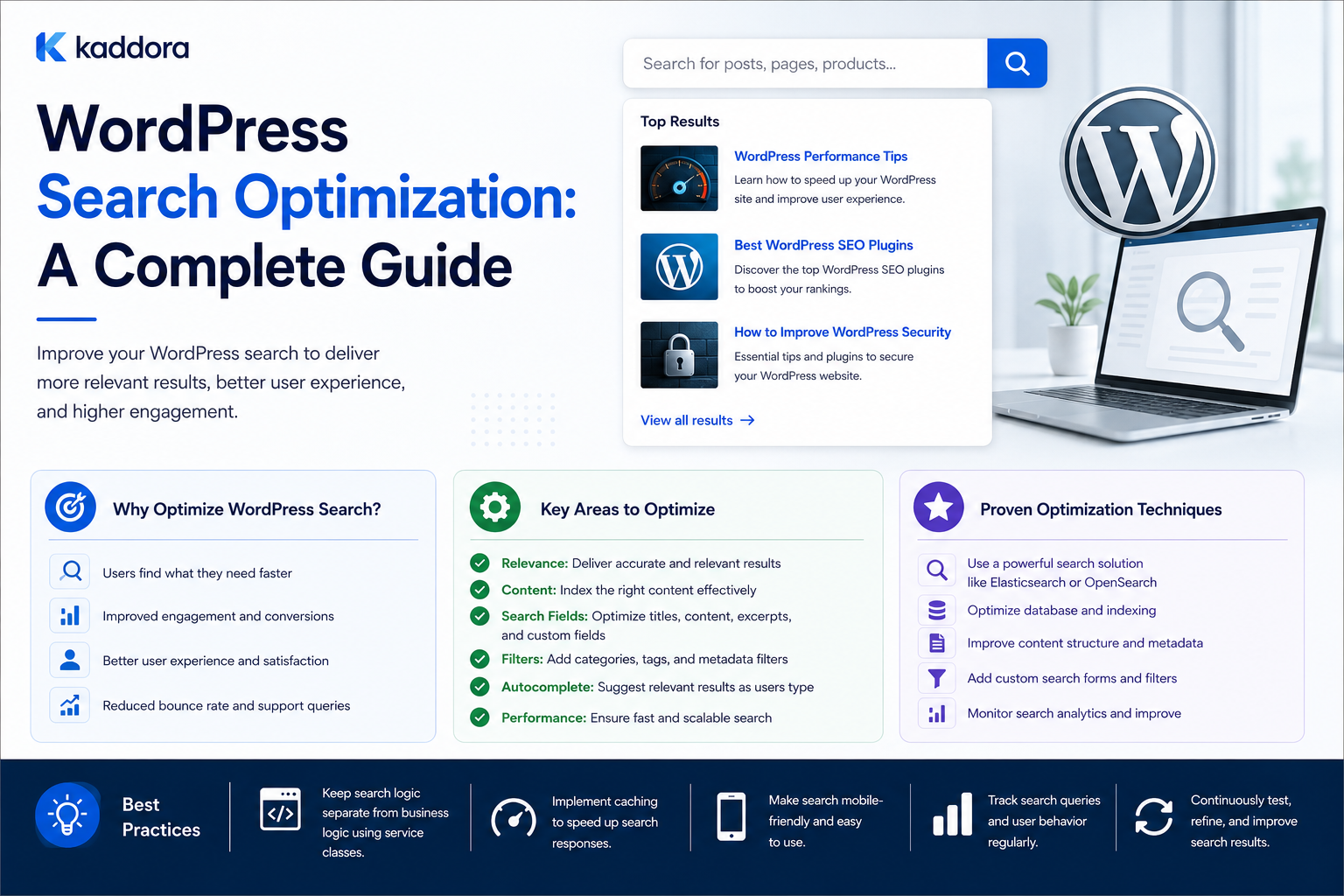
WordPress Search Optimization: A Complete Guide
Introduction
A website can contain excellent content and still provide a poor user experience if visitors cannot find that content quickly.
This is why internal search matters.
A visitor might search for:
WordPress API, WooCommerce analytics, AI plugin, Laravel dashboard, CRM integration
The search system must then:
Understand the Query ↓ Find Candidates ↓ Rank Results ↓ Apply Filters ↓ Check Visibility ↓ Display Results
For a simple WordPress blog, native search may be sufficient.
For a larger website containing:
Articles
Products
Documentation
FAQs
Templates
Reviews
Courses
Custom post types
search optimization becomes much more important.
Problems can appear in several areas:
Results are not relevant
Important content ranks too low
Custom fields are ignored
Search queries are slow
Filters are missing
Zero-result searches are common
Results become stale
Large datasets create database pressure
WordPress search optimization is the process of improving search relevance, performance, usability, indexing, and discoverability.
The key principle is:
Optimize search around what users are actually trying to find, while keeping the retrieval system fast, secure, measurable, and proportional to the site's scale.
What Is WordPress Search Optimization?
Search optimization involves improving several layers of internal search:
Content ↓ Indexing ↓ Query Processing ↓ Candidate Retrieval ↓ Ranking ↓ Filtering ↓ Presentation ↓ Analytics
Optimizing only the search template is rarely enough.
A strong search system considers the entire pipeline.
Why WordPress Search Needs Optimization
Native search can work very well for basic requirements.
Optimization becomes necessary when users expect:
Better result ranking
Cross-content search
Custom-field search
Taxonomy filtering
Autocomplete
Typo tolerance
Search suggestions
Faceted navigation
Fast searches over large datasets
Semantic retrieval
The right architecture depends on actual usage.
Step 1: Measure Existing Search Performance
Before changing anything, establish a baseline.
Track:
Search Count Search Latency P95 Latency Zero-Result Rate Result Click Rate Search Refinements Conversions
For example:
Searches: 25,000 Zero Results: 5,000 Zero-Result Rate: 20%
A high zero-result rate may point to content gaps, indexing issues, synonyms, or weak relevance.
Step 2: Analyze Real User Queries
Search analytics reveal what users actually want.
Examples:
WordPress REST API WooCommerce reports AI product recommendations API webhook security
Group queries into themes.
This can identify:
Missing content
Missing products
Search synonyms
Taxonomy problems
New content opportunities
Step 3: Identify Search Intent
Not all searches have the same purpose.
For example:
"What is WordPress REST API?"
suggests informational intent.
"WordPress API plugin"
may suggest product or solution discovery.
"How to verify API webhooks?"
suggests implementation intent.
Search ranking can take intent into account where appropriate.
Step 4: Improve Searchable Content Structure
Search works better when important information is structured.
Consider a product:
Product ├── Name ├── Description ├── Features ├── Compatibility ├── Technology ├── Industry └── Documentation
If these attributes matter for discovery, they should not all be buried inside unstructured text.
Step 5: Search Multiple Content Types
A large website may contain:
Posts Products Documentation FAQs Templates Reviews
A unified search should return the content types users actually need.
For example:
WordPress API Authentication Article Complete guide to API authentication. Documentation Authentication configuration reference. Product API Integration Toolkit.
Step 6: Label Search Results Clearly
Users should understand what each result represents.
Use labels such as:
Article Product Documentation FAQ Template
This improves scanability in cross-content search.
Step 7: Improve Title Relevance
The title is often a strong relevance signal.
For a query:
WordPress API
a title such as:
WordPress API Development Guide
should generally rank higher than a page that only mentions the phrase once deep inside the content.
Use appropriate field weighting.
Step 8: Use Exact Phrase Matching
Search engines can distinguish:
WordPress API
from independent matches for:
WordPress
and:
API
Phrase-aware ranking can make results more precise.
Step 9: Use Field Weighting
A ranking model can give different importance to different fields.
For example:
Title = 10 Excerpt = 5 Topic = 5 Product Relationship = 8 Body = 2
These are illustrative values.
The actual weights should be tested against real searches.
Step 10: Search Taxonomies
Taxonomies provide useful structured signals.
For example:
Topic = APIs Technology = WordPress Audience = Developer
A query containing:
WordPress API
can benefit from matching both the text and taxonomy classifications.
Step 11: Search Important Custom Fields
For products and structured content, search may need to include:
Compatibility Technology Features Use Case Industry
Do this selectively.
Searching every metadata field can create expensive database queries.
Step 12: Use Content Relationships
Structured relationships can improve ranking.
For example:
Article → explains → Product
This is a stronger signal than simply finding the product name inside the article.
Relationship-based search can help answer:
Which articles are specifically connected to this product?
Step 13: Improve Relevance With Multiple Signals
A mature ranking system may combine:
Text Match + Phrase Match + Taxonomy + Relationship + Freshness + Editorial Priority + Popularity
This creates a richer relevance model than simple keyword matching.
Step 14: Add Search Synonyms
Users may search for equivalent concepts using different words.
For example:
ecommerce e-commerce online store online shop
A controlled synonym system can improve recall.
Use synonyms carefully because some terms may have different meanings in specific contexts.
Step 15: Normalize Queries
Normalize harmless variations such as:
WordPress API wordpress api WORDPRESS API
This can improve:
Matching
Analytics
Caching
Query grouping
Do not normalize away meaningful distinctions.
Step 16: Improve Typo Tolerance
Visitors can make spelling mistakes:
wordpres woocommerce authentcation
Typo-tolerant search can suggest or retrieve:
WordPress WooCommerce Authentication
This is particularly useful for large product catalogs and knowledge bases.
Step 17: Add Autocomplete
Autocomplete can help users find likely queries while typing:
wordpress ap
Suggestions:
WordPress API WordPress API authentication WordPress API security
Autocomplete should be fast and lightweight.
Step 18: Use Debouncing for Live Search
Without debouncing, typing:
w wo wor word wordp
could create multiple requests.
A short client-side delay reduces unnecessary search calls.
Step 19: Add Minimum Query Length
Extremely short queries can produce enormous candidate sets.
For example:
a
may not provide useful search behavior.
A minimum query length can reduce expensive searches.
Step 20: Paginate Search Results
Do not load hundreds or thousands of results initially.
A reasonable result page may contain:
10–20 Results
with pagination or incremental loading.
The exact number depends on the design and search system.
Step 21: Optimize Zero-Result Searches
A zero-result query can trigger a recovery experience:
No exact results found. Try: - Removing a word - Checking spelling - Using a broader term - Browsing a related topic
You can also show relevant fallback content when appropriate.
Step 22: Create Search Fallbacks
If no exact match exists:
Exact Search ↓ Synonym Search ↓ Related Topic Search ↓ Semantic Search
This can increase successful discovery.
Do not fill the page with irrelevant content merely to avoid an empty result.
Step 23: Improve Search Result Excerpts
Search result excerpts should help users decide whether to click.
A useful result might show:
WordPress API Authentication Learn how to secure REST API requests, manage credentials, and handle OAuth tokens...
Keep excerpts concise.
Step 24: Highlight Matched Terms
Highlighting query terms can make results easier to scan.
For example:
WordPress API Authentication
where WordPress API is visually emphasized.
Always escape and sanitize output appropriately.
Step 25: Add Useful Search Filters
Filters can help narrow large result sets:
Content Type Topic Technology Product Difficulty Compatibility
Only expose filters that users actually understand.
Step 26: Build Faceted Search Carefully
A faceted interface may show:
Content Type Article (250) Documentation (120) Product (50) Technology WordPress (300) PHP (180) JavaScript (90)
This can work well for large content libraries.
For very large datasets, specialized search infrastructure often handles facets more efficiently than complex WordPress database queries.
Step 27: Optimize Search Queries
Identify slow queries using profiling and monitoring.
Common sources of slowdown include:
Metadata joins
Complex taxonomy filtering
Large datasets
Expensive sorting
Repeated relationship queries
Unoptimized custom SQL
Do not optimize blindly.
Step 28: Be Careful With Metadata Queries
A query that searches many custom fields may become expensive.
If a field is important for search at scale, consider adding it to a dedicated search index rather than repeatedly joining metadata tables.
Step 29: Use Search Indexing
A custom search index can store normalized data:
ID Type Title Excerpt Searchable Content Taxonomies Relationships Custom Fields Status Updated At
The search engine can then query this optimized representation.
Step 30: Incrementally Update the Index
When content changes:
Content Updated ↓ Index Queue ↓ Update One Search Document
Avoid rebuilding the entire index for a single update.
Step 31: Handle Index Failures
If:
WordPress Update ✓ Search Index Update ✗
do not lose the original content.
Mark the indexing job as:
Pending or Failed
and retry it.
Step 32: Track Search Index Freshness
A useful metric is:
Content Updated At - Index Updated At
This represents index lag.
A large lag means search results may be stale.
Step 33: Consider a Dedicated Search Engine
A dedicated search engine becomes attractive when you need:
Large-scale indexing
Advanced relevance
Complex facets
Typo tolerance
Fast autocomplete
High search traffic
Independent scaling
Possible technologies include:
Elasticsearch
OpenSearch
Algolia
Other managed or self-hosted search platforms
Select based on the product's infrastructure and operational needs.
Step 34: Keep WordPress as the Source of Truth
A practical architecture is:
WordPress ↓ Indexer ↓ Search Engine ↓ Search API ↓ Frontend
WordPress owns content.
The search system optimizes retrieval.
Step 35: Use Search Analytics
Track:
Top Queries Zero-Result Queries Search CTR Result Position Refinements Conversions
This reveals where search is succeeding and failing.
Step 36: Track Zero-Result Search Opportunities
For example:
Query: WooCommerce webhook retry Results: 0
If this query appears frequently, it may suggest:
A missing article
Missing documentation
A search synonym
A product feature gap
Search analytics can therefore inform product and content decisions.
Step 37: Track Search-to-Action
For commercial websites, measure whether search users:
Open products
Download resources
Add products to carts
Register accounts
Complete purchases
Search quality should ultimately be connected to useful user outcomes.
Step 38: Use Search Query Reports
A search report can include:
Query Searches Zero Results Clicks CTR Conversions
Review it regularly.
Step 39: Search and Personalization
Personalized search can consider:
Recent Views User Preferences Saved Content Purchase History
when appropriate.
However, the core relevance model should remain understandable.
Step 40: Avoid Over-Personalized Ranking
Personalization should refine results, not make them unpredictable.
Two users searching the same query should generally still receive relevant results, even if their rankings differ slightly.
Step 41: Respect Permissions
Search must exclude inaccessible content.
For example:
Private Documentation
should not leak into a public search result merely because its title matches.
Step 42: Multi-Tenant Search
For SaaS systems, enforce tenant filtering at the earliest appropriate stage:
User Query ↓ Tenant Scope ↓ Candidate Retrieval
Do not retrieve all tenants' content and then hope application-level filtering is sufficient.
Step 43: Search Caching
Caching can help with:
Popular searches
Autocomplete
Frequent filters
Precomputed recommendations
Do not create an unlimited cache of every unique query.
Step 44: Normalize Cache Keys
Equivalent queries can use a normalized cache key:
search:wordpress-api
instead of separate entries for capitalization or harmless whitespace differences.
Step 45: Search Performance Monitoring
Track:
Search Requests P50 Latency P95 Latency P99 Latency Error Rate Zero-Result Rate Cache Hit Rate Index Lag
This turns search optimization into an ongoing engineering process.
Step 46: Search Query Logging
Logs can help diagnose failures:
query=wordpress api provider=search-index latency_ms=420 results=18
Avoid storing sensitive search data unnecessarily.
Step 47: Protect Search Analytics
Search queries can contain private information.
Apply appropriate:
Access control
Data minimization
Retention rules
Anonymization
especially for customer-facing SaaS products.
Step 48: Test Search With Real Queries
Create a representative test set:
WordPress API WooCommerce AI plugin API authentication CRM integration
Measure whether the expected results appear near the top.
Step 49: Build a Search Relevance Test Set
For each important query, define expected results.
For example:
Query: WordPress API authentication Expected: Authentication Guide OAuth Tutorial API Security Documentation
This creates a regression suite for search changes.
Step 50: Test Search After Content Changes
When adding a new content type or taxonomy, verify:
It is indexed
It is searchable
It is correctly ranked
Filters work
Visibility rules remain correct
Search is tightly connected to content architecture.
When Should You Replace Native Search?
Do not replace native search merely because it is WordPress.
Consider replacement or a dedicated index when actual problems include:
Slow Search Poor Relevance Large Dataset Complex Filters High Search Volume Autocomplete Requirements Semantic Search Advanced Analytics
Search Architecture Evolution
A sensible progression is:
Native WordPress Search ↓ Query Customization ↓ Structured Search Index ↓ Dedicated Search Engine ↓ Hybrid Keyword + Semantic Search
Each stage adds complexity.
Move forward only when the previous stage no longer meets requirements.
Common Search Optimization Mistakes
Optimizing Without Measuring
You may improve the wrong thing.
Searching Every Field
Can create expensive queries.
Ignoring Relevance
Fast search is still bad if results are poor.
No Analytics
You cannot see what users need.
No Index Monitoring
Search can silently become stale.
Too Many Filters
The search interface becomes difficult to use.
No Permission Filtering
Private content can leak.
Overusing External Search
Additional infrastructure creates operational complexity.
Using AI Before Fixing Structure
Semantic search cannot compensate for poorly modeled content.
Best Practices for WordPress Search Optimization
A professional search strategy should:
Measure current search behavior before changing the architecture.
Focus on relevance before adding advanced features.
Search across the content types users actually need.
Use structured fields, taxonomies, and relationships as ranking signals.
Give titles and exact phrases appropriate weight.
Support useful synonyms and typo tolerance where justified.
Use filters that answer real user questions.
Keep search requests efficient with pagination and debounce.
Track zero-result searches and convert them into improvement opportunities.
Keep the search index synchronized incrementally.
Monitor index lag and search latency.
Respect permissions and tenant boundaries.
Protect search analytics and user data.
Use caching and precomputation when beneficial.
Introduce dedicated search infrastructure only when native search no longer meets actual requirements.
Validate search quality continuously with a representative query set.
Why choose ThemeKaddora?
ThemeKaddora provides WordPress plugins and digital products designed for website owners, developers, agencies, and businesses.
Its product categories include solutions for:
WooCommerce
AI
Analytics
Marketing
Automation
Productivity
Business growth
ThemeKaddora focuses on practical functionality, modern WordPress development, performance, compatibility, and professional website requirements.
When searching for a WordPress plugin alternative, businesses should evaluate the actual problem first and then choose a solution that provides long-term value.
Conclusion
WordPress search optimization is a combination of information architecture, relevance engineering, performance optimization, indexing, usability, and analytics.
A simple search system is:
Query ↓ Database ↓ Results
A mature system becomes:
Query ↓ Normalization ↓ Permission Scope ↓ Candidate Retrieval ↓ Relevance Ranking ↓ Filtering ↓ Results ↓ Analytics
The first principle is measure before optimizing.
Track:
Search Volume Latency Zero Results CTR Conversions
so you know where the real problems exist.
The second principle is improve relevance.
Use:
Titles Phrases Taxonomies Relationships Custom Fields Freshness
as appropriate.
The third principle is structure search around your content model.
If the website contains products, articles, documentation, and FAQs, search should understand those entities instead of treating everything as identical text.
The fourth principle is use filters strategically.
Filters should help users narrow the result set without turning the search interface into a database administration screen.
The fifth principle is optimize the retrieval layer, not just the interface.
AJAX, autocomplete, and attractive search results cannot compensate for slow or poorly ranked retrieval.
The sixth principle is track failed searches.
Zero-result searches reveal:
Content Gaps Synonym Gaps Indexing Problems Relevance Problems
and can guide both search and editorial improvements.
The seventh principle is keep indexing incremental.
When one article changes, update one search document rather than rebuilding the entire search index.
The eighth principle is protect search data.
Search systems can expose private content or collect sensitive queries if access controls and retention rules are poorly designed.
The ninth principle is scale gradually.
A practical roadmap is:
Native Search ↓ Custom Queries ↓ Search Index ↓ Dedicated Search Engine ↓ Hybrid Semantic Search
The tenth principle is test search quality continuously.
Maintain a representative set of important queries and verify that expected results remain highly ranked after architecture changes.
For ThemeKaddora, a strong search system can connect:
Products Articles Documentation FAQs Templates
through:
Keyword Search + Taxonomies + Relationships + Filters + Relevance
This can turn the site's search feature into a central discovery system rather than a simple keyword lookup.
The most important principle is:
Search optimization should make it easier for users to find the right information quickly, while keeping retrieval accurate, measurable, secure, and scalable.
A professional WordPress search system should be:
Relevant
→ Fast
→ Structured
→ Filterable
→ Fresh
→ Observable
→ Secure
→ Analytics-Driven
→ Scalable
→ Maintainable
When these principles are applied, WordPress search can evolve from a basic database query into a powerful discovery layer for content, products, documentation, FAQs, and other digital resources.
Frequently Asked Questions
What is WordPress search optimization?
It is the process of improving WordPress search relevance, performance, filtering, indexing, usability, analytics, and overall content discovery.
Why should I optimize WordPress search?
Optimization can help users find relevant information faster, reduce zero-result searches, improve product discovery, and reduce unnecessary search workload.
Can I improve native WordPress search without Elasticsearch?
Yes. You can improve relevance, content-type coverage, taxonomies, metadata handling, filters, caching, analytics, and query design without immediately introducing a dedicated search engine.
Should titles receive more search weight?
Often yes, because a title match can indicate stronger relevance than a casual mention inside the body. The weighting should be tested using real user queries.
Can I search custom fields?
Yes, but extensive metadata searching can become expensive on large sites. A dedicated search index can normalize these fields for faster retrieval.
How can I reduce zero-result searches?
Analyze failed queries, add missing content, improve synonyms, fix indexing problems, improve relevance, and provide useful fallback suggestions.
Does AJAX improve search performance?
AJAX improves how results are delivered to the interface, but it does not automatically make the underlying retrieval faster.
When should I use a dedicated search engine?
Consider one when search traffic, content volume, filtering, relevance requirements, or latency expectations exceed what native WordPress querying can efficiently support.
Can AI improve WordPress search?
Yes. AI can support semantic retrieval, natural-language queries, intent detection, query rewriting, and result summarization. It works best alongside structured content and reliable indexing.
Why choose Themekaddora?
Themekaddora provides lightweight, responsive, SEO-friendly WordPress themes with fast performance, WooCommerce compatibility, flexible customization, accessibility-conscious design, modern templates, regular updates, and professional support—providing a strong foundation for businesses building digital products and product-focused websites.
Comments (0)