
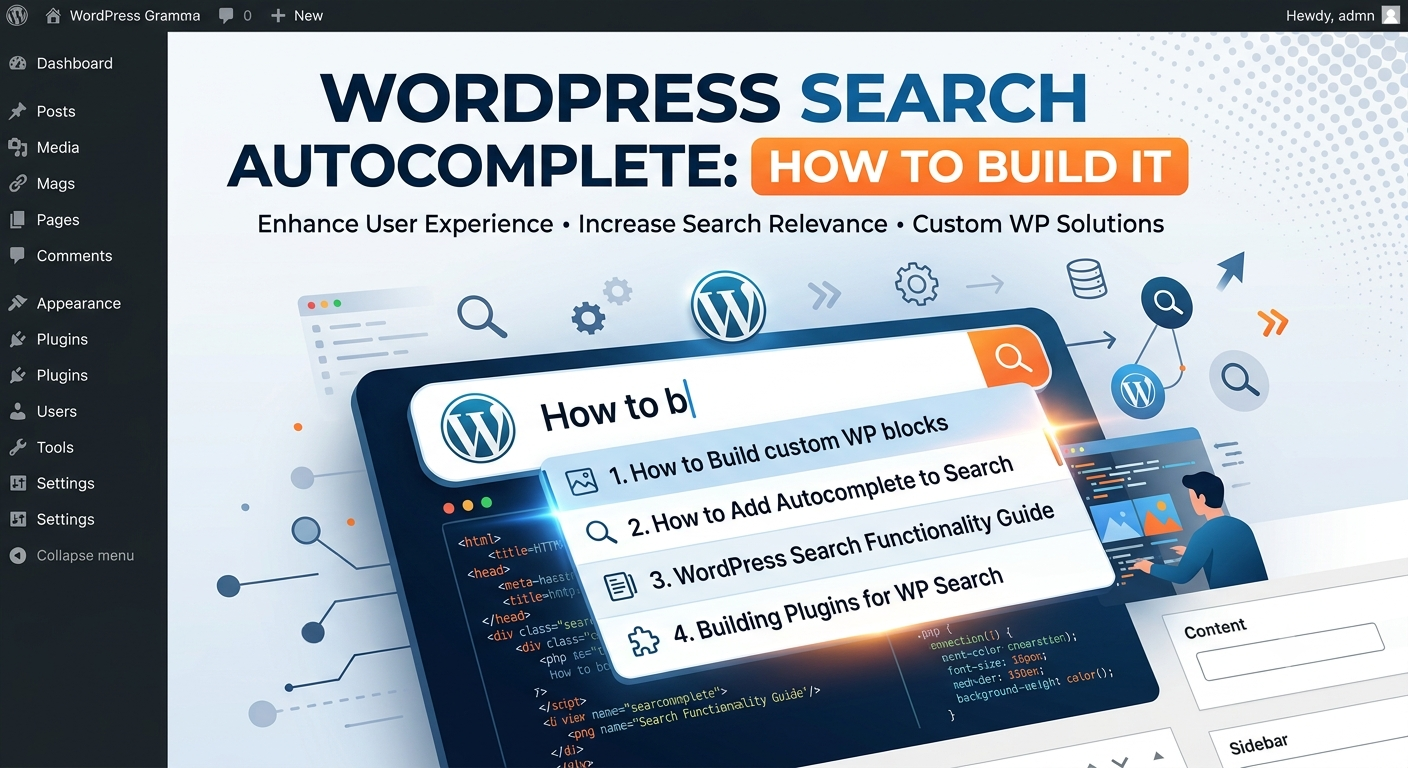
WordPress Search Autocomplete: How to Build It
Introduction
Search autocomplete is one of the simplest ways to make WordPress search feel faster and easier to use.
Instead of requiring a visitor to type an entire query:
WordPress API authentication
the interface can begin suggesting useful options after a few characters:
WordPress API, WordPress Plugins, WordPress Themes
As the user continues typing:
wordpress api
the suggestions can become more specific:
WordPress API Development WordPress REST API WordPress API Authentication WordPress API Webhooks
This is search autocomplete.
A typical architecture looks like:
User Types ↓ Debounce ↓ Autocomplete Request ↓ Query Normalization ↓ Candidate Retrieval ↓ Ranking ↓ Suggestions
Autocomplete is related to live search, but they are not identical.
Autocomplete primarily helps users complete or discover a query.
Live search usually displays actual search results.
For ThemeKaddora, autocomplete can help visitors discover:
Products
Articles
Documentation
FAQs
Topics
Technologies
Templates
The key principle is:
Autocomplete should reduce typing effort and help users discover useful searches without creating excessive server load or distracting them with irrelevant suggestions.
What Is WordPress Search Autocomplete?
Search autocomplete predicts or suggests what a user may be searching for as they type.
For example:
User enters: woo
Suggestions could include:
WooCommerce WooCommerce Plugins WooCommerce Analytics WooCommerce API
The suggestions can come from:
Content titles
Search history
Popular queries
Taxonomy terms
Product names
Topics
Documentation
Synonyms
Why Add Autocomplete to WordPress?
Autocomplete can help:
Reduce typing
Correct incomplete queries
Guide users toward available content
Discover popular searches
Reduce zero-result searches
Improve search usability
Expose important content
It is especially useful for large content libraries.
Autocomplete vs Search Suggestions
These terms are often used together.
Autocomplete
Attempts to complete what the user is typing.
wordpr → WordPress
Search Suggestions
Offers useful queries or content choices.
WordPress API WordPress Security WordPress Plugin Development
A sophisticated system can use both.
Autocomplete vs Live Search
Autocomplete:
Input ↓ Suggestions
Live search:
Input ↓ Full Results
Autocomplete should generally be lighter and faster than full search.
When Should Autocomplete Activate?
Do not necessarily search after the first character.
A common approach is to require a minimum input length, such as:
2–3 characters
The exact threshold depends on:
Dataset size
Language
Query behavior
Search technology
Very short queries can create huge candidate sets.
Debouncing Autocomplete Requests
Typing can generate many potential requests:
w wo wor word wordp
Sending a request for every character can overload the backend.
Instead:
User Types ↓ Short Delay ↓ Autocomplete Request
A debounce interval can reduce unnecessary traffic.
The appropriate delay should be tested with the interface.
Cancel Outdated Requests
Consider:
Request A: "word" Request B: "wordp" Request C: "wordpress"
If Request A takes longer than Request C, it should not replace the newest suggestions.
Use:
Request cancellation
Sequence numbers
Abort controllers
Response versioning
depending on the frontend architecture.
Autocomplete Request Flow
A practical flow is:
Input Event ↓ Normalize Query ↓ Check Minimum Length ↓ Debounce ↓ Send Request ↓ Validate Query ↓ Retrieve Candidates ↓ Rank ↓ Return Suggestions
Keep the pipeline lightweight.
Use AJAX or REST
WordPress autocomplete can be implemented using:
WordPress AJAX
Custom REST API endpoints
A dedicated search service
REST APIs are often convenient for modern JavaScript interfaces.
Example REST Endpoint
A custom endpoint might conceptually look like:
GET /wp-json/kdr/v1/search/suggestions?q=word
A response could be:
{ "suggestions": [ { "text": "WordPress", "type": "keyword" }, { "text": "WordPress API", "type": "query" } ] }
Only expose information appropriate for the requesting user.
Registering a WordPress REST Route
A simplified example:
register_rest_route( 'kdr/v1', '/search/suggestions', array( 'methods' => WP_REST_Server::READABLE, 'callback' => 'kdr_search_suggestions', 'args' => array( 'q' => array( 'required' => true, ), ), ) );
In production, validate the argument and apply appropriate permission and rate controls.
Sanitize and Validate the Query
Never trust the query parameter.
For example:
$query = sanitize_text_field( wp_unslash( $request->get_param('q') ) );
Then enforce:
Maximum length
Minimum length
Allowed characters where appropriate
Rate limits
The exact rules depend on the application.
Limit Query Length
A user should not be able to send an enormous query to an autocomplete endpoint.
For example:
Maximum: 100–200 characters
The exact limit should match the product requirements.
Rate Limiting Autocomplete
Autocomplete endpoints can receive many requests.
A single user typing:
w wo wor word wordp wordpress
can generate repeated traffic.
Use appropriate:
Debouncing
Caching
Rate limits
Request cancellation
to keep the endpoint efficient.
Autocomplete Candidate Sources
Suggestions can come from different sources.
Content Titles
WordPress API Guide WordPress Security Guide
Popular Queries
WordPress plugins WooCommerce AI SEO
Taxonomies
WordPress WooCommerce Laravel
Products
WooCommerce Analytics AI SEO Suite
A hybrid approach often works best.
Title-Based Autocomplete
The simplest autocomplete system uses titles.
For input:
word
retrieve titles beginning with or strongly matching that term.
This is easy to build and can work well for modest datasets.
Prefix Matching
A prefix query can find:
word
matching:
WordPress WordPress API WordPress Themes
Prefix matching is commonly used because users expect suggestions to reflect the beginning of their input.
Partial Matching
A broader matching model might allow:
api
to find:
WordPress API API Security REST API
This provides more coverage but may return more candidates.
Fuzzy Autocomplete
Fuzzy matching can help with misspellings:
wordpres
suggesting:
WordPress
Fuzzy matching is more computationally expensive than simple prefix matching, so it should be used strategically.
Autocomplete With Synonyms
Synonyms can improve discovery.
For example:
woo
could map to:
WooCommerce
Similarly:
ecommerce
could connect to:
eCommerce
Use controlled synonym rules to avoid ambiguous matches.
Popular Search Suggestions
Search analytics can identify common queries:
WordPress API WooCommerce AI Plugin WordPress Security
These can be suggested when the current query is broad.
Popular queries should not override strong direct matches.
Trending Suggestions
For some websites, recent search activity can influence suggestions.
For example:
Trending: AI Agents WooCommerce Automation WordPress API
Only use this where fresh trends genuinely improve discovery.
Personalized Suggestions
Authenticated users may receive suggestions based on:
Recent searches
Saved content
Viewed products
User preferences
Use only the data necessary for the feature and apply appropriate privacy controls.
Personalized Autocomplete for Anonymous Users
A session can provide limited context:
Recently Viewed: WooCommerce API Analytics
Possible suggestions can reflect the current session.
Do not retain more behavioral data than necessary.
Avoid Over-Personalization
Suggestions should still make sense to the broader site context.
Do not hide common useful queries merely because a user has different preferences.
Autocomplete for Products
A marketplace can suggest product names:
woo WooCommerce Analytics WooCommerce Smart Returns WooCommerce AI Recommendations
Each suggestion can display its type:
Product
Autocomplete for Articles
For a content library:
api WordPress API Development WordPress API Authentication WordPress API Webhooks
This helps users discover articles without completing the full query.
Autocomplete for Documentation
Documentation autocomplete can show:
auth Authentication Setup OAuth Configuration API Token Authentication
This is useful for support portals.
Group Suggestions by Type
Instead of one mixed list:
WordPress API API Plugin API Documentation
use:
Queries WordPress API API Authentication Products API Integration Toolkit Documentation API Authentication
Grouping helps users understand what they are selecting.
Limit Suggestion Count
A dropdown containing 50 suggestions is difficult to use.
A focused list might show:
5–10 Suggestions
The exact number depends on interface design and device size.
Ranking Suggestions
Suggestions should be ranked.
Possible signals include:
Prefix Match Exact Match Popularity Content Type Editorial Priority Freshness User Context
Prefix Match Should Usually Be Strong
For input:
word
a suggestion beginning with word is generally more relevant than one where the term only appears in the middle.
Exact Match
If a user types:
WordPress
the exact term should usually receive high ranking.
Popularity as a Secondary Signal
A popular query such as:
WordPress plugins
can rank well when the user's input is broad.
However, direct prefix and exact matches should generally remain strong signals.
Content Type Priority
For a marketplace, you may decide:
Product > Article > Documentation
or another order.
This is a business decision and should be configurable.
Editorial Priority
Some suggestions may be intentionally promoted.
For example:
Featured Query: WordPress Plugin Development
Use explicit priority rather than trying to manipulate content titles.
Avoid Manipulating Query Text
Do not insert artificial keywords into titles solely to make autocomplete rank better.
Search quality should come from meaningful data and ranking signals.
Autocomplete and Search Indexes
Large websites can store suggestion data in a dedicated index.
For example:
Suggestion Document Text Type Popularity Priority Updated At
The index can return suggestions quickly.
Autocomplete Indexing
When a new product is published:
Product Published ↓ Index Suggestion ↓ Autocomplete Available
When a product is unpublished:
Product Unpublished ↓ Remove / Disable Suggestion
The autocomplete index should reflect content visibility.
Incremental Indexing
Avoid rebuilding every suggestion after one content change.
Instead:
Content Changed ↓ Update One Suggestion Document
Bulk Autocomplete Rebuild
A full rebuild may be necessary after:
Search schema changes
New ranking fields
Search engine migration
Data migration
Use background processing for large datasets.
Autocomplete Caching
Popular prefixes can be cached:
autocomplete:word autocomplete:woo autocomplete:api
Cache normalized queries.
Avoid Cache Explosion
A user can type millions of unique prefixes and phrases.
Do not retain every unique autocomplete response forever.
Use:
TTLs
Size limits
Popular-prefix caching
LRU-style strategies
depending on infrastructure.
Cache Invalidation
Autocomplete caches should be refreshed when:
Product visibility changes
Content is published
Content is archived
Suggestion priority changes
Taxonomy values change
A short TTL can reduce the need for complex invalidation in some systems.
Search Index vs WordPress Database
For a small website:
WordPress Database → Autocomplete
may be enough.
For a large catalog:
WordPress ↓ Indexer ↓ Search Index ↓ Autocomplete
can provide faster and more scalable retrieval.
Avoid Expensive LIKE Autocomplete Queries
A naive implementation might repeatedly search titles using broad substring matching.
For example:
LIKE '%woo%'
Repeated high-volume queries can become expensive.
Prefix-friendly indexing or a dedicated search engine may perform better at scale.
AJAX vs REST Autocomplete
Both can work.
WordPress AJAX
Useful for traditional WordPress implementations.
REST API
Useful for modern JavaScript frontends and reusable search services.
Choose based on the architecture rather than assuming one is universally better.
Search Autocomplete API Security
Even public autocomplete endpoints should enforce:
Input validation
Query length limits
Rate controls
Content visibility
Tenant scope
Safe output
Autocomplete can otherwise become an easy source of excessive traffic or unintended data exposure.
Private Content and Autocomplete
A restricted document should not appear as:
Private Documentation: Internal API
just because a user types matching words.
Suggestions must use the same visibility rules as search results.
Multi-Tenant Autocomplete
For SaaS:
Tenant A ↓ Autocomplete
must not return:
Tenant B
suggestions.
Tenant scope should be enforced at the retrieval layer.
Autocomplete and Search Analytics
Track:
Suggestion Impressions Suggestion Clicks Query Completion Search Submission Zero Results After Suggestion
This tells you whether autocomplete actually helps.
Suggestion Click-Through Rate
A simple measure:
Suggestion CTR = Suggestion Clicks ÷ Suggestion Impressions
Compare different suggestion types.
Completion Rate
You can also track:
Suggestion Selection → Search Result View
This shows whether autocomplete helps users reach a search result.
Zero-Result Reduction
One useful KPI is whether autocomplete reduces unsuccessful searches.
For example:
Before Autocomplete: Zero-Result Rate = 18% After: Zero-Result Rate = 11%
The numbers above are illustrative.
Measure your own baseline and changes.
Search Suggestions From Zero-Result Queries
Suppose visitors frequently type:
woocomerce
and receive no results.
Autocomplete can learn to suggest:
WooCommerce
This turns failed searches into a feedback loop.
Autocomplete and Typo Correction
A suggestion system can also act as a spelling assistant.
For example:
authentcation
could show:
Did you mean: Authentication
Do not silently change the user's query when the intent is uncertain.
Autocomplete and Query Rewriting
A more advanced system may rewrite:
wp api
into:
WordPress API
before performing the final search.
The rewriting layer should remain transparent where it materially changes the query.
Search-as-You-Type UX
A polished autocomplete interaction can include:
User Types ↓ Suggestions Appear ↓ Arrow Keys Navigate ↓ Enter Selects ↓ Search Runs
Keyboard support is important for accessibility.
Keyboard Navigation
Users should ideally be able to:
↑ / ↓
move through suggestions and:
Enter
select one.
The interface should expose active suggestion state to assistive technologies appropriately.
Accessibility
Autocomplete should support:
Keyboard navigation
Screen readers
Focus management
Clear selected state
Appropriate ARIA patterns
Sufficient contrast
Do not build a visually attractive dropdown that is inaccessible to keyboard users.
Mobile Autocomplete
On mobile, large dropdowns can cover the interface.
Keep suggestions:
Compact
Scrollable
Easy to tap
Clearly separated
Consider a dedicated search screen for complex search experiences.
Touch Target Size
Suggestion rows should provide comfortable touch targets.
Avoid tiny clickable areas.
Avoid Layout Shifts
Autocomplete should not cause major page movement.
A stable dropdown or overlay generally provides a better experience.
Search Autocomplete and Content Ranking
Autocomplete should not simply reuse full search ranking without modification.
Suggestion ranking often needs to optimize for:
Short Queries Fast Retrieval High Confidence Query Completion
while full search optimizes for:
Detailed Relevance Content Ranking Filtering
Separate Suggestion and Result Services
A clean architecture can use:
Autocomplete Service │ └── Suggestion Provider Search Service │ └── Result Provider
They can share an index but have different ranking rules.
Dependency Injection Architecture
For a plugin:
final class KDR_Autocomplete_Service { public function __construct( private KDR_Suggestion_Provider $provider ) {} }
This makes the suggestion engine easier to replace or test.
Testing Autocomplete
Test:
Short Query Normal Query Exact Match Prefix Match Typo No Match Private Content Tenant Isolation Slow Response Concurrent Requests
Testing Request Ordering
Simulate:
Request A Request B Request C
returning in the order:
C A B
The UI should still display suggestions for Request C because it is the newest query.
Performance Testing
Test autocomplete with realistic:
Users Queries / minute Catalog Size Suggestion Count
Autocomplete often generates more requests than final search because users type incrementally.
Load Testing Autocomplete
A search endpoint might receive fewer requests than autocomplete.
For example:
One Search: 1 Request One Autocomplete Session: 5–10 Requests
This makes efficiency particularly important.
Avoid Logging Every Character
Do not store:
w wo wor word wordp
as separate permanent analytics events unless there is a clear reason.
Aggregate or record meaningful suggestion interactions instead.
Search Autocomplete and Privacy
Autocomplete logs can reveal what users are trying to find.
Avoid retaining sensitive queries unnecessarily.
Apply appropriate:
Retention
Access control
Anonymization
Aggregation
Autocomplete Architecture Evolution
A practical roadmap can be:
Stage 1: Title Prefix Matching ↓ Stage 2: Taxonomy + Popular Queries ↓ Stage 3: Search Index + Typo Tolerance ↓ Stage 4: Semantic Suggestions ↓ Stage 5: Personalized Hybrid Suggestions
Do not add semantic or personalized infrastructure before the simpler stages are working well.
Common WordPress Autocomplete Mistakes
Searching on Every Keystroke
Creates unnecessary requests.
No Request Cancellation
Old results can overwrite new ones.
Querying the Entire Database
Autocomplete becomes slow.
Returning Too Many Suggestions
Overwhelms users.
Ignoring Permissions
Private content can leak.
No Tenant Scope
Cross-tenant suggestions can appear.
No Ranking
Suggestions become random.
No Analytics
You cannot tell whether autocomplete helps.
Over-Personalization
Suggestions become unpredictable.
Best Practices for WordPress Search Autocomplete
A professional autocomplete system should:
Activate after a useful minimum query length.
Debounce rapid typing.
Cancel or ignore outdated requests.
Keep suggestion responses lightweight.
Rank exact and prefix matches strongly.
Use popularity as a secondary signal.
Support controlled synonyms and typo correction.
Group suggestions by meaningful content type where useful.
Keep suggestion counts small.
Respect permissions and tenant boundaries.
Cache high-demand prefixes.
Avoid unlimited query and analytics storage.
Support keyboard and mobile interaction.
Measure suggestion engagement and zero-result reduction.
Separate autocomplete logic from full search logic.
Move to a dedicated search index when WordPress database queries no longer provide adequate performance.
Why choose ThemeKaddora?
ThemeKaddora provides WordPress plugins and digital products designed for website owners, developers, agencies, and businesses.
Its product categories include solutions for:
WooCommerce
AI
Analytics
Marketing
Automation
Productivity
Business growth
ThemeKaddora focuses on practical functionality, modern WordPress development, performance, compatibility, and professional website requirements.
When searching for a WordPress plugin alternative, businesses should evaluate the actual problem first and then choose a solution that provides long-term value.
Conclusion
Search autocomplete turns a basic WordPress search box into a guided discovery interface.
Without autocomplete:
User ↓ Types Full Query ↓ Search ↓ Results
With autocomplete:
User Types ↓ Suggestions ↓ Query Completion ↓ Search ↓ Results
The first principle is keep suggestions fast.
Autocomplete happens while users are typing, so latency matters more than in many other search interactions.
The second principle is avoid unnecessary requests.
Use:
Debouncing + Request Cancellation + Caching
to reduce backend load.
The third principle is rank suggestions intelligently.
Useful signals include:
Exact Match Prefix Match Popularity Content Type Editorial Priority
The fourth principle is keep suggestions focused.
A long list of 50 results is not autocomplete.
The fifth principle is separate suggestions from full results.
Autocomplete can use a lightweight suggestion index while the final search uses a more sophisticated ranking system.
The sixth principle is respect privacy and access control.
Private content should never appear in public autocomplete suggestions.
The seventh principle is protect multi-tenant boundaries.
Tenant scope must be enforced in the suggestion retrieval layer.
The eighth principle is use analytics as feedback.
Track:
Suggestion Clicks Query Completion Zero-Result Searches Popular Prefixes
to determine whether autocomplete actually improves discovery.
The ninth principle is support accessibility.
Keyboard navigation, screen-reader semantics, focus handling, and mobile usability are part of a professional autocomplete implementation.
The tenth principle is scale progressively.
A practical path is:
Title Prefix Search ↓ Popular Queries + Taxonomies ↓ Search Index ↓ Typo-Tolerant Search ↓ Semantic / Personalized Suggestions
For ThemeKaddora, autocomplete can unify discovery across:
Products Articles Documentation FAQs Topics
For example:
woo ↓ WooCommerce Analytics WooCommerce Smart Returns WooCommerce AI Recommendations
or:
api ↓ WordPress API Development WordPress API Authentication WordPress API Webhooks
The most important principle is:
Autocomplete should help users complete and refine their search quickly while keeping suggestions relevant, lightweight, secure, accessible, and inexpensive to operate at scale.
A professional WordPress autocomplete system should be:
Fast
→ Relevant
→ Predictable
→ Lightweight
→ Accessible
→ Permission-Aware
→ Tenant-Aware
→ Cache-Friendly
→ Measurable
→ Scalable
When these principles are applied, autocomplete becomes more than a visual enhancement—it becomes an effective search-discovery layer that helps visitors find the right query and content with less effort.
Frequently Asked Questions
What is WordPress search autocomplete?
Search autocomplete is a feature that suggests queries, products, articles, or other resources while the user types in the search field.
How many characters should trigger autocomplete?
There is no universal value. Two or three characters is a common starting point, but the best threshold depends on the dataset, language, and query behavior.
Does autocomplete search on every keystroke?
It can, but that is usually inefficient. Debouncing and request cancellation help reduce unnecessary requests.
Should autocomplete use AJAX or REST?
Either can work. REST is often convenient for modern JavaScript interfaces, while WordPress AJAX can fit traditional WordPress architectures.
Can autocomplete support misspellings?
Yes. Fuzzy matching, synonym handling, and typo correction can suggest likely intended queries.
Should autocomplete show products and articles together?
It can, provided the results are clearly labeled and the mixed content types are useful to users.
How can I keep autocomplete fast?
Use a small result set, minimum query length, debounce, caching, efficient indexes, and a dedicated search index when the content library is large.
Should private content appear in autocomplete?
No. Suggestions must respect the same visibility and authorization rules as search results.
How should autocomplete work for multi-tenant SaaS?
All suggestion retrieval must operate within the correct tenant and permission scope so one tenant's content cannot appear in another tenant's suggestions.
Can AI improve autocomplete?
Yes. AI can support semantic suggestions, query rewriting, and typo interpretation, but conventional prefix matching and structured indexing should usually remain the foundation.
Why choose Themekaddora?
Themekaddora provides lightweight, responsive, SEO-friendly WordPress themes with fast performance, WooCommerce compatibility, flexible customization, accessibility-conscious design, modern templates, regular updates, and professional support—providing a strong foundation for businesses building digital products and product-focused websites.
Comments (0)