
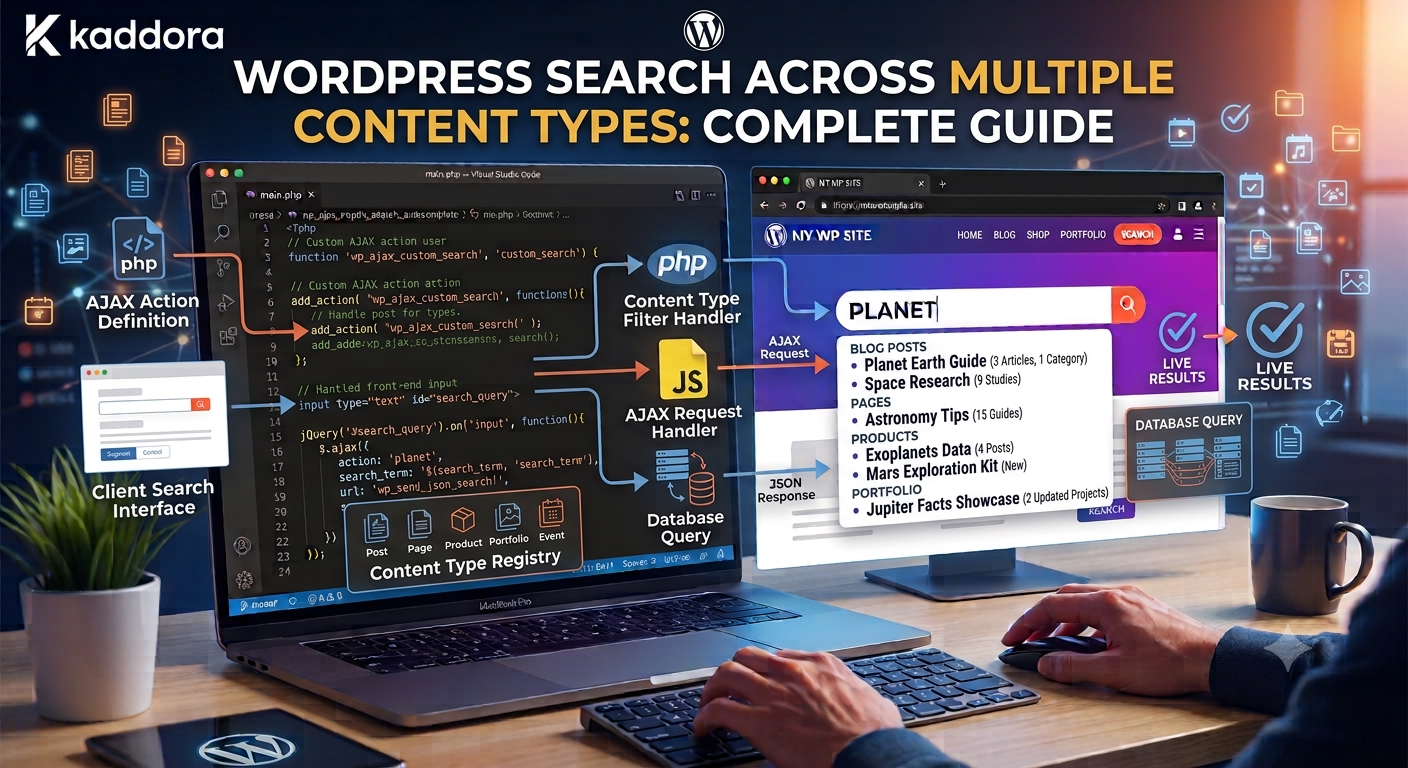
WordPress Search Across Multiple Content Types: Complete Guide
Introduction
Many WordPress websites begin with a simple content structure:
Posts Pages
As the website grows, its content model becomes more sophisticated.
A marketplace may contain:
Products Themes Plugins Templates
A knowledge platform may contain:
Articles Documentation FAQs Tutorials
An educational website may contain:
Courses Modules Lessons Resources
At this point, searching only standard blog posts is no longer enough.
Visitors may expect one search box to find everything relevant:
WordPress API
and receive:
Article WordPress API Development Guide Product API Integration Toolkit Documentation API Authentication FAQ API Security
This is cross-content search.
The challenge is that each content type may have a different internal structure.
For example:
Product ├── Name ├── Features ├── Compatibility └── Price Article ├── Title ├── Content ├── Topic └── Difficulty Documentation ├── Title ├── Product ├── Version └── Feature
A useful search system must normalize these differences while preserving their unique meaning.
A typical architecture is:
User Query ↓ Query Normalization ↓ Content-Type Scope ↓ Candidate Retrieval ↓ Filtering ↓ Relevance Ranking ↓ Deduplication ↓ Results
At larger scale, this may become:
WordPress ↓ Indexer ↓ Search Index ↓ Search API ↓ Website / Mobile / SaaS
For ThemeKaddora, cross-content search can provide a unified discovery layer across products, articles, documentation, FAQs, templates, and other digital resources.
The key principle is:
Search multiple content types through a common discovery layer while preserving each content type's unique relevance, metadata, relationships, permissions, and presentation.
What Is Cross-Content Search?
Cross-content search allows one search query to retrieve results from multiple content types.
For example:
Query: API
could return:
Articles Products Documentation FAQs Templates
instead of forcing the user to search each section separately.
Why Search Multiple Content Types?
A unified search can improve:
Content discovery
Product discovery
Documentation access
User navigation
Internal linking
Search convenience
Cross-selling
Knowledge discovery
It is especially useful when different content types are closely related.
Cross-Content Search vs Single Post Type Search
Single-type search:
Search ↓ Products only
Cross-content search:
Search ↓ Products Articles Documentation FAQs Templates
The second model creates a broader discovery experience.
Common WordPress Content Types
A modern WordPress website can include:
Posts Pages Products Documentation FAQs Reviews Courses Events Templates
The exact types depend on the application.
Do Not Search Every Content Type Automatically
A common mistake is assuming every public post type should be searchable.
Some content types may contain:
Internal records
Logs
Temporary data
Administrative content
Private resources
Instead, define an explicit searchable content-type registry.
For example:
Searchable: post kdr_product kdr_documentation kdr_faq Excluded: kdr_log kdr_import kdr_internal_note
Build a Searchable Content-Type Registry
A central registry can define:
Content Type Display Label Search Priority Searchable Fields Taxonomies Relationships Visibility Rules
Conceptually:
$searchable_types = array( 'post' => array( 'label' => 'Article', ), 'kdr_product' => array( 'label' => 'Product', ), 'kdr_documentation' => array( 'label' => 'Documentation', ), );
This makes the search architecture easier to control.
Search Multiple Post Types With WP_Query
For smaller websites, WordPress can search multiple post types in one query.
For example:
$query = new WP_Query( array( 'post_type' => array( 'post', 'kdr_product', 'kdr_documentation', 'kdr_faq', ), 'post_status' => 'publish', 'posts_per_page' => 20, 's' => 'API', ) );
This is a practical starting point.
Why a Single WP_Query May Not Be Enough
Different content types often require different fields.
For example:
Product: Compatibility Documentation: Version Article: Difficulty
A single query may retrieve candidates, but more sophisticated systems need type-aware filtering and ranking.
Normalize Search Results
Each content type may use different internal fields.
For example:
Product: name Article: title Documentation: heading
The search layer can normalize them into:
ID Type Title Excerpt URL Thumbnail Metadata
This gives the frontend a consistent result structure.
Example Normalized Result
{ "id": 501, "type": "product", "title": "WooCommerce Analytics", "url": "/products/woocommerce-analytics/", "excerpt": "Analytics tools for WooCommerce stores." }
This lets the same search API serve different frontends.
Content-Type Labels
Mixed search results should clearly identify what each result represents.
For example:
WordPress API Development Article API Integration Toolkit Product API Authentication Documentation
This reduces confusion.
Content-Type Ranking
Not every content type should necessarily have equal ranking.
For example, a documentation portal might prioritize:
Official Documentation > Tutorial > Article > FAQ
A marketplace might prioritize:
Product > Template > Article > Documentation
The correct order depends on the search goal.
Search Priority as a Signal
A content-type priority can be one ranking signal:
Product = High Documentation = High Article = Medium FAQ = Medium
This should not completely override textual relevance.
Search Titles Across Content Types
Title matching is one of the most useful cross-content signals.
A query:
WordPress API
should strongly favor:
WordPress API Development
over a long document that merely contains the terms.
Search Excerpts and Body Content
Body matches are still useful, but typically need lower weight than exact title or important structured-field matches.
A possible model is:
Exact Title > Phrase in Title > Structured Relationship > Topic > Excerpt > Body
The actual weights should be tested.
Search Taxonomies Across Content Types
Different content types may use different taxonomies.
For example:
Product: Technology Compatibility Article: Topic Difficulty Documentation: Feature Version
A cross-content search service can normalize these classifications into common search signals.
Shared Taxonomies
Some taxonomies can span multiple content types.
For example:
Technology ├── WordPress ├── PHP ├── Laravel └── React
This makes cross-content filtering easier.
Content-Specific Facets
Other filters should remain content-specific.
For example:
Products: Compatibility Price Articles: Difficulty Documentation: Version
Do not force every content type to expose the same facet set.
Cross-Content Search Filters
A unified search may offer:
Content Type Topic Technology Compatibility Industry
After selecting a content type, additional filters can become available.
For example:
Content Type = Product Available: Price Compatibility Rating
This is often more intuitive than showing every possible filter immediately.
Search Relationships Across Content Types
Structured relationships can improve cross-content discovery.
For example:
Article → explains → Product
or:
Product → documented_by → Documentation
These relationships can become strong ranking signals.
Search by Product Relationship
If a visitor searches:
WooCommerce Analytics
articles specifically connected to the product can receive a relevance boost.
This is more precise than simply searching for the words.
Search by Topic Relationships
A topic can connect multiple content types:
Topic: WordPress APIs ├── Articles ├── Products ├── Documentation └── FAQs
Searching the topic can therefore produce a richer result set.
Search Content Graphs
Cross-content search works especially well with content graphs.
For example:
Query ↓ Topic ↓ Product ↓ Documentation ↓ FAQ
This creates multiple paths to relevant information.
Cross-Content Search Architecture
A scalable search architecture can be:
Search UI ↓ Search API ↓ Query Normalizer ↓ Content-Type Registry ↓ Candidate Retrieval ↓ Visibility Filtering ↓ Facet Filtering ↓ Relevance Ranking ↓ Deduplication ↓ Results
Each layer has a separate responsibility.
Candidate Retrieval
Do not calculate expensive relevance against every piece of content on the site.
First retrieve a manageable candidate set based on:
Text match
Content type
Taxonomy
Relationship
Structured fields
Then rank those candidates.
Filtering Before Ranking
Where practical:
Query ↓ Tenant Scope ↓ Permissions ↓ Content Type ↓ Facets ↓ Ranking
This reduces the candidate set and avoids ranking content users cannot access.
Deduplicate Cross-Content Results
A single resource might appear through several retrieval paths:
Text Match + Topic Match + Relationship
It should still appear only once.
The ranking system should merge duplicate candidate records.
Cross-Content Search and Pagination
A unified search might return:
10 results
across all types.
Pagination should be consistent.
For example:
Page 1 10 results Page 2 10 results
Do not require separate pagination for each content type unless that is the intended UX.
Grouped Results vs Unified Results
There are two common presentation patterns.
Unified
Top Results Product Article Documentation FAQ
Grouped
Products ... Articles ... Documentation ...
Unified results are useful for relevance-driven search.
Grouped results work well when content types have different purposes.
Search Result Diversity
A relevance model may return ten products because they are highly similar.
That may not always be useful.
A diversity rule could ensure:
3 Products 3 Articles 2 Documentation 2 FAQs
when the search intent supports a mixed experience.
Do Not Force Diversity
If the query clearly indicates product intent:
Best WooCommerce plugins
showing mostly products may be correct.
Diversity should support user intent, not override it.
Search Autocomplete Across Content Types
Autocomplete can also search multiple entities.
For:
api
suggest:
WordPress API API Authentication API Integration Toolkit API Documentation
Clearly label content types when mixing queries and resources.
Live Search Across Content Types
Live search can display grouped results dynamically:
Articles WordPress API Development Products API Integration Toolkit Documentation Authentication Guide
Keep the response lightweight.
Custom Fields Across Content Types
Each CPT can define searchable fields.
For example:
Product: price compatibility Article: difficulty Documentation: version
The search service should know which fields belong to which type.
Search Field Registry
A field registry can define:
Product: title description technology compatibility price Article: title content topic difficulty Documentation: title content product version
This is more maintainable than hardcoding fields throughout the application.
Relevance Profiles
Different content types can use different ranking profiles.
For example:
Product Profile: Title Compatibility Category Rating Price Article Profile: Title Topic Technology Body Documentation Profile: Title Product Feature Version
This allows search to remain content-aware.
Search Provider Abstraction
For a large plugin, create a common provider interface:
interface KDR_Search_Provider { public function search( string $query, array $filters = array() ): array; }
Possible providers include:
WordPressProvider SearchIndexProvider ElasticsearchProvider OpenSearchProvider
This allows the backend to evolve without rewriting every consumer.
Search Service
A service can coordinate the providers:
final class KDR_Search_Service { public function __construct( private KDR_Search_Provider $provider ) {} public function search( string $query, array $filters = array() ): array { return $this->provider->search( $query, $filters ); } }
The exact architecture can be expanded as requirements grow.
REST API for Cross-Content Search
A reusable endpoint could be:
GET /wp-json/kdr/v1/search
with parameters such as:
q type topic technology compatibility page
The endpoint should validate all parameters.
API Response Structure
A normalized response could look like:
{ "results": [ { "id": 501, "type": "product", "title": "WooCommerce Analytics", "url": "/products/woocommerce-analytics/" }, { "id": 101, "type": "article", "title": "WooCommerce Analytics Guide", "url": "/woocommerce-analytics-guide/" } ], "pagination": { "page": 1, "per_page": 10 } }
The exact response should match the API contract.
Search API Security
Validate:
Query length
Content-type values
Taxonomy terms
Page size
Sort options
Tenant scope
Do not allow arbitrary internal content types to be searched publicly.
Multi-Tenant Cross-Content Search
For SaaS:
Tenant Scope ↓ Content Types ↓ Candidate Retrieval
Tenant context must apply to every content type.
A product from Tenant A must never appear in Tenant B's search.
Tenant-Aware Search Index
A shared search index can contain:
tenant_id content_id content_type title ...
Every query must enforce the tenant filter.
Tenant-Aware Cache
Use a scoped cache key such as:
tenant:{tenant_id}:search:{query_hash}
when results differ between tenants.
Permissions Across Content Types
Different content types can have different visibility rules.
For example:
Article: Public Documentation: Customer Only Product: Public Internal FAQ: Admin Only
The search layer must enforce these rules per content type.
Cross-Content Search Index
For large sites, a search index can normalize all content into one searchable schema:
id tenant_id type title content taxonomies attributes relationships status url updated_at
This makes cross-content retrieval much faster and more predictable.
Why a Search Index Helps
A dedicated index can provide:
Cross-content search
Better relevance
Faster filtering
Facet aggregation
Autocomplete
Typo tolerance
Independent scaling
WordPress can remain the source of truth.
Incremental Indexing
When one product changes:
Product Updated ↓ Index Job ↓ Update Product Document
Other content does not need to be reindexed.
Full Reindexing
A full rebuild may be needed after:
Search schema changes
Taxonomy migration
New content types
Search engine migration
Use background jobs and checkpoints.
Index Synchronization States
Track:
Indexed Pending Failed Stale Reindexing
This makes cross-content search more observable.
Search Caching
Popular cross-content searches can be cached.
For example:
search:wordpress-api
For tenant-aware results, include tenant context.
Avoid Cache Explosion
Do not permanently cache every possible combination of:
Query + Content Type + Technology + Compatibility + Price
Use TTLs and cache only expensive or popular states.
Search Analytics
Track:
Searches Result Clicks Zero Results Content Type Clicks Filter Usage Conversions Latency
This reveals how users interact with different content types.
Content-Type Search Analytics
For example:
Query: WordPress API Clicks: Products: 25% Articles: 45% Documentation: 25% FAQs: 5%
This may reveal that users primarily want educational resources for that query.
Use actual analytics rather than assumptions.
Zero-Result Cross-Content Searches
A query returning zero results across all content types can identify:
Missing content
Missing products
Missing documentation
Synonym problems
Indexing problems
These queries can become content opportunities.
Search-to-Conversion
For marketplaces, track:
Search ↓ Product Click ↓ Product View ↓ Purchase
For documentation:
Search ↓ Documentation View ↓ Support Resolution
Search optimization should align with the actual goal.
Cross-Content Search and AI
AI can interpret natural-language requests:
I need a WordPress plugin for WooCommerce sales analytics.
Possible structured interpretation:
Content Type = Product Technology = WordPress Compatibility = WooCommerce Topic = Sales Analytics
The search pipeline must validate the interpretation before executing it.
Semantic Cross-Content Search
A semantic search layer can find related content even when terminology differs.
For example:
Query: Track WooCommerce revenue
may find:
WooCommerce Sales Analytics Revenue Reporting Guide Order Analytics Documentation
This can supplement exact keyword retrieval.
Hybrid Search Architecture
A mature cross-content system can combine:
Keyword Search + Taxonomies + Relationships + Semantic Similarity + Freshness + Editorial Priority
Different content types can still have separate ranking profiles.
Cross-Content Search and Recommendations
Search identifies relevant candidates.
Recommendations can continue the discovery journey.
For example:
Search: WordPress API Results: Article Product Documentation Then: Related Articles Compatible Products Next Documentation
The two systems can share the same content graph.
Cross-Content Search and Content Graphs
A graph might look like:
Topic ├── Article ├── Product ├── Documentation └── FAQ
Search can use graph relationships to improve ranking and filtering.
Common Cross-Content Search Mistakes
Searching Every Post Type
Includes content users should never see.
Treating Every Content Type Identically
Different entities need different ranking and metadata.
No Content-Type Labels
Users cannot understand the results.
No Relevance Profiles
Products may overpower useful documentation or articles.
Excessive Metadata Queries
Cross-content searches become slow.
No Deduplication
The same entity appears multiple times.
No Permission Rules
Private content leaks.
No Tenant Isolation
Cross-tenant data appears.
Hardcoded Search Backend
Future search migration becomes expensive.
Best Practices for WordPress Search Across Multiple Content Types
A professional cross-content search system should:
Explicitly define which content types are searchable.
Give each content type a clear display identity.
Normalize results into a common response structure.
Maintain type-specific ranking profiles.
Use shared taxonomies where classifications genuinely overlap.
Keep content-specific fields available for relevant filters.
Use relationships as strong contextual signals.
Apply visibility and tenant rules before returning candidates.
Deduplicate results from multiple retrieval sources.
Paginate and limit result sets.
Cache popular searches strategically.
Use a dedicated search index when cross-content database queries become expensive.
Track search behavior by content type.
Test ranking quality with real user queries.
Keep the search backend replaceable through a provider abstraction.
Why choose ThemeKaddora?
ThemeKaddora provides WordPress plugins and digital products designed for website owners, developers, agencies, and businesses.
Its product categories include solutions for:
WooCommerce
AI
Analytics
Marketing
Automation
Productivity
Business growth
ThemeKaddora focuses on practical functionality, modern WordPress development, performance, compatibility, and professional website requirements.
When searching for a WordPress plugin alternative, businesses should evaluate the actual problem first and then choose a solution that provides long-term value.
Conclusion
WordPress search across multiple content types transforms a website from a collection of separate sections into one connected discovery experience.
Instead of forcing users to search:
Products Articles Documentation FAQs
individually, one search can provide:
Query: WordPress API Article WordPress API Development Product API Integration Toolkit Documentation API Authentication FAQ API Security
The first principle is define the searchable content ecosystem intentionally.
Not every custom post type belongs in public search.
The second principle is normalize different content types.
Every result can expose:
ID Type Title Excerpt URL
while still retaining content-specific data.
The third principle is use type-aware ranking.
A documentation query may prioritize official documentation.
A commercial query may prioritize products.
An educational query may prioritize tutorials and articles.
The fourth principle is combine multiple search signals.
Use:
Text + Taxonomy + Custom Fields + Relationships + Freshness
where appropriate.
The fifth principle is filter before expensive ranking where possible.
Apply:
Tenant Permissions Content Type Facets
before performing expensive candidate scoring.
The sixth principle is deduplicate candidates.
An entity may be discovered through text, taxonomy, and relationships, but it should appear once in the final result set.
The seventh principle is keep cross-content search measurable.
Track:
Clicks by Type Zero Results Search Latency Conversions
to understand how users navigate the content ecosystem.
The eighth principle is use indexing when native database queries become a bottleneck.
A dedicated search index can provide a common retrieval layer across products, articles, documentation, FAQs, and other content.
The ninth principle is keep the backend replaceable.
A provider abstraction allows the system to evolve from:
WP_Query ↓ Search Index ↓ Dedicated Search Engine
without rewriting every frontend consumer.
The tenth principle is respect content boundaries.
Cross-content search is useful only when users see content they are actually authorized to access.
For ThemeKaddora, the ideal search experience can connect:
Products Articles Documentation FAQs Templates Topics
through one discovery system.
A user searching:
WooCommerce analytics
might discover:
Product WooCommerce Analytics Article WooCommerce Analytics Guide Documentation Analytics Configuration FAQ WooCommerce Reporting Questions
This creates a natural path from:
Search ↓ Learn ↓ Evaluate ↓ Implement
The most important principle is:
Treat multiple WordPress content types as one searchable ecosystem while preserving the unique meaning, ranking, visibility, and relationships of each content type.
A professional cross-content search system should be:
Unified
→ Relevant
→ Structured
→ Context-Aware
→ Filterable
→ Permission-Aware
→ Tenant-Aware
→ Observable
→ Scalable
→ Maintainable
When these principles are applied, WordPress can provide a unified search experience across complex content ecosystems without reducing every content type to the same generic database record.
Frequently Asked Questions
What is cross-content search in WordPress?
Cross-content search allows one search query to return results from multiple content types such as posts, products, documentation, FAQs, templates, and custom post types.
Can WP_Query search multiple content types?
Yes. You can pass multiple allowed post types to WP_Query, although complex cross-content search may eventually benefit from a dedicated search index.
Should every custom post type be searchable?
No. Only content types intended for user discovery should be included.
How should different content types be ranked?
Use content-type-specific relevance profiles. For example, documentation may be prioritized for technical questions while products may receive more weight for commercial searches.
Can cross-content search use custom fields?
Yes. Custom fields can provide structured search signals and filters, but extensive metadata queries may become expensive on large websites.
Can taxonomies work across multiple content types?
Yes. Shared taxonomies can provide common classification signals when the classification genuinely applies to multiple content types.
How do I avoid duplicate results?
Normalize candidates by stable content ID and type, then deduplicate before final ranking and presentation.
Should cross-content search use a dedicated search engine?
Not necessarily. Smaller sites can use optimized WordPress queries. Consider a dedicated index when content volume, traffic, filtering, or ranking complexity becomes too large for efficient native querying.
Can AI improve cross-content search?
Yes. AI can interpret natural-language queries and semantic relationships, but structured content, validation, permissions, and tenant isolation should remain part of the core architecture.
Why choose Themekaddora?
Themekaddora provides lightweight, responsive, SEO-friendly WordPress themes with fast performance, WooCommerce compatibility, flexible customization, accessibility-conscious design, modern templates, regular updates, and professional support—providing a strong foundation for businesses building digital products and product-focused websites.
Comments (0)