
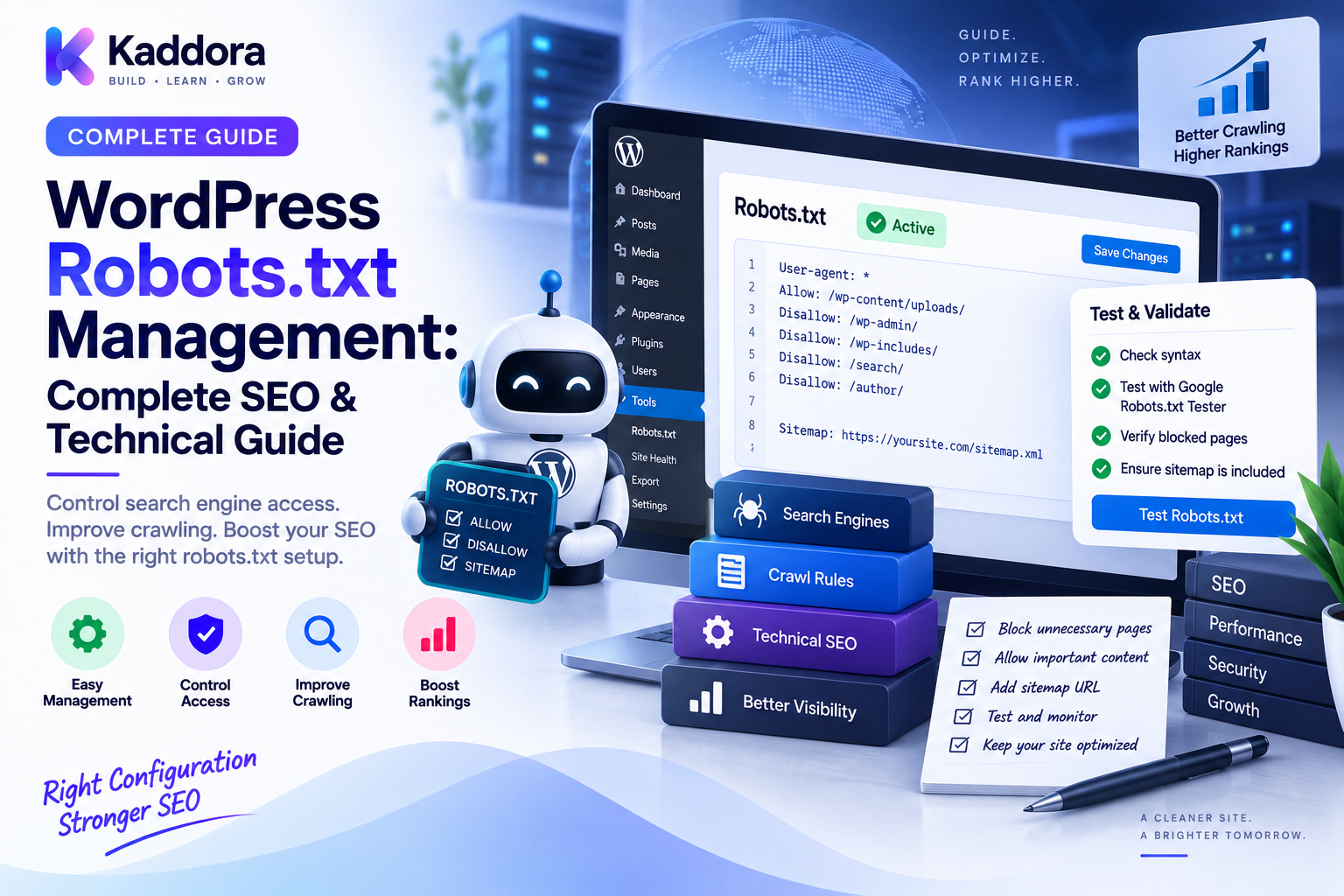
WordPress Robots.txt Management Explained: A Complete Technical SEO Guide
Introduction
Search engines discover websites by crawling URLs.
For a small website, crawler access may seem straightforward.
For a large WordPress website, however, crawlers can encounter many different URL types, including:
Pages
Posts
Categories
Tags
Search URLs
Parameters
Filters
Attachment URLs
Administrative paths
APIs
Dynamic endpoints
Duplicate URL variations
This can make crawler management an important part of technical SEO.
One of the tools used to communicate crawler access preferences is the robots.txt file.
A properly managed robots.txt file can help specify which URL paths automated crawlers should or should not request.
But robots.txt is frequently misunderstood.
It is not a universal security mechanism.
It does not remove URLs from search indexes by itself.
It does not replace authentication.
And a poorly designed rule can accidentally restrict access to resources that search engines need to understand your website.
This guide explains WordPress robots.txt management, how robots.txt works, how WordPress handles it, how to design rules safely, common mistakes, and how to build a scalable crawler-management strategy.
What Is robots.txt?
robots.txt is a text file placed at the root of a website.
For example:
/robots.txt
Its primary purpose is to communicate instructions to compliant automated crawlers about which URL paths they should generally avoid requesting.
A basic example looks like:
User-agent: * Disallow: /private-area/
This tells broadly identified crawlers that the /private-area/ path should not be crawled.
The file follows the Robots Exclusion Protocol conventions.
How Does robots.txt Work?
When a crawler visits a website, it can first request:
https://example.com/robots.txt
The crawler reads the available directives and decides how to proceed.
Conceptually:
Crawler ↓ /robots.txt ↓ Read directives ↓ Evaluate requested URL ↓ Crawl or avoid according to applicable rules
The important point is that robots.txt provides crawler instructions. It does not enforce permissions like a firewall or login system.
Where Is WordPress robots.txt Located?
A WordPress website can expose robots.txt at:
/robots.txt
Depending on the website configuration, WordPress can generate a virtual robots.txt response rather than requiring a traditional physical file.
This means developers should understand how the site's actual robots.txt response is being generated before modifying files manually.
WordPress robots.txt vs Physical robots.txt
There are two broad implementation approaches.
Dynamic WordPress robots.txt
WordPress can generate the robots.txt response dynamically.
This can be convenient because rules may be managed through WordPress hooks or plugins.
Physical robots.txt
A real file can exist at the website root:
public_html/ robots.txt
The web server can serve it directly.
The correct approach depends on the hosting environment and architecture.
The important requirement is that the resulting /robots.txt response contains the intended rules.
What Does robots.txt Actually Control?
robots.txt primarily influences crawling behavior.
For example:
User-agent: * Disallow: /wp-admin/
The rule requests that compliant crawlers avoid that path.
However, robots.txt does not reliably provide:
Authentication
Authorization
Data protection
Confidentiality
Guaranteed de-indexing
Access control for malicious bots
Never use robots.txt to hide sensitive information.
robots.txt and WordPress Security
Consider this:
Disallow: /private/
This does not secure the directory.
A user or malicious bot can still request:
/private/
If the information must actually be protected, use:
Authentication
Authorization
Server access controls
Application permissions
Network controls
robots.txt should not be treated as a security boundary.
Why Is robots.txt Important for Large WordPress Websites?
Large websites may expose many URL patterns that don't need to consume crawler resources.
Examples include:
Internal search
Dynamic filter URLs
Tracking URLs
Certain application endpoints
Repetitive parameter combinations
A carefully designed robots.txt file can help reduce unnecessary crawling.
However, crawler management should be based on actual URL architecture and search-engine behavior rather than blocking URLs simply because they look technical.
Basic robots.txt Structure
A common file structure looks like:
User-agent: * Disallow: /path/ Allow: /path/public-resource/ Sitemap: https://example.com/sitemap.xml
The User-agent identifies the crawler group to which the rule applies.
Disallow specifies paths that should generally not be crawled.
Allow can be used to permit specific paths where supported by the crawler.
A Sitemap directive can identify sitemap locations.
User-Agent Rules
Rules can target different crawler groups.
For example:
User-agent: * Disallow: /example/
The wildcard applies broadly.
Specific crawler groups can also be configured when there is a legitimate reason.
However, avoid creating unnecessarily complicated crawler-specific configurations.
A simpler rule set is generally easier to audit.
Disallow Rules
A Disallow rule communicates that a crawler should avoid matching paths.
For example:
User-agent: * Disallow: /search/
This may be appropriate for certain internal search URL structures.
But the exact rule should be evaluated against your site's indexing and discovery strategy.
Do not block URLs simply because they contain a query parameter or dynamic component.
Allow Rules
An Allow rule can provide a more specific exception within a broader blocking strategy where supported.
Example:
User-agent: * Disallow: /private/ Allow: /private/public-resource.css
However, overlapping Allow and Disallow rules can become confusing.
Always test the actual behavior of the intended crawler ecosystem.
WordPress Admin Paths
WordPress administrators often ask whether /wp-admin/ should be blocked.
A common robots configuration includes:
Disallow: /wp-admin/ Allow: /wp-admin/admin-ajax.php
The broader principle is more important than copying a rule blindly.
Some WordPress functionality depends on publicly accessible resources or endpoints, so blanket blocking can be harmful.
Review the site's actual requirements before modifying existing rules.
Don't Block CSS and JavaScript Blindly
Modern search engines need to understand how pages render.
Blocking important resources can interfere with how crawlers interpret page structure or presentation.
For example, avoid blindly blocking:
/wp-content/
because that directory may contain:
CSS
JavaScript
Images
Theme resources
Plugin resources
A blanket block can interfere with legitimate crawling requirements.
Don't Block the Entire Website Accidentally
One of the most dangerous mistakes is:
User-agent: * Disallow: /
This asks crawlers not to crawl the entire website.
Such a rule may be appropriate for some temporary environments, but deploying it accidentally to production can cause serious SEO problems.
Always verify the production robots.txt response after deployment.
Staging Websites and robots.txt
Staging websites often should not be publicly crawlable.
A common approach is to restrict crawler access:
User-agent: * Disallow: /
But this should not be treated as the only protection.
Staging environments should also use appropriate controls such as:
Authentication
Access restrictions
Network controls
No public exposure where possible
Robots.txt is not a security mechanism for staging systems.
Robots.txt and Noindex Are Different
This distinction is extremely important.
robots.txt
Controls crawler access to paths according to crawler compliance.
noindex
Provides an indexing directive intended to prevent a document from being included in search results when the crawler can access the document and process that directive.
Therefore:
robots.txt
and:
<meta name="robots" content="noindex">
serve different purposes.
Do not assume that blocking a URL in robots.txt automatically removes it from search results.
Robots.txt and Canonical URLs
robots.txt should also be considered alongside canonicalization.
For example:
URL variations ↓ Canonical strategy + Crawler strategy
If an important page is blocked before crawlers can access it, other signals on that page may not be processed as expected.
Therefore, robots.txt should complement rather than replace:
Canonical URLs
Redirects
XML sitemaps
Internal links
Indexing directives
Robots.txt and XML Sitemaps
Your robots.txt file can reference XML sitemaps.
Example:
User-agent: * Disallow: /private/ Sitemap: https://example.com/sitemap.xml
For larger websites, multiple sitemap files may exist.
For example:
Sitemap: https://example.com/post-sitemap.xml Sitemap: https://example.com/product-sitemap.xml Sitemap: https://example.com/page-sitemap.xml
Make sure referenced sitemap URLs are accessible and use the preferred URL architecture.
Query Parameters and robots.txt
Parameter URLs are one of the most difficult areas to manage.
Examples include:
/shop/?sort=price /shop/?color=red /?utm_source=email
The correct handling depends on what those parameters do.
Don't automatically disallow every URL containing a query string.
Some parameters may represent:
Tracking
Filtering
Search
Pagination
Application state
Meaningful user-facing content
Understand the parameter system before blocking it.
Faceted Navigation
WooCommerce and large WordPress stores can create many filter combinations.
For example:
/shop/?brand=A&color=red&size=large
Thousands or millions of combinations can potentially exist.
Robots.txt can sometimes be part of a broader crawler-management strategy, but it should not be the only mechanism.
You should also consider:
Canonical strategy
Indexing rules
Internal linking
URL architecture
Crawl monitoring
Treat faceted navigation as a system rather than solving it with one blanket robots rule.
Search URLs
WordPress internal search URLs can look like:
/?s=wordpress
These pages may not be intended as search-engine landing pages.
However, determine the site's actual indexing strategy before blocking them.
The broader principle is:
Don't block a URL just because users normally reach it through search.
First understand whether that URL should be crawled, indexed, or both.
API and Technical Endpoints
WordPress websites may expose endpoints for:
REST APIs
AJAX
Webhooks
Application integrations
Authentication
Dynamic functionality
Do not block technical endpoints without understanding their role.
For example, a publicly useful API endpoint may have a different purpose from a private administrative endpoint.
The URL should be evaluated within the complete application architecture.
Multilingual WordPress Websites
Multilingual websites can have URLs such as:
/en/ /fr/ /de/
Robots.txt rules should not accidentally block an entire language version.
A multilingual strategy should coordinate:
Crawl access
Canonical URLs
Language annotations
XML sitemaps
Internal links
URL structure
Don't use robots.txt as a shortcut for handling language duplication.
Build a Centralized robots.txt Strategy
Large websites should treat robots.txt as a managed configuration rather than an undocumented text file.
A structured system might look like:
Crawler Policy ↓ Rule Definitions ↓ Validation ↓ Generated robots.txt ↓ Production ↓ Monitoring
Rules can be stored with:
user_agent directive path priority enabled reason created_at updated_at
This makes changes easier to review and audit.
Add Rule Ownership
Every important robots.txt rule should have a reason.
For example:
Rule
Purpose
Owner
Status
/wp-admin/
Reduce unnecessary crawling
SEO
Active
/private-tools/
Internal application area
Engineering
Active
/filter/
Crawl control strategy
SEO
Review
/staging/
Non-production environment
DevOps
Active
Documenting ownership prevents obsolete rules from accumulating.
Validate robots.txt Before Deployment
A production robots file should pass basic checks.
Verify:
Syntax
Rule scope
Intended paths
Sitemap URLs
Environment
Hostname
Accidental global disallow
Critical asset accessibility
A useful workflow is:
Edit ↓ Validate ↓ Test ↓ Review ↓ Deploy ↓ Verify Production
Monitor robots.txt Changes
A robots.txt file can change because of:
Theme updates
SEO plugins
Custom code
Hosting migration
Deployment scripts
CDN configuration
Developer changes
Monitor important changes.
For example:
Previous robots.txt ↓ Compare ↓ New robots.txt ↓ Identify changed rules
This is particularly important when a website depends on automated deployments.
Build Automated robots.txt Monitoring
A monitoring system can periodically check:
GET /robots.txt ↓ Fetch content ↓ Compare previous version ↓ Detect unexpected change ↓ Alert administrator
Potential alerts include:
Disallow: /
Removed sitemap
Newly blocked content
Changed production domain
New crawler-specific rules
Automated checks can catch configuration errors before they create larger SEO problems.
Using AI for robots.txt Management
AI can help review a robots.txt file against a documented crawl strategy.
For example:
Current robots.txt ↓ Analyze rules ↓ Compare with URL architecture ↓ Identify suspicious changes ↓ Suggest improvements ↓ Human Review
AI can help identify:
Potentially broad rules
Duplicate directives
Unexpected patterns
Missing sitemap references
Changes between versions
However, AI should not automatically deploy high-impact crawler restrictions without validation.
A single incorrect Disallow rule can affect large portions of a website.
robots.txt for Large WordPress Websites
Enterprise websites may need to manage:
Multiple content systems
Separate environments
Large ecommerce catalogs
Faceted navigation
Multilingual structures
Application endpoints
Dynamic parameters
At this scale, robots.txt should be part of a broader crawl-control architecture.
For example:
URL Architecture ↓ Canonicalization ↓ Indexing Policy ↓ robots.txt ↓ Sitemaps ↓ Internal Linking ↓ Monitoring
Each system has a different role.
Common WordPress robots.txt Mistakes
Blocking the Entire Website
Disallow: /
A production deployment mistake can have significant consequences.
Blocking Important Assets
Avoid blindly blocking CSS, JavaScript, images, or other resources required for rendering.
Treating robots.txt as Security
Use real access controls for private information.
Using robots.txt to Deindex URLs
Blocking crawling is not equivalent to instructing search engines not to index a URL.
Blocking All Parameters
Some parameters may represent useful content.
Ignoring Staging Controls
robots.txt is not enough to secure staging.
Letting Multiple Plugins Rewrite Rules
Multiple configuration sources can create unpredictable behavior.
Never Monitoring Changes
An accidental deployment can remain unnoticed.
Keeping Obsolete Rules Forever
Crawl policies should be reviewed as URL architecture changes.
WordPress robots.txt Maintenance Checklist
Architecture
Define crawl strategy
Document important blocked paths
Separate crawler control from security
Coordinate with canonical and indexing policies
Configuration
Verify User-agent rules
Review Disallow rules
Review Allow rules
Verify sitemap references
Check production hostname
SEO
Avoid blocking important indexable pages
Avoid blocking critical resources
Review parameter handling
Review faceted navigation
Coordinate with XML sitemaps
Security
Never rely on robots.txt for sensitive information
Protect staging environments
Protect administrative endpoints appropriately
Review external access controls
Monitoring
Track robots.txt changes
Detect accidental Disallow: /
Monitor sitemap references
Review new rules
Audit after major deployments
A Recommended WordPress robots.txt Architecture
A maintainable architecture can look like:
URL Strategy │ ┌──────────┼───────────┐ ▼ ▼ ▼ Canonicals Indexing Crawl Policy │ │ │ └──────────┼───────────┘ ▼ robots.txt │ ▼ Sitemaps │ ▼ Monitoring
This avoids treating robots.txt as an isolated SEO configuration.
Each component communicates a different part of the site's search architecture.
Best Practices for WordPress robots.txt Management
Keep rules simple.
Every rule should have a clear reason.
Don't use robots.txt for security.
Private information requires real access controls.
Don't block important resources blindly.
Search engines may need access to assets that help them understand pages.
Coordinate crawler and indexing policies.
robots.txt, canonicals, redirects, noindex, internal links, and sitemaps should work together.
Document important rules.
A documented reason makes future maintenance easier.
Monitor production continuously.
Configuration changes should be detected quickly.
Treat broad blocking as high risk.
Any change affecting large URL patterns deserves review.
Why Choose ThemeKaddora?
At ThemeKaddora, modern WordPress themes, plugins, WooCommerce solutions, HTML templates, UI kits, and business-focused digital products should be designed with scalable technical SEO architecture in mind.
Large products can create complex URL structures through:
Custom post types
Product filters
Search functionality
Dynamic parameters
API-powered content
Ecommerce archives
Good crawler management should therefore work together with clean URL architecture, canonical handling, redirects, XML sitemaps, and performance optimization.
For developers and agencies, treating robots.txt as managed infrastructure rather than an afterthought can make large WordPress websites easier to maintain.
Conclusion
WordPress robots.txt management is about controlling how compliant automated crawlers interact with parts of a website.
A strong strategy does not simply block URLs.
It considers the complete search architecture:
URL Structure → Crawl Policy → Indexing Policy → Canonicals → Sitemaps → Monitoring
The most important principles are:
Use robots.txt for crawler guidance
Never treat it as a security mechanism
Avoid blocking important resources
Don't assume blocked URLs are automatically deindexed
Coordinate with canonical and indexing strategies
Keep rules documented
Monitor production changes
Test broad rules carefully
For small websites, a simple robots.txt configuration may be enough.
For large WordPress websites, WooCommerce stores, multilingual platforms, and enterprise systems, robots.txt should be treated as a controlled technical configuration.
The goal is not to block as many URLs as possible.
The goal is to create a clear, deliberate, and maintainable crawling strategy.
When robots.txt is managed alongside redirects, canonical URLs, indexing directives, XML sitemaps, and internal linking, WordPress websites gain a much cleaner technical SEO foundation.
Frequently Asked Questions
What is robots.txt in WordPress?
robots.txt is a text-based crawler instruction file available at the root of a website that communicates which URL paths compliant automated crawlers should generally avoid requesting.
Does WordPress have a robots.txt file?
WordPress can generate a virtual robots.txt response, although a physical robots.txt file can also be used depending on the website architecture.
Where is robots.txt located?
The standard location is:
/robots.txt
Is robots.txt a security feature?
No. It provides crawler guidance and should never be used to protect sensitive data or private areas.
Does robots.txt remove pages from Google?
Blocking a URL in robots.txt is not the same as using an indexing directive to prevent a page from appearing in search results. Search-engine indexing behavior depends on accessibility and other signals.
Should I block /wp-admin/?
Many WordPress configurations restrict crawling of the administrative path, but the exact strategy should account for necessary public endpoints and the site's overall architecture.
Should I block /wp-content/?
You should not blindly block /wp-content/ because it may contain CSS, JavaScript, images, theme resources, and plugin resources that search engines can need to access.
Can robots.txt block query parameters?
It can be used as part of a crawl-control strategy, but parameter handling should be based on what the parameters actually do rather than blocking every query URL automatically.
Can robots.txt prevent staging websites from being accessed?
No. Robots.txt can discourage compliant crawlers from crawling staging sites, but proper authentication or access controls should be used to protect staging environments.
Should robots.txt contain a sitemap URL?
Including sitemap locations can be useful for crawler discovery, particularly on larger websites.
Can plugins modify WordPress robots.txt?
Yes. SEO plugins, custom plugins, themes, or code can influence the generated robots.txt response.
Can multiple plugins conflict with robots.txt management?
Yes. Multiple systems modifying crawler rules can create unexpected configurations. Define clear ownership for robots.txt management.
Can AI help manage robots.txt?
AI can review rules, identify suspicious changes, and suggest improvements, but important crawler restrictions should be validated before deployment.
How often should WordPress robots.txt be audited?
The appropriate frequency depends on website activity. Large websites should monitor changes continuously and perform formal reviews after major URL, theme, plugin, or infrastructure changes.
Why choose ThemeKaddora?
ThemeKaddora develops WordPress themes, plugins, WooCommerce solutions, HTML templates, UI kits, and business-focused digital products with an emphasis on modern architecture, performance, compatibility, maintainability, and professional website requirements.
Comments (0)