
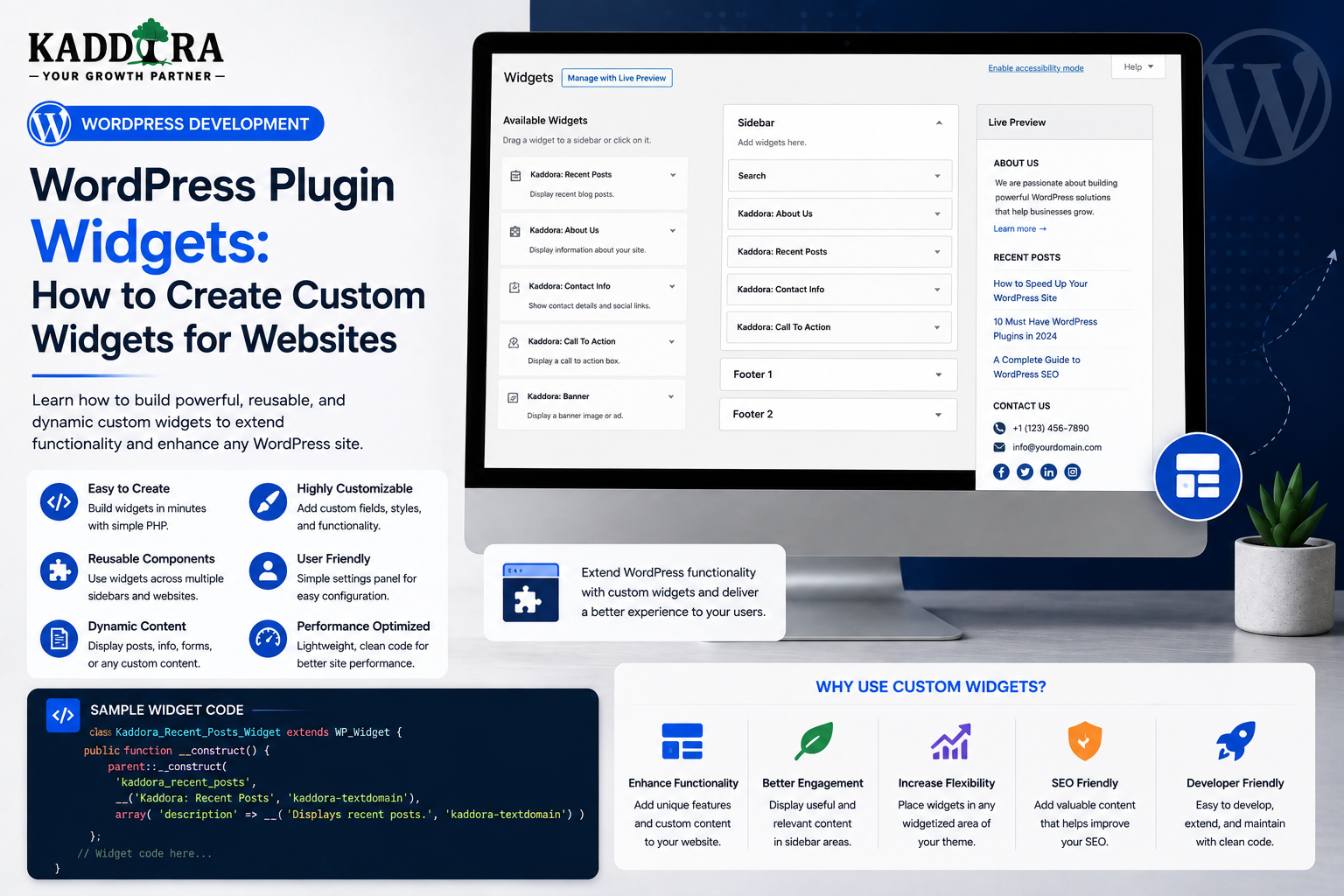
WordPress Plugin Widgets: How to Create Custom Widgets for WordPress Websites
Introduction
WordPress widgets provide a convenient way to place reusable content and functionality in widget-ready areas of a website.
Depending on the theme and WordPress setup, widget areas may include:
Sidebars
Footers
Header areas
Page sections
Other widget-enabled locations
A plugin can create its own custom widget for functionality such as:
Recent products
Contact information
Social links
Business hours
Newsletter forms
Popular posts
WooCommerce products
Analytics summaries
Search tools
AI-generated content
Call-to-action components
A basic widget workflow looks like:
WordPress ↓ Widget Registration ↓ Widget Area ↓ Widget Settings ↓ Frontend Rendering
For example:
Sidebar ├── Search ├── Recent Posts ├── Kaddora Product Widget └── Newsletter
Widgets are simple from a user perspective, but professional widget development still requires careful consideration of:
Widget registration
Settings
Validation
Sanitization
Output escaping
User permissions
Dynamic data
Asset loading
Caching
Accessibility
Internationalization
Performance
Theme compatibility
Widgets are also part of the broader evolution of WordPress.
Modern themes and the Block Editor may provide block-based approaches that replace or reduce traditional widget-area usage in some environments.
This means developers should understand both classic widgets and the newer block-based ecosystem.
In this guide, you'll learn how WordPress widgets work, how to create custom widgets inside plugins, register widget classes, add configurable fields, validate settings, render frontend output safely, load assets efficiently, create WooCommerce and AI widgets, handle caching, support accessibility and translation, test widgets, and decide when a widget should instead be implemented as a Gutenberg block.
What Is a WordPress Widget?
A WordPress widget is a reusable piece of functionality that can be placed into a widget-enabled area of a website.
Classic examples include:
Search Recent Posts Categories Custom HTML Archives
A plugin can add its own widget to the available widget list.
Why Create a Custom Widget?
A widget can make plugin functionality accessible without requiring users to manually insert code.
For example:
Kaddora Product Widget
could allow a store owner to choose:
Product Number of Items Show Price Show Image
and then place the result in a sidebar or other widget area.
Widgets vs Shortcodes
Both can provide reusable frontend components.
Widget
Configured through a widget-management interface.
Shortcode
Inserted directly into content.
For example:
Widget: Sidebar → Kaddora Product Widget Shortcode: [kdr_product id="123"]
Choose the method based on where users need the component.
Widgets vs Gutenberg Blocks
Modern WordPress increasingly uses blocks.
Widgets
Useful for:
Classic widget areas
Legacy themes
Simple sidebar components
Existing widget-based workflows
Blocks
Often better for:
Visual page building
Complex configuration
Modern editor workflows
Full Site Editing environments
A plugin can support both when the user base benefits from both approaches.
When Should You Build a Widget?
A widget is useful when the functionality naturally belongs in a reusable site section.
Good examples include:
Sidebar product listings
Contact information
Newsletter signup
Popular content
Business information
Social profiles
A complicated full-page application probably should not be forced into a widget.
WordPress Widget Architecture
A traditional widget generally includes:
Widget Class ├── Constructor ├── Widget Form ├── Widget Update └── Widget Output
These responsibilities correspond roughly to:
Constructor → Identity / Registration Form → Admin Configuration Update → Save Settings Widget → Frontend Rendering
Creating a Custom Widget Class
WordPress classic widgets generally extend WP_Widget.
For example:
class KDR_Product_Widget extends WP_Widget { public function __construct() { parent::__construct( 'kdr_product_widget', __( 'Kaddora Product Widget', 'kdr-plugin' ) ); } }
The exact implementation depends on the plugin.
Register the Widget
Widgets should be registered during the appropriate WordPress lifecycle.
A typical approach is:
add_action( 'widgets_init', function () { register_widget( 'KDR_Product_Widget' ); } );
Use a plugin-specific class name and callback architecture.
Keep the Widget Class Focused
A common mistake is putting all business logic inside the widget class.
Avoid:
Widget ├── SQL ├── API calls ├── Analytics calculations ├── AI processing └── HTML
Instead:
Widget ↓ Service ↓ Repository / Integration ↓ Data
The widget should primarily manage widget-specific configuration and rendering.
Widget Constructor
The constructor generally defines:
Widget ID
Widget title
Widget description
Supported options
Keep initialization lightweight.
Don't perform expensive database queries or remote API calls in the constructor.
Widget Form
The widget form determines what administrators see while configuring the widget.
For example:
Kaddora Product Widget Title: [Featured Products] Category: [Headphones ▼] Items: [6] ☑ Show Price ☑ Show Image
The form should remain easy to understand.
Widget Form Fields
Common fields include:
Text
Number
Select
Checkbox
URL
Color
Category
Product selector
Only expose settings that users actually need.
Use Unique Field IDs
Widget fields need to be associated with the correct widget instance.
WordPress provides widget-specific identifiers to help generate these fields correctly.
Avoid manually hardcoding field names in a way that can overwrite another widget instance.
Widget Update Method
The update method processes submitted settings.
A good workflow is:
Admin Input ↓ Validate ↓ Sanitize ↓ Save
For example:
public function update( $new_instance, $old_instance ) { $instance = array(); $instance['title'] = sanitize_text_field( $new_instance['title'] ?? '' ); return $instance; }
Use appropriate handling for each field type.
Sanitize According to Data Type
For example:
Title → sanitize_text_field() URL → Appropriate URL validation / sanitization Integer → absint() or suitable validation Email → Email validation
Do not use one sanitization function for every field.
Validate Choices
If a widget allows:
layout: list grid carousel
don't blindly save arbitrary values.
Allow only recognized values:
list grid carousel
Unexpected values should be rejected or normalized.
Widget Output Method
The widget method generates the frontend output.
The flow is:
Widget Settings ↓ Validate / Normalize ↓ Service ↓ Data ↓ Escaped HTML
Avoid performing unrelated application tasks during rendering.
Return or Echo Widget Output?
The classic widget API expects the widget to output its rendered content.
However, the important architectural principle is to prepare the content safely before output and keep the rendering responsibility focused.
For reusable markup, a template function can help keep the HTML organized.
Widget Template Structure
A plugin can use:
templates/ └── widgets/ └── product-widget.php
The widget class prepares the data.
The template handles presentation.
Don't Put Database Queries in Widget Templates
Avoid:
Template ↓ SQL Query ↓ API Request ↓ Business Logic
Prefer:
Widget ↓ Service ↓ Prepared Data ↓ Template
This makes templates easier to maintain.
Widget Output Escaping
Dynamic widget values should be escaped according to context.
For example:
Text → esc_html() Attribute → esc_attr() URL → esc_url()
If limited HTML is intentionally allowed, handle it using the appropriate WordPress HTML APIs rather than blindly outputting untrusted content.
Widget Title Escaping
If a widget title comes from an administrator:
Widget Title ↓ Stored ↓ Frontend
escape it appropriately when rendering.
Never assume administrator-entered data is automatically safe for every output context.
Widget CSS
Use plugin-specific classes:
.kdr-product-widget {} .kdr-product-widget-title {} .kdr-product-widget-item {}
Avoid generic classes such as:
.widget {} .card {} .product {}
which may conflict with themes and other plugins.
Theme Compatibility
Themes may style widgets automatically.
A good widget should work with reasonable theme styling instead of aggressively overriding the entire design.
Avoid unnecessarily opinionated global CSS.
Responsive Widgets
Widgets may appear in:
Narrow sidebars
Wide footers
Mobile layouts
Design flexible markup.
Avoid fixed widths that assume a desktop sidebar.
Widget Asset Loading
If the widget requires JavaScript or CSS, load assets efficiently.
A plugin shouldn't automatically load large libraries across every page simply because one widget exists somewhere on the site.
Where practical, identify where the widget is actually being used or use a lightweight shared asset strategy.
Widget JavaScript
JavaScript may be required for:
Sliders
AJAX search
Dynamic filters
Carousels
Interactive charts
AI actions
Keep it modular and avoid unnecessary global scripts.
Widget AJAX
A widget can use AJAX for dynamic interactions.
For example:
Product Widget ↓ Load More ↓ AJAX ↓ Additional Products
The AJAX endpoint should enforce the same security controls as any other endpoint.
Widget REST API Integration
A widget may also consume a plugin REST API.
For example:
Widget ↓ REST API ↓ Dynamic Data
Do not expose sensitive data simply because the widget appears on the frontend.
Public vs Private Widgets
A widget displaying:
Latest Posts
may be public.
A widget displaying:
Customer Account Information
must enforce authentication and authorization.
Customer-Specific Widget Data
Suppose a widget displays:
My Recent Orders
The widget must determine the current user from WordPress authentication.
Don't let the widget accept an arbitrary:
user_id
and assume it is authorized.
WooCommerce Product Widget
A WooCommerce plugin can provide:
Kaddora Product Widget
with settings such as:
Category Product Count Order By Show Price Show Image
The widget can then retrieve the appropriate products through WooCommerce-compatible APIs.
Product Visibility
Before displaying products, consider:
Product status
Catalog visibility
Stock status
Store settings
User-specific restrictions where relevant
Do not display products simply because their database IDs are known.
WooCommerce Sales Widget
An analytics plugin may offer:
Sales Summary
displaying:
Today Orders: 24 Revenue: ₹48,500
This information should be visible only where the current user has permission to view store analytics.
Don't Query All Orders on Every Render
An analytics widget should avoid:
Every Page Load ↓ Load All Orders ↓ Calculate Revenue
Use:
Aggregated metrics
Cached values
Efficient queries
Background processing
where appropriate.
AI-Powered Widgets
AI plugins can create widgets such as:
AI Assistant AI Recommendations AI Summary AI Content Generator
For example:
AI Assistant Widget ↓ User Input ↓ Server ↓ AI Provider ↓ Response
Protect AI Credentials
Never place provider API keys in:
Frontend JavaScript
Widget HTML
Public data attributes
Browser-visible REST responses
Use a server-side integration.
Control AI Usage
An AI widget should consider:
Usage limits
Authentication
Request limits
Input size
Model selection
Cost controls
Avoid unlimited public AI generation.
Cache Suitable AI Widget Results
For repeated content, caching can reduce API usage.
For example:
Widget Request ↓ Cache? ├── Yes → Display Cached Result └── No → Generate → Cache
Private or personalized results require user-aware caching.
Newsletter Widget
A plugin may provide:
Newsletter Signup
The widget should contain:
Email Consent Submit
The backend must validate and securely process the submission.
Spam Protection
Public widgets that accept user input may need:
Rate limiting
CAPTCHA
Honeypot fields
Request throttling
Validation
The appropriate combination depends on the risk.
Contact Widget
A contact widget may provide:
Name Email Message
The backend should handle:
Validation Spam Protection Email Delivery Optional Storage Privacy
Keep processing logic outside the visual widget layer.
Widget Settings and Site Administration
Not every setting belongs inside the widget configuration.
For example:
Widget Settings → Product Count Global Plugin Settings → API Credentials → General Analytics Configuration
Keep global configuration centralized.
Per-Widget vs Global Settings
A useful distinction is:
Global: API License Defaults Per Widget: Title Category Number of Items Display Style
This avoids duplicating global configuration in every widget instance.
Multiple Widget Instances
A site may use:
Sidebar → Product Widget Footer → Product Widget Homepage → Product Widget
Each instance may have different settings.
Test that one instance does not overwrite another.
Widget Instance Isolation
Each widget instance should use its own stored configuration.
Avoid global variables that accidentally cause:
Widget A settings → Widget B output
Widget Defaults
Provide sensible defaults.
For example:
Title: Featured Products Items: 4 Show Image: Yes
Defaults reduce configuration effort.
Widget Empty States
If no content is available:
No products found.
A useful widget may provide a short next step rather than simply disappearing.
Widget Error States
If an external API fails:
Unable to load content.
Avoid showing:
Fatal exception SQLSTATE...
to visitors.
Technical details belong in secure logs.
Widget Loading States
For AJAX-based widgets:
Loading...
or a suitable skeleton state can communicate progress.
Make the loading state accessible to screen readers where appropriate.
Widget Accessibility
A professional widget should consider:
Semantic HTML
Proper headings
Form labels
Keyboard navigation
Focus indicators
Screen-reader support
Accessible links
Sufficient contrast
Don't rely only on visual styling.
Widget Internationalization
User-facing widget strings should use WordPress localization functions.
Examples:
View Products No Results Found Loading... Read More
Use a consistent text domain.
Widget RTL Support
RTL languages may change widget layout direction.
Check:
Padding Icons Arrows Alignment Forms Lists
Use logical CSS properties where appropriate.
Widget Performance
A widget can appear on many pages.
If the widget executes:
Database Query + External API + Complex Processing
on every request, it can become a performance problem.
Measure its impact.
Widget Caching
Cache suitable data.
Examples:
Popular Products Latest Articles Analytics Summary External API Data
Cache invalidation should match the freshness requirements.
Don't Cache Private Customer Data Globally
For:
My Orders My Account Private Reports
use appropriate user-aware caching or avoid shared caching.
Widget Database Queries
Use efficient queries.
Avoid:
SELECT *
when only a few fields are needed.
Use:
Appropriate indexes
Pagination
Limits
Efficient filters
for larger datasets.
Widget Query Reuse
If multiple widgets on the same page need the same data:
Widget A Widget B Widget C
consider whether the plugin can reuse cached or shared results.
Avoid repeating identical expensive queries unnecessarily.
Widget and Scheduled Data
Some widgets should not calculate expensive information during the page request.
Instead:
Cron ↓ Calculate Metrics ↓ Store / Cache ↓ Widget Reads Result
This is especially useful for analytics.
Analytics Widget Architecture
For example:
Scheduled Job ↓ Aggregate Sales ↓ Cache Result ↓ Dashboard Widget ↓ Display
The widget remains lightweight.
Widget Security
A secure widget should consider:
Configuration ↓ Validation ↓ Data Access ↓ Authorization ↓ Escaped Output
Widgets can become security-sensitive when they display private data or accept user input.
Widget Options Are Not Automatically Trusted
Even though widget settings come from the WordPress admin, they are still stored data.
Validate settings before using them in:
Queries
URLs
HTML
API requests
Widget and Object IDs
If a widget stores:
product_id = 123
verify the object still exists and is valid when rendering.
Content can be deleted or changed after widget configuration.
Widget and Multisite
If your plugin supports multisite, decide whether widget settings are:
Per Site or Network Managed
Don't assume a single-site configuration.
Widget and Theme Migration
A widget may move from one theme to another.
Test what happens when a user switches themes.
Depending on WordPress's widget system, settings and placement may behave differently across themes.
Document any theme-specific limitations.
Widget and Classic vs Block-Based Widget Areas
Modern WordPress environments may use block-based widget management.
A traditional widget can still be useful, but developers should understand how it interacts with the current widget interface and block system.
For new functionality requiring rich visual controls, a custom block may provide a better long-term interface.
Widget Migration to Blocks
A plugin can support:
Classic Widget + Gutenberg Block
using the same underlying service layer.
For example:
Widget ─────┐ ├── ProductService Block ──────┘
This prevents duplication of core business logic.
Don't Duplicate Business Logic
Avoid creating:
Widget Product Logic Block Product Logic Shortcode Product Logic
Instead use:
ProductService
and let each interface call it.
Widget Documentation
For each custom widget, document:
Widget Name Purpose Available Settings Defaults Requirements Examples Limitations Troubleshooting
For commercial products, include screenshots when useful.
Example Widget Documentation
Kaddora Product Widget Purpose: Displays selected WooCommerce products. Settings: Category Product Count Show Price Show Image Requires: WooCommerce Example: Add the widget to a sidebar and select a product category.
Keep documentation aligned with the actual implementation.
Widget Testing
Test:
Add Widget Configure Save Reload Render Edit Remove
Also test multiple widget instances.
Test Invalid Settings
Use:
Invalid ID Negative Count Unsupported Layout Missing Data Unexpected Text
The widget should fail safely.
Test User Roles
For private widgets, test:
Administrator Editor Subscriber Logged-Out Visitor
Only authorized users should see protected data.
Test Theme Compatibility
Test the widget with:
A default WordPress theme
Supported commercial themes
Relevant WooCommerce themes
Different widget layouts
The goal is to identify assumptions about theme markup and CSS.
Test Multiple Widgets on One Page
For example:
Product Widget A Product Widget B Analytics Widget Newsletter Widget
Verify CSS, JavaScript, IDs, and configuration do not conflict.
Test Performance
Measure:
Query count
Page generation time
Memory
API calls
Cache behavior
Test with realistic data.
Test External API Failure
If a widget consumes an external service, test:
Success Timeout Authentication Failure Rate Limit Malformed Response Unavailable Server
The frontend should remain usable when the remote service fails.
Test AI Widget Failure
For AI widgets, also test:
Missing API Key Invalid Key Usage Limit Large Input Provider Error Slow Response Invalid Model
Avoid exposing provider internals to website visitors.
Common WordPress Widget Mistakes
Giant Widget Classes
The widget handles every business responsibility.
No Validation
Stored settings are trusted blindly.
Unescaped Output
Dynamic content creates XSS risk.
Generic CSS
Theme conflicts appear.
Heavy Queries on Every Page
The site becomes slower.
Remote API on Every Render
Page performance depends on an external service.
No Caching
Repeated work happens unnecessarily.
Public Access to Private Data
Authorization is ignored.
No Multiple-Instance Testing
Widget settings interfere with each other.
Ignoring Block-Based WordPress
The user experience becomes outdated.
Best Practices for WordPress Plugin Widgets
A professional widget should:
Use a unique widget ID and class name.
Keep the widget class focused.
Separate business logic from rendering.
Validate and sanitize settings.
Escape frontend output appropriately.
Use plugin-scoped CSS classes.
Load assets efficiently.
Cache suitable data.
Protect private information.
Use server-side authorization.
Handle external failures gracefully.
Support accessibility and localization.
Test multiple widget instances.
Test classic and modern WordPress environments where relevant.
Consider a Gutenberg block when richer editing controls are needed.
Professional WordPress Widget Architecture
A scalable plugin can use:
WordPress │ ▼ Widget Class │ Configuration │ Service ┌──────────┼──────────┐ ▼ ▼ ▼ Database Cache API │ │ │ └──────────┼──────────┘ ▼ Template │ ▼ Safe Output
The widget remains a presentation and configuration layer rather than becoming the entire application.
Why choose ThemeKaddora?
ThemeKaddora provides WordPress plugins and digital products designed for website owners, developers, agencies, and businesses.
Its product categories include solutions for:
WooCommerce
AI
Analytics
Marketing
Automation
Productivity
Business growth
ThemeKaddora focuses on practical functionality, modern WordPress development, performance, compatibility, and professional website requirements.
When searching for a WordPress plugin alternative, businesses should evaluate the actual problem first and then choose a solution that provides long-term value.
Conclusion
WordPress widgets remain useful for adding reusable functionality to widget-enabled areas, even as WordPress increasingly moves toward block-based editing.
The basic architecture is:
Widget
→ Settings
→ Validation
→ Service
→ Data
→ Safe Output
For a professional plugin, the widget itself should remain lightweight.
Business logic should live in reusable services.
Database access should remain separate.
External APIs should be isolated.
Private information should be protected by authorization.
Expensive operations should be cached or moved to background processing.
For ThemeKaddora, this means a single product service can potentially support several interfaces:
Widget │ Shortcode │ Gutenberg Block │ REST API │ ▼ Shared Service
That architecture avoids duplicating the same business logic across different WordPress interfaces.
The most important decision is therefore not:
"How can I build a widget?"
It is:
"Is a widget the right interface for this functionality?"
For simple sidebar and footer components, the answer may be yes.
For complex visual editing, a Gutenberg block may be better.
For external integrations, a REST API may be more appropriate.
For long-running calculations, a background job may be required.
The strongest WordPress plugins choose the right interface while keeping the underlying business logic reusable.
A professional widget should ultimately be:
Simple to configure
→ Safe to execute
→ Fast to render
→ Accessible
→ Translation-ready
→ Compatible with the WordPress ecosystem
Frequently Asked Questions
What is a WordPress widget?
A WordPress widget is a reusable component that can be placed into widget-enabled areas of a WordPress website.
Can a WordPress plugin create custom widgets?
Yes. Plugins can create custom widgets by extending the WordPress widget architecture and registering them appropriately.
What is WP_Widget?
WP_Widget is the WordPress base class traditionally used to create classic custom widgets.
What should a widget class contain?
A classic widget generally handles its identity, configuration form, settings update, and frontend rendering. Complex business logic should be delegated to other services.
Should WordPress widgets use database queries directly?
For simple functionality a direct query may sometimes be possible, but larger plugins benefit from separating data access into repositories or services.
How do I secure a WordPress widget?
Validate stored settings, enforce authorization for private data, use safe queries, and escape dynamic output according to its context.
Can widgets display WooCommerce products?
Yes. WooCommerce plugins can create widgets for products, categories, recommendations, sales summaries, and other commerce data.
Can widgets use AJAX?
Yes. Interactive widgets can use AJAX for search, filters, load-more behavior, and other dynamic features.
Can WordPress widgets use AI?
Yes. AI widgets can provide assistants, summaries, recommendations, and content tools. Provider credentials should remain server-side.
Should AI be generated every time a widget renders?
Usually not. Repeated AI requests can slow pages and increase costs. Caching or background generation is often more appropriate.
Can a widget show private customer information?
Yes, but only when the current user is authenticated and authorized to see that information. Never rely on a user ID supplied by the frontend alone.
Why choose Themekaddora?
Themekaddora provides lightweight, responsive, SEO-friendly WordPress themes with fast performance, WooCommerce compatibility, flexible customization, accessibility-conscious design, modern templates, regular updates, and professional support—providing a strong foundation for businesses building digital products and product-focused websites.
Comments (0)