
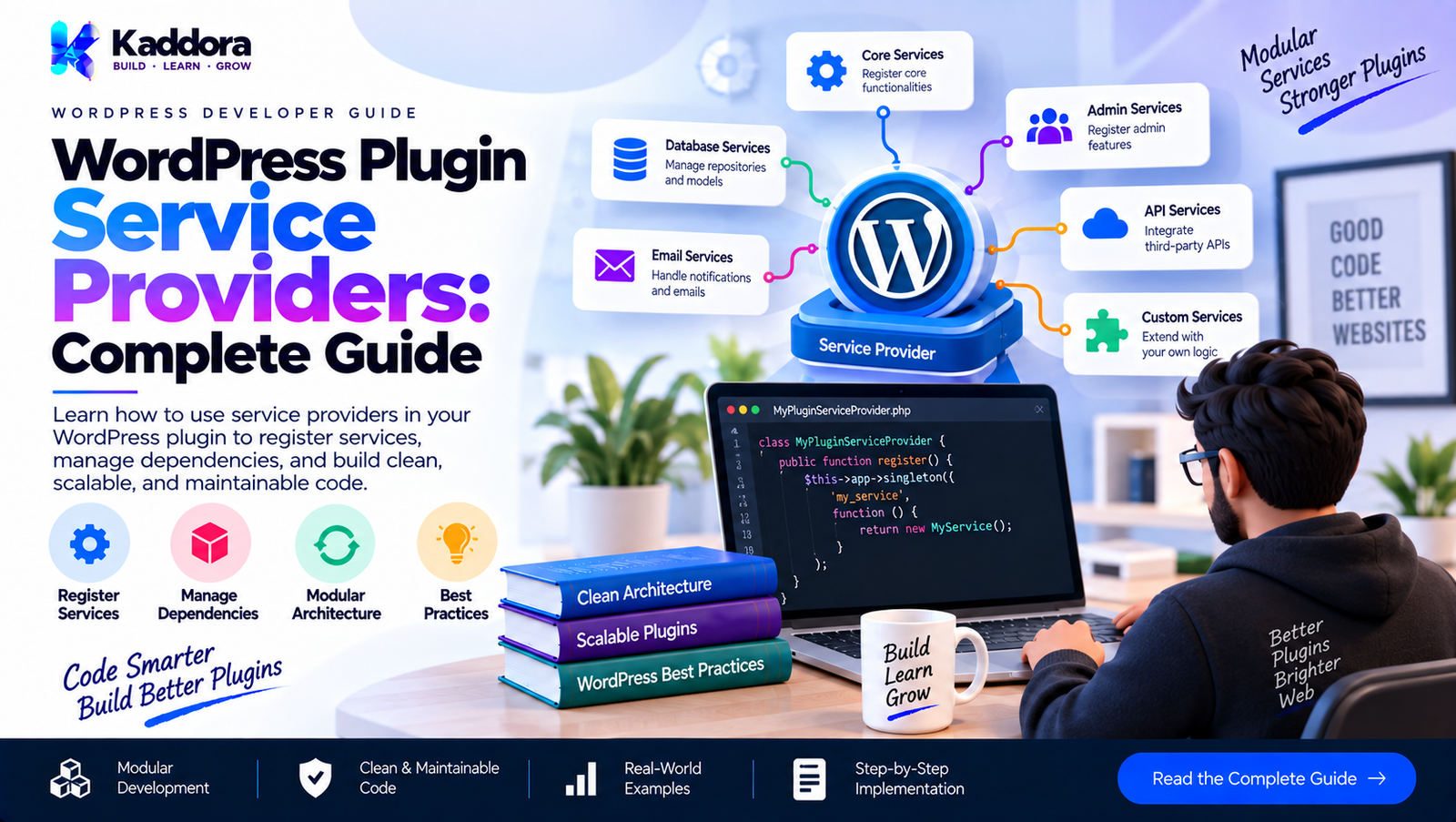
WordPress Plugin Service Providers: Complete Guide
Introduction
As a WordPress plugin grows, its bootstrap file can quickly become difficult to maintain.
A small plugin may start with:
add_action( 'init', 'kaddora_plugin_init' );
Then more features are added:
Settings REST API Admin Pages Database Cron Email Analytics WooCommerce Reports Integrations
The main plugin file eventually becomes responsible for creating and registering everything.
For example:
$database = new Database(); $config = new Configuration(); $analytics = new Analytics( $config ); $reports = new Reports( $database ); $email = new Email( $config ); add_action( 'init', array( $analytics, 'register' ) ); add_action( 'admin_menu', array( $reports, 'register' ) ); add_action( 'init', array( $email, 'register' ) );
This works initially, but eventually creates a large bootstrap file with too many responsibilities.
A service provider can provide a structured place for registering and bootstrapping plugin services.
A practical architecture looks like:
Plugin Bootstrap ↓ Service Providers ↓ Service Registration ↓ Dependencies ↓ Feature Modules ↓ WordPress Hooks
The goal is not to copy a framework architecture unnecessarily.
The goal is to keep plugin initialization understandable as the project grows.
What Is a WordPress Plugin Service Provider?
A service provider is a class responsible for registering and/or bootstrapping a group of related services.
For example:
final class Analytics_Service_Provider { public function register( $container ) { // Register analytics services. } public function boot( $container ) { // Connect analytics services to WordPress. } }
The provider can group related initialization logic.
Instead of the main plugin file knowing every implementation detail:
Plugin ├── Analytics ├── Reports ├── Email ├── REST └── Admin
the bootstrap can work with providers:
Plugin ├── Core Provider ├── Admin Provider ├── REST Provider ├── Analytics Provider └── Integration Provider
Why Service Providers Matter
A growing plugin often has many services.
Without a structured registration layer, initialization can become:
plugin.php ↓ create service ↓ create another service ↓ register hook ↓ create another dependency ↓ register another hook ↓ repeat
Service providers introduce a clearer boundary:
Provider ↓ Register dependencies ↓ Register services ↓ Boot integrations
This improves organization.
Service Providers vs Plugin Modules
Service providers and feature modules are related but not identical.
A module represents a feature or functional area.
Examples:
Analytics Appointments Reports SEO Email WooCommerce
A service provider handles registration and bootstrapping for services.
For example:
Analytics Module ↓ Analytics Service Provider ↓ Analytics Services
One provider may register multiple services belonging to a module.
Service Provider Lifecycle
A useful lifecycle is:
Plugin Bootstrap ↓ Create Container ↓ Register Providers ↓ Register Services ↓ Resolve Dependencies ↓ Boot Providers ↓ WordPress Runtime
This separates:
Registration
from:
Runtime Initialization
That distinction becomes valuable in larger plugins.
Registration vs Boot
A service provider can have two conceptual phases.
Register
Define what services exist.
public function register( $container ) { $container->singleton( 'configuration', function () { return new Configuration(); } ); }
Boot
Connect already-registered services to WordPress.
public function boot( $container ) { $analytics = $container->get( 'analytics' ); $analytics->register_hooks(); }
This provides:
Register ↓ Dependencies become available ↓ Boot ↓ Hooks and runtime integration
Why Separate Register and Boot?
Consider two services:
Configuration Analytics
Analytics depends on configuration.
If analytics is booted before configuration is registered, the dependency may not be available.
A registration phase provides a predictable ordering:
Register Configuration Register Analytics ↓ Boot Configuration-dependent Services
This reduces initialization-order problems.
A Simple Service Provider Interface
A plugin can define a small interface:
interface Service_Provider_Interface { public function register( $container ); public function boot( $container ); }
Then:
final class Analytics_Service_Provider implements Service_Provider_Interface { public function register( $container ) { // Register services. } public function boot( $container ) { // Register hooks. } }
The interface gives providers a predictable contract.
Do You Need an Interface?
Not always.
A small plugin can simply use:
$providers = array( new Core_Service_Provider(), new Admin_Service_Provider(), );
and expect each provider to implement:
register() boot()
An interface becomes more useful when:
Many providers exist
Providers are dynamically discovered
Providers are tested independently
Third-party extensions can register providers
A common lifecycle needs to be enforced
Avoid introducing an interface only because the pattern suggests one.
A Simple Provider Registry
A provider registry can manage registered providers.
final class Service_Provider_Registry { private $providers = array(); public function add( Service_Provider_Interface $provider ) { $this->providers[] = $provider; } public function register_all( $container ) { foreach ( $this->providers as $provider ) { $provider->register( $container ); } } public function boot_all( $container ) { foreach ( $this->providers as $provider ) { $provider->boot( $container ); } } }
The plugin bootstrap can then remain small.
Plugin Bootstrap Example
A simplified bootstrap might look like:
final class Plugin { public function run() { $container = new Container(); $providers = new Service_Provider_Registry(); $providers->add( new Core_Service_Provider() ); $providers->add( new Admin_Service_Provider() ); $providers->add( new Rest_Service_Provider() ); $providers->register_all( $container ); $providers->boot_all( $container ); } }
The bootstrap describes the architecture without containing every service implementation.
Core Service Provider
A core provider might register foundational services.
For example:
final class Core_Service_Provider { public function register( $container ) { $container->singleton( 'configuration', function () { return new Configuration_Service(); } ); $container->singleton( 'database', function () { return new Database_Service(); } ); } public function boot( $container ) { // Core services usually need minimal boot logic. } }
Core services can then be used by other providers.
Analytics Service Provider
An analytics provider might register:
Analytics Repository Analytics Service Analytics REST Controller Analytics Scheduler
For example:
final class Analytics_Service_Provider { public function register( $container ) { $container->singleton( 'analytics.repository', function () { return new Analytics_Repository(); } ); $container->singleton( 'analytics.service', function ( $container ) { return new Analytics_Service( $container->get( 'analytics.repository' ) ); } ); } public function boot( $container ) { $container->get( 'analytics.service' )->register_hooks(); } }
The provider owns the analytics initialization.
Admin Service Provider
An admin provider may register:
Settings page Admin controller Admin assets Admin notices
Example:
final class Admin_Service_Provider { public function register( $container ) { $container->singleton( 'admin.settings', function () { return new Settings_Page(); } ); } public function boot( $container ) { $container->get( 'admin.settings' )->register_hooks(); } }
This keeps admin initialization separate from frontend and core services.
REST Service Provider
A REST provider can register API controllers.
final class Rest_Service_Provider { public function register( $container ) { $container->singleton( 'rest.controller', function ( $container ) { return new Rest_Controller( $container->get( 'configuration' ) ); } ); } public function boot( $container ) { $container->get( 'rest.controller' )->register_routes(); } }
This makes the REST layer independently maintainable.
Service Providers and Dependency Injection
Service providers work particularly well with dependency injection.
For example:
$container->singleton( 'report.service', function ( $container ) { return new Report_Service( $container->get( 'configuration' ), $container->get( 'report.repository' ) ); } );
The provider defines how dependencies are assembled.
The service itself does not need to know how those dependencies were created.
Service Provider vs Container
These concepts should not be confused.
Service Container
Responsible for:
Creating Storing Resolving
services.
Service Provider
Responsible for:
Registering Configuring Bootstrapping
services.
Conceptually:
Service Provider ↓ Container ↓ Service
The provider tells the container what services exist.
Service Providers and Dependency Resolution
A provider should register dependencies in a predictable order.
For example:
Configuration ↓ Database ↓ Repository ↓ Application Service ↓ Controller
The provider does not necessarily need to manually instantiate everything immediately.
A container can resolve dependencies when needed.
Lazy Service Registration
Services that are expensive or rarely used can be registered lazily.
For example:
$container->singleton( 'report.generator', function ( $container ) { return new Report_Generator( $container->get( 'report.repository' ) ); } );
The service is constructed when requested.
This can reduce unnecessary initialization.
Service Providers and Lazy Loading
Lazy loading is especially useful for:
Admin-only services
CLI services
Heavy integrations
External API clients
Reporting systems
Optional modules
However, do not make every service lazy simply because the pattern supports it.
The architecture should remain understandable.
Conditional Service Providers
A plugin may only need certain providers in certain contexts.
For example:
if ( is_admin() ) { $providers->add( new Admin_Service_Provider() ); }
Similarly, CLI-specific services can be registered only when running under WP-CLI if that is appropriate for the plugin.
However, is_admin() does not simply mean "administrator user"; it describes an admin request context.
The distinction matters.
Conditional Modules
Feature availability can also affect provider registration.
For example:
if ( $configuration->get( 'analytics_enabled', false ) ) { $providers->add( new Analytics_Service_Provider() ); }
This can produce:
Configuration ↓ Feature Decision ↓ Provider Registration ↓ Feature Services
The decision should be made intentionally.
Service Providers and Feature Flags
Feature flags can determine whether optional services are registered.
For example:
Analytics Enabled? ↓ Yes → Register Analytics Provider No → Skip Provider
This avoids booting unused feature services.
However, feature flags should not become hidden dependency rules.
Document which providers depend on which configuration.
Provider Ordering
Some providers may depend on services registered by earlier providers.
For example:
Core Provider ↓ Database Provider ↓ Analytics Provider ↓ REST Provider
A simple provider registry can use explicit ordering.
For example:
$providers = array( new Core_Service_Provider(), new Database_Service_Provider(), new Analytics_Service_Provider(), new Rest_Service_Provider(), );
Do not rely on accidental PHP file-loading order.
Avoid Circular Provider Dependencies
A problematic structure looks like:
Provider A ↓ Provider B ↓ Provider A
For example:
Analytics Provider ↓ Reports Provider ↓ Analytics Provider
This makes initialization difficult to reason about.
Prefer a dependency direction such as:
Core ↓ Infrastructure ↓ Application Services ↓ Feature Integrations
Providers Should Not Become God Objects
A service provider should not contain all plugin business logic.
Avoid:
final class Plugin_Service_Provider { public function boot() { // 500 lines of business logic. // Database operations. // API calls. // Email sending. // Report generation. } }
A provider should primarily assemble and register services.
Business logic belongs in the appropriate service.
Provider Responsibilities
A provider can reasonably be responsible for:
Service registration
Dependency wiring
Hook registration
Controller registration
Integration bootstrapping
Module initialization
It should generally avoid owning:
Complex business rules
Database workflows
Long-running operations
User-facing rendering logic
Large data transformations
Service Providers and WordPress Hooks
Providers are useful for connecting services to WordPress hooks.
For example:
public function boot( $container ) { $service = $container->get( 'analytics.service' ); add_action( 'init', array( $service, 'initialize', ) ); }
This keeps WordPress hook wiring close to the service registration responsible for the feature.
Hook Registration Inside Services vs Providers
Both approaches can be valid.
Provider approach
public function boot( $container ) { add_action( 'init', array( $container->get( 'analytics.service' ), 'initialize', ) ); }
Service approach
public function register_hooks() { add_action( 'init', array( $this, 'initialize', ) ); }
Choose one convention and apply it consistently.
For larger plugins, providers can provide a useful central overview of how services enter the WordPress runtime.
Service Providers and WordPress Lifecycle
WordPress has its own lifecycle.
A plugin provider should respect it.
For example:
Plugin Loaded ↓ Provider Registration ↓ WordPress Loads ↓ Hooks Execute ↓ Services Respond
Do not execute expensive application logic immediately when the plugin file is loaded unless there is a specific reason.
Prefer registering behavior for the appropriate WordPress hook.
Avoid Heavy Work During Plugin Load
Avoid:
// Plugin file loaded. $large_dataset = load_everything(); $remote_data = wp_remote_get( $api_url );
Service providers should generally register the ability to perform these operations rather than immediately performing them.
Better:
Plugin Load ↓ Register Service ↓ WordPress Hook ↓ Perform Operation When Needed
Service Providers and External APIs
An API client can be registered by a provider.
$container->singleton( 'api.client', function ( $container ) { return new Api_Client( $container->get( 'configuration' ) ); } );
The client is created when required.
This keeps API infrastructure separate from business services.
Service Providers and Repositories
Repositories can also be registered.
$container->singleton( 'order.repository', function () { return new Order_Repository(); } );
Application services can then depend on the repository:
return new Order_Service( $container->get( 'order.repository' ) );
The provider becomes the composition boundary.
Service Providers and Database Services
A database service can be registered centrally.
For example:
$container->singleton( 'database', function () { return new Database_Service( $GLOBALS['wpdb'] ); } );
In production plugin code, prefer explicitly injecting $wpdb into the relevant service rather than relying on arbitrary global access throughout the application.
The provider can act as the place where WordPress's database dependency enters the plugin architecture.
Service Providers and Configuration
Providers often depend on configuration.
For example:
$container->singleton( 'api.client', function ( $container ) { return new Api_Client( $container->get( 'configuration' ) ); } );
This creates a clean relationship:
Configuration ↓ Provider ↓ API Client
Environment configuration can also participate:
Environment ↓ Configuration ↓ Provider ↓ Service
Service Providers and Runtime Configuration
Runtime configuration can be injected where appropriate.
For example:
$container->singleton( 'import.service', function ( $container ) { return new Import_Service( $container->get( 'runtime.configuration' ) ); } );
However, be careful with singleton lifetime.
A runtime configuration object should not accidentally persist across separate execution contexts.
In normal PHP WordPress requests, object lifetime is request-scoped because the PHP process/request ends. Long-running workers require additional care.
Service Providers and Multisite
A provider may register services that operate per site or network-wide.
For example:
Network Services ↓ Network Provider Site Services ↓ Site Provider
The provider architecture should reflect the plugin's actual multisite requirements.
Do not automatically assume every service is network-wide.
Service Providers and Admin Assets
An admin provider can register asset loading.
For example:
add_action( 'admin_enqueue_scripts', array( $assets, 'enqueue', ) );
The asset service can then determine whether the current admin screen actually requires the assets.
This is preferable to loading every plugin stylesheet and script on every admin page.
Service Providers and REST Routes
A REST provider can register routes during:
rest_api_init
For example:
add_action( 'rest_api_init', array( $controller, 'register_routes', ) );
This aligns the service lifecycle with WordPress's API lifecycle.
Service Providers and Cron
A provider can register scheduled tasks.
For example:
add_action( 'init', array( $scheduler, 'register', ) );
The scheduler can then handle the actual scheduling logic.
Again, the provider coordinates; the scheduler owns scheduling behavior.
Service Providers and WooCommerce
A plugin integrating with WooCommerce may use a dedicated provider:
WooCommerce Provider ↓ Compatibility Check ↓ WooCommerce Services ↓ Hooks
The provider can determine whether the integration should be initialized.
For example:
if ( class_exists( 'WooCommerce' ) ) { // Register integration. }
Compatibility checks should be kept close to integration registration.
Service Providers and Optional Dependencies
Some plugin features may depend on another plugin.
For example:
Core Plugin ↓ Optional WooCommerce Integration
The provider can register the integration only when the dependency is available.
This avoids loading integration code unnecessarily.
Service Provider Error Handling
A provider should handle configuration or dependency failures predictably.
For example:
if ( ! $container->has( 'configuration' ) ) { return; }
However, silently ignoring critical failures can make debugging difficult.
For required dependencies, a clear controlled failure may be preferable.
Service Provider Testing
Providers should be testable.
A test can verify that a provider registers a service:
$provider->register( $container ); $this->assertTrue( $container->has( 'analytics.service' ) );
Boot behavior can be tested separately.
This is one advantage of separating registration from runtime execution.
Testing Provider Dependencies
Suppose an analytics service requires:
Configuration Repository Logger
The provider should assemble these dependencies correctly.
Tests can verify:
Provider ↓ Analytics Service ↓ Correct Dependencies
This catches wiring problems before they appear during real requests.
Service Provider Naming
Use clear names.
Good:
Core_Service_Provider Admin_Service_Provider Rest_Service_Provider Analytics_Service_Provider WooCommerce_Service_Provider
Avoid vague names such as:
Main_Provider Stuff_Provider Helper_Provider Manager_Provider
The provider name should communicate the area it initializes.
Service Provider File Organization
A practical structure could be:
plugin/ ├── plugin.php ├── includes/ │ ├── Core/ │ ├── Configuration/ │ ├── Providers/ │ │ ├── Core_Service_Provider.php │ │ ├── Admin_Service_Provider.php │ │ ├── Rest_Service_Provider.php │ │ └── Analytics_Service_Provider.php │ ├── Services/ │ └── Repositories/ ├── admin/ └── assets/
The exact directory structure can vary.
The important principle is clear responsibility.
Service Provider Autoloading
Providers should be loaded through the plugin's autoloading strategy.
For a PSR-4-style namespace structure:
use Kaddora\Plugin\Providers\Admin_Service_Provider;
The autoloader resolves the class when required.
For WordPress plugins, the autoloading strategy should remain compatible with the plugin's supported PHP and WordPress environments.
Do not introduce a dependency-management system solely because the provider pattern exists.
Service Providers and Namespaces
Namespaces can prevent collisions.
For example:
namespace Kaddora\Plugin\Providers; final class Analytics_Service_Provider { }
This is particularly useful for commercial plugins that may coexist with many other WordPress plugins.
Service Providers and Long Prefixes
For non-namespaced legacy code, use sufficiently unique prefixes.
For example:
KADDORA_ANALYTICS_
or:
Kaddora_Analytics_
depending on the coding architecture.
Namespacing is generally cleaner for modern PHP code, while WordPress global functions, hooks, option names, and constants still require appropriate unique prefixes.
Avoid Service Provider Overuse
Not every class needs a provider.
This can become excessive:
User_Service_Provider Email_Service_Provider Logger_Service_Provider Validator_Service_Provider Formatter_Service_Provider String_Service_Provider
if every provider only registers one trivial class.
Group related services where it improves clarity.
For example:
Core Provider ├── Configuration ├── Logger └── Validator
can be more practical.
Service Providers and Architecture Boundaries
Providers can help establish boundaries between layers.
For example:
Infrastructure Provider ↓ Repositories / APIs Application Provider ↓ Application Services Presentation Provider ↓ Controllers / Admin UI
This makes the plugin composition easier to understand.
Service Providers and Public APIs
A plugin that exposes extension points can allow extensions to register additional providers.
For example:
$providers = apply_filters( 'kaddora_service_providers', $providers );
Then:
foreach ( $providers as $provider ) { $registry->add( $provider ); }
If you expose such an extension point, validate the expected provider contract carefully.
Public extension points become part of the plugin's compatibility surface.
Service Provider Compatibility
Once third-party developers depend on a provider interface, changing it can cause compatibility problems.
Therefore:
Keep provider contracts small.
Avoid unnecessary methods.
Document lifecycle behavior.
Avoid changing method signatures casually.
Provide deprecation paths when required.
A provider interface can become part of your plugin's internal or public API depending on how it is exposed.
Service Providers and Backward Compatibility
Older plugin versions may initialize services directly.
A migration can gradually move toward providers:
Old Bootstrap ↓ Direct Service Creation New Bootstrap ↓ Provider Registration ↓ Service Creation
During migration, ensure existing hooks and behavior continue to work.
Architecture improvements should not accidentally change public plugin behavior.
Common Service Provider Mistakes
1. Putting Business Logic in Providers
Providers should compose services, not become business services themselves.
2. Creating Everything Immediately
Use lazy construction when it provides a real benefit.
3. Registering Hooks Too Early
Respect WordPress lifecycle hooks.
4. Creating Too Many Providers
Group related services when appropriate.
5. Circular Dependencies
Keep provider and service dependency directions clear.
6. Hiding Critical Dependencies
Make service dependencies explicit.
7. Ignoring Context
Admin, frontend, REST, CLI, and cron execution may have different requirements.
8. Overengineering the Container
A service provider does not require a massive dependency injection framework.
9. No Provider Contract
If multiple providers exist, consistent lifecycle methods improve predictability.
10. Making Providers Global God Objects
Keep each provider focused on registration and bootstrapping.
Recommended WordPress Plugin Service Provider Architecture
A practical architecture can look like:
Plugin Bootstrap │ ▼ Provider Registry │ ┌────────────────┼────────────────┐ ▼ ▼ ▼ Core Provider Admin Provider REST Provider │ │ │ ▼ ▼ ▼ Services Services Controllers │ │ │ └────────────────┼────────────────┘ ▼ Shared Container │ ▼ WordPress Runtime
The main plugin bootstrap remains responsible for starting the architecture, while providers are responsible for composing specific parts of the application.
Example Complete Provider Flow
A realistic plugin could initialize like this:
final class Plugin { public function run() { $container = new Container(); $registry = new Service_Provider_Registry(); $registry->add( new Core_Service_Provider() ); $registry->add( new Admin_Service_Provider() ); $registry->add( new Rest_Service_Provider() ); $registry->add( new Analytics_Service_Provider() ); $registry->register_all( $container ); $registry->boot_all( $container ); } }
The architecture is easy to read:
Create Container ↓ Register Providers ↓ Register Services ↓ Boot Services
Best Practices for WordPress Plugin Service Providers
1. Keep Providers Focused
A provider should own a logical area of service registration.
2. Separate Registration and Boot
Register dependencies first and connect runtime hooks afterward.
3. Keep Business Logic Out
Providers should compose services rather than perform application workflows.
4. Respect WordPress Lifecycle
Use the appropriate WordPress hooks for runtime operations.
5. Avoid Excessive Providers
Use providers where they improve organization.
6. Make Dependencies Explicit
Services should clearly declare what they need.
7. Support Lazy Construction Where Useful
Do not instantiate expensive services unnecessarily.
8. Handle Optional Integrations Carefully
Only register integrations when their dependencies are available.
9. Test Provider Wiring
Verify that services and dependencies are correctly registered.
10. Keep the Architecture Native to WordPress
Use service providers to solve real plugin architecture problems rather than importing an unnecessarily complicated framework design.
WordPress Plugin Service Provider Checklist
Before implementing service providers, verify:
Provider responsibilities are clearly defined.
Registration and boot phases are separated where useful.
Provider names describe their responsibilities.
Core dependencies are registered before dependent services.
Circular dependencies are avoided.
Business logic is kept outside providers.
WordPress lifecycle hooks are respected.
Admin-only services are not unnecessarily loaded everywhere.
REST services use rest_api_init appropriately.
Cron services use appropriate scheduling hooks.
Optional integrations have dependency checks.
Sensitive credentials remain protected.
Providers do not create unnecessary database writes.
Lazy loading is used where it provides a real benefit.
Provider interfaces remain small.
Public provider contracts are documented.
Provider wiring is covered by tests.
Service dependencies are explicit.
The container remains appropriately simple.
The architecture does not introduce unnecessary framework complexity.
Why Choose Kaddora?
At Kaddora, service providers can be useful when a WordPress plugin grows into a collection of interconnected features and services.
A commercial plugin may contain:
Configuration
Database services
REST APIs
Admin interfaces
Analytics
Reports
Email services
WooCommerce integrations
AI integrations
Scheduled processes
Instead of placing all initialization inside one large plugin bootstrap file, providers can organize these responsibilities into logical areas.
For example:
Core Provider ↓ Configuration + Infrastructure Analytics Provider ↓ Analytics Services Admin Provider ↓ Admin Services REST Provider ↓ API Controllers
The approach remains practical: use providers where they make service registration clearer, but avoid creating unnecessary abstractions for simple plugins.
Conclusion
WordPress plugin service providers provide a structured way to register and bootstrap groups of related services.
The central concept is:
Plugin Bootstrap ↓ Provider Registry ↓ Register Services ↓ Resolve Dependencies ↓ Boot Runtime Integrations
A good service provider architecture can improve:
Dependency management
Bootstrap organization
Feature separation
Testability
Lazy loading
Optional integrations
WordPress hook registration
Long-term maintainability
However, service providers should not become another layer of unnecessary complexity.
A small WordPress plugin may only need direct service registration. A larger plugin with many modules, integrations, controllers, repositories, and application services can benefit significantly from focused providers.
The objective is simple: make service registration predictable while keeping the plugin's architecture understandable.
Frequently Asked Questions
What is a service provider in WordPress plugin development?
A service provider is a class responsible for registering and bootstrapping related services and their dependencies within a plugin.
Is a service provider built into WordPress?
No. Service providers are an architectural pattern that plugin developers can implement. WordPress itself does not require plugins to use them.
Does every WordPress plugin need service providers?
No. Small plugins can use simpler initialization. Service providers become useful as the number of services and dependencies grows.
What is the difference between a service provider and a service?
A service performs application functionality. A service provider generally assembles, registers, and connects services to the plugin runtime.
What is the difference between a service provider and a service container?
A container manages service registration and resolution. A provider defines which services should be registered and how they should be assembled.
Why separate register and boot methods?
Registration establishes available services and dependencies. Booting connects those services to WordPress hooks and runtime behavior.
Can service providers use dependency injection?
Yes. Providers are particularly useful for constructing services with their required dependencies.
Should business logic be placed inside service providers?
Generally no. Providers should focus on composition, registration, and bootstrapping. Business logic belongs in appropriate application or domain services.
Can a provider register multiple services?
Yes. A provider can register a logical group of related services.
Should every service have its own provider?
No. Creating a provider for every small class can make the architecture unnecessarily complicated. Group related services where appropriate.
Can service providers register optional integrations?
Yes. A provider can check whether an optional dependency is available before registering the integration.
Can feature flags control service providers?
Yes. A feature flag can determine whether an optional provider or feature module should be registered.
How should provider dependencies be ordered?
Foundational services should be registered before services that depend on them. Explicit provider ordering is generally easier to understand than relying on accidental loading order.
Should service providers be used in WordPress.org plugins?
They can be, provided the resulting architecture remains compatible with supported WordPress and PHP versions and does not introduce unnecessary dependencies.
Are service providers the same as feature modules?
No. A feature module represents functionality, while a service provider generally handles registration and bootstrapping for services supporting that functionality.
Why choose Themekaddora?
Themekaddora provides lightweight, responsive, SEO-friendly WordPress themes with fast performance, WooCommerce compatibility, flexible customization, accessibility-conscious design, modern templates, regular updates, and professional support—providing a strong foundation for businesses building digital products and product-focused websites.
Comments (0)