
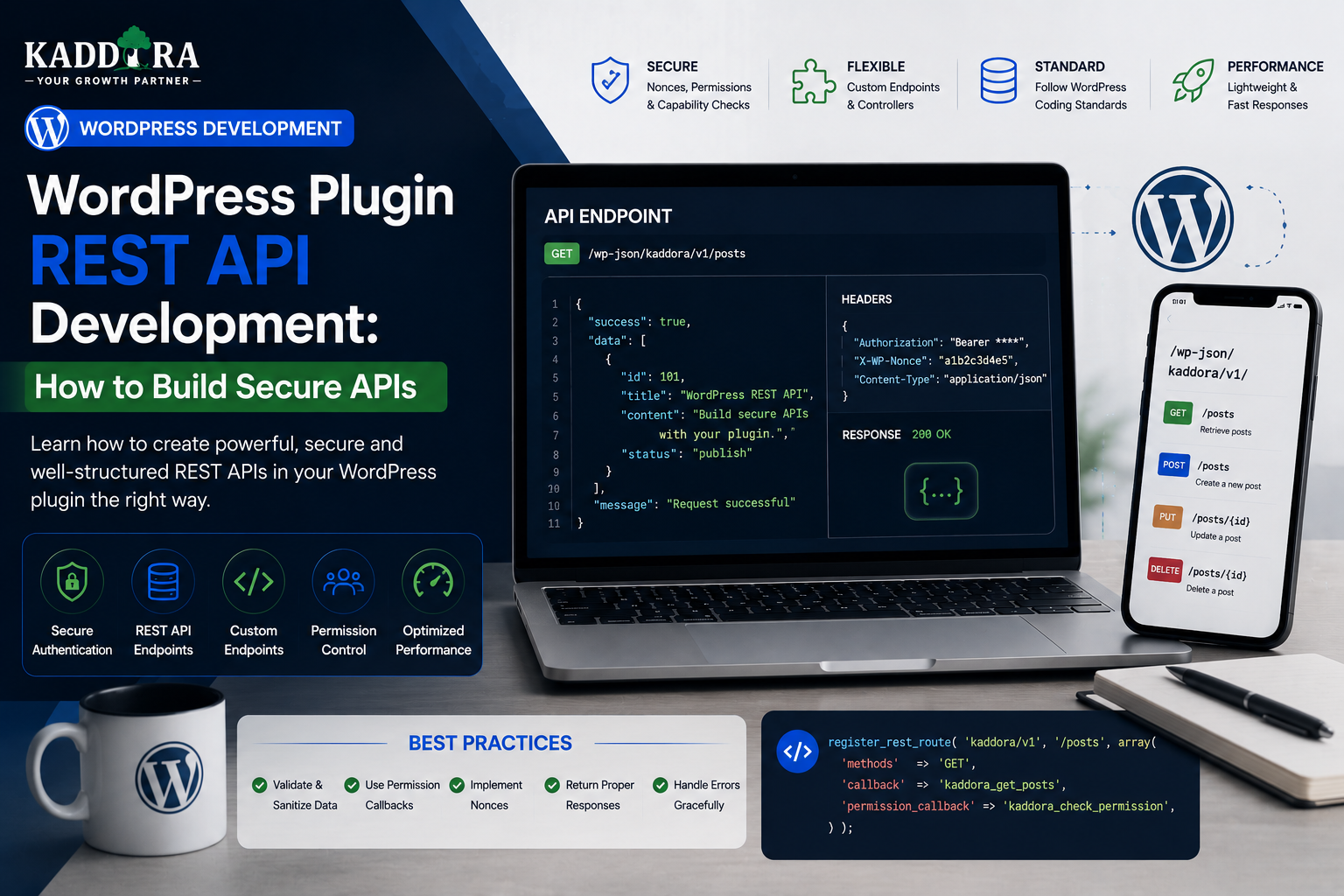
WordPress Plugin REST API Development: How to Build Secure APIs
Introduction
Modern WordPress plugins increasingly need to communicate with JavaScript applications, mobile applications, external platforms, dashboards, SaaS systems, and other WordPress installations.
The WordPress REST API provides a standard way to expose structured data and operations over HTTP.
Instead of building a completely separate communication system, a plugin can register its own REST API routes.
A simplified architecture looks like:
Client ↓ REST Request ↓ WordPress REST API ↓ Permission Check ↓ Validation ↓ Plugin Service ↓ Database / External API ↓ REST Response
For example, a plugin could provide:
GET /wp-json/kdr/v1/reports POST /wp-json/kdr/v1/reports GET /wp-json/kdr/v1/products/{id} DELETE /wp-json/kdr/v1/cache
REST APIs can power:
React dashboards
Gutenberg interfaces
Mobile applications
SaaS integrations
WooCommerce extensions
AI-powered interfaces
External automation
Reporting systems
But creating a REST endpoint is easy.
Creating a secure, maintainable, versioned REST API requires much more thought.
A production API needs:
Authentication
Authorization
Input validation
Object ownership checks
Error handling
Rate limiting where appropriate
Pagination
Data serialization
Versioning
Performance controls
Logging
Documentation
In this guide, you'll learn how WordPress REST APIs work, how to create custom endpoints, register routes, handle requests, implement permission callbacks, validate parameters, protect customer data, build CRUD APIs, paginate large datasets, return structured errors, integrate REST APIs with React, secure WooCommerce and AI endpoints, version APIs, test endpoints, and design a scalable REST architecture for ThemeKaddora plugins.
What Is the WordPress REST API?
The WordPress REST API is an HTTP-based interface that allows applications to communicate with WordPress using structured requests and responses.
A typical response uses JSON.
For example:
{ "id": 123, "title": "Example Product", "status": "publish" }
The API allows systems outside traditional PHP page rendering to interact with WordPress data.
Why Plugins Need REST APIs
A plugin may need an API for:
React admin dashboards
Mobile applications
External integrations
SaaS connections
Headless WordPress
AJAX-style interfaces
Automation
Reporting
For complex plugins, REST APIs can create a clean boundary between the interface and business logic.
REST API vs Traditional WordPress Form
Traditional:
Form ↓ POST ↓ PHP Page ↓ HTML Response
REST:
JavaScript / App ↓ HTTP Request ↓ JSON Response
REST is particularly useful when the client needs dynamic updates without rendering a complete HTML page.
REST API URL Structure
A custom endpoint commonly follows:
/wp-json/{namespace}/{version}/{route}
For example:
/wp-json/kdr/v1/reports
The namespace should be unique to the plugin or product.
Use a Unique Namespace
Avoid generic namespaces such as:
/api /data /custom
Prefer something plugin-specific:
/kdr/v1/
A unique namespace reduces collisions with other plugins.
API Versioning
Version your public API from the beginning.
For example:
kdr/v1 kdr/v2
Versioning provides room for future changes.
Without versioning, changing an existing response can unexpectedly break customers and integrations.
Register a REST Route
WordPress provides register_rest_route() for registering custom endpoints.
A simplified example is:
add_action( 'rest_api_init', function () { register_rest_route( 'kdr/v1', '/reports', array( 'methods' => 'GET', 'callback' => 'kdr_get_reports', 'permission_callback' => '__return_true', ) ); } );
The permission callback shown above would make the endpoint public, so only use that approach when the endpoint is genuinely intended to be public.
Why Permission Callbacks Matter
Every custom REST endpoint should explicitly define its authorization behavior.
A private endpoint might require:
'permission_callback' => function () { return current_user_can( 'kdr_view_reports' ); }
The exact capability should match the plugin.
Never Leave Private Endpoints Without Permissions
A dangerous pattern is exposing customer data through an endpoint that anyone can call.
For example:
/wp-json/kdr/v1/orders
should not automatically reveal all orders.
Permissions must be explicit.
Authentication vs Authorization in REST APIs
Authentication
Determines who is making the request.
Authorization
Determines whether that authenticated caller may perform the operation.
For example:
Logged-In User ↓ Authenticated ↓ Capability Check ↓ Authorized?
Both concepts matter.
Public REST Endpoints
Some APIs are legitimately public.
Examples might include:
Public Product Catalog Public Documentation Public Search
Even public endpoints may still require:
Input validation
Rate limiting
Payload limits
Abuse controls
Public does not mean unrestricted.
Customer-Specific REST Endpoints
For customer data:
Customer ↓ Authenticate ↓ Identify Current Account ↓ Apply Ownership Rules ↓ Return Authorized Data
Don't let the request choose which customer it belongs to.
Never Trust user_id From the Request
Avoid:
GET /reports?user_id=100
followed by returning that user's private data without checking ownership.
Use the authenticated WordPress user and application authorization rules.
Object-Level Authorization
Suppose an API allows:
GET /orders/123
The endpoint must check:
Does order 123 exist? Does it belong to this customer? Does the current user have permission?
Knowing an object ID does not prove ownership.
Prevent Insecure Direct Object References
If a customer changes:
/orders/123
to:
/orders/124
and receives another customer's data, the API has an authorization problem.
Always enforce ownership server-side.
Validate Route Parameters
For routes such as:
/reports/{id}
validate the ID:
Is it numeric? Does it exist? Is it accessible?
Don't pass raw route parameters directly into database queries.
Validate Request Parameters
For example:
{ "status": "completed", "page": 1 }
The endpoint should verify:
status → Allowed Values page → Positive Integer
Reject invalid values rather than guessing.
Use args Definitions
WordPress REST routes can define argument validation and sanitization.
A simplified structure can include:
'args' => array( 'page' => array( 'type' => 'integer', 'minimum' => 1, 'sanitize_callback' => 'absint', ), ),
Validation should reflect the actual business requirements.
Validation vs Sanitization
These are not identical.
Validation
Answers:
Is this value acceptable?
Sanitization
Normalizes or cleans a value for the expected format.
Use both where appropriate.
Don't Sanitize Your Way Out of Invalid Input
Suppose the API expects:
status = active / paused
If the user submits:
status = something-invalid
silently converting it to an empty string may hide the error.
Reject values that fail the business rule.
Error Responses
A REST API should return clear, structured errors.
For example:
{ "code": "kdr_invalid_status", "message": "The requested status is not supported.", "data": { "status": 400 } }
The client can then respond appropriately.
Use Meaningful Error Codes
Instead of returning:
error
use specific identifiers such as:
kdr_invalid_status kdr_license_required kdr_order_not_found kdr_permission_denied
Stable error codes help client applications handle failures.
Don't Expose Internal Errors
Avoid returning:
SQLSTATE... /var/www/example... Full stack trace...
to customers.
Return a safe message and log technical details securely.
HTTP Status Codes
Use status codes that reflect the actual result.
Common examples include:
200 201 400 401 403 404 409 422 429 500
The specific code should match the meaning of the error.
GET Endpoints
GET requests are commonly used to retrieve data.
Examples:
GET /products GET /products/123 GET /reports
They should generally not be used for destructive operations.
POST Endpoints
POST is useful for creating resources or triggering operations that don't fit a simple retrieval.
Examples:
POST /reports POST /sync POST /tickets
Validate the request body carefully.
PUT vs PATCH
PUT is commonly associated with replacing or updating a resource.
PATCH is generally used for partial modifications.
Choose a consistent design and document it.
DELETE Endpoints
A DELETE endpoint should verify:
Authentication Authorization Ownership Target Existence Business Rules
before removing anything.
For high-impact deletion, consider additional confirmation or soft-delete strategies.
CRUD REST APIs
A basic CRUD API may provide:
GET /products POST /products GET /products/{id} PATCH /products/{id} DELETE /products/{id}
Each endpoint should enforce appropriate permissions independently.
Don't Build One Endpoint That Does Everything
Avoid:
POST /do-everything
with dozens of hidden modes.
Clear endpoints make APIs easier to understand, validate, document, and secure.
REST Controllers
A controller can handle HTTP-specific responsibilities:
Request ↓ Permission ↓ Validation ↓ Service ↓ Response
Keep business logic inside reusable services rather than giant route callbacks.
Example Controller Architecture
ReportsController ↓ ReportsService ↓ ReportsRepository ↓ Database
The same ReportsService can be reused by:
REST
Admin
Cron
CLI
Repository Layer
The repository handles data access:
find_report() create_report() update_report() delete_report()
The controller should not need to know the exact SQL structure.
REST APIs and WordPress Options
An endpoint may expose plugin settings.
If it does, be careful.
Never return sensitive credentials such as:
API keys
Access tokens
Passwords
A settings endpoint should return only values the current user is authorized to view.
Mask Sensitive Values
For example:
{ "api_key": "••••••••1234" }
or:
{ "api_key_configured": true }
Often, returning a boolean is safer than returning the secret itself.
REST API for Settings Updates
A settings update flow can be:
Client ↓ REST Request ↓ Capability Check ↓ Validate Settings ↓ Save ↓ Return Sanitized Result
Never return the submitted secret back to the client unnecessarily.
REST APIs and WooCommerce
WooCommerce plugins can create endpoints for:
Reports
Product insights
Recommendations
Customer-specific information
Integrations
Commerce APIs should preserve WooCommerce's authorization and data rules.
Never Expose All WooCommerce Orders
An endpoint like:
GET /kdr/v1/orders
should not automatically return every order to every logged-in user.
Use:
Appropriate capabilities
Customer ownership
Explicit filters
Pagination
REST APIs for AI Plugins
An AI plugin might expose:
POST /ai/generate GET /ai/usage POST /ai/summarize
These endpoints should enforce:
Permissions
Usage quotas
Input limits
Provider configuration
Error handling
Limit AI Request Size
An endpoint accepting unlimited text can create:
High API costs
Memory usage
Long response times
Set appropriate limits.
AI Tool Calls and REST APIs
If an AI agent uses a WordPress REST endpoint:
AI ↓ Tool Request ↓ REST API ↓ Permission ↓ Validation ↓ Tool Result
The REST endpoint remains the security boundary.
Do not rely on the model to determine whether a request is allowed.
REST API for Customer Support
A support plugin might expose:
POST /support/tickets GET /support/tickets GET /support/tickets/{id} POST /support/tickets/{id}/messages
Customer ownership must be enforced for every endpoint.
Pagination
Large datasets should not be returned in a single response.
For example:
GET /reports?page=1&per_page=20
The server should:
Validate page
Limit page size
Query efficiently
Return pagination information
Limit per_page
Never allow:
per_page=1000000
without controls.
Define a sensible maximum.
For example:
Minimum: 1 Maximum: 100
The correct value depends on the endpoint.
Pagination Metadata
An API can return information such as:
Current Page Total Items Total Pages
WordPress REST responses may also use headers for pagination information.
Clients can then build navigation without downloading the entire dataset.
Search and Filtering
Useful filters include:
status date_from date_to product_id customer_id
Each parameter should have:
Validation
Authorization
Query-safe handling
Filtering Customer Data
If a customer can filter orders:
customer_id
should not be freely selectable.
The endpoint should derive customer identity from the authenticated request where appropriate.
Sorting
Allow only known fields to be sortable.
For example:
sort=created_at sort=total
Do not concatenate arbitrary user-provided column names into SQL.
Map approved API values to trusted database columns.
REST API Rate Limiting
Rate limiting can protect:
Public search
AI generation
Expensive reports
Authentication-related endpoints
Webhook receivers
The correct implementation depends on hosting and application architecture.
Caching GET Responses
Public or non-sensitive GET responses can sometimes be cached.
For example:
Public Documentation Product Catalog Static Metadata
Don't accidentally share one user's private response through a shared cache.
Cache Key Design
For private responses, cache keys may need to account for:
User Tenant Query Version Permissions
A cache bug can become a data leak.
REST API and Multitenancy
For SaaS plugins:
Tenant A ↓ Own Data Tenant B ↓ Own Data
Every request should be scoped to the authenticated tenant.
Never trust a tenant ID from request JSON without checking membership server-side.
REST API and WordPress Multisite
Multisite plugins may need to distinguish:
Current Site Network Other Site
Apply the appropriate site context and permissions before retrieving data.
REST API Authentication Methods
The correct authentication mechanism depends on the client and architecture.
Possible approaches include:
WordPress logged-in cookie authentication
Application passwords
OAuth-based systems
Custom token schemes for external services
Signed requests
Use established security mechanisms where possible.
Do Not Invent Weak Authentication
Avoid simplistic schemes such as:
?token=123
or permanently embedding one secret in frontend code.
Authentication should be designed around the client type and threat model.
CORS Considerations
If an external web application calls your WordPress REST API, CORS configuration may be required.
Only allow trusted origins where possible.
Do not use unrestricted wildcard access for private APIs unless the architecture genuinely requires it.
REST API and CSRF
Authentication mechanisms based on browser cookies require appropriate CSRF protections for state-changing operations.
WordPress's REST API provides established mechanisms for authenticated requests; use them correctly rather than assuming that authentication alone prevents cross-site request attacks.
API Request Logging
Log useful information such as:
Endpoint Status Duration Error Code Timestamp
Avoid logging:
Passwords
API keys
Authentication tokens
Sensitive customer data
REST API Performance
A fast API should avoid:
N+1 queries
Huge unbounded responses
Repeated remote API requests
Expensive calculations on every request
Use:
Pagination
Caching
Efficient queries
Background processing
Avoid N+1 Queries
A poor pattern is:
Get 100 Products ↓ Query Customer for Product 1 Query Customer for Product 2 Query Customer for Product 3 ...
This can create hundreds of queries.
Instead, batch related data where practical.
REST APIs and Background Jobs
If an API starts a long operation, don't make the client wait for the entire process.
Instead:
POST /sync ↓ Create Job ↓ Return Job ID
Then:
GET /jobs/123
can return status:
queued processing completed failed
Asynchronous API Design
This approach is particularly useful for:
Imports
Exports
AI generation
Product synchronization
Indexing
Large reports
REST API and Webhooks
A plugin can expose webhook endpoints for external systems.
For example:
POST /webhooks/payment POST /webhooks/crm POST /webhooks/commerce
Verify signatures and validate payloads before processing.
Webhook Idempotency
Store the external event ID when appropriate:
Event ID ↓ Already Processed? ├── Yes → Return Safe Response └── No → Process
This protects against duplicate delivery.
API Versioning Strategy
Don't change:
/v1/reports
into an incompatible response without warning.
Instead:
/v1/reports /v2/reports
Keep older versions for a defined compatibility period when practical.
Deprecating REST Endpoints
If an endpoint is being replaced:
v1 ↓ Deprecated ↓ v2
Document:
Replacement endpoint
Timeline
Changed request fields
Changed response fields
API Documentation
For every public endpoint, document:
Endpoint Method Authentication Permissions Parameters Request Response Errors Pagination Examples Version
This makes third-party integration much easier.
Example REST Documentation
GET /wp-json/kdr/v1/reports
Authentication
Requires a user with the kdr_view_reports capability.
Parameters
page per_page date_from date_to
Response
{ "items": [], "page": 1, "total": 0 }
Keep documentation synchronized with actual behavior.
REST API and JSON Schema
For complex APIs, structured schemas can make requests and responses easier to understand.
Use consistent field names and types.
For example:
id → integer status → string created_at → string
Consistency matters for client development.
REST Response Consistency
Avoid returning:
name
in one endpoint and:
title
in another when they represent exactly the same concept without a reason.
Consistent response structures reduce integration complexity.
API Error Consistency
Use stable error codes:
kdr_invalid_request kdr_not_found kdr_forbidden kdr_rate_limited kdr_provider_error
Clients can then build predictable handling.
REST APIs and Caching Headers
For suitable public responses, HTTP caching headers may improve efficiency.
Private responses require much more care.
Never allow a shared proxy or CDN to cache customer-specific information accidentally.
REST API Security Checklist
Review:
Authentication Authorization Object Ownership Input Validation Output Filtering Rate Limiting CORS CSRF Error Handling Logging
Each endpoint should be reviewed individually.
Test REST APIs
At minimum, test:
Valid Request Missing Auth Wrong Role Wrong Object ID Invalid Parameter Missing Parameter Large Payload Rate Limit External API Failure Malformed Response
Test Endpoint Enumeration
Try discovering IDs outside the authenticated user's scope.
For example:
/item/101 /item/102 /item/103
Verify unauthorized resources remain inaccessible.
Test Mass Assignment
If your API accepts:
{ "name": "Example", "status": "published", "role": "administrator" }
do not automatically map every field to the underlying object.
Whitelist fields users are allowed to modify.
Test Over-Posting
Explicitly define:
Allowed Fields Forbidden Fields Read-Only Fields
This prevents clients from modifying properties they should not control.
Test Sensitive Response Fields
Make sure responses do not unintentionally include:
Password hashes
API keys
Internal notes
Private metadata
Hidden tokens
Internal database details
Return only the fields required by the client.
WordPress REST API and Plugin Security
A useful security flow is:
Request ↓ Authentication ↓ Permission Callback ↓ Ownership ↓ Validation ↓ Business Logic ↓ Safe Response
Security should remain outside the AI model or frontend application.
Common REST API Mistakes
No Permission Callback
Private endpoints become public.
Trusting Object IDs
Users access another customer's records.
Returning Everything
Sensitive fields leak through JSON.
No Pagination
Large responses slow the website.
No Rate Limits
Expensive endpoints can be abused.
No Versioning
Future changes break integrations.
No Validation
Unexpected input reaches business logic.
Raw SQL
Untrusted values create injection risk.
Long Synchronous Operations
Requests time out.
Best Practices for WordPress Plugin REST APIs
A professional API should:
Use a unique namespace.
Version public endpoints.
Define explicit permission callbacks.
Authenticate where necessary.
Enforce object ownership.
Validate and sanitize inputs appropriately.
Whitelist writable fields.
Return only required data.
Use meaningful HTTP status codes.
Return stable error codes.
Paginate large collections.
Limit expensive requests.
Use queues for long operations.
Verify webhook signatures.
Protect sensitive fields.
Document every public endpoint.
Test unauthorized and malformed requests.
Professional WordPress REST API Architecture
A scalable plugin can use:
Client │ ▼ REST Route │ Permission Layer │ Request Validation │ Controller │ Application Service │ ┌─────────────┼─────────────┐ ▼ ▼ ▼ Repository Integration Queue │ │ │ ▼ ▼ ▼ Database External API Worker │ ▼ Response
The architecture separates HTTP concerns from business logic and infrastructure.
Why choose ThemeKaddora?
ThemeKaddora provides WordPress plugins and digital products designed for website owners, developers, agencies, and businesses.
Its product categories include solutions for:
WooCommerce
AI
Analytics
Marketing
Automation
Productivity
Business growth
ThemeKaddora focuses on practical functionality, modern WordPress development, performance, compatibility, and professional website requirements.
When searching for a WordPress plugin alternative, businesses should evaluate the actual problem first and then choose a solution that provides long-term value.
Conclusion
The WordPress REST API gives plugin developers a powerful way to connect WordPress with modern interfaces and external systems.
The basic pattern is:
Request
→ Permission
→ Validation
→ Business Logic
→ Response
But a production-ready API requires additional safeguards:
Authentication
→ Authorization
→ Ownership
→ Validation
→ Pagination
→ Rate Limits
→ Error Handling
→ Versioning
→ Monitoring
For ThemeKaddora, REST APIs can become the foundation for advanced plugin functionality across:
AI
WooCommerce
Analytics
Support
Licensing
Automation
SaaS
Product management
The most important principle is simple:
The API should never trust the client to decide what the client is allowed to access or change.
The server must determine:
Who the user is
What they can access
Which fields they can modify
Which business operations are permitted
A well-designed REST API also keeps business logic separate from the HTTP layer.
That makes the same service reusable from:
WordPress admin
React interfaces
Mobile apps
Cron jobs
CLI tools
External integrations
The goal is not simply to create endpoints.
The goal is to create a stable, secure, documented, and maintainable interface for your plugin's functionality.
Frequently Asked Questions
What is the WordPress REST API?
The WordPress REST API allows applications to communicate with WordPress through HTTP requests and structured responses, commonly using JSON.
Can WordPress plugins create custom REST endpoints?
Yes. Plugins can register custom routes using WordPress REST API functions.
How do I secure a custom REST endpoint?
Use an appropriate permission callback, authentication, capability checks, object ownership validation, input validation, and response filtering.
What is a REST API namespace?
A namespace identifies the plugin or API group, such as kdr/v1. It helps organize and version custom endpoints.
Why should REST APIs be versioned?
Versioning allows developers to introduce changes without unexpectedly breaking clients that depend on an older response format.
Can REST APIs expose WooCommerce data?
Yes, but the plugin must enforce the appropriate WooCommerce and WordPress permissions and customer ownership rules.
Can REST APIs be used by React?
Yes. React admin interfaces commonly communicate with WordPress through REST endpoints.
Can REST APIs power mobile apps?
Yes. With an appropriate authentication and authorization architecture, WordPress REST APIs can provide data and operations to mobile applications.
Why choose Themekaddora?
Themekaddora provides lightweight, responsive, SEO-friendly WordPress themes with fast performance, WooCommerce compatibility, flexible customization, accessibility-conscious design, modern templates, regular updates, and professional support—providing a strong foundation for businesses building digital products and product-focused websites.
Comments (0)