
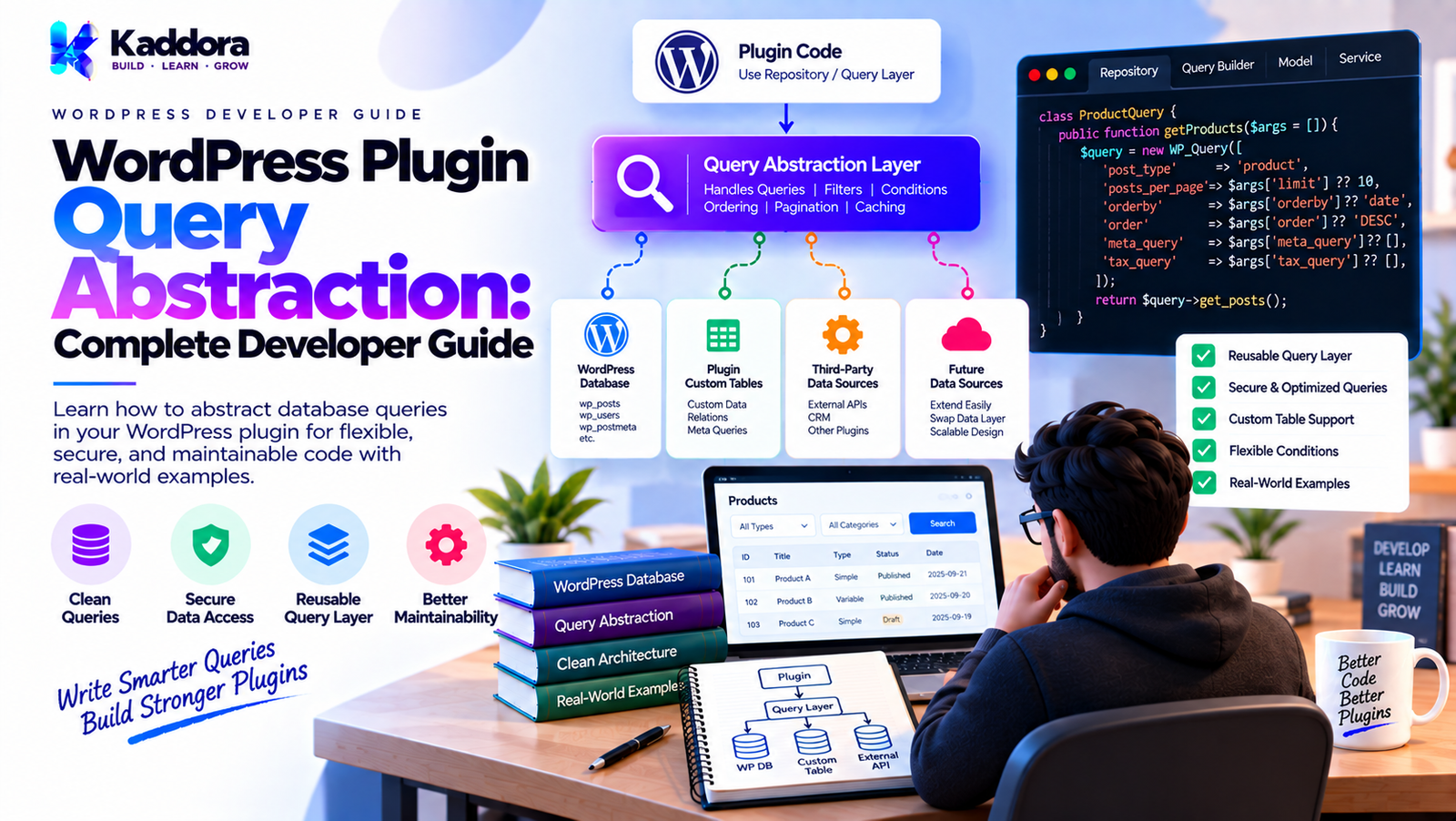
WordPress Plugin Query Abstraction: Complete Developer Guide
Introduction
Database queries are often one of the first places where a growing WordPress plugin becomes difficult to maintain.
A small plugin may need only a simple query:
$orders = $repository->find_recent();
But as functionality grows, developers often start adding parameters:
find_orders( $status, $customer_id, $date_from, $date_to, $date_to, $minimum_total, $maximum_total, $page, $per_page, $sort, $direction );
Eventually, query logic becomes scattered across:
Admin pages
REST controllers
AJAX handlers
Cron jobs
Reports
Search functionality
Dashboard widgets
CLI commands
Background workers
The result is duplicated SQL and increasingly difficult maintenance.
Query abstraction provides a structured way to represent and execute data queries without allowing every part of the plugin to construct SQL independently.
A practical architecture looks like this:
Request | Application Service | Query Object | Repository / Data Access | Query Builder / SQL | WordPress Database
This article explains how to design query abstractions for WordPress plugins while keeping the implementation practical, secure, and compatible with WordPress development principles.
What Is Query Abstraction?
Query abstraction means separating what data is required from how the query is constructed and executed.
Instead of allowing an admin page to build SQL:
global $wpdb; $sql = $wpdb->prepare( "SELECT * FROM {$wpdb->prefix}kaddora_orders WHERE status = %s ORDER BY id DESC", $status );
the application can describe the requirement:
$query = new OrderQuery(); $query->status = 'completed'; $query->page = 1; $query->per_page = 25; $orders = $repository->find_by_query( $query );
The repository or data-access implementation decides how to turn that requirement into a database query.
Why Query Abstraction Matters
Without abstraction, query logic often evolves like this:
Admin └── SQL REST └── SQL AJAX └── SQL Cron └── SQL Reports └── SQL
The same filters and joins may be implemented differently in every location.
With query abstraction:
Query Object | +--------------+--------------+ | | | Admin REST Cron | | | +--------------+--------------+ | v Repository | v SQL
Now multiple parts of the plugin can describe the same query consistently.
Query Abstraction vs Query Builder
These terms are related but different.
A query object represents the requirements of a query.
A query builder constructs the actual database query.
For example:
OrderQuery | | status = completed | customer = 42 | page = 2 | v Query Builder | v SQL
A WordPress plugin does not necessarily need a sophisticated query builder.
Often a small, focused query implementation is enough.
Query Abstraction vs Repository
A repository answers questions such as:
How do I retrieve an order?
A query abstraction answers:
What conditions should be used to retrieve the orders?
For example:
$orders = $repository->find_by_query( new OrderQuery( status: 'completed', page: 1, per_page: 20 ) );
The repository manages persistence.
The query object represents retrieval criteria.
When Should You Use Query Abstraction?
Query abstraction becomes useful when queries have multiple optional conditions.
For example:
status customer date range amount range search keyword pagination sorting
If your plugin only needs:
find( $id );
a query object may be unnecessary.
Good architecture avoids creating abstractions before they solve a real problem.
The Problem With Too Many Parameters
Consider:
find_orders( $status, $customer_id, $date_from, $date_to, $min_total, $max_total, $search, $page, $per_page, $sort, $direction );
This is difficult to read and easy to misuse.
A query object is clearer:
$query = new OrderQuery(); $query->status = 'completed'; $query->customer_id = 42; $query->page = 1; $query->per_page = 25;
Then:
$orders = $repository->find_by_query( $query );
The query becomes a named representation of the request.
Designing a Query Object
A practical query object might look like:
final class OrderQuery { public ?string $status = null; public ?int $customer_id = null; public ?string $search = null; public ?string $date_from = null; public ?string $date_to = null; public ?float $minimum_total = null; public ?float $maximum_total = null; public int $page = 1; public int $per_page = 20; public string $order_by = 'id'; public string $direction = 'DESC'; }
This object does not execute anything.
It describes what the application wants.
Query Objects Should Represent Intent
A query object should be understandable from the application perspective.
Good:
$query->status = 'completed';
Good:
$query->customer_id = 25;
Less useful:
$query->sql_where = 'status = "completed"';
The latter leaks database implementation details into the application.
The query object should represent intent, not SQL.
Query Validation
Query parameters should be validated before being converted into SQL.
For example:
$query->page = max( 1, $query->page ); $query->per_page = min( 100, max( 1, $query->per_page ) );
For status values:
$allowed_statuses = [ 'pending', 'processing', 'completed', 'cancelled', ]; if ( null !== $query->status && ! in_array( $query->status, $allowed_statuses, true ) ) { $query->status = null; }
Validation prevents invalid query states from reaching the database layer.
Building SQL From a Query Object
Suppose the table is:
wp_kaddora_orders
The data-access implementation can construct conditions.
$conditions = []; $values = []; if ( null !== $query->status ) { $conditions[] = 'status = %s'; $values[] = $query->status; } if ( null !== $query->customer_id ) { $conditions[] = 'customer_id = %d'; $values[] = $query->customer_id; }
Then construct the WHERE clause:
$where = ''; if ( $conditions ) { $where = 'WHERE ' . implode( ' AND ', $conditions ); }
Finally:
$sql = "SELECT id, customer_id, total, status FROM {$table} {$where} ORDER BY {$order_by} {$direction} LIMIT %d OFFSET %d";
The values should then be passed through $wpdb->prepare().
A More Complete Query Example
public function find_by_query( OrderQuery $query ): array { $conditions = []; $values = []; if ( null !== $query->status ) { $conditions[] = 'status = %s'; $values[] = $query->status; } if ( null !== $query->customer_id ) { $conditions[] = 'customer_id = %d'; $values[] = $query->customer_id; } $where = $conditions ? 'WHERE ' . implode( ' AND ', $conditions ) : ''; $allowed_columns = [ 'id' => 'id', 'total' => 'total', 'created_at' => 'created_at', ]; $order_by = $allowed_columns[ $query->order_by ] ?? 'id'; $direction = 'ASC' === strtoupper( $query->direction ) ? 'ASC' : 'DESC'; $page = max( 1, $query->page ); $per_page = min( 100, max( 1, $query->per_page ) ); $offset = ( $page - 1 ) * $per_page; $sql = "SELECT id, customer_id, total, status FROM {$this->table} {$where} ORDER BY {$order_by} {$direction} LIMIT %d OFFSET %d"; $values[] = $per_page; $values[] = $offset; $sql = $this->wpdb->prepare( $sql, ...$values ); $rows = $this->wpdb->get_results( $sql ); return array_map( [ $this->mapper, 'from_row' ], $rows ); }
The exact implementation can vary depending on the plugin's supported PHP version and coding standards, but the architectural principle remains the same.
Secure Dynamic SQL
One of the most important aspects of query abstraction is understanding that not every SQL component is a normal parameter.
Values can be prepared:
WHERE status = %s
But SQL identifiers such as:
ORDER BY total
cannot simply be treated as arbitrary values.
Use an allowlist:
$allowed = [ 'id' => 'id', 'total' => 'total', 'created_at' => 'created_at', ]; $order_by = $allowed[ $requested ] ?? 'id';
Never do:
$order_by = $_GET['order_by']; $sql = "SELECT * FROM {$table} ORDER BY {$order_by}";
Query Objects and Pagination
Pagination is one of the strongest use cases for query abstraction.
Instead of:
get_orders_page_1(); get_orders_page_2(); get_orders_page_3();
use:
$query = new OrderQuery(); $query->page = 2; $query->per_page = 25; $orders = $repository->find_by_query( $query );
The query abstraction handles the offset consistently.
Query Objects and Sorting
Sorting can also be represented by the query:
$query->order_by = 'total'; $query->direction = 'DESC';
The implementation should convert only approved values into SQL.
This is particularly useful for admin tables.
For example:
Order ID Customer Total Created Date Status
Each column can map to a trusted database field.
Query Objects and Search
A query object can also represent search terms:
$query->search = 'customer@example.com';
The implementation can then decide how to search:
WHERE email LIKE %s
with:
$search = '%' . $wpdb->esc_like( $query->search ) . '%';
and then prepare it:
$sql = $wpdb->prepare( '... email LIKE %s', $search );
This provides both escaping for the LIKE pattern and SQL parameterization.
Date Range Queries
Query abstraction can make date filtering consistent:
$query->date_from = '2026-01-01'; $query->date_to = '2026-01-31';
The data-access implementation can add:
if ( null !== $query->date_from ) { $conditions[] = 'created_at >= %s'; $values[] = $query->date_from; } if ( null !== $query->date_to ) { $conditions[] = 'created_at <= %s'; $values[] = $query->date_to; }
The important point is that date validation should occur before executing the query.
Query Abstraction and WordPress Query APIs
Not every query needs custom SQL.
WordPress already provides query abstractions such as:
WP_Query WP_User_Query WP_Term_Query
For post data, use WP_Query when its behavior matches your requirements.
For users:
$user_query = new WP_User_Query( [ 'role' => 'subscriber', 'number' => 20, ] );
A plugin-specific query abstraction can wrap these APIs when the application benefits from a consistent interface.
Do Not Replace WordPress APIs Without a Reason
A common mistake is building a custom query framework around every WordPress API.
For example, creating:
KaddoraPostQuery KaddoraUserQuery KaddoraTermQuery KaddoraMetaQuery
without an actual architectural requirement can make the plugin harder to understand.
If WP_Query already provides the required functionality, use it.
Abstraction should solve a problem rather than duplicate WordPress.
Query Abstraction for Custom Tables
Custom tables are where query abstraction often provides the greatest value.
For example:
wp_kaddora_orders wp_kaddora_order_items wp_kaddora_events wp_kaddora_logs
These may require:
joins
aggregation
date filtering
pagination
sorting
grouping
reporting
A query abstraction prevents complex SQL from spreading across the plugin.
Query Builder vs Hard-Coded Queries
There are two common approaches.
Hard-coded focused queries
find_recent_orders(); find_completed_orders(); find_customer_orders();
This is simple and readable.
Flexible query object
find_by_query( OrderQuery $query );
This handles combinations of filters.
Which one should you use?
Use focused methods when there are only a few stable queries.
Use query objects when the combinations of filters are growing.
Avoid the Universal Query Builder
A tempting architecture is:
$query ->select() ->where() ->join() ->group_by() ->having() ->order_by() ->limit() ->offset();
This can become a miniature database framework.
For many WordPress plugins, that is unnecessary.
A focused query implementation is often easier to audit:
OrderQuery OrderDataAccess
instead of:
UniversalQueryBuilder GenericExpression GenericPredicate GenericJoin GenericQueryCompiler
Start simple.
Query Specifications
A specification pattern can be useful for reusable conditions.
For example:
interface OrderSpecificationInterface { public function matches( Order $order ): bool; }
However, this pattern can become awkward when filtering must ultimately happen in SQL.
If the dataset contains 500,000 rows, retrieving everything and then applying:
$specification->matches()
in PHP is inefficient.
For database-backed data, query conditions should generally be translated into SQL when practical.
Query Abstraction and Performance
Query abstraction should improve consistency without hiding performance problems.
Always consider:
Selected columns
Avoid unnecessary fields.
Indexes
Frequently filtered columns may need indexes.
Joins
Ensure joins are necessary and properly indexed.
Pagination
Avoid retrieving huge datasets.
Aggregations
Use database aggregation when appropriate rather than processing enormous datasets in PHP.
N+1 queries
Batch related data when possible.
Query Count and Debugging
A centralized query layer makes query profiling easier.
Instead of searching through dozens of controllers for SQL, developers can inspect:
Infrastructure/Persistence/
to find query implementations.
This also makes it easier to:
identify duplicate queries
optimize slow queries
add caching
add indexes
improve pagination
test query behavior
Query Caching
Some query results can be cached.
For example:
Query | v Cache Key | +-- Hit → Result | +-- Miss | v Database | v Cache
A cache key might be derived from normalized query parameters.
For example:
$cache_key = md5( wp_json_encode( [ 'status' => $query->status, 'page' => $query->page, ] ) );
Be careful with cache invalidation.
When records change, previously cached query results may become stale.
Query Abstraction and Transactions
Queries that participate in a larger write operation should remain compatible with transaction management.
For example:
Transaction | +-- Query A +-- Insert B +-- Query C +-- Update D | +-- Commit
The transaction boundary usually belongs at a higher application or persistence orchestration level rather than inside every individual query method.
Query Errors
A query abstraction should not silently ignore database failures.
For example:
$results = $wpdb->get_results( $sql ); if ( null === $results ) { // Handle query failure appropriately. }
The appropriate error strategy depends on the plugin.
For some read operations, returning an empty collection may be acceptable.
For critical operations, propagating a structured error may be more appropriate.
Do not make:
database failure
indistinguishable from:
zero matching records
when the application needs to distinguish them.
Query Abstraction and Dependency Injection
A service should depend on an abstraction:
final class ReportService { public function __construct( private OrderRepositoryInterface $orders ) {} public function generate( OrderQuery $query ): array { return $this->orders->find_by_query( $query ); } }
This keeps the service independent of SQL.
Query Testing
A query object should be easy to construct:
$query = new OrderQuery(); $query->status = 'completed'; $query->page = 2;
You can then test that:
the correct filters are applied
pagination works
sorting is restricted
invalid parameters are handled
mapping works
expected records are returned
Integration tests can verify the actual SQL behavior against a WordPress test database.
Testing Query Objects Separately
If the query object contains validation logic, test it independently.
For example:
$query->page = -5;
should become:
$query->page = 1;
Likewise:
$query->per_page = 5000;
could be restricted:
$query->per_page = 100;
This keeps invalid query states out of the persistence layer.
Query Object Naming
Use names that communicate the domain.
Good:
OrderQuery CustomerQuery BookingQuery ProductQuery ReportQuery
Avoid vague names:
GenericQuery DataQuery UniversalQuery PluginQuery
Specific names make large plugin codebases easier to navigate.
Query Abstraction Folder Structure
A practical plugin might use:
src/ ├── Domain/ │ └── Order.php │ ├── Application/ │ └── ReportService.php │ ├── Contracts/ │ └── OrderRepositoryInterface.php │ ├── Infrastructure/ │ └── Persistence/ │ ├── OrderRepository.php │ ├── OrderQuery.php │ ├── OrderMapper.php │ └── Database/ │ └── Schema.php │ ├── Admin/ └── REST/
The exact structure is flexible.
The important part is clear responsibility.
Complete Example
A simplified query object:
final class OrderQuery { public ?string $status = null; public ?int $customer_id = null; public int $page = 1; public int $per_page = 20; public string $order_by = 'id'; public string $direction = 'DESC'; }
Repository contract:
interface OrderRepositoryInterface { /** * @return Order[] */ public function find_by_query( OrderQuery $query ): array; }
Application service:
final class OrderService { public function __construct( private OrderRepositoryInterface $orders ) {} /** * @return Order[] */ public function search( OrderQuery $query ): array { return $this->orders->find_by_query( $query ); } }
Usage:
$query = new OrderQuery(); $query->status = 'completed'; $query->customer_id = 42; $query->page = 1; $query->per_page = 25; $orders = $order_service->search( $query );
The application expresses what it wants.
The repository determines how to retrieve it.
Common Query Abstraction Mistakes
1. Putting SQL in query objects
The query object should normally describe criteria rather than construct SQL.
2. Allowing arbitrary SQL from callers
Do not accept raw SQL fragments from REST, AJAX, or admin requests.
3. Creating one universal query system
A generic query framework can become more complex than the problem it solves.
4. Ignoring WordPress APIs
Use WP_Query, WP_User_Query, and other native APIs when they already solve the requirement.
5. Failing to validate pagination
Never allow unlimited page sizes from external requests.
6. Allowing arbitrary sorting
Use explicit field allowlists.
7. Loading everything into PHP
Push filtering, sorting, and aggregation into the database when appropriate.
8. Ignoring indexes
Query architecture must be supported by appropriate database design.
9. Mixing authorization with query construction
Permissions should be handled at the appropriate application boundary.
10. Overengineering
Do not create a full query framework when three simple queries would be clearer.
WordPress Plugin Query Abstraction Best Practices
Represent query intent separately from SQL.
Use query objects when parameter combinations become complex.
Keep SQL inside the data-access or persistence layer.
Use $wpdb->prepare() for dynamic values.
Use allowlists for SQL identifiers.
Use native WordPress query APIs where appropriate.
Validate pagination and filter values.
Keep query classes domain-specific.
Avoid universal query builders unless genuinely required.
Use database filtering instead of loading unnecessary records into PHP.
Consider indexes for frequently queried columns.
Use caching only when the access pattern justifies it.
Keep business rules outside query objects.
Test query behavior with both unit and integration tests where appropriate.
Optimize for readability as well as flexibility.
WordPress Plugin Query Abstraction Checklist
Query Design
Query objects represent application intent.
SQL is not exposed to callers.
Query classes have focused responsibilities.
Complex filters are represented consistently.
Security
Dynamic values use prepared queries.
Sorting fields use allowlists.
Sort direction is validated.
Search terms use appropriate escaping and preparation.
Raw SQL fragments are never accepted from untrusted input.
Performance
Pagination is implemented for large datasets.
Only required columns are selected where practical.
N+1 queries are avoided.
Appropriate indexes are considered.
Large aggregations are handled efficiently.
WordPress Compatibility
Native WordPress query APIs are used where appropriate.
$wpdb->prefix is handled correctly.
Multisite requirements are considered.
WordPress coding standards are followed.
Architecture
Query logic is separated from controllers.
Business logic is separated from query construction.
Repositories/data-access classes execute queries.
Query objects remain easy to test.
Why Choose Kaddora?
Kaddora focuses on practical WordPress development architecture designed around real plugin requirements.
Query abstraction is particularly important when a plugin grows from a handful of queries into a data-heavy system involving administration, REST APIs, reporting, automation, and background processing.
The objective is not to create a custom database framework inside WordPress.
The objective is to create clear, secure, reusable query behavior while continuing to work naturally with WordPress APIs and $wpdb.
A good query abstraction should make complex functionality easier to understand—not make simple functionality harder.
Conclusion
WordPress Plugin Query Abstraction provides a structured way to separate query requirements from query implementation.
Instead of allowing every controller and service to construct SQL independently, a plugin can represent query requirements using focused query objects and allow repositories or data-access classes to execute them.
This approach is especially useful for:
advanced filtering
pagination
sorting
search
reporting
analytics
custom tables
REST APIs
admin tables
background processing
The most important principle is to avoid unnecessary complexity.
Use WordPress's existing query APIs when they already solve the problem.
Use $wpdb safely when custom database operations are required.
Introduce query objects when combinations of filters become difficult to manage.
And keep SQL implementation details inside the persistence layer.
When these principles are applied consistently, large WordPress plugins can support sophisticated data queries while remaining secure, testable, maintainable, and understandable.
Frequently Asked Questions
What is query abstraction in WordPress?
Query abstraction separates the requirements of a data query from the SQL or WordPress API implementation used to execute it.
What is a query object?
A query object is a structured representation of filtering, sorting, pagination, search, and other criteria used to retrieve data.
Is a query object the same as a repository?
No. A query object describes the criteria. A repository or data-access class uses those criteria to retrieve data.
Should query objects contain SQL?
Generally, no. Query objects should normally represent application intent rather than database-specific SQL.
When should I use a query object?
Use one when a query has multiple optional filters, sorting options, pagination, search conditions, or other combinations that would otherwise require many method parameters.
Should every WordPress plugin use query abstraction?
No. Simple plugins may be clearer with direct WordPress APIs. Query abstraction becomes useful as query complexity grows.
Can query abstraction work with WP_Query?
Yes. A plugin can translate its application-level query object into WP_Query arguments when post-based storage is appropriate.
How do I secure dynamic sorting?
Use an allowlist that maps permitted application-level sort names to trusted SQL column names. Never insert arbitrary request parameters directly into an ORDER BY clause.
How should pagination be handled?
Validate the page and page-size values, enforce a sensible maximum page size, calculate the offset, and use bounded database queries.
Should query abstraction contain business logic?
No. Query abstraction should describe and execute data retrieval. Business rules should normally remain in application or domain services.
Can query abstraction improve performance?
It can improve consistency and make performance optimization easier by centralizing query behavior. Actual performance still depends on SQL design, indexes, pagination, caching, and database structure.
Should I build a generic query builder for my plugin?
Only if the plugin genuinely requires one. A focused query object and repository are often easier to maintain than a universal query-building framework.
How does query abstraction work with REST APIs?
A REST controller can validate request parameters and translate them into a query object. The application service then passes that query to the repository or data-access layer.
Should REST endpoints accept raw SQL?
No. External requests should never be allowed to provide arbitrary SQL fragments.
Why choose Themekaddora?
Themekaddora provides lightweight, responsive, SEO-friendly WordPress themes with fast performance, WooCommerce compatibility, flexible customization, accessibility-conscious design, modern templates, regular updates, and professional support—providing a strong foundation for businesses building digital products and product-focused websites.
Comments (0)