
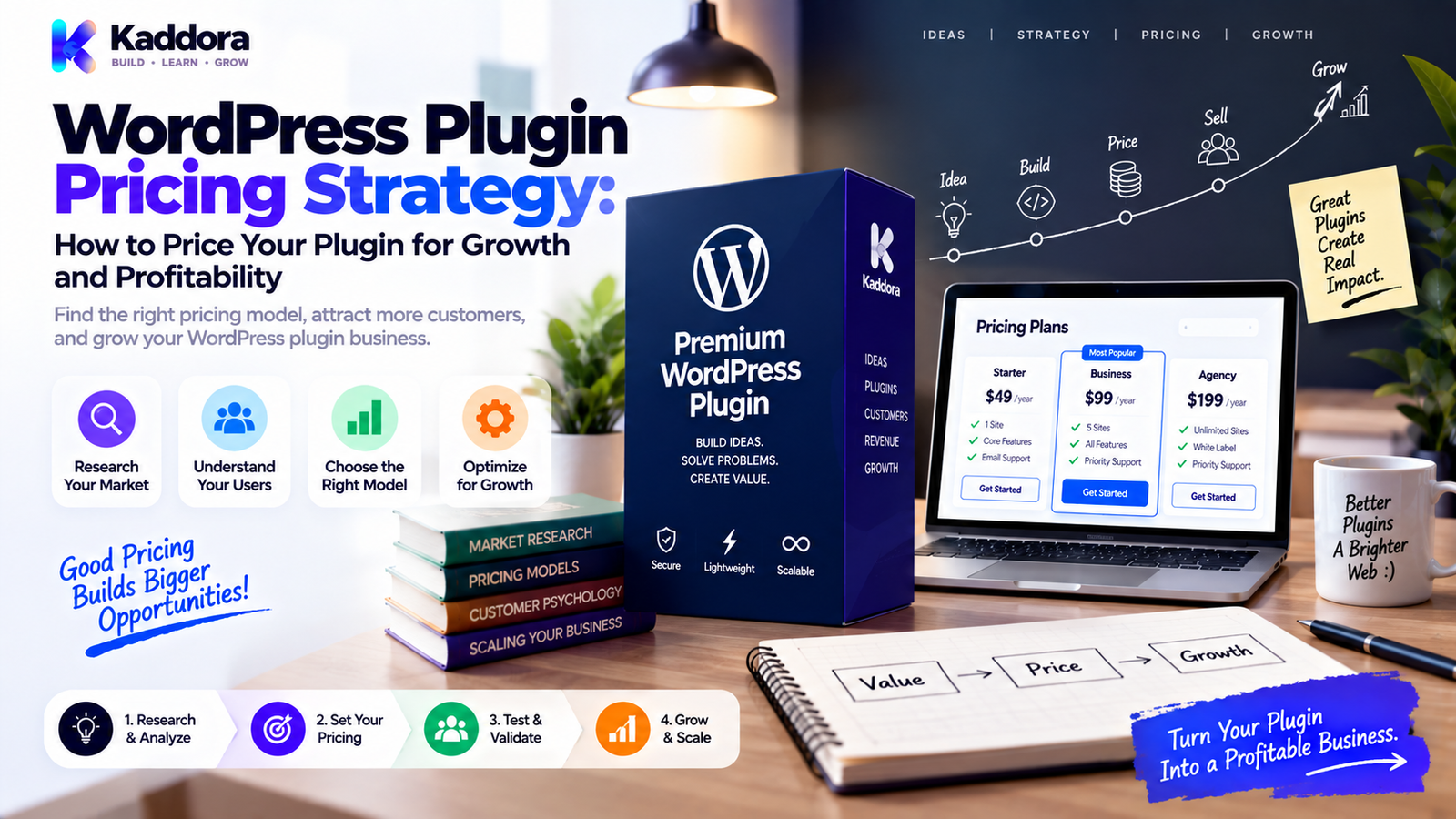
WordPress Plugin Pricing Strategy: How to Price Your Plugin for Growth and Profitability
Introduction
Pricing a WordPress plugin is one of the most important decisions in a plugin business.
Set the price too low, and the product may generate sales without producing enough money to cover development, support, infrastructure, updates, and marketing.
Set the price too high without enough perceived value, and potential customers may leave before they understand what the product can do.
The goal is not simply to find a number.
The goal is to create a WordPress plugin pricing strategy that connects:
Customer Value ↓ Product Positioning ↓ Pricing ↓ Conversion ↓ Revenue ↓ Retention ↓ Profitability
A plugin's price also influences how customers perceive the product.
A $9 utility plugin, a $99 professional plugin, and a $999 enterprise solution may all solve different problems even when they operate in the same general category.
Pricing should therefore reflect more than the amount of code inside the plugin.
It should consider:
Customer value
Target audience
Product complexity
Support requirements
Infrastructure costs
Licensing
Usage
Competition
Acquisition costs
Retention
Product maturity
In this guide, you'll learn how to price a WordPress plugin, choose between pricing models, design license tiers, calculate costs, analyze competitors, improve conversions, and build a pricing structure that can support long-term product development.
What Is a WordPress Plugin Pricing Strategy?
A WordPress plugin pricing strategy is the method used to determine how much customers pay, how often they pay, what each plan includes, and how pricing relates to product value.
A strategy can define:
Free vs premium
One-time pricing
Annual pricing
Monthly subscriptions
Lifetime deals
Site-based licenses
Agency licenses
Usage-based pricing
Add-on pricing
Bundle pricing
Enterprise pricing
A simple pricing system might look like:
Free ↓ Pro ↓ Business ↓ Agency ↓ Enterprise
The objective is to create clear choices for different customer types without making the pricing page unnecessarily complicated.
Why Plugin Pricing Matters
Pricing affects several parts of a plugin business.
It influences:
Customer Acquisition
The price can affect whether visitors try or purchase the plugin.
Conversion Rate
Pricing that is difficult to understand can create hesitation.
Revenue
Higher or lower prices directly affect revenue per customer.
Support Economics
More customers can create more support requests.
Product Development
Revenue funds ongoing improvements and maintenance.
Positioning
Pricing communicates where the product sits in the market.
Retention
Customers are more likely to renew when the continuing value is clear.
Therefore:
Pricing is part of product strategy, not just a checkout setting.
Price the Value, Not the Code
One of the most common pricing mistakes is calculating price based on development effort alone.
For example:
Developer Time + Lines of Code + Number of Files = Plugin Price
That isn't a reliable commercial model.
Customers care about outcomes.
For example:
Plugin ↓ Saves 10 Hours / Month
or:
Plugin ↓ Reduces Manual Work
or:
Plugin ↓ Helps Recover Lost Revenue
The economic value created by the product can be much greater than the cost of writing the code.
A useful framework is:
Problem Severity + Value of Solution + Frequency of Use + Time / Money Saved = Perceived Value
Pricing should then be aligned with that value and the market's ability and willingness to pay.
Understand Your Target Customer
A WordPress plugin can serve several different customer groups.
For example:
Individual Business Agency Enterprise
Each may value the product differently.
An individual blogger may prioritize affordability.
A business may prioritize reliability and support.
An agency may prioritize multi-site deployment.
An enterprise may prioritize security, integrations, documentation, and service.
This is why a single universal price may not always be optimal.
Define Your Ideal Customer Profile
Before setting pricing, identify:
Website size
Business size
Technical skill
Number of websites
Frequency of use
Problem severity
Budget
Support expectations
Required integrations
For example:
Growing WooCommerce stores with multiple staff members who need automated return management.
This customer profile is much more useful than:
WordPress users.
Research Competitor Pricing
Competitive research can help establish market context.
Review competing products for:
Free version
Starter plans
Professional plans
Agency plans
Lifetime options
Site limits
Feature differences
Support terms
Renewal prices
Create a comparison:
Product Type
Entry Price
Site Limit
Renewal
Agency
Plugin A
₹X
1
₹X/year
Yes
Plugin B
₹Y
3
₹Y/year
Yes
Plugin C
₹Z
10
₹Z/year
Yes
Don't copy competitors mechanically.
Use the research to understand market expectations and identify positioning opportunities.
Don't Compete Only on Price
A lower price can attract attention.
But competing primarily on price can create difficult economics.
Suppose:
Plugin A = ₹999 Plugin B = ₹4,999
Customers may still choose Plugin B when it provides:
Better support
Better documentation
More reliable updates
Better integrations
More advanced workflows
Better UX
Greater business value
A plugin can justify a higher price when the overall value proposition supports it.
Calculate Your True Costs
Before setting a price, identify the costs of running the plugin business.
Include:
Development
Initial development
Bug fixes
New features
Compatibility updates
Infrastructure
Licensing server
Update server
APIs
Cloud services
Storage
Support
Customer service
Technical troubleshooting
Documentation
Marketing
Advertising
Content
Affiliates
Partnerships
Operations
Payment fees
Taxes
Accounting
Administration
A simplified calculation is:
Revenue - Product Costs - Support - Infrastructure - Marketing - Operations = Contribution
Pricing should leave enough room to operate the business sustainably.
One-Time Pricing
A one-time purchase is simple:
Plugin ₹4,999 ↓ Customer Pays Once
It can work well for:
Simple utility plugins
Stable products
Low-cost software
Products with limited ongoing services
The challenge is future funding.
If customers expect years of updates and support, the business needs another mechanism to cover those costs.
Annual Pricing
Annual pricing is common for commercial plugins.
For example:
Pro ₹7,999 / year
The customer may receive:
Updates
Support
Premium functionality
License activation
New features
A recurring model can help align ongoing product costs with recurring customer payments.
Monthly Subscription Pricing
Monthly subscriptions may fit products that provide continuously used services.
Examples include:
AI plugins
Analytics systems
Marketing automation
Cloud-connected features
API-heavy products
Example:
₹799 / month
The lower initial payment can make the offer easier to enter, but churn becomes more important.
The product must continuously provide value.
Lifetime Pricing
A lifetime plan usually requires a larger upfront payment.
For example:
Lifetime ₹19,999
This can appeal to customers who prefer one-time purchases.
However, model the long-term cost carefully.
Consider:
Expected Lifetime Support + Expected Updates + Infrastructure + Development = Long-Term Cost
A lifetime deal that is attractive to customers but economically unsustainable can create problems later.
Free + Premium Pricing
Freemium pricing uses:
Free ↓ Pro ↓ Business
The free version acts as an acquisition mechanism.
Premium plans provide:
Advanced features
Additional integrations
Higher usage limits
More automation
Better reporting
Premium support
The free version should still provide real utility.
Site-Based Pricing
Many WordPress products price according to the number of websites.
Example:
1 Site ₹X 5 Sites ₹Y 25 Sites ₹Z
This works because customers deploying the plugin across more websites typically receive more commercial value.
Site limits also make agency pricing easier to structure.
Agency Pricing
Agencies may manage many client websites.
An agency plan could provide:
Agency 25 Sites Annual License Priority Support
Agency pricing may also include:
Client-site usage
Higher activation limits
Priority support
Advanced features
White-label options where applicable
Define client deployment terms clearly.
Enterprise Pricing
Enterprise customers may have requirements that don't fit standard plans.
They may need:
Large site counts
Custom integrations
Deployment support
Advanced security requirements
Service agreements
Dedicated account management
A pricing structure might be:
Enterprise Custom Pricing
Custom pricing should be based on actual scope rather than arbitrary numbers.
Usage-Based Pricing
Usage-based pricing can work when plugin costs increase with consumption.
Examples include:
API calls
AI generations
Messages
Processed records
Storage
Transactions
For example:
1,000 Requests ₹X 5,000 Requests ₹Y 25,000 Requests ₹Z
This model can align customer charges with infrastructure consumption.
It also requires transparent usage measurement.
Credit-Based Pricing
Credits are another approach.
Example:
100 Credits ₹999
Credits can be consumed for:
AI requests
Image processing
Data enrichment
Automation tasks
API operations
Customers should always be able to understand how many credits actions consume.
Add-On Pricing
Some plugins use a core product with optional paid extensions.
Example:
Core Plugin + Payments Add-On + CRM Add-On + Analytics Add-On
This works well when different customers need different functionality.
However, over-fragmentation can frustrate customers when too many basic capabilities become separate purchases.
Modular Pricing
Another approach is pricing based on functional modules.
Example:
Core ₹X Core + Analytics ₹Y Core + Analytics + Automation ₹Z
This can work well for larger plugins where functionality naturally falls into distinct business areas.
Modules should have clear value.
Bundle Pricing
A company with multiple products can create bundles.
For example:
Plugin A + Plugin B + Plugin C Individual Value = ₹30,000 Bundle = ₹19,999
The numbers are illustrative.
Bundles can:
Increase average order value
Encourage cross-selling
Simplify product discovery
Introduce customers to related products
Don't use artificial discounts simply to create urgency.
Good-Better-Best Pricing
A common pricing structure is:
Free ↓ Pro ↓ Business
Each plan should represent a meaningful jump in customer needs.
For example:
Feature
Free
Pro
Business
Core features
Yes
Yes
Yes
Advanced reports
No
Yes
Yes
Automation
No
Yes
Yes
Advanced integrations
No
Limited
Yes
Sites
1
5
25
Support
Community / Docs
Standard
Priority
The exact features should reflect the product.
Don't create arbitrary differences just to justify higher pricing.
Avoid Too Many Pricing Tiers
A pricing page such as:
Free Starter Basic Pro Advanced Business Growth Premium Agency Enterprise
may create decision fatigue.
A simpler structure can be easier to understand:
Free Pro Agency
Add complexity only when distinct customer segments actually require it.
Anchor Your Pricing
Pricing presentation can help customers compare value.
For example:
Free ₹0 Pro ₹79/month Business ₹199/month
The goal isn't to manipulate customers.
It is to make differences between plans easier to evaluate.
The plans should clearly communicate:
Who they are for
What they include
What limits apply
What changes at renewal
Highlight Annual Savings Carefully
A yearly plan can be presented alongside a monthly equivalent:
Monthly ₹999 / month Annual ₹8,990 / year
The actual discount should be explicit and mathematically correct.
Don't claim a percentage saving that doesn't match the displayed prices.
Renewal Pricing Must Be Clear
One common source of customer frustration is unclear renewal pricing.
A pricing page should make it understandable:
First Year ₹X Renewal ₹Y / year
Where renewal pricing differs, communicate that clearly before purchase.
Customers should know:
Initial price
Renewal price
Billing frequency
What renewal includes
Cancellation process
Transparency can reduce support problems and billing disputes.
Pricing and Support
Support levels can be part of plan differentiation.
For example:
Free → Documentation Pro → Standard Support Business → Priority Support Enterprise → Custom Service
Support should reflect the actual resources your team can provide.
Don't promise response times you can't consistently meet.
Pricing and Updates
For software products, customers often associate recurring payment with continuing improvement.
A paid license might provide:
License ↓ Updates + Security Fixes + Compatibility + Support
The pricing model should explain what continuing payment provides.
Pricing and Product Positioning
Price influences perception, but price alone doesn't establish quality.
A premium-priced plugin should support that positioning with:
Professional UX
Reliable functionality
Good documentation
Strong support
Compatibility
Performance
Consistent updates
A low-priced product can still be excellent.
The important question is whether the product's value proposition and customer expectations align with the price.
Test Your Pricing
Pricing doesn't need to remain permanent.
You can test:
Price points
Annual vs monthly
Site limits
Feature packaging
Bundle structures
Free vs paid
Add-ons
Trial periods
A structured process is:
Current Pricing ↓ Hypothesis ↓ Controlled Test ↓ Measure ↓ Customer Feedback ↓ Refine
Don't change pricing and product positioning simultaneously unless you have a clear reason.
What Metrics Should You Track?
Important pricing metrics include:
Conversion Rate
How many visitors purchase?
Average Order Value
How much revenue does each order generate?
Free-to-Paid Conversion
How many free users become customers?
Renewal Rate
How many customers renew?
Churn
How many recurring customers leave?
Refund Rate
How many purchases are refunded?
Customer Lifetime Value
How much value does the average customer generate over time?
Revenue Per Visitor
How much revenue does each visitor generate on average?
Pricing should be evaluated using the full customer lifecycle.
Understand Price Elasticity
Price elasticity describes how demand changes when price changes.
For example:
Price ↓ ↓ Conversion ↑ ↓ Revenue may ↑ or ↓
A lower price can increase conversions but reduce revenue per customer.
Conversely:
Price ↑ ↓ Conversion ↓ ↓ Revenue per customer ↑
The resulting revenue depends on the magnitude of both changes.
For example:
Scenario A
1,000 Customers × ₹1,000 = ₹10,00,000
Scenario B
500 Customers × ₹2,500 = ₹12,50,000
These are illustrative calculations.
The business should evaluate not only revenue but also support costs, refunds, acquisition costs, and margins.
Don't Optimize Only for Conversion Rate
Suppose:
Price = ₹999 Conversion = 5%
and another:
Price = ₹4,999 Conversion = 2%
The higher conversion rate doesn't automatically mean the first model is better economically.
Pricing should be evaluated in relation to:
Revenue
Margin
CAC
Support
Retention
Customer quality
A business needs profitable customers, not simply more transactions.
Calculate Customer Acquisition Cost
CAC measures the cost of acquiring customers.
A simple formula:
CAC = Acquisition Spend ÷ New Customers
Example:
Marketing Spend = ₹2,00,000 New Customers = 200 CAC = ₹1,000
The business should compare CAC with customer value and contribution margin.
Calculate Customer Lifetime Value
LTV estimates the value generated over the customer relationship.
For a recurring plugin business, a simplified illustration might be:
Annual Revenue per Customer ₹5,000 Average Relationship 3 Years Illustrative Revenue LTV ₹15,000
Actual LTV should account for churn, gross margin, discounts, refunds, and other relevant variables.
Pricing decisions should consider the economics over the entire customer lifecycle.
Pricing for High-Support Plugins
A plugin requiring intensive technical assistance may need a higher price.
For example:
Simple Utility → Low Support Complex Business System → High Support
Complex products can require:
Configuration
Migration
Integration
Troubleshooting
Training
Pricing needs to support the actual service burden.
Pricing for API-Dependent Plugins
Consider a plugin that relies on external services:
Plugin + AI API + Cloud Storage + Email API
Each active customer may generate operating costs.
A one-time license may therefore be difficult to sustain.
Possible alternatives include:
Subscription
Usage pricing
Credit packs
Usage limits
Premium service tiers
The pricing model should match the cost structure.
Pricing for WooCommerce Plugins
WooCommerce plugins can create significant business value.
For example:
Plugin ↓ Automation ↓ Fewer Manual Tasks ↓ Operational Savings
Pricing can consider:
Store revenue
Number of sites
Order volume
Business size
Required support
Advanced integrations
Do not use store revenue as the only pricing variable unless the product's commercial model legitimately supports that approach.
Pricing for Agency-Focused Plugins
Agency customers may deploy the same plugin repeatedly.
A useful structure might be:
Single Site ↓ Business ↓ Agency ↓ Enterprise
Higher site allowances can create natural expansion paths.
Pricing for AI WordPress Plugins
AI plugins require special attention to operating costs.
Possible models include:
Free → Limited Usage Pro → Higher Usage Business → Advanced Usage Enterprise → Custom
Another model:
Plugin License + Usage Credits
This can align customer pricing more closely with API consumption.
Pricing Page Structure
A strong plugin pricing page can use:
Headline ↓ Customer Problem ↓ Pricing Plans ↓ Feature Comparison ↓ Usage / Site Limits ↓ What Is Included ↓ Renewal Information ↓ FAQ ↓ CTA
Customers should be able to understand the commercial offer without searching through several pages.
Add a Feature Comparison Table
A comparison table can reduce uncertainty.
Feature
Free
Pro
Agency
Core functionality
Yes
Yes
Yes
Advanced automation
No
Yes
Yes
Integrations
Basic
Advanced
Advanced
Usage limits
Limited
Higher
Highest
Sites
1
5
25
Updates
—
Yes
Yes
Support
Docs
Standard
Priority
Keep the table focused.
A 100-row comparison table may communicate less clearly than a 15-row table covering the features customers actually care about.
Offer a Calculator When Pricing Is Complex
Usage-based or site-based pricing can become complicated.
A pricing calculator can help:
Number of Sites [ 10 ] Usage [ 5,000 ] Plan [ Business ] Estimated Price ₹X
This is especially useful for:
Agency licensing
Usage billing
API-based tools
Large deployments
The calculator should use the same rules as the actual billing system.
Be Careful With Discounts
Discounts can stimulate purchases but may also train customers to wait for promotions.
Use discounts carefully.
Possible offers include:
Launch promotion
Annual prepayment
Bundle discount
Existing-customer upgrade
Agency volume discount
Avoid permanently displaying a fake "sale price."
Pricing credibility matters.
Trial Pricing
A trial can reduce purchase risk.
Possible options include:
Free Trial
14 Days Full Premium
Limited Trial
Premium Features Limited Usage
Demo
Interactive Demo No Installation
A trial should have clear terms.
Explain:
Duration
What's included
Whether payment is required
What happens after the trial
How cancellation works
Money-Back Guarantees
A money-back policy can reduce perceived purchase risk where commercially appropriate.
The policy should clearly define:
Eligibility
Time window
Exclusions
Process
Don't use vague promises such as "100% risk-free forever" unless that is actually your policy.
Pricing and Customer Segmentation
Different customers can justify different pricing.
For example:
Hobby → Free / Low Cost Professional → Pro Business → Business Agency → Agency Enterprise → Custom
Segmentation should reflect meaningful differences in usage or service requirements.
When Should You Raise Plugin Prices?
A price increase may be considered when:
Product value has increased
Support costs have grown
Infrastructure costs have increased
The target market has shifted
The product has gained significant functionality
Pricing no longer supports sustainable development
Customers should receive clear communication about changes.
Consider grandfathering existing customers where commercially appropriate.
When Should You Lower Plugin Prices?
Lowering price may be considered when:
The market response is weak
The product is difficult to position
Entry friction is high
The current price doesn't match target customers
The product is being repositioned
But don't reduce price automatically.
Weak sales may result from:
Poor positioning
Weak messaging
Poor demos
Low trust
Wrong audience
Lack of awareness
Price is only one part of the sales equation.
Common Plugin Pricing Mistakes
Pricing by Development Hours
Customer value matters more than coding hours.
Copying Competitors
Competitor economics may be completely different.
Too Cheap
Low prices can create support and development problems.
Too Expensive Without Evidence
Customers need enough value to justify the price.
Too Many Plans
Excessive choice creates confusion.
Hidden Renewals
Unexpected renewal prices damage trust.
Artificial Discounts
Permanent "limited-time" offers reduce credibility.
Overusing Feature Gating
Locking every useful feature can make the free product frustrating.
Ignoring Infrastructure
API and cloud costs can destroy margins.
Ignoring Support
Software is often sold together with an ongoing support expectation.
A Practical WordPress Plugin Pricing Formula
There is no universal formula, but a useful planning framework is:
Customer Value + Market Context + Operating Costs + Support Costs + Infrastructure + Acquisition Economics + Desired Margin = Pricing Range
Then test the range against customer response.
The formula should guide research rather than produce a magical "correct" number.
A Step-by-Step Pricing Process
Use this process:
1. Define Customer ↓ 2. Identify Problem ↓ 3. Estimate Value ↓ 4. Calculate Costs ↓ 5. Research Market ↓ 6. Choose Pricing Model ↓ 7. Define Plans ↓ 8. Define License Limits ↓ 9. Publish Clear Pricing ↓ 10. Measure Conversion ↓ 11. Measure Revenue ↓ 12. Measure Retention ↓ 13. Refine
Pricing should be treated as an ongoing business decision.
Why Choose ThemeKaddora?
ThemeKaddora provides WordPress plugins, themes, WooCommerce solutions, AI products, analytics tools, automation resources, HTML templates, UI kits, and other digital products for developers, agencies, entrepreneurs, and businesses.
For WordPress product businesses, pricing often needs to align with the wider product ecosystem.
For example:
Plugin + Theme + Add-On + Template + Bundle
A company may serve different customer segments through:
Free ↓ Pro ↓ Business ↓ Agency ↓ Enterprise
ThemeKaddora's broader digital ecosystem illustrates why pricing can be connected to product positioning, site usage, customer type, support requirements, and related products.
The most important principle remains simple:
Price the value customers receive while maintaining enough margin to keep the product reliable and maintainable.
Final Thoughts
A strong WordPress plugin pricing strategy is not about finding one perfect number.
It is about creating a pricing system that aligns customer value, market expectations, operating costs, product positioning, licensing, support, and long-term business sustainability.
Start by understanding:
Who Is the Customer? ↓ What Problem Is Being Solved? ↓ How Valuable Is the Solution? ↓ What Does It Cost to Deliver? ↓ How Should Customers Pay?
Then choose the structure that fits.
You may use:
One-time pricing
Annual licensing
Monthly subscriptions
Freemium
Lifetime plans
Site-based pricing
Agency plans
Enterprise licensing
Usage-based pricing
Credits
Add-ons
Modules
Bundles
Hybrid models
Don't optimize for the lowest possible price.
Don't optimize for the highest possible price.
Optimize for a sustainable relationship between value, conversion, margin, and retention.
A good pricing strategy should make the product easier to understand, support ongoing development, cover support and infrastructure costs, and give customers a clear reason to choose the plan that fits their needs.
The strongest plugin businesses treat pricing as an evolving part of product strategy.
They measure customer behavior.
They study costs.
They monitor renewals.
They listen to objections.
They improve the product.
They refine their plans.
And they communicate pricing changes transparently.
The objective is not simply:
Sell more plugins.
The objective is:
Create a pricing model that allows the plugin business to continue delivering value for customers over the long term.
Frequently Asked Questions
How should I price a WordPress plugin?
Consider customer value, target audience, product complexity, support, infrastructure, licensing, competition, acquisition costs, and the amount of ongoing development required.
What is the best price for a WordPress plugin?
There is no universal best price. The appropriate price depends on the product, customer, value, market, costs, and commercial model.
Should I sell my plugin for a one-time fee?
A one-time fee can work for products with relatively low recurring costs. However, ongoing updates and support still need to be funded.
Should WordPress plugins use annual pricing?
Annual pricing can be useful when the product requires continuing updates, support, premium services, or recurring infrastructure.
Should I offer monthly pricing?
Monthly pricing can work well for continuously used services, AI features, analytics, automation, or products with recurring infrastructure costs.
Should I offer a lifetime license?
A lifetime license can attract customers who prefer one-time payments, but long-term development, support, and infrastructure costs should be modeled carefully.
Can I use multiple pricing models in one plugin business?
Yes. A product can combine freemium, subscriptions, site-based licensing, add-ons, usage credits, agency plans, and enterprise arrangements when the structure remains understandable.
Can pricing help position a premium plugin?
Yes. Pricing contributes to market positioning, but premium positioning should also be supported by product quality, support, documentation, performance, and customer experience.
Can pricing be changed after launch?
Yes. Pricing can evolve as products, costs, customer segments, and market conditions change. Existing customers should receive clear communication about applicable changes.
Why choose ThemeKaddora?
ThemeKaddora provides WordPress plugins, themes, WooCommerce solutions, AI tools, analytics products, automation resources, HTML templates, UI kits, and other digital products for businesses, agencies, developers, entrepreneurs, and website owners building modern digital products.
Comments (0)