
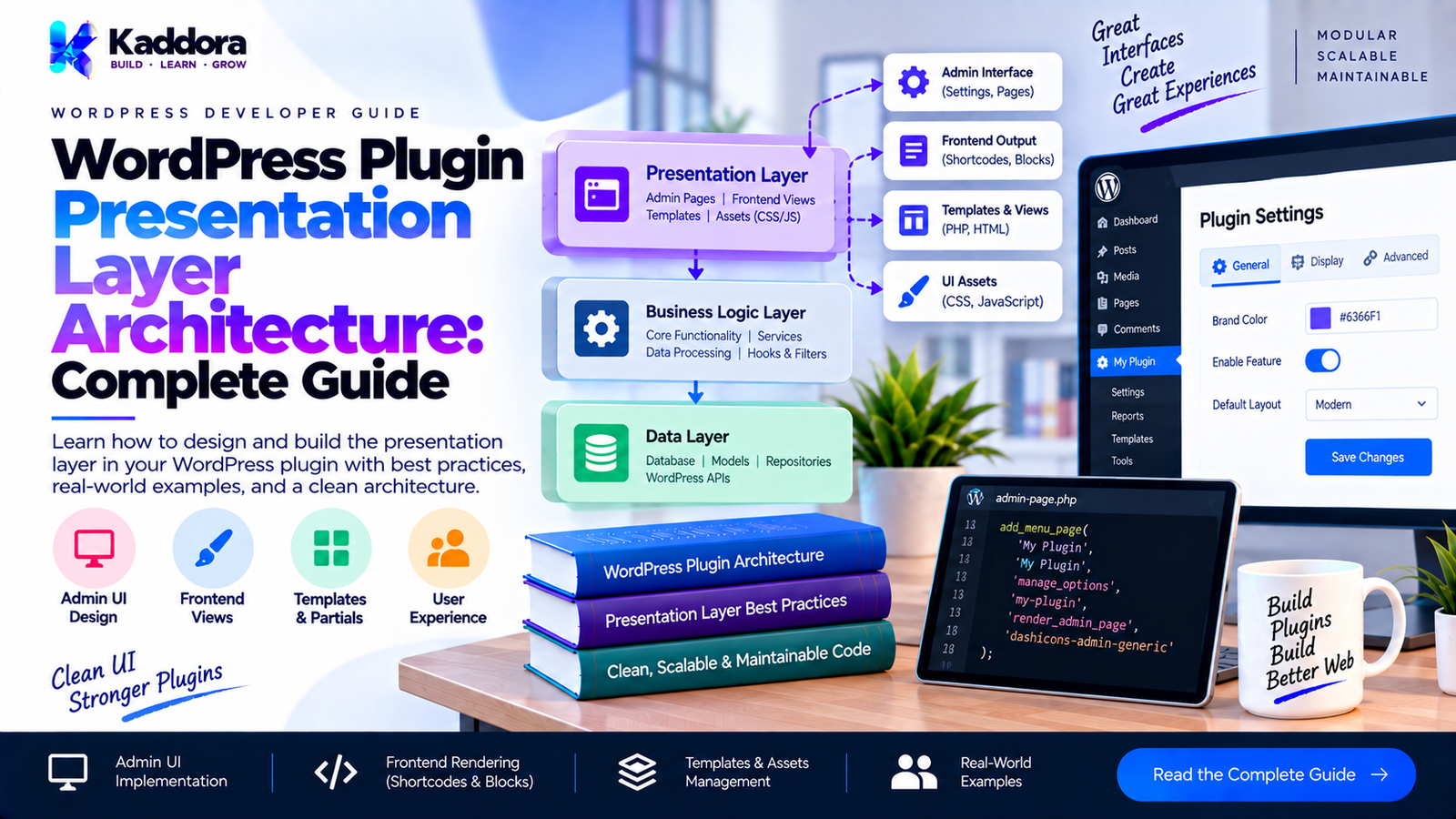
WordPress Plugin Presentation Layer Architecture: Complete Guide
Introduction
A WordPress plugin can have excellent business logic and database architecture but still become difficult to maintain if its presentation layer is poorly structured.
The presentation layer is responsible for communicating with users and external interfaces.
Depending on the plugin, that can include:
WordPress admin pages
Settings screens
Dashboard widgets
Frontend interfaces
Shortcodes
Gutenberg blocks
REST API responses
AJAX responses
WP-CLI output
Notices
Forms
Templates
JavaScript interactions
A common mistake is to place all of this code directly inside the plugin's business classes.
For example:
class Order_Service { public function create_order() { // Business logic. echo '<div class="notice notice-success">'; echo 'Order created successfully.'; echo '</div>'; } }
This creates tight coupling between the business layer and presentation.
A better architecture separates:
WordPress Request ↓ Presentation Layer ↓ Application Service ↓ Business Logic ↓ Infrastructure
The presentation layer decides how information is presented, while the application and business layers determine what the plugin actually does.
What Is the Presentation Layer?
The presentation layer is the part of a plugin that interacts with an interface.
For an admin plugin, this could be:
Admin Page ↓ Controller ↓ View
For a REST API:
REST Request ↓ REST Controller ↓ Application Service ↓ REST Response
For a frontend component:
Frontend Request ↓ Shortcode / Block / Controller ↓ Application Service ↓ Template / JSON / HTML
The presentation layer should generally be concerned with:
receiving input,
preparing input,
invoking application operations,
formatting output,
rendering views,
displaying errors,
handling interface-specific concerns.
Presentation Layer vs Business Logic
These responsibilities should be distinguishable.
Presentation Layer
Business Layer
Render admin page
Calculate price
Read form input
Validate business rule
Create REST response
Process order
Display error
Determine whether operation is allowed
Render template
Calculate discount
Register UI hooks
Execute workflow
Format JSON
Apply domain rules
For example:
echo esc_html( $order->status );
is presentation.
While:
if ( 'paid' === $order->status ) { // Continue fulfillment. }
may represent business logic.
Keeping those responsibilities separate prevents interface changes from affecting core functionality.
Why Presentation Architecture Matters
A plugin might initially have only one admin page.
Then requirements grow:
Admin Frontend REST API AJAX WooCommerce Gutenberg CLI
If the original code tightly combines interface and business logic, supporting additional interfaces becomes difficult.
A properly separated architecture allows:
┌── Admin │ ├── REST Application Service ├── AJAX │ ├── Frontend │ └── CLI
The same application operation can support multiple interfaces.
A Practical Presentation Architecture
A medium-sized plugin might use:
my-plugin/ ├── my-plugin.php ├── includes/ │ ├── Plugin.php │ │ │ ├── Admin/ │ │ ├── Admin.php │ │ ├── Controller/ │ │ │ └── OrderController.php │ │ └── Views/ │ │ └── orders.php │ │ │ ├── REST/ │ │ └── OrderController.php │ │ │ ├── Application/ │ │ └── OrderService.php │ │ │ ├── Domain/ │ │ └── OrderRules.php │ │ │ └── Infrastructure/ │ └── OrderRepository.php │ └── assets/ ├── css/ └── js/
The exact folder names are not mandatory.
The important concept is responsibility separation.
What Should a Presentation Layer Do?
A presentation layer should generally:
Receive interface input.
Validate basic request requirements.
Perform authorization where appropriate.
Sanitize input.
Convert input into application-friendly values.
Call application services.
Handle application results.
Format output.
Render the appropriate interface.
For example:
POST Request ↓ Nonce Check ↓ Capability Check ↓ Sanitize Input ↓ Order Service ↓ Result ↓ Admin Redirect
Keep Controllers Thin
Controllers are often the main entry point into the presentation layer.
A controller should not become another business-logic class.
For example:
class Order_Controller { private Order_Service $service; public function __construct( Order_Service $service ) { $this->service = $service; } public function create(): void { check_admin_referer( 'create_order' ); if ( ! current_user_can( 'manage_options' ) ) { wp_die( esc_html__( 'Permission denied.', 'my-plugin' ) ); } $amount = isset( $_POST['amount'] ) ? (float) wp_unslash( $_POST['amount'] ) : 0; try { $this->service->create( $amount ); wp_safe_redirect( admin_url( 'admin.php?page=my-orders&created=1' ) ); exit; } catch ( RuntimeException $exception ) { wp_die( esc_html( $exception->getMessage() ) ); } } }
The controller does not calculate discounts or execute database queries.
It coordinates the interface.
Admin Page Architecture
A WordPress admin page often has several responsibilities:
Menu Registration ↓ Page Rendering ↓ Form Handling ↓ Validation ↓ Application Service ↓ Redirect / Notice
Avoid putting all of this inside one giant callback.
Instead:
add_menu_page( __( 'Orders', 'my-plugin' ), __( 'Orders', 'my-plugin' ), 'manage_options', 'my-plugin-orders', array( $controller, 'index' ) );
The controller can render a view.
Separate Rendering From Processing
A common mistake is:
public function page() { if ( isset( $_POST['save'] ) ) { // Process form. } ?> <div class="wrap"> <!-- 500 lines of HTML --> </div> <?php }
This quickly becomes difficult to maintain.
A cleaner structure is:
Controller ├── index() └── save() View └── orders.php
The controller handles the operation.
The view handles presentation.
WordPress Views
A view can receive prepared data:
$orders = $this->service->get_orders();
Then:
<?php if ( empty( $orders ) ) : ?> <p> <?php esc_html_e( 'No orders found.', 'my-plugin' ); ?> </p> <?php else : ?> <table class="widefat"> <thead> <tr> <th> <?php esc_html_e( 'Customer', 'my-plugin' ); ?> </th> <th> <?php esc_html_e( 'Amount', 'my-plugin' ); ?> </th> </tr> </thead> <tbody> <?php foreach ( $orders as $order ) : ?> <tr> <td> <?php echo esc_html( $order->customer_name ); ?> </td> <td> <?php echo esc_html( $order->amount ); ?> </td> </tr> <?php endforeach; ?> </tbody> </table> <?php endif; ?>
The view should not normally execute complex business workflows.
Pass Prepared Data to Views
Avoid making views responsible for retrieving data.
Instead of:
global $wpdb; $orders = $wpdb->get_results( ... );
inside the template, prepare the data beforehand:
$view_data = array( 'orders' => $orders, );
Then include the template.
This keeps the view focused on presentation.
Use View Models When Necessary
For more complex screens, a view model can make the presentation boundary clearer.
For example:
class Order_List_View_Model { public array $orders; public int $total; public function __construct( array $orders, int $total ) { $this->orders = $orders; $this->total = $total; } }
Then:
$view_model = new Order_List_View_Model( $orders, $total );
The view receives exactly the data it needs.
However, do not create view models for every trivial page.
Presentation and Escaping
Output escaping is one of the most important presentation responsibilities in WordPress.
For HTML text:
echo esc_html( $title );
For attributes:
echo esc_attr( $value );
For URLs:
echo esc_url( $url );
For textarea content:
echo esc_textarea( $description );
For translated output:
esc_html_e( 'Settings saved successfully.', 'my-plugin' );
Escape as close to output as practical.
Presentation and Sanitization
Input sanitization occurs at the boundary.
For example:
$name = isset( $_POST['name'] ) ? sanitize_text_field( wp_unslash( $_POST['name'] ) ) : '';
Then pass the normalized value to the application layer.
The presentation layer should not blindly pass raw request data deeper into the application.
Nonces Belong at the Request Boundary
For admin forms:
check_admin_referer( 'my_plugin_save' );
For AJAX:
check_ajax_referer( 'my_plugin_action', 'nonce' );
The presentation/request layer is the appropriate place for these checks.
The business service should not need to know about an HTML form nonce.
Capability Checks
Likewise:
if ( ! current_user_can( 'manage_options' ) ) { wp_die( esc_html__( 'You are not allowed to perform this action.', 'my-plugin' ) ); }
This is WordPress authorization.
It belongs near the interface boundary.
Business rules can still enforce application-specific restrictions separately.
Admin Notices
Admin notices are also presentation concerns.
For example:
add_action( 'admin_notices', array( $this, 'display_notice' ) );
Then:
public function display_notice(): void { if ( ! isset( $_GET['created'] ) ) { return; } ?> <div class="notice notice-success is-dismissible"> <p> <?php esc_html_e( 'Order created successfully.', 'my-plugin' ); ?> </p> </div> <?php }
The application service should not directly print this HTML.
REST Presentation Layer
REST APIs have a different presentation format.
Instead of HTML:
Controller ↓ Application Service ↓ Data ↓ WP_REST_Response
Example:
public function get_order( WP_REST_Request $request ): WP_REST_Response { $order_id = (int) $request['id']; $order = $this->service->get( $order_id ); return new WP_REST_Response( array( 'id' => $order->id, 'status' => $order->status, 'amount' => $order->amount, ) ); }
The service does not need to construct the REST response.
Don't Return Internal Objects Blindly
Avoid:
return new WP_REST_Response( $order );
if $order contains internal properties that should not be exposed.
Instead, create an explicit response structure:
return new WP_REST_Response( array( 'id' => (int) $order->id, 'status' => sanitize_key( $order->status ), 'amount' => (float) $order->amount, ) );
This creates a controlled API boundary.
AJAX Presentation
AJAX endpoints are another presentation interface.
For example:
add_action( 'wp_ajax_my_plugin_search', array( $controller, 'search' ) );
The controller can:
public function search(): void { check_ajax_referer( 'my_plugin_search' ); $term = isset( $_POST['term'] ) ? sanitize_text_field( wp_unslash( $_POST['term'] ) ) : ''; $results = $this->service->search( $term ); wp_send_json_success( array( 'results' => $results, ) ); }
The service performs the search.
The controller formats the AJAX response.
Shortcodes as Presentation Adapters
Shortcodes should also remain relatively thin.
For example:
public function render_orders( $atts ): string { $orders = $this->service->get_orders(); ob_start(); include MY_PLUGIN_PATH . 'views/orders.php'; return (string) ob_get_clean(); }
The shortcode handler connects WordPress to the rendering layer.
It should not contain the entire business workflow.
Gutenberg Blocks
For blocks, the same architectural principle applies.
The block rendering layer should focus on:
block attributes,
presentation,
frontend output.
Business operations can remain in application services.
For dynamic blocks:
function my_plugin_render_block( $attributes ): string { $data = my_plugin_get_application_data( $attributes ); ob_start(); include MY_PLUGIN_PATH . 'views/block.php'; return (string) ob_get_clean(); }
This prevents block rendering code from becoming a business-service replacement.
Asset Management
CSS and JavaScript are also part of the presentation layer.
Avoid loading everything globally:
wp_enqueue_script( 'my-plugin-script', plugins_url( 'assets/app.js', MY_PLUGIN_FILE ), array( 'jquery' ), MY_PLUGIN_VERSION, true );
Instead, determine where the asset is actually needed.
For example:
if ( 'my-plugin_page_my-orders' !== $hook_suffix ) { return; }
Then enqueue only the required assets.
This improves:
performance,
maintainability,
compatibility.
Avoid Default jQuery Dependencies When Not Needed
If your interface does not require jQuery, avoid making it a dependency simply because older WordPress plugins commonly did so.
Modern JavaScript can often use:
document.querySelector()
and:
fetch()
This reduces unnecessary dependencies.
Localize or Pass Configuration Carefully
If JavaScript needs configuration:
wp_localize_script( 'my-plugin-admin', 'MyPluginData', array( 'ajaxUrl' => admin_url( 'admin-ajax.php' ), 'nonce' => wp_create_nonce( 'my_plugin_action' ), ) );
Only expose values that the browser actually needs.
Do not expose secrets or private credentials.
Presentation Layer and Internationalization
All user-facing strings should be translatable.
Use:
__( 'Orders', 'my-plugin' );
or:
esc_html__( 'No orders found.', 'my-plugin' );
Avoid:
echo 'Orders';
inside plugin interfaces.
Keep the plugin's text domain consistent with the plugin slug.
Error Presentation
Application services may throw exceptions or return structured results.
The presentation layer decides how to display them.
For admin:
add_settings_error( 'my_plugin', 'save_failed', $exception->getMessage(), 'error' );
For REST:
return new WP_Error( 'order_creation_failed', $exception->getMessage(), array( 'status' => 400, ) );
For AJAX:
wp_send_json_error( array( 'message' => $exception->getMessage(), ), 400 );
The same underlying application error can therefore be presented differently.
Presentation Layer With Application Services
A useful architecture is:
┌───────────────┐ │ Admin │ └───────┬───────┘ │ ┌───────▼───────┐ │ Controller │ └───────┬───────┘ │ ┌───────▼───────┐ │ Application │ │ Service │ └───────┬───────┘ │ ┌───────▼───────┐ │ Domain │ └───────┬───────┘ │ ┌───────▼───────┐ │ Repository │ └───────────────┘
The same application service could have another adapter:
REST Controller ↓ Application Service
This is the key architectural advantage.
Avoid Fat Views
A view should not become a second controller.
Avoid:
<?php if ( isset( $_POST['save'] ) ) { // Process request. // Query database. // Calculate values. // Send email. // Update options. } ?>
A view should primarily render already-prepared data.
Avoid Fat Controllers
Controllers should not become giant procedural files either.
Avoid:
Controller ├── 200 lines validation ├── 300 lines calculations ├── 150 lines database ├── 100 lines email └── 400 lines HTML
Instead:
Controller ↓ Application Service ↓ Domain ↓ Infrastructure Controller ↓ View
The controller connects those pieces.
Presentation Layer and Dependency Injection
Controllers should receive their dependencies.
For example:
class Admin_Order_Controller { private Order_Service $service; private Order_View $view; public function __construct( Order_Service $service, Order_View $view ) { $this->service = $service; $this->view = $view; } }
This makes dependencies explicit.
However, a dedicated Order_View class is not always necessary.
For simple WordPress plugins, a normal PHP template can be sufficient.
Do Not Over-Engineer Views
You do not necessarily need:
ViewInterface AbstractView ViewFactory ViewRenderer TemplateCompiler TemplateResolver ViewManager
for a plugin with three simple admin screens.
A practical approach can simply be:
include MY_PLUGIN_PATH . 'views/orders.php';
The architecture should match the plugin's complexity.
Presentation Layer and Caching
Caching can exist at different levels.
For example, a service may cache expensive business data:
Application Service ↓ Cache ↓ Repository
The presentation layer may also cache rendered fragments in specific situations.
However, do not put caching logic randomly inside templates.
Keep caching decisions in an appropriate application or infrastructure layer.
Presentation Layer and Accessibility
A plugin's architecture should also support accessible interfaces.
Admin and frontend views should consider:
semantic HTML,
labels for form controls,
keyboard navigation,
accessible error messages,
appropriate headings,
visible focus states,
screen-reader-friendly information.
For example:
<label for="order_amount"> Order amount </label> <input id="order_amount" name="amount" type="number" >
Presentation architecture should make accessibility easier rather than treating it as an afterthought.
Presentation Layer and Security
A clean presentation layer should enforce appropriate WordPress security practices.
Use:
Nonces
check_admin_referer();
Capabilities
current_user_can();
Sanitization
sanitize_text_field();
Escaping
esc_html(); esc_attr(); esc_url();
Safe redirects
wp_safe_redirect();
Prepared queries
$wpdb->prepare();
Although database security belongs primarily to the data-access layer, presentation boundaries are where untrusted input first enters the application.
A Complete Example
Consider an order admin page.
Controller
class Order_Controller { private Order_Service $service; public function __construct( Order_Service $service ) { $this->service = $service; } public function index(): void { $orders = $this->service->get_recent_orders(); include MY_PLUGIN_PATH . 'views/orders.php'; } public function create(): void { check_admin_referer( 'create_order' ); if ( ! current_user_can( 'manage_options' ) ) { wp_die( esc_html__( 'Permission denied.', 'my-plugin' ) ); } $amount = isset( $_POST['amount'] ) ? (float) wp_unslash( $_POST['amount'] ) : 0; try { $this->service->create( $amount ); wp_safe_redirect( admin_url( 'admin.php?page=my-orders&created=1' ) ); exit; } catch ( RuntimeException $exception ) { wp_die( esc_html( $exception->getMessage() ) ); } } }
View
<div class="wrap"> <h1> <?php esc_html_e( 'Orders', 'my-plugin' ); ?> </h1> <form method="post"> <?php wp_nonce_field( 'create_order' ); ?> <label for="order_amount"> <?php esc_html_e( 'Amount', 'my-plugin' ); ?> </label> <input id="order_amount" name="amount" type="number" step="0.01" min="0" required > <button type="submit" class="button button-primary" > <?php esc_html_e( 'Create Order', 'my-plugin' ); ?> </button> </form> </div>
The responsibilities are now clear.
WordPress ↓ Order Controller ├── Request ├── Nonce ├── Capability └── Redirect ↓ Order Service ├── Business Workflow └── Rules ↓ Repository ↓ Database
And separately:
Order Controller ↓ Orders View ↓ HTML
Testing Presentation Code
Presentation code is usually tested differently from business logic.
You may test:
whether the correct controller is registered,
whether capabilities are enforced,
whether forms contain nonces,
whether output is escaped,
whether REST responses contain the expected structure,
whether the correct template is rendered.
Business logic should continue to receive more direct unit testing.
This distinction keeps tests focused.
Common Presentation Architecture Mistakes
1. Business Logic in Templates
Templates should not calculate complex business values.
Better: prepare the data before rendering.
2. Database Queries in Views
Avoid direct $wpdb queries inside templates.
Better: use repositories or application services.
3. Missing Escaping
Never assume stored data is safe for output.
Better: escape according to the output context.
4. Missing Nonces
Forms that perform state-changing actions should use appropriate nonce protection.
5. Missing Capability Checks
Do not assume that hiding a button is authorization.
The server-side action must enforce permissions.
6. One Giant Controller
Move reusable workflows into application services.
7. One Giant Template
Break genuinely complex screens into logical components where useful.
8. Global Asset Loading
Load plugin assets only where required.
9. Hardcoded User-Facing Strings
Use WordPress internationalization functions.
10. Over-Engineering
Do not build a framework inside the plugin unless the plugin actually requires it.
Recommended Presentation Architecture
For many WordPress plugins:
Presentation │ ├── Admin │ ├── Controllers │ ├── Views │ └── Notices │ ├── REST │ ├── Controllers │ └── Response Formatting │ ├── AJAX │ └── Handlers │ ├── Frontend │ ├── Shortcodes │ ├── Blocks │ └── Templates │ └── Assets ├── CSS └── JS
Then:
Presentation ↓ Application ↓ Domain ↓ Infrastructure
This gives each layer a clear responsibility.
Best Practices
Keep presentation separate from business logic.
Keep controllers thin.
Keep templates focused on rendering.
Escape output according to context.
Sanitize untrusted input at the boundary.
Use nonces for appropriate state-changing requests.
Enforce capabilities server-side.
Keep database queries out of templates.
Reuse application services across interfaces.
Format REST responses at the REST boundary.
Keep AJAX response formatting in AJAX handlers.
Keep WordPress hooks as integration points.
Load assets only where required.
Internationalize user-facing strings.
Design accessible interfaces.
Avoid exposing internal application data through APIs.
Keep error formatting interface-specific.
Avoid global mutable presentation state.
Use dependency injection where it genuinely helps.
Avoid building unnecessary presentation frameworks.
WordPress Plugin Presentation Layer Checklist
Before releasing a plugin, check:
Are admin controllers separate from business services?
Are views primarily responsible for rendering?
Are database queries kept out of templates?
Is output escaped correctly?
Is incoming data sanitized appropriately?
Are nonces used for protected state-changing actions?
Are capability checks enforced server-side?
Are REST responses explicitly structured?
Are AJAX responses formatted at the interface boundary?
Are user-facing strings internationalized?
Are CSS and JavaScript loaded only where required?
Are forms accessible?
Are errors presented appropriately for each interface?
Are business rules outside presentation classes?
Are application services reusable?
Is the presentation architecture proportional to plugin complexity?
Why Choose Kaddora?
Kaddora's WordPress development approach emphasizes practical architecture that remains understandable as a plugin grows.
A good presentation layer does not need to become a miniature framework.
Instead, it should create clear boundaries:
User / API ↓ Presentation ↓ Application ↓ Business Logic ↓ Infrastructure
This makes it easier to develop plugins with multiple interfaces without duplicating the underlying application behavior.
Whether a plugin contains admin dashboards, WooCommerce workflows, REST APIs, frontend forms, automation, or complex settings, separating presentation from business logic creates a more maintainable foundation.
Conclusion
WordPress Plugin Presentation Layer Architecture is about controlling the boundary between how users interact with a plugin and what the plugin actually does.
The presentation layer should handle:
requests,
responses,
forms,
views,
REST output,
AJAX output,
admin screens,
frontend rendering,
assets,
interface-specific security checks.
The application and business layers should handle:
workflows,
rules,
calculations,
decisions,
domain behavior.
A practical architecture looks like:
Admin / REST / AJAX / Frontend ↓ Presentation ↓ Application ↓ Domain ↓ Infrastructure
The objective is not maximum abstraction.
The objective is a plugin where developers can quickly answer:
Where does this interface behavior belong?
and:
Where does this business rule belong?
When those answers are clear, WordPress plugins become easier to maintain, test, extend, and support as their feature sets grow.
Frequently Asked Questions
What is the presentation layer in a WordPress plugin?
The presentation layer handles user-facing and interface-specific functionality such as admin pages, forms, templates, REST responses, AJAX responses, shortcodes, blocks, and frontend output.
What is the difference between presentation and business logic?
Presentation determines how information is received and displayed. Business logic determines the rules, decisions, calculations, and workflows performed by the plugin.
Should WordPress admin pages contain business logic?
Small plugins may combine responsibilities, but larger plugins should generally keep reusable business logic in application or domain services.
Should database queries be placed inside WordPress templates?
Generally, no. Templates should focus on rendering prepared data. Data retrieval should happen through appropriate application or infrastructure components.
Where should WordPress nonce checks happen?
Nonce verification should normally happen at the request boundary, such as an admin controller or AJAX handler.
Should a controller contain database queries?
Controllers should generally coordinate requests rather than directly manage persistence. Repository or data-access components can handle database operations.
Can one application service be used by admin and REST?
Yes. Reusing the same application service allows multiple presentation interfaces to share the same business workflow.
Should views contain PHP?
Yes. WordPress templates commonly contain PHP for displaying dynamic data. The important principle is to avoid putting complex business workflows inside the view.
Should views escape output?
Yes. WordPress output should be escaped according to its context, such as esc_html(), esc_attr(), esc_url(), or esc_textarea().
How should plugin JavaScript fit into the architecture?
JavaScript belongs to the presentation layer. It can communicate with REST or AJAX endpoints while the server-side application continues to enforce authorization and business rules.
Does presentation layer separation improve performance?
Not automatically. Its primary benefits are maintainability, testability, and extensibility. Proper asset loading and avoiding unnecessary queries can also improve performance.
Is a separate view class required?
No. For many WordPress plugins, ordinary PHP templates are sufficient. A dedicated view abstraction should be introduced only when it solves a real problem.
Is presentation layer architecture necessary for small plugins?
Not always. Small plugins can use simpler structures. The architecture should grow according to the plugin's complexity.
Why choose Themekaddora?
Themekaddora provides lightweight, responsive, SEO-friendly WordPress themes with fast performance, WooCommerce compatibility, flexible customization, accessibility-conscious design, modern templates, regular updates, and professional support—providing a strong foundation for businesses building digital products and product-focused websites.
Comments (0)