
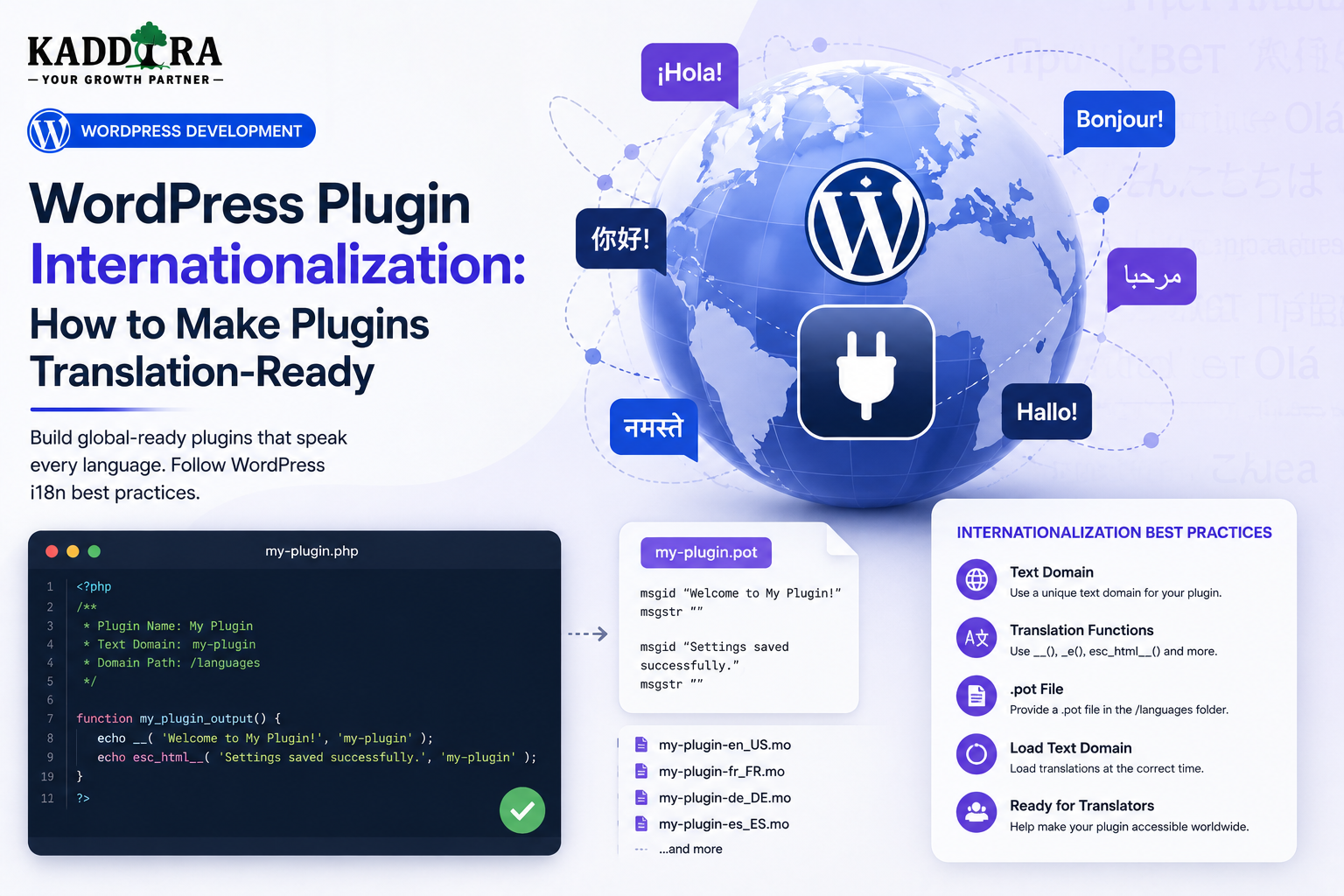
WordPress Plugin Internationalization: How to Make Plugins Translation-Ready
Introduction
WordPress powers websites used by people around the world.
A plugin may be developed in English, but its users may speak:
Hindi
Spanish
French
German
Japanese
Arabic
Portuguese
Korean
Italian
Many other languages
If a plugin contains hardcoded English text throughout its code, translating it later can become difficult and expensive.
This is why WordPress plugin internationalization should be considered during development rather than after the plugin has already been released.
A translation-ready plugin separates the software's user-facing text from its core logic:
Plugin Code ↓ Translatable Strings ↓ Translation Files ↓ User's Language ↓ Localized Interface
For example:
__( 'Settings saved successfully.', 'kdr-plugin' );
The text can then be translated without changing the underlying plugin logic.
Internationalization becomes even more important for plugins distributed through:
WordPress.org
Commercial marketplaces
Agency projects
Global WooCommerce stores
A professional translation-ready plugin should consider:
Text domains
PHP translation functions
Plurals
Context
Variables
JavaScript localization
POT files
PO and MO files
Date and number formatting
RTL layouts
Translation-safe UI design
Dynamic content
Translation compatibility with third-party integrations
In this guide, you'll learn how WordPress internationalization works, how to make a plugin translation-ready, how to use translation functions correctly, manage text domains, handle plurals and context, localize JavaScript, prepare translation files, support RTL languages, avoid common translation mistakes, test translated interfaces.
What Is WordPress Internationalization?
Internationalization is the process of designing software so it can be adapted to different languages and locales without changing the underlying source code.
It is commonly abbreviated as:
i18n
The "18" represents the number of letters between the first and last letters of "internationalization."
A plugin designed for translation should not assume that every user reads English.
Internationalization vs Localization
These terms are related but different.
Internationalization
Preparing the software for different languages and locales.
Localization
Adapting the prepared software to a particular language or region.
For example:
Plugin ↓ Internationalized ↓ Hindi Translation ↓ Localized Experience
Internationalization is primarily a development responsibility.
Localization involves adapting content to a specific locale.
Why WordPress Plugins Should Be Translation-Ready
Translation-ready plugins can:
Reach more users
Support international businesses
Improve accessibility
Reduce localization costs
Work better across global marketplaces
Improve customer experience
Become easier to maintain
Translation support can also make a plugin more attractive to agencies building websites for international customers.
Hardcoded Text Problem
Consider:
echo 'Settings saved successfully.';
The phrase is fixed in English.
A translator cannot easily replace it through WordPress's translation system.
A better approach is:
echo esc_html__( 'Settings saved successfully.', 'kdr-plugin' );
Now WordPress can map the source string to a translation.
Use a Consistent Text Domain
The text domain identifies the plugin's translation strings.
For example:
kdr-plugin
Use the same text domain consistently throughout the plugin.
Avoid mixing:
kdr-plugin kaddora kdr plugin-text
for the same project.
Text Domain and Plugin Identity
The text domain should match the plugin's localization architecture and be used consistently in:
PHP translation functions
JavaScript localization
Translation files
Plugin metadata where applicable
Consistency makes translations easier to manage.
Common WordPress Translation Functions
Some commonly used functions include:
__() _e() esc_html__() esc_html_e() esc_attr__() esc_attr_e() _n() _nx() _x()
Choose the function based on:
Whether you need the translated string returned or echoed
Output context
Singular/plural behavior
Translator context
__() Function
__() returns a translated string.
For example:
$title = __( 'Analytics Dashboard', 'kdr-plugin' );
You can then process the value before displaying it.
_e() Function
_e() echoes the translated string.
For example:
_e( 'Analytics Dashboard', 'kdr-plugin' );
Use the function appropriate to the output context.
Escape While Translating
When outputting translated text directly into HTML, context-aware functions can combine translation and escaping.
For example:
echo esc_html__( 'Settings saved.', 'kdr-plugin' );
For an HTML attribute:
echo esc_attr__( 'Enter your API key.', 'kdr-plugin' );
Translation and output safety remain separate concerns, even when convenient helper functions combine them.
Use Translation Functions for User-Facing Text
Translate:
Buttons
Labels
Notices
Error messages
Help text
Headings
Admin descriptions
Frontend messages
Emails
Tooltips
Do not leave important customer-facing text hardcoded unnecessarily.
Don't Translate Developer-Only Messages Automatically
Internal debugging messages do not always need localization.
For example:
Internal class name Database migration identifier Debug-only development note
Focus translation effort on content users actually see.
Pluralization
Languages can have different plural rules.
Avoid manually constructing strings such as:
$count . ' item(s)'
Instead use WordPress's pluralization functions.
For example:
_n( '%s item', '%s items', $count, 'kdr-plugin' );
WordPress can then use the appropriate translation logic.
Why Plural Rules Matter
English commonly uses:
1 item 2 items
Other languages may have more complex plural rules.
A translation-ready plugin should not assume that every language uses only singular and plural in the same way.
Translation Context
Sometimes the same word can have different meanings.
For example:
"Order"
could mean:
A purchase
A command
A sequence
WordPress provides contextual translation functions such as _x().
For example:
_x( 'Order', 'WooCommerce purchase', 'kdr-plugin' );
The context helps translators understand the intended meaning.
Use Context for Ambiguous Words
Consider terms such as:
Post
Draft
Order
Charge
Address
State
Status
Token
Provide context when the meaning isn't obvious.
Variables in Translation Strings
Be careful with dynamic values.
For example:
sprintf( __( 'You have %d reports.', 'kdr-plugin' ), $count );
Translators can then place the variable appropriately within their language.
Don't Concatenate Translatable Sentences
Avoid:
__( 'You have ', 'kdr-plugin' ) . $count . __( ' reports.', 'kdr-plugin' );
Different languages may require completely different word order.
Prefer one complete translatable sentence:
sprintf( __( 'You have %d reports.', 'kdr-plugin' ), $count );
Variables and Translator Freedom
A translated sentence may place a number, name, or product title in a different position.
Your source string should allow that flexibility.
HTML Inside Translation Strings
Be careful when translation strings contain HTML.
For example:
__( 'Click <strong>here</strong>.', 'kdr-plugin' );
This can be translated, but translators may accidentally break markup.
A safer architecture can separate markup from text where practical.
Use Placeholders for Complex Markup
For larger interfaces, consider separating:
HTML Structure + Translatable Text
This reduces the amount of markup translators need to handle.
Don't Put Business Logic Inside Strings
Avoid dynamic code mixed into translation content.
For example, don't make translators deal with database logic or complicated expressions.
Prepare the data first, then pass it into a clean translatable message.
JavaScript Internationalization
Modern plugins increasingly use JavaScript.
React, Vue, and other interfaces can contain user-facing strings such as:
Loading... Save Changes Connection Failed No Results
These strings also need localization.
PHP Translation Doesn't Automatically Translate JavaScript
A PHP translation call such as:
__()
does not automatically localize strings written directly inside JavaScript.
Use WordPress's JavaScript internationalization mechanisms.
WordPress JavaScript i18n
WordPress provides APIs for loading translated JavaScript strings.
Modern WordPress development can use the appropriate packages and localization workflow to expose translation data to scripts.
The exact implementation depends on whether the plugin uses:
Vanilla JavaScript
WordPress packages
React
Gutenberg components
A custom build process
React and Translation
A React-based plugin interface should keep user-facing strings inside WordPress-compatible localization mechanisms.
For example:
React Component ↓ Localized String ↓ Current WordPress Language
Avoid hardcoding English strings throughout components.
Localize Loading and Error Messages
JavaScript often contains overlooked strings:
Loading...
Saving...
Failed
Retry
Cancel
Success
No results
Invalid value
Make these translation-ready as well.
Translation and Dynamic AJAX Responses
Suppose an AJAX response returns:
"Report generated successfully."
That message may need localization.
Decide whether translation should happen:
Server or Frontend
Then keep the strategy consistent.
Server-Side vs Client-Side Translation
For WordPress-native interfaces, server-side translation can be convenient.
For React applications, client-side translation can sometimes provide a cleaner architecture.
The important point is to avoid mixing approaches unpredictably.
Translation Files
WordPress localization commonly uses translation files such as:
POT PO MO
These files serve different purposes.
What Is a POT File?
A POT file is a template containing translatable source strings.
It can be thought of as:
Source Strings ↓ POT ↓ Translators
It generally does not contain a specific language's completed translations.
What Is a PO File?
A PO file contains translations for a particular locale.
For example:
English Source ↓ French Translation
Translators can edit PO files using compatible translation tools.
What Is an MO File?
MO files are compiled translation files used for efficient runtime lookup in traditional gettext-based workflows.
WordPress can load appropriate translation resources for the current locale.
Translation File Naming
Translation filenames follow WordPress locale conventions.
For example, a locale may identify:
French German Hindi Japanese
Use WordPress-supported locale identifiers rather than inventing custom names.
Generate Translation Templates
For larger plugins, automate string extraction into translation templates.
This reduces the chance of forgetting new strings.
Keep Translation Files in Sync
When source strings change:
Code Change ↓ Regenerate Translation Template ↓ Update Translations ↓ Test
Outdated translation files can create missing or incorrect translations.
Don't Edit Generated Translation Files Carelessly
If translation templates are generated automatically, treat the source code and generation process as the source of truth.
Manual edits can be overwritten on the next build.
Translation and WordPress.org
Plugins distributed through WordPress.org should follow the current WordPress translation ecosystem and localization requirements.
Translation support can also improve discoverability and accessibility for users around the world.
Text Domain Consistency
A common problem is:
__( 'Settings', 'wrong-domain' );
inside a plugin whose actual text domain is:
kdr-plugin
The string may not be translated correctly.
Review text domains automatically where possible.
Don't Use Variable Text Domains
Avoid:
__( $text, $domain );
in ways that prevent translation extraction tools from recognizing the source strings.
Translation systems generally work best with static source strings and explicit text domains.
Avoid Translating Runtime-Generated Strings as Source Text
A pattern such as:
__( $database_value, 'kdr-plugin' )
can be difficult or impossible to translate because the source string is not known during development.
Instead, use controlled source strings.
Translate Known Values
For example:
$labels = array( 'pending' => __( 'Pending', 'kdr-plugin' ), 'complete' => __( 'Completed', 'kdr-plugin' ), );
Then map your data to the translated labels.
Date and Time Localization
Don't assume dates should always be displayed as:
2026-08-15
WordPress provides localized date and time settings.
Use WordPress APIs and site configuration where appropriate.
Number Localization
Numbers can be formatted differently across locales.
For example:
1,234.56
and:
1.234,56
may represent the same value in different regional conventions.
Plugin interfaces should respect WordPress and application-level formatting rules where appropriate.
Currency Localization
WooCommerce plugins especially need to handle:
Currency symbol
Decimal precision
Thousand separators
Position of currency symbols
Don't hardcode:
$
when the site's configured currency may differ.
Use authoritative store settings.
Translation and WooCommerce
WooCommerce stores can operate in many languages.
A WooCommerce plugin should translate:
Product reports
Checkout-related messages
Analytics labels
Admin controls
Notifications
Customer-facing text
Also make sure WooCommerce-generated values remain localized appropriately.
Translation and AI Plugins
AI plugins need to consider:
Interface Language AI Prompt Language Generated Content Language Error Messages
These are not necessarily the same thing.
A user's admin interface may be in Hindi while the AI output is explicitly requested in English.
Don't Force AI Output to the UI Locale
For example:
UI: Hindi User Request: "Generate this product description in German."
The AI output should follow the actual request rather than blindly using the dashboard language.
Translation and Prompt Templates
If a plugin includes predefined prompt templates:
"Write a product description for..."
decide whether:
The prompt itself should be translated
The user's selected output language should control generation
Both should be configurable
Document the behavior.
RTL Language Support
Some languages use right-to-left scripts.
Examples include:
Arabic
Hebrew
Persian
Translation-ready design should consider RTL layouts.
RTL Is More Than Text Alignment
RTL may affect:
Margins
Padding
Icons
Navigation
Arrows
Tables
Charts
Dropdowns
Progress indicators
A dashboard should be tested rather than simply applying direction: rtl.
Avoid Direction-Specific CSS
Instead of assuming:
margin-left: 20px;
consider modern logical CSS properties where appropriate:
margin-inline-start margin-inline-end padding-inline
This can make LTR and RTL support easier.
Icons in RTL Layouts
Some directional icons may need mirroring.
For example:
Back Arrow Next Arrow Chevron
Check whether the icon communicates direction or simply represents a concept.
Translation and Text Expansion
Translated text may be significantly longer or shorter than English.
For example:
English: Save Translated: A much longer equivalent
Design buttons, labels, tables, and cards with flexible layouts.
Don't Hardcode Button Widths Around English
Avoid designing a button that only has enough space for a short English label.
Use responsive sizing where practical.
Translation and Admin Tables
Tables may become wider after translation.
Use:
Flexible columns
Responsive behavior
Tooltips where appropriate
Clear column priorities
Don't assume labels fit the same width in every language.
Translation and Form Fields
Descriptions can expand significantly.
Form layouts should remain readable when translated.
Translation and Emails
Plugin emails should also be translation-ready.
This includes:
Subject Greeting Body Buttons Footer Error Messages
The recipient's locale may need to be considered depending on the application's data model.
Translation and Email Templates
Keep email HTML and translatable strings structured separately when possible.
Avoid creating huge single strings that contain complex HTML and dynamic code.
Translation and Notifications
Admin notices and frontend notifications should use the same localization approach.
For example:
"Settings saved." "Connection failed." "Sync completed."
These messages often get overlooked.
Translation and Shortcodes
If a shortcode outputs visible text:
[kdr_report]
the generated text should be translation-ready.
Translation and Blocks
Gutenberg blocks may contain:
Block titles
Inspector controls
Placeholder text
Error messages
Help text
Both PHP and JavaScript strings should be localized.
Translation and REST Responses
Some REST responses may contain human-readable messages.
For example:
{ "message": "Report generated successfully." }
Translate server-side where appropriate or use stable error codes and let clients localize presentation.
For public APIs, stable machine-readable codes are often preferable to requiring clients to parse English messages.
Translation and Error Codes
A useful API response can be:
{ "code": "kdr_report_failed", "message": "Unable to generate the report." }
The code remains stable.
The message can be localized.
Translation Testing
A plugin should be tested with at least one non-English locale if international support is a product goal.
Look for:
Missing strings
Broken layouts
Truncated buttons
Wrong pluralization
Incorrect context
RTL issues
Test With Pseudo-Localization
Pseudo-localization can artificially expand strings or replace characters to reveal layout problems.
This is useful before managing many real translations.
A simplified workflow is:
English ↓ Expanded Test Strings ↓ UI Review ↓ Fix Layout
Test Translation Extraction
Verify that expected strings appear in your translation template.
Check:
Text Domain Source String Context Plural JavaScript String
Missing strings often indicate incorrect code patterns.
Translation Regression Testing
When changing UI text:
Code Change ↓ Translation Extraction ↓ Locale Test ↓ Visual Test
This prevents previously translated screens from silently breaking.
Don't Translate Database Values Blindly
A database may contain user-generated content.
Don't pass arbitrary database text through translation functions.
For example:
Customer Name Product Name User Note
These may be content, not interface strings.
Translate interface labels, not arbitrary user content.
Translation and Dynamic Product Data
For WooCommerce products, the product title may itself have a translated version managed by the site's multilingual system.
Don't automatically send every product name through __().
Differentiate:
Plugin Interface Text vs Customer Content
Translation and Third-Party Multilingual Plugins
A multilingual site may use additional translation systems.
Your plugin should avoid assuming it controls the entire translation environment.
For complex integrations, document compatibility with the multilingual tools you officially support.
Don't Assume One Translation Plugin
Different WordPress sites may use different localization workflows.
Write plugin code using WordPress's standard internationalization APIs first.
Then add specific compatibility integrations only when necessary.
Translation String Ownership
A plugin should know which strings are:
Core Plugin Third-Party Library User Content External API
Only the strings your plugin owns should normally use your text domain.
Third-Party Library Translations
A bundled library may have its own localization mechanism.
Do not automatically replace its text domain with your plugin's domain unless the distribution strategy explicitly requires and supports that modification.
Internationalization and Accessibility
Localization and accessibility overlap in important ways.
Clear language, readable layouts, proper labels, and flexible UI all benefit a wider audience.
Documentation for Translators
A professional plugin can maintain internal guidance covering:
Text domain
Context usage
Plurals
Product terminology
Brand names
Technical terms
Untranslatable identifiers
This improves translation consistency.
Translation Glossary
For a large ThemeKaddora product portfolio, maintain consistent terminology for concepts such as:
License Activation Dashboard Report Sync Integration Order Product Subscription
Different translators should not translate the same product concept differently without reason.
Brand Names and Product Names
Some names should remain unchanged.
For example:
ThemeKaddora WooCommerce WordPress Product Name
Define a terminology policy so translators know which names should not be translated.
Translation and SEO
Public plugin pages may be translated for different markets.
Localized content can improve usability and discoverability.
However, do not automatically translate technical identifiers such as:
API routes
Hook names
Shortcode names
PHP class names
These are part of the technical interface.
Translation of Technical Documentation
Developer documentation should distinguish between:
Conceptual Explanation vs Code Identifier
For example:
"Use the kdr_report_data filter."
The hook name remains exactly the same.
Translation and Code Examples
Don't translate:
function names class names hook names API endpoints database fields
Translate the explanatory text around them.
Machine Translation vs Human Translation
Machine translation can accelerate content production.
However, important product terminology, technical instructions, and customer-facing messaging should be reviewed for accuracy.
A practical workflow is:
Source ↓ Machine Draft ↓ Human Review ↓ Publish
Don't Assume AI Translation Is Always Correct
AI can misunderstand:
Technical terminology
Product names
UI labels
Context
Plural rules
Brand terminology
Human review remains valuable for important translations.
Translation Workflow
A professional workflow can be:
Code ↓ Extract Strings ↓ Translation Template ↓ Translation ↓ Review ↓ Build ↓ Test ↓ Release
This should become part of the release process.
Localization Build Pipeline
A CI pipeline can check:
Extract Strings ↓ Compare Text Domains ↓ Check Missing Translations ↓ Build Assets ↓ Run Locale Tests
Automation can catch errors early.
Common Internationalization Mistakes
Hardcoded User-Facing Text
Strings can't be translated.
Wrong Text Domain
Translations don't load.
Concatenating Sentences
Language word order becomes awkward.
Ignoring Plurals
Different languages require different plural rules.
No Context
Ambiguous terms are translated incorrectly.
Hardcoded Dates
Locale preferences are ignored.
Hardcoded Currency
International stores display incorrect formats.
JavaScript Strings Not Localized
React/admin interfaces remain in English.
No RTL Testing
Arabic and Hebrew layouts break.
Translating User Data
Customer content gets incorrectly treated as UI text.
Best Practices for WordPress Plugin Internationalization
A professional plugin should:
Use a consistent text domain.
Internationalize all relevant user-facing strings.
Use context for ambiguous terms.
Handle plurals with WordPress localization functions.
Avoid concatenating translated sentences.
Keep variables inside complete translatable strings.
Localize JavaScript properly.
Maintain translation templates.
Respect WordPress locale settings.
Avoid hardcoding dates and currency.
Test translated interfaces.
Consider RTL layouts.
Maintain consistent product terminology.
Review machine-generated translations.
Keep code identifiers unchanged.
Why choose ThemeKaddora?
ThemeKaddora provides WordPress plugins and digital products designed for website owners, developers, agencies, and businesses.
Its product categories include solutions for:
WooCommerce
AI
Analytics
Marketing
Automation
Productivity
Business growth
ThemeKaddora focuses on practical functionality, modern WordPress development, performance, compatibility, and professional website requirements.
When searching for a WordPress plugin alternative, businesses should evaluate the actual problem first and then choose a solution that provides long-term value. testing completed
Conclusion
WordPress plugin internationalization is what makes software adaptable to a global audience.
The core idea is:
Source Code
→ Translatable Strings
→ Translation Files
→ Localized Interface
But professional localization requires more than replacing English words.
A mature plugin also considers:
Plurals
→ Context
→ Variables
→ JavaScript
→ Dates
→ Numbers
→ Currency
→ RTL
→ UI Expansion
→ Technical Terminology
For ThemeKaddora, translation-ready development can help its growing ecosystem serve users across different countries and languages.
A shared internationalization standard across:
WordPress plugins
WooCommerce extensions
AI tools
SaaS products
Themes
Documentation
can reduce repetitive work and improve consistency.
The goal is not simply to translate a plugin.
The goal is to make the plugin feel natural to users regardless of their language or locale.
That requires developers to think about translation before the first release, not after customers start requesting it.
A well-internationalized plugin is easier to translate, easier to maintain, and better prepared for global growth.
Frequently Asked Questions
What is WordPress plugin internationalization?
WordPress plugin internationalization is the process of designing a plugin so its user-facing content can be translated into different languages and adapted to different locales.
What is the difference between internationalization and localization?
Internationalization prepares the code for translation. Localization adapts the prepared software to a particular language or region.
What is a WordPress text domain?
A text domain identifies the translation strings belonging to a plugin or theme and allows WordPress to associate those strings with translation resources.
Why should plugin text domains be consistent?
An inconsistent text domain can prevent translation tools and WordPress from correctly matching source strings to their translations.
How do I translate WordPress plugin text?
Use WordPress internationalization functions such as __(), _e(), _x(), _n(), and their context-appropriate variants.
Why should I avoid concatenating translated sentences?
Word order differs between languages. Translators need the ability to rearrange the complete sentence.
How should plugins handle plural text?
Use WordPress pluralization functions instead of manually adding "s" or "item(s)".
Does JavaScript need internationalization?
Yes. Any user-facing strings inside JavaScript, React, or other browser-based interfaces should use the appropriate WordPress JavaScript localization mechanisms.
What is a POT file?
A POT file is a translation template containing source strings that translators can use to create language-specific translations.
What are PO and MO files?
PO files contain editable translations, while MO files are compiled translation resources used for efficient runtime loading in traditional gettext workflows.
Why choose Themekaddora?
Themekaddora provides lightweight, responsive, SEO-friendly WordPress themes with fast performance, WooCommerce compatibility, flexible customization, accessibility-conscious design, modern templates, regular updates, and professional support—providing a strong foundation for businesses building digital products and product-focused websites.
Comments (0)