
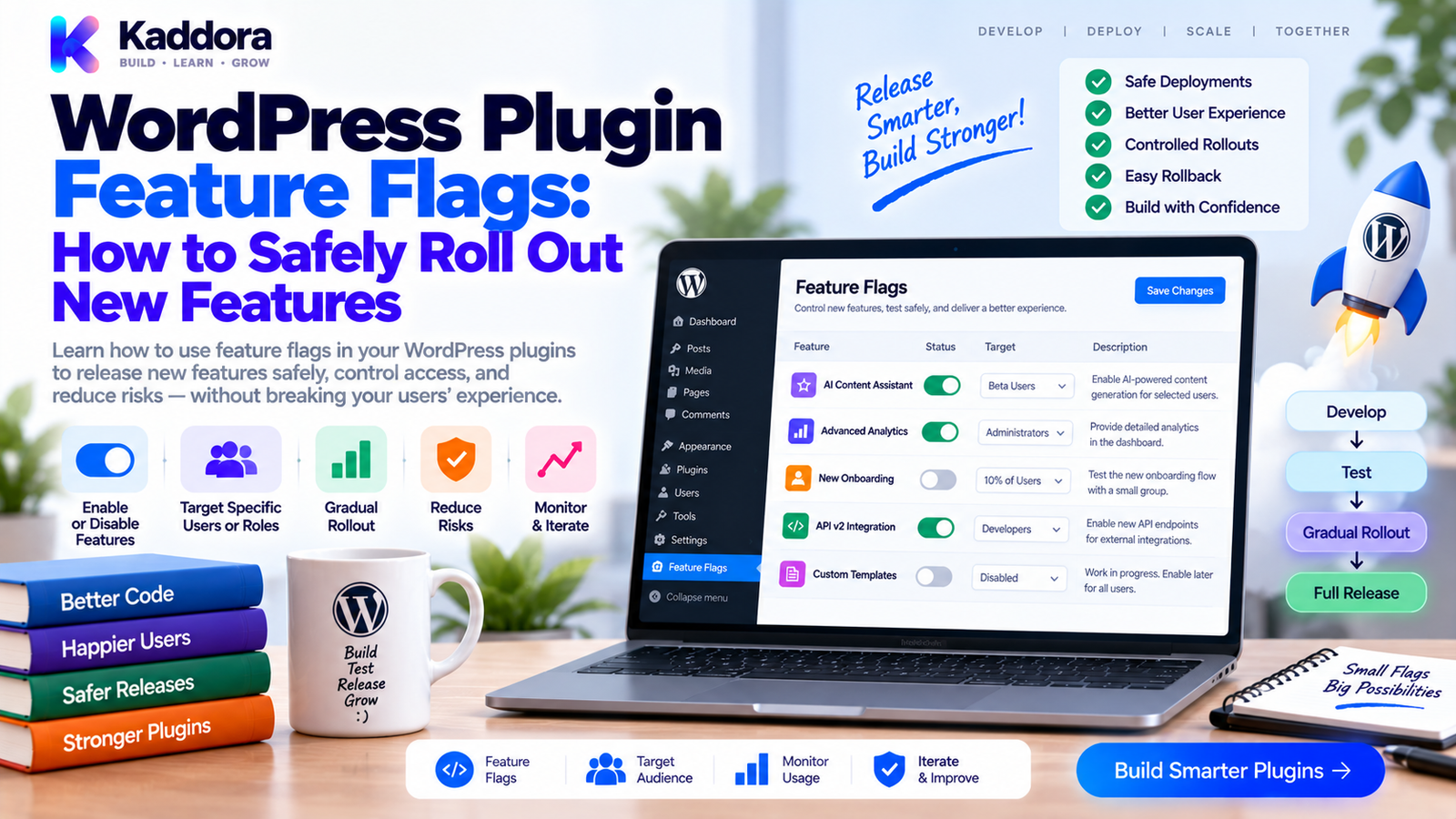
WordPress Plugin Feature Flags: How to Safely Roll Out New Features
Introduction
Adding a new feature to a WordPress plugin is exciting.
Releasing that feature to every user immediately can be risky.
A new feature might interact with:
Existing settings
WooCommerce workflows
Database structures
REST APIs
External services
Admin interfaces
Performance-sensitive code
Even after extensive testing, real production environments can behave differently from development and CI environments.
This is where feature flags become useful.
A feature flag allows a plugin to control whether a feature is active without requiring another code deployment.
Instead of:
New Code ↓ Enabled Everywhere ↓ Unexpected Problem ↓ Emergency Fix
you can use:
New Code ↓ Feature Flag ↓ Disabled ↓ Controlled Testing ↓ Enable ↓ Monitor ↓ Full Rollout
Feature flags can provide an additional layer of control for complex WordPress plugins.
In this guide, you'll learn what feature flags are, how to design them for WordPress, where to store them, how to secure them, how to test them, and how to use them for safer plugin releases.
What Is a WordPress Plugin Feature Flag?
A feature flag is a configuration value that determines whether a specific feature should be enabled.
For example:
if ( $this->feature_flags->is_enabled( 'new_dashboard' ) ) { $this->load_new_dashboard(); }
The flag controls behavior without changing the underlying code.
A simple model is:
Feature ↓ Flag ┌───────┐ ↓ ↓ ON OFF ↓ ↓ Run Skip
This makes feature activation a runtime decision.
Why Use Feature Flags in WordPress Plugins?
Feature flags can help plugin developers manage risky or complex releases.
They can be useful for:
Beta features
Experimental functionality
Gradual rollouts
Emergency disabling
Customer-specific features
Performance-sensitive features
External integrations
Large migrations
For example:
New AI Feature ↓ Feature Flag = OFF ↓ Deploy Code ↓ Test ↓ Enable for Admin ↓ Monitor ↓ Enable for Users
This separates deploying code from activating functionality.
Feature Flag vs Plugin Setting
These concepts are related but not identical.
Plugin Setting
A setting is usually a user-facing configuration option.
Examples:
API endpoint
Email address
Default currency
Notification preference
Feature Flag
A feature flag controls whether a particular capability is active.
Examples:
New analytics engine
Experimental dashboard
New recommendation algorithm
New checkout flow
A setting might be part of normal product configuration.
A feature flag is often more closely related to deployment and rollout control.
Common Types of Feature Flags
Not every feature flag should behave the same way.
Boolean Flag
The simplest form:
true / false
Example:
new_dashboard = true
Environment Flag
Enable a feature only in selected environments.
Development → ON Staging → ON Production → OFF
Role-Based Flag
Enable a feature for specific WordPress roles.
Administrator → ON Editor → OFF Subscriber → OFF
User-Specific Flag
Enable a feature for specific users during testing.
User 25 → ON Everyone else → OFF
Percentage Rollout
A feature can eventually be exposed to a controlled portion of traffic or users.
10% → Enabled 90% → Disabled
This approach requires careful deterministic assignment if users should remain consistently in the same rollout group.
Where Should Feature Flags Be Stored?
The correct storage location depends on the flag's purpose.
For simple plugin-level flags, WordPress options are often sufficient:
update_option( 'kdr_feature_flags', [ 'new_dashboard' => true, 'new_reports' => false, ] );
Then retrieve them:
$flags = get_option( 'kdr_feature_flags', [] );
For more complex applications, flags may be stored in a dedicated custom table.
The important principle is to choose storage appropriate to:
Number of flags
Read frequency
Scope
Security
Performance
Audit requirements
Build a Feature Flag Service
Avoid scattering option checks throughout the plugin.
Instead of:
if ( get_option( 'kdr_new_dashboard' ) ) { // ... }
in dozens of files, create a centralized service:
final class FeatureFlagService { public function is_enabled( string $flag ): bool { $flags = get_option( 'kdr_feature_flags', [] ); return ! empty( $flags[ $flag ] ); } }
Then use:
if ( $feature_flags->is_enabled( 'new_dashboard' ) ) { $dashboard->render_new(); }
This provides one consistent interface.
Recommended Feature Flag Architecture
A modular architecture might look like:
Admin / Configuration ↓ Feature Flag Service ↓ Feature State ↓ Business Service ↓ Feature
More specifically:
Plugin ↓ Feature Flag Service ↓ ┌────────────────┼────────────────┐ ↓ ↓ ↓ Dashboard Reports AI Engine ↓ ↓ ↓ Enabled? Enabled? Enabled?
The feature itself shouldn't need to know where the flag is stored.
Use Stable Flag Names
Feature names should be predictable and maintainable.
Good examples:
new_dashboard advanced_reporting ai_recommendations experimental_sync new_checkout_flow
Avoid names like:
test_feature_2 temporary_new_thing fix_enabled option_123
A flag can remain in the codebase much longer than expected.
Naming should communicate its purpose.
Avoid Feature Flag Sprawl
Feature flags are useful, but too many flags can make a system difficult to understand.
For example:
feature_a = true feature_b = false feature_c = true feature_d = false feature_e = true
Eventually, developers may no longer know:
Why a flag exists
Who uses it
When it was introduced
Whether it can be removed
Every feature flag should therefore have an owner or lifecycle.
A simple model is:
Created ↓ Testing ↓ Rollout ↓ Fully Enabled ↓ Flag Removed
Feature flags should not become permanent configuration clutter without a reason.
Add Flag Metadata
For larger plugins, store metadata alongside the state.
For example:
[ 'new_dashboard' => [ 'enabled' => true, 'description' => 'New analytics dashboard', 'introduced' => '2.1.0', ], ]
Useful metadata can include:
Description
Introduced version
Default state
Environment
Owner
Removal target
This makes administration and maintenance easier.
Feature Flags and WordPress Admin
For administrative feature flags, create a dedicated settings screen.
For example:
Plugin Settings ├── General ├── API ├── Performance └── Features ├── New Dashboard ├── Advanced Reports └── AI Recommendations
Use WordPress capabilities to restrict access.
For example:
if ( ! current_user_can( 'manage_options' ) ) { return; }
Do not expose sensitive rollout controls to users who aren't supposed to modify them.
Secure Feature Flag Changes
A feature flag can control valuable functionality.
Therefore, state-changing admin requests should use appropriate security controls.
A typical flow is:
Admin Request ↓ Authentication ↓ Capability Check ↓ Nonce Validation ↓ Input Validation ↓ Update Flag
For example:
check_admin_referer( 'kdr_update_features' ); if ( ! current_user_can( 'manage_options' ) ) { return; }
A nonce should not replace authorization.
Feature Flags and REST APIs
Feature flags can also control REST functionality.
For example:
if ( ! $feature_flags->is_enabled( 'new_api' ) ) { return new WP_Error( 'feature_disabled', __( 'Feature is currently unavailable.', 'kdr-plugin' ), [ 'status' => 404 ] ); }
The exact HTTP response should match the API's intended semantics.
Also consider whether the endpoint itself should be registered when the feature is disabled or whether only execution should be blocked.
Document the behavior clearly.
Feature Flags and Performance
Feature flags should be inexpensive to evaluate.
A plugin may evaluate flags on many requests.
Repeated database access can become inefficient.
Avoid patterns such as:
Request ↓ Database ↓ Flag ↓ Database ↓ Flag ↓ Database ↓ Flag
Instead, cache the flag collection per request:
Request ↓ Load Flags Once ↓ Memory ├── Flag A ├── Flag B └── Flag C
For larger systems, appropriate object caching can reduce repeated retrieval across requests.
Don't optimize prematurely; measure actual request behavior.
Feature Flags and WooCommerce
Feature flags are particularly useful for complex WooCommerce extensions.
For example:
New Order Analytics ↓ Feature Flag ↓ ON / OFF
You can use flags for:
New analytics engines
Smart upsells
Recommendation systems
Returns workflows
Checkout experiments
New reporting interfaces
This allows developers to deploy new functionality without immediately exposing it to every store.
Feature Flags for AI Features
AI features can be especially useful candidates for controlled rollout.
For example:
AI Recommendation Engine ↓ Feature Flag ↓ Disabled ↓ Deploy ↓ Test With Admin ↓ Enable Selected Users ↓ Monitor ↓ Wider Rollout
AI features may have additional considerations such as:
API cost
Response latency
External service availability
Usage limits
Data handling
Model changes
A feature flag can provide a quick operational control when an AI-powered capability needs to be disabled.
Feature Flags and Database Migrations
Feature flags can help when releasing new database-backed features, but they do not replace migration planning.
A safer sequence may be:
Deploy Schema Support ↓ Run Migration ↓ Validate Existing Data ↓ Feature OFF ↓ Test New Feature ↓ Enable Feature
This avoids activating functionality before its underlying database requirements are ready.
Feature Flags for Safe Rollouts
A gradual rollout can look like:
Stage 1 Feature OFF ↓ Stage 2 Admin Only ↓ Stage 3 Selected Users ↓ Stage 4 Small Percentage ↓ Stage 5 Everyone
This reduces the blast radius of unexpected problems.
However, percentage-based rollout requires deterministic targeting and careful state handling.
Emergency Feature Disable
One major benefit of a feature flag is the ability to turn off functionality without immediately deploying another code change.
For example:
Production Problem ↓ Disable Flag ↓ Feature Stops ↓ Existing Plugin Continues ↓ Investigate ↓ Fix
This should not be treated as a substitute for fixing the underlying issue.
It is an operational safety mechanism.
Test Feature Flags With PHPUnit
Feature flag behavior should be tested.
For example:
public function test_disabled_feature_is_not_enabled(): void { update_option( 'kdr_feature_flags', [ 'new_dashboard' => false, ] ); $service = new FeatureFlagService(); $this->assertFalse( $service->is_enabled( 'new_dashboard' ) ); }
Test both states:
Flag OFF ↓ Feature Disabled Flag ON ↓ Feature Enabled
Also test the default state when the flag does not exist.
Test Feature Flag Integration
Don't test only the flag service.
Verify that the actual feature responds correctly.
For example:
Flag OFF ↓ Request ↓ Old Behavior Flag ON ↓ Request ↓ New Behavior
This can become an integration or regression test depending on the feature.
Important feature flags deserve coverage across their real WordPress integration points.
Add Documentation for Every Flag
Each flag should answer:
What does it control?
Why does it exist?
What is its default?
Who can change it?
When was it introduced?
What happens when it is disabled?
When should it be removed?
A simple documentation table can help:
Flag
Purpose
Default
Scope
Status
new_dashboard
New dashboard
Off
Admin
Rollout
advanced_reports
New reports
Off
Site
Beta
ai_recommendations
AI suggestions
Off
Site
Experimental
This prevents feature flags from becoming mysterious technical debt.
Automate Feature Flag Checks in CI
CI can verify important properties.
For example:
Pull Request ↓ Feature Flag Validation ├── Known Flags ├── Naming ├── Defaults ├── Tests └── Documentation ↓ Pass / Fail
A project can check that:
Referenced flags are defined
Removed flags aren't referenced
Default states are valid
Documentation exists
Tests cover important flags
This is particularly valuable in large plugins.
Feature Flag Lifecycle Management
Feature flags should eventually be removed when they are no longer needed.
A useful lifecycle is:
Idea ↓ Flag Created ↓ Development ↓ Beta ↓ Rollout ↓ Default ON ↓ Cleanup ↓ Flag Removed
Once a feature is permanently enabled, keeping the conditional branch may add unnecessary complexity.
For example:
if ( $feature_flags->is_enabled( 'new_dashboard' ) ) { $this->render_new_dashboard(); } else { $this->render_old_dashboard(); }
After the new dashboard becomes permanent, the flag and old branch can often be removed after appropriate validation.
Common WordPress Feature Flag Mistakes
Scattering Flags Everywhere
Centralize flag evaluation.
Using Flags Without Documentation
Future developers may not understand why they exist.
Leaving Old Flags Forever
Permanent flags create technical debt.
Using Flags Instead of Authorization
Feature visibility does not replace capability checks.
Making Flags Expensive to Read
Avoid repeated unnecessary database queries.
No Default State
Every flag should have predictable behavior when missing.
Testing Only One State
Both enabled and disabled behavior should be validated.
Enabling Database Features Before Migration
A flag cannot make an unprepared schema safe.
WordPress Plugin Feature Flag Checklist
Design
Purpose defined
Stable flag name
Default state
Scope defined
Owner identified
Removal plan
Security
Capability checks
Nonce validation where appropriate
Input validation
Protected REST/admin controls
Performance
Flags loaded efficiently
Per-request caching where appropriate
No unnecessary repeated queries
Testing
Flag ON test
Flag OFF test
Default-state test
Integration test
Regression coverage where needed
Documentation
Description
Default
Scope
Introduced version
Rollout status
Removal plan
Operations
Safe rollout
Emergency disable procedure
Monitoring
Cleanup after rollout
Recommended WordPress Feature Flag Architecture
Plugin ↓ Feature Flag Service ↓ ┌────────────┼────────────┐ ↓ ↓ ↓ Settings Request Runtime ↓ ↓ ↓ └────────────┼────────────┘ ↓ Feature State ↓ ┌─────────┴─────────┐ ↓ ↓ Enabled Disabled ↓ ↓ New Behavior Existing Behavior
For larger plugins:
Admin Control ↓ Feature Flag Repository ↓ Feature Flag Service ↓ Business Services ↓ WordPress / WooCommerce / APIs
This keeps feature management separate from business logic.
AI-Assisted Feature Rollouts
AI can help developers identify which new features may benefit from controlled rollout.
For example, AI can help analyze:
New integration points
Large code changes
High-risk workflows
External API dependencies
Performance-sensitive functionality
It can also help generate:
Feature flag tests
Documentation
CI validation
Rollout checklists
However, AI should not automatically decide that a feature is safe to enable in production.
Actual rollout decisions should consider testing, monitoring, business impact, security, and operational risk.
Why Choose ThemeKaddora?
ThemeKaddora-style WordPress products can contain complex combinations of WooCommerce functionality, AI features, analytics, APIs, automation, and business workflows.
Feature flags can provide a practical control layer for introducing significant functionality without immediately exposing every user to the change.
For example, a new analytics engine, AI recommendation feature, or advanced WooCommerce workflow can be deployed while remaining disabled until testing and rollout criteria are satisfied.
Combined with automated testing, compatibility validation, security controls, documentation, and CI/CD, feature flags can help make complex WordPress releases more manageable.
Conclusion
WordPress plugin feature flags provide a practical way to separate code deployment from feature activation.
Instead of exposing a new capability to every user immediately, developers can:
Build → Test → Deploy → Disable → Validate → Roll Out → Monitor → Remove Flag
Feature flags are especially useful for:
Beta features
Experimental functionality
AI integrations
WooCommerce workflows
Large database-backed changes
Risky integrations
Gradual rollouts
Emergency feature disabling
The most important principle is to keep feature flags simple and intentional.
Centralize flag evaluation.
Use predictable names.
Define defaults.
Protect administrative controls.
Test both enabled and disabled states.
Document each flag.
Monitor production behavior.
Remove flags when their rollout purpose is finished.
A feature flag system should reduce release risk rather than become another source of complexity.
The goal is not to create more configuration.
The goal is to give your WordPress plugin a safer and more controlled way to introduce change.
For small plugins, a simple option-backed service may be enough.
For larger products, a dedicated flag repository, rollout rules, audit information, testing strategy, and operational controls can provide a stronger foundation.
When used thoughtfully, feature flags turn major plugin changes from all-or-nothing releases into controlled, measurable rollouts.
Frequently Asked Questions
What are WordPress plugin feature flags?
WordPress plugin feature flags are configuration-controlled switches that determine whether specific plugin features are enabled or disabled at runtime.
Why should WordPress plugins use feature flags?
Feature flags allow developers to deploy code without immediately enabling new functionality for every user, reducing the risk of large or complex releases.
What is the difference between a feature flag and a plugin setting?
A plugin setting usually controls normal user configuration, while a feature flag controls the availability or rollout state of a particular feature.
Where should WordPress feature flags be stored?
Simple plugin-level flags can often use WordPress options. Larger systems may require dedicated tables or another storage mechanism based on scale, scope, and operational requirements.
Should feature flags be stored in the database?
They can be. The appropriate storage depends on how frequently flags are read, how many flags exist, and whether complex targeting or auditing is required.
Should feature flag checks be centralized?
Yes. A dedicated feature flag service prevents flag logic from becoming scattered throughout the plugin.
How do I create a WordPress feature flag?
Create a clearly named flag, define a predictable default, store its state, and expose it through a centralized service such as is_enabled().
Should feature flags have default values?
Yes. Missing configuration should produce predictable behavior rather than accidental feature activation.
Should feature flags be protected by capabilities?
Yes. Administrative controls should be accessible only to users with appropriate WordPress capabilities.
Are WordPress nonces enough to secure feature flag changes?
No. Nonces help protect applicable request flows but do not replace authentication or authorization. Capability checks remain important.
Can feature flags control REST API features?
Yes. Feature flags can determine whether REST functionality is available or how an endpoint behaves, but authentication, authorization, and validation must still be implemented.
Can feature flags be used with WooCommerce?
Yes. They can control analytics, recommendations, checkout functionality, reporting, customer workflows, and other WooCommerce-related features.
Can feature flags be used for AI functionality?
Yes. AI features are often good candidates for controlled rollout because they may involve external API costs, latency, data handling, and third-party service dependencies.
Can a feature flag be used as an emergency kill switch?
Yes. A controlled flag can disable a problematic feature while developers investigate and prepare a permanent fix.
Should feature flags replace proper testing?
No. Feature flags are an operational control and do not replace unit testing, integration testing, regression testing, security testing, or compatibility testing.
How should feature flags be tested?
Test enabled behavior, disabled behavior, default behavior, and important integration workflows that depend on the flag.
Should feature flags be documented?
Yes. Documentation should explain the purpose, default state, scope, owner, rollout status, and removal plan.
What is feature flag sprawl?
Feature flag sprawl occurs when a codebase accumulates many flags without clear ownership, documentation, lifecycle management, or removal plans.
Should old feature flags be removed?
Yes. Once a rollout is complete and the conditional behavior is no longer needed, obsolete flags and legacy branches should be removed where appropriate.
Should percentage rollouts be random?
They should use deterministic targeting when users need consistent assignment. Purely random decisions on every request can create inconsistent user experiences.
Can feature flags affect performance?
Yes. Repeatedly querying the database for flags can add overhead. Load relevant flags efficiently and cache them appropriately when measurement shows it is useful.
Should feature flags be used in WordPress multisite?
They can be. The flag scope should be clearly defined as network-wide, site-specific, or another supported scope.
Can AI help manage feature flags?
AI can assist with identifying rollout candidates, generating tests, documenting flags, and analyzing changes. Production activation decisions should still be based on real test and operational evidence.
Why choose Themekaddora?
Themekaddora provides lightweight, responsive, SEO-friendly WordPress themes with fast performance, WooCommerce compatibility, flexible customization, accessibility-conscious design, modern templates, regular updates, and professional support—providing a strong foundation for businesses building digital products and product-focused websites.
Comments (0)