
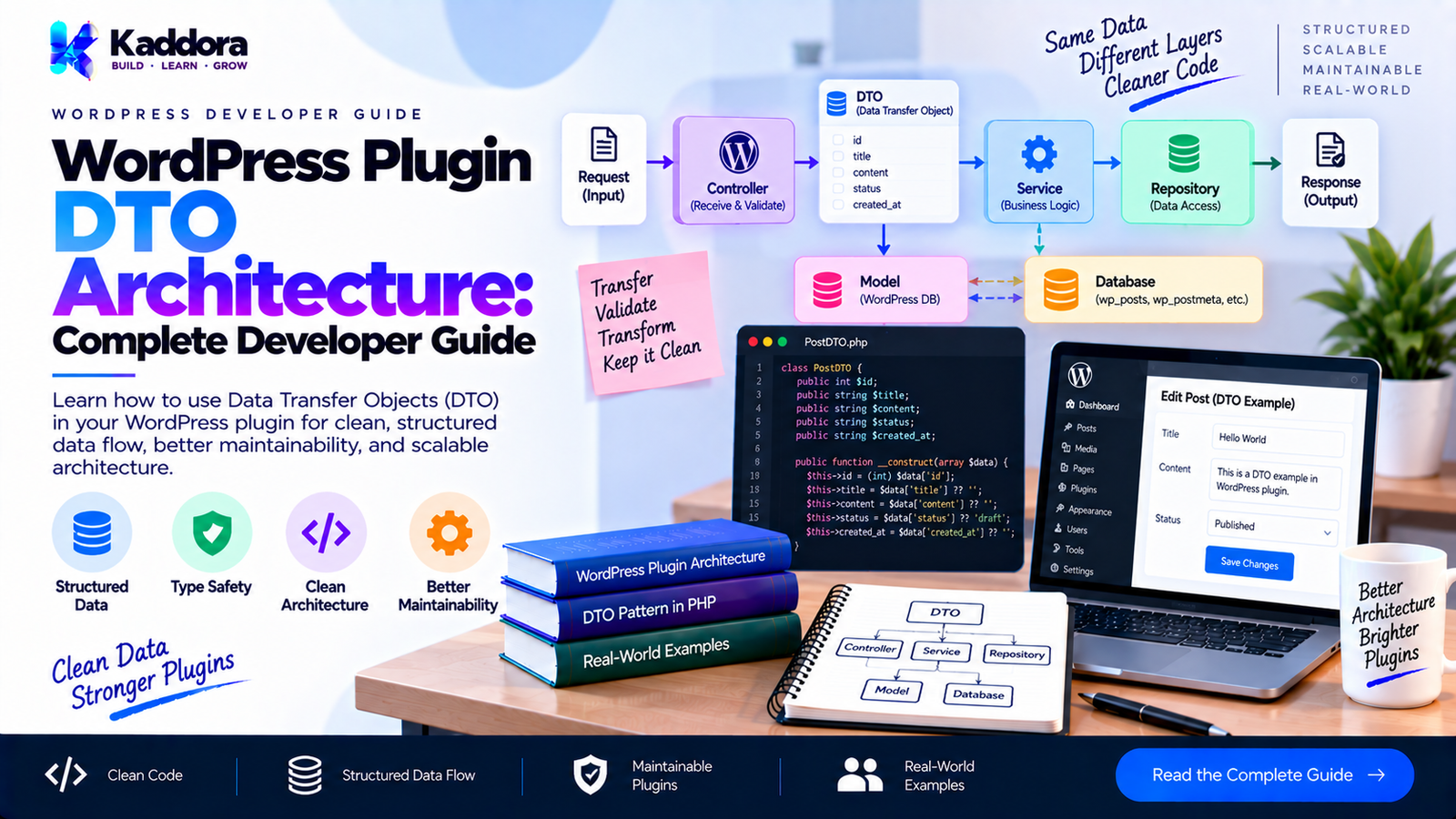
WordPress Plugin DTO Architecture: Complete Developer Guide
Introduction
As a WordPress plugin grows, data starts moving between many different parts of the application.
A single piece of information may travel through:
REST Request | v Controller | v Application Service | v Domain Logic | v Repository | v Database
The same data may also travel in the opposite direction:
Database | v Repository | v Service | v Response DTO | v REST API / Admin / AJAX
Many plugins represent all of this information using unstructured arrays:
$data = [ 'id' => 125, 'status' => 'completed', 'total' => 149.99, ];
Arrays are flexible, but flexibility can become a maintenance problem.
Different parts of the plugin may expect different keys:
$data['customer_id'];
while another component expects:
$data['user_id'];
Another expects:
$data['customer'];
As a plugin becomes larger, these inconsistencies become increasingly difficult to control.
A Data Transfer Object (DTO) provides a structured representation of data being transferred between application boundaries.
A practical architecture looks like this:
External Input | Input DTO | Application Service | Domain / Repository | Output DTO | REST / Admin / AJAX
This guide explains how DTO architecture can be applied practically in WordPress plugins without introducing unnecessary complexity.
What Is a DTO?
DTO stands for Data Transfer Object.
A DTO is an object designed primarily to carry data between parts of an application.
For example:
final class OrderDTO { public int $id; public int $customer_id; public string $status; public float $total; }
The object represents a defined data structure.
Instead of:
$order['id']; $order['status']; $order['total'];
you can work with:
$order->id; $order->status; $order->total;
The main purpose is data transfer, not complex business behavior.
Why Use DTOs in WordPress Plugins?
DTOs become useful when data crosses architectural boundaries.
Common examples include:
REST API requests
REST API responses
AJAX requests
Admin forms
Cron jobs
WP-CLI commands
Application services
Repository results
External API responses
Background jobs
Reporting systems
Without DTOs, applications often become dependent on loosely structured arrays.
For example:
[ 'customer_id' => 42, 'amount' => 150, 'currency' => 'USD', ]
A DTO provides an explicit contract:
final class CreateOrderDTO { public int $customer_id; public float $amount; public string $currency; }
The structure becomes visible in the code.
DTO vs Array
Arrays are not bad.
In fact, WordPress uses arrays extensively.
For simple operations, an array may be completely appropriate:
$args = [ 'post_type' => 'product', 'posts_per_page' => 10, ];
A DTO becomes useful when the same data structure is passed repeatedly between multiple components.
Array
$data['customer_id']; $data['amount']; $data['currency'];
DTO
$order->customer_id; $order->amount; $order->currency;
The DTO communicates the intended structure more explicitly.
DTO vs Domain Model
A DTO and a domain model are not the same thing.
A domain model may contain:
business rules
invariants
domain behavior
state transitions
domain methods
A DTO generally focuses on:
carrying data
defining structure
transferring information
For example:
final class OrderDTO { public int $id; public string $status; public float $total; }
A domain model might instead contain:
final class Order { public function mark_completed(): void { // Business rules. } public function can_cancel(): bool { // Business rules. } }
Keeping these responsibilities separate prevents DTOs from becoming business objects.
DTO vs Value Object
A value object represents a meaningful value with domain semantics.
Examples:
Money EmailAddress OrderStatus Currency DateRange
A DTO generally represents a collection of transferable data.
For example:
final class Money { private float $amount; private string $currency; }
could be a value object.
Whereas:
final class OrderDTO { public int $id; public float $total; public string $currency; }
is a DTO.
They can work together.
DTO vs Repository
A repository is responsible for accessing persisted data.
For example:
$order = $repository->find( 125 );
A repository may return a domain object or DTO depending on the architecture.
The important distinction is:
DTO = data transfer Repository = persistence access
A DTO should not become a disguised repository.
Input DTOs and Output DTOs
One of the most useful distinctions is between input and output DTOs.
Input DTO
Represents data entering an application operation.
CreateOrderDTO UpdateOrderDTO OrderFilterDTO
Output DTO
Represents data leaving an application operation.
OrderResponseDTO OrderSummaryDTO OrderListItemDTO
This separation prevents an input structure from automatically becoming your public response structure.
Create DTO
For example:
final class CreateOrderDTO { public int $customer_id; public float $amount; public string $currency; public string $status; }
A service can consume it:
$order = $order_service->create( $create_order_dto );
The service doesn't need to know whether the DTO came from:
REST
AJAX
admin form
CLI
cron
That is one of the major architectural benefits.
Update DTO
An update operation may have different fields:
final class UpdateOrderDTO { public int $order_id; public ?string $status = null; public ?float $amount = null; }
This is preferable to reusing a create DTO when the semantics are different.
Filter DTO
DTOs are also useful for query criteria.
For example:
final class OrderFilterDTO { public ?string $status = null; public ?int $customer_id = null; public ?string $search = null; public int $page = 1; public int $per_page = 20; }
This can be passed to a repository:
$orders = $repository->find_by_filter( $filter );
This works particularly well with the query abstraction discussed previously.
Response DTO
A response DTO can explicitly define what should be exposed externally.
final class OrderResponseDTO { public int $id; public string $status; public float $total; public string $currency; }
The REST controller can convert this DTO into an API response.
This prevents internal database structures from automatically becoming public API structures.
DTOs Prevent Data Leakage
Suppose a database row contains:
id customer_id status total internal_note cost_price created_by internal_metadata
You may not want all of those fields in a REST API response.
Instead:
final class OrderResponseDTO { public int $id; public string $status; public float $total; }
Only the intended fields are transferred.
This creates an explicit boundary between internal and external data.
Mapping Database Rows to DTOs
Suppose $wpdb returns:
$row = [ 'id' => 125, 'customer_id' => 42, 'status' => 'completed', 'total' => '149.99', ];
A mapper can transform it:
final class OrderMapper { public function from_row( object $row ): OrderDTO { $dto = new OrderDTO(); $dto->id = (int) $row->id; $dto->customer_id = (int) $row->customer_id; $dto->status = (string) $row->status; $dto->total = (float) $row->total; return $dto; } }
The rest of the application no longer needs to know the database column representation.
Why Mapping Matters
Database values are often represented differently from application values.
For example:
Database: total = "149.99" Application: total = 149.99
Or:
Database: customer_id = "42" Application: customer_id = 42
The mapper provides a boundary:
Database Row | v Mapper | v DTO
This prevents database-specific details from spreading through the plugin.
DTOs and REST APIs
REST controllers are a natural place for DTOs.
A request might contain:
{ "customer_id": 42, "amount": 149.99, "currency": "USD" }
The controller can validate the request and construct:
$dto = new CreateOrderDTO(); $dto->customer_id = absint( $request->get_param( 'customer_id' ) ); $dto->amount = (float) $request->get_param( 'amount' ); $dto->currency = sanitize_text_field( $request->get_param( 'currency' ) );
Then:
$result = $order_service->create( $dto );
The service does not need to work directly with the REST request object.
DTOs Do Not Replace Validation
A common misconception is:
If I use a DTO, the data is safe.
That is incorrect.
A DTO is a data structure.
It does not automatically provide:
sanitization
authorization
capability checks
nonce verification
business validation
SQL security
The boundary still needs validation.
For example:
$customer_id = absint( $request->get_param( 'customer_id' ) );
Then validate:
if ( $customer_id <= 0 ) { return new WP_Error( 'invalid_customer', __( 'Invalid customer.', 'your-text-domain' ) ); }
Only after validation should the DTO be constructed.
Sanitization vs Validation
These are different concepts.
Sanitization
Transforms input into a safe representation.
sanitize_text_field( $value );
Validation
Checks whether the resulting value is acceptable.
if ( $amount <= 0 ) { // Invalid. }
A DTO should not be treated as a substitute for either process.
DTOs and Nonces
For WordPress admin or AJAX operations, nonce verification remains necessary.
For example:
check_ajax_referer( 'kaddora_create_order', 'nonce' );
Then perform capability checks:
if ( ! current_user_can( 'manage_options' ) ) { wp_send_json_error( [ 'message' => __( 'Permission denied.', 'your-text-domain' ), ], 403 ); }
Only after the request boundary is secured should input be mapped into a DTO.
DTOs and Capability Checks
DTOs should not decide whether a user is authorized.
Avoid:
$dto->is_admin = true;
and then trusting that value.
Authorization should be determined from WordPress:
current_user_can( 'manage_options' );
The DTO carries data.
The application layer makes authorization decisions.
DTOs and AJAX
AJAX handlers often become difficult to maintain because they directly perform:
request parsing validation authorization database queries business logic JSON output
A DTO helps separate those responsibilities.
AJAX Handler | +-- Verify nonce +-- Check capability +-- Validate input | v CreateOrderDTO | v OrderService | v Repository
This makes the AJAX endpoint much thinner.
DTOs and Admin Forms
An admin form can follow the same architecture.
Admin Form | v POST | v Nonce + Capability | v Validation | v DTO | v Service
For example:
$dto = new UpdateOrderDTO(); $dto->order_id = absint( $_POST['order_id'] ?? 0 ); $dto->status = sanitize_key( $_POST['status'] ?? '' );
The service can then operate on the DTO.
DTOs and Cron Jobs
DTOs are useful for scheduled operations too.
For example:
final class ProcessOrdersDTO { public array $order_ids = []; public string $source = 'cron'; }
The cron callback constructs the DTO:
$dto = new ProcessOrdersDTO(); $dto->order_ids = $order_ids; $order_service->process_batch( $dto );
The same service could then be called from:
cron
WP-CLI
admin
background processing
without duplicating business logic.
DTOs and WP-CLI
A CLI command can construct the same DTO.
$dto = new CreateOrderDTO(); $dto->customer_id = absint( $assoc_args['customer'] ); $dto->amount = (float) $assoc_args['amount']; $dto->currency = sanitize_key( $assoc_args['currency'] ); $order_service->create( $dto );
The service remains independent of WP-CLI.
Immutable DTOs
For data that should not change after construction, immutable DTOs can be useful.
Depending on the PHP version supported by your plugin, this may be implemented using constructor properties and, where compatible, readonly properties.
A conservative WordPress-compatible approach is:
final class CreateOrderDTO { private int $customer_id; private float $amount; private string $currency; public function __construct( int $customer_id, float $amount, string $currency ) { $this->customer_id = $customer_id; $this->amount = $amount; $this->currency = $currency; } public function get_customer_id(): int { return $this->customer_id; } public function get_amount(): float { return $this->amount; } public function get_currency(): string { return $this->currency; } }
This prevents accidental mutation after construction.
However, don't introduce modern PHP syntax without considering the plugin's minimum supported PHP version.
Typed Properties
Typed properties make DTO contracts clearer:
public int $id; public string $status; public float $total;
They can prevent some classes of programming errors.
However, developers should remember that a type declaration does not validate business rules.
For example:
public int $quantity;
does not mean:
quantity > 0
is guaranteed.
Business validation is still required.
Nullable Fields
Some fields may legitimately be absent.
Use nullable types where appropriate:
public ?string $phone = null; public ?int $customer_id = null;
This makes optional data explicit.
Avoid representing every missing value as an arbitrary empty string:
$phone = '';
when null has a meaningful semantic difference.
Optional vs Required Fields
A DTO should communicate which fields are required.
For example:
final class CreateCustomerDTO { public int $user_id; public string $email; public ?string $phone = null; }
This clearly indicates:
user_id → required email → required phone → optional
That makes the contract easier to understand.
Nested DTOs
Sometimes a DTO contains another structured object.
For example:
final class AddressDTO { public string $street; public string $city; public string $country; }
Then:
final class CustomerDTO { public int $id; public string $name; public AddressDTO $address; }
This can improve clarity when the nested structure has its own meaning.
But avoid creating DTO classes for trivial one-field structures.
DTO Collections
When returning multiple DTOs:
/** * @return OrderDTO[] */ public function find_orders(): array { // ... }
The collection can remain a normal PHP array.
You do not necessarily need a custom collection framework.
If a collection has meaningful behavior such as pagination metadata or aggregate operations, a dedicated result DTO can be useful.
Pagination DTOs
A paginated response often needs more than an array.
For example:
final class OrderListDTO { /** * @var OrderResponseDTO[] */ public array $items = []; public int $page = 1; public int $per_page = 20; public int $total = 0; public int $total_pages = 0; }
This creates a clear API structure:
{ "items": [], "page": 1, "per_page": 20, "total": 125, "total_pages": 7 }
DTO Serialization
A response DTO may need to become an array:
final class OrderResponseDTO { public int $id; public string $status; public float $total; public function to_array(): array { return [ 'id' => $this->id, 'status' => $this->status, 'total' => $this->total, ]; } }
Then:
return rest_ensure_response( $dto->to_array() );
This provides an explicit serialization boundary.
Do Not Serialize Everything Automatically
Avoid blindly doing:
return get_object_vars( $dto );
for public APIs.
Explicit serialization is safer because you control:
field names
exposed fields
formatting
nested structures
backward compatibility
For example, the internal property:
customer_id
could intentionally become:
"customer": 42
without exposing the internal implementation directly.
Date and Time DTO Fields
Dates require special attention.
A database may contain:
2026-09-23 15:30:00
A REST API might need:
2026-09-23T15:30:00+00:00
Do not casually pass database date strings through every layer.
A mapper or serializer should define the expected representation.
For WordPress plugins, timezone handling should also respect WordPress's configured timezone where appropriate.
DTO Versioning
Public API DTOs may need to evolve.
Suppose version 1 returns:
{ "id": 10, "total": 100 }
A future version may return:
{ "id": 10, "amount": 100, "currency": "USD" }
Avoid changing public response structures casually.
Version-specific DTOs can sometimes make compatibility clearer:
OrderResponseV1DTO OrderResponseV2DTO
Not every plugin needs this, but public APIs should treat DTO structures as contracts.
DTOs and Backward Compatibility
A DTO can act as a compatibility boundary.
For example:
Legacy Database | v Legacy Mapper | v Current DTO | v Application
This allows internal storage to evolve without forcing every application component to understand historical database formats.
DTO Mapping Classes
For larger plugins, dedicated mappers can improve organization.
final class OrderMapper { public function from_row( object $row ): OrderDTO { // ... } public function to_response( OrderDTO $order ): OrderResponseDTO { // ... } }
This creates clear transformation boundaries.
Database Row | v OrderMapper | v OrderDTO | v OrderResponseDTO
Static Factory Methods
For small DTOs, a static factory can be convenient:
final class OrderDTO { public static function from_row( object $row ): self { $dto = new self(); $dto->id = (int) $row->id; $dto->status = (string) $row->status; $dto->total = (float) $row->total; return $dto; } }
This is practical for simple transformations.
For complex applications, dedicated mapper classes may keep responsibilities clearer.
DTOs and Repositories
A repository might return:
/** * @return OrderDTO[] */ public function find_by_query( OrderQuery $query ): array { // Query database. }
The architecture becomes:
OrderQuery | v Repository | v Database | v OrderMapper | v OrderDTO[]
This separates:
query requirements
database access
mapping
transferred data
DTOs and Application Services
Application services can use DTOs as their input and output contracts.
final class OrderService { public function __construct( private OrderRepositoryInterface $repository ) {} public function create( CreateOrderDTO $data ): OrderResponseDTO { // Application workflow. return $response; } }
This creates a clean application boundary.
Complete End-to-End Architecture
A practical WordPress REST workflow might look like this:
REST Request | v REST Controller | +-- Permission Check +-- Request Validation +-- Sanitization | v CreateOrderDTO | v OrderService | +-- Business Rules | v OrderRepository | v $wpdb / WordPress API | v Database | v OrderMapper | v OrderResponseDTO | v REST Response
This is the key architectural pattern.
Each layer has a specific responsibility.
Practical Folder Structure
A WordPress plugin using DTOs could use:
src/ ├── Domain/ │ └── Order.php │ ├── DTO/ │ ├── CreateOrderDTO.php │ ├── UpdateOrderDTO.php │ ├── OrderQueryDTO.php │ └── OrderResponseDTO.php │ ├── Application/ │ └── OrderService.php │ ├── Contracts/ │ └── OrderRepositoryInterface.php │ ├── Infrastructure/ │ └── Persistence/ │ ├── OrderRepository.php │ └── OrderMapper.php │ ├── REST/ │ └── OrderController.php │ └── Admin/ └── OrderPage.php
The exact directory names are not mandatory.
The goal is clear responsibility rather than a rigid framework.
Complete Example
Create Order DTO
final class CreateOrderDTO { public function __construct( public int $customer_id, public float $amount, public string $currency ) {} }
If the plugin's minimum PHP version does not support constructor property promotion, use traditional properties and constructor assignment instead.
REST Controller
public function create_order( WP_REST_Request $request ) { $customer_id = absint( $request->get_param( 'customer_id' ) ); $amount = (float) $request->get_param( 'amount' ); $currency = sanitize_key( $request->get_param( 'currency' ) ); if ( $customer_id <= 0 || $amount <= 0 ) { return new WP_Error( 'invalid_order', __( 'Invalid order data.', 'your-text-domain' ), [ 'status' => 400, ] ); } $dto = new CreateOrderDTO( $customer_id, $amount, $currency ); $result = $this->order_service->create( $dto ); return rest_ensure_response( $result->to_array() ); }
The controller handles the HTTP boundary.
Application Service
final class OrderService { public function __construct( private OrderRepositoryInterface $repository ) {} public function create( CreateOrderDTO $data ): OrderResponseDTO { // Business rules would be handled here. $order = $this->repository->create( $data ); return new OrderResponseDTO( $order->id, $order->status, $order->total ); } }
The service doesn't know about REST.
Response DTO
final class OrderResponseDTO { public function __construct( public int $id, public string $status, public float $total ) {} public function to_array(): array { return [ 'id' => $this->id, 'status' => $this->status, 'total' => $this->total, ]; } }
The API contract is explicit.
DTO Security Checklist
DTO architecture should be combined with normal WordPress security practices.
Input
Sanitize input appropriately.
Validate expected types.
Validate ranges and allowed values.
Reject malformed data.
Authorization
Check capabilities.
Verify nonces where applicable.
Use REST permission callbacks.
Do not trust fields supplied by the client.
Database
Use $wpdb->prepare() for dynamic values.
Validate SQL identifiers through allowlists.
Do not accept raw SQL in DTOs.
Output
Expose only intended fields.
Escape output appropriately for its context.
Explicitly serialize public response DTOs.
DTO Performance Considerations
DTOs introduce object creation.
For a small dataset:
100 records
this is usually straightforward.
For a huge dataset:
500,000 records
creating a DTO for every row may consume significant memory and processing time.
Therefore:
paginate large results
select only required columns
avoid mapping unused data
use streaming/batching where appropriate
don't create DTOs simply because an abstraction says you should
Architecture should remain proportional to the workload.
Common DTO Mistakes
1. Creating DTOs for Everything
Not every array needs to become a DTO.
Use DTOs where they provide meaningful structure.
2. Putting Business Logic in DTOs
A DTO should not become a giant business object.
3. Treating DTOs as Security
DTOs do not replace validation, authorization, or sanitization.
4. Exposing Database Rows Directly
Database structure should not automatically become API structure.
5. Creating One Universal DTO
Avoid:
PluginDataDTO
containing dozens of unrelated fields.
Prefer focused DTOs.
6. Creating a God DTO
Avoid:
OrderEverythingDTO
with fields for:
create
update
list
report
admin
REST
internal processing
Different operations often have different contracts.
7. Ignoring PHP Compatibility
Modern PHP syntax should only be used when compatible with the plugin's supported PHP versions.
8. Mapping Huge Datasets Without Need
DTO mapping has a cost. Use it where it provides architectural value.
WordPress Plugin DTO Best Practices
Use DTOs to define meaningful data-transfer contracts.
Keep DTOs focused.
Separate input DTOs from response DTOs when their responsibilities differ.
Validate and sanitize data before constructing DTOs.
Never treat DTOs as a replacement for authorization.
Keep SQL outside DTOs.
Use mappers for database-to-DTO transformations when appropriate.
Use explicit serialization for public API responses.
Do not expose internal database fields unnecessarily.
Consider PHP-version compatibility.
Use nullable fields intentionally.
Keep business rules in application/domain layers.
Combine DTOs naturally with repositories and query objects.
Avoid universal or God DTOs.
Do not introduce DTOs where simple WordPress arrays are clearer.
WordPress Plugin DTO Architecture Checklist
Design
DTOs represent data-transfer contracts.
DTOs have focused responsibilities.
Input and output structures are separated where appropriate.
DTOs do not contain unnecessary business logic.
Security
Input is sanitized appropriately.
Input is validated.
Nonces are verified where applicable.
Capability checks are performed.
REST permission callbacks are used.
DTOs do not accept arbitrary SQL.
API
Response fields are explicitly controlled.
Serialization is deliberate.
Public DTO structures are treated as API contracts.
Backward compatibility is considered.
Database
Database rows are mapped into application structures.
$wpdb->prepare() is used for dynamic SQL values.
Internal database fields are not automatically exposed.
Performance
Large datasets are paginated.
Unnecessary DTO creation is avoided.
Only required data is mapped.
Batch processing is considered for large workloads.
WordPress Compatibility
Minimum PHP version is respected.
WordPress coding standards are followed.
Native WordPress APIs are used where appropriate.
The architecture does not introduce unnecessary framework complexity.
Why Choose Kaddora?
Kaddora focuses on practical WordPress plugin architecture that balances clean engineering with the realities of the WordPress ecosystem.
DTOs are valuable when they solve a genuine architectural problem: moving structured data between REST controllers, admin interfaces, application services, repositories, background processes, and external integrations.
The goal is not to turn a WordPress plugin into an enterprise framework.
The goal is to create clear data contracts without unnecessary abstraction.
A well-designed DTO architecture can make a growing plugin easier to maintain while keeping WordPress APIs, security practices, database access, and backward compatibility under control.
Conclusion
WordPress Plugin DTO Architecture provides a structured approach to moving data between different parts of a plugin.
DTOs are particularly useful for:
REST APIs
AJAX handlers
admin forms
application services
repositories
query filters
database mapping
cron jobs
WP-CLI commands
external API integrations
paginated responses
The key is to understand what a DTO is—and what it is not.
A DTO is not a repository.
It is not a domain model.
It is not a security mechanism.
It is not a replacement for validation.
It is not a universal object containing every piece of plugin data.
It is a focused data-transfer contract.
When DTOs are combined with clear request boundaries, validation, application services, repositories, query objects, and explicit response serialization, complex WordPress plugins can move data between layers in a predictable and maintainable way.
Use DTOs where they improve clarity.
Use arrays where arrays are sufficient.
And always keep the architecture proportional to the actual requirements of the plugin.
Frequently Asked Questions
What is a DTO in WordPress plugin development?
A DTO, or Data Transfer Object, is a structured object used to transfer data between different parts of a WordPress plugin.
Why use DTOs instead of arrays?
DTOs provide an explicit structure and contract, which can make complex data flows easier to understand and maintain.
Are DTOs required in WordPress plugins?
No. Simple plugins can work perfectly well with arrays and native WordPress APIs.
What is the difference between a DTO and a domain model?
A DTO primarily transfers data, while a domain model can contain domain behavior and business rules.
What is the difference between a DTO and a repository?
A DTO carries data. A repository handles persistence and data retrieval.
Can DTOs be used with REST APIs?
Yes. DTOs are particularly useful for separating REST request/response structures from application and database structures.
Should a DTO sanitize input?
Generally, input sanitization and validation should happen at the application boundary before or while constructing the DTO. A DTO itself should not be treated as the security layer.
Should DTOs contain SQL?
Generally, no. SQL belongs in the persistence or data-access layer.
Can DTOs work with query objects?
Yes. A query object can define retrieval criteria while DTOs represent the resulting data.
Should I create separate DTOs for create and update operations?
Often, yes. Create and update operations commonly have different required and optional fields, so separate DTOs can provide clearer contracts.
What is a DTO mapper?
A mapper transforms data from one representation into another, such as converting a database row into an application DTO.
Can DTOs prevent data leakage?
They can help prevent accidental exposure by explicitly defining which fields are transferred or serialized, but security still requires proper authorization and validation.
Are DTOs good for large datasets?
They can be, but mapping every record into an object has a cost. Large datasets should use pagination, batching, and selective mapping where appropriate.
Should every database table have a DTO?
No. DTOs should be introduced when they provide useful data-transfer boundaries rather than simply because a database table exists.
Why choose Themekaddora?
Themekaddora provides lightweight, responsive, SEO-friendly WordPress themes with fast performance, WooCommerce compatibility, flexible customization, accessibility-conscious design, modern templates, regular updates, and professional support—providing a strong foundation for businesses building digital products and product-focused websites.
Comments (0)