
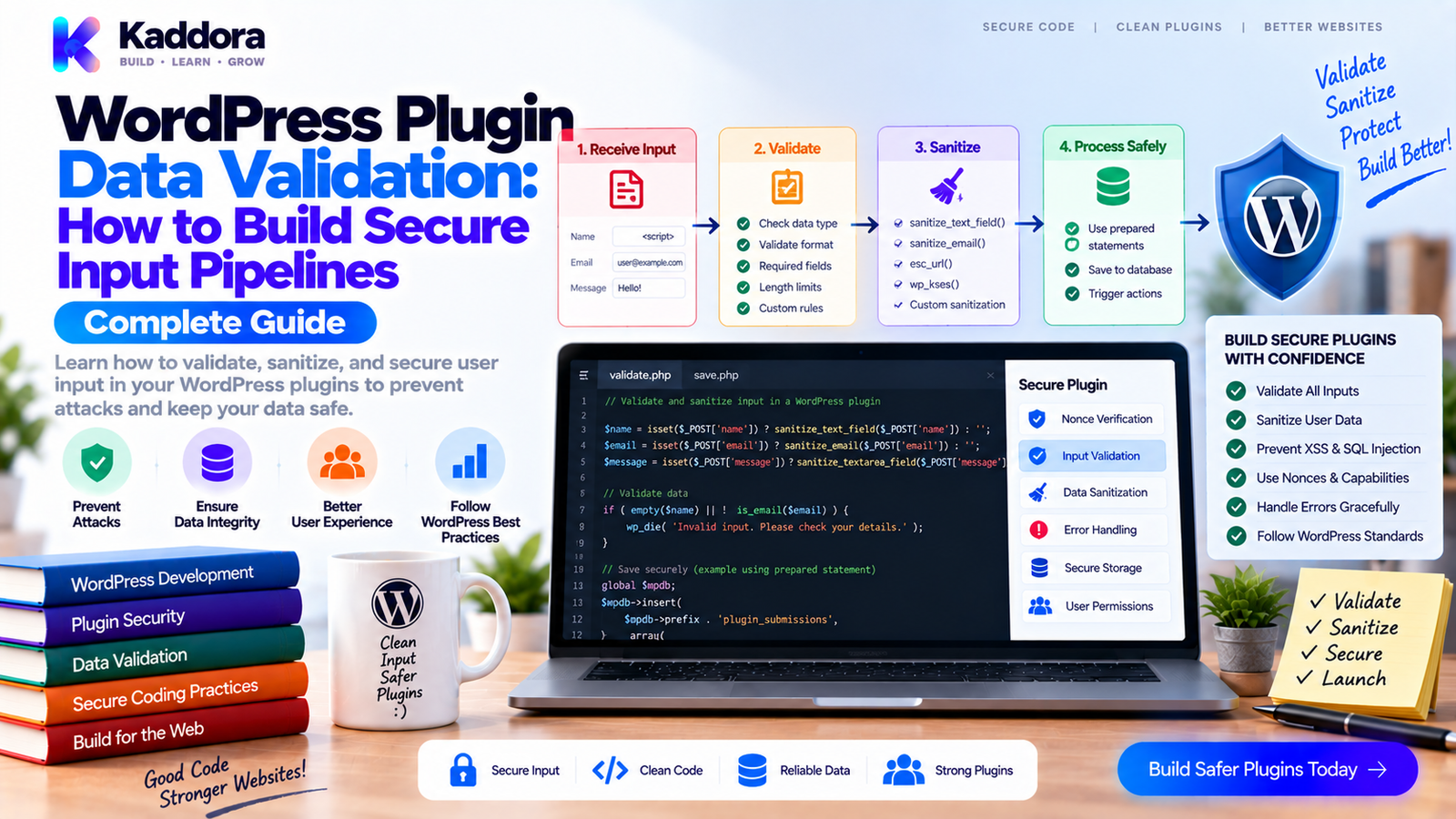
WordPress Plugin Data Validation: How to Build Reliable and Secure Input Pipelines
Introduction
Almost every WordPress plugin processes data.
A settings page accepts configuration.
A form accepts customer information.
A WooCommerce extension processes orders.
An analytics plugin receives filters.
An AI plugin accepts prompts and options.
A REST endpoint receives JSON.
An AJAX handler receives request parameters.
An import tool processes thousands of records.
All of these inputs share one important characteristic:
They cannot be trusted automatically.
A browser can send unexpected values.
A user can modify form data.
An API client can omit required fields.
An import file can contain malformed records.
Another plugin can provide data in a format your code did not expect.
This is why WordPress Plugin Data Validation should be treated as a complete architecture rather than a few sanitize_*() calls.
A strong data pipeline should answer several questions:
What data is expected? ↓ Is the input present? ↓ Is the type correct? ↓ Is the format correct? ↓ Is the value allowed? ↓ Should it be normalized? ↓ Does it satisfy business rules? ↓ Can it safely be processed?
This guide explains how to design reliable validation pipelines for WordPress plugins, how validation differs from sanitization and escaping, how to validate forms, AJAX, REST requests, imports, settings, and business objects, and how to build reusable validation services for larger plugins.
What Is Data Validation?
Data validation is the process of determining whether incoming information satisfies the requirements of an application.
For example, suppose a plugin expects:
Customer Name → string Email → valid email address Quantity → positive integer Status → approved list Date → valid date
The validation process checks whether the incoming values match those requirements.
For example:
$email = isset( $data['email'] ) ? sanitize_email( $data['email'] ) : ''; if ( ! is_email( $email ) ) { return new WP_Error( 'invalid_email', __( 'Please provide a valid email address.', 'kaddora-plugin' ) ); }
The important point is that the application should not assume the client sent correct data.
Validation vs Sanitization vs Escaping
These concepts are often confused.
Validation
Validation asks:
Is this value acceptable?
Example:
if ( ! is_email( $email ) ) { // Invalid. }
Sanitization
Sanitization transforms data into an acceptable representation.
Example:
$title = sanitize_text_field( $title );
Escaping
Escaping prepares data for a specific output context.
Example:
echo esc_html( $title );
These operations solve different problems.
A useful model is:
Input ↓ Sanitize / Normalize ↓ Validate ↓ Process ↓ Escape for Output
Do not treat escaping as input validation.
Why Data Validation Matters
Good validation improves:
Security
Data integrity
Reliability
User experience
Database consistency
API reliability
Debugging
Maintainability
Without validation, a plugin may store inconsistent data.
For example:
status = "active" status = "Active" status = "ACTIVE" status = "enabled" status = "xyz"
Later, reporting logic becomes complicated.
A strict validation model can define:
Allowed: active inactive
and reject everything else.
Define the Data Contract First
Before writing validation code, define what the data should look like.
Suppose a plugin creates appointments.
A request might require:
service_id staff_id date start_time customer_name customer_email
Define the contract:
Field
Type
Required
Rule
service_id
integer
Yes
Greater than 0
staff_id
integer
Yes
Greater than 0
date
string
Yes
Valid date
start_time
string
Yes
Valid time
customer_name
string
Yes
Non-empty
customer_email
Yes
Valid email
This becomes the foundation for validation.
Never Validate Only in JavaScript
Frontend validation improves user experience.
For example:
if (!email.includes('@')) { showError('Enter a valid email.'); }
But this is not a security boundary.
A user can bypass JavaScript entirely.
Therefore:
Browser Validation + Server Validation = Reliable Input Handling
The server must validate every sensitive request independently.
Validate Required Fields
The first layer is presence.
Example:
if ( empty( $data['customer_name'] ) ) { return new WP_Error( 'missing_customer_name', __( 'Customer name is required.', 'kaddora-plugin' ) ); }
Be careful with empty() when values such as 0 are valid.
For numeric fields, explicit checks are often clearer.
if ( ! isset( $data['quantity'] ) ) { // Missing. }
Then validate the actual value separately.
Validate Data Types
A value arriving from HTTP input is often represented as text.
For example:
"25"
may represent an integer.
Normalize it deliberately.
$quantity = isset( $data['quantity'] ) ? absint( $data['quantity'] ) : 0;
Then validate:
if ( $quantity < 1 ) { return new WP_Error( 'invalid_quantity', __( 'Quantity must be greater than zero.', 'kaddora-plugin' ) ); }
Type handling should be explicit.
Validate Allowed Values
Suppose a plugin accepts:
status = pending status = approved status = rejected
Don't accept arbitrary strings.
$allowed_statuses = array( 'pending', 'approved', 'rejected', ); if ( ! in_array( $status, $allowed_statuses, true ) ) { return new WP_Error( 'invalid_status', __( 'The selected status is not valid.', 'kaddora-plugin' ) ); }
Allow-lists are safer than trying to guess which values are invalid.
Validate IDs Carefully
WordPress plugins frequently receive IDs.
For example:
$post_id = isset( $data['post_id'] ) ? absint( $data['post_id'] ) : 0;
But type validation alone is not enough.
You may also need to verify:
Does the object exist? Is it the expected object type? Does the current user have permission? Does the object belong to the relevant context?
For example:
Valid ID + Existing customer + Authorized user + Correct business context = Acceptable request
Validate Object Relationships
Complex plugins frequently accept multiple IDs.
For example:
service_id staff_id location_id
It isn't enough for all three IDs to exist.
You may also need to verify:
Staff supports Service Staff works at Location Service is available at Location
This is business-rule validation.
The difference is important.
Format Validation ↓ Business Validation
Both may be necessary.
Build a Validation Pipeline
A scalable plugin can use several stages:
Raw Input ↓ Extraction ↓ Normalization ↓ Format Validation ↓ Authorization ↓ Business Validation ↓ Persistence
Each stage should have a clear responsibility.
This is more maintainable than putting every check into one giant controller.
Create a Validator Class
For example:
<?php namespace Kaddora\Customers; class Customer_Validator { public function validate( array $data ) { $errors = new \WP_Error(); $name = isset( $data['name'] ) ? sanitize_text_field( $data['name'] ) : ''; $email = isset( $data['email'] ) ? sanitize_email( $data['email'] ) : ''; if ( '' === $name ) { $errors->add( 'missing_name', __( 'Customer name is required.', 'kaddora-plugin' ) ); } if ( ! is_email( $email ) ) { $errors->add( 'invalid_email', __( 'Customer email is invalid.', 'kaddora-plugin' ) ); } return $errors; } }
The controller can then call the validator rather than implementing every rule itself.
Use WP_Error for Structured Failures
WordPress provides WP_Error for representing errors.
For example:
return new WP_Error( 'invalid_customer', __( 'Customer information is invalid.', 'kaddora-plugin' ) );
For multiple validation failures:
$errors = new WP_Error(); $errors->add( 'invalid_email', __( 'Invalid email address.', 'kaddora-plugin' ) ); $errors->add( 'missing_name', __( 'Customer name is required.', 'kaddora-plugin' ) ); if ( $errors->has_errors() ) { return $errors; }
This allows the application to report multiple issues together when appropriate.
Normalize Data Before Validation
Normalization converts equivalent inputs into a consistent representation.
For example:
John@example.com john@example.com JOHN@EXAMPLE.COM
may need to be handled consistently.
Similarly:
" Premium "
could be normalized to:
"Premium"
Example:
$name = isset( $data['name'] ) ? trim( sanitize_text_field( $data['name'] ) ) : '';
Normalization should be intentional.
Do not silently transform data in ways that change its meaning.
Validate Dates and Times
Date fields require more than checking whether they are strings.
Bad:
if ( ! is_string( $date ) ) { // ... }
A stronger validator checks the expected format and whether the date is actually valid.
For example:
Expected: YYYY-MM-DD
Then validate:
2026-09-15 → valid format 2026-02-31 → invalid date 15-09-2026 → wrong format hello → invalid
For time-based applications, also consider timezone handling.
A valid date in the wrong timezone can still create incorrect business behavior.
Validate URLs
Use appropriate WordPress validation functions for URLs.
For example:
$url = isset( $data['website'] ) ? esc_url_raw( $data['website'] ) : '';
Then determine whether the field is optional or required.
Do not assume that because a URL is syntactically valid it is automatically safe for every business use.
Additional rules may include:
Allowed schemes
Allowed domains
Required HTTPS
No local addresses
Integration-specific restrictions
Validate Email Addresses
Email validation can include:
$email = sanitize_email( $data['email'] ); if ( ! is_email( $email ) ) { // Invalid. }
But business systems may require additional validation.
For example:
Customer email + Not blocked + Allowed domain + Account already exists?
Technical validity and business validity are different.
Validate Numeric Ranges
Suppose your plugin accepts a discount percentage.
The valid range might be:
0–100
Normalize and validate:
$discount = isset( $data['discount'] ) ? (float) $data['discount'] : 0; if ( $discount < 0 || $discount > 100 ) { return new WP_Error( 'invalid_discount', __( 'Discount must be between 0 and 100.', 'kaddora-plugin' ) ); }
This prevents logically impossible values.
Validate Arrays Carefully
Complex forms may submit arrays.
For example:
services[] staff[] locations[]
Don't assume the array exists.
$services = isset( $data['services'] ) && is_array( $data['services'] ) ? $data['services'] : array();
Then validate each item:
$service_ids = array_map( 'absint', $services ); $service_ids = array_filter( $service_ids );
After normalization, verify that each ID represents an allowed object.
Validate Nested Data
REST requests may contain nested structures:
{ "customer": { "name": "John", "email": "john@example.com" }, "order": { "quantity": 2 } }
A strong validator should understand the expected hierarchy.
Request | +-- customer | +-- name | +-- email | +-- order +-- quantity
Avoid flattening everything into unrelated checks.
The data contract should mirror the application's domain model.
Validate File Uploads
File uploads require additional controls.
Check:
File size
File type
MIME type
Extension
Upload error
Destination
Capability
Expected purpose
Do not trust the extension alone.
Also avoid accepting executable file types unless they are genuinely required.
For administrative import systems:
Upload ↓ Validate File ↓ Validate Structure ↓ Validate Each Row ↓ Preview ↓ Import
This is safer than immediately writing uploaded data into the database.
Validate CSV Imports
Large imports need layered validation.
For example:
CSV Row ↓ Column Count ↓ Required Fields ↓ Data Types ↓ Allowed Values ↓ Object Relationships ↓ Duplicate Rules ↓ Business Rules
A single malformed row should not necessarily crash the complete import process.
Instead, collect errors:
Row 15 → Invalid email Row 27 → Missing product ID Row 42 → Unsupported status
Then allow the user to review the failed records.
Validation for WordPress Settings
Settings should be validated before they are stored.
For example:
register_setting( 'kaddora_settings_group', 'kaddora_settings', array( 'sanitize_callback' => array( $this, 'sanitize_settings', ), ) );
Inside the callback, normalize and validate individual values.
Avoid blindly saving the entire request array.
For sensitive configuration:
Setting ↓ Normalize ↓ Validate ↓ Permission Check ↓ Store
Sensitive values should receive additional security considerations.
Validation for AJAX Requests
AJAX handlers should validate every relevant field.
For example:
$product_id = isset( $_POST['product_id'] ) ? absint( $_POST['product_id'] ) : 0; if ( ! $product_id ) { wp_send_json_error( array( 'message' => __( 'Invalid product.', 'kaddora-plugin' ), ), 400 ); }
Don't rely on JavaScript to guarantee the value is correct.
The server receives the final request and must validate it independently.
Validation for REST APIs
REST endpoints should validate:
Required parameters
Types
Allowed values
Formats
Object existence
Relationships
Business rules
Authorization
A useful sequence is:
Request ↓ Parse ↓ Validate Schema ↓ Authorize ↓ Validate Business Rules ↓ Process
The API contract should remain stable and predictable.
Validation and Authorization Are Different
This distinction is essential.
Suppose:
customer_id = 421
The ID may be valid.
But the current user may not be permitted to access customer 421.
Therefore:
Validation: Is customer 421 valid? Authorization: Is this user allowed to access customer 421?
Both checks are required.
Validation and Database Safety
Validation improves application integrity, but database code still needs safe practices.
For dynamic SQL, use prepared statements when raw $wpdb queries are necessary.
For example:
$customer_id = absint( $customer_id ); $row = $wpdb->get_row( $wpdb->prepare( "SELECT * FROM {$table} WHERE id = %d", $customer_id ) );
Validation and prepared SQL solve different problems.
Validation + Prepared Queries = Safer Data Processing
Validation for Business Objects
Large plugins often benefit from domain-level validation.
For example:
Order | +-- Customer +-- Items +-- Payment Status +-- Shipping Status +-- Total
A validator can enforce domain rules such as:
Order must contain at least one item Payment status must be allowed Total cannot be negative Customer must exist
This is more powerful than merely checking whether fields are present.
Separate Format Rules From Business Rules
Consider an order quantity.
Format validation:
Integer
Range validation:
Greater than 0
Business validation:
Product has enough stock
These are different layers.
Raw Input ↓ Type Validation ↓ Format Validation ↓ Range Validation ↓ Business Validation
Keeping these layers separate makes complex systems easier to maintain.
Create Reusable Validation Rules
Large plugins often repeat the same validation logic.
Instead of writing:
is_email()
in ten different classes, centralize common rules where useful.
For example:
class Validation_Rules { public function email( $value ) { return is_email( $value ); } public function positive_integer( $value ) { return is_numeric( $value ) && (int) $value > 0; } }
Domain-specific validators can then reuse the common rules.
Do not create an abstraction for every trivial condition.
The goal is consistency, not unnecessary complexity.
Validation Error Design
Good error messages should identify the problem without exposing internal implementation details.
Bad:
SQLSTATE[23000]: Integrity constraint violation...
Better:
Unable to save the customer because the email address is already registered.
For APIs, structured errors are useful:
{ "code": "invalid_email", "message": "Please provide a valid email address." }
Error codes help developers while messages help users.
Validation and Localization
User-facing validation messages should be translatable.
Example:
__( 'Please provide a valid email address.', 'kaddora-plugin' )
Avoid hard-coded English text throughout the plugin.
Validation architecture should also preserve field identifiers so the interface can associate messages with the correct inputs.
Validation for Bulk Operations
Bulk operations require additional protection.
Suppose a user selects 500 records.
Validation should cover:
Record IDs ↓ Are IDs valid? ↓ Do records exist? ↓ Is the action allowed? ↓ Can every record be processed?
Do not assume that validating one record automatically validates the entire batch.
For large operations, process records in manageable chunks.
Validation for WooCommerce Plugins
WooCommerce extensions often validate:
Product IDs
Customer IDs
Order IDs
Quantities
Prices
Coupons
Statuses
Shipping information
But these fields may have relationships.
For example:
Product ↓ Variation ↓ Stock ↓ Quantity
A valid product ID does not mean a requested variation is valid for that product.
Business-level validation is therefore especially important.
Validation for AI Plugins
AI plugins may accept:
Prompts
Content types
Model selections
Temperature values
Token limits
Language codes
Content IDs
Batch sizes
For example:
$temperature = isset( $data['temperature'] ) ? (float) $data['temperature'] : 0; if ( $temperature < 0 || $temperature > 2 ) { return new WP_Error( 'invalid_temperature', __( 'The temperature value is outside the supported range.', 'kaddora-plugin' ) ); }
Don't assume external AI providers will validate every application-specific requirement for you.
Validate according to your plugin's own contract first.
Validation for Multisite
Multisite plugins should also consider site context.
For example:
Request ↓ Current Site ↓ Target Object ↓ Is Object Available in Current Site? ↓ Authorization
A valid object ID on one site may not be appropriate for another site.
Network-level functionality may require additional validation rules.
Validation and Concurrency
Some data can become invalid between validation and processing.
For example:
Check stock = 5 ↓ Another request sells 4 ↓ Current request expects 5 ↓ Process
Simple validation cannot solve this race condition by itself.
For state-sensitive systems, use appropriate transaction, locking, or atomic-update strategies according to the database and business workflow.
The principle is:
Validate assumptions again when the final state matters.
Fail Closed
When a critical validation condition cannot be confirmed, don't silently assume success.
For example:
Cannot verify ownership ↓ Do not process
rather than:
Cannot verify ownership ↓ Assume allowed
This is particularly important for:
Payments
Customer data
Exports
Permissions
Destructive actions
Integrations
Validate Before Expensive Processing
Don't perform expensive work before basic validation.
Bad:
Receive Request ↓ Call External API ↓ Discover Invalid Input
Better:
Receive Request ↓ Validate ↓ Authorize ↓ Call External API
This saves:
Server resources
API usage
Processing time
Debugging effort
It is especially useful for AI and third-party integrations.
Validation and External APIs
When sending data to external services, validation should happen before the outbound request.
For example:
User Input ↓ Local Validation ↓ Business Validation ↓ Prepare API Payload ↓ External Service
Also validate the response before using it.
External Response ↓ Response Structure Check ↓ Expected Fields ↓ Type Validation ↓ Business Rules ↓ Use Data
Never blindly trust external API responses either.
Validation Test Matrix
Create tests for:
Scenario
Expected Result
Required field missing
Reject
Wrong type
Reject
Invalid format
Reject
Invalid range
Reject
Unsupported value
Reject
Unknown object ID
Reject
Unauthorized object
Reject
Valid input
Accept
Duplicate record
Apply business rule
External API failure
Controlled failure
This catches edge cases before users do.
Validation Unit Testing
Example test cases:
public function test_invalid_email_is_rejected() { $validator = new Customer_Validator(); $result = $validator->validate( array( 'name' => 'John', 'email' => 'invalid', ) ); $this->assertTrue( $result->has_errors() ); }
Also test valid data:
public function test_valid_customer_is_accepted() { $validator = new Customer_Validator(); $result = $validator->validate( array( 'name' => 'John', 'email' => 'john@example.com', ) ); $this->assertFalse( $result->has_errors() ); }
Negative tests are just as important as successful ones.
Common WordPress Validation Mistakes
Validating Only With JavaScript
The browser is not trustworthy.
Sanitizing Without Validating
Clean-looking data can still be invalid.
Escaping Too Early
Escaping belongs near the output context.
Validating Only Required Fields
Type, range, format, and business rules matter too.
Checking IDs Without Ownership
A valid ID does not automatically mean an authorized object.
Trusting Imported Data
CSV and JSON files can contain malformed values.
Trusting External API Responses
Third-party services can return unexpected structures.
Performing Expensive Operations Before Validation
Reject invalid requests before costly processing.
Using Generic Error Messages Everywhere
Useful error codes and field-specific messages improve debugging and UX.
Duplicating Validation Logic
Repeated rules can become inconsistent across admin, AJAX, REST, and imports.
A Practical WordPress Validation Checklist
Input
Identify every input source.
Define required fields.
Define expected types.
Define valid formats.
Define allowed values.
Normalization
Normalize strings.
Normalize numeric values.
Normalize IDs.
Normalize arrays.
Preserve meaningful data.
Validation
Validate required fields.
Validate types.
Validate ranges.
Validate formats.
Validate object existence.
Validate relationships.
Validate business rules.
Security
Verify request protection where appropriate.
Check capabilities.
Protect sensitive data.
Use prepared database queries where needed.
Avoid trusting browser-side checks.
Output
Return structured errors.
Use translatable user-facing messages.
Escape output in the correct context.
Testing
Test valid input.
Test missing input.
Test malformed input.
Test unauthorized input.
Test duplicate input.
Test boundary values.
Test external failures.
Recommended Validation Architecture
A scalable plugin can use:
Input Sources | +---------------+---------------+ | | | Forms AJAX REST | | | +---------------+---------------+ | v Input Extractor | v Normalizer | v Format Validator | v Authorization Layer | v Business Validator | v Application Service | +-------+-------+ | | Repository External API | | +-------+-------+ | v Valid Result
This architecture keeps validation from becoming scattered throughout the application.
Data Validation in an OOP WordPress Plugin
A possible structure is:
plugin/ | +-- src/ | | | +-- Validation/ | | +-- Validator_Interface.php | | +-- Validation_Result.php | | +-- Common_Rules.php | | +-- Customer_Validator.php | | +-- Order_Validator.php | | +-- Import_Validator.php | | | +-- Http/ | +-- Ajax/ | +-- Rest/ | +-- Services/ | +-- Repositories/ | +-- Domain/ | +-- tests/
The exact structure depends on plugin size, but validation should remain easy to locate and test.
Example: Reusable Validation Result
A larger plugin can use a result object:
class Validation_Result { private array $errors = array(); public function add_error( string $field, string $code, string $message ): void { $this->errors[ $field ][] = array( 'code' => $code, 'message' => $message, ); } public function is_valid(): bool { return empty( $this->errors ); } public function get_errors(): array { return $this->errors; } }
This makes field-level validation easier to expose to different interfaces.
For example:
Admin Form | +-- Field Error REST API | +-- Structured Error Import | +-- Row Error AJAX | +-- JSON Error
The same validation rules can serve all of them.
Validation and Data Integrity
Validation is not only about security.
It protects the quality of the application's data.
Without consistent validation, databases can gradually fill with contradictory records.
For example:
customer_status active Active ACTIVE enabled 1 true
Reporting becomes difficult.
A strict contract produces:
active inactive
and makes the rest of the system simpler.
Validation for Long-Term Plugin Maintenance
As plugins grow, new features introduce new inputs.
Without centralized rules:
Feature A → Validation Style 1 Feature B → Validation Style 2 Feature C → Validation Style 3
This creates technical debt.
A consistent validation strategy provides:
Feature A Feature B Feature C ↓ Shared Validation Principles
This improves maintainability and makes future developers more productive.
Why Choose ThemeKaddora?
ThemeKaddora develops WordPress themes, plugins, HTML templates, UI kits, SaaS solutions, and business-focused digital products with an emphasis on practical development quality.
Reliable data handling is especially important for products involving:
WooCommerce
CRM
ERP
Analytics
AI
Forms
Payments
Business automation
Customer management
A strong product should validate data consistently across its interfaces instead of trusting browser-side input.
For developers building complex WordPress solutions, a clear validation architecture helps create products that are more reliable, secure, maintainable, and easier to test.
Final Thoughts
Data validation is one of the most important foundations of a reliable WordPress plugin.
It should not be reduced to a few sanitization functions.
A professional validation strategy should:
Define a clear data contract.
Normalize incoming values.
Validate types and formats.
Enforce allowed values and ranges.
Check object relationships.
Apply business rules.
Separate validation from authorization.
Protect AJAX and REST inputs.
Validate imports and external responses.
Return structured and useful errors.
Test both valid and invalid scenarios.
The most useful architecture is:
Input ↓ Normalize ↓ Validate ↓ Authorize ↓ Business Rules ↓ Process ↓ Store / Integrate ↓ Return Result
The goal is not to reject as much data as possible.
The goal is to ensure that only correct, expected, authorized, and meaningful data reaches the business layer.
When validation is designed systematically, WordPress plugins become easier to secure, easier to debug, easier to extend, and far more resilient as their features and user base grow.
Frequently Asked Questions
What is WordPress plugin data validation?
It is the process of checking whether incoming plugin data has the correct structure, type, format, allowed values, and business meaning before it is processed.
What is the difference between validation and sanitization?
Sanitization transforms data into a safer or normalized representation, while validation determines whether the resulting value meets the application's requirements.
What is the difference between validation and escaping?
Validation determines whether data is acceptable. Escaping prepares data for a specific output context.
Should I validate input in JavaScript?
Yes, frontend validation improves user experience, but every important request must also be validated server-side.
Is sanitization enough for WordPress plugin security?
No. Sanitization does not replace validation, authorization, request protection, or safe database operations.
Can a valid ID still be rejected?
Yes. An ID may exist but still be invalid for the current operation because of ownership, permissions, site context, object relationships, or business rules.
How should validation work for WooCommerce plugins?
Validate products, variations, customers, orders, quantities, statuses, prices, and their relationships according to the specific ecommerce workflow.
How should AI plugin input be validated?
Validate prompts and configuration values according to your plugin's own limits and business rules before sending data to an AI provider.
How should validation work on WordPress multisite?
Consider the current site, network context, object ownership, activation scope, and user permissions when determining whether data is valid.
Can validation prevent race conditions?
Validation alone cannot prevent every concurrency problem. State-sensitive operations may require atomic database operations, transactions, or other concurrency controls.
How should validation be tested?
Test valid inputs, missing fields, invalid formats, wrong types, boundary values, unauthorized resources, duplicate data, malformed imports, external failures, and business-rule violations.
Why is data validation important for plugin maintenance?
Consistent validation prevents contradictory data, reduces unexpected states, simplifies debugging, and makes future features easier to build.
Why choose ThemeKaddora?
ThemeKaddora develops WordPress themes, plugins, HTML templates, UI kits, SaaS solutions, and digital products with a focus on clean architecture, secure development, performance, compatibility, responsive experiences, and practical business requirements.
Comments (0)