
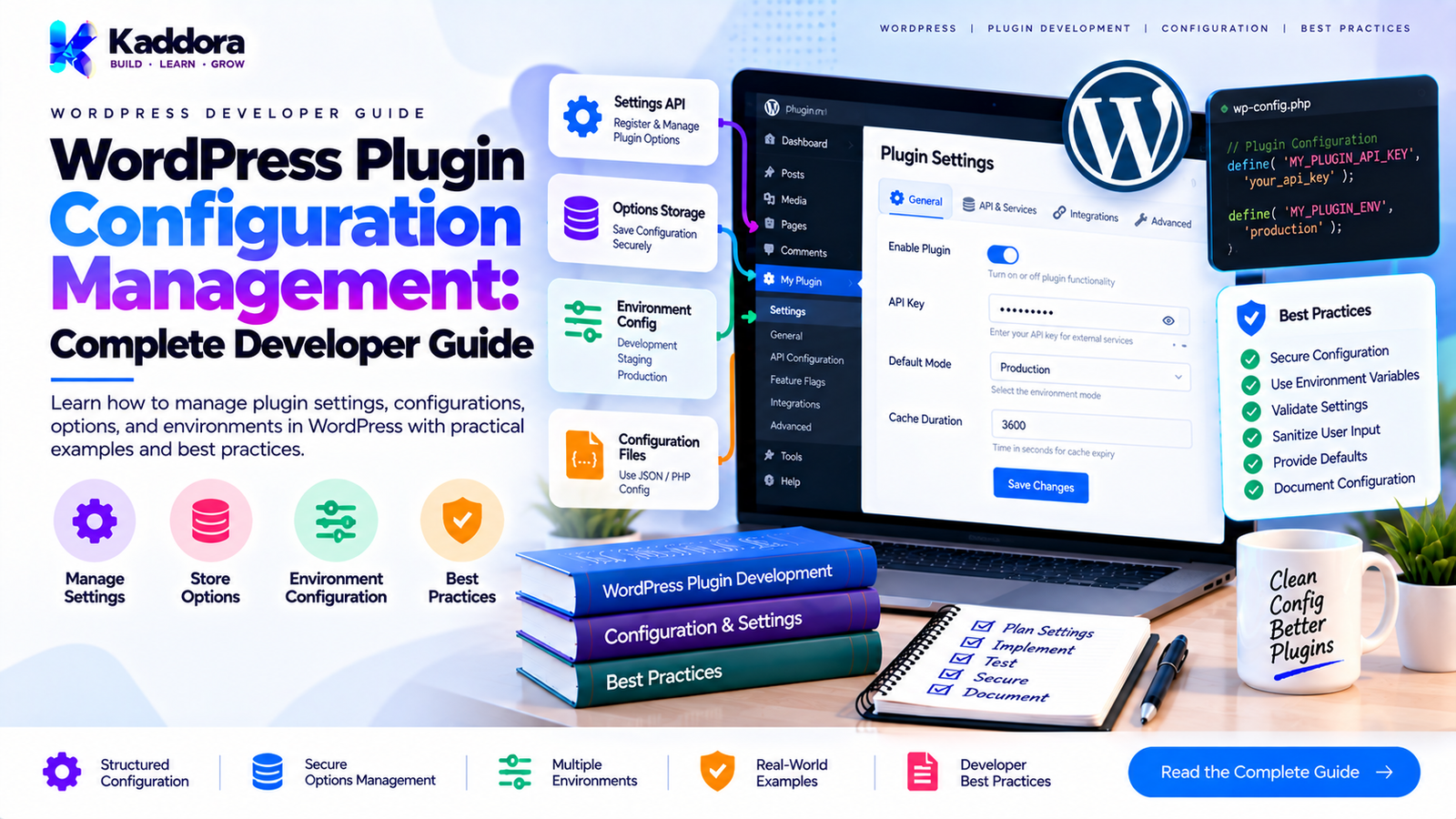
WordPress Plugin Configuration Management: Complete Developer Guide
Introduction
As a WordPress plugin grows, configuration can become surprisingly difficult to manage.
A small plugin might have only a few settings:
Enable Feature API Key Email Address
A large commercial plugin can have hundreds of configuration values covering:
General settings
Feature switches
API credentials
Email configuration
Performance options
Database behavior
Cron schedules
Integrations
WooCommerce settings
Security controls
Admin preferences
Frontend behavior
AI configuration
Licensing and entitlement state
If every class reads and writes WordPress options independently, configuration logic becomes scattered throughout the plugin.
For example:
get_option( 'my_plugin_settings' );
may eventually appear in dozens of files.
This creates problems with validation, defaults, migrations, testing, security, and backward compatibility.
A better approach is centralized configuration management.
The goal is not to hide WordPress options completely. The goal is to establish a predictable architecture around them.
What Is WordPress Plugin Configuration Management?
WordPress plugin configuration management is the process of defining, storing, retrieving, validating, updating, migrating, and consuming configuration values throughout a plugin.
A simplified architecture looks like this:
Administrator ↓ Settings UI ↓ Configuration Manager ↓ Validation ↓ WordPress Options ↓ Plugin Services ↓ Feature Modules
This separates configuration storage from the code that consumes configuration.
Why Configuration Management Matters
Poor configuration architecture can lead to:
Duplicate option reads
Inconsistent defaults
Invalid values
Difficult migrations
Security problems
Tight coupling to WordPress APIs
Difficult testing
Configuration scattered across classes
Unexpected behavior after updates
Centralized configuration management provides a consistent way to answer questions such as:
What is the current value? What is the default? Is the value valid? Where is it stored? Can this user change it? Does changing it require migration?
WordPress Options and Configuration
The WordPress Options API is commonly used for persistent plugin configuration.
For example:
$settings = get_option( 'kaddora_plugin_settings', array() );
And:
update_option( 'kaddora_plugin_settings', $settings );
For a simple plugin, this may be enough.
However, large plugins benefit from wrapping these operations behind a configuration layer.
Centralized Configuration Access
Instead of doing this everywhere:
$settings = get_option( 'kaddora_plugin_settings' ); if ( ! empty( $settings['analytics'] ) ) { // ... }
create a configuration service:
final class Configuration { private $values; public function __construct( array $values ) { $this->values = $values; } public function get( $key, $default = null ) { return array_key_exists( $key, $this->values ) ? $this->values[ $key ] : $default; } }
Then:
if ( $configuration->get( 'analytics', false ) ) { // Analytics enabled. }
This provides a stable interface to the rest of the plugin.
Configuration Defaults
Every configuration value should have a predictable default.
For example:
$defaults = array( 'enabled' => true, 'analytics' => true, 'email_reports' => false, 'retention_days' => 30, 'items_per_page' => 20, );
Defaults should be defined centrally.
A useful pattern is:
final class Configuration_Defaults { public static function all() { return array( 'enabled' => true, 'analytics' => true, 'email_reports' => false, 'retention_days' => 30, ); } }
This prevents different parts of the plugin from inventing different defaults.
Merging Stored Values With Defaults
Existing installations may not contain newly introduced settings.
Use defaults when reading configuration.
$stored = get_option( 'kaddora_plugin_settings', array() ); $config = wp_parse_args( $stored, Configuration_Defaults::all() );
Now a new setting can safely have a default even when older installations do not contain it.
Configuration Keys
Use stable configuration keys.
Good:
analytics_enabled retention_days email_reports api_timeout
Avoid implementation-specific names:
new_service_flag class_v2_enabled temporary_option
Configuration often survives multiple plugin versions, so naming should be treated as part of the plugin's internal compatibility contract.
Flat vs Nested Configuration
A simple plugin can use flat configuration:
array( 'analytics_enabled' => true, 'retention_days' => 30, 'email_reports' => false, );
A larger plugin may benefit from logical grouping:
array( 'analytics' => array( 'enabled' => true, 'retention_days' => 30, ), 'email' => array( 'enabled' => false, ), );
Nested configuration can improve organization, but excessive nesting can make access unnecessarily complicated.
Choose the structure that matches the plugin's actual complexity.
Typed Configuration
PHP configuration values can have different types:
Boolean Integer String Array
For example:
'enabled' => true, 'retention_days' => 30, 'api_endpoint' => 'https://example.com',
Do not assume that values retrieved from persistent storage are always in exactly the format your business logic expects.
Normalize configuration at the configuration boundary.
Configuration Validation
Validation should occur before invalid values enter the application's runtime.
For example:
$retention_days = absint( $input['retention_days'] ?? 30 );
Then enforce an acceptable range:
$retention_days = max( 1, min( 3650, $retention_days ) );
This is preferable to allowing arbitrary values to travel through the application.
Sanitization vs Validation
These concepts should be separated.
Sanitization
Transforms input into an appropriate format.
$email = sanitize_email( $input['email'] ?? '' );
Validation
Determines whether the resulting value is acceptable.
if ( ! is_email( $email ) ) { // Invalid email. }
A good configuration pipeline can be:
User Input ↓ Sanitize ↓ Validate ↓ Normalize ↓ Persist
Configuration and the WordPress Settings API
For administrator-facing settings, the WordPress Settings API provides a structured foundation.
A settings module can register:
register_setting( 'kaddora_settings', 'kaddora_plugin_settings', array( 'sanitize_callback' => array( $this, 'sanitize_settings', ), ) );
The exact settings architecture should match the plugin's administrative UI and compatibility requirements.
Configuration Service Example
A practical configuration service might look like:
final class Configuration_Service { private $option_name; private $defaults; public function __construct( $option_name, array $defaults ) { $this->option_name = $option_name; $this->defaults = $defaults; } public function get( $key, $default = null ) { $values = $this->all(); return array_key_exists( $key, $values ) ? $values[ $key ] : $default; } public function all() { $stored = get_option( $this->option_name, array() ); return wp_parse_args( $stored, $this->defaults ); } }
Now application code can depend on:
$config->get( 'retention_days' );
rather than knowing how configuration is stored.
Avoid Reading Options Everywhere
This pattern becomes difficult to maintain:
get_option( 'kaddora_settings' ); get_option( 'kaddora_settings' ); get_option( 'kaddora_settings' );
throughout dozens of classes.
A centralized configuration service creates a consistent boundary.
Instead:
Feature ↓ Configuration Service ↓ WordPress Options
The feature does not need to know the storage details.
Configuration and Dependency Injection
Configuration can be injected into services.
final class Report_Service { private $configuration; public function __construct( Configuration_Service $configuration ) { $this->configuration = $configuration; } public function generate() { $limit = $this->configuration->get( 'report_limit', 100 ); // Generate report. } }
This makes dependencies explicit.
It also makes testing easier because a test can provide controlled configuration.
Avoid Passing the Entire Configuration Everywhere
A common mistake is:
new Report_Service( $entire_configuration_array );
Then every service can access every setting.
This can create unnecessary coupling.
Instead, expose a stable configuration interface or provide narrowly scoped configuration objects when appropriate.
For example:
Report Configuration Analytics Configuration Email Configuration
Large plugins may benefit from this approach.
Configuration Objects
For complex domains, configuration objects can provide stronger structure.
final class Analytics_Configuration { private $enabled; private $retention_days; public function __construct( $enabled, $retention_days ) { $this->enabled = (bool) $enabled; $this->retention_days = absint( $retention_days ); } public function is_enabled() { return $this->enabled; } public function retention_days() { return $this->retention_days; } }
Then:
$analytics_config->is_enabled();
This is often clearer than repeatedly accessing raw arrays.
Sensitive Configuration
Some plugin configuration can contain sensitive values:
API keys
Secret tokens
Webhook credentials
Encryption keys
Authentication credentials
These values should be handled carefully.
Do not expose sensitive configuration unnecessarily to:
Frontend JavaScript
REST responses
HTML attributes
Debug output
Logs
Error messages
A secret needed only on the server should remain server-side.
API Keys and Configuration
Suppose a plugin stores an API key:
$api_key = $configuration->get( 'api_key', '' );
The key should not be blindly passed to frontend code.
Avoid:
wp_localize_script( 'plugin-script', 'PluginConfig', array( 'api_key' => $api_key, ) );
If browser-side access is not required, keep the credential entirely server-side.
Environment Configuration
Some configuration belongs to the environment rather than WordPress administrators.
Examples include:
Development mode
Debug behavior
Server-specific paths
Deployment-specific credentials
Infrastructure settings
Do not automatically expose environment configuration through the WordPress settings UI.
A useful conceptual separation is:
Environment Configuration ↓ Application Configuration ↓ Feature Configuration
Development and Production Configuration
A plugin may behave differently in development and production environments.
For example:
Development: debug_logging = true Production: debug_logging = false
Environment-dependent behavior should be intentional and documented.
Do not allow development-only diagnostics to become permanently enabled on production installations.
Configuration Precedence
Large applications sometimes have multiple configuration sources.
For example:
Environment ↓ Plugin Defaults ↓ Stored Options ↓ Runtime Overrides
A clearly defined precedence model prevents unexpected behavior.
For example:
Runtime Override ↓ Stored Setting ↓ Default
The plugin should document which source takes precedence.
Runtime Configuration
Some values may need to change only for the current request.
For example:
$config->with_override( 'items_per_page', 100 );
A runtime override should not automatically persist the value to the database.
This distinction is important:
Persistent Configuration ≠ Request Configuration
Configuration and Feature Flags
Feature flags are one type of configuration.
For example:
Configuration │ ├── General Settings ├── API Settings ├── Email Settings ├── Performance Settings └── Feature Flags
This allows the architecture to treat feature activation as part of configuration while keeping the concepts logically distinct.
Configuration and Module Registration
The previous architecture of feature modules can use configuration to decide which modules are active.
if ( $configuration->get( 'analytics_enabled', false ) ) { $registry->add( 'analytics', new Analytics_Module() ); }
This produces a clean relationship:
Configuration ↓ Feature Decision ↓ Module Registration ↓ Feature Runtime
Configuration Migrations
Plugin configuration evolves over time.
Suppose version 1 stores:
'report_email_enabled' => true
and version 2 introduces:
'email' => array( 'reports_enabled' => true, )
Existing installations need a migration.
Conceptually:
Old Configuration ↓ Migration ↓ New Configuration
Do not simply change the code and assume old installations will automatically understand the new structure.
Configuration Versioning
A plugin can track its configuration schema version.
For example:
$config['schema_version'] = 3;
During an update:
if ( $version < 3 ) { // Migrate configuration. }
This can be useful for plugins with substantial configuration changes.
Do not confuse configuration schema versions with the plugin's own version number unless that relationship is deliberately designed.
Safe Configuration Migration
A migration should generally:
Read existing configuration.
Detect its format/version.
Transform it.
Validate the result.
Save the new format.
Mark the migration as completed.
Conceptually:
Read ↓ Detect ↓ Transform ↓ Validate ↓ Persist
Migration code should be designed to avoid destructive changes.
Configuration Reset
Some plugins provide a reset option.
A reset should clearly define what it affects.
For example:
Reset Settings
might restore configuration to defaults without deleting plugin data.
Do not silently delete:
Custom database tables
Orders
Analytics
User data
Uploaded files
unless the user explicitly chooses a data-deletion workflow.
Configuration and Uninstall
Configuration lifecycle and plugin uninstall lifecycle are related but not identical.
Deactivation generally should not delete configuration simply because the plugin is temporarily disabled.
If a plugin supports complete data removal, that should be an explicit and documented uninstall behavior.
This makes reactivation safer.
Configuration Validation at Runtime
Settings should be validated when saved, but runtime code should still handle unexpected values safely.
For example:
$timeout = absint( $configuration->get( 'api_timeout', 30 ) ); if ( $timeout < 1 ) { $timeout = 30; }
This protects the application against corrupted or legacy configuration.
Configuration and Caching
If configuration is accessed frequently, caching can reduce repeated processing.
However, WordPress's Options API already provides caching behavior through WordPress's object-cache mechanisms.
Avoid adding another configuration cache layer without a real need.
An unnecessary custom cache can create invalidation problems:
Database Value ↓ WordPress Cache ↓ Custom Plugin Cache
The more layers exist, the more carefully they must be synchronized.
Configuration and Performance
Good configuration architecture should minimize unnecessary work.
Avoid repeatedly performing expensive operations merely to determine a simple setting.
Prefer:
$config->get( 'analytics_enabled' );
over repeatedly parsing or transforming the same configuration.
At the same time, do not introduce elaborate configuration caching unless profiling shows a meaningful benefit.
Configuration and Multisite
WordPress multisite introduces another important consideration.
Some configuration may be:
Network-wide
while other settings may be:
Site-specific
The plugin should explicitly determine which behavior it needs.
For example:
Network Configuration ↓ All Sites Site Configuration ↓ Individual Site
Do not assume a normal site option automatically represents the desired network-level configuration.
Configuration and Permissions
Only authorized users should be able to modify administrative configuration.
For example:
if ( ! current_user_can( 'manage_options' ) ) { return; }
The exact capability should match the sensitivity of the setting.
Configuration writes should also use appropriate WordPress security mechanisms such as:
Nonces
Capability checks
Sanitization
Validation
Escaping during output
Configuration Output Escaping
Stored configuration should not be assumed to be safe for direct output.
For example:
echo esc_html( $config->get( 'display_name', '' ) );
For URLs:
echo esc_url( $config->get( 'endpoint', '' ) );
For HTML attributes:
value="<?php echo esc_attr( $value ); ?>"
Configuration is data, not automatically trusted presentation output.
Configuration API Design
A configuration API should be predictable.
Useful methods might include:
$config->get( 'key' ); $config->has( 'key' ); $config->all(); $config->is_enabled( 'feature' );
For administrative systems, separate write operations can be useful:
$config->set( 'key', $value ); $config->save();
Keep the API as small as possible while still expressing the plugin's actual requirements.
Avoid Magic Configuration
Avoid unexplained configuration values such as:
$config->get( 'mode_7' );
Prefer meaningful identifiers:
$config->get( 'analytics_mode' );
Good configuration naming makes the architecture easier to understand.
Configuration Documentation
Large plugins should document important configuration values.
A useful configuration table can include:
Configuration
Type
Default
Purpose
analytics_enabled
Boolean
true
Enables analytics
retention_days
Integer
30
Controls retention period
email_reports
Boolean
false
Enables report emails
api_timeout
Integer
30
API request timeout
This becomes especially useful when configuration is used by multiple modules.
Common Configuration Management Mistakes
1. Reading Options Everywhere
Scattered get_option() calls make configuration difficult to manage.
2. No Central Defaults
Different classes may assume different defaults.
3. No Validation
Invalid configuration eventually causes runtime problems.
4. Exposing Secrets
Never expose server-only credentials unnecessarily.
5. Mixing Configuration With Business Logic
Configuration should describe application behavior, not perform business operations.
6. Ignoring Legacy Configuration
Updates must account for existing installations.
7. Deleting Settings on Deactivation
Temporary deactivation should not normally destroy configuration.
8. Using Settings as Security
A configuration value should never replace capability checks or authorization.
9. Excessive Configuration Layers
Do not create multiple caches, repositories, containers, and abstractions for a simple option.
10. No Configuration Documentation
Developers and users need to understand what important settings actually control.
Recommended WordPress Plugin Configuration Architecture
A scalable plugin can use:
Configuration Sources │ ┌────────────┴────────────┐ ▼ ▼ WordPress Options Environment │ │ └───────────┬─────────────┘ ▼ Configuration Manager │ ┌───────────┼────────────┐ ▼ ▼ ▼ Defaults Validation Migration │ ▼ Application Configuration │ ┌──────┼─────────┐ ▼ ▼ ▼ Modules Services Integrations
The key principle is to keep configuration concerns centralized while allowing feature code to consume clean interfaces.
Best Practices for WordPress Plugin Configuration Management
1. Centralize Configuration Access
Avoid scattered option handling.
2. Define Defaults
Every important configuration value should have a safe default.
3. Validate Input
Do not trust administrator-submitted configuration.
4. Normalize Types
Ensure booleans, integers, strings, and arrays are handled consistently.
5. Separate Secrets
Keep sensitive credentials server-side whenever possible.
6. Use Explicit Configuration Names
Configuration identifiers should describe their purpose.
7. Plan for Migration
Configuration schemas change as plugins evolve.
8. Respect Permissions
Only authorized users should modify administrative settings.
9. Escape on Output
Stored configuration is not automatically safe for HTML output.
10. Keep the Architecture Simple
Use the minimum configuration infrastructure necessary for the plugin's complexity.
WordPress Plugin Configuration Management Checklist
Before releasing a plugin, verify:
Configuration defaults are defined.
Configuration access is centralized.
Settings are validated and sanitized.
Data types are normalized.
Sensitive credentials are protected.
Administrative writes use capability checks.
Nonces protect settings forms where appropriate.
Configuration output is escaped.
Feature flags have defined defaults.
Configuration migrations exist where needed.
Legacy installations are supported.
Deactivation does not unexpectedly delete settings.
Uninstall behavior is explicitly defined.
Multisite behavior is documented where relevant.
Configuration keys are stable.
Important settings are documented.
No unnecessary caching layer exists.
Tests cover default and invalid configuration states.
Why Choose Kaddora?
At Kaddora, scalable WordPress plugins can benefit from treating configuration as a first-class architectural concern.
Complex products may contain settings for:
AI features
WooCommerce automation
Analytics
Reports
Performance
Security
APIs
Integrations
Feature availability
A centralized configuration architecture helps these features consume consistent values without each component implementing its own option-reading and validation logic.
For commercial WordPress plugins, configuration management also becomes important during upgrades. New features, changed settings, compatibility requirements, and migrations must coexist with existing installations.
Kaddora's practical approach is to use enough configuration architecture to keep the plugin maintainable while avoiding unnecessary abstraction.
Conclusion
WordPress plugin configuration management is more than storing values with update_option().
A scalable architecture should define:
Defaults ↓ Storage ↓ Validation ↓ Normalization ↓ Migration ↓ Configuration API ↓ Feature Modules ↓ Services
Centralized configuration reduces duplicated option handling and provides a consistent boundary between WordPress storage and plugin functionality.
For small plugins, a simple settings structure may be enough. As a plugin grows, dedicated configuration services, typed configuration objects, feature flags, migrations, and environment-aware configuration can be introduced where they provide real value.
The goal is not to create a complicated configuration framework. The goal is to make plugin behavior predictable, secure, maintainable, and compatible across future releases.
Frequently Asked Questions
What is WordPress plugin configuration management?
It is the process of defining, storing, validating, retrieving, updating, and migrating configuration values used by a WordPress plugin.
Should WordPress plugins use the Options API for configuration?
For many persistent plugin settings, the WordPress Options API is an appropriate storage mechanism. Larger plugins can place a configuration layer around it to centralize access and validation.
Should every plugin have a configuration service?
No. Small plugins may not need a dedicated service. A configuration service becomes more useful when many components consume shared settings.
What is the difference between a setting and a feature flag?
A setting usually controls how a feature behaves, while a feature flag generally controls whether a feature is active or available.
How should plugin configuration defaults be handled?
Define defaults centrally and merge them with stored configuration so newly introduced settings work correctly on existing installations.
Should plugin settings be validated?
Yes. Administrator input should be sanitized, validated, normalized, and safely persisted.
Should API keys be stored in WordPress options?
Server-side credentials can be stored as part of plugin configuration when appropriate, but they should be handled securely and should not be unnecessarily exposed to frontend code or logs.
Should configuration be passed to every service?
Not necessarily. Passing the entire configuration object everywhere can create unnecessary coupling. Larger plugins may use narrowly scoped configuration objects for individual features.
How should plugin configuration migrations work?
A migration should identify the old configuration structure, transform it into the new structure, validate the result, save it, and mark the migration as completed when appropriate.
Should plugin settings be deleted when the plugin is deactivated?
Normally, temporary deactivation should not destroy configuration. Data removal should be handled through an explicit uninstall or cleanup workflow when the plugin provides one.
What is configuration versioning?
Configuration versioning tracks changes to the structure or meaning of stored configuration so that existing installations can be migrated safely.
How should WordPress plugin settings be secured?
Use appropriate capability checks, nonces for relevant administrative actions, sanitization, validation, and secure handling of sensitive values.
Can configuration control module registration?
Yes. Configuration can determine whether optional feature modules are registered and activated.
Should configuration values be escaped?
Yes. Configuration should be escaped according to its output context, such as HTML, attributes, URLs, or text.
Why choose Themekaddora?
Themekaddora provides lightweight, responsive, SEO-friendly WordPress themes with fast performance, WooCommerce compatibility, flexible customization, accessibility-conscious design, modern templates, regular updates, and professional support—providing a strong foundation for businesses building digital products and product-focused websites.
Comments (0)