
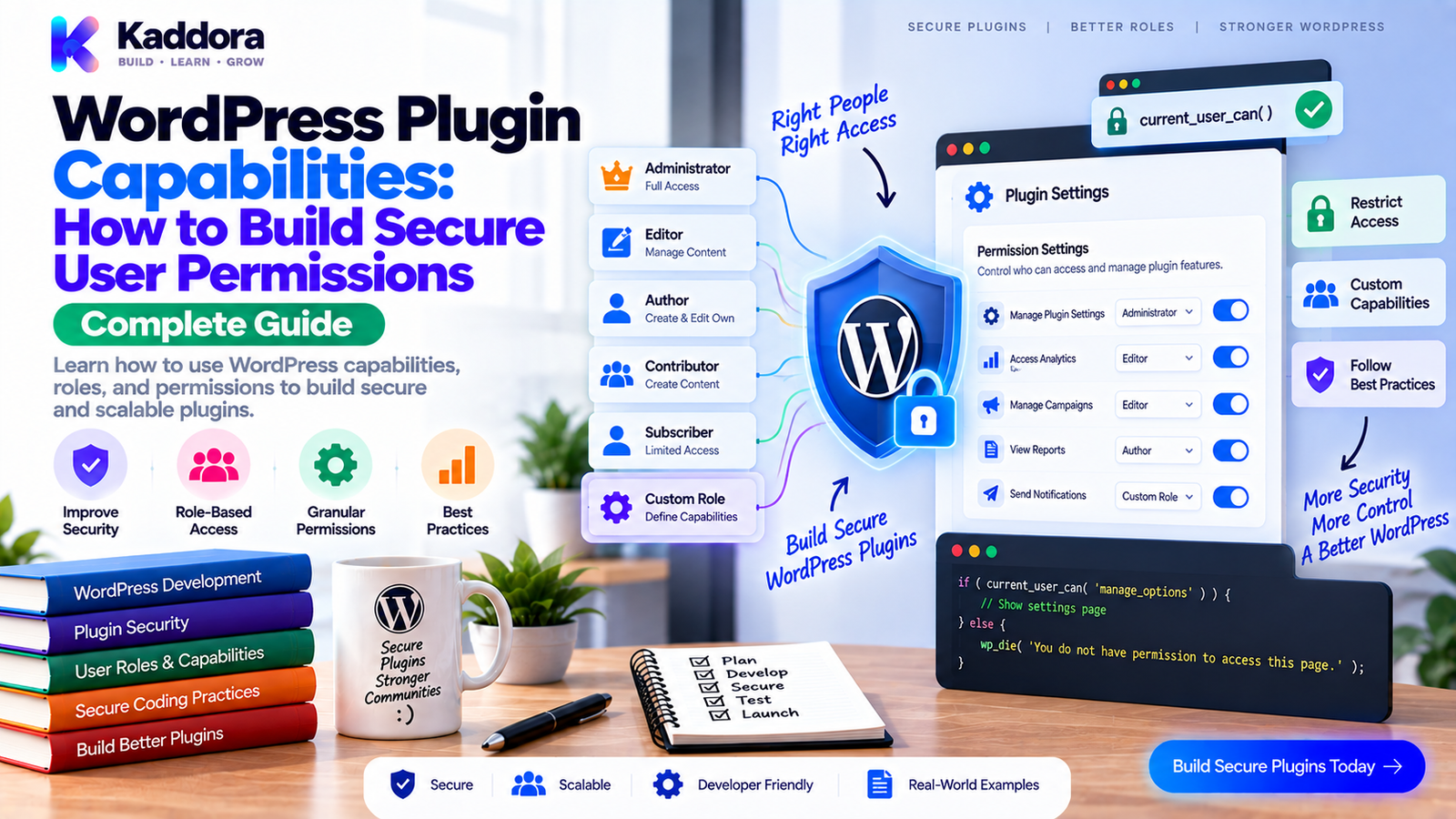
WordPress Plugin Capabilities: How to Build Secure and Granular Permissions
Introduction
WordPress provides a flexible user and permission system that allows different users to perform different actions.
An administrator may manage everything.
An editor may manage content.
A shop manager may manage ecommerce operations.
A custom business application may require completely different permissions.
This becomes especially important when developing WordPress plugins.
A simple plugin may have one settings page that only administrators can access.
A larger plugin might contain:
Orders
Customers
Reports
Imports
Exports
Settings
Integrations
Automation
Team management
Giving every user access to everything creates unnecessary security risk.
The better approach is to design granular capabilities around specific actions.
For example:
Manage Plugin | +-- View Reports | +-- Manage Records | +-- Export Data | +-- Manage Settings | +-- Manage Integrations
This architecture allows businesses to give users exactly the permissions they need.
In this guide, you'll learn how WordPress roles and capabilities work, how to design custom plugin permissions, protect admin and frontend actions, avoid common authorization mistakes, and build a maintainable permission architecture.
What Are WordPress Capabilities?
A capability represents a specific permission that a WordPress user may have.
Examples of common WordPress capabilities include:
read
edit_posts
publish_posts
delete_posts
manage_options
Instead of asking:
Is this user an administrator?
WordPress plugin developers should usually ask:
Does this user have the capability required to perform this action?
For example:
if ( current_user_can( 'edit_posts' ) ) { // Allow access. }
This is more flexible than checking a user's role directly.
Roles vs Capabilities
Roles and capabilities are related, but they are not the same thing.
Roles
A role is a collection of capabilities.
Examples include:
Administrator
Editor
Author
Contributor
Subscriber
A role answers:
What group of permissions does this user normally receive?
Capabilities
A capability represents an individual permission.
For example:
Editor | +-- edit_posts +-- publish_posts +-- delete_posts
A plugin can also introduce its own capabilities.
For example:
kaddora_view_reports kaddora_manage_records kaddora_export_data kaddora_manage_settings
This makes permissions much more precise.
Why Plugins Should Use Capabilities
Capabilities provide several advantages.
They allow you to:
Restrict sensitive actions
Separate responsibilities
Support custom roles
Build multi-user applications
Protect business data
Improve plugin security
Create flexible administration systems
Scale permission models as features grow
A plugin should not assume that every customer uses the default WordPress roles.
Businesses often create their own roles and workflows.
The Principle of Least Privilege
A strong permission architecture follows the principle of least privilege.
This means users should receive only the access necessary for their responsibilities.
For example:
Sales User | +-- View Customers +-- View Orders +-- Create Orders No: Manage Settings Delete Customers Export All Data
This reduces the impact of accidental or unauthorized actions.
Least privilege becomes especially important for:
Ecommerce
CRM plugins
ERP systems
Membership systems
HR applications
Analytics
Business automation
Customer data platforms
How WordPress Capability Checks Work
A plugin can check whether the current user has a capability.
if ( current_user_can( 'kaddora_view_reports' ) ) { // Display reports. }
For object-specific permissions, WordPress can also evaluate the relevant object.
For example:
if ( current_user_can( 'edit_post', $post_id ) ) { // User may edit this post. }
The important distinction is that authorization should happen at the point where the protected action occurs.
Hiding a button is not authorization.
UI Restrictions Are Not Security
Consider:
if ( current_user_can( 'kaddora_manage_settings' ) ) { echo '<a href="#">Settings</a>'; }
This controls what the user sees.
But an unauthorized user might still manually access the URL.
For example:
/wp-admin/admin.php?page=kaddora-settings
Therefore, the settings page itself must also perform a capability check.
if ( ! current_user_can( 'kaddora_manage_settings' ) ) { wp_die( esc_html__( 'You are not allowed to access this page.', 'kaddora-plugin' ) ); }
A secure plugin should protect both:
Interface + Execution
Designing a Capability Architecture
Before creating capabilities, list the important actions in your plugin.
For example, a CRM plugin might need:
Customers | +-- View +-- Create +-- Edit +-- Delete +-- Export Reports | +-- View +-- Export Settings | +-- Manage Integrations | +-- View +-- Configure
Then convert these into capabilities.
kaddora_view_customers kaddora_create_customers kaddora_edit_customers kaddora_delete_customers kaddora_export_customers kaddora_view_reports kaddora_export_reports kaddora_manage_settings kaddora_view_integrations kaddora_manage_integrations
This is significantly easier to maintain than one generic capability such as:
kaddora_manage_everything
Avoid the One-Capability-for-Everything Pattern
A common shortcut is:
current_user_can( 'manage_options' );
for every plugin action.
This may be acceptable for a simple plugin with administrator-only settings.
But it becomes problematic for large business plugins.
Imagine a system with:
Orders
Customers
Reports
Inventory
Settings
A sales employee may need access to orders without receiving access to plugin configuration.
Using one broad capability doesn't support that requirement.
Granular capabilities solve the problem.
Naming Custom Capabilities
Use clear and unique names.
For example:
kaddora_view_orders kaddora_edit_orders kaddora_delete_orders kaddora_export_orders
A good capability name should communicate:
Who or what + action
For example:
kaddora_manage_settings
is clearer than:
kaddora_access
Long, unique prefixes also reduce collisions with other plugins.
Registering Capabilities for a Role
A plugin may assign custom capabilities to appropriate roles.
For example:
$role = get_role( 'editor' ); if ( $role ) { $role->add_cap( 'kaddora_view_reports' ); }
However, role modification should be handled carefully.
A plugin shouldn't casually modify every role on every request.
Capability setup should generally be part of an explicit activation or upgrade process.
Capability Setup During Activation
For example:
function kaddora_plugin_activate() { $role = get_role( 'administrator' ); if ( $role ) { $role->add_cap( 'kaddora_view_reports' ); $role->add_cap( 'kaddora_manage_settings' ); } }
This avoids repeatedly modifying roles during normal requests.
For larger plugins, capability setup should be version-aware.
Capability Upgrades
Suppose version 1.0 supports:
kaddora_view_reports kaddora_manage_settings
Version 1.2 introduces:
kaddora_export_reports
The plugin must ensure existing installations receive the new capability.
A versioned upgrade process can handle this.
Plugin Version ↓ Check Stored Version ↓ Run Required Upgrade ↓ Add New Capability ↓ Store New Version
This is especially important for products that have many existing installations.
Removing Capabilities
Removing capabilities is more complicated than adding them.
Before removing a capability, determine:
Which roles use it
Whether custom roles depend on it
Whether old installations still expect it
Whether the feature has actually been removed
Do not remove permissions blindly during every update.
Database and role changes should be deliberate and documented.
Custom Roles vs Custom Capabilities
These solve different problems.
Custom Capability
Use when you need to define a permission.
Example:
kaddora_export_reports
Custom Role
Use when you need a reusable group of permissions.
Example:
Sales Manager
with:
kaddora_view_orders kaddora_edit_orders kaddora_view_reports kaddora_export_reports
Usually, capabilities should define the permission model while roles bundle permissions for particular job functions.
Protecting Admin Menus
A plugin menu should specify the capability required to access it.
Conceptually:
add_menu_page( 'Kaddora Reports', 'Reports', 'kaddora_view_reports', 'kaddora-reports', 'kaddora_render_reports' );
This controls menu visibility.
But the callback should still verify permission.
Defense in depth is better than relying on one layer.
Protecting AJAX Requests
AJAX endpoints must perform authorization checks.
For example:
function kaddora_handle_export() { if ( ! current_user_can( 'kaddora_export_reports' ) ) { wp_send_json_error( array( 'message' => __( 'Permission denied.', 'kaddora-plugin' ), ), 403 ); } // Export logic. }
The interface may hide the export button, but the server must enforce the permission.
Capability checks and request validation should work together.
Capabilities and Nonces Are Different
This distinction is extremely important.
A nonce helps verify that a request is associated with the expected action and reduces certain types of request-forgery attacks.
A capability determines whether the user is authorized to perform the action.
They solve different problems.
A secure request may therefore require both:
Request | +-- Nonce Check | +-- Capability Check | +-- Input Validation | +-- Action
Never replace capability checks with nonce checks.
Protecting REST API Endpoints
A REST API endpoint should also enforce authorization.
Conceptually:
'permission_callback' => function () { return current_user_can( 'kaddora_view_reports' ); },
This means access to the endpoint depends on capability rather than simply whether the route exists.
For sensitive operations, use an action-specific capability where practical.
Example Permission Architecture
Consider a WooCommerce analytics plugin.
Kaddora Analytics | +-- Dashboard | └── kaddora_view_dashboard | +-- Reports | ├── kaddora_view_reports | └── kaddora_export_reports | +-- Customers | ├── kaddora_view_customers | └── kaddora_export_customers | +-- Settings | └── kaddora_manage_settings | └-- Integrations └── kaddora_manage_integrations
Possible role mapping:
Role
Dashboard
Reports
Export
Settings
Integrations
Administrator
✓
✓
✓
✓
✓
Manager
✓
✓
✓
—
✓
Analyst
✓
✓
✓
—
—
Viewer
✓
✓
—
—
—
This is much more flexible than simply checking whether a user is an administrator.
Capability Checks in OOP Plugins
For an object-oriented plugin, authorization can be centralized.
Example:
namespace Kaddora\Reports; class Permissions { public function can_view_reports() { return current_user_can( 'kaddora_view_reports' ); } public function can_export_reports() { return current_user_can( 'kaddora_export_reports' ); } public function can_manage_settings() { return current_user_can( 'kaddora_manage_settings' ); } }
Other services can use this permission layer.
Admin Controller | v Permissions Service | v Capability Check | v Business Operation
This keeps authorization logic consistent.
Avoid Hard-Coded Role Checks
Avoid patterns such as:
if ( 'administrator' === $user->roles[0] ) { // Allow access. }
This is fragile because:
Users may have multiple roles
Custom roles may exist
Role names can change
A user may need permission without being an administrator
Prefer capabilities:
if ( current_user_can( 'kaddora_manage_settings' ) ) { // Allow access. }
This works with the WordPress permission model instead of depending on role names.
Capability Checks for Sensitive Data
Some data is more sensitive than ordinary content.
Examples include:
Customer information
Payment information
Internal reports
Employee information
API configuration
Authentication settings
Export files
These operations deserve specific permissions.
For example:
View Customers ≠ Export Customers ≠ Delete Customers
Each action can require a different capability.
Capability Design for Bulk Actions
Bulk operations deserve extra attention.
A screen may allow users to:
Select 50 records ↓ Delete Selected
The bulk action handler must verify that the current user has permission to perform deletion.
Do not assume that access to the listing page automatically grants permission for every bulk operation.
For sensitive systems:
View Edit Delete Export Bulk Delete Bulk Export
may need separate authorization rules.
Capability Design for Imports and Exports
Import and export functionality can expose large amounts of data.
Therefore:
View Data
should not automatically imply:
Export Data
Likewise:
Import Data
may require stronger permissions than editing an individual record.
A useful model is:
kaddora_view_customers kaddora_create_customers kaddora_edit_customers kaddora_import_customers kaddora_export_customers kaddora_delete_customers
This gives administrators precise control.
Multisite and Capability Design
Multisite environments can complicate permission architecture.
Consider whether a capability should apply:
Per site
Across a network
Only to site administrators
To a specific site context
A plugin should clearly define whether its administrative functionality is site-specific or network-wide.
Test permission behavior under the same activation model the plugin supports.
Capability Design for WooCommerce
Business plugins often need more granular access than traditional WordPress content plugins.
For example:
Sales Team | +-- View Orders +-- View Customers +-- View Reports Operations Team | +-- View Orders +-- Edit Orders +-- Manage Shipping Finance Team | +-- View Reports +-- Export Reports
This allows business responsibilities to be separated without creating unnecessary administrator accounts.
Capability Design for AI Plugins
AI plugins can contain sensitive functionality.
Examples include:
AI provider configuration
API credentials
Prompt templates
Usage reports
Content generation
Automation
A useful permission model might be:
kaddora_use_ai kaddora_manage_ai_settings kaddora_view_ai_usage kaddora_export_ai_usage
A content editor might be allowed to generate content without being allowed to modify API credentials.
This is a strong example of why granular capabilities matter.
Protect Settings and Secrets
Sensitive configuration deserves particularly strong permissions.
Avoid giving broad users access to:
API keys
Authentication settings
Webhook credentials
Payment configuration
External service secrets
For example:
Use AI ≠ Manage AI Credentials
The ability to operate a feature does not necessarily mean the ability to configure its underlying infrastructure.
Capability Checks and Non-Admin Users
A common mistake is assuming plugin functionality should be limited to administrators.
A business plugin may intentionally support:
Managers
Analysts
Sales users
Support staff
Editors
Store operators
Designing capabilities instead of hard-coded administrator checks allows the product to support these real-world workflows.
Common Permission Architecture Mistakes
Checking Roles Instead of Capabilities
Role checks are less flexible.
Protecting Only the UI
Hidden buttons do not secure endpoints.
Using One Capability for Everything
This prevents granular control.
Forgetting AJAX Authorization
AJAX requests must be protected server-side.
Forgetting REST Authorization
API routes need explicit permission rules.
Treating Nonces as Permissions
A valid nonce does not mean a user is authorized.
Giving Export Access to Everyone
Export operations can expose large amounts of data.
Changing Roles on Every Request
Capability setup should not become unnecessary runtime overhead.
Removing Capabilities Without Planning
Existing custom roles may depend on them.
Ignoring Custom Roles
Customers often use roles beyond WordPress defaults.
WordPress Plugin Permission Testing
Permission testing should cover more than administrators.
Create a test matrix.
Action
Admin
Manager
Analyst
Viewer
View dashboard
✓
✓
✓
✓
Edit records
✓
✓
—
—
Delete records
✓
—
—
—
Export data
✓
✓
✓
—
Manage settings
✓
—
—
—
Then test each action through:
Admin UI REST API AJAX Direct URL Bulk Actions Forms Imports Exports
A permission model is only useful when every access path enforces it.
How to Build a Permission Audit Checklist
Before releasing a plugin, review:
User Actions
Every sensitive action has a capability.
Permissions are documented.
Custom capabilities have unique names.
Admin
Menus use capability checks.
Pages verify capabilities.
Forms verify capabilities.
Bulk actions verify capabilities.
AJAX
Nonces are checked where appropriate.
Capabilities are checked server-side.
Inputs are validated.
REST
Endpoints define permission callbacks.
Sensitive operations require appropriate capabilities.
Responses do not expose unauthorized data.
Data
Customer data is protected.
Exports are restricted.
Sensitive settings are restricted.
Delete operations are protected.
Recommended Permission Architecture
A scalable plugin can organize authorization like this:
User | v WordPress Role | v Capabilities | v Permission Layer | +-- Admin Controllers | +-- AJAX Handlers | +-- REST Endpoints | +-- Bulk Actions | +-- Imports / Exports | v Business Logic
The important principle is consistency.
Every access path should eventually reach the same authorization rules.
Why Choose ThemeKaddora?
ThemeKaddora develops WordPress themes, plugins, HTML templates, UI kits, SaaS solutions, and business-focused digital products with practical user-management requirements in mind.
For business plugins, permission architecture can be just as important as the visible feature set.
A professional WordPress product should consider:
Granular capabilities
Secure admin actions
Protected REST and AJAX operations
Flexible user roles
Data access controls
Safe exports
Maintainable authorization logic
Clear permission boundaries
Whether you're building an analytics dashboard, WooCommerce extension, CRM, ERP tool, AI product, or workflow plugin, capability-based authorization provides a stronger foundation for multi-user environments.
Final Thoughts
WordPress roles provide broad groups of permissions, but capabilities are what allow plugin developers to build precise authorization systems.
A strong plugin permission architecture should:
Define actions clearly.
Create granular capabilities.
Avoid hard-coded role checks.
Protect admin pages.
Secure AJAX and REST operations.
Separate viewing, editing, deleting, importing, and exporting.
Protect sensitive settings and customer data.
Support custom roles.
Test every access path.
The most important principle is simple:
Never rely on the interface to provide security. Enforce authorization where the action is actually performed.
When capability checks are designed thoughtfully, WordPress plugins become easier to secure, easier to maintain, and much more suitable for real-world business environments.
Frequently Asked Questions
What are WordPress capabilities?
WordPress capabilities are individual permissions that determine whether a user can perform specific actions.
What is the difference between a WordPress role and capability?
A role is a collection of permissions, while a capability represents an individual permission.
Why should plugins use capabilities?
Capabilities allow plugins to implement flexible and granular authorization instead of relying on fixed user roles.
Should I check roles or capabilities?
For authorization, capabilities are generally more flexible because custom roles can also receive the required permissions.
Can a WordPress plugin create custom capabilities?
Yes. Plugins can define and assign their own capabilities to appropriate roles.
Should every plugin feature have a separate capability?
Not necessarily. Simple plugins may need only a few permissions, while complex business plugins often benefit from action-specific capabilities.
Can I use manage_options for my plugin?
It can be appropriate for administrator-only configuration, but it may be too broad for business plugins that need more granular user access.
Are hidden admin buttons secure?
No. Hiding an interface element does not prevent a user from calling the underlying URL, AJAX action, or API endpoint directly.
Are WordPress nonces a replacement for capabilities?
No. Nonces and capabilities address different security concerns. A nonce helps validate a request, while a capability determines authorization.
How should plugin capabilities be named?
Use clear, action-oriented, uniquely prefixed names such as kaddora_view_reports or kaddora_manage_settings.
When should capabilities be added?
Capability setup should generally be handled during plugin activation or controlled upgrade processes rather than repeatedly during normal requests.
Should capabilities be removed automatically?
Only when there is a clear reason and the change has been considered for existing roles and installations.
Can custom capabilities improve WooCommerce security?
Yes. WooCommerce extensions can use granular permissions to separate access to orders, customers, reports, exports, settings, and other business functions.
Can AI plugins benefit from custom capabilities?
Yes. AI plugins can separate permissions for using AI features, managing credentials, viewing usage, and configuring integrations.
How do I test WordPress plugin permissions?
Create multiple test users representing different permission levels and test every sensitive action through the admin UI, direct URLs, AJAX, REST, forms, imports, and exports.
What is the principle of least privilege?
It means giving users only the permissions necessary to perform their responsibilities.
Why shouldn't I make every plugin action administrator-only?
Administrator-only access may be unnecessarily restrictive for business workflows where managers, analysts, sales teams, or other users need limited functionality.
Can capabilities be centralized in an OOP plugin?
Yes. A dedicated permission or authorization service can centralize capability checks and make them easier to maintain.
Why choose ThemeKaddora?
ThemeKaddora develops WordPress themes, plugins, HTML templates, UI kits, and digital products with a focus on clean architecture, secure development, performance, compatibility, responsive design, and practical business requirements.
Comments (0)