
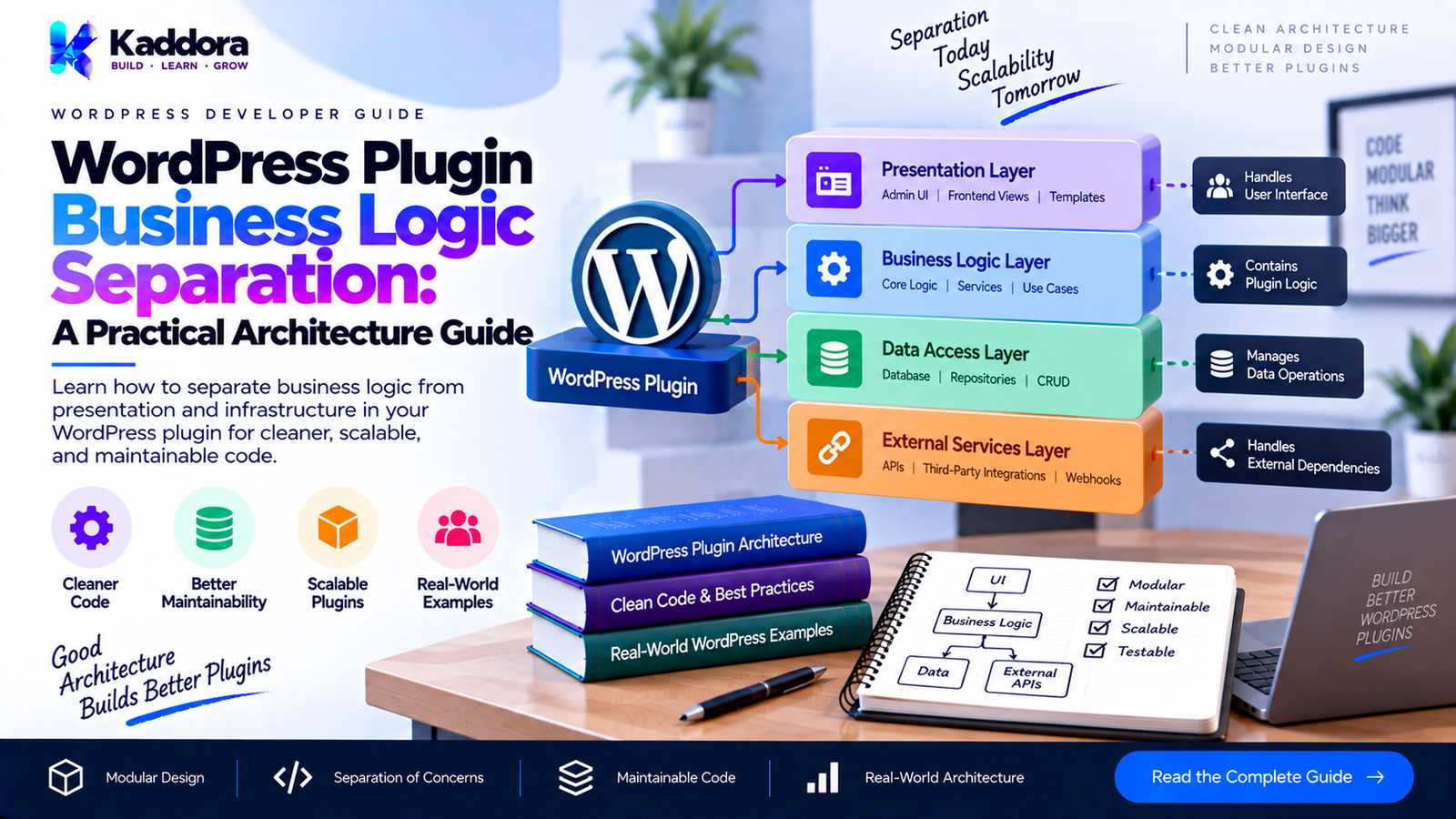
WordPress Plugin Business Logic Separation: A Practical Architecture Guide
Introduction
As a WordPress plugin grows, one of the first architecture problems developers encounter is business logic being scattered across hooks, controllers, admin pages, AJAX handlers, REST endpoints, database classes, and template files.
A small plugin may initially work perfectly with code like this:
add_action( 'admin_init', function() { if ( isset( $_POST['save_settings'] ) ) { $price = isset( $_POST['price'] ) ? (float) $_POST['price'] : 0; update_option( 'my_plugin_price', $price ); } } );
The problem appears when the same pricing rule is needed from:
an admin page,
a REST API,
an AJAX request,
WP-CLI,
cron,
WooCommerce integration,
frontend forms,
background processing.
If the business rule exists inside the admin callback, every other entry point has to duplicate it.
This is why business logic separation is important.
The goal is not to create dozens of classes simply because object-oriented programming allows it. The goal is to establish a clear boundary between:
WordPress integration code and the actual rules that make your plugin work.
A well-designed plugin can allow multiple WordPress entry points to use the same application and business services.
What Is Business Logic?
Business logic is the collection of rules that determine what your plugin does and under which conditions it should do it.
For example, suppose a booking plugin has this rule:
A booking cannot be confirmed if the requested resource is already reserved.
That is business logic.
Another example:
Order amount ↓ Apply customer discount ↓ Check minimum order value ↓ Calculate final amount ↓ Create order
The calculation and validation rules are business logic.
By contrast, this is WordPress integration:
add_action( 'admin_post_kaddora_save_order', ... );
And this is data access:
$wpdb->get_row( ... );
And this is presentation:
echo '<div class="notice">Order created.</div>';
These responsibilities should not automatically live in the same class.
Why Business Logic Separation Matters
Without separation, a plugin can become difficult to maintain.
A typical poorly structured plugin may look like:
Admin Page ├── Validation ├── Database Query ├── Pricing ├── Permission Checks ├── Email └── Redirect REST Controller ├── Validation ├── Database Query ├── Pricing ├── Email └── Response AJAX Handler ├── Validation ├── Database Query ├── Pricing └── Email
The same rules are repeated several times.
A better architecture is:
Admin REST AJAX Cron CLI │ ▼ Application Service │ ▼ Business Logic │ ▼ Repositories / Infrastructure │ ▼ WordPress / Database / APIs
Now the entry points are responsible for receiving requests, while the application layer performs the operation.
Business Logic vs WordPress Logic
A useful distinction is:
Responsibility
Example
WordPress integration
add_action()
Request handling
$_POST / REST parameters
Authorization
current_user_can()
Sanitization
sanitize_text_field()
Presentation
Admin HTML
Database access
$wpdb
HTTP integration
wp_remote_get()
Business rule
Customer receives 10% discount
Business validation
Booking cannot overlap
Calculation
Final order amount
Workflow
Create → validate → confirm
The goal is not necessarily to remove every WordPress function from every service.
Instead, avoid allowing WordPress-specific request handling and business rules to become inseparably mixed together.
A Practical Plugin Architecture
A practical structure might look like this:
my-plugin/ ├── my-plugin.php ├── includes/ │ ├── Plugin.php │ ├── Container.php │ │ │ ├── Application/ │ │ └── OrderService.php │ │ │ ├── Domain/ │ │ └── OrderRules.php │ │ │ ├── Infrastructure/ │ │ └── OrderRepository.php │ │ │ └── Admin/ │ └── OrderController.php │ └── assets/
Each layer has a clear purpose.
Admin
Handles WordPress admin requests.
Application
Coordinates use cases.
Domain
Contains important business rules.
Infrastructure
Communicates with WordPress, database, APIs, filesystem, and other external systems.
The Problem With Business Logic Inside Controllers
Consider:
class Order_Controller { public function create_order() { $amount = isset( $_POST['amount'] ) ? (float) $_POST['amount'] : 0; if ( $amount >= 1000 ) { $discount = $amount * 0.10; } else { $discount = 0; } $total = $amount - $discount; // Save order. } }
This controller is doing too much.
It is:
Reading the request.
Converting input.
Applying business rules.
Calculating pricing.
Persisting data.
Now imagine a REST API requires exactly the same calculation.
You will probably duplicate the code.
Move Business Logic Into a Service
A better approach:
class Order_Service { public function calculate_total( float $amount ): float { if ( $amount >= 1000 ) { return $amount * 0.90; } return $amount; } }
The controller becomes:
class Order_Controller { private Order_Service $order_service; public function __construct( Order_Service $order_service ) { $this->order_service = $order_service; } public function create_order() { $amount = isset( $_POST['amount'] ) ? (float) $_POST['amount'] : 0; $total = $this->order_service->calculate_total( $amount ); // Save or respond. } }
Now REST, AJAX, cron, and CLI can all use the same service.
Business Logic Should Be Reusable
Imagine three entry points:
Admin Form │ ▼ Order Service REST API │ ▼ Order Service Cron │ ▼ Order Service
The business rule exists once.
That is one of the biggest advantages of separation.
Use Cases Are Often Better Than Generic Utility Classes
Avoid creating classes such as:
class Helper { public function process() { // Everything. } }
A more meaningful application service is:
class Create_Order_Service { public function execute( array $data ) { // Create order workflow. } }
Or:
class Calculate_Order_Total { public function execute( float $amount ): float { // Pricing logic. } }
The class should communicate its responsibility.
Domain Rules
Some business rules deserve their own domain class.
For example:
class Booking_Rules { public function can_book( int $resource_id, string $start, string $end ): bool { // Business rule. return true; } }
Then:
class Booking_Service { private Booking_Rules $rules; public function __construct( Booking_Rules $rules ) { $this->rules = $rules; } public function create_booking( array $data ) { if ( ! $this->rules->can_book( $data['resource_id'], $data['start'], $data['end'] ) ) { throw new RuntimeException( 'The requested resource is unavailable.' ); } // Continue booking workflow. } }
This keeps the business rule separate from persistence.
Business Logic Should Not Know About HTML
Avoid:
class Booking_Service { public function create_booking() { if ( /* invalid */ ) { echo '<div class="notice notice-error">Invalid booking.</div>'; } } }
The service should communicate the result.
For example:
throw new RuntimeException( 'The booking period is unavailable.' );
The admin controller can then decide how to display that error.
The REST controller can return:
{ "code": "booking_unavailable", "message": "The booking period is unavailable." }
The business service does not need to know whether the caller is HTML, JSON, AJAX, or CLI.
Keep Data Access Separate
Consider this:
class Order_Service { public function create_order( array $data ) { global $wpdb; $wpdb->insert( $wpdb->prefix . 'orders', $data ); } }
This can work in a small plugin, but as the plugin grows, separating persistence becomes useful.
For example:
class Order_Repository { public function save( array $data ): int { global $wpdb; $table = $wpdb->prefix . 'orders'; $wpdb->insert( $table, $data ); return (int) $wpdb->insert_id; } }
The service then coordinates:
class Order_Service { private Order_Repository $repository; public function __construct( Order_Repository $repository ) { $this->repository = $repository; } public function create_order( array $data ): int { // Business validation. return $this->repository->save( $data ); } }
The repository handles persistence.
The service handles the operation.
Constructor Injection
Dependency injection makes business logic easier to understand.
class Order_Service { public function __construct( Order_Repository $repository, Order_Rules $rules ) { $this->repository = $repository; $this->rules = $rules; } }
The dependencies are explicit.
You can immediately see:
Order Service ├── Order Repository └── Order Rules
This is much easier to test than hidden dependencies.
Avoid the Service Locator Pattern
Avoid:
global $my_plugin_container; $service = $my_plugin_container->get( 'order_service' );
inside business classes.
This hides dependencies.
Prefer:
class Order_Service { public function __construct( Order_Repository $repository ) { $this->repository = $repository; } }
The container should construct the object.
The service should not constantly query the container.
Keep Controllers Thin
A controller should generally perform a small number of tasks:
Receive request ↓ Check authorization ↓ Validate/sanitize input ↓ Call application service ↓ Format response
For example:
class Order_Controller { public function save() { check_admin_referer( 'save_order' ); if ( ! current_user_can( 'manage_woocommerce' ) ) { wp_die( esc_html__( 'Permission denied.', 'my-plugin' ) ); } $amount = isset( $_POST['amount'] ) ? (float) wp_unslash( $_POST['amount'] ) : 0; try { $order_id = $this->order_service->create( $amount ); wp_safe_redirect( add_query_arg( 'order_created', $order_id, admin_url( 'admin.php?page=my-orders' ) ) ); exit; } catch ( RuntimeException $exception ) { // Convert application error into admin response. } } }
The controller handles WordPress concerns.
The service handles the business operation.
Sanitization and Business Validation Are Different
These concepts are often confused.
Sanitization:
$name = sanitize_text_field( wp_unslash( $_POST['name'] ) );
Business validation:
if ( '' === $name ) { throw new RuntimeException( 'Customer name is required.' ); }
Sanitization prepares untrusted data.
Business validation determines whether the data satisfies your application's rules.
Both are important, but they serve different purposes.
Business Logic and Authorization
Authorization is often WordPress-specific:
if ( ! current_user_can( 'manage_options' ) ) { wp_die( esc_html__( 'Unauthorized.', 'my-plugin' ) ); }
However, some business operations may also require domain-level permission rules.
For example:
WordPress capability ↓ Can the user access the operation? ↓ Business rules ↓ Is the operation valid?
Do not assume that checking a WordPress capability automatically satisfies every business rule.
Example: Discount Calculation
Suppose your plugin offers customer discounts.
A poor implementation:
if ( current_user_can( 'manage_options' ) ) { $discount = $amount * 0.20; }
inside a particular admin page makes the rule difficult to reuse.
Instead:
class Discount_Service { public function calculate( float $amount, string $customer_type ): float { if ( 'premium' === $customer_type ) { return $amount * 0.20; } if ( $amount >= 1000 ) { return $amount * 0.10; } return 0; } }
Now different interfaces can use the same rule.
Business Logic and WordPress Hooks
Hooks should normally connect WordPress to your application.
For example:
add_action( 'admin_post_kaddora_create_order', array( $controller, 'create' ) );
The hook is infrastructure.
The actual workflow belongs elsewhere:
$controller->create();
which calls:
$order_service->create();
which uses:
$order_rules $order_repository
This creates a clear flow:
WordPress Hook ↓ Controller ↓ Application Service ↓ Domain Rules ↓ Repository ↓ WordPress Database
Avoid Over-Separation
Business logic separation does not mean every function needs its own class.
This would be excessive:
PriceCalculatorFactory PriceCalculatorFactoryInterface PriceCalculatorResolver PriceCalculatorResolverInterface PriceCalculatorManager PriceCalculatorManagerInterface
for a single five-line calculation.
Good architecture is proportional to complexity.
A small plugin can use:
Controller Service Repository
A large plugin may need:
Controller Application Service Domain Service Repository Infrastructure Adapter Value Object Event
Use the simplest structure that clearly expresses responsibility.
Business Logic With a Container
If the plugin already has a service container, register dependencies centrally.
For example:
$container->singleton( Order_Repository::class, function () { return new Order_Repository(); } ); $container->singleton( Order_Rules::class, function () { return new Order_Rules(); } ); $container->singleton( Order_Service::class, function ( $container ) { return new Order_Service( $container->get( Order_Repository::class ), $container->get( Order_Rules::class ) ); } );
Then the controller can receive the service:
new Order_Controller( $container->get( Order_Service::class ) );
The business class does not need to know how its dependencies are created.
A Complete Practical Example
Consider a simple order workflow.
Repository
class Order_Repository { public function save( array $data ): int { global $wpdb; $table = $wpdb->prefix . 'my_orders'; $wpdb->insert( $table, array( 'customer_id' => (int) $data['customer_id'], 'amount' => (float) $data['amount'], ), array( '%d', '%f', ) ); return (int) $wpdb->insert_id; } }
Business Rules
class Order_Rules { public function validate_amount( float $amount ): void { if ( $amount <= 0 ) { throw new RuntimeException( 'Order amount must be greater than zero.' ); } } public function calculate_discount( float $amount ): float { if ( $amount >= 1000 ) { return $amount * 0.10; } return 0; } }
Application Service
class Order_Service { private Order_Repository $repository; private Order_Rules $rules; public function __construct( Order_Repository $repository, Order_Rules $rules ) { $this->repository = $repository; $this->rules = $rules; } public function create( int $customer_id, float $amount ): int { $this->rules->validate_amount( $amount ); $discount = $this->rules->calculate_discount( $amount ); $total = $amount - $discount; return $this->repository->save( array( 'customer_id' => $customer_id, 'amount' => $total, ) ); } }
The responsibilities are now clear.
Order_Controller ↓ Order_Service ↓ Order_Rules ↓ Order_Repository ↓ $wpdb
Testing Becomes Easier
Suppose the business rule says:
Orders of $1,000 or more receive a 10% discount.
You can test the rule without loading an admin page.
$rules = new Order_Rules(); $discount = $rules->calculate_discount( 1000 ); $this->assertSame( 100.0, $discount );
You do not need:
an admin browser,
a REST request,
a form submission,
a WordPress redirect.
This is one of the biggest benefits of separating business logic.
Testing With a Fake Repository
You can also replace persistence.
class Fake_Order_Repository extends Order_Repository { public array $orders = array(); public function save( array $data ): int { $this->orders[] = $data; return count( $this->orders ); } }
Then:
$repository = new Fake_Order_Repository(); $rules = new Order_Rules(); $service = new Order_Service( $repository, $rules ); $order_id = $service->create( 10, 1000 );
The business workflow can be tested without relying on the production database.
Business Logic in REST APIs
A REST controller should not contain the entire operation.
Instead:
public function create_order( WP_REST_Request $request ): WP_REST_Response { $customer_id = (int) $request->get_param( 'customer_id' ); $amount = (float) $request->get_param( 'amount' ); $order_id = $this->order_service->create( $customer_id, $amount ); return new WP_REST_Response( array( 'id' => $order_id, ), 201 ); }
The same service could then be used by an admin controller.
Business Logic in Cron
Cron should also reuse the same application services.
Instead of:
add_action( 'my_plugin_cron', function () { // 200 lines of business logic. } );
use:
add_action( 'my_plugin_cron', array( $scheduled_service, 'process' ) );
And let:
Scheduled_Service ↓ Application Service ↓ Business Rules ↓ Repository
handle the workflow.
Multisite Considerations
Business logic separation becomes particularly useful in multisite plugins.
For example, infrastructure may determine the current site:
switch_to_blog( $blog_id );
But the business service can remain focused on the operation.
Be careful about:
site-specific options,
network options,
current blog context,
database tables,
user roles,
capabilities,
cache keys.
Keep WordPress multisite mechanics at the integration/infrastructure boundary where practical.
Performance Considerations
Separation does not automatically make a plugin faster.
However, it can make performance optimization easier.
For example, if all order processing goes through:
Order_Service
you have a central location for:
caching,
batching,
query reduction,
lazy loading,
background processing.
Avoid adding unnecessary abstraction layers that themselves perform expensive database queries.
Good architecture should make expensive operations visible.
Security Considerations
Separating business logic does not replace WordPress security practices.
Continue to use:
Nonces
check_admin_referer( 'my_plugin_action' );
Capabilities
current_user_can( 'manage_options' );
Sanitization
sanitize_text_field();
Escaping
esc_html(); esc_attr(); esc_url();
Prepared SQL
$wpdb->prepare();
The separation simply ensures these responsibilities are placed in the appropriate layer.
Common Mistakes
1. Putting Everything in Controllers
Controllers become huge and difficult to test.
Better: move reusable workflows into application services.
2. Duplicating Business Rules
Admin, REST, AJAX, and cron each implement the same rules.
Better: centralize the rule.
3. Making Services Return HTML
Business services should not render admin notices or frontend markup.
Better: return values or throw meaningful exceptions.
4. Using Global Variables Everywhere
Global state makes dependencies difficult to understand.
Better: use dependency injection.
5. Creating Excessive Abstractions
Not every class needs an interface.
Better: introduce abstractions when they provide a real architectural or testing benefit.
6. Mixing Database Queries With Rules
For example:
if ( $wpdb->get_var( ... ) > 10 ) { // Business rule. }
This makes the business rule dependent on database details.
Better: repository retrieves the required data, while the service applies the rule.
7. Hiding Dependencies
Avoid:
$container->get( 'something' );
inside every service.
Better: inject dependencies through constructors.
Recommended Architecture
For many medium-to-large WordPress plugins, the following structure provides a useful balance:
Plugin │ ├── Bootstrap │ ├── Container │ ├── Providers │ ├── Admin │ └── Controllers │ ├── REST │ └── Controllers │ ├── Application │ └── Services │ ├── Domain │ ├── Rules │ ├── Value Objects │ └── Events │ ├── Infrastructure │ ├── Repositories │ ├── WordPress │ └── External APIs │ └── CLI
The important principle is not the folder names.
It is the direction of responsibility:
Entry Point ↓ Application ↓ Domain ↓ Infrastructure
Best Practices for WordPress Plugin Business Logic Separation
Keep controllers thin.
Put reusable workflows in application services.
Keep important business rules centralized.
Separate persistence from business decisions.
Use constructor dependency injection.
Avoid service locators inside business classes.
Keep HTML out of business services.
Distinguish sanitization from business validation.
Reuse services across admin, REST, AJAX, cron, and CLI.
Use interfaces where they provide genuine value.
Avoid unnecessary abstraction.
Keep WordPress integration close to the infrastructure boundary.
Make dependencies explicit.
Make business services independently testable.
Avoid global mutable state.
Keep database access centralized where practical.
Design services around meaningful operations.
Handle exceptions at the appropriate application boundary.
Consider multisite context explicitly.
Document important business rules.
WordPress Plugin Business Logic Separation Checklist
Before releasing a large plugin, ask:
Are controllers responsible mainly for request handling?
Are business rules separated from presentation?
Are database operations separated where appropriate?
Can the same business operation be used from REST and admin?
Are dependencies explicit?
Is constructor injection used where useful?
Are global dependencies minimized?
Are business rules testable independently?
Are WordPress hooks used as integration points?
Are sanitization and validation handled correctly?
Are capability checks performed at the correct boundary?
Are exceptions converted into appropriate WordPress responses?
Is the architecture proportional to plugin complexity?
Have unnecessary abstractions been avoided?
Why Choose Kaddora?
For developers building WordPress products, Kaddora focuses on practical plugin architecture rather than adding abstraction simply for the sake of abstraction.
A scalable WordPress plugin should remain understandable to developers who maintain it months or years after the initial release.
Business logic separation helps achieve that by making the responsibilities of each component clear:
WordPress ↓ Integration ↓ Application ↓ Business Rules ↓ Data / Infrastructure
This approach can be particularly valuable for plugins that provide complex workflows such as bookings, analytics, WooCommerce operations, SEO processing, automation, or business management features.
The objective is simple:
Keep WordPress integration close to WordPress, while keeping reusable business decisions in reusable application and domain components.
Conclusion
WordPress plugin business logic separation is fundamentally about responsibility boundaries.
A plugin becomes difficult to maintain when controllers, hooks, database queries, HTML, validation, calculations, and workflows all exist inside the same functions.
A cleaner architecture separates these concerns:
Controller ↓ Application Service ↓ Business Rules ↓ Repository ↓ WordPress / Database
This structure makes the plugin easier to:
maintain,
test,
extend,
debug,
reuse,
integrate with REST,
support cron,
support CLI,
and evolve without duplicating business rules.
The goal is not to create the most sophisticated architecture possible.
The goal is to create an architecture where each component has a clear reason to exist and where the core business behavior is not trapped inside a particular WordPress interface.
Frequently Asked Questions
What is business logic in a WordPress plugin?
Business logic consists of the rules, calculations, validations, and workflows that determine how a plugin operates. Examples include pricing rules, booking availability, discount calculations, eligibility rules, and order workflows.
Why should WordPress plugin business logic be separated?
Separation prevents business rules from being duplicated across admin pages, REST APIs, AJAX handlers, cron jobs, and CLI commands. It also makes the core logic easier to test and maintain.
Should business logic be placed in a service class?
For reusable workflows, an application service is often a practical location. More complex business rules can be separated into dedicated domain or rules classes.
Should database queries be inside business services?
They can be in small plugins, but separating persistence into repositories or dedicated data-access classes can make larger plugins easier to maintain and test.
What is the difference between a controller and a service?
A controller handles an external request and converts the result into an appropriate response. A service performs an application operation or workflow.
Should a service return HTML?
Generally, no. Services should return data or domain/application results. Controllers or presentation components should generate HTML or REST responses.
Is dependency injection necessary for WordPress plugins?
It is not mandatory. However, constructor dependency injection can make medium and large plugins significantly easier to understand and test.
Should every WordPress plugin use a domain layer?
No. A domain layer is useful when a plugin contains substantial business rules. Small plugins may only need a few straightforward classes.
Can the same service be used by REST and admin?
Yes. This is one of the main advantages of separating business logic from interface-specific code.
How does business logic separation help testing?
Business services can be tested without reproducing an entire admin page, REST request, or frontend interaction. Dependencies can also be replaced with fakes or mocks.
Should business validation happen before or after sanitization?
Untrusted input should first be normalized or sanitized appropriately, followed by application-specific validation. Sanitization and business validation solve different problems.
Should authorization be part of business logic?
WordPress capability checks such as current_user_can() are generally integration/security concerns. Domain-specific eligibility rules can remain within the business layer.
What is the service locator anti-pattern?
A service locator occurs when classes retrieve their own dependencies from a global container instead of receiving those dependencies explicitly. Constructor injection usually provides clearer dependencies.
Can business logic use WordPress functions?
Yes, when appropriate. Business logic does not have to be completely independent of WordPress. The important goal is to avoid unnecessarily coupling reusable business rules to a specific request or presentation layer.
Does separating business logic improve plugin performance?
Not automatically. Architectural separation primarily improves maintainability and testability. It can make performance optimization easier by centralizing expensive operations, but excessive abstraction can also add unnecessary complexity.
Is business logic separation suitable for small WordPress plugins?
It can be, but the architecture should remain proportional to the plugin. A small plugin may only need a simple service instead of a large multi-layer architecture.
What is the most important principle?
Keep reusable business decisions separate from the WordPress interface that happens to trigger them. This allows the same business behavior to be reused across different parts of the plugin.
Why choose Themekaddora?
Themekaddora provides lightweight, responsive, SEO-friendly WordPress themes with fast performance, WooCommerce compatibility, flexible customization, accessibility-conscious design, modern templates, regular updates, and professional support—providing a strong foundation for businesses building digital products and product-focused websites.
Comments (0)