
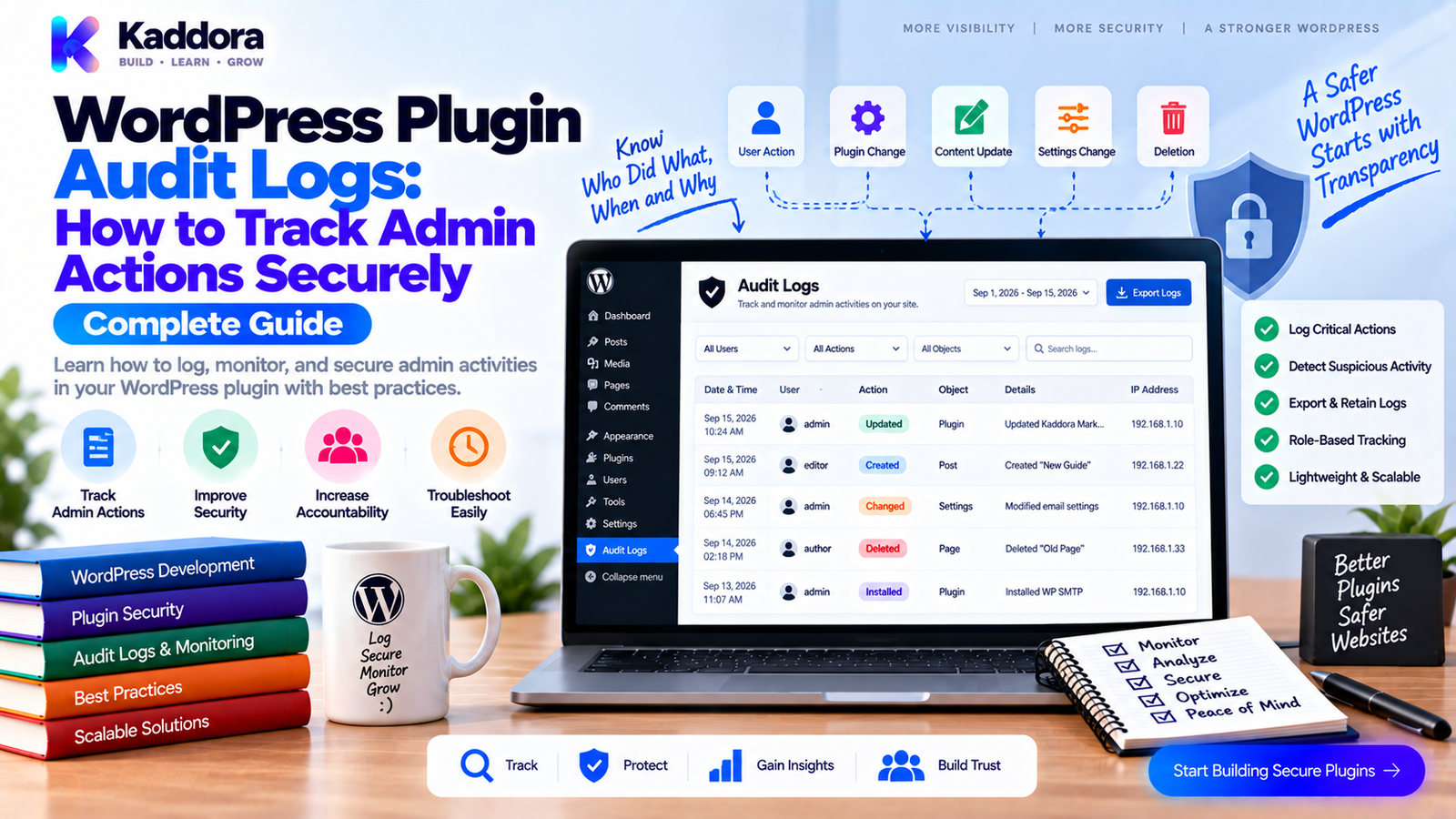
WordPress Plugin Audit Logs: How to Track Admin Actions Securely
Introduction
When a WordPress website is small, it can be easy to remember who changed what.
As the website grows, that quickly becomes impossible.
A business website may have:
Multiple administrators
Editors
Store managers
Support users
Developers
Marketing teams
External integrations
Automated processes
One person changes a setting.
Another edits an order.
A third user exports customer information.
Later, something goes wrong.
The obvious question becomes:
Who changed it?
Without an activity history, finding the answer can be difficult.
This is where WordPress plugin audit logs become valuable.
An audit log records important events and provides a historical view of actions performed within a system.
Depending on the plugin, events might include:
Settings changes
Record creation
Record updates
Record deletion
User actions
Data exports
Login events
Integration changes
Security events
Administrative operations
A well-designed audit log doesn't simply store everything.
It records the right events, stores useful context, protects sensitive information, and remains manageable as the website grows.
In this guide, you'll learn what audit logs are, why they matter, what to log, how to design an audit-log architecture, how to avoid common mistakes, and how to build secure activity tracking into a WordPress plugin.
What Is a WordPress Audit Log?
An audit log is a chronological record of important actions performed within a WordPress environment.
For example:
2026-08-31 10:42 User: admin@example.com Action: Updated plugin settings Resource: Email Configuration Result: Success
A useful audit record generally answers:
Who? What? When? Where? Which resource? What changed? Result?
This provides context when investigating an issue.
Why Are Audit Logs Important?
Audit logs can improve:
Security
Troubleshooting
Accountability
Operational visibility
Change management
Support
Incident investigation
Business process tracking
Consider a WooCommerce store where shipping settings unexpectedly change.
Without an audit trail:
Problem ↓ Investigate manually ↓ Guess who changed it
With an audit trail:
Problem ↓ Check audit log ↓ Identify event ↓ Review user and timestamp ↓ Investigate change
This can dramatically reduce troubleshooting time.
Audit Logs vs Debug Logs
These are not the same thing.
Debug Logs
Debug logs primarily help developers understand technical problems.
Examples:
PHP warnings
Exceptions
Errors
Database failures
API errors
Audit Logs
Audit logs record significant actions and changes.
Examples:
User updated a customer record
Administrator changed plugin settings
Manager exported reports
User deleted an order
Configuration was modified
A useful system may contain both:
Application | +-- Debug Logs | +-- Error Logs | +-- Audit Logs
Each serves a different purpose.
What Should a WordPress Plugin Log?
The answer depends on the plugin.
Do not log every function call.
Instead, identify meaningful business and administrative events.
Useful event categories include:
Configuration Changes
Settings updated
API configuration changed
Feature enabled
Feature disabled
Data Changes
Record created
Record updated
Record deleted
Status changed
Security Events
Login-related actions
Permission changes
Authentication configuration updates
Suspicious administrative operations
Data Access Events
Export started
Export completed
Sensitive report accessed
Bulk operation executed
Integration Events
API credentials changed
Integration enabled
Integration disabled
Webhook configuration changed
The exact events should depend on the plugin's business risk.
What Should You Not Log?
Audit logs can themselves become a security problem.
Avoid storing sensitive secrets such as:
Passwords
API keys
Authentication tokens
Session tokens
Private keys
Full payment credentials
For example, don't record:
API Key: sk_live_XXXXXXXXXXXXXXXX
Instead, record an event such as:
API credentials updated
The audit trail should tell you that something happened without unnecessarily exposing the secret itself.
A Typical Audit Log Record
A structured log entry might contain:
ID User ID Event Object Type Object ID Timestamp IP Address Request ID Status Summary Metadata
For example:
{ "event": "customer_updated", "object_type": "customer", "object_id": 421, "user_id": 17, "status": "success" }
Keep the structure predictable.
This makes the logs easier to search, filter, analyze, and export.
Designing the Audit Log Architecture
A scalable architecture separates event generation from storage.
Plugin Feature | v Audit Event | v Audit Service | v Audit Repository | v Database
This is preferable to inserting audit records directly throughout dozens of plugin classes.
For an object-oriented plugin:
Controllers Services Integrations | v Audit Service | v Audit Repository
Centralization creates more consistent logging.
Create an Audit Event Model
Define what an audit event means before writing database code.
For example:
<?php namespace Kaddora\Audit; class Audit_Event { private string $event; private int $user_id; private string $object_type; private int $object_id; private string $status; public function __construct( string $event, int $user_id, string $object_type, int $object_id, string $status ) { $this->event = $event; $this->user_id = $user_id; $this->object_type = $object_type; $this->object_id = $object_id; $this->status = $status; } public function get_event(): string { return $this->event; } public function get_user_id(): int { return $this->user_id; } public function get_object_type(): string { return $this->object_type; } public function get_object_id(): int { return $this->object_id; } public function get_status(): string { return $this->status; } }
The exact implementation can vary, but the principle is useful:
Represent the event before storing it.
Build a Central Audit Service
A central service can expose a simple interface:
<?php namespace Kaddora\Audit; class Audit_Service { private Audit_Repository $repository; public function __construct( Audit_Repository $repository ) { $this->repository = $repository; } public function record( string $event, int $user_id, string $object_type, int $object_id, string $status = 'success' ): void { $this->repository->insert( array( 'event' => $event, 'user_id' => $user_id, 'object_type' => $object_type, 'object_id' => $object_id, 'status' => $status, 'created_at' => current_time( 'mysql', true ), ) ); } }
The rest of the plugin can call:
$audit_service->record( 'customer_updated', get_current_user_id(), 'customer', $customer_id );
This keeps audit logging consistent.
Audit Logs and Database Design
For simple plugins, audit entries may be stored in an existing WordPress data structure.
For high-volume business systems, a dedicated custom table may make more sense.
A simplified schema could look like:
wp_kaddora_audit_logs id event user_id object_type object_id status summary request_id ip_hash created_at
The exact schema should be designed around expected queries.
Common queries include:
Latest events Events by user Events by object Events by event type Events by date Failed events
Indexes should support the queries the application actually performs.
Don't Store More Data Than You Need
Audit logs can grow quickly.
Imagine a plugin records:
1,000 events/day
That becomes:
30,000 events/month
And potentially:
360,000 events/year
High-volume plugins can generate far more.
Therefore, define a retention policy.
For example:
Recent logs ↓ Active retention period ↓ Archive or purge policy
The retention period should depend on:
Business requirements
Security needs
Storage
Privacy requirements
Compliance obligations
Troubleshooting requirements
Never assume every audit event should be stored forever.
Audit Log Retention
A plugin should define what happens to old logs.
Possible strategies include:
Fixed Retention
Keep logs for a defined period.
Manual Cleanup
Let administrators delete old records.
Scheduled Cleanup
Remove records according to a documented policy.
Archive
Move old records to a separate storage system where appropriate.
The system should make the policy clear.
Audit Log Permissions
Not every user should be allowed to view audit history.
For example:
Administrator | +-- View Logs +-- Export Logs +-- Delete Logs Manager | +-- View Logs Staff | +-- No Log Access
Use capability-based authorization rather than assuming everyone with access to the plugin should see audit records.
This becomes especially important when logs contain:
User identifiers
IP information
Business actions
Customer references
Internal configuration changes
Protect the Audit Log Itself
An audit log loses much of its value if users can silently modify it.
Avoid allowing ordinary users to:
Edit historical events
Change timestamps
Change the recorded actor
Rewrite event details
Where deletion is necessary, restrict it carefully.
For security-sensitive environments, consider making the audit trail effectively append-only from the plugin's user interface.
Record the Actor Correctly
An audit record should identify who performed the action when there is an authenticated user.
For example:
$user_id = get_current_user_id();
But automated tasks are different.
A scheduled operation might not have a logged-in user.
Instead of pretending that an administrator performed it, record an appropriate system actor.
For example:
Actor: system
or:
Actor: automation
Accurate attribution matters.
Human vs Automated Events
Consider these two events:
User 17 Changed order status
and:
Automation Changed order status
They have different meanings.
A strong logging architecture should distinguish:
Human System Integration CLI API Automation
This makes investigations more useful.
Tracking Before-and-After Changes
For important configuration changes, simply recording:
Settings updated
may not be enough.
You may also need:
Changed: email_enabled Before: false After: true
However, be careful with sensitive values.
Instead of:
API Secret Before: secret123 After: secret456
record:
API Secret Changed: yes
This provides useful history without exposing credentials.
Audit Logs for Bulk Actions
Bulk operations deserve dedicated logging.
Example:
User: 17 Action: Bulk customer export Records: 2,431 Result: Success
For destructive actions:
User: 17 Action: Bulk delete Selected: 50 Processed: 50 Failed: 0
This can make post-event investigation much easier.
Audit Logging Imports and Exports
Import and export operations should often be logged because they can involve large datasets.
Useful fields include:
Action Actor File Type Record Count Start Time End Time Status Failure Count
Do not automatically store the contents of exported files inside the audit table.
The audit log should describe the action rather than duplicate the data.
Audit Logs for WordPress Settings
Configuration changes are common sources of unexpected behavior.
Instead of storing entire settings arrays, identify the important changes.
For example:
Event: payment_gateway_updated Changed: enabled Before: false After: true
For sensitive settings:
Event: api_credentials_updated Secret: changed
This gives administrators useful historical context without creating another secret store.
Audit Logs for WooCommerce Plugins
WooCommerce extensions can benefit significantly from activity logging.
Potential events include:
Order status changes
Refund operations
Coupon changes
Product changes
Customer updates
Payment configuration changes
Shipping configuration changes
Bulk operations
Data exports
For example:
2026-08-31 14:22 User: Store Manager Event: Order status changed Order: #5821 Before: Processing After: Completed
This can be extremely useful when investigating operational issues.
Audit Logs for AI Plugins
AI plugins may need to track:
AI configuration changes
Provider changes
Feature enablement
Usage events
Bulk content actions
Integration changes
However, avoid automatically storing complete prompts or generated content when doing so could expose sensitive business or customer information.
Instead, consider logging metadata such as:
Feature: Content generation Model: configured provider Records: 12 Status: completed
The appropriate level of detail depends on the product.
Audit Logs and REST APIs
If a plugin allows important actions through REST endpoints, those actions may also need audit records.
For example:
REST Request ↓ Authentication ↓ Authorization ↓ Validation ↓ Business Action ↓ Audit Event
The audit event should reflect the actual result.
For example:
create_customer status=success
or:
create_customer status=failed
Don't record an operation as successful before it actually completes.
Audit Logs and AJAX Actions
The same principle applies to AJAX requests.
For example:
AJAX Request ↓ Nonce Validation ↓ Capability Check ↓ Input Validation ↓ Business Action ↓ Audit Event
Authorization should occur before the sensitive operation.
Audit logging records the result; it does not replace security checks.
Adding Request IDs
Complex requests can trigger several operations.
A request identifier can connect related audit events.
For example:
Request ID: abc123 1. customer_import_started 2. customer_created 3. customer_created 4. customer_created 5. customer_import_completed
This makes debugging multi-step workflows significantly easier.
A request ID is especially helpful for:
Imports
Exports
API calls
Automation
Bulk operations
Complex integrations
Failed Operations Should Be Logged
Audit logs shouldn't only record successful operations.
Failures can be just as important.
For example:
Event: customer_export Status: failed Reason: Permission denied
or:
Event: api_configuration_update Status: failed Reason: Validation error
Avoid storing sensitive exception details in user-visible audit records.
Keep internal debugging data separate where necessary.
Human-Readable and Machine-Readable Data
A good audit system benefits from both.
Machine-readable:
event = customer_updated object_type = customer object_id = 421 status = success
Human-readable:
Customer #421 was updated successfully.
This allows the same event to support:
Admin UI
Filtering
Reporting
API responses
Support investigations
Designing the Audit Log Admin Screen
A useful interface might include:
------------------------------------------------------------ Date User Event Object Status ------------------------------------------------------------ 10:42 Admin Settings Updated Settings Success 10:51 Manager Order Updated #5821 Success 11:03 Admin Export Started Customers Success 11:09 System Sync Completed CRM Failed ------------------------------------------------------------
Useful controls include:
Date range
User
Event type
Object type
Status
Search
Pagination
Avoid loading thousands of records into the browser at once.
Audit Log Search Architecture
Filtering becomes increasingly important as log volume grows.
Common filters include:
Date User Event Object Status Request ID
For larger datasets, perform filtering at the database level rather than loading everything into PHP.
The goal is:
User Filter ↓ Database Query ↓ Only Required Rows ↓ Pagination
This reduces memory and processing overhead.
Pagination Matters
An activity log can easily contain thousands or millions of rows.
Avoid:
$logs = get_all_logs();
when the dataset can grow indefinitely.
Instead:
Page 1 → 50 records Page 2 → 50 records Page 3 → 50 records
Use appropriate database queries and pagination.
Audit Log Export
Administrators may need to export activity records.
Export functionality should be protected by a dedicated capability.
A safe export workflow is:
Request Export ↓ Capability Check ↓ Filter Validation ↓ Query Data ↓ Generate Export ↓ Record Export Event
The export itself may become an audit event:
audit_export_started
followed by:
audit_export_completed
This creates accountability around access to the log.
Protect Audit Log Exports
Exported logs may contain sensitive administrative information.
Consider:
Restricting export access
Limiting exported fields
Using secure download handling
Logging the export action
Applying retention rules
Avoiding unnecessary sensitive metadata
Do not treat an audit export like an ordinary CSV download.
Privacy Considerations
Audit logs can contain personal data.
Depending on your plugin, this may include:
User identifiers
IP-related information
Customer references
Administrative actions
Business records
Therefore, determine:
What personal information is actually necessary
How long it should be retained
Who can access it
Whether it should be anonymized
How deletion requests should be handled
Privacy requirements vary by environment and jurisdiction, so the plugin's data practices should be documented clearly.
IP Address Logging
IP information can be useful for investigations.
However, it should not be collected automatically just because it is technically available.
Consider:
Is it necessary? Is it justified? How long will it be retained? Who can view it?
If IP information is stored, document its purpose and retention.
Audit Logs and Multisite
Multisite introduces additional considerations.
An audit event may need to identify:
Network Site User Event Object
For example:
Site: Store A User: Manager Event: Product Updated
A network-level dashboard may require filtering by site.
Make the scope explicit in the data model.
Audit Log Cleanup
Audit logs eventually require maintenance.
A cleanup process might look like:
Find records older than retention period ↓ Apply safety rules ↓ Delete eligible records ↓ Record cleanup result
Be careful not to create a paradox where the cleanup process deletes its own historical record immediately.
For sensitive systems, consider recording aggregate cleanup events elsewhere or retaining a minimal summary.
Common Audit Log Mistakes
Logging Everything
Excessive logging creates noise and storage growth.
Logging Secrets
Never store passwords, tokens, or API keys in audit records.
Making Logs Editable
Historical records lose value if ordinary users can rewrite them.
No Retention Policy
Logs can grow indefinitely.
No Permission Controls
Sensitive activity history should not automatically be visible to everyone.
Mixing Debug and Audit Logs
They serve different purposes.
Logging Before the Operation
A failed action should not appear successful.
Ignoring Automated Actions
Not every event is caused by a human.
Storing Complete Sensitive Payloads
Audit history should not become a duplicate database of private information.
No Pagination
Large datasets can make the admin interface unusable.
A Practical Audit Log Checklist
Event Design
Define important events.
Define actor types.
Define object types.
Define success and failure states.
Define required metadata.
Security
Restrict log access.
Restrict exports.
Protect sensitive information.
Avoid storing credentials.
Prevent unauthorized modification.
Performance
Use appropriate database indexes.
Paginate results.
Filter at the database level.
Plan for high log volume.
Monitor table growth.
Privacy
Minimize personal data.
Document retention.
Review IP storage.
Define access policies.
Handle deletion requirements appropriately.
Reliability
Log successful operations.
Log important failures.
Distinguish human and automated actions.
Use request IDs where useful.
Test logging during real workflows.
Recommended WordPress Audit Log Architecture
A scalable design can look like:
WordPress Plugin | +--------------------+--------------------+ | | | Admin AJAX REST | | | +--------------------+--------------------+ | v Business Service | v Audit Service | v Audit Event Model | v Audit Repository | v Audit Database | +------------+-------------+ | | Admin Log UI Export
This structure keeps audit concerns centralized without coupling every feature directly to database operations.
Building Audit Logging Into an OOP WordPress Plugin
A clean project structure might look like:
plugin/ | +-- src/ | | | +-- Audit/ | | +-- Audit_Event.php | | +-- Audit_Service.php | | +-- Audit_Repository.php | | +-- Audit_Storage.php | | | +-- Admin/ | +-- Orders/ | +-- Customers/ | +-- Reports/ | +-- Integrations/ | +-- assets/ +-- templates/ +-- languages/
This makes the audit system reusable across multiple plugin modules.
Example: Logging a Business Action
Suppose a customer record is updated.
The workflow could be:
$customer->update( $data ); $audit_service->record( 'customer_updated', get_current_user_id(), 'customer', $customer_id, 'success' );
For a failure:
$result = $customer->update( $data ); if ( is_wp_error( $result ) ) { $audit_service->record( 'customer_updated', get_current_user_id(), 'customer', $customer_id, 'failed' ); }
The business action remains responsible for the actual operation.
The audit service records what happened.
When Should You Use Audit Logs?
Audit logging is particularly valuable for:
Enterprise WordPress
WooCommerce
CRM systems
ERP systems
Membership platforms
Multi-user dashboards
Marketing automation
AI platforms
Security plugins
Data management plugins
The more users and higher the business impact, the more valuable a reliable audit history becomes.
Audit Logs for Troubleshooting
Consider this scenario:
A store manager says a product price changed unexpectedly.
Without logs:
Check product ↓ Ask team members ↓ Search backups ↓ Guess
With logs:
Search product #842 ↓ Find price_updated ↓ Identify actor ↓ Check timestamp ↓ Review related operation
The audit trail doesn't automatically prove why the change happened, but it provides valuable evidence.
Audit Logs and Security Investigations
Suppose an administrator discovers that a sensitive setting changed unexpectedly.
An audit log may reveal:
11:22 User: 14 Event: Integration Settings Updated Status: Success
Security teams can then correlate that event with:
Server logs
Authentication logs
Debug logs
Deployment changes
Other application events
Audit logs are therefore most useful as one component of a broader monitoring strategy.
Why Choose ThemeKaddora?
ThemeKaddora develops WordPress themes, plugins, HTML templates, UI kits, SaaS solutions, and business-focused digital products with practical requirements around security, administration, integrations, and multi-user workflows.
For complex WordPress products, audit logging can provide an important operational layer.
A well-designed product should consider:
Meaningful activity events
Granular access to logs
Secure data handling
Clear retention policies
Scalable storage
Search and filtering
Export controls
Human and automated actors
Reliable historical records
Whether you're building a WooCommerce extension, CRM, ERP, analytics dashboard, AI platform, or workflow plugin, audit logs can make troubleshooting and accountability significantly easier.
Final Thoughts
WordPress plugin audit logs are more than a list of timestamps.
They provide a structured history of important actions and changes inside a digital system.
A strong audit architecture should:
Log meaningful events.
Identify the correct actor.
Record the result accurately.
Protect sensitive information.
Restrict access to authorized users.
Separate audit data from debug data.
Support search and pagination.
Define retention policies.
Handle automated actions correctly.
Remain reliable as log volume grows.
The goal is not to record everything.
The goal is to record enough meaningful information to answer important questions:
Who did it?
What happened?
When did it happen?
Which resource was affected?
Did it succeed or fail?
When those answers are available, WordPress administrators and development teams can troubleshoot faster, investigate incidents more effectively, and maintain greater confidence in complex plugin-driven systems.
Frequently Asked Questions
What is a WordPress audit log?
A WordPress audit log is a historical record of important user, administrative, system, or plugin actions performed within a WordPress environment.
What is the difference between an audit log and an activity log?
The terms are often used similarly. An audit log generally emphasizes important actions and changes that may be useful for accountability or investigation, while an activity log can be broader.
Why should WordPress plugins use audit logs?
Audit logs help with troubleshooting, security investigations, accountability, operational visibility, and understanding changes made to important data or settings.
What should a WordPress plugin audit log record?
It should record meaningful events such as settings changes, record updates, deletions, imports, exports, configuration changes, and important security or integration events.
Should a plugin log every action?
No. Logging everything creates unnecessary storage, noise, and performance overhead. Focus on meaningful and security-relevant events.
Should before-and-after values be stored?
For important non-sensitive settings, before-and-after values can be useful. For secrets and private data, record the fact that a value changed rather than storing the actual values.
Are audit logs useful for WooCommerce plugins?
Yes. They can track order updates, refunds, product changes, configuration updates, exports, bulk actions, and other important ecommerce operations.
Are audit logs useful for AI plugins?
Yes. They can track configuration changes, feature usage, provider changes, bulk operations, and integration events without necessarily storing sensitive prompts or generated content.
Should audit logs be stored in a custom database table?
It depends on the plugin and expected volume. High-volume systems may benefit from a dedicated table designed around actual audit-log queries.
How long should WordPress audit logs be retained?
There is no universal retention period. It should depend on business needs, security requirements, privacy considerations, storage constraints, and applicable obligations.
Can audit logs contain personal data?
Yes. Depending on the implementation, they may contain user identifiers, IP-related information, customer references, or other personal information. Data collection and retention should therefore be carefully considered.
Should IP addresses be stored in audit logs?
Only when there is a justified purpose. Consider necessity, retention, access, and privacy implications before collecting IP information.
How can I prevent audit logs from becoming too large?
Use meaningful event selection, appropriate indexes, pagination, retention policies, and controlled cleanup or archival strategies.
What is the best audit-log workflow?
A useful workflow is:
Action → Validation → Authorization → Business Operation → Result → Audit Event
This ensures the audit record reflects what actually happened.
Why choose ThemeKaddora?
ThemeKaddora develops WordPress themes, plugins, HTML templates, UI kits, SaaS solutions, and digital products with a focus on clean architecture, security, performance, compatibility, responsive design, and practical business requirements.
Comments (0)