
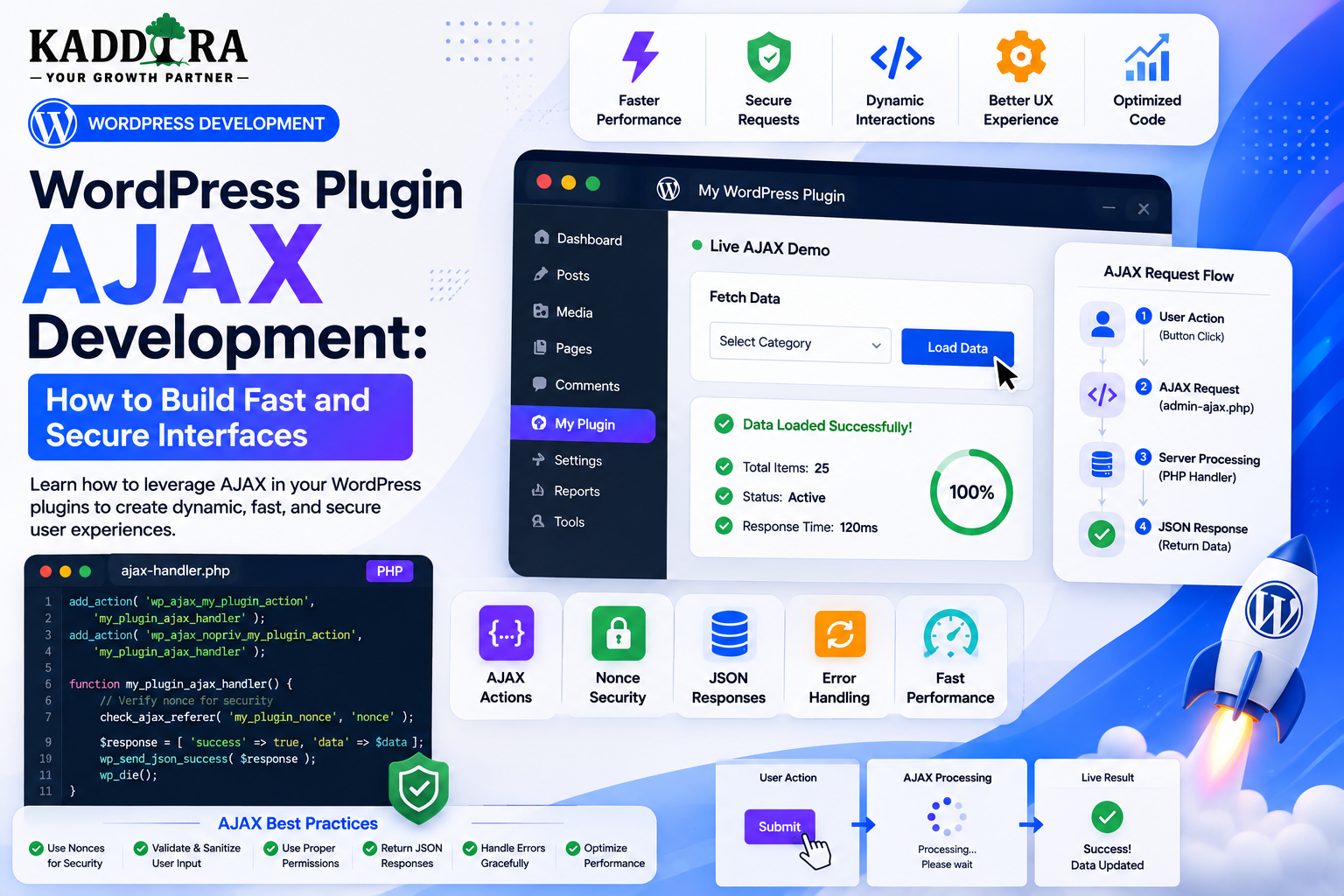
WordPress Plugin AJAX Development: How to Build Fast and Secure Interfaces
Introduction
Modern WordPress plugins often need interfaces that update without reloading the entire page.
Examples include:
Analytics dashboards
Product filters
Search interfaces
Report generation
Settings previews
Dynamic tables
Bulk actions
AI tools
WooCommerce reports
Background operations
This is where AJAX can be useful.
Instead of:
User Action ↓ Full Page Reload ↓ New HTML
an AJAX workflow can look like:
User Action ↓ JavaScript Request ↓ WordPress ↓ Plugin Logic ↓ JSON Response ↓ Update Interface
This can make plugin interfaces feel faster and more interactive.
However, AJAX does not automatically make a plugin secure.
Every AJAX request still needs:
Authentication where appropriate
Authorization
Nonce verification where applicable
Input validation
Secure database queries
Safe output
Error handling
Rate limiting for expensive public operations
Request-size controls
Performance consideration
In this guide, you'll learn how WordPress AJAX works, how to create AJAX actions, connect JavaScript with PHP, secure requests with nonces and capabilities, return JSON responses, handle errors, build dynamic admin tables, create search and filter interfaces, process bulk operations, integrate AJAX with WooCommerce and AI plugins, improve performance, debug AJAX failures, and design a scalable AJAX architecture for ThemeKaddora products.
What Is AJAX?
AJAX stands for Asynchronous JavaScript and XML, although modern WordPress AJAX implementations commonly exchange JSON rather than XML.
The basic concept is simple:
Browser ↓ JavaScript Request ↓ Server ↓ Response ↓ Update Part of Page
The browser does not need to reload the entire document.
Why WordPress Plugins Use AJAX
AJAX can be useful when an interface needs:
Dynamic updates
Search
Filtering
Pagination
Inline editing
Background-like requests
Form submission
Progress updates
Live statistics
For example:
Analytics Filter ↓ AJAX ↓ New Report Data ↓ Update Table
AJAX vs Traditional Form Submission
Traditional form:
Submit ↓ POST ↓ Page Reload
AJAX:
Submit ↓ AJAX ↓ JSON ↓ Update Only Required UI
AJAX is particularly useful for interfaces where users repeatedly interact with the same screen.
AJAX vs WordPress REST API
Both can provide dynamic communication.
WordPress AJAX
Useful for:
Traditional WordPress admin workflows
Simple plugin-specific actions
Existing admin-ajax.php architecture
REST API
Useful for:
React applications
External applications
Mobile apps
Headless systems
Public API contracts
Choose based on the plugin's architecture rather than assuming one approach is always superior.
The WordPress AJAX Endpoint
WordPress commonly handles AJAX requests through:
/wp-admin/admin-ajax.php
The request usually includes an action name.
For example:
action=kdr_load_reports
WordPress routes the request to a registered PHP callback.
Register an AJAX Action
For authenticated users, a plugin can register a callback using the wp_ajax_ hook.
Conceptually:
add_action( 'wp_ajax_kdr_load_reports', 'kdr_load_reports' );
The action name should be unique to the plugin.
Public AJAX Actions
WordPress also has hooks for unauthenticated requests.
These should only be used when the functionality is genuinely intended to be public.
For example:
Public Search Public Form Public Filter
Public AJAX endpoints require additional protection because anyone can potentially call them.
Use Unique AJAX Action Names
Avoid:
load_data search save update
Prefer:
kdr_load_reports kdr_search_products kdr_save_settings
Unique names reduce collisions.
Enqueue the JavaScript Properly
The browser needs to know where the AJAX endpoint is.
A common approach is to pass the endpoint URL through WordPress's script-data mechanisms.
For example, JavaScript can receive:
adminAjaxUrl nonce
Avoid hardcoding environment-specific URLs when WordPress can provide them.
Never Hardcode /wp-admin/admin-ajax.php
Sites can have different configurations, directories, and URL structures.
Use WordPress-provided URL helpers or script localization/data APIs.
Send an AJAX Request
A JavaScript request might send:
action nonce parameters
The server receives the request and runs the registered callback.
AJAX Request Flow
A complete request looks like:
Button Click ↓ JavaScript ↓ admin-ajax.php ↓ Action Hook ↓ Permission Check ↓ Nonce Check ↓ Validation ↓ Business Logic ↓ JSON Response ↓ JavaScript ↓ UI Update
Every stage has a purpose.
Use Nonces for Appropriate AJAX Requests
For state-changing or authenticated AJAX actions, WordPress nonces can help protect against forged requests.
The flow is:
AJAX Request ↓ Nonce Verification ↓ Continue / Reject
But a nonce is not an authorization system.
Nonces Are Not Permission Checks
A request can have a valid nonce but still come from a user who should not be allowed to perform the action.
Therefore use:
Nonce + Capability
where appropriate.
Capability Checks
For an admin report:
Can User View Reports? ↓ Yes → Continue No → Reject
The capability should match the plugin's permissions model.
Example Secure AJAX Flow
A safe pattern is:
if ( ! current_user_can( 'kdr_view_reports' ) ) { wp_send_json_error( array( 'message' => 'Permission denied.' ), 403 ); } check_ajax_referer( 'kdr_reports', 'nonce' );
The exact order can depend on the request and security design, but both authorization and request protection should be considered.
Validate AJAX Input
Suppose the request contains:
page status product_id
Validate each value.
For example:
page → Positive integer status → Allowed values product_id → Valid object ID
Never trust browser input.
Don't Trust Hidden Form Fields
A form might send:
user_id=25
That does not prove the current user owns user 25.
Determine ownership from authenticated server-side context.
Use wp_send_json_success()
For successful AJAX responses, WordPress provides helpers for JSON responses.
Conceptually:
wp_send_json_success( array( 'items' => $items, ) );
This gives the frontend a predictable response format.
Use wp_send_json_error()
For failures:
wp_send_json_error( array( 'message' => 'Unable to load reports.', ), 500 );
Return useful but safe messages.
Don't Expose Internal Errors
Avoid returning:
SQLSTATE... /var/www/... Database credentials Stack trace
Instead:
Unable to complete the request.
Log technical information securely on the server.
Use Structured Error Codes
For larger APIs or AJAX systems, stable error identifiers can help:
kdr_permission_denied kdr_invalid_request kdr_report_failed kdr_rate_limited
JavaScript can then react to known error types.
AJAX Search
A common use case is dynamic searching.
For example:
User Types ↓ JavaScript ↓ AJAX Search ↓ Results
For search-as-you-type, don't necessarily send a request for every keystroke.
Debounce Search Requests
Instead:
Typing ↓ Wait Briefly ↓ Search
This reduces unnecessary requests.
The frontend can debounce requests while the backend still applies rate and query controls.
AJAX Filters
An analytics dashboard may use:
Date Status Product Category
When filters change:
Filter ↓ AJAX ↓ Server Query ↓ New Results
Only the relevant part of the UI needs to change.
AJAX Pagination
A table can load the next page dynamically:
Page 1 ↓ Next ↓ AJAX ↓ Page 2
This can improve user experience for large datasets.
Server-Side Pagination
Do not load every row into JavaScript just to hide most of them.
Prefer:
Page = 2 Limit = 25 ↓ Database Query ↓ 25 Records
This keeps response sizes manageable.
AJAX Sorting
A table may allow:
Sort: Date Revenue Orders Status
Only allow known sort fields.
Do not insert arbitrary client-provided column names directly into SQL.
Map API values to trusted database columns.
AJAX Bulk Actions
Bulk operations may look like:
Select Records ↓ Choose Action ↓ Confirm ↓ AJAX ↓ Process
Examples include:
Delete
Archive
Export
Sync
Mark complete
Dangerous operations should require appropriate authorization and confirmation.
Confirm Destructive AJAX Actions
Before deleting records:
Delete 25 Records? [Cancel] [Confirm]
The server must still enforce the permission and operation.
The confirmation dialog is not a security mechanism.
AJAX Progress Updates
Large operations may require progress reporting.
For example:
Generating Report... Progress 43%
For genuinely long tasks, don't keep one HTTP request open indefinitely.
Use a background job.
AJAX + Background Jobs
A scalable pattern is:
AJAX Request ↓ Create Job ↓ Return Job ID
Then:
AJAX / REST ↓ Check Job Status ↓ Update Progress
This works well for:
Imports
Reports
AI processing
Sync operations
Index rebuilding
Avoid Long AJAX Requests
A request that runs for several minutes can hit:
PHP timeout
Proxy timeout
Browser timeout
Hosting limits
Memory issues
Move expensive work into background processing.
AJAX and AI Features
AI plugins commonly use AJAX for:
Content generation
Summaries
Suggestions
Product recommendations
Chat interfaces
Prompt tools
A typical flow is:
User Prompt ↓ AJAX ↓ Permission ↓ Usage Check ↓ AI Service ↓ Response Validation ↓ JSON
Protect AI Costs
An AI AJAX endpoint can be abused.
Use:
Authentication
Usage limits
Rate limiting
Request-size limits
Token controls
Model restrictions
Do not allow unlimited model requests from a public endpoint.
Never Put AI API Keys in JavaScript
Avoid:
Browser ↓ AI Provider
with a provider secret embedded in the page.
Prefer:
Browser ↓ WordPress AJAX ↓ Server-Side AI Credential ↓ AI Provider
AJAX for WooCommerce Analytics
A WooCommerce analytics dashboard might load:
Revenue Orders Products Customers Conversions
through AJAX.
For example:
Change Date Range ↓ AJAX ↓ Analytics Service ↓ Cached / Aggregated Data ↓ Chart Update
Don't Query Every Order on Every Filter
A slow pattern is:
User Changes Filter ↓ Load All Orders ↓ Calculate Everything
Better:
Filter ↓ Optimized Query ↓ Cached / Aggregated Result
AJAX and WordPress Admin Tables
AJAX is useful for:
Search
Filters
Pagination
Inline updates
Bulk operations
But use WordPress-compatible table patterns when they already solve the problem.
Don't reinvent existing functionality without a reason.
Inline Editing
An admin table may let the user edit:
Status Name Price Description
The workflow should be:
Edit ↓ Validate ↓ AJAX ↓ Permission ↓ Update ↓ Response ↓ Refresh Row
Never Trust Client-Side Validation Alone
JavaScript may say:
Price = valid
but the server must independently validate it.
Client-side validation improves user experience.
Server-side validation provides security and data integrity.
AJAX and Nonce Expiration
Nonces can expire.
Your JavaScript should handle authentication or nonce-related failures gracefully.
For example:
AJAX ↓ Nonce Invalid ↓ Ask User to Refresh / Re-authenticate
Don't show a confusing generic error.
AJAX and Logged-Out Users
If an AJAX action is intended for unauthenticated users, register the appropriate public action and apply additional controls.
For example:
Public Form ↓ Validation ↓ Spam Protection ↓ Rate Limit ↓ Process
Public endpoints require stronger abuse defenses.
CAPTCHA and Spam Protection
For public AJAX forms, consider:
CAPTCHA
Honeypots
Rate limiting
IP reputation
Request throttling
Use a layered approach rather than relying on one control.
AJAX and File Uploads
AJAX can upload files using FormData.
The backend must still validate:
Permission
Nonce
File type
File size
MIME type
Storage path
AJAX does not change file-upload security requirements.
AJAX and Security Logs
For sensitive actions, log:
User Action Object Time Result
Don't log secrets.
AJAX and Database Transactions
If one AJAX action performs multiple related database operations:
Create Record ↓ Update Balance ↓ Create Log
consider whether the workflow requires transactional consistency.
A partial failure should not leave inconsistent data.
AJAX Race Conditions
Two browser requests can arrive almost simultaneously.
For example:
Request A Request B ↓ Both Update Same Record
Use appropriate locking, transactions, version checks, or idempotency where necessary.
AJAX Idempotency
Some actions should be safely repeatable.
For example:
Sync Product
If the browser retries, the result should not create duplicate records.
An idempotency key can be useful for certain workflows.
AJAX Response Size
Do not return massive JSON payloads when the UI needs only a small subset.
Prefer:
Required Fields
over:
Entire Database Record
This improves performance and reduces accidental data exposure.
AJAX and Caching
Some GET-like AJAX requests may benefit from caching.
However, be careful with private data.
Never allow:
User A Response ↓ Shared Cache ↓ User B Receives User A Data
Cache keys and permissions must be considered.
AJAX Loading States
Always communicate when an operation is running.
For example:
Loading...
or:
Saving...
Disable duplicate actions when appropriate.
Prevent Double Submission
A user may click:
Save Save Save
quickly.
The frontend can temporarily disable the button, but the server should also protect against duplicate processing when needed.
AJAX Empty States
When a search returns no results:
No products found. Try changing your filters.
Don't display a blank table that looks broken.
AJAX Error States
A useful error should explain:
What happened? What can the user do?
For example:
"The report could not be generated. Try a shorter date range or contact support if the problem continues."
AJAX and Accessibility
Dynamic interfaces should communicate updates to assistive technologies where appropriate.
Consider:
Focus management
Status messages
aria-live
Keyboard navigation
Accessible buttons
Clear error messages
Don't build an interface that works only visually.
AJAX and Internationalization
User-facing JavaScript strings should be translation-ready.
For example:
Loading... Saving... Request failed.
Ensure those messages participate in the appropriate WordPress JavaScript localization workflow.
AJAX Debugging
When AJAX fails, inspect:
Browser Console
Look for JavaScript errors.
Network Tab
Check:
Request URL
Method
Payload
Status code
Response body
WordPress / PHP Logs
Look for:
Fatal errors
Database errors
Warnings
API failures
Common AJAX Errors
0 Response
Often indicates the request wasn't handled correctly or a server-side response ended unexpectedly.
Check:
Action name
Hook registration
PHP errors
Authentication
Callback behavior
Don't assume the same cause every time.
403 Response
Often indicates:
Permission failure
Security rule
Nonce failure
Server restriction
Inspect the actual response and server logs.
500 Response
Usually indicates a server-side error.
Check:
PHP logs
Database queries
Exceptions
External API failures
Never expose debugging information directly to users in production.
AJAX Timeout
Possible causes include:
Expensive queries
Slow external APIs
Large data processing
Long-running PHP code
Move heavy operations into background jobs when appropriate.
AJAX and WordPress Heartbeat
WordPress itself uses AJAX-based heartbeat functionality.
If a plugin adds its own frequent polling, consider the combined request load.
Don't create aggressive recurring browser requests without measuring the impact.
Avoid Polling Too Frequently
A pattern such as:
Every Second ↓ AJAX
can create unnecessary load.
For progress tracking, use sensible intervals or event-driven mechanisms where practical.
AJAX Security Checklist
Every AJAX action should consider:
Authentication Authorization Nonce Validation Object Ownership Rate Limit Request Size Safe SQL Safe Output Error Handling
Not every public endpoint will need every control in exactly the same way, but each risk should be considered.
AJAX and Background Jobs
For a large ThemeKaddora operation:
Start Sync ↓ AJAX ↓ Create Job ↓ Return Job ID ↓ Poll Status ↓ Display Progress
This is safer than holding one request open for a long time.
Best Practices for WordPress Plugin AJAX
A professional implementation should:
Use unique action names.
Pass endpoint information from WordPress.
Protect state-changing requests appropriately.
Enforce server-side capabilities.
Validate every input.
Use safe database queries.
Return structured JSON.
Avoid exposing internal errors.
Use pagination for large datasets.
Debounce frequent search requests.
Use background jobs for long operations.
Protect expensive public endpoints with appropriate rate limits.
Prevent duplicate operations where necessary.
Keep API credentials server-side.
Support loading, empty, and error states.
Consider accessibility and localization.
Professional WordPress AJAX Architecture
A scalable plugin can use:
Browser │ ▼ JavaScript │ ▼ AJAX Request │ ┌───────────┴───────────┐ ▼ ▼ Nonce / Auth Request Data │ │ └───────────┬───────────┘ ▼ Permission Check │ Validation │ Controller │ Service ┌──────┼──────┐ ▼ ▼ ▼ Database Cache API │ │ │ └──────┼──────┘ ▼ JSON Response │ ▼ UI Update
The frontend should never become the security boundary.
Why choose ThemeKaddora?
ThemeKaddora provides WordPress plugins and digital products designed for website owners, developers, agencies, and businesses.
Its product categories include solutions for:
WooCommerce
AI
Analytics
Marketing
Automation
Productivity
Business growth
ThemeKaddora focuses on practical functionality, modern WordPress development, performance, compatibility, and professional website requirements.
When searching for a WordPress plugin alternative, businesses should evaluate the actual problem first and then choose a solution that provides long-term value.
Conclusion
AJAX can make WordPress plugin interfaces feel faster, smoother, and more modern.
The basic workflow is simple:
User Action
→ JavaScript Request
→ WordPress
→ Plugin Logic
→ JSON Response
→ UI Update
But production-quality AJAX development requires much more than sending a request.
A secure architecture considers:
Authentication
→ Authorization
→ Nonce
→ Validation
→ Ownership
→ Business Logic
→ Safe Response
For large operations, AJAX should often trigger a background job rather than perform the entire task inside one HTTP request.
For ThemeKaddora, AJAX can become a useful foundation for:
AI tools
WooCommerce analytics
Product search
Support interfaces
Dynamic reports
Settings tools
Bulk operations
Synchronization
The biggest mistake is thinking AJAX itself provides security.
It does not.
The browser is untrusted.
Any user can inspect and modify a request.
Therefore, every important rule must be enforced by the server.
The best AJAX-powered WordPress plugins make the interface feel simple while keeping the underlying architecture:
Secure
→ Validated
→ Efficient
→ Accessible
→ Recoverable
→ Maintainable
The goal is not simply to remove page reloads.
The goal is to create a better user experience without sacrificing security, performance, or reliability.
Frequently Asked Questions
What is AJAX in WordPress?
AJAX allows JavaScript running in the browser to communicate with the WordPress server and update parts of the page without requiring a full page reload.
How do WordPress plugins use AJAX?
Plugins register AJAX actions and JavaScript sends requests to the WordPress AJAX endpoint. The server processes the request and returns a response, commonly JSON.
What is admin-ajax.php?
It is the WordPress endpoint commonly used for AJAX requests handled through WordPress's AJAX action system.
How do I secure WordPress AJAX?
Use appropriate authentication, capabilities, nonces, input validation, ownership checks, safe database queries, and other controls based on the endpoint's risk.
Are nonces enough to secure AJAX?
No. Nonces help protect against certain forged requests but do not determine whether a user is authorized to perform an action.
Can unauthenticated users use WordPress AJAX?
Yes, when a feature is intentionally public. Public endpoints need additional abuse and validation controls.
Should I use AJAX or the WordPress REST API?
Use AJAX for suitable traditional WordPress and admin interactions. REST APIs are often better for modern JavaScript applications, mobile clients, external integrations, and public API contracts.
Can AJAX handle file uploads?
Yes. Browser FormData requests can upload files, but the server must still validate file type, size, permissions, and storage.
How do I handle large AJAX operations?
Create a background job, return a job identifier, and let the interface check or receive progress rather than keeping one long HTTP request open.
Can AJAX be used for AI features?
Yes. AI plugins can use AJAX for prompts, summaries, recommendations, chat, and other dynamic features, but must protect API credentials, limit usage, validate input, and control costs.
Why choose Themekaddora?
Themekaddora provides lightweight, responsive, SEO-friendly WordPress themes with fast performance, WooCommerce compatibility, flexible customization, accessibility-conscious design, modern templates, regular updates, and professional support—providing a strong foundation for businesses building digital products and product-focused websites.
Comments (0)