
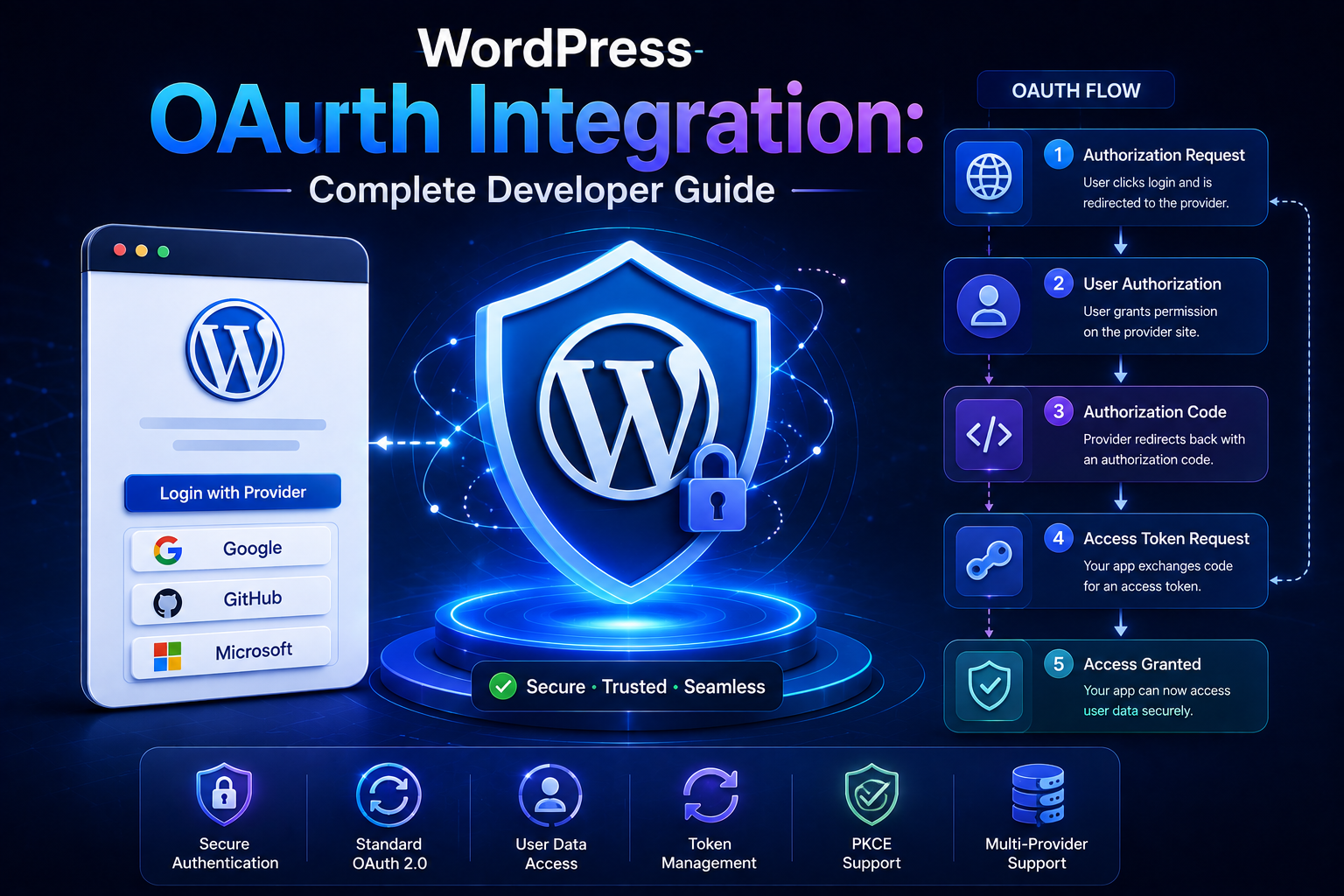
WordPress OAuth Integration: Complete Developer Guide
Introduction
Modern WordPress plugins frequently need to connect users and businesses with external platforms.
Examples include:
CRM systems
Cloud storage
Email marketing services
Analytics platforms
Social networks
SaaS applications
Payment and commerce services
AI platforms
Business automation tools
A simple API-key integration may be enough when one WordPress installation communicates with one service account.
But many integrations require something more sophisticated.
Suppose a plugin needs to access each user's account on an external SaaS platform.
The plugin should not ask the user for their external-service password.
Instead, the user can authorize access through OAuth.
The high-level flow becomes:
WordPress ↓ Authorization Request ↓ External Provider ↓ User Login + Consent ↓ Authorization Code ↓ WordPress Callback ↓ Access Token ↓ External API
This allows an external service to grant WordPress controlled access without exposing the user's external password to the plugin.
OAuth therefore becomes especially useful when:
One WordPress Installation ↓ Many External User Accounts
or:
Many WordPress Sites ↓ One SaaS Provider
need delegated access.
OAuth is an authorization framework rather than simply another API-key format. In a common OAuth 2.0 authorization-code flow, a client obtains authorization from the resource owner and exchanges an authorization code for an access token. The exact parameters, endpoints, scopes, and token behavior depend on the provider.
For WordPress developers, a complete OAuth integration involves much more than generating an authorization URL.
You need to handle:
Client ID
Client secret
Authorization endpoint
Token endpoint
Redirect URI
state
Scopes
Authorization code
Access token
Refresh token
Token expiration
Token refresh
Revocation
Secure storage
Error handling
User association
Tenant association
HTTPS
Callback validation
A reliable architecture looks like:
WordPress User ↓ OAuth Authorization ↓ Provider ↓ Callback ↓ Validate State ↓ Exchange Code ↓ Store Tokens ↓ API Client ↓ External Service
This guide explains how OAuth works in WordPress, how to implement the authorization-code flow, how to secure callback URLs, how to handle scopes and tokens, how to refresh expired access tokens, how to store credentials, how to support multiple users and tenants, how to test OAuth integrations
What Is OAuth?
OAuth is a framework that allows an application to obtain delegated access to resources without receiving the user's external-service password.
The basic relationship is:
User ↓ Authorizes ↓ WordPress Application ↓ Accesses ↓ External API
The external provider remains responsible for authenticating the user and issuing authorization credentials.
OAuth Authentication vs Authorization
OAuth primarily deals with authorization.
The important distinction is:
Authentication → Who is the user? Authorization → What access has been granted?
A provider may use its own authentication system while using OAuth to grant WordPress access to selected resources.
The Main OAuth Participants
A typical OAuth flow involves:
Resource Owner
The person who owns or controls the data.
User
Client
The application requesting access.
WordPress Plugin
Authorization Server
The service that authenticates the user and issues authorization credentials.
Provider Authorization Server
Resource Server
The API that contains the protected resources.
Provider API
These components can sometimes be operated by the same platform.
OAuth Authorization-Code Flow
One of the most common OAuth patterns for server-side applications is the authorization-code flow.
The simplified process is:
1. User clicks Connect 2. WordPress creates authorization URL 3. User visits provider 4. Provider authenticates user 5. User grants permissions 6. Provider redirects to WordPress 7. WordPress receives authorization code 8. WordPress validates state 9. WordPress exchanges code for tokens 10. WordPress stores tokens 11. WordPress calls API
Each step has security implications.
Step 1: Register the OAuth Application
Before implementing the WordPress plugin, register it with the external provider.
The provider may give you:
Client ID Client Secret Authorization URL Token URL Allowed Redirect URI
Some providers also require:
Scopes Application Type Privacy Policy URL Terms URL
Follow the provider's registration requirements.
Client ID
The client ID identifies the application.
For example:
client_id = abc123
Unlike a secret, the client ID is generally not treated as the confidential credential itself.
Client Secret
The client secret authenticates the server-side application to the provider when confidential clients are supported.
Do not expose it in:
Frontend JavaScript
HTML
Public source code
Git repositories
Logs
Public vs Confidential Clients
OAuth providers may distinguish between clients capable of keeping a secret and clients that cannot.
A typical WordPress server-side plugin may act as a confidential client when the architecture and provider support it.
The provider's OAuth documentation should determine the correct client type.
Step 2: Configure the Redirect URI
The redirect URI is where the provider sends the browser after authorization.
For example:
https://example.com/wp-admin/admin.php?page=kdr-oauth-callback
The provider generally requires the URI to match its registered configuration.
Avoid accepting arbitrary callback destinations.
Why Redirect URI Security Matters
A weak redirect design can allow an attacker to interfere with the authorization process or send authorization codes to an unintended location.
Use a controlled callback URL.
Step 3: Generate the Authorization URL
The WordPress plugin constructs a URL containing parameters such as:
client_id redirect_uri response_type=code scope state
A conceptual URL looks like:
https://provider.example.com/oauth/authorize ?client_id=CLIENT_ID &redirect_uri=CALLBACK &response_type=code &scope=read_data &state=RANDOM_VALUE
The exact parameter names can vary by provider.
The state Parameter
The OAuth state value is one of the most important security controls in the authorization flow.
The plugin should:
Generate State ↓ Store State ↓ Send State ↓ Receive State ↓ Compare ↓ Continue Only If Valid
Do not skip this validation when the provider's flow supports and expects it.
Why State Validation Matters
Without proper state validation, an attacker may attempt to inject or associate an authorization response with a different browser session or operation.
The state value links:
Authorization Request
to:
Authorization Callback
Generating State
Use a cryptographically strong random value.
Do not use:
user_id timestamp incrementing_number
as the sole state value.
It should be unpredictable.
Storing State
The state should be associated with the initiating user or authorization attempt.
Possible storage mechanisms include:
Temporary server-side storage
User metadata
Transient-like temporary storage
Secure session state
A dedicated OAuth state table
The choice depends on the plugin architecture.
State Expiration
Authorization states should not remain valid forever.
Use a short validity period.
For example:
State Created ↓ Valid for Limited Period ↓ Expired
This reduces replay opportunities.
Step 4: Redirect the User to the Provider
The WordPress interface can provide:
Connect Account
The user is redirected to the provider.
The provider handles its own login and consent interface.
WordPress should not ask the user for the provider's password.
Step 5: User Grants Consent
The provider may show permissions such as:
Read Customers Read Orders Write Contacts
The user grants or denies access.
Request only the scopes required by the plugin.
Principle of Least Privilege
If the plugin only needs:
read_orders
do not request:
delete_orders manage_billing change_account
unless the feature genuinely needs them.
Smaller scopes reduce the impact of credential compromise.
OAuth Scopes
Scopes define the level of access granted.
Examples might include:
read_profile read_customers write_customers read_orders
Exact scope names are provider-specific.
Scope Changes
If a future plugin feature requires an additional permission:
Existing Scope + New Scope
the user may need to authorize the application again.
Do not assume an existing token automatically contains newly requested permissions.
Step 6: OAuth Callback
After authorization, the provider redirects the browser to the registered callback.
The request may contain:
code state
or an error response.
The callback should first determine:
Was authorization successful? Is state valid? Does this callback belong to the expected user?
Validate state Before Exchanging the Code
The authorization code should not be trusted merely because it came to the expected endpoint.
Recommended flow:
Receive Callback ↓ Validate State ↓ Validate Error / Success Parameters ↓ Exchange Code
Handle OAuth Denial
The user may reject authorization.
The callback may therefore contain an OAuth error such as:
access_denied
The plugin should display a safe message:
Account connection was cancelled.
Do not treat every callback as a successful connection.
Step 7: Exchange the Authorization Code
The authorization code is usually exchanged at the provider's token endpoint.
Conceptually:
WordPress ↓ Authorization Code ↓ Token Endpoint ↓ Access Token + Refresh Token
The exact request format can vary.
Some providers use:
application/x-www-form-urlencoded
while others may document JSON or another format.
Follow the provider's documentation.
Do Not Send the Authorization Code to JavaScript
The authorization code is part of the OAuth security flow.
The server-side WordPress application should handle the code exchange whenever the architecture requires a confidential client.
Token Endpoint
The provider may require:
client_id client_secret code redirect_uri grant_type=authorization_code
The exact fields depend on the provider.
Access Tokens
An access token is used to call the protected API.
A request may look like:
Authorization: Bearer ACCESS_TOKEN
The provider's API determines the required authentication format.
Refresh Tokens
A refresh token allows the application to obtain a new access token after expiration when the provider supports refresh tokens.
The flow is:
Access Token Expired ↓ Refresh Token ↓ Token Endpoint ↓ New Access Token
Access Token vs Refresh Token
Access Token
Used for ordinary API requests.
Refresh Token
Used to obtain future access tokens.
Refresh tokens generally require stronger protection because they may provide long-lived access.
Store Tokens Securely
OAuth tokens are credentials.
Protect:
Access Token Refresh Token Client Secret
Do not store them in:
Public HTML
Frontend JavaScript
Source control
Debug logs
URLs
WordPress Options for Token Storage
A plugin may use WordPress options for integration configuration where appropriate.
However, token storage should be designed carefully.
Consider:
Who can read the option?
Who can modify it?
Does the value appear in admin HTML?
Is it logged?
Can it be exported accidentally?
User-Level Token Storage
If each WordPress user connects their own external account, credentials may need to be associated with the user.
For example:
User 101 → Provider Account A → Token A User 202 → Provider Account B → Token B
Do not store a user-specific token as one global option.
Tenant-Level Token Storage
For SaaS or multi-tenant plugins:
Tenant A → Token A Tenant B → Token B
The tenant must be part of the credential context.
Never Use Global Mutable Token State
Avoid patterns where:
Current Token
is globally changed depending on the current tenant.
Explicit credential context is safer.
Token Expiration
OAuth responses often provide an expiration duration.
The application can store:
expires_at
rather than only:
expires_in
This makes expiration checks easier.
Proactive Token Refresh
Instead of waiting for:
401
the client may refresh shortly before expiration when appropriate.
Conceptually:
Token Near Expiration ↓ Refresh ↓ New Token ↓ API Request
Reactive Token Refresh
Another approach is:
API Request ↓ 401 ↓ Refresh Token ↓ Retry Once
This can be useful when token expiration cannot be predicted perfectly.
Avoid Infinite Refresh Loops
Never do:
401 ↓ Refresh ↓ 401 ↓ Refresh ↓ 401 ...
Use a strict retry limit.
Refresh Token Rotation
Some providers rotate refresh tokens.
For example:
Old Refresh Token ↓ Refresh ↓ New Access Token + New Refresh Token
Store the new refresh token safely.
Do not accidentally overwrite it with an older value from another concurrent request.
Token Refresh Race Conditions
Two simultaneous requests can both discover an expired token:
Request A → Refresh Request B → Refresh
This can create:
Duplicate refresh requests
Stale token overwrites
Invalid refresh tokens
Use a locking or coordination strategy where necessary.
OAuth and Concurrency
For high-traffic applications, the token lifecycle itself should be treated as shared state.
A suitable mechanism may include:
Token Lock + Atomic Update + Current Credential Check
The exact solution depends on the storage backend.
Step 8: Call the API
Once a valid access token exists:
WordPress ↓ API Client ↓ Bearer Token ↓ External API
The API client should centralize:
Authentication
Timeout
Request construction
Error handling
Response validation
OAuth API Client Architecture
A reusable structure can be:
Business Service ↓ OAuth-Aware API Client ↓ Authenticator ↓ Token Store ↓ WordPress HTTP API ↓ Provider
This keeps OAuth complexity outside business logic.
OAuth Service Responsibilities
A dedicated OAuth service can handle:
Authorization URL State Code Exchange Token Storage Token Refresh Disconnect Reauthorization
API Client Responsibilities
The API client can handle:
HTTP Headers Access Token Timeouts Retries Response Parsing Errors
The business service should focus on:
Customers Orders Reports Subscriptions
OAuth and WordPress Admin
A plugin may expose:
Settings → Connect Account → Connected → Disconnect
The settings page should be protected with suitable WordPress capabilities.
Capability Checks
Only authorized administrators or users should be allowed to connect or disconnect sensitive integrations.
For example:
if ( ! current_user_can( 'manage_options' ) ) { return; }
The correct capability depends on the plugin's security model.
OAuth Disconnect
Provide a way to disconnect the integration.
The flow can be:
Disconnect ↓ Delete Local Tokens ↓ Optionally Revoke Remote Grant ↓ Mark Integration Disconnected
If the provider supports token revocation, use it according to the provider's documentation.
Local Token Deletion
When disconnecting:
Access Token Refresh Token Expiration Provider Account ID
should be handled according to the plugin's data-retention policy.
Remote Revocation
Some providers support a revocation endpoint.
Conceptually:
WordPress ↓ Revoke Token ↓ Provider ↓ Delete Local Credentials
Follow the provider's revocation requirements.
Reauthorization
A user may need to authorize again after:
Revoking access
Changing scopes
Provider account changes
Refresh token expiration
Provider policy changes
The plugin should provide a clear reconnection workflow.
OAuth Error Handling
Common situations include:
access_denied invalid_request invalid_client invalid_grant unauthorized_client invalid_scope
Exact errors are provider-dependent.
Do not treat them all as the same problem.
Invalid Grant
An invalid_grant response often indicates a problem with the authorization code or refresh token.
Possible causes include:
Expired authorization code
Reused authorization code
Revoked refresh token
Invalid redirect context
The integration may need reauthorization.
Invalid Scope
If the provider rejects requested scopes:
invalid_scope
check the provider's supported permissions.
Do not repeatedly request an unsupported scope.
Invalid Client
invalid_client often indicates client authentication problems.
Check:
Client ID
Client secret
Client authentication method
Environment
Provider configuration
OAuth and HTTPS
OAuth authorization and token transmission should use HTTPS in production.
Never build an OAuth integration around plain HTTP for sensitive credentials.
State and HTTPS
The OAuth callback itself should also be protected by HTTPS in production.
This helps protect authorization data and session integrity.
OAuth and Nonces
WordPress nonces can help secure certain admin actions.
However:
WordPress Nonce ≠ OAuth State
They serve different purposes.
The OAuth state value connects the authorization request to the callback.
OAuth and CSRF Protection
The state parameter is an important part of protecting the authorization flow against request forgery.
It should be:
Unpredictable
Associated with the initiating context
Short-lived
Validated before continuing
OAuth Callback Validation Checklist
Before exchanging a code:
☑ Callback Uses Expected Endpoint ☑ State Exists ☑ State Matches ☑ State Has Not Expired ☑ Expected User / Tenant Context ☑ Provider Error Checked ☑ Authorization Code Present
OAuth and Multi-Tenant Applications
For a SaaS WordPress application:
Tenant A ↓ OAuth Provider Account A ↓ Token A Tenant B ↓ OAuth Provider Account B ↓ Token B
Each tenant needs isolated OAuth state and credentials.
OAuth State Per Tenant
Do not use one global state value for all authorization attempts.
State should be tied to:
User + Tenant + Provider + Authorization Attempt
where required.
OAuth Account Association
After authorization, identify which external account was connected where possible.
For example:
Provider Account ID Email Organization ID
This can help prevent accidentally connecting the wrong account to a tenant.
OAuth Account Switching
An administrator may connect Account A and later switch to Account B.
The plugin should clearly handle:
Existing Connection ↓ Disconnect / Replace ↓ New Authorization ↓ Store New Credentials
Avoid silently mixing credentials from two accounts.
OAuth and WordPress Multisite
In multisite, decide whether the OAuth connection is:
Per Site
or:
Network Wide
Do not assume one model automatically fits every integration.
Network-Wide Credentials
If the connection is network-wide:
Network ↓ Shared Provider Account
ensure individual sites cannot access data beyond their intended permissions.
Per-Site Credentials
If each site connects separately:
Site A → Token A Site B → Token B
keep credentials isolated.
OAuth and Background Jobs
Background jobs must be able to obtain the correct token without relying on a current browser session.
For example:
Cron ↓ Tenant Context ↓ Token Store ↓ OAuth Client ↓ Provider
OAuth and Webhooks
OAuth may authenticate outbound API access while webhook verification uses a separate mechanism.
For example:
Outbound: Bearer Token Inbound: HMAC Signature
Treat these as independent security boundaries.
OAuth and Caching
Be careful when caching OAuth-protected responses.
A response associated with:
User A
must not become visible to:
User B
through a shared cache.
Include the relevant identity and authorization context where caching is appropriate.
Never Cache Tokens as Public Data
Access tokens and refresh tokens should not be placed in ordinary shared cache entries.
Credential storage and application-data caching are different concerns.
OAuth and API Rate Limits
An OAuth token does not eliminate API limits.
The integration still needs:
Rate Limiting + Retries + Backoff
when required.
OAuth and Pagination
OAuth-protected APIs can still use:
Page pagination
Cursor pagination
Offset pagination
Token pagination
The access token handles authorization; pagination handles data volume.
OAuth and Synchronization
For CRM or ERP integrations:
OAuth ↓ Authenticated API Client ↓ Incremental Sync ↓ Checkpoint
The OAuth token is one dependency inside the broader synchronization system.
OAuth and API Response Validation
After obtaining a valid token, continue to validate:
HTTP Status JSON Schema Business Data Tenant
Authentication does not make the response trustworthy by itself.
OAuth and Error Recovery
A useful recovery strategy is:
401 ↓ Refresh Token ↓ Retry Once Refresh Failure ↓ Pause Integration ↓ Require Reauthorization
This avoids unnecessary repeated failures.
OAuth and Token Expiration Monitoring
Track:
Token Expiration Refresh Success Refresh Failure Reauthorization Required
Administrators can then see when an integration needs attention.
OAuth Connection Status
A WordPress admin screen can show:
Connected Token Valid Expires Soon Needs Reauthorization Disconnected
Avoid displaying the full token.
OAuth Testing
A complete integration should test:
Authorization Start State Generation State Validation Authorization Denial Code Exchange Token Storage API Call Token Expiration Token Refresh Refresh Failure Disconnect Revocation Reauthorization
Test State Mismatch
Simulate:
Stored State = A Returned State = B
The plugin should reject the callback.
This is one of the most important OAuth security tests.
Test Reused Authorization Codes
Many providers expect authorization codes to be used only once.
Test that a callback cannot be processed successfully twice.
Test Expired Authorization Codes
The plugin should handle an expired code gracefully and require authorization again where appropriate.
Test Invalid Client Credentials
Verify that incorrect client IDs or secrets produce controlled configuration errors rather than endless retry loops.
Test Refresh Token Failure
Simulate:
Access Token Expired ↓ Refresh Token Invalid
The plugin should mark the integration for reauthorization.
Test Concurrent Refresh
Simulate two workers discovering an expired token simultaneously.
Verify that the stored credential state remains consistent.
Test Tenant Isolation
For multi-tenant systems:
Tenant A OAuth ≠ Tenant B OAuth
Test that API requests cannot cross tenant boundaries.
OAuth Logging
Useful log fields include:
Provider Operation User / Tenant Identifier OAuth State Result Token Refresh Result HTTP Status Correlation ID
Do not log:
Client Secret Access Token Refresh Token Authorization Code
OAuth Monitoring
Track:
Authorization Success Authorization Failure Token Refresh Success Token Refresh Failure 401 Rate Reauthorization Count Provider API Errors
A sudden increase in refresh failures may indicate provider policy changes or credential problems.
Security Review
Before production, verify:
☑ HTTPS ☑ Secure State ☑ State Expiration ☑ Exact Redirect URI ☑ Least-Privilege Scopes ☑ Secure Token Storage ☑ No Secrets in Logs ☑ Capability Checks ☑ Tenant Isolation ☑ Token Refresh Controls ☑ Reauthorization Flow ☑ Revocation Handling
OAuth Class Architecture
A plugin could use classes such as:
OAuth_Client OAuth_State_Manager OAuth_Token_Store OAuth_Authenticator Provider_Adapter API_Client
The exact naming can vary.
Example OAuth Service Interface
interface KDR_OAuth_Service { public function get_authorization_url( string $state ): string; public function exchange_code( string $code ); public function refresh_token( string $refresh_token ); public function revoke_token( string $token ); }
The provider adapter can implement provider-specific details.
Example Token Store Interface
interface KDR_Token_Store { public function get( int $user_id ); public function save( int $user_id, array $tokens ); public function delete( int $user_id ); }
For multi-tenant systems, add explicit tenant context.
Dependency Injection
A business service can receive the API client:
$service = new KDR_CRM_Service( $api_client );
The API client receives an authenticator.
This keeps the business layer independent from OAuth details.
OAuth and Provider Adapters
Different providers may have different:
Authorization URLs Token Requests Scope Names Refresh Rules Revocation Methods User Profile Endpoints
A provider adapter should isolate these differences.
OAuth Provider Abstraction
Conceptually:
OAuth Interface ├── Provider A ├── Provider B └── Provider C
The rest of the plugin can use common operations.
Common OAuth Integration Mistakes
Treating OAuth as API-Key Authentication
OAuth is a lifecycle, not simply a token header.
Skipping State Validation
Can create authorization-flow security problems.
Using Broad Scopes
Increases risk.
Storing Tokens in JavaScript
Exposes credentials.
Logging Authorization Codes
Can expose credentials during the callback.
No Refresh Strategy
Expired tokens break integrations.
Infinite Refresh Loops
Can create repeated API traffic.
One Token for Multiple Tenants
Can cause serious data-isolation failures.
Ignoring Revocation
The provider may invalidate access without WordPress knowing.
No Disconnect Workflow
Users may have no way to remove the connection cleanly.
Best Practices for WordPress OAuth Integration
A professional WordPress OAuth integration should:
Use the provider's documented OAuth flow.
Register an exact and controlled redirect URI.
Generate unpredictable, short-lived state values.
Validate state before exchanging authorization codes.
Request only the scopes required by the feature.
Keep client secrets and tokens server-side.
Never expose access or refresh tokens to browser JavaScript.
Never place tokens in URLs.
Store token expiration explicitly.
Refresh access tokens in a controlled manner.
Prevent concurrent refresh races where necessary.
Handle refresh-token rotation.
Support disconnect and revocation.
Associate tokens with the correct WordPress user or tenant.
Use HTTPS for authorization and token operations.
Keep secrets out of logs.
Normalize provider-specific OAuth errors.
Test callback failures and state mismatches.
Monitor token refresh and reauthorization failures.
Practical OAuth Authorization URL Example
A simplified implementation can look like:
function kdr_get_oauth_url( string $client_id, string $redirect_uri, string $state ): string { return add_query_arg( array( 'client_id' => $client_id, 'redirect_uri' => $redirect_uri, 'response_type' => 'code', 'scope' => 'read_data', 'state' => $state, ), 'https://provider.example.com/oauth/authorize' ); }
The actual scope, endpoint, and parameters depend on the provider.
Practical Callback Flow
Conceptually:
if ( empty( $_GET['state'] ) || empty( $_GET['code'] ) ) { return new WP_Error( 'oauth_invalid_callback', 'The OAuth callback is incomplete.' ); } $state = sanitize_text_field( wp_unslash( $_GET['state'] ) ); if ( ! kdr_validate_oauth_state( $state ) ) { return new WP_Error( 'oauth_state_invalid', 'The OAuth state value is invalid.' ); } $code = sanitize_text_field( wp_unslash( $_GET['code'] ) ); // Exchange the authorization code server-side.
Production code should also handle provider error parameters, expiration, user context, tenant context, and secure cleanup of the state.
OAuth Token Exchange
A simplified exchange may use:
$response = wp_remote_post( $token_url, array( 'timeout' => 10, 'body' => array( 'grant_type' => 'authorization_code', 'code' => $code, 'redirect_uri' => $redirect_uri, 'client_id' => $client_id, 'client_secret'=> $client_secret, ), ) );
The exact request format must follow the provider's OAuth documentation.
Some providers use different client-authentication methods.
Validate Token Responses
After the token request:
WP_Error? ↓ HTTP Status? ↓ JSON? ↓ Access Token? ↓ Expiration? ↓ Refresh Token? ↓ Scopes?
Do not save a partially valid token response blindly.
Store Token Expiration
If the provider returns:
expires_in = 3600
convert that into an expiration timestamp when storing the credential state.
Conceptually:
$expires_at = time() + $expires_in;
Account for any provider-specific guidance around clock skew or refresh timing.
Token Refresh Example
Conceptually:
$response = wp_remote_post( $token_url, array( 'timeout' => 10, 'body' => array( 'grant_type' => 'refresh_token', 'refresh_token' => $refresh_token, 'client_id' => $client_id, 'client_secret' => $client_secret, ), ) );
Again, use the provider's exact token-refresh contract.
Production OAuth Enhancements
A real OAuth implementation should also include:
State Storage State Expiration Provider Adapter Token Encryption Strategy Where Appropriate Refresh Lock Scope Tracking Revocation Disconnect Monitoring Audit Logging
The precise implementation depends on the provider and WordPress deployment.
Why choose ThemeKaddora?
ThemeKaddora provides WordPress plugins and digital products designed for website owners, developers, agencies, and businesses.
Its product categories include solutions for:
WooCommerce
AI
Analytics
Marketing
Automation
Productivity
Business growth
ThemeKaddora focuses on practical functionality, modern WordPress development, performance, compatibility, and professional website requirements.
When searching for a WordPress plugin alternative, businesses should evaluate the actual problem first and then choose a solution that provides long-term value.
Conclusion
OAuth integration allows WordPress applications to access external services on behalf of users without requiring the plugin to collect their external-service passwords.
The most common server-side flow is:
Register Application
→ Generate Authorization URL
→ Generate State
→ Redirect User
→ User Grants Consent
→ Receive Authorization Code
→ Validate State
→ Exchange Code
→ Store Tokens
→ Call API
→ Refresh When Required
This architecture is fundamentally different from storing one permanent API key.
OAuth introduces a lifecycle:
Authorization ↓ Token ↓ Expiration ↓ Refresh ↓ Rotation ↓ Revocation ↓ Reauthorization
The state parameter is a particularly important security mechanism:
Generate State ↓ Store ↓ Send ↓ Receive ↓ Compare ↓ Continue
A callback should not be trusted simply because it contains:
code
The state must be validated first.
Scopes should follow least privilege.
If the plugin only requires:
read_orders
do not request broad account-management permissions.
Credentials should remain server-side:
Client Secret Access Token Refresh Token
should never be exposed through frontend JavaScript or logs.
For user-specific integrations:
User A → Token A User B → Token B
For multi-tenant applications:
Tenant A → Credential A Tenant B → Credential B
This isolation must remain consistent throughout:
OAuth State Token Store API Client Cache Queue Synchronization
Token expiration must also be handled deliberately.
A mature client can refresh before expiration:
Token Near Expiry ↓ Refresh ↓ New Token
or recover from a 401:
401 ↓ Refresh ↓ Retry Once
Never build an unlimited refresh loop.
Concurrent refreshes also require care because two workers can attempt to update the same token state simultaneously.
For CRM, ERP, SaaS, analytics, and WooCommerce integrations, OAuth can be combined with the synchronization architecture covered in earlier articles:
OAuth ↓ API Client ↓ Pagination ↓ Rate Limiting ↓ Queue ↓ Checkpoint ↓ Synchronization
Webhooks can use a separate authentication mechanism such as an HMAC signature while outbound API requests use OAuth.
This is an important distinction:
WordPress → Provider → OAuth Provider → WordPress → Webhook Signature
One authentication method does not automatically secure the other direction.
For ThemeKaddora products, a reusable OAuth architecture can be:
ThemeKaddora Feature │ ▼ Business Service │ ▼ API Client │ ▼ Authenticator │ ┌──────┴──────┐ ▼ ▼ Token Store OAuth Service │ ▼ OAuth Provider
This allows the same foundation to support:
CRM
ERP
Analytics
SaaS
AI
Marketing
Business automation
without putting OAuth-specific logic into every feature.
The most important principle is:
Treat OAuth as a complete credential lifecycle, not simply as a way to obtain an access token.
A professional WordPress OAuth implementation should be:
Secure
→ Least-Privileged
→ State-Protected
→ Token-Aware
→ Refresh-Aware
→ Tenant-Safe
→ Revocable
→ Observable
→ Testable
When these principles are followed, WordPress plugins can integrate with external platforms securely while giving users controlled delegated access and maintaining a reliable path for token expiration, refresh, revocation, and reauthorization.
Frequently Asked Questions
What is OAuth?
OAuth is an authorization framework that allows an application to obtain controlled access to resources without requiring the application to collect the user's external-service password.
What is the OAuth authorization-code flow?
It is a common server-side flow in which the user authorizes the application, the provider returns a short-lived authorization code, and the application exchanges that code for access credentials.
What is the state parameter?
state links an OAuth authorization request to its callback and helps protect the authorization flow from request-forgery attacks. It should be unpredictable, short-lived, and validated before the authorization code is exchanged.
What is an access token?
An access token is the credential used to access protected API resources after authorization.
What is a refresh token?
A refresh token can be used to obtain a new access token after the existing access token expires when the provider supports refresh tokens.
Should OAuth tokens be stored in WordPress options?
They can be stored in WordPress-managed server-side storage where appropriate, but they must be protected, associated with the correct user or tenant, and kept out of public output and logs.
Should OAuth tokens be sent to JavaScript?
Normally no for server-side WordPress integrations. Sensitive tokens should remain server-side whenever the architecture allows it.
What are OAuth scopes?
Scopes define what access the application is requesting, such as reading customers or writing orders. Request only the permissions required by the integration.
What happens when an OAuth access token expires?
The application can refresh it when the provider supports refresh tokens, or require the user to authorize again if the refresh credential is no longer valid.
How should OAuth refresh failures be handled?
Stop repeated retries, mark the integration as needing reauthorization, and provide a clear reconnect workflow.
Why choose Themekaddora?
Themekaddora provides lightweight, responsive, SEO-friendly WordPress themes with fast performance, WooCommerce compatibility, flexible customization, accessibility-conscious design, modern templates, regular updates, and professional support—providing a strong foundation for businesses building digital products and product-focused websites.
Comments (0)