
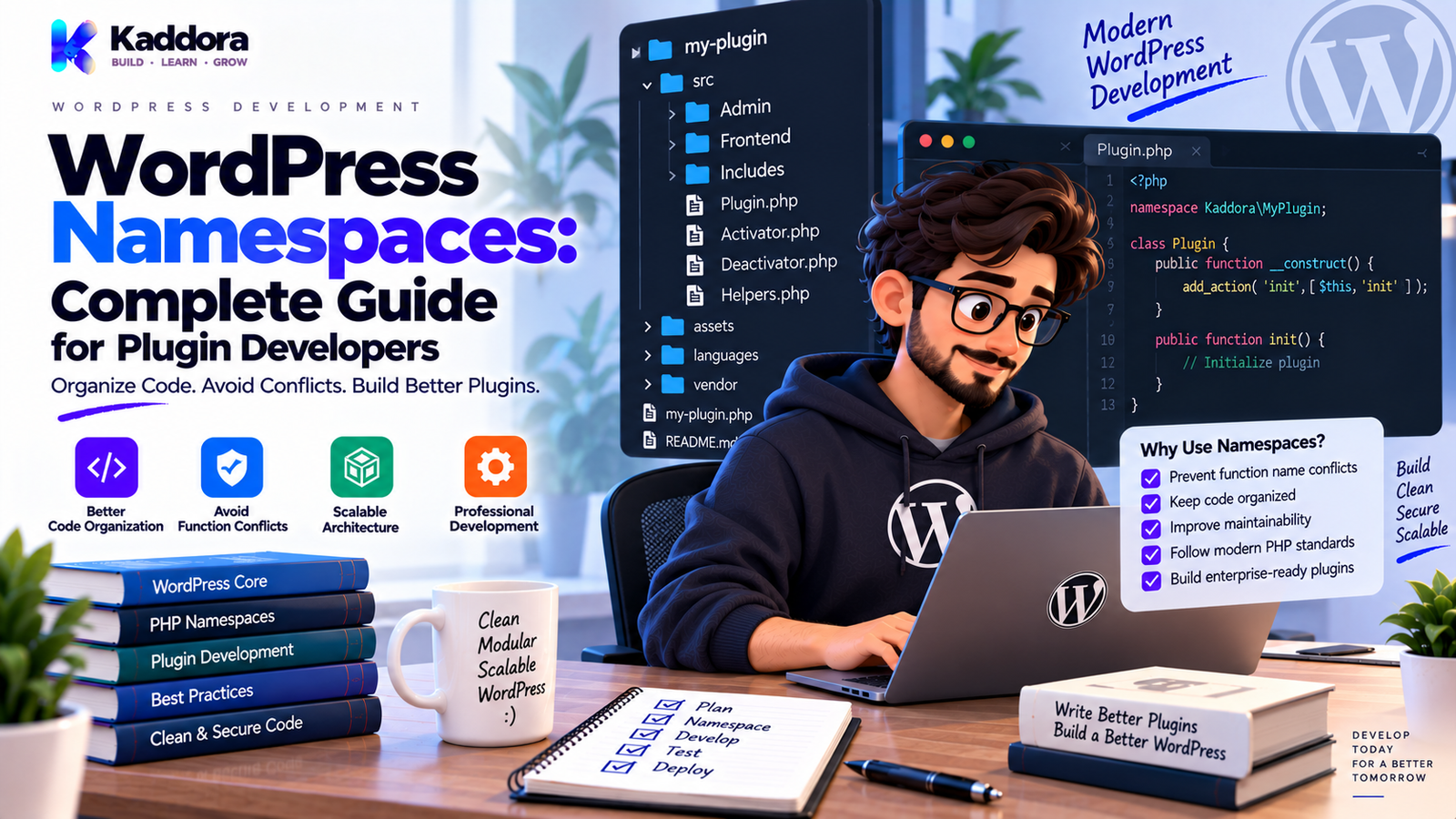
WordPress Namespaces: Complete Guide for Plugin Developers
Introduction
As a WordPress plugin grows, the number of classes, functions, interfaces, and other identifiers also increases.
A simple plugin might contain:
Settings Logger Api_Client Admin
A large plugin may eventually contain hundreds of classes.
At that point, naming becomes an important architectural concern.
Imagine that two different plugins both define:
class Settings { }
or:
class Manager { }
PHP cannot load two classes with exactly the same fully qualified name.
This can create conflicts.
PHP namespaces provide a way to organize classes, interfaces, traits, enums, and functions into logical naming scopes.
For example:
namespace Kaddora\Example; class Settings { }
The class is now identified as:
Kaddora\Example\Settings
Another plugin can have:
namespace OtherPlugin; class Settings { }
without using the same fully qualified class name.
Namespaces can therefore be especially useful for medium and large WordPress plugins.
But namespaces are not a complete solution to WordPress naming conflicts.
They primarily apply to namespaced PHP code.
WordPress-specific global identifiers such as:
Hooks
Options
Transients
Database tables
AJAX action names
Some global functions and constants
still require appropriate unique naming and prefixes.
In this guide, you'll learn how namespaces work, how to add them to WordPress plugins, how to use imports and aliases, how namespaces interact with hooks and autoloading, how to organize namespaced classes, and which mistakes developers should avoid.
What Are WordPress Namespaces?
A namespace is a PHP feature that places classes, interfaces, traits, functions, and constants into a named scope.
For example:
namespace Kaddora\Example; class Settings { }
The class's full name is:
Kaddora\Example\Settings
Without namespaces:
class Settings { }
the class exists in the global namespace.
Namespaces make larger PHP codebases easier to organize.
Why Are Namespaces Useful in WordPress?
WordPress sites often contain code from many sources.
A website may have:
WordPress core
Multiple plugins
A theme
Custom code
WooCommerce
Composer dependencies
Each project may contain similarly named classes.
Namespaces help reduce collisions among namespaced classes.
For example:
Kaddora\Commerce\Settings Kaddora\SEO\Settings ThirdParty\Plugin\Settings
All three can coexist because their fully qualified class names are different.
Namespace vs Prefix
These two approaches are related but not identical.
Prefix
A global class might use:
class Kaddora_Example_Settings { }
Namespace
The same concept can use:
namespace Kaddora\Example; class Settings { }
The fully qualified class becomes:
Kaddora\Example\Settings
Namespaces are particularly useful for object-oriented PHP projects.
Prefixes remain important for identifiers that live in WordPress's global namespaces or WordPress-specific registries.
How PHP Namespaces Work
A namespace declaration usually appears near the beginning of a PHP file:
<?php namespace Kaddora\Example; class Settings { }
Now the class belongs to the Kaddora\Example namespace.
Another file can reference it using its fully qualified name:
$settings = new \Kaddora\Example\Settings();
The leading backslash tells PHP to start from the global namespace.
1. Create a Basic Namespaced Class
Example:
<?php namespace Kaddora\Example; class Logger { public function info( $message ) { // Logging logic. } }
The class is:
Kaddora\Example\Logger
You can instantiate it with:
$logger = new \Kaddora\Example\Logger();
This is the simplest way to use a namespace.
2. Use use Statements
Instead of writing the full namespace repeatedly:
$logger = new \Kaddora\Example\Logger();
you can import the class:
use Kaddora\Example\Logger; $logger = new Logger();
This improves readability.
For a file using multiple classes, imports can make dependencies easier to see at the top.
Example:
use Kaddora\Example\Logger; use Kaddora\Example\Settings; use Kaddora\Example\Services\Order_Service;
3. Use Aliases
Sometimes two classes have the same short name.
For example:
Kaddora\Example\Logger Vendor\Package\Logger
You can use aliases:
use Kaddora\Example\Logger as Kaddora_Logger; use Vendor\Package\Logger as Vendor_Logger;
Then:
$plugin_logger = new Kaddora_Logger(); $vendor_logger = new Vendor_Logger();
Aliases make conflicting imports explicit.
4. Namespace Subdirectories
Namespaces often align with project structure.
For example:
src/ ├── Admin/ │ └── Settings.php ├── Services/ │ └── OrderService.php ├── Api/ │ └── OrdersController.php └── Infrastructure/ └── Logger.php
Corresponding namespaces might be:
namespace Kaddora\Example\Admin; namespace Kaddora\Example\Services; namespace Kaddora\Example\Api; namespace Kaddora\Example\Infrastructure;
This relationship can work particularly well with autoloading.
5. Use Namespaces for Classes and Interfaces
Namespaces can contain many PHP types.
For example:
namespace Kaddora\Example; interface Logger_Interface { }
and:
namespace Kaddora\Example; trait Has_Request_Id { }
and:
namespace Kaddora\Example; class File_Logger implements Logger_Interface { }
Namespaces provide a consistent organizational boundary.
6. Namespaces and WordPress Hooks
Namespaces do not prevent you from using WordPress hooks.
For example:
namespace Kaddora\Example; class Plugin { public function register() { add_action( 'init', array( $this, 'initialize' ) ); } public function initialize() { // Initialization. } }
The WordPress hook remains:
init
Namespaces affect PHP class names.
They do not automatically namespace WordPress hook names.
This is an important distinction.
7. Namespace Your WordPress Plugin Classes
A large plugin may use:
Kaddora\Example
as the base namespace.
Then organize classes:
Kaddora\Example\Admin Kaddora\Example\Api Kaddora\Example\Services Kaddora\Example\Repositories Kaddora\Example\Integrations
For example:
namespace Kaddora\Example\Services; class Order_Service { }
This makes the project hierarchy visible through class names.
8. Use Namespace Names That Are Unique
Avoid generic namespaces such as:
App Core Plugin System Common
when working in a WordPress ecosystem where many vendors may have similarly named projects.
Prefer a vendor/project-oriented namespace:
Kaddora\Commerce Kaddora\Seo Kaddora\Appointments
The exact namespace should reflect the product or organization.
9. Namespaces Don't Protect WordPress Global Identifiers
This is one of the most important concepts.
A namespaced method can be:
namespace Kaddora\Example; class Settings { }
But an option name is still a WordPress value:
update_option( 'kaddora_example_settings', $settings );
A hook is still a WordPress global identifier:
do_action( 'kaddora_example_completed' );
Therefore:
Namespaces protect PHP identifiers, while WordPress prefixes protect WordPress-level identifiers.
Use both appropriately.
10. Namespace Global Functions Carefully
PHP functions can also be namespaced.
Example:
namespace Kaddora\Example; function normalize_status( $status ) { return strtolower( trim( $status ) ); }
Within the same namespace, calling:
normalize_status( $status );
can resolve to the namespaced function.
However, when using WordPress's global functions, be explicit when appropriate:
\wp_json_encode( $data );
The leading slash refers to the global namespace.
In namespaced code, understanding name resolution is important.
11. Use Fully Qualified WordPress Functions When Appropriate
Inside a namespace:
namespace Kaddora\Example; \add_action( 'init', array( $this, 'initialize' ) );
Using the global namespace prefix can make the intention explicit.
Many WordPress codebases use imported or unqualified global functions successfully, but understanding the resolution behavior helps prevent mistakes when a namespaced function with the same name exists.
For clarity in infrastructure-heavy code, explicit global references can sometimes be useful.
12. Namespaces and Autoloading
Namespaces become particularly powerful when combined with autoloading.
A common project structure is:
src/ ├── Admin/ │ └── Settings.php ├── Services/ │ └── OrderService.php └── Api/ └── OrdersController.php
with:
Kaddora\Example\
mapped to:
src/
An autoloader can then locate classes automatically.
This avoids manually including every class file.
13. PSR-4 and WordPress Plugins
PSR-4 is a common autoloading standard for PHP projects.
For example:
Namespace: Kaddora\Example\ Directory: src/
Then:
Kaddora\Example\Services\OrderService
maps to something similar to:
src/Services/OrderService.php
Composer can generate this autoloader.
For plugin distribution, make sure the chosen autoloading and dependency strategy fits the target marketplace or platform.
14. Composer Autoloading Example
A simplified composer.json can contain:
{ "autoload": { "psr-4": { "Kaddora\\Example\\": "src/" } } }
After generating the autoloader, plugin code can load:
require_once __DIR__ . '/vendor/autoload.php';
Then:
use Kaddora\Example\Services\OrderService; $service = new OrderService();
For WordPress plugins, always consider packaging, update, licensing, compatibility, and distribution requirements before introducing Composer.
15. Namespaced WordPress Plugin Example
A simple namespaced structure might be:
kaddora-example/ ├── kaddora-example.php ├── src/ │ ├── Plugin.php │ ├── Admin/ │ │ └── Settings.php │ ├── Services/ │ │ └── OrderService.php │ └── Api/ │ └── OrdersController.php └── composer.json
The main class:
namespace Kaddora\Example; class Plugin { public function boot() { // Register components. } }
The service:
namespace Kaddora\Example\Services; class OrderService { public function process( $order_id ) { // Process order. } }
The controller can import the service:
namespace Kaddora\Example\Api; use Kaddora\Example\Services\OrderService; class OrdersController { private $service; public function __construct( OrderService $service ) { $this->service = $service; } }
Namespaces and Dependency Injection
Namespaces work naturally with dependency injection.
Example:
namespace Kaddora\Example\Services; use Kaddora\Example\Infrastructure\Logger; class SyncService { private $logger; public function __construct( Logger $logger ) { $this->logger = $logger; } }
Now the dependency is explicit.
This can improve testability and organization.
Namespaces and Interfaces
Interfaces can help define architectural contracts.
Example:
namespace Kaddora\Example\Contracts; interface Api_Client { public function send( array $payload ); }
Implementation:
namespace Kaddora\Example\Integrations; use Kaddora\Example\Contracts\Api_Client; class Remote_Api_Client implements Api_Client { public function send( array $payload ) { // Request implementation. } }
The interface defines the expected behavior.
Only introduce interfaces where they solve a real substitution or architectural problem.
Namespaces and WordPress Database Code
Namespaces do not change how WordPress database APIs work.
You still use:
global $wpdb;
and appropriate preparation:
$row = $wpdb->get_row( $wpdb->prepare( "SELECT * FROM {$table_name} WHERE id = %d", $item_id ) );
The namespace only changes the PHP class scope.
The WordPress database remains a WordPress global API.
Namespaces and REST Controllers
A REST controller can be namespaced:
namespace Kaddora\Example\Api; class Orders_Controller { public function register_routes() { register_rest_route( 'kaddora/v1', '/orders', array( 'methods' => 'GET', 'callback' => array( $this, 'get_orders' ), 'permission_callback' => array( $this, 'permissions' ), ) ); } }
Notice that the namespace:
Kaddora\Example\Api
and the REST namespace:
kaddora/v1
are separate concepts.
The PHP namespace organizes code.
The REST namespace organizes API routes.
Namespaces and AJAX Actions
The same distinction applies to AJAX.
A PHP class may be:
Kaddora\Example\Admin\Ajax_Handler
while the WordPress action remains:
kaddora_example_save_settings
Always use unique WordPress-level action names.
Namespaces and Custom Hooks
A plugin can create custom hooks:
do_action( 'kaddora_example_order_completed', $order_id );
The class generating the hook can be namespaced:
namespace Kaddora\Example;
But the hook name itself still requires a unique WordPress prefix.
Namespaces don't automatically alter string-based hook names.
Namespaces and Constants
Class constants can naturally be namespaced through the class:
namespace Kaddora\Example; class Plugin { public const VERSION = '1.0.0'; }
You can access:
Plugin::VERSION
Global constants should still use unique prefixes:
KADDORA_EXAMPLE_VERSION
This distinction matters in WordPress plugin architecture.
Namespaces and Traits
Traits can also be namespaced.
Example:
namespace Kaddora\Example\Support; trait Has_Request_Id { private $request_id; }
A class can use it:
namespace Kaddora\Example\Services; use Kaddora\Example\Support\Has_Request_Id; class Sync_Service { use Has_Request_Id; }
Use traits carefully.
They are most useful for genuinely reusable behavior.
Namespaces and Enums
Modern PHP versions support enums.
Example:
namespace Kaddora\Example; enum Order_Status: string { case PENDING = 'pending'; case COMPLETED = 'completed'; case FAILED = 'failed'; }
Before using newer PHP language features, make sure the minimum PHP version declared by the plugin supports them.
For widely distributed WordPress plugins, compatibility requirements are important.
Namespace Naming Best Practices
Use namespaces that clearly represent your project.
A common approach is:
Vendor\Product
For example:
Kaddora\Commerce Kaddora\SEO Kaddora\Appointments
Then use subnamespaces:
Kaddora\Commerce\Admin Kaddora\Commerce\Services Kaddora\Commerce\Api Kaddora\Commerce\Integrations
Keep naming consistent throughout the project.
Avoid Generic Namespace Design
Avoid:
namespace App;
for a distributed WordPress plugin.
A more unique namespace is preferable:
namespace Kaddora\Commerce;
The goal is to reduce collisions and communicate project ownership or identity.
Common WordPress Namespace Mistakes
Forgetting the Namespace Declaration
A class intended to be namespaced may accidentally remain global.
Incorrect use Statement
Importing the wrong namespace causes runtime errors.
Confusing Namespace and Path
A namespace does not automatically create files or folders.
Assuming Hooks Are Namespaced
String-based WordPress hooks remain global unless you deliberately name them with unique prefixes.
Forgetting Global WordPress Functions
Inside namespaced code, developers may misunderstand PHP name resolution.
Using Generic Namespace Names
Generic names increase the chance of collisions.
Ignoring Global WordPress Identifiers
Options, hooks, transients, constants, and other global identifiers still need proper prefixes.
Incorrect Autoload Mapping
Namespace and directory mappings must match the chosen autoloading strategy.
Overengineering Namespaces
Too many deep namespaces can make a small plugin difficult to understand.
Mixing Namespaced and Global Classes Without a Plan
Inconsistent architecture can make dependencies confusing.
WordPress Namespace Checklist
PHP Architecture
Base namespace is unique
Classes are consistently namespaced
Interfaces are organized
Traits are organized
Imports are clear
Aliases are used when necessary
WordPress Compatibility
Hooks use unique prefixes
Options use unique prefixes
Transients use unique prefixes
AJAX actions use unique prefixes
Constants use unique names
Database tables use unique names
Autoloading
Namespace mapping documented
Directory structure matches autoloader
Composer configuration verified where used
Distribution strategy tested
Maintainability
Namespace hierarchy is understandable
Dependencies are explicit
Classes have focused responsibilities
Tests cover important behavior
Documentation explains architecture
How to Add Namespaces to an Existing WordPress Plugin
Migrating an existing plugin requires care.
A practical process is:
Step 1
Inventory existing classes.
Step 2
Identify naming collisions.
Step 3
Choose a unique base namespace.
Step 4
Move related classes into namespaces.
Step 5
Update class references.
Step 6
Update autoloading.
Step 7
Update hooks and registrations where necessary.
Step 8
Run tests.
Step 9
Test integrations.
Step 10
Deploy through staging before production.
A gradual migration is safer than changing every class at once without tests.
When Should a WordPress Plugin Use Namespaces?
Namespaces become especially useful when a plugin has:
Many classes
Object-oriented architecture
Multiple modules
Third-party dependencies
Composer autoloading
Multiple developers
Complex integrations
A tiny plugin may not need them.
Again, architecture should match complexity.
Namespace Strategy for Large WordPress Plugins
A large plugin could use:
Kaddora\Example ├── Admin ├── Api ├── Contracts ├── Cron ├── Database ├── Integrations ├── Services ├── Support └── Modules
For feature modules:
Kaddora\Example\Modules\Orders Kaddora\Example\Modules\Customers Kaddora\Example\Modules\Reports
This makes the namespace hierarchy communicate the plugin's architecture.
Namespace Strategy for WooCommerce Plugins
A WooCommerce plugin could use:
Kaddora\Commerce\Products Kaddora\Commerce\Orders Kaddora\Commerce\Customers Kaddora\Commerce\Inventory Kaddora\Commerce\Payments
This can make domain boundaries obvious.
Namespace Strategy for AI Plugins
An AI plugin might use:
Kaddora\AI\Services Kaddora\AI\Providers Kaddora\AI\Prompts Kaddora\AI\Parsers Kaddora\AI\Admin
This is useful when AI-related functionality becomes large enough to justify clear separation.
Namespaces and Maintainable Plugin Architecture
Namespaces should support architecture rather than define it.
A useful relationship is:
Namespace ↓ Module ↓ Class ↓ Responsibility
For example:
Kaddora\Commerce\Services\OrderService
communicates:
Vendor: Kaddora
Product: Commerce
Layer: Services
Responsibility: OrderService
Clear naming makes code easier to navigate.
Why Choose ThemeKaddora?
ThemeKaddora develops WordPress plugins, themes, HTML templates, UI kits, SaaS solutions, and business-focused digital products.
As WordPress products grow, namespaces can help organize object-oriented PHP code and reduce class-name collisions.
A professional plugin architecture should combine namespaces with:
Unique WordPress prefixes
Clear modules
Secure APIs
Maintainable services
Organized database access
Testing
Logging
Compatibility planning
Namespaces are one architectural tool, not a replacement for good design.
When evaluating WordPress software, consider whether the codebase uses clear naming, predictable structure, safe integrations, and maintainable boundaries.
Final Thoughts
WordPress namespaces provide an important way to organize modern PHP code.
They can help developers:
Avoid class-name collisions.
Organize large codebases.
Create clearer module boundaries.
Work effectively with autoloading.
Improve object-oriented architecture.
Make dependencies easier to understand.
However, namespaces do not solve every WordPress naming problem.
A namespaced class such as:
Kaddora\Commerce\Settings
does not automatically namespace:
WordPress hooks
Options
AJAX actions
Transients
Database tables
Global constants
Those still require appropriate unique naming.
The strongest WordPress projects use namespaces and WordPress-specific prefixes together.
Don't introduce deep namespace hierarchies simply because they look professional.
Start with a clear base namespace.
Organize major domains logically.
Use imports and aliases when useful.
Combine namespaces with appropriate autoloading.
Keep classes focused.
Test important functionality.
And always consider the minimum PHP version and distribution environment before using newer language features.
The goal is not to create complicated namespaces.
The goal is to create PHP code that remains organized, collision-resistant, understandable, and maintainable as the WordPress plugin grows.
Frequently Asked Questions
What are WordPress namespaces?
WordPress namespaces are PHP namespaces used by WordPress plugin or theme developers to organize classes and reduce collisions between similarly named PHP components.
Why should WordPress plugins use namespaces?
Namespaces are useful for medium and large object-oriented plugins because they provide clearer organization and reduce PHP class-name collisions.
Are namespaces required in WordPress plugins?
No. Small plugins can work without namespaces.
What is a PHP namespace?
A PHP namespace creates a named scope for classes, interfaces, traits, functions, and other supported PHP identifiers.
Do WordPress hooks automatically become namespaced?
No. Hook names are strings and remain WordPress-level identifiers.
Why use a leading backslash?
A leading backslash tells PHP to resolve the name from the global namespace.
For example:
new \Kaddora\Example\Logger();
What is a namespaced service class?
A service class placed inside a namespace, such as:
Kaddora\Example\Services\OrderService
It can handle a specific business operation.
Why are namespaces useful for AI plugins?
Namespaces can help separate provider clients, prompts, parsers, services, administration, and other AI-specific components.
How do namespaces help large development teams?
They provide clearer project boundaries and reduce PHP class-name collisions when multiple developers create many classes.
Why choose ThemeKaddora?
ThemeKaddora develops WordPress plugins, themes, HTML templates, UI kits, SaaS solutions, and digital products with attention to clean architecture, secure development, modular organization, compatibility, testing, and long-term maintainability.
Comments (0)