
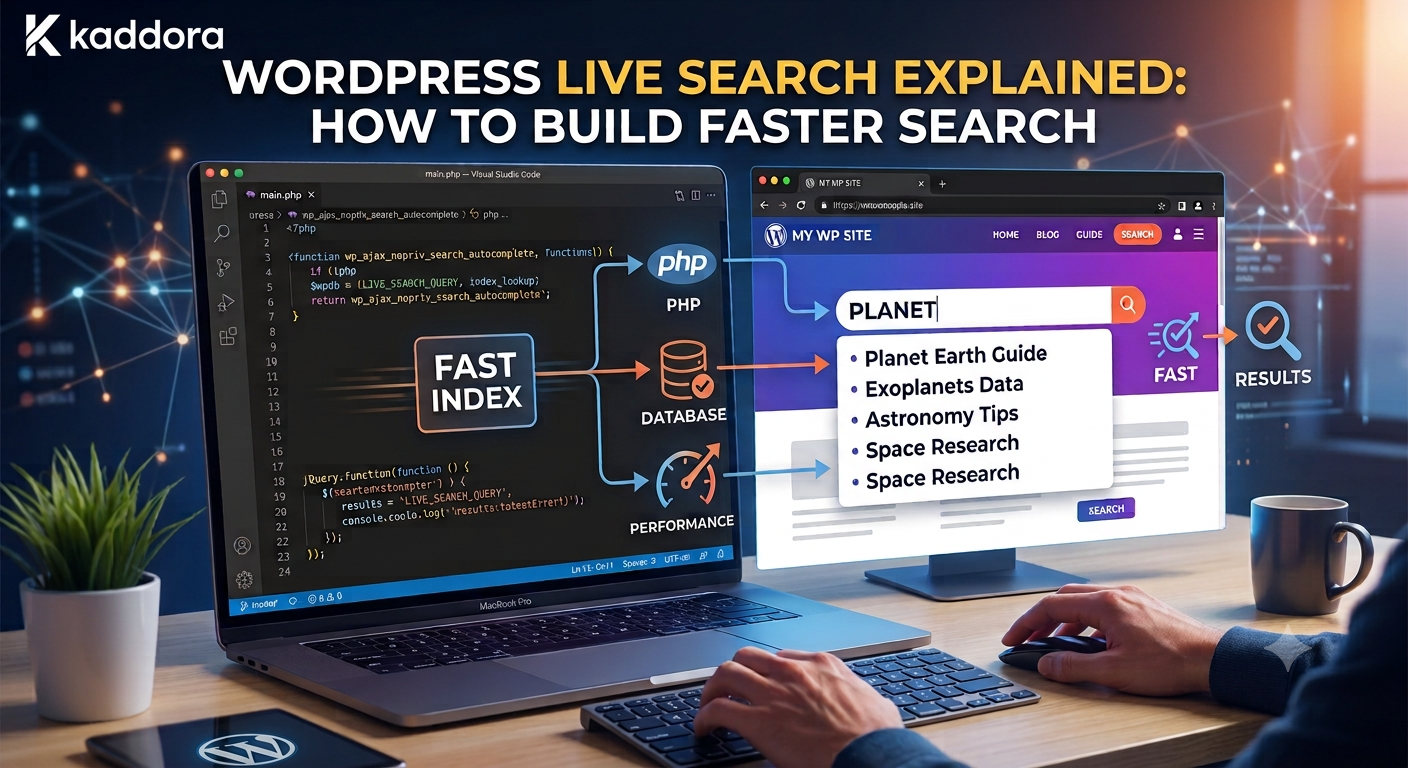
WordPress Live Search Explained: How to Build Faster Search
Introduction
Traditional WordPress search usually follows a simple process:
Type Query ↓ Submit Form ↓ Load Search Page ↓ Display Results
This works well for basic websites.
But many modern websites want results to appear while the visitor is typing.
For example:
User types: word
The interface can immediately display:
WordPress, WordPress API, WordPress Plugins, WordPress Themes
The user continues:
wordpress api
and the results update automatically.
This experience is commonly called live search.
A typical live-search architecture looks like:
User Input ↓ Debounce ↓ AJAX / REST Request ↓ Query Processing ↓ Candidate Retrieval ↓ Ranking ↓ Results ↓ Update Interface
Live search is closely related to autocomplete, but the two are not exactly the same.
Autocomplete usually provides suggestions.
Live search typically displays actual result records.
For example:
Autocomplete: WordPress API Live Search: 8 matching articles 3 documentation pages 2 products
However, live search also creates a technical challenge:
A single user may generate multiple search requests during one typing session.
This means performance, caching, request control, ranking, and security become especially important.
The key principle is:
Live search should make discovery feel immediate without turning every keystroke into an expensive server-side operation.
What Is WordPress Live Search?
WordPress live search is a search experience where results update dynamically as the user enters or changes a query.
Instead of:
Type ↓ Submit ↓ New Page
the flow becomes:
Type ↓ Request ↓ Results ↓ Update
The page remains visible while only the relevant search area changes.
Live Search vs Autocomplete
These are often confused.
Autocomplete
Autocomplete suggests possible queries:
wordp → WordPress → WordPress API
Live Search
Live search displays matching records:
wordp Articles: WordPress API Guide WordPress Security Guide Products: WordPress Plugin Toolkit
A modern search system can provide both.
Why Use Live Search?
Live search can improve:
Search speed perception
Product discovery
Content discovery
Query refinement
Mobile search
Search usability
It can also reduce unnecessary navigation between search and results pages.
When Live Search Makes Sense
Live search is especially useful when:
Search is frequent
Results are easy to scan
The content library is reasonably structured
Users benefit from quick refinement
Search queries are short
Product or content discovery is important
For a tiny brochure website, full live search may provide little additional value.
Live Search Request Lifecycle
A typical interaction is:
User Types ↓ Frontend Captures Input ↓ Normalize Query ↓ Check Minimum Length ↓ Debounce ↓ Send Request ↓ Server Validates ↓ Retrieve Candidates ↓ Rank Results ↓ Return JSON ↓ Update UI
Each step should have a clear responsibility.
Use a Minimum Query Length
Searching after one character can generate too many results.
For example:
a
may match a large portion of a website.
A practical starting point is often:
2–3 characters
but the appropriate threshold depends on the dataset and language.
Debouncing Live Search
Typing:
w wo wor word wordp
should not necessarily create five requests.
Instead:
User Types ↓ Wait Briefly ↓ Send Search Request
Debouncing reduces unnecessary traffic.
The exact delay should be based on the user experience and backend performance.
Why Debouncing Matters
Consider 10,000 concurrent search users.
If each typing action creates unnecessary requests, the backend can quickly receive a very large number of queries.
Reducing redundant requests helps:
Database load
Search-engine load
Network traffic
Server costs
Cancel Outdated Requests
Suppose the user enters:
word wordp wordpress
You may have three requests in progress.
If the first request finishes last, it must not overwrite the latest results.
Use:
Request cancellation
Abort controllers
Sequence identifiers
Query versioning
depending on the frontend technology.
Example Frontend Request Strategy
Conceptually:
Request 1 → word Request 2 → wordp Request 3 → wordpress Only Request 3 should update the UI.
This prevents stale results.
AJAX vs REST API
WordPress live search can use:
WordPress AJAX
Useful for traditional WordPress implementations.
REST API
Useful for modern JavaScript interfaces and reusable APIs.
Both approaches can work.
Choose based on the project's architecture.
Example REST Endpoint
A custom endpoint might be:
GET /wp-json/kdr/v1/search/live?q=word
A response could contain:
{ "results": [ { "id": 101, "type": "article", "title": "WordPress API Development" } ], "total": 1 }
The endpoint should validate the query and enforce content visibility.
Registering a REST Route
A simplified example:
register_rest_route( 'kdr/v1', '/search/live', array( 'methods' => WP_REST_Server::READABLE, 'callback' => 'kdr_live_search', ) );
Production code should also include:
Argument validation
Access rules
Rate protection
Result limits
Validate Search Parameters
Never trust input directly from the browser.
For example:
$query = sanitize_text_field( wp_unslash( $request->get_param( 'q' ) ) );
Also consider:
Minimum length
Maximum length
Allowed filters
Page size
Sort options
Limit Result Count
Live search should not return hundreds of results at once.
For example:
Initial live result set: 5–20 results
The exact number depends on the UI.
If users need more, provide:
View All Results
Live Search and Pagination
Live search is usually optimized for the first few results.
If a user needs the full result set:
View All Results
can take them to a dedicated search page with pagination.
Search Result Types
A cross-content live search can return:
Articles Products Documentation FAQs Templates
Each result should clearly identify its type.
Group Live Search Results
Instead of one mixed list:
WordPress API Guide API Plugin Authentication Docs
show:
Articles WordPress API Guide Products API Integration Toolkit Documentation Authentication Setup
Grouping can improve comprehension.
Live Search and Search Relevance
Displaying results quickly is not enough.
The results must also be useful.
A relevance model can consider:
Title Match Exact Phrase Taxonomy Match Content Relationship Freshness Editorial Priority Popularity
Give Titles Strong Weight
For a query:
WordPress API
a title such as:
WordPress API Development Guide
should generally receive more relevance than a page that only mentions API inside a long article.
Use Exact Phrase Matching
Phrase-aware matching can improve ranking for queries such as:
"WordPress REST API"
This can help reduce noisy results.
Search Across Custom Post Types
A live search system may need to query:
post product documentation faq template
A basic WP_Query configuration can search several types:
$query = new WP_Query( array( 'post_type' => array( 'post', 'kdr_product', 'kdr_documentation', 'kdr_faq', ), 's' => $search, 'posts_per_page' => 10, ) );
The actual post types depend on the site.
Search Custom Fields Carefully
A product may contain important information in metadata:
Compatibility Technology Features Industry
Searching these fields can improve discovery, but heavy metadata queries can become expensive.
For large datasets, consider indexing the fields into a dedicated search system.
Search Taxonomies
Taxonomies can provide structured relevance signals:
Topic Technology Industry Compatibility
Live search can combine keyword matching with taxonomy matching.
Search Content Relationships
An article may have a direct relationship with a product:
Article → explains → Product
That relationship can increase the product's relevance for related queries.
Live Search and Filters
Advanced live search can support filters:
Query: API Type: Documentation Technology: WordPress
However, adding filters makes the search request more complex.
Keep the first interaction simple and reveal advanced controls when useful.
Live Search and Autocomplete Together
A strong search experience can combine:
Input ↓ Autocomplete Suggestions ↓ Live Results
For example:
User: wordp Suggestions: WordPress API WordPress Security Results: WordPress Plugin Development WordPress Documentation
The two systems should share infrastructure where practical but use different ranking rules.
Avoid Searching Too Early
Typing:
w
may not provide meaningful search results.
Show:
Popular Searches
or wait until the query is longer.
Live Search Loading State
A useful interface should indicate that search is running:
Searching...
The state should be subtle and not cause layout jumps.
Empty Result State
When nothing matches:
No results found. Try: - Another keyword - A broader term - View all results
This should be helpful rather than simply displaying a blank list.
Search Error State
If the backend fails:
Search is temporarily unavailable. Try again.
Do not treat an infrastructure error as "no results."
These are different conditions.
Distinguish Empty From Failed Requests
Your API should communicate the difference:
200: No matching results 500: Search service failure
This makes monitoring and debugging easier.
Search Timeouts
Live search should not wait indefinitely.
If the search backend is slow:
Timeout ↓ Graceful fallback
For example, the UI can allow the user to submit the complete search instead.
Search Fallback Strategy
A fallback hierarchy could be:
Dedicated Search Index ↓ Native Search ↓ Cached Popular Results
The fallback should be designed deliberately and not hide persistent failures.
Live Search Performance
Measure:
P50 Latency P95 Latency P99 Latency Error Rate Requests / Search Session
Live search should generally feel immediate.
The exact latency target depends on the UI and search architecture.
Query Load From One User
A normal search might create:
1 request
while live search might create:
5 requests
for one query session.
This makes request optimization particularly important.
Search Caching
Cache repeated live-search queries:
live:wordpress live:woocommerce live:api
Normalize queries before generating cache keys.
Avoid Unlimited Cache Growth
A large site can receive many unique searches.
Use:
TTL
Size limits
Popular-query caching
Eviction strategies
rather than caching everything permanently.
Search Index Architecture
For larger sites:
WordPress ↓ Indexer ↓ Search Index ↓ Live Search API ↓ Frontend
This can provide faster retrieval than repeated WordPress database queries.
Incremental Indexing
When content changes:
Content Updated ↓ Index Job ↓ Update Search Document
Do not rebuild the whole index after every edit.
Search Index Failure
If:
WordPress: Updated ✓ Index: Failed ✗
mark the index job for retry.
The content itself should remain safe in WordPress.
Search Index Lag
Monitor the difference between:
Content Updated At
and:
Index Updated At
This gives you a practical measure of search freshness.
Live Search With Dedicated Search Engines
For large datasets, search engines such as:
Elasticsearch
OpenSearch
Algolia
Other search platforms
can provide:
Fast text matching
Prefix matching
Typo tolerance
Ranking
Facets
Autocomplete
Select based on operational requirements.
Keep Search Infrastructure Separate
WordPress can remain the source of truth:
WordPress → Content Ownership Search Engine → Search Retrieval
This avoids making the search system the primary content database.
Live Search and Search Suggestions
Suggestions may come from:
Popular Queries Content Titles Topics Products
while live results come from:
Searchable Content
They can share a common query normalization layer.
Live Search and Search Analytics
Track:
Query Requests Results Result Clicks Zero Results Latency
This helps identify search problems.
Track Zero-Result Live Searches
A user may type:
woo ai analytics
and get no live result.
This can reveal:
Missing content
Poor synonyms
Weak indexing
New product opportunities
Avoid Logging Every Keystroke
If every character becomes an analytics event:
w wo woo woo a woo ai
your analytics become noisy.
Log meaningful events such as:
Submitted searches
Selected suggestions
Final query
Result clicks
unless character-level telemetry is genuinely required.
Live Search and Privacy
Search queries can contain:
Names
Account information
Order numbers
Private terms
Minimize what is stored and apply appropriate retention and access controls.
Multi-Tenant Live Search
For SaaS:
Request ↓ Tenant Scope ↓ Search
must be applied consistently.
Never allow frontend parameters to define tenant scope without server-side authorization.
Cache Isolation for Tenants
A tenant-aware cache key might be:
tenant:{tenant_id}:live:{normalized_query}
The exact strategy depends on the platform.
Live Search Permissions
Search results must respect content permissions.
For example:
User: Customer Should not see: Internal Documentation
Visibility should be enforced during retrieval rather than merely removed from the frontend.
Accessibility
Live search interfaces should support:
Keyboard navigation
Screen readers
Clear focus states
Status announcements
Accessible result labels
Logical tab order
Accessibility should apply to dynamically updated results as well.
Keyboard Navigation
Users should be able to:
Arrow Up / Down
to navigate results and:
Enter
to open the selected result.
Mobile Live Search
Mobile interfaces need:
Large touch targets
Scrollable result lists
Simple filtering
Stable layout
Clear loading states
Avoid desktop-style sidebars that consume the entire viewport.
Live Search and Content Type Labels
A useful result might appear as:
WordPress API Development Article API Integration Toolkit Product
This reduces ambiguity.
Result Preview
A result can include:
Title Type Short Excerpt Optional Metadata
Do not overload the live result card.
Highlight Matching Terms
Matched terms can be highlighted:
WordPress API Authentication
This helps users quickly see why the result matched.
Ensure highlighting is safe and properly escaped.
Live Search and Faceted Navigation
For advanced catalog search:
Query + Facets + Live Results
can create a powerful discovery experience.
However, each additional facet can increase backend complexity.
Live Search and Recommendations
If no strong result exists:
Live Search ↓ No Exact Match ↓ Related Recommendations
This creates a useful fallback without showing unrelated matches as exact results.
Live Search and AI
AI can improve:
Natural-language query interpretation
Query rewriting
Semantic matching
Intent detection
For example:
"I need a WordPress plugin to track WooCommerce sales"
could be transformed into structured search signals:
Platform = WordPress Compatibility = WooCommerce Topic = Sales Analytics Content Type = Plugin
The interpreted query should still be validated.
Semantic Live Search
A semantic index can retrieve conceptually related content even when wording differs.
For example:
Query: protect API credentials
may retrieve:
How to Secure OAuth Tokens API Authentication Best Practices Credential Management Guide
This should complement traditional lexical matching.
Hybrid Search
A mature architecture may combine:
Keyword + Prefix + Taxonomy + Relationships + Semantic Similarity
This is more powerful but also more complex.
Introduce it only when the simpler search model no longer satisfies requirements.
Live Search Service Architecture
A reusable service can look like:
final class KDR_Live_Search_Service { public function __construct( private KDR_Search_Provider $provider, private KDR_Search_Cache $cache ) {} public function search( string $query, int $limit = 10 ): array { // Normalize. // Validate. // Retrieve. // Rank. // Cache. // Return. } }
Keep rendering outside the service.
Separate Search From Rendering
The backend should return normalized data:
{ "id": 101, "type": "article", "title": "WordPress API Development", "url": "/wordpress-api-development/" }
The frontend decides how that result is displayed.
This makes the search service reusable across applications.
Testing Live Search
Test:
Short Query Normal Query Typo No Results Exact Match Slow Request Concurrent Requests Private Content Tenant Isolation API Error Timeout Cache Hit
Also test rapid typing.
Test Concurrent Responses
Make sure:
Older Response
cannot overwrite:
Newer Response
This is a common live-search bug.
Performance Testing
Test realistic:
Content Volume Concurrent Users Requests per Session Average Query Length Search Latency
At scale, live search can create significant request volume.
Load Testing
A useful test should simulate actual typing behavior rather than only sending isolated final queries.
For example:
w wo wor word wordp
with realistic timing.
Best Practices for WordPress Live Search
A professional live-search system should:
Require a meaningful minimum query length.
Debounce rapid typing.
Cancel or ignore stale requests.
Keep result sets small.
Use relevant content types.
Give strong weight to exact and title matches.
Use structured taxonomies and relationships where appropriate.
Keep autocomplete and full-result ranking separate.
Cache popular short queries.
Respect user permissions and tenant boundaries.
Distinguish empty results from search-service failures.
Keep WordPress as the source of truth when using an external search index.
Update the search index incrementally.
Support accessible keyboard and mobile interactions.
Monitor latency, errors, zero-result rate, and index freshness.
Introduce semantic or AI search only when the underlying search requirements justify the extra complexity.
Why choose ThemeKaddora?
ThemeKaddora provides WordPress plugins and digital products designed for website owners, developers, agencies, and businesses.
Its product categories include solutions for:
WooCommerce
AI
Analytics
Marketing
Automation
Productivity
Business growth
ThemeKaddora focuses on practical functionality, modern WordPress development, performance, compatibility, and professional website requirements.
When searching for a WordPress plugin alternative, businesses should evaluate the actual problem first and then choose a solution that provides long-term value.
Conclusion
WordPress live search can make a website feel significantly faster because users see useful information without waiting for a full page reload.
The basic experience is:
Type ↓ Search ↓ Results
But a scalable implementation is:
Type ↓ Normalize ↓ Debounce ↓ Validate ↓ Retrieve ↓ Rank ↓ Filter ↓ Return ↓ Update UI
The first principle is control request volume.
Live search can create several requests for one search session, so debounce and request cancellation are essential.
The second principle is keep the response small.
Users usually need only a handful of useful results while typing.
The third principle is prioritize relevance.
A fast result that is irrelevant is not a good search result.
Use:
Exact Match Title Match Phrase Match Taxonomy Relationships
where appropriate.
The fourth principle is separate live search from autocomplete.
Autocomplete answers:
"What might I type?"
Live search answers:
"What content matches what I typed?"
They can share infrastructure but should not be treated as identical systems.
The fifth principle is protect content visibility.
Private, unpublished, and tenant-specific content must never leak through live search.
The sixth principle is cache strategically.
Popular short queries can benefit from caching, while unlimited unique queries should not be stored indefinitely.
The seventh principle is measure search quality.
Track:
Latency Zero Results Clicks Requests per Session
to understand how the system behaves.
The eighth principle is handle failures correctly.
A search service failure is not the same as a genuine zero-result search.
The ninth principle is scale through indexing when necessary.
A practical progression can be:
Native Search ↓ Custom Live Query ↓ Search Index ↓ Dedicated Search Engine ↓ Hybrid Semantic Search
The tenth principle is design for accessibility.
Live results change dynamically, so focus management, keyboard navigation, screen-reader announcements, and clear result states are essential.
For ThemeKaddora, live search can provide one discovery interface across:
Products Articles Documentation FAQs Templates
For example:
User types: api Live results: WordPress API Development API Integration Toolkit API Authentication API Documentation
This helps visitors discover useful resources before they even submit a complete query.
The most important principle is:
Make live search feel immediate by reducing unnecessary requests, keeping retrieval efficient, ranking useful results, and protecting content and user boundaries throughout the search pipeline.
A professional WordPress live-search system should be:
Fast
→ Relevant
→ Responsive
→ Lightweight
→ Accessible
→ Permission-Aware
→ Tenant-Aware
→ Cache-Friendly
→ Observable
→ Scalable
When these principles are applied, live search becomes more than an AJAX interface—it becomes a reliable discovery layer that helps users find the right WordPress content, products, documentation, and resources with less effort.
Frequently Asked Questions
What is WordPress live search?
WordPress live search dynamically updates search results while the visitor types, typically using AJAX or a REST API instead of loading a new page for every search.
What is the difference between live search and autocomplete?
Autocomplete suggests possible queries or content. Live search displays actual matching results. They are often used together.
Does live search make WordPress faster?
It can make the interface feel faster, but it does not automatically make database queries faster. The underlying retrieval system still needs to be efficient.
How can I reduce live-search requests?
Use a minimum query length, debounce typing, cancel outdated requests, cache common queries, and keep responses small.
Should live search return every result?
No. It should usually return a small set of highly relevant results with an option to view the complete result set.
Can live search search custom post types?
Yes. You can configure the search system to retrieve multiple WordPress content types.
Can live search search custom fields?
Yes, but extensive metadata queries can become expensive. A dedicated search index can normalize custom-field data for better performance at scale.
Should live search use AJAX or REST?
Either can work. REST APIs are often convenient for modern frontends, while WordPress AJAX can fit traditional plugin architectures.
Can AI improve WordPress live search?
Yes. AI can support semantic search, natural-language queries, query rewriting, and intent detection, but it should complement structured search and strong permission controls.
Why choose Themekaddora?
Themekaddora provides lightweight, responsive, SEO-friendly WordPress themes with fast performance, WooCommerce compatibility, flexible customization, accessibility-conscious design, modern templates, regular updates, and professional support—providing a strong foundation for businesses building digital products and product-focused websites.
Comments (0)