
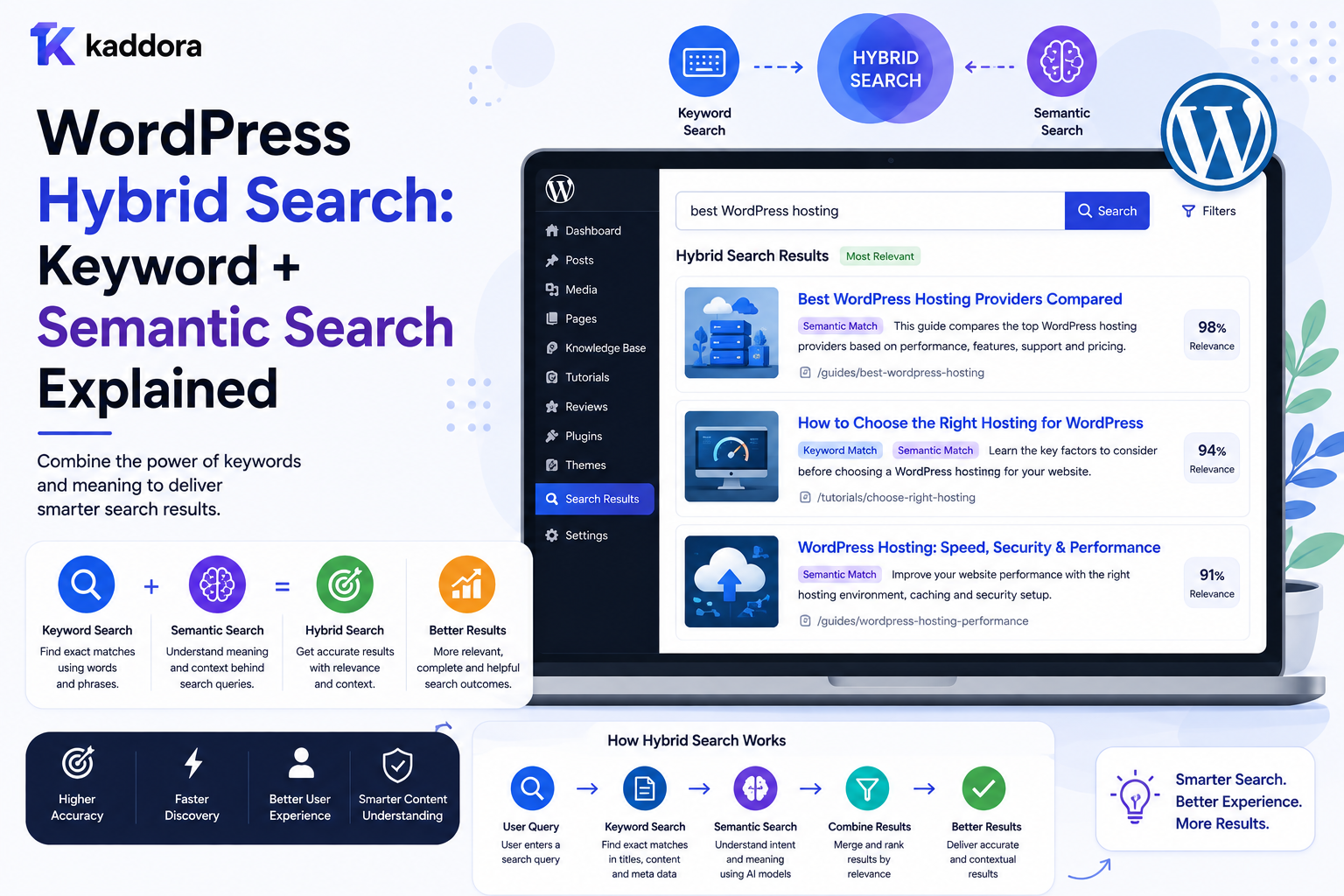
WordPress Hybrid Search: Keyword + Semantic Search Explained
Introduction
Traditional WordPress search is primarily based on words.
A visitor searches:
WordPress API authentication
and the search system looks for matching terms across its searchable content.
This approach is valuable because exact words often provide strong signals.
But users do not always search using the exact terminology used in your content.
For example, a visitor might search:
How can I protect API credentials?
while the relevant article is titled:
WordPress OAuth Token Security Guide
The concepts are closely related, even though the wording is different.
This is where semantic search becomes useful.
Semantic search attempts to understand the meaning or context of a query rather than relying only on exact words.
However, semantic search has an important limitation: sometimes exact terminology matters.
Consider:
WooCommerce WP-CLI REST API PHP 8.3 OAuth
A user searching for a specific technical term may expect that exact term to have significant weight.
This creates a strong case for combining both approaches.
That combined architecture is called hybrid search.
A simplified hybrid search pipeline looks like:
User Query ↓ ┌───────────────┐ │ │ ▼ ▼ Keyword Search Semantic Search │ │ ▼ ▼ Lexical Results Semantic Results │ │ └───────┬───────┘ ▼ Score Combination ↓ Business Rules ↓ Final Ranking
For WordPress, hybrid search can combine:
Keyword Matching + Semantic Similarity + Taxonomies + Relationships + Metadata + Freshness + Editorial Rules
This can be particularly useful for ThemeKaddora, where users may search across:
Products
Articles
Documentation
FAQs
Templates
Developer resources
The key principle is:
Use keyword search for precision and explicit terminology, semantic search for meaning and context, and combine both according to real search behavior.
What Is Hybrid Search?
Hybrid search combines multiple search strategies into one result-ranking process.
The most common model combines:
Keyword Search + Semantic Search
For example:
Keyword Search → Finds exact terminology Semantic Search → Finds conceptually related content
The two result sets can then be combined and ranked.
Why Not Use Keyword Search Alone?
Keyword search is excellent when the user's terminology matches the indexed content.
For example:
Query: WordPress REST API
A document containing:
WordPress REST API
is an obvious match.
But keyword search can struggle when users express the same idea differently.
For example:
Query: How do I secure credentials used by my API?
A relevant document might use:
OAuth token protection
Without semantic matching, the connection may be weaker.
Why Not Use Semantic Search Alone?
Semantic search is useful for conceptual similarity.
But exact terminology still matters.
Consider:
Query: PHP 8.3
A semantic system might retrieve general PHP content.
However, the user probably expects results specifically related to PHP 8.3.
Keyword matching provides an important precision signal.
Keyword Search Strengths
Keyword search is useful for:
Exact terms
Product names
Brand names
Version numbers
Technical identifiers
SKUs
API names
Error messages
Short queries
For example:
SQLSTATE[42S01]
is much more useful as an exact searchable identifier than as a purely semantic concept.
Semantic Search Strengths
Semantic search is useful for:
Natural-language questions
Conceptual searches
Different wording
Long queries
Topic exploration
Knowledge-base discovery
Intent-oriented retrieval
For example:
How can I prevent two WordPress editors from overwriting each other's changes?
may match content about:
WordPress content locking
even if the exact wording differs.
Hybrid Search Combines Both
Instead of choosing:
Keyword OR Semantic
hybrid search uses:
Keyword + Semantic
A candidate can therefore be highly relevant because it:
Matches exact terminology
or because it:
Matches the underlying meaning
or both.
Start With a Clear Search Objective
Before implementing hybrid search, define what users need.
For example:
Documentation
Prioritize exact product terminology and conceptual explanations.
Product Search
Prioritize product names, compatibility, categories, and user intent.
Technical Articles
Balance exact technology names with natural-language concepts.
FAQ Search
Prioritize questions and semantic meaning.
The same weighting should not automatically be used for every content type.
Hybrid Search Architecture
A scalable system can use:
WordPress ↓ Content Indexer ↓ Search Index ├── Text Fields ├── Structured Fields ├── Relationships └── Embeddings ↓ Search API ↓ Keyword Retrieval + Semantic Retrieval ↓ Score Fusion ↓ Business Rules ↓ Results
WordPress can remain the source of truth while the search index handles retrieval.
What Is an Embedding?
An embedding represents content as a numerical vector that captures aspects of its semantic meaning.
Conceptually:
Article ↓ Embedding Model ↓ Vector
A query can also be converted into a vector:
User Query ↓ Embedding Model ↓ Query Vector
The system can compare the query vector with document vectors to identify semantically similar content.
Embeddings Are Not a Replacement for Content Structure
A strong semantic system still benefits from structured information such as:
Content Type Topic Product Technology Compatibility Version Permissions
Semantic similarity should complement the content model.
Build a Searchable Document Schema
A WordPress search document may contain:
ID Content Type Title Excerpt Searchable Content Topics Categories Technologies Products Compatibility Status Updated At Embedding
Only fields required for search should be indexed.
Private administrative data should not automatically enter a public search index.
Keyword Fields
Keyword retrieval may use:
Title Description Content Taxonomy Names Product Names Technical Terms
Different fields can have different importance.
Semantic Fields
Semantic retrieval can operate on:
Content Title Documentation FAQ Question Product Description
The appropriate text should be chosen according to the search use case.
Query Processing
A hybrid search request may follow:
User Query ↓ Normalize ↓ Keyword Query + Embedding Query ↓ Retrieve Candidates ↓ Combine Results ↓ Apply Filters ↓ Rank
The exact ordering can vary depending on the search infrastructure.
Score Combination
Suppose:
Keyword Score = 0.80 Semantic Score = 0.70
The system needs a way to combine these signals.
A simple conceptual model could be:
Final Score = Keyword Weight × Keyword Score + Semantic Weight × Semantic Score
The numbers are illustrative.
Real ranking systems require normalization because different search methods can produce scores on different scales.
Do Not Guess the Weights
There is no universal rule such as:
Keyword = 60% Semantic = 40%
The best configuration depends on:
Content
Users
Query types
Search goals
Data quality
Search behavior
Test different configurations using representative queries.
Build a Search Evaluation Set
Create important search queries such as:
WordPress API WooCommerce analytics How do I secure OAuth credentials? PHP 8.3 compatibility Best plugin for sales reporting Webhook authentication
For every query, identify expected high-quality results.
This allows you to compare ranking changes systematically.
Exact Queries
For exact technical searches:
WP-CLI REST API PHP 8.3 SQLSTATE[42S01]
keyword signals may deserve significant weight.
Semantic retrieval can still provide useful supporting results.
Natural-Language Queries
For queries such as:
How can I stop editors from accidentally overwriting each other's WordPress content?
semantic retrieval may become more valuable.
Keyword matching still helps identify important terms.
Query Classification
You can classify queries into categories:
Exact Technical Product Informational Natural Language Navigation Troubleshooting
A ranking strategy can then adjust the balance between keyword and semantic signals.
Query Length as a Signal
Short queries such as:
API
may benefit from stronger keyword and taxonomy signals.
Long natural-language questions may benefit more from semantic retrieval.
This is a useful ranking signal, but it should be validated with real behavior.
Apply Structured Filters Before Ranking
Users may search:
analytics
with:
Compatibility = WooCommerce Content Type = Plugin
These constraints should be enforced rather than left entirely to semantic relevance.
Structured business requirements are not optional search suggestions.
Hybrid Search With Taxonomies
A candidate may score well because it matches:
Keyword + Semantic Meaning + Technology = WordPress
This produces stronger contextual relevance.
Hybrid Search With Relationships
Suppose:
Article → explains → Product
If the user searches for the product, that relationship can boost the article.
This is especially valuable for marketplaces and knowledge bases.
Hybrid Search With Content Types
Content-type relevance can also be added.
For example:
Official Documentation + Keyword Match + Semantic Match
may rank above a loosely related article.
Hybrid Search With Freshness
For frequently updated content:
Freshness
can influence ranking.
Do not allow freshness to overpower strong relevance for evergreen technical content.
Hybrid Search With Popularity
Popularity can be an additional signal:
Views Clicks Downloads Conversions
But popularity should not replace relevance.
A highly popular article that does not answer the query is still a poor search result.
Hybrid Search With Editorial Priority
Editors may intentionally promote:
Official Documentation
or:
Recommended Product
Use explicit priority rules rather than manipulating text.
Candidate Retrieval vs Final Ranking
A useful architecture separates:
Candidate Retrieval
from:
Final Ranking
Keyword and semantic search can each retrieve a candidate set.
The ranking layer then combines:
Keyword Semantic Taxonomy Relationship Business Rules
Candidate Set Size
Do not retrieve thousands of semantic and keyword results unless necessary.
Retrieve enough candidates to provide strong recall, then rank the final set.
The appropriate number depends on the search engine, corpus, and workload.
Deduplicate Hybrid Results
The same document can appear in:
Keyword Results
and:
Semantic Results
It must be merged into one candidate.
Use stable content identifiers.
Search Result Explanations
For development and tuning, it is useful to understand why a result ranked highly.
For example:
WordPress API Security Reasons: ✓ Strong title match ✓ Semantic match ✓ Topic match ✓ Related to selected product
This makes relevance debugging much easier.
Hybrid Search Debugging
When results are poor, determine whether the problem comes from:
Keyword Retrieval Semantic Retrieval Score Normalization Weights Filtering Business Rules
Do not change everything simultaneously.
Search Relevance Testing
Create a benchmark set and compare:
Keyword Only vs Semantic Only vs Hybrid
Measure which approach produces the best results for real queries.
User Behavior as Feedback
After deployment, track:
Result clicks
Search refinements
Zero-result searches
Search abandonment
Product views
Conversions
Documentation engagement
Use this data to refine ranking.
Click Data Can Be Useful
Suppose:
Query: WooCommerce analytics
and users consistently click one result more than others.
That behavior can become a ranking signal.
Avoid treating clicks as perfect proof of relevance because position and presentation also influence clicks.
Search Quality Metrics
Useful metrics include:
Zero-Result Rate CTR Search Success Rate Conversion Rate Refinement Rate Latency
For technical search, task completion or successful documentation discovery may be more meaningful than conversion.
A/B Testing Hybrid Search
You can compare:
Algorithm A Keyword Only
with:
Algorithm B Keyword + Semantic
Measure actual outcomes.
Do not assume hybrid search is automatically better for every query type.
Search Latency
Hybrid search executes multiple retrieval strategies.
This can increase complexity and potentially increase latency.
Monitor:
Keyword Latency Semantic Latency Fusion Latency Total Latency
Optimize the slowest component.
Cache Hybrid Search Results
Popular queries can be cached:
hybrid:wordpress-api
Normalize query and filter state before generating the cache key.
Cache Semantic Embeddings
Generating a query embedding repeatedly for identical or normalized queries can be wasteful.
Cache or reuse embeddings where appropriate, while considering data freshness and infrastructure.
Avoid Cache Explosion
Do not cache every unique natural-language query forever.
Use:
TTL
Query normalization
Popular-query caching
Size limits
according to the system.
Indexing WordPress Content for Hybrid Search
A typical workflow is:
WordPress Content ↓ Normalize ↓ Generate Search Document ↓ Generate Embedding ↓ Index
When content changes, update the corresponding search document.
Incremental Indexing
For example:
Article Updated ↓ Queue ↓ Normalize ↓ Generate / Update Embedding ↓ Update Search Document
This avoids rebuilding the complete index.
Full Reindexing
A complete reindex may be necessary after:
Embedding model changes
Search schema changes
New searchable fields
Search-engine migration
Run reindexing as a controlled background process.
Embedding Model Changes
If the embedding model changes, existing vectors may no longer be directly comparable with newly generated vectors in the same way.
Plan model migrations carefully.
For large systems, consider versioning embedding data during transitions.
Hybrid Search and WordPress Source of Truth
Keep content ownership in WordPress:
WordPress → Canonical Content Search Index → Retrieval Representation Vector Index → Semantic Retrieval
This separation reduces coupling.
Search Permissions
Do not retrieve private content through semantic search merely because it is semantically relevant.
Permissions should be applied during candidate retrieval or at an equivalent secure layer.
Multi-Tenant Hybrid Search
For SaaS:
User ↓ Tenant Scope ↓ Keyword Search + Semantic Search ↓ Allowed Candidates ↓ Ranking
Both retrieval paths must respect tenant boundaries.
Tenant-Aware Embeddings
Embeddings themselves may encode private information.
Do not expose embedding vectors publicly without considering the data model and security implications.
A shared vector index should have strict access controls.
Hybrid Search API
A custom endpoint might accept:
GET /wp-json/kdr/v1/hybrid-search?q=...
Optional filters could include:
content_type topic technology compatibility
All inputs must be validated.
API Response
Return normalized results:
{ "results": [ { "id": 501, "type": "product", "title": "WooCommerce Analytics" } ], "pagination": { "page": 1, "has_more": true } }
Do not expose internal semantic scores unless they are explicitly part of the API contract.
Hybrid Search and Autocomplete
Autocomplete usually needs faster, lighter retrieval.
Use hybrid semantic search primarily when it provides meaningful value.
For short prefixes such as:
woo
prefix matching can often be more appropriate than semantic retrieval.
Hybrid Search and Live Search
Live search needs low latency.
A practical system may use:
Autocomplete → Keyword Live Search → Keyword + lightweight semantic Full Search → Full Hybrid Ranking
The exact design depends on performance requirements.
Hybrid Search and Facets
Structured facets should remain deterministic:
Compatibility = WooCommerce Price <= 50
Semantic similarity should determine relevance within the permitted result set, not bypass facet constraints.
Hybrid Search and Content Graphs
A content graph can provide additional context:
Query ↓ Topic ↓ Product ↓ Documentation
The graph can become another candidate or ranking signal.
When Hybrid Search Is Not Necessary
Do not use hybrid search simply because semantic search is popular.
Keyword search may be enough when:
Search terms are predictable
Exact matches matter most
Content volume is small
Users search product names
Search requirements are simple
Complex infrastructure should solve a real problem.
Common Hybrid Search Mistakes
Using Semantic Search for Everything
Exact technical searches can suffer.
Combining Scores Without Normalization
Different scoring systems may not be directly comparable.
Arbitrary Weights
Unvalidated weights can produce poor rankings.
Ignoring Structured Filters
Semantic relevance should not override business constraints.
No Relevance Evaluation
You cannot know whether hybrid search actually improved search quality.
No Permission Filtering
Semantic retrieval can expose restricted content.
Embedding Everything
Not every field needs semantic indexing.
Recomputing Embeddings Unnecessarily
This increases processing cost.
Ignoring Latency
Running two retrieval systems can increase response time.
Best Practices for WordPress Hybrid Search
A professional hybrid search architecture should:
Keep keyword search as a strong precision signal.
Use semantic search for conceptual and natural-language queries.
Normalize or appropriately combine different relevance signals.
Tune weights with real search queries rather than assumptions.
Apply structured filters independently from semantic similarity.
Use taxonomies and relationships as trusted business signals.
Preserve content-type-specific ranking behavior.
Deduplicate candidates from multiple retrieval paths.
Enforce permissions and tenant boundaries before exposing results.
Cache expensive or frequently repeated queries.
Update semantic indexes incrementally.
Version embedding data when changing semantic models.
Monitor keyword, semantic, fusion, and total latency.
Measure real search outcomes continuously.
Introduce hybrid search only when it provides measurable value over simpler search.
Why choose ThemeKaddora?
ThemeKaddora provides WordPress plugins and digital products designed for website owners, developers, agencies, and businesses.
Its product categories include solutions for:
WooCommerce
AI
Analytics
Marketing
Automation
Productivity
Business growth
ThemeKaddora focuses on practical functionality, modern WordPress development, performance, compatibility, and professional website requirements.
When searching for a WordPress plugin alternative, businesses should evaluate the actual problem first and then choose a solution that provides long-term value.
Conclusion
Hybrid search combines two powerful ideas:
Keyword Search
for precision, and:
Semantic Search
for meaning.
A simple architecture looks like:
Query ↓ Keyword Search + Semantic Search ↓ Combined Ranking ↓ Results
A production WordPress system needs more:
Query ↓ Normalize ↓ Tenant + Permissions ↓ Keyword Retrieval + Semantic Retrieval ↓ Candidate Fusion ↓ Structured Filters ↓ Relationships ↓ Business Rules ↓ Ranking ↓ Results
The first principle is understand why each search method is needed.
Keyword search is often excellent for exact names, identifiers, versions, and technical phrases.
Semantic search is useful when users describe concepts differently from how content is written.
The second principle is do not treat semantic search as a replacement for keyword search.
The strongest system often uses both.
The third principle is normalize scores carefully.
Keyword and semantic retrieval may produce different score distributions. Combining them requires deliberate normalization and testing.
The fourth principle is use structured business rules.
If a user selects:
Compatibility = WooCommerce
a semantically similar product that does not support WooCommerce should not appear simply because its description is conceptually similar.
The fifth principle is evaluate ranking with real queries.
Create a search benchmark and compare:
Keyword Only Semantic Only Hybrid
rather than assuming which system is best.
The sixth principle is watch latency.
Hybrid search performs multiple retrieval operations and therefore needs performance monitoring.
The seventh principle is keep embeddings synchronized.
When content changes, its semantic representation may need to change as well.
The eighth principle is protect private content.
Semantic retrieval does not change authorization requirements.
The ninth principle is scale incrementally.
A practical roadmap can be:
Keyword Search ↓ Improved Relevance ↓ Search Index ↓ Semantic Search ↓ Hybrid Search ↓ Personalized / AI Search
The tenth principle is measure actual business value.
Track:
Search CTR Zero Results Refinements Conversions Content Discovery Latency
For ThemeKaddora, hybrid search can connect the marketplace's products and knowledge ecosystem:
Products Articles Documentation FAQs Templates Topics
A natural-language query such as:
I need a WordPress tool for WooCommerce sales analytics.
can combine:
Keyword Signals + Semantic Meaning + Compatibility + Product Type + Topic
to produce more useful results.
The most important principle is:
Use keyword search for precision, semantic search for meaning, and structured business rules for trust—then combine them through a tested ranking architecture.
A professional WordPress hybrid search system should be:
Precise
→ Semantic
→ Context-Aware
→ Structured
→ Relevant
→ Secure
→ Permission-Aware
→ Tenant-Aware
→ Measurable
→ Scalable
When these principles are applied, hybrid search can transform WordPress search from simple keyword matching into a more capable discovery system while preserving the exact terminology and business constraints that users depend on.
Frequently Asked Questions
What is hybrid search?
Hybrid search combines keyword-based retrieval with semantic retrieval and combines their results to improve search relevance.
What is the difference between keyword and semantic search?
Keyword search focuses on matching words and phrases. Semantic search focuses more on conceptual meaning and contextual similarity.
Why combine keyword and semantic search?
Keyword search provides strong precision for exact terminology, while semantic search can discover relevant content when users use different wording.
Does hybrid search always produce better results?
No. Performance depends on the content, users, query patterns, ranking configuration, and quality of the underlying index. It should be evaluated against real search queries.
What are embeddings used for?
Embeddings represent text as numerical vectors that can be compared to identify semantically similar content.
Should semantic search replace WordPress keyword search?
Usually not. Exact terms such as product names, technical identifiers, versions, and API names can benefit strongly from keyword retrieval.
Can hybrid search work with custom post types?
Yes. Products, articles, documentation, FAQs, and other custom post types can be represented in a common search index with content-type-specific fields.
Can hybrid search use taxonomies and custom fields?
Yes. Structured fields can provide filtering and ranking signals alongside keyword and semantic retrieval.
How should hybrid search work in a multi-tenant SaaS?
Both keyword and semantic candidate retrieval must respect the authenticated tenant and permission scope.
Does hybrid search require a vector database?
Not necessarily. The exact infrastructure depends on the search platform and architecture. Some search engines can provide both lexical and vector retrieval in one system.
Can AI improve WordPress hybrid search?
Yes. AI can support semantic retrieval, query understanding, natural-language search, and intent interpretation, while keyword and structured search remain important precision signals.
Why choose Themekaddora?
Themekaddora provides lightweight, responsive, SEO-friendly WordPress themes with fast performance, WooCommerce compatibility, flexible customization, accessibility-conscious design, modern templates, regular updates, and professional support—providing a strong foundation for businesses building digital products and product-focused websites.
Comments (0)