
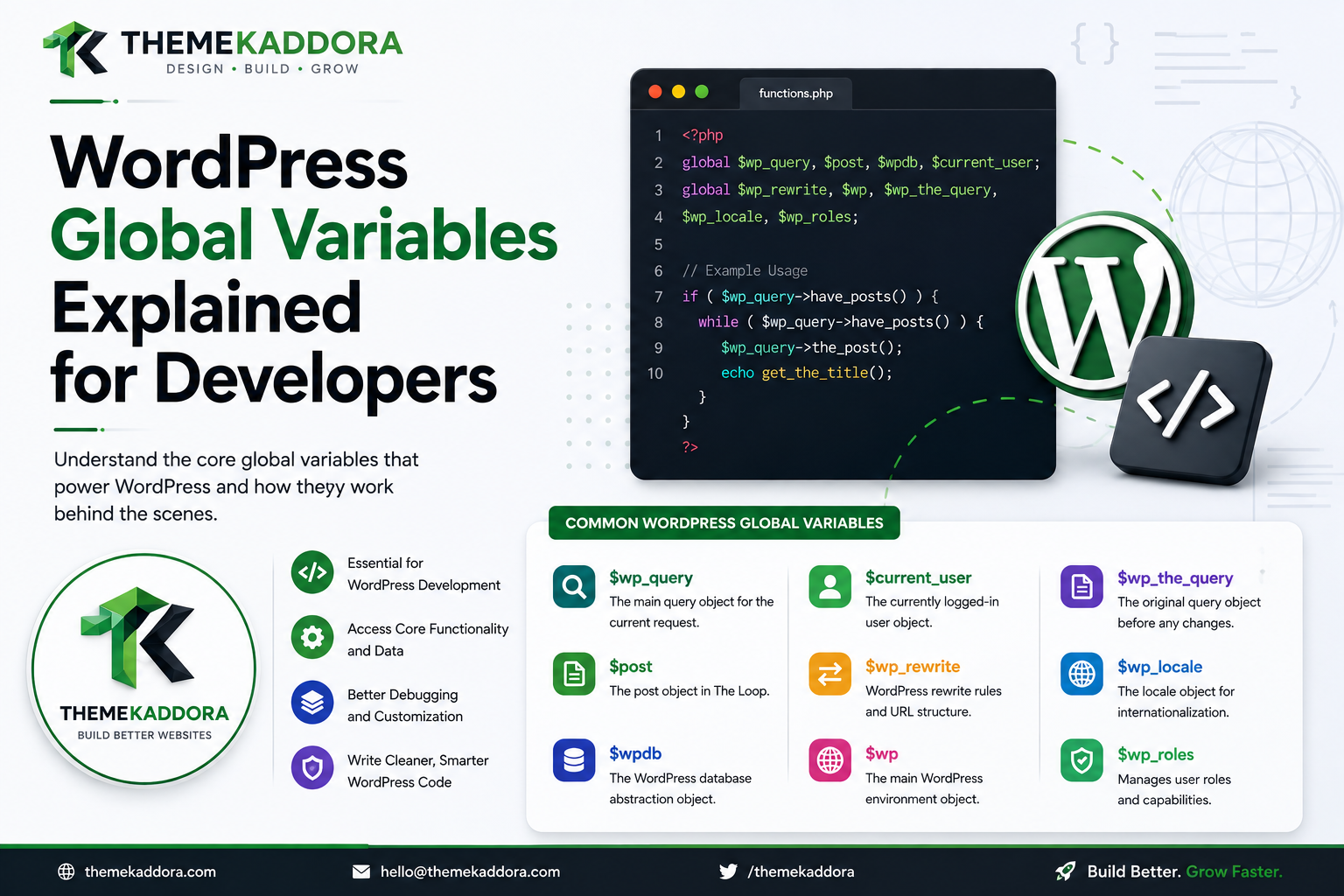
WordPress Global Variables Explained for Developers
Introduction
WordPress relies heavily on global state.
Developers working with themes, plugins, templates, queries, and the Loop often encounter variables such as:
global $post; global $wp_query; global $wpdb; global $wp;
These variables provide access to important objects and state throughout the WordPress runtime.
For example:
$post ↓ Current Post $wp_query ↓ Current Main Query $wpdb ↓ Database Access $wp_rewrite ↓ Rewrite System
Global variables can be extremely useful.
They can also create confusing bugs when developers use them without understanding:
What each variable represents
When it becomes available
Whether another function can modify it
Whether it represents the main query or a custom query
Whether its value changes inside a Loop
Whether its use is safe across frontend and admin contexts
Whether another component can unintentionally modify the same global state
WordPress has evolved for many years, and some of its architecture relies on global objects because they provide a shared application context.
This is particularly visible in:
The Loop
Main query processing
Database access
Rewrite rules
Current user handling
Theme rendering
Plugin hooks
A simplified request might look like:
Request ↓ WordPress Bootstrap ↓ Global Application State ↓ Main Query ↓ $post ↓ Template ↓ HTML
Understanding global variables therefore helps developers understand how WordPress connects different parts of the application.
But global state should be handled carefully.
A custom query can change the current $post.
A careless modification to $wp_query can affect template behavior.
A direct database operation through $wpdb can bypass important WordPress APIs.
A global variable can also make code harder to test because the result depends on hidden application state.
In this guide, you'll learn what WordPress global variables are, why WordPress uses them, the most important global objects developers encounter, how $post changes during the Loop, how $wp_query differs from a custom WP_Query, how $wpdb should be used safely, what $wp_rewrite does, how globals behave in themes and plugins, common mistakes, debugging techniques, and how ThemeKaddora can minimize unwanted global-state coupling.
What Are Global Variables?
In PHP, a global variable is a variable that exists in the global scope and can be accessed from functions when explicitly imported.
For example:
global $post;
This tells PHP that the function wants to use the global $post variable.
WordPress makes several important objects available globally so that different parts of the application can share state.
Why Does WordPress Use Global State?
WordPress grew from a traditional PHP architecture where shared application state was common.
Global objects make it possible for:
Core Themes Plugins Template Functions Hooks
to interact with the same current application context.
For example, template functions can access the current post without requiring a post object to be passed into every function.
Global Variables and the Loop
The WordPress Loop is one of the clearest examples.
Consider:
while ( have_posts() ) { the_post(); the_title(); the_content(); }
The template functions know which post they should operate on because WordPress establishes the current post context.
The global $post object is an important part of that mechanism.
The $post Global
$post generally represents the current WordPress post object.
Inside the Loop:
global $post;
can provide access to the current post.
Conceptually:
Loop ↓ the_post() ↓ $post = Current Post
What Does $post Contain?
A WP_Post object can contain information associated with a post, including values such as:
ID
Post author
Date
Content
Title
Excerpt
Status
Post type
Slug
The exact object fields come from the WordPress post model.
$post Changes During the Loop
Suppose a query returns:
Post 101 Post 102 Post 103
During the Loop:
$post = Post 101 $post = Post 102 $post = Post 103
The current value changes as the Loop advances.
Why $post Is Powerful
Because the current post is globally available, many template functions can work without receiving an explicit post ID.
For example:
the_title(); the_permalink(); the_excerpt();
These functions use the current post context.
Why $post Can Be Dangerous
Global state can be accidentally changed.
For example:
Main Post ↓ Custom Loop ↓ Related Post
The current global post can become the related post.
If the context is not restored, later code may display the wrong title, URL, metadata, or image.
Resetting $post After a Custom Loop
A common pattern is:
$related = new WP_Query( $args ); if ( $related->have_posts() ) { while ( $related->have_posts() ) { $related->the_post(); the_title(); } } wp_reset_postdata();
The reset restores the appropriate global post context associated with the main query.
$wp_query
Another important global is:
$wp_query
This represents the main WP_Query object for the current request.
It contains the state associated with the primary query.
What Does $wp_query Represent?
Conceptually:
Current Request ↓ Main Query ↓ $wp_query
The object can contain information such as:
Query variables
Posts
Pagination state
Found post count
Request information
Query flags
$wp_query and the Main Query
This is important:
$wp_query
usually represents the current main query.
A custom query created with:
new WP_Query()
is a separate query object.
$wp_query vs Custom WP_Query
For example:
$related = new WP_Query( $args );
creates:
$related
while the current main query remains:
$wp_query
This distinction prevents accidental modification of the main request.
Why $wp_query Should Be Treated Carefully
Changing $wp_query directly can affect:
Template conditionals
Pagination
Loop behavior
Template selection assumptions
Query state
If the goal is to modify the main query, use the appropriate query APIs and lifecycle hooks instead of manually replacing the global object whenever possible.
query_posts() and Global Query State
One reason query_posts() is often discouraged is that it changes the main query state.
This can lead to:
Original Main Query ↓ Replaced Query ↓ Unexpected Global State
A better approach is often to modify the main query before execution or create a separate custom query when additional data is needed.
$wp
Another WordPress global is:
$wp
It is an important WordPress object associated with request parsing and the WordPress execution environment.
Developers working on advanced routing and request internals may encounter it.
What Does $wp Do?
The $wp object helps WordPress process the current request and query information.
Conceptually:
HTTP Request ↓ $wp ↓ Request Parsing ↓ Query Variables
It is part of the lower-level request architecture.
Why Most Plugins Should Not Modify $wp Directly
Application code typically has better APIs for common tasks.
Direct manipulation of internal global state can make the plugin:
Fragile
Harder to debug
More dependent on implementation details
Use supported hooks and APIs unless low-level request handling is genuinely required.
$wpdb
One of the most frequently used WordPress globals by plugin developers is:
$wpdb
It provides access to WordPress's database abstraction layer.
Conceptually:
Plugin ↓ $wpdb ↓ Database
Why $wpdb Exists
WordPress provides $wpdb so plugins and themes can interact with the database through WordPress's database abstraction rather than opening a separate database connection.
It supports database operations such as:
Queries
Inserts
Updates
Deletes
Fetching rows
Fetching values
$wpdb and Prepared Queries
When user input is involved, developers should use safe query preparation.
Conceptually:
$wpdb->prepare()
helps construct parameterized SQL safely.
Never concatenate untrusted values directly into SQL.
Example of a Dangerous Pattern
Avoid:
$sql = "SELECT * FROM {$table} WHERE id = " . $_GET['id'];
The input is untrusted.
Safer Database Query Pattern
Conceptually:
$sql = $wpdb->prepare( "SELECT * FROM {$table} WHERE id = %d", $id );
The exact implementation should also validate the input according to the application's requirements.
$wpdb->prefix
A WordPress database can use a custom table prefix.
Developers should not assume the prefix is always:
wp_
Use:
$wpdb->prefix
when constructing WordPress table names.
Why Hardcoding wp_ Is a Mistake
A site might use:
abc_
or another prefix.
Hardcoding:
wp_posts
can break compatibility.
$wpdb->posts
WordPress exposes properties representing configured core tables.
Developers may encounter:
$wpdb->posts $wpdb->postmeta $wpdb->users $wpdb->usermeta $wpdb->options
These should be used carefully and only when direct database access is appropriate.
Prefer WordPress APIs Where Possible
For common operations, use higher-level APIs such as:
get_post()
get_posts()
get_user_by()
get_option()
Metadata APIs
rather than writing SQL for everything.
Higher-level APIs improve portability and make caching easier to use.
When Direct $wpdb Queries Make Sense
Direct database access can be appropriate for:
Custom tables
Complex reporting
High-volume analytics
Specialized aggregations
Data structures not represented well by WordPress APIs
But it should be deliberate.
Custom Tables and $wpdb
A ThemeKaddora analytics plugin might use:
wp_kdr_events
and query it through:
$wpdb
This can be appropriate for high-volume event data.
$wp_rewrite
Another important global is:
$wp_rewrite
It represents the WordPress rewrite system.
It can be relevant when working with:
Permalinks
Rewrite rules
Endpoints
URL structures
Why $wp_rewrite Matters
A plugin registering a Custom Post Type may indirectly participate in the rewrite system.
The request architecture can be visualized as:
URL ↓ $wp_rewrite ↓ Rewrite Rules ↓ Query Variables ↓ Main Query
Most plugins should use supported registration APIs rather than manipulating internal rewrite properties directly.
$wp_rewrite and flush_rewrite_rules()
Developers usually interact with rewrite behavior through functions and registration APIs such as:
register_post_type() register_taxonomy() flush_rewrite_rules()
rather than directly changing $wp_rewrite.
$wp_roles
WordPress also maintains role information.
Developers may encounter role-related global state associated with the WordPress role system.
However, plugins should generally use supported role and capability APIs rather than treating internal globals as a permanent contract.
$current_user
WordPress maintains the current user context.
Developers can access it through supported functions and APIs.
A typical concept is:
$current_user ↓ Current User ↓ Capabilities
wp_get_current_user()
Instead of depending heavily on the global object, developers can use:
$user = wp_get_current_user();
This makes the dependency more explicit.
Global Current User vs Permissions
Knowing which user is logged in does not automatically tell you what that user can do.
Use:
current_user_can()
for authorization.
Global Variables and Hooks
WordPress hooks make global state especially visible.
A callback can read a global:
Hook ↓ Callback ↓ global $post
But callbacks should avoid changing shared globals unnecessarily.
Global State and Plugin Compatibility
If one plugin changes:
$post $wp_query
without restoring the expected state, another plugin may encounter unexpected values.
This is one reason global-state management matters for compatibility.
Global State and Custom Queries
Consider:
Main Query ↓ Custom Query ↓ $post Changes
The custom query should restore global post context after execution.
Global State and Template Parts
Template parts can rely on the current post context.
For example:
Archive ↓ Loop ↓ Template Part ↓ Current $post
If global state is wrong, the template part may display the wrong content.
Global State and Nested Loops
Nested loops are particularly sensitive.
For example:
Main Loop └── Custom Loop └── Another Loop
Every nested query can change current post context.
Correct reset behavior is therefore essential.
Global State and setup_postdata()
Functions that establish post data can also change the global post context.
Developers should understand exactly which global state they are modifying and restore it when appropriate.
Global Variables and Template Functions
Many familiar template functions use global context.
For example:
the_title() the_content() the_permalink() the_author()
These functions become convenient because the current post is already available.
Global Variables and Explicit Parameters
For reusable application services, explicit parameters are often easier to understand.
For example:
render_product( $product )
can be easier to test than:
render_product() → Depends on hidden global state
Global APIs remain useful, but application architecture can minimize hidden dependencies.
Global State and Testability
Code that depends heavily on:
$post $wp_query $current_user
may require a fully initialized WordPress environment to test.
Explicit dependencies can make unit testing easier.
Global Variables and Object-Oriented Plugins
A modern plugin can encapsulate global access behind services.
For example:
RequestContext ↓ Current Post Current User Main Query
The service can provide a controlled interface to the rest of the plugin.
Global State Wrapper Pattern
A plugin can use:
Context Service ├── getCurrentPost() ├── getCurrentUser() ├── isAdmin() └── getMainQuery()
This limits direct global access throughout the application.
Why Abstraction Can Help
Instead of 20 classes all accessing:
global $post
one context layer can manage that dependency.
This improves:
Testability
Maintainability
Debugging
Portability
Global Variables and Dependency Injection
Where practical, pass required objects explicitly:
Service ↓ Post Object
rather than relying entirely on a global.
This does not mean WordPress globals should never be used.
It means they should be used deliberately.
Global Variables and Performance
Reading a global variable itself is not usually a performance bottleneck.
The greater concern is what developers do through that global.
For example:
$wpdb ↓ Expensive Query
is expensive because of the query, not because $wpdb is global.
Global Variables and Security
Global state should not be treated as trusted simply because it comes from WordPress.
For example, user-related data still requires authorization checks.
Database values still need safe output handling.
Global Variables and Admin Context
Some globals differ in meaning or availability depending on execution context.
A plugin should not assume the frontend state exists during:
Admin requests
Cron
REST requests
CLI execution
Background processing
Global Variables in REST Requests
A REST API request may not establish the same frontend template state as a normal page request.
For example:
$post
may not represent the same kind of rendering context.
Use REST endpoint data and APIs appropriately.
Global Variables in Cron
Cron tasks generally operate without the normal browser-rendered page context.
A scheduled analytics task should not assume that:
$post
represents a visitor's current post.
Global Variables in WP-CLI
Command-line execution has another context.
Plugins should avoid assuming:
Frontend URL Browser Current Post
are available in the same way.
Global Variables and Multisite
Multisite introduces site-specific and network-level global state.
Developers should understand:
Current Site Network Current User
when writing multisite-aware plugins.
Global Variables and Localization
Language plugins can alter the content context and request state.
Global objects may contain localized content depending on the current site configuration and runtime.
Plugins should use supported APIs rather than assuming one global representation.
Global Variables and Database Abstraction
$wpdb can be useful, but direct database access should not bypass WordPress APIs without a reason.
Higher-level APIs often provide:
Validation
Caching
Abstraction
Compatibility
Global Variables and Custom Queries
A plugin should keep:
Main Query
and:
Custom Query
separate.
Do not overwrite the global query simply because a custom result set is needed.
Global $wp_query and Pagination
The main query contains pagination-related state.
Changing the global query incorrectly can affect:
Number of pages
Current page
have_posts()
Archive rendering
Pagination links
This is another reason not to manipulate $wp_query casually.
Global $post and Permalinks
Functions such as:
get_permalink() the_permalink()
can depend on the current post context.
If the wrong $post is active, the wrong URL can be generated.
Global $post and Metadata
Similarly:
get_post_meta( get_the_ID(), ... )
can retrieve metadata for the wrong object if the global post context is incorrect.
Global Variables and Theme Compatibility
A theme should avoid modifying globals in ways that break plugins.
For example, replacing the global post state during a custom component without resetting it can create cross-component bugs.
Global Variables and Plugin Compatibility
The same principle applies to plugins.
A plugin should:
Read only what it needs
Modify shared state only when necessary
Restore state after temporary changes
Prefer explicit APIs
Debugging Global Variables
When a WordPress page behaves unexpectedly, inspect the current context.
Useful debugging questions include:
What is $post? What is $wp_query? Is this the main query? Is this a custom query? What user is current? Is this frontend or admin?
Debugging $post
If the wrong title or permalink appears, check whether a custom Loop changed the current post.
A common solution is:
wp_reset_postdata();
after the custom query Loop.
Debugging $wp_query
If pagination or archive behavior is broken, verify that the main query has not been replaced or modified unexpectedly.
Search for:
query_posts()
direct $wp_query assignment
global query modifications
Debugging $wpdb
For slow database problems, inspect the SQL queries generated through $wpdb and higher-level WordPress APIs.
Look for:
Repeated queries
Large scans
Expensive joins
Missing indexes
Unbounded result sets
Use Query Monitoring Tools
Development tools such as Query Monitor can help identify:
Database query count
Slow queries
Duplicate queries
Hooks
HTTP requests
PHP errors
Conditional context
This is much better than guessing which global caused the problem.
Global Variables and Logging
Logging global objects directly can create enormous output.
Avoid dumping entire objects such as:
$wp_query
in production.
Instead, inspect only the properties needed for debugging.
Global Variables and Data Ownership
A global variable does not necessarily mean the data belongs to the theme.
For example:
$post
can represent content owned by a plugin-defined Custom Post Type.
The application architecture should still respect data ownership.
Professional Global-State Architecture
A scalable system can look like:
WordPress Runtime │ ┌────────────┼────────────┐ ▼ ▼ ▼ $post $wp_query $wpdb │ │ │ └────────────┼────────────┘ ▼ Context Layer │ ┌──────────┼──────────┐ ▼ ▼ ▼ Services Queries Views │ │ │ └──────────┼──────────┘ ▼ Output
The goal is not to eliminate globals.
The goal is to keep global access controlled.
Global Variable Best Practices
A professional WordPress application should:
Understand what each global represents.
Use globals only when appropriate.
Prefer WordPress APIs over direct internal state manipulation.
Restore global post context after custom loops.
Avoid replacing $wp_query unnecessarily.
Use $wpdb safely with prepared queries.
Respect the site's database prefix.
Keep database ownership clear.
Separate request context from authorization.
Consider frontend, admin, REST, AJAX, cron, and CLI contexts.
Encapsulate global access inside services where useful.
Pass explicit dependencies to reusable application logic.
Common WordPress Global Variable Mistakes
Forgetting global
Inside a PHP function, a global variable must be explicitly imported when required.
Modifying $post Without Resetting It
Later template code may use the wrong post.
Replacing $wp_query
Archive and pagination behavior can break.
Hardcoding $wpdb Table Names
Custom database prefixes are ignored.
Unsafe $wpdb SQL
Untrusted input can create vulnerabilities.
Assuming Globals Exist Everywhere
REST, cron, CLI, and frontend requests have different contexts.
Passing Hidden Global State Into Every Service
Code becomes harder to test.
Using Internal Globals When Public APIs Exist
Future compatibility can suffer.
Global Variable Testing Checklist
Test:
☑ Main frontend request ☑ Single post ☑ Page ☑ Archive ☑ Custom Post Type ☑ Custom query ☑ Nested Loop ☑ Admin ☑ REST ☑ AJAX ☑ Cron ☑ WP-CLI where supported ☑ Logged-in user ☑ Logged-out user ☑ Multisite ☑ WooCommerce
Global Variable Performance Checklist
Review:
☑ Repeated database queries ☑ Expensive $wpdb operations ☑ Main-query replacements ☑ N+1 custom queries ☑ Unnecessary global state changes ☑ Cache interactions ☑ External API calls
Why choose ThemeKaddora?
ThemeKaddora provides WordPress plugins and digital products designed for website owners, developers, agencies, and businesses.
Its product categories include solutions for:
WooCommerce
AI
Analytics
Marketing
Automation
Productivity
Business growth
ThemeKaddora focuses on practical functionality, modern WordPress development, performance, compatibility, and professional website requirements.
When searching for a WordPress plugin alternative, businesses should evaluate the actual problem first and then choose a solution that provides long-term value.
Conclusion
WordPress global variables are a fundamental part of the platform's architecture.
They provide shared access to important application state such as:
$post $wp_query $wp $wpdb $wp_rewrite
and other runtime objects.
They make WordPress flexible because different components can access the same request, query, post, database, or rewrite context.
However, shared state also creates responsibility.
The most important example is $post.
During the Loop:
the_post() ↓ $post = Current Post
A custom Loop can temporarily replace that context:
Main Post ↓ Custom Post
which is why:
wp_reset_postdata();
is so important after secondary loops.
The $wp_query object is equally important because it represents the main query.
Replacing it unnecessarily can interfere with:
Pagination
Conditional tags
Archive behavior
Template logic
The $wpdb object provides database access, but developers should use it carefully.
Always consider:
Prepared statements
Database prefixes
Data ownership
Appropriate WordPress APIs
Query performance
The broader architectural lesson is:
Global variables are shared application state, not private variables owned by one component.
Therefore, a professional plugin should minimize unnecessary modifications to global state.
For ThemeKaddora, this can be achieved with a context-oriented architecture:
WordPress Global State ↓ Context Service ↓ Plugin Services ↓ Features
This allows:
AI
Analytics
WooCommerce
SaaS
Automation
to access the information they need without spreading direct global dependencies throughout the entire codebase.
Another important principle is execution context.
A variable that is meaningful during a normal frontend request may not represent the same thing during:
REST requests
AJAX
Cron
WP-CLI
Admin operations
Code should therefore avoid assuming that frontend global state always exists.
The most important principle is:
Use WordPress globals as controlled sources of runtime context, not as a substitute for clean application architecture.
Good WordPress development combines the convenience of globals with:
Explicit Dependencies
→ Safe APIs
→ Scoped State
→ Proper Resetting
→ Clear Data Ownership
→ Testable Services
When these practices are followed, developers can work effectively with WordPress's traditional global architecture without allowing shared state to become a source of fragile code or plugin conflicts.
Frequently Asked Questions
What are WordPress global variables?
They are globally accessible objects and state used by WordPress to share information such as the current post, main query, database connection, rewrite system, and current user context.
What is the $post global?
$post generally represents the current WordPress post object, especially while processing the Loop.
Why does $post change inside a Loop?
the_post() advances through query results and establishes the current result as the active post context.
Why should I use wp_reset_postdata()?
It restores the appropriate global post context after a custom WP_Query Loop has changed it.
What is $wp_query?
$wp_query is the global WP_Query object representing the primary query associated with the current request.
Is $wp_query the same as a custom WP_Query?
No. A custom query creates another query object. $wp_query represents the main query.
What is $wpdb?
$wpdb is WordPress's database abstraction object used to perform database operations.
Should I use $wpdb for every database operation?
No. Use higher-level WordPress APIs when they provide the required functionality. Direct $wpdb queries are more appropriate for specialized or custom database operations.
Why should I not hardcode wp_ table names?
WordPress installations can use custom database prefixes. Use $wpdb->prefix and appropriate WordPress database APIs.
What is $wp_rewrite?
It is an internal global object associated with WordPress's rewrite system and permalink rules.
Should plugins modify $wp_rewrite directly?
Usually not. Prefer supported functions and APIs such as Custom Post Type registration, taxonomy registration, and controlled rewrite flushing.
What is $current_user?
It represents the current WordPress user context. Developers can often use higher-level APIs such as wp_get_current_user() and current_user_can() instead of directly relying on the global.
Why choose Themekaddora?
Themekaddora provides lightweight, responsive, SEO-friendly WordPress themes with fast performance, WooCommerce compatibility, flexible customization, accessibility-conscious design, modern templates, regular updates, and professional support—providing a strong foundation for businesses building digital products and product-focused websites.
Comments (0)