
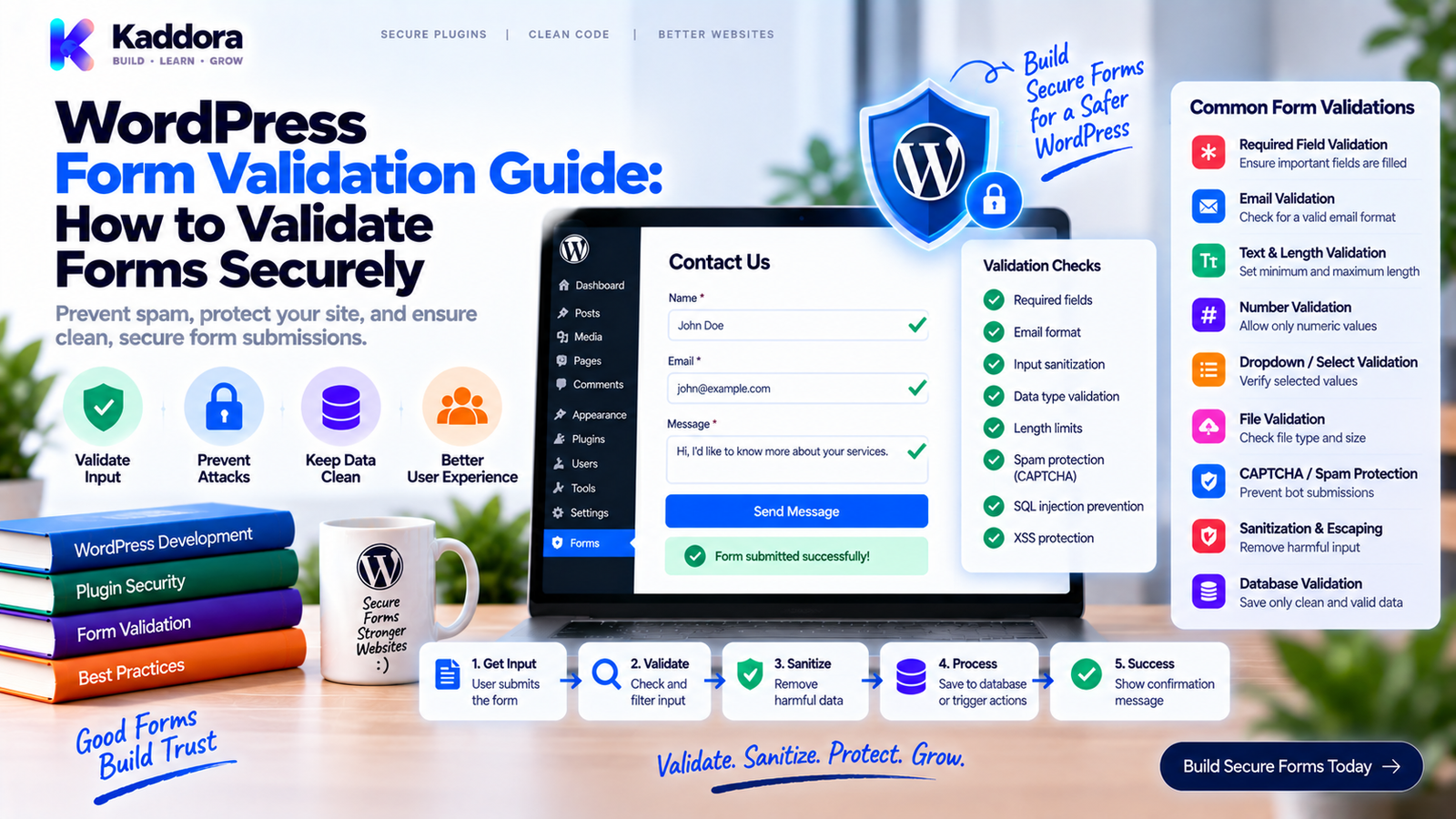
WordPress Form Validation Guide: How to Validate Form Data Correctly
Introduction
Forms are one of the primary ways users send information to a WordPress website.
A visitor may submit:
Name
Phone number
Address
Product information
Appointment details
File uploads
Payment-related information
Custom business data
That information cannot simply be accepted and stored.
A WordPress form needs to determine whether the submitted values are complete, correctly formatted, logically valid, and suitable for the requested operation.
This is the purpose of form validation.
A reliable validation process looks like:
User Input ↓ Read Expected Fields ↓ Normalize Data ↓ Validate Values ↓ Validate Relationships ↓ Validate Business Rules ↓ Accept or Reject
Validation protects the integrity of the application and prevents invalid data from entering later stages of the workflow.
It also improves the user experience by telling people exactly what needs to be corrected.
In this guide, you'll learn how WordPress form validation works, what types of fields should be validated, how to create reusable validation rules, how to validate complex forms, how to handle errors, and how to design validation systems that scale with your WordPress plugin.
What Is WordPress Form Validation?
WordPress form validation is the process of checking submitted form data against predefined rules before the application processes it.
For example:
Name → Required Email → Valid email address Age → Integer between 18 and 100 Country → Allowed country Message → Minimum length
A form submission is accepted only when the required rules are satisfied.
Validation can happen at different stages of a form workflow, but important validation must ultimately be performed by the server before sensitive processing occurs.
Why Is Form Validation Important?
Without validation, a form may accept:
Missing values Malformed emails Unexpected IDs Invalid dates Negative quantities Unsupported statuses Invalid uploads Unexpected arrays
These values can create problems later.
For example:
Invalid Form Data ↓ Stored in Database ↓ Invalid Business State ↓ Reports Break ↓ Automation Fails
Validation stops invalid data before it spreads through the application.
Validation Is Not the Same as Sanitization
These concepts are related but different.
Sanitization
Sanitization prepares data for safe processing or storage.
Example:
$name = sanitize_text_field( $name );
Validation
Validation checks whether the result is actually acceptable.
Example:
if ( '' === $name ) { // Reject. }
The distinction can be visualized as:
Raw Input ↓ Sanitize / Normalize ↓ Validate ↓ Process
A sanitized value can still be invalid.
Validation Is Not the Same as Escaping
Escaping belongs to the output stage.
For example:
echo esc_html( $name );
This prepares text for HTML output.
It does not mean:
The submitted name is valid.
A useful mental model is:
Input ↓ Sanitize ↓ Validate ↓ Store / Process ↓ Escape ↓ Output
Each operation has a different purpose.
Define Validation Rules Before Writing Code
Start with a form specification.
For example:
Field
Required
Type
Validation
Name
Yes
Text
Non-empty
Yes
Valid email
Phone
No
Text
Allowed format
Age
Yes
Integer
18–100
Country
Yes
Select
Allowed list
Message
Yes
Textarea
Minimum length
This creates a clear contract.
Without a contract, validation tends to become inconsistent.
1. Validate Required Fields
The simplest rule is checking whether a required value exists.
Example:
$name = isset( $data['name'] ) ? trim( sanitize_text_field( wp_unslash( $data['name'] ) ) ) : ''; if ( '' === $name ) { $errors['name'] = __( 'Name is required.', 'kaddora-plugin' ); }
This ensures an empty name is rejected.
Don't assume every field should use the same empty-value rule.
For example, 0 may be a valid numeric value.
2. Validate Text Fields
Text validation may include:
Required status
Minimum length
Maximum length
Allowed characters
Format requirements
Example:
$title = isset( $data['title'] ) ? trim( sanitize_text_field( wp_unslash( $data['title'] ) ) ) : ''; if ( '' === $title ) { $errors['title'] = __( 'Title is required.', 'kaddora-plugin' ); } if ( mb_strlen( $title ) > 120 ) { $errors['title'] = __( 'Title must be 120 characters or fewer.', 'kaddora-plugin' ); }
The limits should match the actual application requirements.
3. Validate Email Addresses
Email fields are extremely common.
A basic WordPress validation pattern is:
$email = isset( $data['email'] ) ? sanitize_email( wp_unslash( $data['email'] ) ) : ''; if ( ! is_email( $email ) ) { $errors['email'] = __( 'Please enter a valid email address.', 'kaddora-plugin' ); }
Additional business rules may also apply.
For example:
Valid Email ↓ Allowed Domain? ↓ Existing Customer? ↓ Duplicate?
Technical validity and business validity are separate checks.
4. Validate Phone Numbers
Phone numbers are more complicated than they appear because formats vary by country.
Don't automatically assume:
10 digits
is correct for every website.
A business may accept:
+91 9876543210 +1 555 123 4567 +44 20 1234 5678
The validation strategy should match the application's supported countries and format requirements.
For simple forms, you can first normalize whitespace and then apply a documented format rule.
5. Validate Numeric Fields
Numeric fields should be checked for:
Numeric type
Minimum value
Maximum value
Decimal precision
Business constraints
Example:
$quantity = isset( $data['quantity'] ) ? absint( $data['quantity'] ) : 0; if ( $quantity < 1 ) { $errors['quantity'] = __( 'Quantity must be at least 1.', 'kaddora-plugin' ); }
For a price:
$price = isset( $data['price'] ) ? (float) $data['price'] : 0.0; if ( $price < 0 ) { $errors['price'] = __( 'Price cannot be negative.', 'kaddora-plugin' ); }
For financial systems, numeric precision and currency handling require additional care.
6. Validate Select Fields
A dropdown should not be trusted simply because the browser displays predefined options.
Suppose:
Status: pending approved rejected
The server should enforce the same allow-list.
$allowed_statuses = array( 'pending', 'approved', 'rejected', ); $status = isset( $data['status'] ) ? sanitize_key( wp_unslash( $data['status'] ) ) : ''; if ( ! in_array( $status, $allowed_statuses, true ) ) { $errors['status'] = __( 'Please select a valid status.', 'kaddora-plugin' ); }
This prevents arbitrary values from entering the application.
7. Validate Checkboxes
Checkboxes may be submitted as:
1 0 yes no
The plugin should normalize the value into a predictable representation.
For example:
$enabled = ! empty( $data['enabled'] );
For required acceptance checkboxes:
if ( empty( $data['terms'] ) ) { $errors['terms'] = __( 'You must accept the terms.', 'kaddora-plugin' ); }
This is especially important for consent-related workflows.
8. Validate Radio Buttons
Radio buttons typically represent one selected value.
Always use an allowed list.
$method = isset( $data['method'] ) ? sanitize_key( wp_unslash( $data['method'] ) ) : ''; $allowed_methods = array( 'email', 'phone', ); if ( ! in_array( $method, $allowed_methods, true ) ) { $errors['method'] = __( 'Please select a valid contact method.', 'kaddora-plugin' ); }
Never trust the frontend control itself.
9. Validate Dates
Date values need format and calendar validation.
Suppose the application expects:
YYYY-MM-DD
Then:
2026-09-15 → expected format 15/09/2026 → different format 2026-99-99 → invalid
Validation may also include business rules:
Date Valid ↓ Date Not in Past? ↓ Business Open? ↓ Available?
A booking date may be technically valid but unavailable.
10. Validate Times
Time values can have their own rules.
For example:
09:30 14:45 18:00
A scheduling form may then need to check:
Valid Time ↓ Business Hours ↓ Staff Availability ↓ Resource Availability
The first step is field validation.
The later steps are business validation.
Keeping them separate makes the architecture cleaner.
11. Validate URLs
WordPress provides functions for safely preparing URLs.
Example:
$website = isset( $data['website'] ) ? esc_url_raw( wp_unslash( $data['website'] ) ) : '';
Then apply business rules where needed.
For example:
HTTPS required? Allowed domain? External URL? Public URL?
A syntactically valid URL may still be unacceptable for a specific workflow.
12. Validate WordPress IDs
Forms frequently submit IDs such as:
Post ID
User ID
Product ID
Order ID
Form ID
Customer ID
Normalize first:
$product_id = isset( $data['product_id'] ) ? absint( $data['product_id'] ) : 0;
Then ask:
Does the object exist? ↓ Is it the correct object type? ↓ Is it active? ↓ Is the user allowed to access it?
An integer is not automatically a valid object reference.
13. Validate Relationships Between Fields
Complex forms frequently contain related fields.
For example:
Service ↓ Staff ↓ Location ↓ Date ↓ Time
Each field might individually be valid.
But the combination may not be.
For example:
Service exists ✓ Staff exists ✓ Location exists ✓ Staff supports service ✕
The form should be rejected.
This type of validation is critical in:
Booking systems
Ecommerce
CRM
ERP
Membership
Logistics
14. Validate Textarea Content
Textareas may need:
Required status
Minimum length
Maximum length
Content restrictions
Example:
$message = isset( $data['message'] ) ? trim( sanitize_textarea_field( wp_unslash( $data['message'] ) ) ) : ''; if ( mb_strlen( $message ) < 10 ) { $errors['message'] = __( 'Message must contain at least 10 characters.', 'kaddora-plugin' ); }
Be careful not to apply text sanitization that unintentionally destroys formatting your application needs.
15. Validate Arrays
Forms sometimes submit multiple values.
For example:
services[]
Normalize carefully:
$services = isset( $data['services'] ) && is_array( $data['services'] ) ? $data['services'] : array(); $service_ids = array_map( 'absint', $services ); $service_ids = array_filter( $service_ids );
Then validate each ID.
Don't assume that because the parent value is an array, every element is valid.
16. Validate Nested Form Data
Advanced forms may contain structures such as:
{ "customer": { "name": "John Doe", "email": "john@example.com" }, "address": { "city": "Prayagraj", "country": "IN" } }
A validator should understand the expected structure.
Form | +-- Customer | +-- Name | +-- Email | +-- Address +-- City +-- Country
This is much safer than treating every value as an unrelated string.
17. Validate File Uploads
File inputs require a dedicated validation process.
A safe workflow is:
Upload ↓ Upload Error Check ↓ File Size Check ↓ Type Check ↓ MIME Check ↓ Business Rule ↓ Accept
Possible rules include:
Maximum file size
Allowed extensions
Allowed MIME types
Number of files
Required file
Upload destination
Never trust the extension alone.
18. Validate Form Field Dependencies
Some fields become required only when another field has a particular value.
Example:
Account Type: Business ↓ Business Name: Required
The server should reproduce this rule.
For example:
account_type = business ↓ business_name required
This prevents users from bypassing conditional UI rules.
19. Validate Business Rules
Field validation answers:
Is this value structurally valid?
Business validation asks:
Does this submission make sense?
For example:
Product ID = 100 Quantity = 4 Field Validation ✓ Business Validation Product only has 2 in stock Result ✕ Reject
Business rules can cover:
Inventory
Eligibility
Availability
Account status
Ownership
Capacity
Scheduling
Pricing
Duplicate prevention
This is where form validation becomes part of application logic.
20. Validate Ownership and Access
Suppose a form sends:
order_id = 5821
The ID may exist.
But that doesn't mean the current user can manipulate that order.
The system should consider:
Object Exists ↓ Correct Object Type ↓ Current User Authorized ↓ Business Rules
This is especially important for customer-facing forms.
Build a Reusable Validation Service
For a larger WordPress plugin, validation should not be scattered across every controller.
A reusable validator can provide a consistent interface.
<?php namespace Kaddora\Form; class Validator { public function required( $value, string $message ) { if ( '' === trim( (string) $value ) ) { return $message; } return null; } public function email( $value, string $message ) { if ( ! is_email( $value ) ) { return $message; } return null; } public function integer_range( $value, int $min, int $max, string $message ) { if ( ! is_numeric( $value ) || (int) $value < $min || (int) $value > $max ) { return $message; } return null; } }
Then form-specific validators can use those reusable rules.
Use a Field-Oriented Validation Model
For dynamic form builders, a field configuration might look like:
array( 'name' => 'email', 'type' => 'email', 'required' => true, 'rules' => array( 'email', ), )
Another field:
array( 'name' => 'age', 'type' => 'number', 'required' => true, 'rules' => array( 'min:18', 'max:100', ), )
The validator can interpret these rules consistently.
Validation Pipeline for Dynamic Forms
A form builder may process fields like this:
Form Definition ↓ Field Configuration ↓ Extract Input ↓ Normalize ↓ Sanitize ↓ Apply Field Rules ↓ Apply Cross-Field Rules ↓ Apply Business Rules ↓ Validation Result
This architecture allows administrators to create many forms without developers manually writing a validator for every field.
Collect Multiple Validation Errors
Stopping after the first error isn't always ideal.
Suppose:
Name → missing Email → invalid Phone → invalid Message → too short
Returning only:
Name is required.
forces the user to submit repeatedly.
A better approach collects all relevant errors:
Name: Required Email: Invalid format Phone: Invalid format Message: Minimum 10 characters
This provides a better experience.
Structured Validation Errors
A structured representation can look like:
{ "name": [ { "code": "required", "message": "Name is required." } ], "email": [ { "code": "invalid_email", "message": "Enter a valid email address." } ] }
This is especially useful for:
AJAX forms
REST forms
React interfaces
Multi-step forms
Accessible form interfaces
The frontend can associate each error with its field.
Validation Error Codes
Error codes help developers distinguish problems programmatically.
For example:
required invalid_email invalid_number out_of_range invalid_date invalid_file unauthorized duplicate unavailable
The user sees a human-readable message.
The application receives a stable error code.
Returning WP_Error
WordPress provides WP_Error for structured errors.
Example:
$error = new \WP_Error(); $error->add( 'invalid_email', __( 'Please enter a valid email address.', 'kaddora-plugin' ) ); return $error;
For larger systems, you can add multiple field-specific errors.
Validation in AJAX Forms
When a form uses AJAX, validation errors can be returned as JSON.
For example:
wp_send_json_error( array( 'errors' => array( 'email' => __( 'Please enter a valid email address.', 'kaddora-plugin' ), ), ), 422 );
The browser can then display:
Email [john] Please enter a valid email address.
Validation remains a server-side responsibility.
Validation in REST Forms
REST-powered forms can use structured responses.
For example:
{ "code": "validation_failed", "message": "The submitted data is invalid.", "fields": { "email": "Please provide a valid email address." } }
This makes the API easier for different frontends to consume.
Validation of Form Submissions Before Storage
A safe workflow is:
Request ↓ Extract ↓ Normalize ↓ Validate ↓ Business Rules ↓ Store
Avoid:
Request ↓ Store Raw Data ↓ Validate Later
Once invalid data enters your database, it can spread into other workflows.
Validation Before External APIs
Suppose a form sends data to a CRM.
Don't do this:
Form ↓ CRM API ↓ CRM rejects invalid data
Prefer:
Form ↓ Local Validation ↓ Business Validation ↓ CRM API
This saves unnecessary requests and gives users faster feedback.
Validate External Responses Too
Validation isn't only for incoming form input.
External services can also return unexpected data.
For example:
CRM Response ↓ Expected Structure? ↓ Required Fields? ↓ Correct Types? ↓ Accept / Reject
Never blindly trust external responses.
Validation for WooCommerce Forms
WooCommerce forms may contain:
Product IDs
Variation IDs
Quantities
Customer data
Coupon codes
Addresses
A strong validator should check both fields and relationships.
For example:
Product ↓ Variation belongs to Product ↓ Quantity valid ↓ Stock available ↓ Customer authorized
This is especially important for custom ecommerce workflows.
Validation for Booking Forms
Booking forms commonly collect:
Service Staff Location Date Time Customer
Validation may follow:
Fields Valid ↓ Service Active ↓ Staff Assigned ↓ Date Allowed ↓ Time Available ↓ Resource Available ↓ Booking Allowed
A technically valid date and time do not guarantee availability.
Validation for Payment Forms
Payment-related forms require particular care.
Validate:
Required customer information
Order identifiers
Currency
Amount
Product selection
Payment state
Don't rely on a browser-supplied amount.
For example:
Browser Amount ↓ Do Not Trust ↓ Load Server-Side Price ↓ Calculate Authoritative Total ↓ Payment Request
The server should determine important financial values.
Validation for Multi-Step Forms
Multi-step forms introduce state.
Example:
Step 1 Customer ↓ Step 2 Service ↓ Step 3 Date ↓ Step 4 Confirmation
Each step should validate the data it receives.
Don't assume Step 1 validation automatically protects Step 4.
A user may manipulate the intermediate state.
Validation and Duplicate Prevention
A form may be technically valid while still representing a duplicate submission.
For example:
Email: john@example.com Order: 1001 Existing Record: Yes
The business rule may require:
Reject duplicate
or:
Update existing record
The correct behavior depends on the application.
Validation Boundaries
Not every rule belongs in the form validator.
A useful separation is:
Form Validator | +-- Required fields +-- Formats +-- Data types +-- Basic ranges | v Business Service | +-- Ownership +-- Availability +-- Inventory +-- Pricing +-- Account rules
This prevents form code from becoming an enormous business-logic class.
Validation and Database Integrity
Validation improves data quality, but database constraints can provide another layer of protection.
For example:
Application Validation + Database Integrity = Stronger Data Reliability
For custom database tables, consider appropriate constraints and indexes according to the database design.
Do not rely exclusively on application-level assumptions for critical data relationships.
Validation and Concurrency
Some business states can change after validation.
Example:
Check Stock = 5 ↓ Another Customer Purchases 4 ↓ Current Request Processes
The original validation result is now stale.
For critical operations, the final state should be protected through appropriate concurrency-safe database or application techniques.
Form validation alone cannot solve every race condition.
Validation Should Fail Closed
When the application cannot safely confirm a critical condition, rejecting the operation is often safer.
For example:
Cannot verify ownership ↓ Do not process
rather than:
Cannot verify ownership ↓ Assume allowed
This principle is useful for:
Payments
Data exports
Customer records
Destructive actions
Permissions
Business-critical workflows
Validation Performance
Validation should be thorough without being unnecessarily expensive.
For example, don't make five external API requests to validate a simple text field.
Prefer:
Cheap Local Validation ↓ Authorization ↓ Business Validation ↓ Expensive External Operation
Perform inexpensive checks first.
This is particularly useful for:
Bulk imports
Large forms
AI workflows
CRM integrations
Payment systems
Validation for Large Imports
When a form or upload processes hundreds or thousands of records:
File ↓ Parse ↓ Validate Row ↓ Collect Errors ↓ Preview ↓ Import
A useful error report might say:
Row 12 → Invalid email Row 19 → Missing product Row 26 → Invalid quantity Row 41 → Duplicate customer
This allows the user to correct problems without guessing which rows failed.
Validation Testing
A validation system should be tested with both valid and invalid data.
Valid
Name → John Doe Email → john@example.com Age → 30
Invalid
Name → empty Email → invalid Age → -2
Also test boundaries:
Minimum allowed Maximum allowed One below minimum One above maximum Empty value Unexpected type
Boundary testing catches many validation bugs.
Validation Test Matrix
Scenario
Expected Result
Required field missing
Reject
Invalid email
Reject
Invalid number
Reject
Out-of-range value
Reject
Unsupported option
Reject
Invalid ID
Reject
Unauthorized object
Reject
Invalid relationship
Reject
Duplicate record
Apply business rule
Valid submission
Accept
This creates a repeatable quality process.
Common WordPress Form Validation Mistakes
Validating Only in the Browser
Browser rules can be bypassed.
Sanitizing Without Validating
A sanitized value can still be invalid.
Escaping Instead of Validating
Escaping is an output concern.
Trusting Hidden Fields
Hidden fields can be changed by the user.
Trusting Dropdown Values
Users can submit values that aren't present in the UI.
Checking IDs Without Authorization
A valid ID does not grant access.
Ignoring Cross-Field Rules
Valid individual fields can still create an invalid combination.
Storing Data Before Validation
Invalid data can contaminate downstream systems.
Calling External APIs Before Validation
This wastes resources and complicates error handling.
Returning Only the First Error
Multiple useful errors can be returned together.
Ignoring Boundary Cases
Values at the limits often expose bugs.
Mixing Business Logic Into Every Field Rule
This makes the validator difficult to maintain.
WordPress Form Validation Checklist
Required Fields
Every required field is defined.
Empty values are handled correctly.
Zero is treated correctly for numeric fields.
Types
Strings validated as expected.
Integers validated.
Decimals validated.
Arrays validated.
IDs normalized.
Formats
Emails validated.
URLs validated.
Dates validated.
Times validated.
Phone numbers handled according to requirements.
Business Rules
Related fields validated.
Object ownership checked.
Availability checked.
Duplicate rules applied.
Pricing or inventory rules enforced.
Files
File errors checked.
File size checked.
File type checked.
Upload rules enforced.
Errors
Error codes defined.
Field-specific messages returned.
Multiple errors supported.
Internal details hidden.
Testing
Valid values tested.
Invalid values tested.
Boundary values tested.
Unexpected types tested.
Business-rule failures tested.
Recommended WordPress Form Validation Architecture
A scalable plugin can use:
Form Submission | v Input Extractor | v Normalizer | v Field Validator | v Cross-Field Validator | v Authorization Layer | v Business Validator | v Application Service | +--------+--------+ | | Database External API
Each layer has a clear responsibility.
OOP Form Validation Structure
For a larger WordPress plugin:
plugin/ | +-- src/ | | | +-- Forms/ | | +-- Form_Manager.php | | +-- Form_Renderer.php | | | +-- Validation/ | | +-- Validator.php | | +-- Validation_Result.php | | +-- Common_Rules.php | | +-- Customer_Validator.php | | +-- Booking_Validator.php | | | +-- Services/ | +-- Repositories/ | +-- Integrations/ | +-- assets/ +-- templates/ +-- tests/
This keeps validation reusable across multiple interfaces.
Validation Result Object
A larger plugin may benefit from a dedicated validation result.
<?php namespace Kaddora\Form; class Validation_Result { private array $errors = array(); public function add_error( string $field, string $code, string $message ): void { $this->errors[ $field ][] = array( 'code' => $code, 'message' => $message, ); } public function is_valid(): bool { return empty( $this->errors ); } public function get_errors(): array { return $this->errors; } }
This creates one common structure for:
Traditional Forms AJAX REST Imports Multi-Step Forms Admin Interfaces
Example Complete Validation Flow
Suppose a plugin receives:
customer_id = 25 service_id = 8 date = 2026-09-20 email = customer@example.com
The system can process it like:
Extract Input ↓ Normalize Values ↓ Validate Email ↓ Validate IDs ↓ Check Customer Exists ↓ Check Service Exists ↓ Check Customer Access ↓ Check Service Availability ↓ Process
This prevents a form from becoming a simple data-entry mechanism with no application integrity.
How Validation Improves User Experience
Validation isn't only about rejecting bad input.
Good validation helps users complete forms faster.
Compare:
Error: Invalid input.
with:
Email address: Please enter a valid email address, such as name@example.com.
The second message tells the user what to fix.
Good validation should be:
Clear
Specific
Actionable
Consistent
Accessible
Accessible Validation Errors
Validation messages should be associated with the correct form field.
For example:
<label for="customer-email"> Email Address </label> <input id="customer-email" name="customer_email" aria-describedby="customer-email-error" aria-invalid="true" > <div id="customer-email-error"> Please enter a valid email address. </div>
This helps users understand exactly where correction is required.
Accessibility should be part of the form architecture rather than an afterthought.
Validation and Localization
Validation messages are user-facing content.
Use the plugin's text domain:
__( 'Please enter a valid email address.', 'kaddora-plugin' );
Don't hard-code untranslated messages throughout a form system.
Field labels and error codes should also remain consistent across the interface.
Why Choose ThemeKaddora?
ThemeKaddora develops WordPress themes, plugins, HTML templates, UI kits, SaaS solutions, and business-focused digital products.
Reliable form processing is important across many of these product categories, including:
Contact systems
WooCommerce extensions
Booking plugins
CRM tools
ERP products
AI workflows
Payment interfaces
Business automation
A professional WordPress product should not treat form validation as a collection of random checks.
It should define clear data rules, validate information consistently, protect sensitive operations, handle errors gracefully, and keep business logic separate from simple field validation.
ThemeKaddora's development approach emphasizes practical architecture, secure data handling, responsive interfaces, maintainability, performance, and compatibility for real-world WordPress applications.
Final Thoughts
WordPress form validation is one of the most important parts of reliable form processing.
A professional validation system should:
Define clear field requirements.
Normalize incoming values.
Validate required fields.
Check data types and formats.
Validate IDs and object relationships.
Apply cross-field rules.
Enforce business rules.
Validate file uploads.
Return structured errors.
Protect sensitive operations.
Test valid, invalid, and boundary values.
The core workflow is:
Input ↓ Normalize ↓ Validate ↓ Authorize ↓ Business Rules ↓ Process ↓ Store / Integrate
The most important principle is simple:
Never assume that because a form looks correct in the browser, its submitted data is correct on the server.
A strong WordPress form validator protects both the application and the people using it.
When validation is designed systematically, forms become more reliable, databases remain cleaner, integrations become easier to manage, and larger WordPress workflows become much easier to build and maintain.
Frequently Asked Questions
What is WordPress form validation?
WordPress form validation is the process of checking submitted form data to ensure it meets the required type, format, range, and business rules before processing.
Why is form validation important?
Validation prevents invalid or unexpected data from entering the application and helps users correct mistakes before a submission is processed.
What is the difference between form validation and sanitization?
Sanitization prepares data for safe processing or storage, while validation determines whether the value is acceptable.
Is escaping the same as validation?
No. Escaping prepares data for a particular output context, while validation checks whether the input satisfies application requirements.
Should every required form field be validated?
Yes. The server should verify that required fields are present and contain acceptable values.
How should email fields be validated in WordPress?
Use appropriate WordPress email sanitization and validation functions, then apply additional business rules when the application requires them.
How should large form imports be validated?
Process data in manageable units, validate each row, collect errors, provide useful feedback, and only commit records that satisfy the required rules.
Does validation affect form performance?
It can, especially when validation performs unnecessary database or external API operations. Cheap checks should generally happen before expensive business operations.
What are common WordPress form validation mistakes?
Common mistakes include trusting browser validation, validating only required fields, confusing sanitization with validation, trusting hidden fields, skipping business rules, and storing data before validation.
How do I test WordPress form validation?
Test valid data, missing values, invalid formats, wrong types, boundary values, invalid IDs, unauthorized objects, duplicate records, malformed files, and business-rule failures.
What makes a good form validation system?
A good validation system is consistent, specific, server-enforced, testable, extensible, accessible, and closely aligned with the application's business rules.
Why choose ThemeKaddora?
ThemeKaddora develops WordPress themes, plugins, HTML templates, UI kits, SaaS solutions, and digital products with a focus on clean architecture, secure development, responsive interfaces, performance, compatibility, and practical business requirements.
Comments (0)