
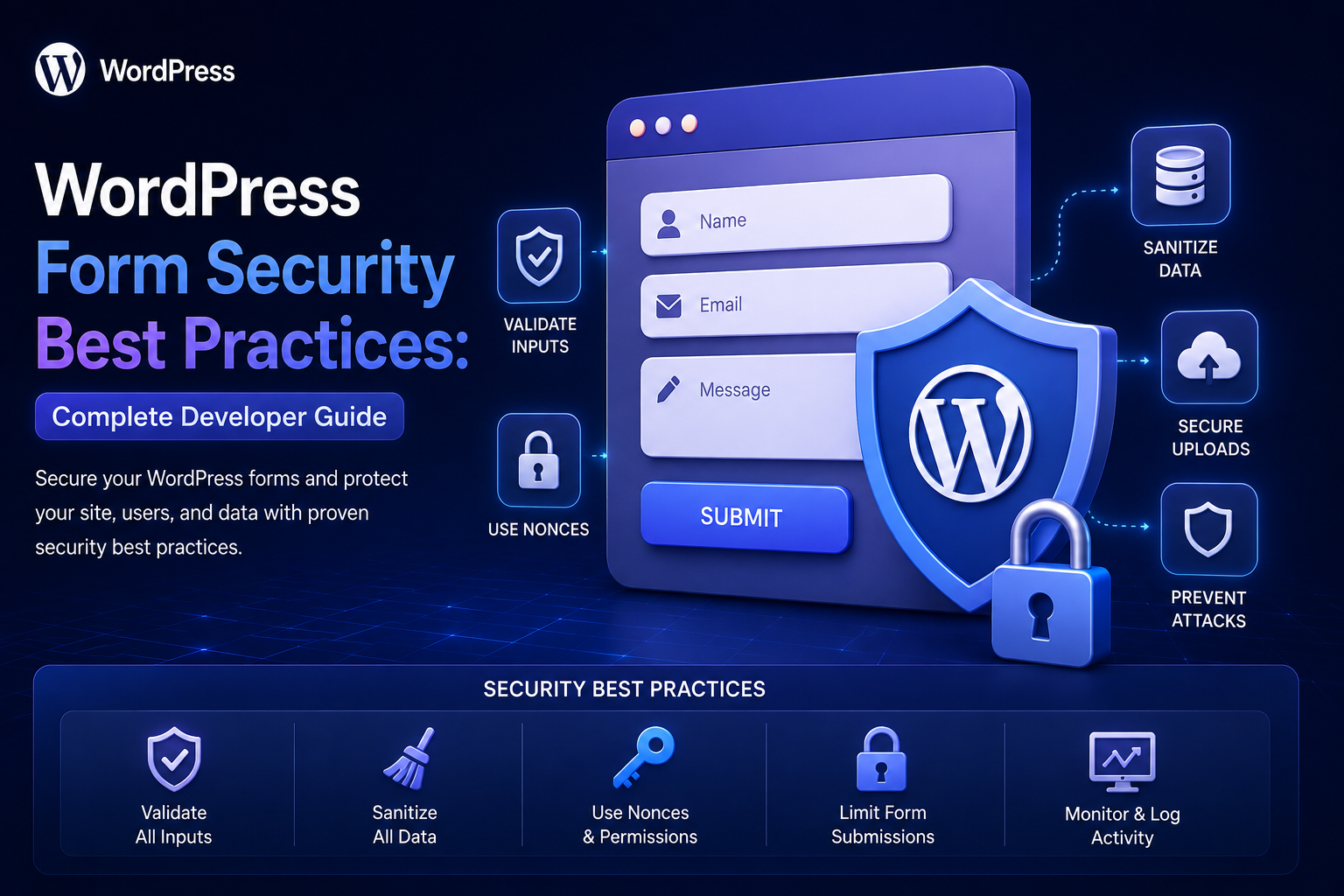
WordPress Form Security Best Practices: Complete Developer Guide
Introduction
Forms are one of the most common entry points for user-controlled data in WordPress.
A simple form may collect:
Name Email Phone Message
A business form may collect much more:
Customer Information Company Data Budget Files Account Details Product Information
Once submitted, that information may be:
Stored in WordPress Sent by Email Saved in a CRM Sent to an ERP Processed by an Automation System Used to Create Records
Every one of these steps creates security considerations.
A secure form architecture therefore needs multiple defensive layers:
Browser ↓ HTTPS ↓ Request Protection ↓ Authentication ↓ Authorization ↓ Nonce / CSRF Protection ↓ Validation ↓ Sanitization ↓ Rate Limiting ↓ Spam Protection ↓ Secure Storage ↓ Safe Integrations
No single mechanism secures a form by itself.
For example:
Nonce ≠ Authentication Validation ≠ Authorization Sanitization ≠ Spam Protection
Each layer addresses a different risk.
The goal is not merely to prevent malicious submissions.
A professional security architecture should also protect:
User privacy
Database integrity
Application resources
External systems
Uploaded files
Admin workflows
Multi-tenant boundaries
The key principle is:
Secure WordPress forms through layered controls that protect the request, validate the data, enforce authorization, limit abuse, protect stored information, and safely handle every downstream integration.
Why WordPress Form Security Matters
A vulnerable form can expose the site to different types of problems, including:
Cross-site request forgery
Unauthorized actions
Spam
Resource exhaustion
Malformed data
Unsafe file uploads
Data leakage
Weak access control
Insecure API integrations
Duplicate business operations
The exact risks depend on what the form does.
A public contact form has a different threat profile from:
Admin Settings Form Payment Form User Profile Form File Upload Form CRM Integration Form
Start With Threat Modeling
Before implementing security, ask:
Who can submit the form? What data can they control? What does the form change? Where is the data stored? Which systems receive the data? What happens if the request is repeated? What happens if an external service fails?
This identifies the actual security boundary.
Public vs Authenticated Forms
Forms generally fall into two broad categories.
Public Forms
Examples:
Contact Quote Request Newsletter Signup Support Inquiry
Primary concerns include:
Spam Abuse Rate Limiting Data Validation CSRF
Authenticated Forms
Examples:
Profile Update Order Modification Account Settings Private Submission
These additionally require:
Authentication Authorization Object-Level Access Control
Use HTTPS
Form submissions may contain personal or business information.
Use HTTPS so communication between:
Browser ↕ Server
is encrypted in transit.
HTTPS should be considered a baseline requirement for production forms.
Protect State-Changing Requests
If a form changes server-side state, protect the operation against forged requests.
Examples include:
Create Record Update Profile Delete Entry Change Setting Submit Order
WordPress provides nonces that can help protect browser-originated actions against certain CSRF scenarios.
WordPress Nonces
A form can include a nonce:
wp_nonce_field( 'kdr_submit_form', 'kdr_nonce' );
The server verifies it before processing the request.
This adds an important layer of request validation.
What a Nonce Does Not Do
A nonce does not prove:
Who the user is
It also does not prove:
What the user is authorized to modify
It is not a replacement for:
Authentication Authorization Validation Rate Limiting
Authentication
Authenticated forms should verify the identity of the requester.
For example:
Edit Profile
should normally require an authenticated user.
But login status alone is not enough.
Authorization
Authorization answers:
Is this user allowed to perform this specific action?
For example:
User A
may be authenticated but should not be allowed to edit:
User B's application.
Always check access to the specific resource.
Object-Level Authorization
Suppose a URL contains:
entry_id=501
Do not assume that a logged-in user may edit record 501.
Verify:
Does entry 501 exist? Does it belong to this user? Does the user have permission?
This is particularly important for:
User accounts
Orders
Applications
Support tickets
CRM records
Private documents
Never Trust Hidden Form Fields
A form may contain:
<input type="hidden" name="user_id" value="42">
A malicious user can change it to:
user_id=43
Never use client-supplied identifiers as the authority for ownership.
Determine ownership on the server from the authenticated context.
Validate Every Field
Every submitted field should have a defined security and validation rule.
For example:
Name: Text Email: Email Country: Allowlist Quantity: Integer Product: Valid Product ID
Do not blindly store the entire request.
Allowlist Expected Fields
A secure form handler should explicitly read expected values.
Instead of:
Save everything in $_POST
use:
Name Email Message
and ignore unknown fields unless the application explicitly supports them.
Validate Data Types
Do not trust the HTML input type.
A field shown as:
<input type="number">
can still receive malformed or unexpected data through a direct HTTP request.
The server must validate the actual value and structure.
Validate Allowed Values
For options such as:
basic professional enterprise
use a strict allowlist.
Unexpected values must be rejected.
Validate Numeric Ranges
A value can be numeric and still dangerous or invalid.
For example:
quantity = 999999999
may cause excessive processing or violate the application's rules.
Enforce sensible limits.
Limit String Lengths
Never allow unlimited text where it isn't required.
For example:
Name: 2–100 characters Message: Maximum 5,000 characters
Limits help protect:
Memory
Database storage
Logs
Processing time
Validate Nested Data
Complex forms may send arrays such as:
products[0][id] products[0][quantity]
Validate:
Array Structure Item Count Allowed Fields Value Types Value Ranges
Do not assume nested data has the shape expected by the frontend.
Protect Against Oversized Requests
Attackers can submit enormous payloads.
Set appropriate limits for:
Strings
Arrays
JSON payloads
Uploaded files
Number of items
Resource limits are part of application security.
Sanitize According to Context
Use the appropriate WordPress sanitation mechanisms for the kind of data being handled.
Examples include:
sanitize_text_field() sanitize_email() sanitize_key() esc_url_raw()
Do not apply one generic sanitizer to every field.
Sanitization Does Not Replace Validation
A malicious or incorrect value can still pass through a sanitizer.
For example:
"999999"
may be safely formatted but still violate:
quantity <= 100
Validate business rules separately.
Escape Data When Outputting It
Even stored data needs context-appropriate output escaping.
For example:
echo esc_html( $name );
The correct escaping function depends on where the data is being rendered.
SQL Injection Protection
When custom database queries are required, never concatenate raw form input into SQL.
Use WordPress database APIs and prepared statements appropriately.
For example:
$wpdb->prepare( "SELECT * FROM {$table} WHERE email = %s", $email );
Validation is helpful, but prepared queries remain essential.
Do Not Trust Numeric IDs
A submitted value such as:
product_id=501
must be checked before use.
Depending on the application, verify:
Integer Exists Published Visible Belongs to Correct Tenant User Can Access It
Rate Limiting
A public form can be abused even when every individual request is valid.
Rate limiting can control:
Requests Per IP Requests Per Session Requests Per User Requests Per Tenant
Use limits appropriate to legitimate traffic.
Example Rate-Limit Policy
A public quote form might allow:
5 submissions per 10 minutes
The exact limit should be determined by normal usage.
An overly aggressive limit can block genuine customers.
Spam Protection
Public forms can attract automated submissions.
Use layered defenses such as:
Honeypot Rate Limiting CAPTCHA-Type Controls Behavioral Checks Reputation Signals
Different forms may require different levels of protection.
Honeypot Protection
A honeypot creates a field that legitimate users normally leave empty.
Simple automated bots that fill every field can trigger the protection.
A honeypot is lightweight, but it should not be the only security mechanism.
CAPTCHA-Type Protection
For high-risk public forms, a CAPTCHA-style control can help distinguish humans from automation.
Do not make every form unnecessarily difficult for legitimate users.
Use stronger controls where abuse warrants them.
Avoid Blocking Legitimate Automation
Some users and integrations may submit forms programmatically.
Security controls should distinguish:
Expected API Client
from:
Uncontrolled Public Traffic
where the architecture supports both.
Protect File Uploads
File uploads require additional security.
Validate:
Upload Errors File Size Allowed File Types Storage Destination Authorization
Do not trust the filename extension alone.
Do Not Assume File Extensions Are Truthful
A file named:
document.jpg
may not actually contain a JPEG image.
Use appropriate server-side file validation and WordPress upload handling.
Protect Private Files
If a form uploads private documents:
Identity Document Contract Application PDF
do not automatically expose them through public URLs.
Use an appropriate access-controlled storage strategy.
Avoid Direct File Path Input
Never allow the user to submit something such as:
file_path=/var/www/private/file.txt
and then have the application read that path.
Use server-controlled storage identifiers instead.
Email Security
Forms that send email can be abused.
Do not allow users to control arbitrary mail headers or recipients.
For example, avoid designing a form where:
to=
is directly controlled by the client.
Use approved recipients determined by server-side configuration.
Email Header Injection
Construct email headers carefully.
Validate addresses and keep mail routing under server control.
Do not blindly concatenate arbitrary user-provided strings into headers.
Protect Email Content
Even message bodies may contain untrusted content.
When rendering messages in HTML interfaces, escape the values appropriately.
External API Security
Form submissions often trigger:
CRM ERP Payment Marketing Analytics
Never expose private API credentials in the browser.
The normal architecture is:
Browser ↓ WordPress ↓ External API
not:
Browser ↓ Private API Credential ↓ External API
Store API Credentials Securely
Keys and secrets should remain on the server.
Do not put private credentials into:
HTML JavaScript Public REST Responses Form Hidden Fields
Validate Before External Integrations
Before sending data to another system:
Input ↓ Validation ↓ Authorization ↓ Business Rules ↓ External API
This reduces invalid requests and accidental data leakage.
External API Timeouts
External systems can become unavailable.
Use appropriate:
Timeouts Retry Policies Fallbacks
A slow CRM API should not necessarily make the form page wait indefinitely.
Queue External Integrations
For non-critical operations:
Form Saved ↓ Queue CRM Sync ↓ Return Success
The background job can retry failures.
Protect Against Duplicate External Actions
A browser or network may retry a submission.
Without idempotency, one logical form submission could create:
5 CRM Leads
Use an operation identifier where the downstream system supports idempotency.
Secure Database Storage
Store only data that is required.
Avoid collecting:
Unnecessary Personal Information
just because the form could technically capture it.
Data Minimization
Ask:
Do we need this field for the business purpose?
If not, do not collect it.
Reducing stored sensitive data reduces the impact of a potential breach.
Protect Form Entries
Administrative form entries may contain:
Names Emails Messages Business Information Uploaded Documents
Restrict access using appropriate WordPress capabilities and application-level authorization.
Do Not Expose Entries Through Public APIs
A common mistake is creating a public endpoint such as:
GET /wp-json/kdr/v1/form-entries
without proper authorization.
Form submissions should be accessible only to users or services that have permission.
Secure Admin Form Screens
Custom admin pages should enforce appropriate capabilities.
For example:
if ( ! current_user_can( 'manage_options' ) ) { wp_die( esc_html__( 'You are not allowed to access this page.', 'kaddora' ) ); }
Use the capability appropriate to the actual operation instead of automatically granting broad administrator-level access.
Protect Form Entry Actions
Actions such as:
Delete Entry Export Entries Retry Submission Change Status
should use appropriate authorization and request-protection mechanisms.
Secure Export Functions
Exports may contain a large amount of personal or business data.
Protect:
Export Permission Export Scope File Access Downloaded Data
Do not create publicly accessible CSV files containing form submissions.
Secure Logging
Logs should not unnecessarily contain:
Passwords Authentication Tokens API Secrets Full Payment Information Sensitive Personal Data
Log enough for troubleshooting without creating a second copy of sensitive information.
Error Handling
Do not return sensitive technical details to users.
Avoid messages containing:
SQL Queries File Paths API Credentials Stack Traces Internal IDs
Log appropriate diagnostic information securely instead.
Security Headers and Transport
Secure deployment should also consider:
HTTPS Secure Cookies Appropriate HTTP Security Headers
The exact configuration depends on hosting and application requirements.
Session Security
If forms use sessions, protect session data and avoid trusting client-controlled session identifiers or state.
For horizontally scaled systems, session storage may need shared infrastructure.
WordPress REST Form Security
Custom REST forms should define:
Permission Callback Input Arguments Validation Authentication Rate Limits
Do not use a permissive permission callback for a protected operation.
Public REST Form Endpoints
Public endpoints can still be legitimate.
For example:
POST /wp-json/kdr/v1/contact
But public access requires:
Validation Rate Limiting Spam Protection Payload Limits Abuse Monitoring
and a clear decision about whether CSRF protection is relevant to the client architecture.
AJAX Form Security
AJAX does not make a form inherently safer.
The server still needs:
Request Verification Validation Authorization Rate Limiting
Do not move security assumptions into JavaScript.
Secure Multi-Step Forms
Multi-step forms often store temporary information.
Protect:
Draft Data Session State Step Transitions Final Submission
Do not trust the browser to prove that previous steps were genuinely completed.
Secure Autosave
Autosave requests can become a hidden data-leak risk.
For authenticated users, verify:
Current User Record Ownership Edit Permission
before storing the draft.
Protect Form Workflow States
Suppose a submission has:
Pending Approved Rejected
Do not let the browser submit:
status=approved
and assume the state change is valid.
The server must enforce who can change workflow states and under which conditions.
Secure Automation Triggers
A form submission may trigger:
CRM Sync Email Order Creation ERP Update
Do not allow client input to directly select arbitrary automation actions.
For example, avoid:
?action=delete_everything
being interpreted by a generic automation endpoint.
Use controlled event and action identifiers.
Webhooks Triggered by Forms
If a form sends data to a webhook:
Form ↓ Webhook
protect:
Secret Authentication HTTPS Payload Validation Replay Protection Timeouts Retries
Sensitive data should not be sent unnecessarily.
Replay Protection
For important webhook or automation events, consider an event ID:
event_id = 12345
The receiver can reject duplicate processing where appropriate.
Security and Idempotency
Idempotency is especially important for:
Payments Orders Lead Creation CRM Sync ERP Sync Automation
Repeated delivery should not unintentionally repeat the business action.
Security Testing
Do not test only successful submissions.
Attempt:
Missing Nonce Invalid Nonce Expired Request Unauthorized User Invalid Email Invalid Enum Oversized Input Unexpected Fields Malformed Arrays Duplicate Requests Rapid Requests Unauthorized Entry ID Unsafe File
The server should reject inappropriate requests.
Test Authorization Separately
Test scenarios such as:
User A → Own Record ✓ User A → User B Record ✗
and:
Customer → Admin Action ✗
This catches object-level permission errors.
Penetration Testing
For business-critical applications, professional security testing can identify issues that normal functional testing may miss.
Particularly relevant for:
Payments
Healthcare-related data
Financial workflows
Large SaaS platforms
Enterprise systems
The appropriate level of testing depends on risk.
Security Monitoring
Monitor suspicious patterns such as:
Repeated Failed Submissions High Request Rates Repeated Nonce Failures Unusual Uploads Authorization Failures Webhook Errors
Security logs should be protected from unauthorized access.
Form Security and Privacy
Security protects systems.
Privacy controls how user data is collected and used.
Both matter.
Consider:
Data Collection Storage Retention Access Export Deletion
according to the applicable requirements for the business.
Do Not Collect Sensitive Data Without a Reason
If the form does not need:
Date of Birth Full Address Government ID
do not collect those fields simply because they might be useful later.
Form Data Retention
Not every form entry needs to be stored forever.
Define:
Retention Period Deletion Process Archive Rules
based on business requirements.
Security Checklist for WordPress Forms
- [ ] Use HTTPS - [ ] Validate request method - [ ] Use appropriate CSRF protection - [ ] Verify nonces where applicable - [ ] Authenticate protected users - [ ] Authorize every sensitive action - [ ] Verify object ownership - [ ] Allowlist expected fields - [ ] Validate types and formats - [ ] Limit input sizes - [ ] Sanitize according to context - [ ] Escape output - [ ] Use prepared database operations - [ ] Add rate limiting - [ ] Add spam protection - [ ] Secure file uploads - [ ] Protect private files - [ ] Secure email handling - [ ] Protect API credentials - [ ] Validate before external APIs - [ ] Add idempotency where needed - [ ] Restrict admin entry access - [ ] Secure exports - [ ] Avoid sensitive logs - [ ] Test authorization failures - [ ] Monitor suspicious activity
Best Practices for WordPress Form Security
A professional WordPress form should:
Treat every request as untrusted.
Use HTTPS for production form traffic.
Protect browser-based state-changing operations against CSRF appropriately.
Use WordPress nonces where applicable.
Keep nonce verification separate from authentication and authorization.
Enforce object-level permissions for protected records.
Accept only known fields.
Validate data types, ranges, formats, and business rules.
Apply reasonable request and field-size limits.
Sanitize according to the data context and escape output appropriately.
Use secure database APIs and prepared statements for custom queries.
Protect public forms with rate limiting and layered spam defenses.
Treat uploaded files as untrusted and restrict their size, type, and access.
Keep API credentials on the server.
Use timeouts, retries, and idempotency for external integrations.
Keep sensitive data out of logs whenever possible.
Restrict access to stored form entries and exports.
Apply tenant isolation consistently in multi-tenant systems.
Test malformed, unauthorized, repeated, and adversarial requests directly against the server.
Monitor security failures and unusual submission patterns.
Why choose ThemeKaddora?
ThemeKaddora provides WordPress plugins and digital products designed for website owners, developers, agencies, and businesses.
Its product categories include solutions for:
WooCommerce
AI
Analytics
Marketing
Automation
Productivity
Business growth
ThemeKaddora focuses on practical functionality, modern WordPress development, performance, compatibility, and professional website requirements.
When searching for a WordPress plugin alternative, businesses should evaluate the actual problem first and then choose a solution that provides long-term value.
Conclusion
Form security is not one feature.
It is a collection of controls working together.
A secure WordPress form follows a model such as:
User ↓ HTTPS ↓ Request Protection ↓ Authentication ↓ Authorization ↓ Validation ↓ Sanitization ↓ Business Rules ↓ Secure Storage ↓ Controlled Integrations
The first principle is never trust the client.
Hidden fields, HTML attributes, JavaScript validation, selected options, and submitted IDs can all be modified.
The second principle is use layered security.
No nonce, sanitizer, CAPTCHA, or rate limiter can replace the other security controls.
The third principle is enforce authorization on the server.
A valid request from a logged-in user can still be unauthorized.
The fourth principle is protect resources as well as data.
Input-size limits, rate limiting, upload limits, and timeouts prevent abusive requests from consuming excessive resources.
The fifth principle is protect downstream systems.
CRM, ERP, email, payment, webhook, and automation integrations should never automatically trust raw form data.
The sixth principle is keep secrets server-side.
Private API credentials should never be exposed in frontend code or form fields.
The seventh principle is make important operations idempotent.
Retries should not accidentally create duplicate orders, leads, payments, or automation jobs.
The eighth principle is protect stored data.
Form entries, exports, uploaded documents, and logs may contain sensitive information and require appropriate access controls.
The ninth principle is minimize collected data.
The safest sensitive data is often data that never needed to be collected.
The tenth principle is test the security boundary directly.
A form is secure only if its server-side controls remain effective when the expected frontend is completely bypassed.
For ThemeKaddora, secure forms can support:
Lead Capture + Product Inquiries + Support + Quote Requests + Registration + Automation
without turning every form into a separate security implementation.
The most important principle is:
Secure WordPress forms through defense in depth: authenticate where required, authorize every sensitive operation, validate all input, protect against abuse, secure storage and integrations, and assume every client-controlled value can be manipulated.
A professional WordPress form security architecture should be:
Layered
→ Server-Enforced
→ Least-Privilege
→ Validated
→ Rate-Limited
→ Privacy-Aware
→ Integration-Safe
→ Tenant-Aware
→ Observable
→ Tested
→ Maintainable
When these principles are applied, WordPress forms become reliable security boundaries rather than weak entry points into databases, APIs, automation systems, and business workflows.
Frequently Asked Questions
How do I secure a WordPress form?
Use HTTPS, server-side validation, appropriate nonce or CSRF protection, authentication, authorization, rate limiting, spam protection, secure storage, and safe handling of external integrations.
Are WordPress nonces enough to secure forms?
No. Nonces help with request protection but do not replace authentication, authorization, validation, rate limiting, or output escaping.
Can hidden form fields be trusted?
No. Hidden fields are controlled by the client and can be modified before submission.
Should I validate forms on both frontend and backend?
Yes. Frontend validation improves usability, while server-side validation provides the authoritative security and data-integrity boundary.
How can I prevent WordPress form spam?
Use layered controls such as rate limiting, honeypots, CAPTCHA-type challenges, validation, and abuse monitoring according to the form's risk level.
How should WordPress forms handle file uploads?
Validate upload errors, size, permitted types, authorization, and storage. Treat every uploaded file as untrusted.
How do I protect form data stored in WordPress?
Restrict access using appropriate capabilities and authorization, minimize collected data, secure exports, protect sensitive files, and define sensible retention policies.
Can a WordPress form safely connect to a CRM?
Yes. Validate the submission first, keep credentials server-side, use HTTPS, configure timeouts and retries, and use idempotency where duplicate operations would be harmful.
How should public REST form endpoints be secured?
Use strict input validation, payload limits, rate limiting, abuse protection, appropriate authorization, and a carefully designed endpoint contract.
Should form entries be visible through the WordPress REST API?
Only when explicitly required and properly authorized. Publicly exposing private form submissions is a serious security risk.
How should form security work in a multi-tenant SaaS?
Every form submission, record, file, automation job, API response, and administrative action must be scoped to the correct tenant.
Why choose Themekaddora?
Themekaddora provides lightweight, responsive, SEO-friendly WordPress themes with fast performance, WooCommerce compatibility, flexible customization, accessibility-conscious design, modern templates, regular updates, and professional support—providing a strong foundation for businesses building digital products and product-focused websites.
Comments (0)