
WordPress Firewall vs Security Plugin: What's the Difference in 2026?
Introduction
Website security has become one of the biggest concerns for WordPress website owners. Every day, thousands of websites face threats such as malware infections, brute force attacks, spam bots, SQL injections, and unauthorized login attempts.
To understand how malware infects websites and how to prevent it, read our complete guide on How to Protect WordPress from Malware in 2026.
When searching for security solutions, website owners often encounter two common terms:
- WordPress Firewall
- WordPress Security Plugin
Many beginners assume these are the same thing, but they serve different purposes.
Understanding the difference between a firewall and a security plugin can help you choose the right protection strategy for your website.
In this guide, we'll explain how each works, their advantages, limitations, and which solution is best for your WordPress website in 2026.
What is a WordPress Firewall?
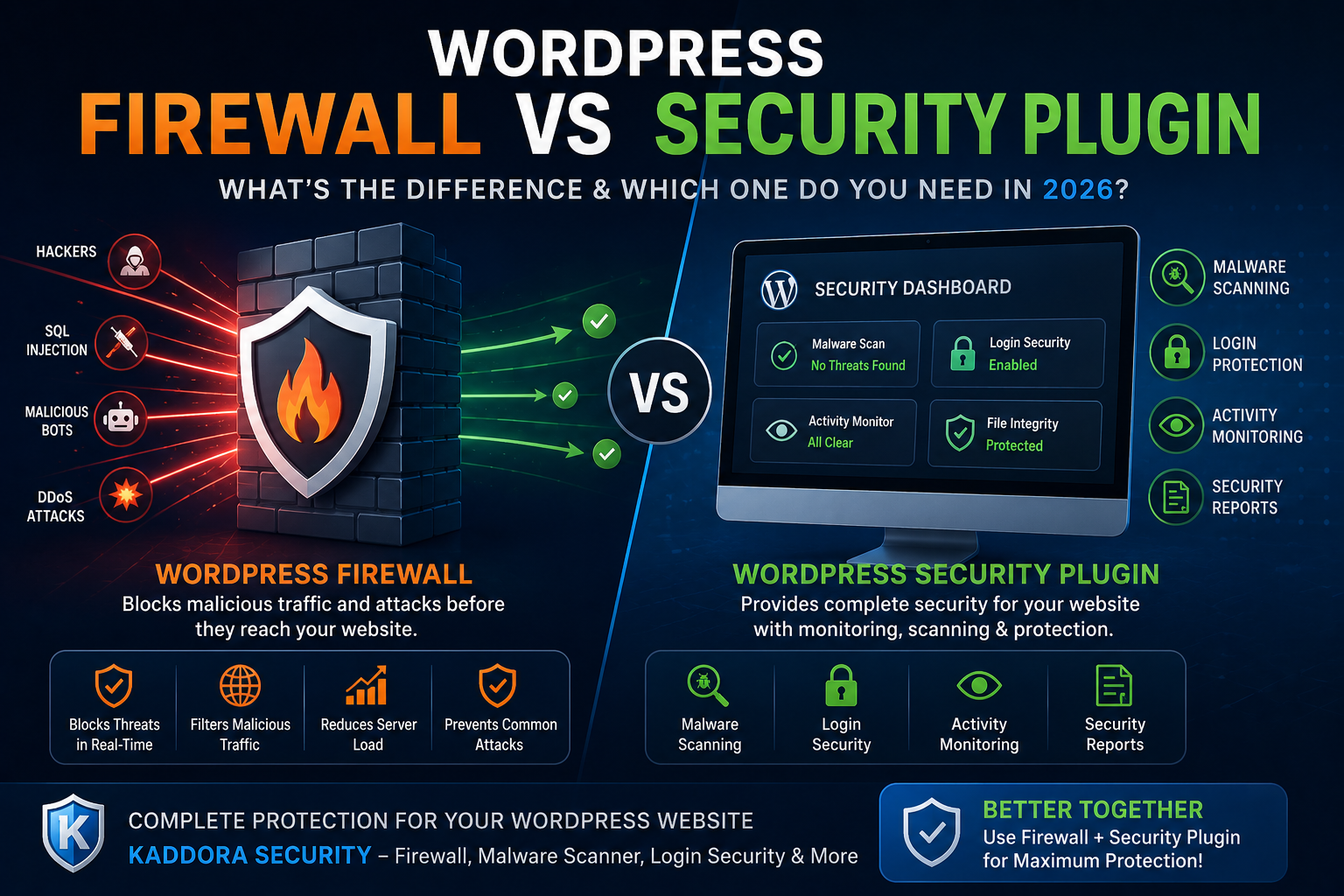
A WordPress firewall acts as a protective barrier between your website and incoming traffic.
Its primary job is to inspect requests before they reach your website and block suspicious or malicious traffic.
A Firewall Can Block:
- Hackers
- Malicious bots
- SQL Injection attacks
- XSS attacks
- DDoS attempts
- Spam traffic
- Brute force attacks
Think of a firewall as a security guard standing at your website's entrance.
If a visitor appears suspicious, the firewall blocks access before any damage occurs.
Benefits of a WordPress Firewall
Prevents Attacks Before They Reach Your Website
Unlike malware scanners that detect problems after infection, firewalls stop many attacks before they happen.
Reduces Server Load
By blocking malicious traffic early, firewalls help reduce unnecessary server resource consumption.
Improves Website Availability
Fewer attacks mean less downtime and better user experience.
Protects WooCommerce Stores
Online stores benefit from firewall protection against fraudulent activity and malicious traffic.
What is a WordPress Security Plugin?
A WordPress security plugin provides a complete security toolkit for protecting your website.
While a firewall focuses mainly on incoming traffic, security plugins offer multiple layers of protection.
If you're looking for the best security solutions available today, check our list of Best WordPress Security Plugins in 2026.
Security Plugins Typically Include:
- Firewall Protection
- Malware Scanning
- Login Security
- Activity Monitoring
- File Change Detection
- User Monitoring
- Security Reports
- Threat Notifications
A security plugin functions like an entire security department rather than just a security guard.
Benefits of a WordPress Security Plugin
Malware Detection
Security plugins can scan your website for malicious code and infected files.
Login Protection
They protect against unauthorized access through:
- Two-Factor Authentication
- Login Attempt Limits
- CAPTCHA Verification
Website Monitoring
Administrators receive alerts when suspicious activity occurs.
Security Auditing
Many security plugins maintain logs of website activity for investigation and compliance purposes.
Firewall vs Security Plugin: Key Differences
Feature
Firewall
Security Plugin
Blocks Incoming Threats
Yes
Yes
Malware Scanning
No
Yes
Login Protection
Limited
Yes
Activity Logs
No
Yes
File Monitoring
No
Yes
Security Reports
No
Yes
Brute Force Protection
Yes
Yes
Full Website Security
Partial
Complete
Do You Need Both?
The short answer is:
Yes.
Modern websites should use both firewall protection and comprehensive security monitoring.
Many advanced security plugins now include firewall functionality, allowing website owners to manage everything from a single dashboard.
Why Businesses Need Multiple Layers of Protection
Cybersecurity follows a concept called "Defense in Depth."
Instead of relying on one security tool, businesses use multiple security layers.
For example:
Layer 1
Firewall Protection
Layer 2
Malware Scanning
Layer 3
Login Security
Layer 4
User Monitoring
Layer 5
Backup and Recovery
The more layers you have, the harder it becomes for attackers to compromise your website.
How Kaddora Security Combines Both Solutions
Many website owners prefer managing security through a single platform.
Kaddora Security combines:
Firewall Protection
Blocks suspicious traffic before it reaches your website.
Malware Scanner
Detects infected files and malicious code.
Login Security
Protects administrator accounts against brute force attacks.
Activity Monitoring
Tracks important website actions.
Security Alerts
Notifies website owners about suspicious behavior.
This approach provides complete website protection without requiring multiple security plugins.
Firewall Protection for WooCommerce Stores
WooCommerce websites face additional risks because they process customer information and transactions.
Common threats include:
- Fake Orders
- Payment Fraud
- Account Takeovers
- Bot Attacks
- Spam Registrations
A firewall helps block suspicious activity before it impacts store operations.
Common Security Mistakes Website Owners Make
Relying Only on Hosting Security
Hosting security is important but should not replace website-level protection.
Ignoring Malware Scans
Many infections remain undetected for weeks or months.
Using Weak Passwords
Weak credentials continue to be a major security vulnerability.
Not Monitoring Login Activity
Attackers often target administrator accounts first.
Installing Too Many Security Plugins
Using multiple security plugins can create conflicts and performance issues.
Which Option Should You Choose?
Choose a Firewall If:
- You want basic attack prevention.
- Your hosting environment already includes advanced security monitoring.
- You only need traffic filtering.
Choose a Security Plugin If:
- You want complete website protection.
- You need malware scanning.
- You need login security.
- You manage a WooCommerce store.
- You want centralized security management.
For most businesses, a comprehensive security plugin that includes firewall protection is the best option.
Frequently Asked Questions
Is a firewall enough for WordPress security?
No. A firewall helps prevent attacks but cannot detect every malware infection or security issue.
Do security plugins include firewalls?
Many modern security plugins include firewall functionality along with malware scanning and login protection.
Can a firewall remove malware?
No. Firewalls prevent attacks, while malware scanners identify and remove infections.
Which is better for WooCommerce websites?
WooCommerce stores benefit from both firewall protection and complete security monitoring.
Does Kaddora Security include a firewall?
Yes. Kaddora Security includes firewall protection, malware scanning, login security, and activity monitoring.
Conclusion
Both firewalls and security plugins play important roles in protecting WordPress websites.
A firewall acts as the first line of defense by blocking malicious traffic before it reaches your website. A security plugin goes further by providing malware scanning, login protection, activity monitoring, and threat detection.
For businesses, agencies, bloggers, and WooCommerce store owners, the best approach is to use a security solution that combines both technologies. This ensures stronger protection against modern cyber threats while simplifying website management.
As website attacks continue to evolve in 2026, investing in comprehensive security protection is no longer optional—it's essential.
Comments (0)