
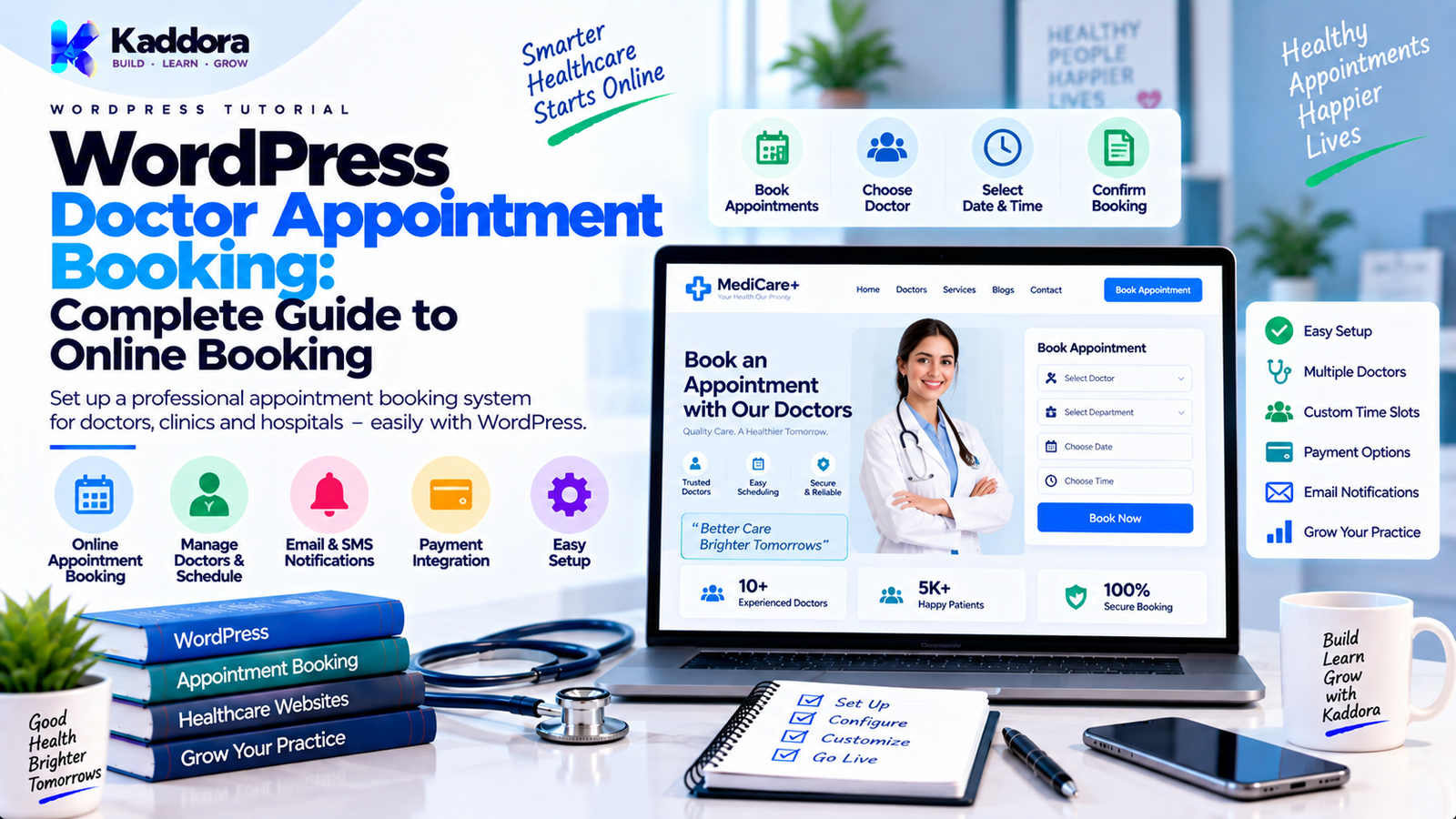
WordPress Doctor Appointment Booking: Complete Guide to Online Booking
Introduction
Patients increasingly expect healthcare services to be convenient and accessible online.
Instead of calling a clinic to ask:
Is the doctor available?
What time is the next appointment?
Which doctor should I book?
Can I reschedule?
How much does the consultation cost?
patients can complete these tasks through an online appointment system.
A WordPress doctor appointment booking system allows clinics, hospitals, medical centers, specialists, and independent healthcare professionals to manage appointments directly through their websites.
A typical workflow looks like this:
Patient ↓ Doctor Search ↓ Select Doctor ↓ Choose Service ↓ Select Date ↓ Select Available Time ↓ Enter Patient Details ↓ Payment / Confirmation ↓ Appointment Created ↓ Reminder ↓ Consultation
A complete system can go far beyond a simple booking form.
It can support:
Doctor profiles
Specialties
Departments
Availability schedules
Appointment slots
Patient registration
Booking confirmations
Email and SMS notifications
Online payments
Cancellations
Rescheduling
Recurring schedules
Calendar management
Staff management
Reporting
Telemedicine integration
In this guide, you'll learn how to build and configure a WordPress doctor appointment booking system, which features are essential, how scheduling works, how to prevent double bookings, how to integrate payments and notifications, how to protect patient information, and how to design a scalable healthcare booking workflow.
What Is WordPress Doctor Appointment Booking?
WordPress doctor appointment booking is a website-based system that allows patients to schedule appointments with doctors online.
Instead of relying only on phone calls or manual scheduling, the website can display available appointment slots.
For example:
Dr. Sharma Cardiology Monday 10:00 AM [Available] 10:30 AM [Booked] 11:00 AM [Available] Tuesday 10:00 AM [Available] 10:30 AM [Available] 11:00 AM [Booked]
The patient selects an available slot and submits the required information.
The system then creates the appointment and updates the doctor's availability.
Why Is Doctor Appointment Booking Important?
An online booking system can simplify scheduling for both patients and healthcare teams.
Potential benefits include:
24/7 appointment requests
Reduced phone-based scheduling
Better calendar organization
Faster patient booking
Fewer scheduling errors
Automated reminders
Easier doctor availability management
Online payment support
Centralized appointment records
For clinics with many doctors, specialties, and appointment types, automation can significantly reduce administrative work.
Who Can Use a WordPress Doctor Appointment Booking System?
A booking system can be used by many healthcare organizations.
Individual Doctors
Useful for private practices and specialists.
Clinics
Useful when multiple doctors work in the same location.
Hospitals
Useful for departments, consultants, and multiple appointment types.
Diagnostic Centers
Useful for scheduling tests and medical services.
Dental Clinics
Useful for dentists, hygienists, and treatment appointments.
Physiotherapy Centers
Useful for recurring sessions and therapist scheduling.
Mental Health Practices
Useful for therapist and consultation scheduling.
The exact configuration depends on the type of healthcare organization.
How a WordPress Doctor Appointment System Works
A complete appointment workflow can be represented as:
+------------------+ | WordPress Website| +--------+---------+ | ↓ +------------------+ | Doctor Directory | +--------+---------+ | ↓ +------------------+ | Services / | | Specialties | +--------+---------+ | ↓ +------------------+ | Availability | +--------+---------+ | ↓ +------------------+ | Appointment Slot | +--------+---------+ | ↓ +------------------+ | Patient Details | +--------+---------+ | ↓ +------------------+ | Payment / | | Confirmation | +--------+---------+ | ↓ +------------------+ | Appointment | | Management | +------------------+
Each stage should be handled carefully because healthcare scheduling contains sensitive and operationally important information.
Essential Features of a Doctor Appointment Booking System
A professional system should provide more than a calendar.
Important features include:
Doctor profiles
Doctor availability
Services
Departments
Appointment duration
Time slots
Patient registration
Booking confirmation
Rescheduling
Cancellation
Notifications
Payments
Calendar synchronization
Admin management
Reporting
Optional features can include:
Telemedicine
Recurring appointments
Waiting lists
Doctor ratings
Insurance information
Multi-location support
SMS reminders
Start with the core scheduling workflow before adding advanced functionality.
Doctor Profiles
Each doctor should have a dedicated profile.
Useful fields can include:
Doctor name
Specialty
Department
Qualifications
Experience
Languages
Consultation type
Location
Consultation fee
Availability
Profile image
A profile might look like:
+--------------------------------------+ | Doctor Profile | +--------------------------------------+ | Dr. Anil Sharma | | Cardiologist | | | | Experience: 12 Years | | Consultation: Cardiology | | Location: Main Clinic | | | | [ View Schedule ] | +--------------------------------------+
Avoid collecting unnecessary patient or professional information.
Manage Medical Specialties
Healthcare websites often contain multiple specialties.
Examples include:
Cardiology
Dermatology
Pediatrics
Neurology
Orthopedics
Dentistry
Gynecology
ENT
General Medicine
Patients can select a specialty before selecting a doctor.
For example:
Specialty ↓ Cardiology ↓ Available Doctors ↓ Choose Doctor
This improves navigation on websites with many healthcare professionals.
Departments and Locations
Large healthcare organizations may require departments and locations.
For example:
Hospital │ ├── Cardiology │ ├── Doctor A │ └── Doctor B │ ├── Pediatrics │ ├── Doctor C │ └── Doctor D │ └── Orthopedics ├── Doctor E └── Doctor F
A multi-location system can also let patients select:
Hospital
Branch
Clinic
Floor
Department
Consultation room
Location-aware scheduling becomes important when doctors work at different facilities.
Doctor Availability Management
Availability is at the center of appointment scheduling.
A doctor may work:
Monday 09:00 AM – 01:00 PM Tuesday 02:00 PM – 06:00 PM Wednesday 09:00 AM – 01:00 PM
The system should convert these working periods into available appointment slots.
For example:
09:00 – 09:30 09:30 – 10:00 10:00 – 10:30 10:30 – 11:00
The slot duration depends on the selected service or doctor configuration.
Appointment Duration
Different services may require different durations.
For example:
General Consultation → 20 minutes Specialist Consultation → 30 minutes Follow-Up → 15 minutes Dental Procedure → 60 minutes Therapy Session → 45 minutes
The booking engine should calculate available slots from:
Working Hours + Service Duration + Breaks + Existing Appointments = Available Slots
Doctor Breaks
Availability should support breaks.
For example:
09:00 – 12:00 Break 12:00 – 01:00 01:00 – 05:00
The system should not make the break period bookable.
Holidays and Leave
Doctors may not be available every working day.
The system should support:
Vacation
Holidays
Personal leave
Emergency closures
Temporary schedule changes
For example:
Normal Schedule ↓ Doctor Leave ↓ Remove Slots ↓ Show Next Availability
This prevents patients from booking appointments when the doctor is unavailable.
Prevent Double Bookings
One of the most important requirements is preventing two patients from booking the same appointment slot.
Suppose:
10:30 AM
is available.
Patient A starts booking.
At nearly the same time:
Patient B
attempts to book the same slot.
A reliable system must validate availability at the moment the appointment is created.
The workflow should be:
Select Slot ↓ Check Availability ↓ Reserve / Create Appointment ↓ Confirm Success
Do not rely only on JavaScript availability displayed in the browser.
The server must perform the final validation.
Appointment Statuses
Appointment records can use statuses such as:
Pending
Confirmed
Cancelled
Completed
Rescheduled
No Show
For example:
Pending ↓ Payment Confirmed ↓ Confirmed ↓ Consultation ↓ Completed
A status system makes administration and reporting easier.
Patient Registration
Patients can be allowed to book as:
Guest
Enter required booking information without creating an account.
Registered User
Create a WordPress account and manage appointments from a dashboard.
Existing Patient
Log in and view previous or upcoming appointments.
Choose the approach that matches the clinic's workflow.
Patient Information
A booking form may require:
Name
Email address
Phone number
Appointment type
Preferred date
Preferred time
Additional booking information
Collect only the information necessary for the appointment process.
Healthcare websites should take extra care with any sensitive personal or medical information.
Avoid Collecting Sensitive Medical Information Unnecessarily
A basic booking system does not necessarily need a full medical history.
Instead of creating a large form containing:
Medical History Medications Diagnosis Symptoms Insurance Details Personal Notes
ask:
Does the booking workflow actually require this information?
Collecting less information can simplify:
Security
Storage
Access control
Privacy management
Maintenance
Any sensitive healthcare data should be handled with appropriate safeguards and according to applicable laws and organizational policies.
Online Payments for Doctor Appointments
Some clinics require patients to pay before confirming an appointment.
Common payment methods can include:
Credit/debit cards
Digital wallets
Bank-based payment methods
Online payment gateways
The workflow can be:
Select Appointment ↓ Patient Details ↓ Payment ↓ Payment Confirmed ↓ Appointment Confirmed
Don't treat a browser-side "payment successful" message as authoritative.
The server should verify the payment using the payment provider's supported mechanism.
WooCommerce for Healthcare Bookings
WooCommerce can be used when appointment payments fit naturally into an ecommerce workflow.
For example:
Appointment Service ↓ WooCommerce Product ↓ Checkout ↓ Payment ↓ Booking Confirmation
This can be useful when a clinic already uses WooCommerce for:
Payments
Coupons
Customer accounts
Order management
However, booking records and healthcare workflows should remain clearly separated from general ecommerce data where appropriate.
Appointment Notifications
Automated notifications help reduce missed appointments.
Useful notifications include:
Booking Confirmation
Sent after an appointment is successfully created.
Reminder
Sent before the appointment.
Reschedule Notice
Sent when the time changes.
Cancellation Notice
Sent when an appointment is cancelled.
Follow-Up
Sent after the appointment when appropriate.
A typical workflow is:
Appointment Confirmed ↓ Confirmation Email ↓ Reminder ↓ Appointment ↓ Follow-Up
Email and SMS Reminders
Depending on the architecture, notifications can use:
SMS
Push notifications
The system should clearly separate:
Transactional appointment notifications
Promotional marketing messages
Marketing communication should not be automatically assumed to be part of appointment consent.
Doctor Calendar Management
Doctors need a way to view their schedules.
A calendar might display:
MONDAY 09:00 Patient A 09:30 Patient B 10:00 Available 10:30 Patient C 11:00 Break 11:30 Patient D
Useful views include:
Day
Week
Month
Agenda
Patient Appointment Dashboard
Patients can benefit from a dashboard showing:
Upcoming Appointment Doctor: Dr. Anil Sharma Specialty: Cardiology Date: Monday Time: 10:30 AM Location: Main Clinic [ Reschedule ] [ Cancel ]
The dashboard should expose only information the logged-in user is authorized to access.
Rescheduling Appointments
Rescheduling should use the same availability engine as new bookings.
Workflow:
Existing Appointment ↓ Click Reschedule ↓ Show Available Slots ↓ Choose New Slot ↓ Validate Availability ↓ Update Appointment ↓ Send Notification
Don't allow users to select a new slot without a final server-side availability check.
Appointment Cancellation
A cancellation process can look like:
Appointment ↓ Cancel ↓ Validate Permission ↓ Check Cancellation Rules ↓ Update Status ↓ Optional Refund ↓ Send Notification
A clinic may choose to define:
Cancellation deadlines
Refund rules
Cancellation reasons
Rescheduling limits
These rules should be visible to users.
Refund Handling
If payment was collected, cancellation may involve refunds.
The system should distinguish:
Appointment Status
from:
Payment Status
For example:
Appointment: Cancelled Payment: Refunded
or:
Appointment: Cancelled Payment: Pending Refund
Keeping them separate provides better reporting and avoids ambiguous records.
Time Zones and Appointment Scheduling
Time zones can create serious scheduling problems.
Suppose the clinic operates in:
Asia/Kolkata
while the patient is browsing from another country.
The system should define:
Clinic timezone
Doctor timezone
Stored appointment time
Display timezone
A practical model is:
User Request ↓ Normalize Time ↓ Store Consistently ↓ Convert for Display
Avoid relying solely on the visitor's browser timezone when booking healthcare appointments.
Recurring Appointments
Some services may involve recurring visits.
For example:
Every Monday 10:00 AM For 6 Weeks
The system can create:
Appointment 1 Appointment 2 Appointment 3 Appointment 4 Appointment 5 Appointment 6
Before generating recurring appointments, validate the complete schedule.
Don't assume future availability will remain unchanged.
Multiple Doctors and Resources
Some healthcare services require additional resources.
For example:
Doctor + Room + Equipment = Appointment
A booking should not be confirmed if the doctor is available but the required room or equipment is unavailable.
This is especially useful for:
Diagnostic centers
Dental clinics
Treatment rooms
Imaging equipment
Procedure rooms
Multi-Staff Booking
A clinic may have:
Doctors
Nurses
Therapists
Technicians
Receptionists
A flexible appointment system can assign multiple staff members.
For example:
Appointment ├── Doctor ├── Nurse └── Room
Resource allocation becomes more important as the clinic grows.
Online and In-Person Appointments
Modern healthcare websites may support multiple appointment types.
For example:
Consultation Type [ In-Person ] [ Video Consultation ] [ Phone Consultation ]
Each type can have different:
Duration
Price
Availability
Instructions
Location
Notification workflow
Telemedicine Integration
A booking system can integrate with a video consultation service.
A workflow could be:
Appointment Confirmed ↓ Video Session Created ↓ Meeting Link Stored ↓ Reminder Sent ↓ Patient Joins
Meeting links should be handled securely.
Do not expose private meeting information publicly.
Doctor Dashboard
Doctors may need access to:
Today's appointments
Upcoming bookings
Patient booking information
Availability
Rescheduling
Cancellations
Appointment notes where appropriate
Access should be role-based.
A doctor should not automatically receive unrestricted access to every user's website data.
Admin Dashboard
The administrator can manage:
Doctors
Specialties
Services
Locations
Patients
Appointments
Payments
Notifications
Reports
A useful dashboard might show:
Today's Appointments 42 Confirmed 36 Pending 3 Cancelled 2 Completed 1 No Shows 0
The exact metrics depend on the system.
Booking Search and Filters
Administrators may need to filter appointments by:
Doctor
Patient
Date
Department
Status
Location
Service
Payment status
For large clinics, search and filtering become essential.
Appointment Calendar Views
An admin calendar can provide:
Daily View
Useful for receptionists.
Weekly View
Useful for doctors and clinic managers.
Monthly View
Useful for planning.
Agenda View
Useful for reviewing appointments sequentially.
Booking Forms
A booking form should be simple.
A practical flow is:
Doctor ↓ Service ↓ Date ↓ Time ↓ Patient Information ↓ Payment ↓ Confirmation
Don't place every available field on the first screen.
Progressive steps can make the experience easier to understand.
Mobile-Friendly Booking
Many patients book appointments from smartphones.
The booking experience should support:
Responsive layouts
Large touch targets
Easy calendar navigation
Clear time slots
Short forms
Simple payment flow
Test the complete booking process on mobile devices rather than only testing the desktop layout.
Accessibility in Healthcare Booking
Accessibility is particularly important for healthcare websites.
Consider:
Keyboard navigation
Clear form labels
Sufficient contrast
Screen-reader support
Visible focus indicators
Accessible error messages
Clear date and time controls
An accessible booking system allows more users to complete appointments independently.
WordPress Plugin Architecture for Doctor Booking
A modular booking plugin can use:
doctor-booking/ │ ├── doctor-booking.php │ ├── src/ │ ├── Core/ │ ├── Doctors/ │ ├── Patients/ │ ├── Appointments/ │ ├── Services/ │ ├── Availability/ │ ├── Payments/ │ ├── Notifications/ │ ├── Database/ │ └── Integrations/ │ ├── admin/ ├── assets/ ├── templates/ └── languages/
This keeps different responsibilities separate.
Suggested Database Structure
A larger appointment system may require custom tables.
Conceptually:
Doctors ↓ Services ↓ Schedules ↓ Appointments ↓ Patients ↓ Payments ↓ Notifications
Possible tables include:
wp_kaddora_doctors wp_kaddora_services wp_kaddora_schedules wp_kaddora_appointments wp_kaddora_patients wp_kaddora_payments wp_kaddora_notifications
Use the actual WordPress database prefix rather than assuming wp_.
The exact schema depends on the required features and data model.
Store Appointment Status Separately From Payment Status
Avoid using one field for everything.
For example:
appointment_status confirmed cancelled completed payment_status paid pending refunded failed
This allows combinations such as:
Appointment: Cancelled Payment: Refunded
or:
Appointment: Confirmed Payment: Paid
Separating concerns creates clearer workflows.
Use Server-Side Validation
A patient can manipulate browser-side requests.
Therefore, validate on the server:
Doctor ID
Service ID
Date
Time
Availability
Patient data
Payment state
Permissions
Never trust hidden form fields or JavaScript alone.
Protect Appointment Endpoints
AJAX and REST requests should use appropriate:
Nonces where applicable
Capability checks
Permission callbacks
Input validation
Sanitization
Escaping
For example, a patient should not be able to modify another patient's appointment by changing an appointment ID in a URL.
Always verify ownership or authorized staff access.
Protect Patient Information
Healthcare websites can involve sensitive information.
Security practices should include:
Least-privilege access
Secure authentication
Strong authorization
Prepared database queries
Protected API endpoints
Secure backups
Restricted admin access
Audit logging where appropriate
Avoid displaying private patient details in public URLs or front-end HTML unnecessarily.
Avoid Storing Sensitive Data in Plaintext When Not Required
Before storing information, ask:
Does this data need to be stored?
For sensitive information that must be stored, apply appropriate protections based on the data and applicable requirements.
Don't collect or retain highly sensitive medical information merely because the booking system could technically store it.
Email Security for Appointment Notifications
Emails can contain appointment details.
Avoid including unnecessary sensitive medical information in notifications.
For example, a confirmation may only need:
Appointment Confirmed Doctor: Dr. Sharma Date: 10 September Time: 10:30 AM Location: Main Clinic
Sensitive medical information should not be placed into email messages without a clear reason and appropriate controls.
Healthcare Compliance Considerations
A WordPress appointment system may handle personal and potentially sensitive health-related information.
The exact legal obligations depend on:
Country
State or region
Organization type
Data collected
Data processing activities
Third-party services
Depending on the deployment, organizations may need to consider privacy, security, retention, consent, access, and breach-management obligations.
Do not assume that installing a WordPress booking plugin automatically makes a healthcare website compliant with every applicable regulation.
Compliance should be evaluated according to the actual healthcare organization and jurisdiction.
Appointment Reminders and Cron
Automated reminders can be scheduled using background processing.
For example:
Appointment ↓ 24 Hours Before ↓ Reminder Job ↓ Send Notification
The system should avoid duplicate reminders.
A queue can help when a clinic has many appointments.
Appointments ↓ Reminder Queue ↓ Process Batch ↓ Send ↓ Record Result
Avoid Sending Reminders in the Browser Request
Don't wait for an administrator to load a dashboard before sending reminders.
Instead:
Scheduler ↓ Find Due Notifications ↓ Create Jobs ↓ Process ↓ Record Delivery
This creates a more reliable system.
Appointment Reports
Useful reports can include:
Total appointments
Confirmed appointments
Completed appointments
Cancelled appointments
No-shows
Revenue
Appointments by doctor
Appointments by specialty
Appointments by location
Reports should be based on clearly defined data.
Avoid presenting derived metrics without explaining how they are calculated.
Doctor Utilization
Clinics may want to understand schedules.
For example:
Doctor Availability: 40 Hours Booked: 28 Hours Available: 12 Hours
This can help with operational planning.
However, define exactly what the metric measures.
Appointment Search
Administrators may need to search by:
Patient Name Doctor Name Appointment ID Date Status
Use pagination for large result sets.
Avoid loading thousands of appointments into the browser at once.
Appointment Export
Administrators may need to export reports.
Possible formats include:
CSV
Spreadsheet
Exports should be protected by appropriate permissions because appointment information may be sensitive.
Calendar Integrations
A booking system can potentially integrate with calendar services.
For example:
WordPress Booking ↓ Calendar Event ↓ Doctor Calendar
Calendar synchronization can help doctors manage appointments across multiple systems.
However, integration credentials and private event data must be protected.
Google Calendar-Style Synchronization
A two-way synchronization system is more complex than simply creating an event.
It may require:
WordPress ↕ Calendar API ↕ External Calendar
The system must consider:
Conflicts
Cancellations
Rescheduling
Time zones
Token expiration
Permission changes
Start with one-way synchronization if the business does not require more complexity.
Appointment Booking With WooCommerce Coupons
If WooCommerce handles payment, appointment services can potentially use:
Coupons
Discounts
Tax calculation
Customer accounts
For example:
Consultation ↓ WooCommerce Cart ↓ Coupon ↓ Checkout ↓ Payment ↓ Booking Confirmation
Make sure the booking system knows whether the order is actually paid before confirming a paid appointment.
Membership Integration
A healthcare site may restrict certain appointment types to members.
For example:
Member ↓ Premium Consultation ↓ Book
The booking system should verify:
User identity
Membership state
Appointment permissions
Do not rely solely on hiding the booking option in the UI.
Doctor Availability and Staff Calendars
For large clinics:
Clinic │ ├── Doctor ├── Nurse ├── Room ├── Equipment └── Support Staff
The booking engine can verify all required resources before confirming the appointment.
This is a more advanced version of simple doctor scheduling.
How to Build a Doctor Appointment Booking System Step by Step
Step 1 — Define Appointment Types
Decide what patients can book.
Step 2 — Create Doctor Profiles
Add doctors, specialties, locations, and services.
Step 3 — Configure Availability
Define working hours, breaks, holidays, and leave.
Step 4 — Generate Slots
Create available slots based on service duration.
Step 5 — Build the Booking Form
Collect only required information.
Step 6 — Validate Availability
Check the selected slot again on the server.
Step 7 — Create the Appointment
Store appointment and patient information securely.
Step 8 — Process Payment
Verify payment through the selected provider when required.
Step 9 — Send Confirmation
Send an appointment confirmation.
Step 10 — Schedule Reminders
Create reminder jobs.
Step 11 — Support Rescheduling
Allow authorized users to select a new available slot.
Step 12 — Add Admin Management
Provide calendar, search, filters, and reports.
Step 13 — Test Security
Test permissions, ownership, authentication, and data protection.
Step 14 — Test Mobile and Accessibility
Verify the complete booking experience.
Common Doctor Appointment Booking Mistakes
Allowing Double Bookings
Browser-side availability is not enough.
Collecting Too Much Patient Data
Only collect what the workflow requires.
No Server-Side Validation
Never trust browser input.
Weak Permissions
Patients must not access other patients' appointments.
No Cancellation Rules
Users should understand cancellation and refund conditions.
Poor Mobile Experience
Many patients use mobile devices.
No Time-Zone Strategy
Time-zone ambiguity can create scheduling errors.
Sending Sensitive Information in Emails
Keep notifications limited to necessary appointment information.
No Reminder System
Patients can miss appointments without timely reminders.
Treating Payment as Appointment Confirmation
Payment and booking state should be verified and clearly separated.
No Recovery Process
Appointment data should have appropriate backup and recovery planning.
WordPress Doctor Appointment Booking Checklist
Doctors
Doctor profiles
Specialties
Departments
Locations
Consultation types
Doctor availability
Scheduling
Working hours
Breaks
Holidays
Leave
Appointment duration
Buffer time
Slot generation
Double-booking prevention
Patients
Registration
Guest booking
Patient dashboard
Appointment history
Secure access
Booking
Doctor selection
Service selection
Date selection
Time selection
Server-side validation
Booking confirmation
Payments
Payment gateway
Payment verification
Refund handling
Payment status
Appointment status
Notifications
Confirmation email
Reminder
Cancellation notification
Reschedule notification
Optional SMS
Delivery logging
Admin
Calendar
Search
Filters
Doctor management
Patient management
Reports
Export
Security
Authentication
Capability checks
Nonces
Permission callbacks
Input validation
Sanitization
Escaping
Prepared queries
Secure API credentials
Backup strategy
Accessibility
Keyboard navigation
Visible focus
Form labels
Accessible errors
Responsive booking flow
Clear date/time controls
How to Improve a WordPress Doctor Appointment Booking System
Start with the core booking flow.
Phase 1 — Basic Booking
Build:
Doctors
Services
Availability
Appointment slots
Patient form
Confirmation
Phase 2 — Appointment Management
Add:
Rescheduling
Cancellation
Doctor dashboard
Patient dashboard
Notifications
Phase 3 — Payments and Integrations
Add:
Payment gateway
WooCommerce
Calendar integrations
SMS
Telemedicine
Phase 4 — Advanced Features
Add:
Recurring appointments
Multiple resources
Multi-location
Waiting lists
Advanced reports
Membership integration
Automation
A phased development strategy reduces unnecessary complexity during the first release.
Best Practices for WordPress Doctor Appointment Booking
A professional appointment system should:
Keep the booking flow simple.
Validate slots on the server.
Prevent double bookings.
Separate appointment status from payment status.
Support doctor schedules and holidays.
Provide clear cancellation rules.
Protect patient information.
Use secure authentication and permissions.
Provide appointment reminders.
Support mobile users.
Follow accessibility practices.
Keep transactional and marketing communication separate.
Use reliable background processing for scheduled notifications.
Maintain backups and recovery procedures.
Document privacy and data handling practices.
The objective is not simply to create a calendar.
The objective is to build a reliable healthcare scheduling workflow.
Why Choose ThemeKaddora?
At ThemeKaddora, we create WordPress plugins, themes, WooCommerce solutions, AI products, analytics tools, automation systems, HTML templates, UI kits, SaaS solutions, and business-focused digital products.
For healthcare businesses, a WordPress website can serve as the foundation for digital workflows involving:
Doctor profiles
Appointment scheduling
Patient booking
WooCommerce payments
Notifications
Automation
Calendar integrations
Analytics
Business management
A well-designed doctor appointment booking solution should combine an intuitive patient experience with secure administration, reliable scheduling, clear availability rules, and maintainable WordPress architecture.
ThemeKaddora focuses on practical WordPress development patterns that help businesses build modern and scalable digital products without unnecessary complexity.
When evaluating a doctor appointment solution, look beyond the booking calendar itself.
Consider scheduling reliability, access control, notifications, payments, mobile experience, accessibility, integrations, data protection, and long-term maintenance.
Final Thoughts
A WordPress doctor appointment booking system can transform healthcare scheduling from a manual process into a structured online workflow.
A complete system combines:
Doctor Profiles
Services & Specialties
Availability Management
Appointment Slots
Patient Booking
Payment Processing
Notifications
Rescheduling & Cancellation
Secure Administration
Reporting
=
Complete Doctor Appointment Booking System
The most important part is reliable scheduling.
Never depend only on browser-side availability.
Always perform final server-side validation before creating an appointment.
Prevent double bookings.
Separate appointment status from payment status.
Account for doctor breaks, leave, holidays, time zones, and multiple locations.
Protect patient information.
Collect only the information required for the booking workflow.
Keep sensitive healthcare information out of ordinary notifications unless there is a clear reason and appropriate protection.
Use background processing for reminders and other scheduled tasks.
Design the system for mobile devices and accessibility.
For smaller clinics, a straightforward WordPress booking plugin may be enough.
For larger healthcare organizations, the system may eventually require multiple doctors, departments, locations, rooms, equipment, payment providers, calendar integrations, telemedicine, recurring bookings, reporting, and automation.
Start with the core workflow.
Build reliable scheduling first.
Then add integrations and advanced features as actual business requirements emerge.
The goal is not simply:
"Allow patients to book appointments online."
The goal is:
"Create a secure, reliable, accessible, and easy-to-manage healthcare scheduling system."
Frequently Asked Questions
What is WordPress doctor appointment booking?
WordPress doctor appointment booking is a website-based system that allows patients to view doctor availability and schedule appointments online.
Can I create a doctor appointment booking system in WordPress?
Yes. A WordPress plugin can provide doctors, services, schedules, appointment slots, patients, notifications, payments, and appointment management.
What features should a doctor appointment system have?
Important features include doctor profiles, availability, services, appointment slots, patient booking, confirmations, cancellations, rescheduling, reminders, payments, and administration.
Can patients choose a specific doctor?
Yes. A booking system can allow patients to select a doctor based on specialty, location, availability, or service.
Is WordPress suitable for healthcare appointment booking?
WordPress can be used as the foundation for appointment systems, but the implementation must be designed carefully around security, privacy, access control, data handling, and applicable regulatory requirements.
How should appointment APIs be secured?
Use authentication where required, permission checks, input validation, appropriate nonces for relevant requests, restricted access, and careful data exposure.
Can patients access another patient's appointment?
They should not. Every appointment access operation should verify that the current user is authorized to view or modify the appointment.
Why choose ThemeKaddora?
ThemeKaddora develops WordPress plugins, themes, WooCommerce solutions, AI products, automation tools, analytics systems, SaaS solutions, templates, UI kits, and business-focused digital products using practical and maintainable WordPress development patterns.
Comments (0)