
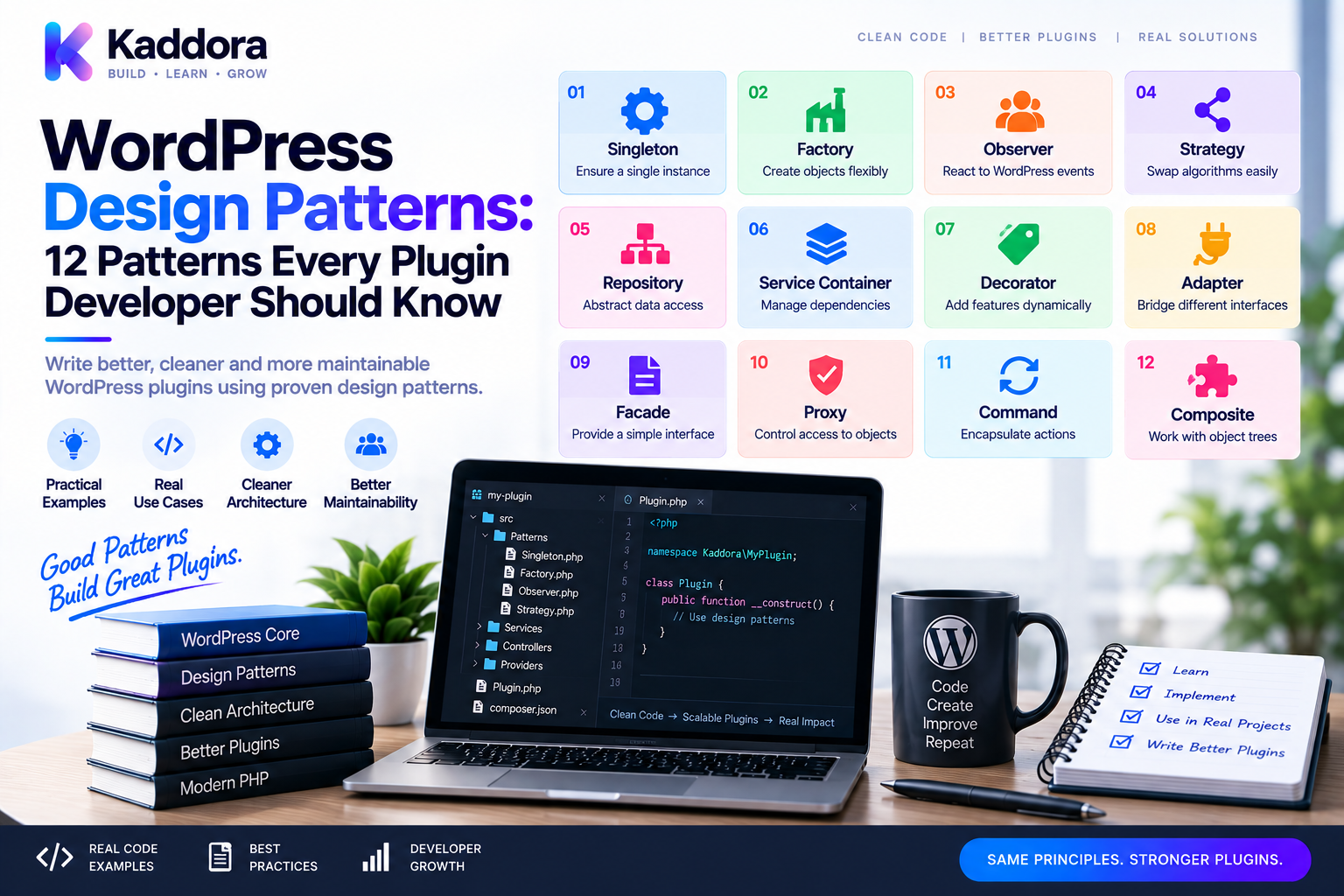
WordPress Design Patterns: 12 Patterns Every Plugin Developer Should Know
Introduction
A WordPress plugin may start with a few functions and quickly evolve into a much larger application.
A simple plugin might initially contain:
add_action( 'init', 'register_my_feature' );
As features grow, the same plugin may eventually need:
REST APIs
Admin dashboards
Database repositories
WooCommerce integrations
AI providers
Payment gateways
Background jobs
Caching
Logging
Notifications
Import and export systems
Third-party APIs
Without architectural discipline, the codebase can become tightly coupled and difficult to change.
This is where design patterns become useful.
A design pattern is a reusable solution to a recurring software-design problem.
Patterns don't provide a copy-and-paste architecture for every plugin.
Instead, they provide proven ways to organize responsibilities and relationships between objects.
Common patterns used in WordPress and PHP applications include:
Factory Strategy Adapter Repository Observer Dependency Injection Decorator Command Facade Builder Template Method State
Some patterns are especially useful because they fit naturally into WordPress's event-driven ecosystem.
For example:
WordPress Hooks ↓ Observer Pattern External APIs ↓ Adapter Pattern Multiple Algorithms ↓ Strategy Pattern Object Construction ↓ Factory Pattern Persistence ↓ Repository Pattern
In this guide, you'll learn which design patterns are most useful for WordPress plugin development, when to use them, when to avoid them, and how they fit together into a scalable plugin architecture.
What Is a Design Pattern?
A design pattern is a reusable architectural or object-oriented approach to solving a common design problem.
It is not a library.
It is not a framework.
It is not a fixed implementation.
For example, the Factory Pattern provides a structured approach for creating objects when the exact implementation may vary.
The concept looks like:
Application ↓ Factory ↓ Concrete Object
The exact PHP implementation depends on your plugin.
Why Design Patterns Matter in WordPress
WordPress has a distinctive architecture built around:
Hooks
Filters
Global APIs
Plugins
Themes
Metadata
Database APIs
REST endpoints
Cron
WP-CLI
Design patterns help organize application code around these platform features.
They can improve:
Maintainability
Extensibility
Testability
Separation of concerns
Dependency management
Reusability
Team collaboration
Long-term refactoring
However, patterns should solve real problems.
Don't Use Patterns Just to Look Professional
A common mistake is adding patterns because they sound advanced.
For example:
Simple Feature ↓ Factory ↓ Strategy ↓ Adapter ↓ Repository ↓ Facade ↓ Container
This can make a simple plugin harder to understand.
A better principle is:
Use the simplest pattern that solves the actual problem.
WordPress Design Pattern Categories
Design patterns can be grouped into several categories.
Creational Patterns
Deal with object creation.
Examples:
Factory
Builder
Structural Patterns
Deal with relationships between objects.
Examples:
Adapter
Facade
Decorator
Behavioral Patterns
Deal with communication and behavior.
Examples:
Strategy
Observer
Command
State
In WordPress, all three categories can be useful.
1. Factory Pattern
The Factory Pattern centralizes object creation.
Suppose a plugin supports multiple payment providers:
PaymentGatewayFactory ↓ ┌──────┼──────┐ ↓ ↓ ↓ Stripe PayPal Sandbox
Instead of:
if ( $provider === 'stripe' ) { $gateway = new StripeGateway(); } elseif ( $provider === 'paypal' ) { $gateway = new PayPalGateway(); }
throughout the application, keep the decision in one factory.
final class PaymentGatewayFactory { public function create( string $provider ): PaymentGatewayInterface { return match ($provider) { 'stripe' => new StripeGateway(), 'paypal' => new PayPalGateway(), default => new SandboxGateway(), }; } }
Best Use Cases
Factories are useful when:
Multiple implementations exist
Construction is complex
Configuration determines implementation
Object creation should be centralized
Don't create a factory if a simple constructor call is enough.
2. Strategy Pattern
The Strategy Pattern allows an application to select between interchangeable algorithms or behaviors.
For example, a plugin may calculate shipping using different strategies:
ShippingService ↓ ShippingStrategy ┌───┼────┐ ↓ ↓ ↓ Flat Weight Free Rate Based Shipping
Interface:
interface ShippingStrategyInterface { public function calculate( float $subtotal ): float; }
Implementations:
final class FlatRateStrategy implements ShippingStrategyInterface { public function calculate( float $subtotal ): float { return 10.00; } }
Another strategy:
final class FreeShippingStrategy implements ShippingStrategyInterface { public function calculate( float $subtotal ): float { return 0.0; } }
Best Use Cases
Strategy works well for:
Pricing algorithms
Shipping calculations
Recommendation logic
AI provider selection
Search algorithms
Authentication methods
Notification channels
3. Adapter Pattern
The Adapter Pattern is extremely useful for API integrations.
Suppose your application expects:
interface CRMInterface { public function createCustomer( array $data ): string; }
But an external provider has a completely different API:
$provider->createContact( $email, $name );
An adapter translates between the interfaces.
Application ↓ CRMInterface ↓ CRM Adapter ↓ External API
Example:
final class ProviderAdapter implements CRMInterface { public function __construct( private ExternalClient $client ) { } public function createCustomer( array $data ): string { return $this->client->createContact( $data['email'], $data['name'] ); } }
Best Use Cases
Adapters are ideal for:
Payment providers
CRM APIs
Email platforms
AI providers
Analytics services
Storage services
Shipping platforms
4. Repository Pattern
The Repository Pattern isolates persistence logic.
Instead of allowing services to perform raw SQL everywhere:
Service ↓ Repository ↓ Database
Example:
interface ProductRepositoryInterface { public function find( int $id ): ?array; public function save( array $data ): int; }
Implementation:
final class ProductRepository implements ProductRepositoryInterface { public function find( int $id ): ?array { // Database access. return null; } public function save( array $data ): int { // Persistence logic. return 0; } }
The service now depends on the repository abstraction.
Best Use Cases
Repositories are particularly useful for:
Custom database tables
Complex queries
Reusable persistence logic
WooCommerce data access
Reporting systems
Large plugins
5. Observer Pattern
The Observer Pattern is especially important in WordPress because WordPress hooks provide event-driven behavior.
The basic concept is:
Event ↓ Observers ├── Logger ├── Notification ├── Analytics └── CRM Sync
For example:
do_action( 'myplugin_order_completed', $orderId );
Observers subscribe:
add_action( 'myplugin_order_completed', [ $notificationService, 'send' ] );
WordPress hooks therefore provide a natural event-driven implementation.
Best Use Cases
Observer-style architecture is useful for:
Plugin events
Order events
User registration
Content publishing
Notifications
Analytics
Background processing
6. Dependency Injection
Dependency Injection is technically a design technique rather than a traditional GoF pattern, but it is one of the most important architectural tools for modern WordPress plugins.
Instead of:
class OrderService { public function __construct() { $this->repository = new OrderRepository(); } }
use:
class OrderService { public function __construct( private OrderRepositoryInterface $repository ) { } }
The dependency is supplied externally.
Best Use Cases
DI is useful for almost every non-trivial OOP plugin.
It improves:
Testing
Modularity
Replacement of implementations
Separation of concerns
7. Decorator Pattern
The Decorator Pattern wraps an object to add behavior without modifying its original implementation.
Suppose you have:
ProductRepository
You could add caching:
CachedProductRepository ↓ ProductRepository
Example:
final class CachedProductRepository implements ProductRepositoryInterface { public function __construct( private ProductRepositoryInterface $repository, private CacheInterface $cache ) { } public function find( int $id ): ?array { $key = 'product_' . $id; $cached = $this->cache->get($key); if ($cached !== null) { return $cached; } $product = $this->repository->find($id); if ($product !== null) { $this->cache->set($key, $product); } return $product; } }
Now caching is added without rewriting the original repository.
Best Use Cases
Decorators can add:
Caching
Logging
Metrics
Retry logic
Authorization
Debugging
8. Facade Pattern
A Facade provides a simpler interface over a complex subsystem.
Suppose an import workflow requires:
CSV Parser Validator Product Mapper Repository Logger
Instead of requiring the caller to coordinate everything:
$importFacade->import( $file );
The facade manages the subsystem:
ImportFacade ├── Parser ├── Validator ├── Mapper ├── Repository └── Logger
Best Use Cases
Facades are useful for:
Complex workflows
Import systems
Reporting
API orchestration
AI workflows
Multi-step business operations
9. Command Pattern
The Command Pattern represents an action as an object.
For example:
interface CommandInterface { public function execute(): void; }
Then:
final class GenerateReportCommand implements CommandInterface { public function __construct( private ReportService $service ) { } public function execute(): void { $this->service->generate(); } }
Commands are useful for:
Background jobs
WP-Cron
WP-CLI
Queues
Retry systems
Batch processing
10. State Pattern
The State Pattern allows behavior to change depending on an object's current state.
For example, an order might be:
Pending Processing Completed Cancelled Refunded
Instead of a giant conditional:
if ( $status === 'pending' ) { // ... } elseif ( $status === 'processing' ) { // ... } elseif ( $status === 'completed' ) { // ... }
state-specific behavior can be separated.
Order ↓ Current State ├── PendingState ├── ProcessingState ├── CompletedState └── CancelledState
Best Use Cases
State patterns can help with:
Orders
Subscriptions
Workflows
Approvals
Tickets
User lifecycle management
Don't use the pattern for simple status checks.
11. Builder Pattern
The Builder Pattern is useful when constructing complex objects.
For example:
$report = ReportBuilder::create() ->forCustomer($customerId) ->from($startDate) ->to($endDate) ->includeRevenue() ->includeOrders() ->build();
This is easier to read than a constructor with many parameters.
Best Use Cases
Builders are useful for:
Complex reports
Query configuration
API requests
Configuration objects
Complex domain objects
12. Template Method Pattern
The Template Method Pattern defines a common workflow while allowing subclasses to customize specific steps.
For example:
Import Process ↓ Validate ↓ Transform ↓ Save ↓ Finalize
Different imports can customize transformation.
However, composition and strategy objects are often more flexible than deep inheritance.
Use Template Method carefully.
Strategy vs State
These patterns are often confused.
Strategy
Chooses how an operation is performed.
Example:
Shipping Strategy ├── Flat Rate ├── Weight Based └── Free
State
Changes behavior based on current state.
Example:
Order ├── Pending ├── Processing └── Completed
The distinction is useful when designing plugin workflows.
Factory vs Dependency Injection
Factory and DI solve different problems.
Factory
Answers:
Which object should I create?
Factory ↓ Implementation
Dependency Injection
Answers:
How should this object receive its dependency?
Service ↑ Dependency
They can be used together.
Adapter vs Facade
These patterns are also frequently confused.
Adapter
Makes one interface compatible with another.
Application ↓ Expected Interface ↓ Adapter ↓ External API
Facade
Provides a simpler interface over a complicated subsystem.
Facade ↓ Complex Subsystem
Adapters translate.
Facades simplify.
Repository vs Data Mapper
A repository answers application-level persistence questions:
Find Product Save Product Delete Product
A Data Mapper focuses on mapping domain objects to persistence structures.
They can coexist:
Service ↓ Repository ↓ Data Mapper ↓ Database
Most WordPress plugins don't need a fully formal Data Mapper architecture.
Observer Pattern and WordPress Hooks
WordPress already provides a powerful event system.
A custom event might look like:
do_action( 'myplugin_customer_synced', $customerId );
Multiple observers can subscribe:
add_action( 'myplugin_customer_synced', [ $analytics, 'record' ] ); add_action( 'myplugin_customer_synced', [ $notification, 'send' ] );
This allows modules to remain relatively independent.
Use unique hook names and document the arguments.
Design Patterns and WordPress Filters
Filters can also participate in strategy-like architecture.
For example:
$value = apply_filters( 'myplugin_price', $value, $productId );
Third parties can alter behavior without modifying the plugin.
This is one reason WordPress's extension model already contains pattern-like concepts.
Design Patterns and REST APIs
REST controllers can act as adapters or facades depending on their role.
A clean architecture is:
REST Request ↓ Controller ↓ Service ↓ Repository
The controller handles HTTP representation.
The service handles application behavior.
The repository handles persistence.
Design Patterns and WooCommerce
WooCommerce plugins can use patterns for:
Payment gateways
Pricing strategies
Product repositories
Order workflows
Notifications
Analytics
Integrations
For example:
OrderService ↓ OrderRepository ↓ WooCommerce API
and:
PaymentService ↓ PaymentGatewayInterface ↓ Provider Adapter
Patterns should complement WooCommerce APIs rather than bypass them unnecessarily.
Design Patterns and AI Plugins
AI plugins commonly have multiple providers and workflows.
A useful architecture is:
AI Service ↓ AIProviderInterface ↓ ┌────────┬────────┬────────┐ ↓ ↓ ↓ Provider A Provider B Fake
The Strategy and Adapter patterns can work together:
AI Strategy ↓ Provider Adapter ↓ External AI API
This makes switching providers easier.
Design Patterns for API Integrations
A mature API integration may use:
Service ↓ Interface ↓ Adapter ↓ HTTP Client ↓ External API
The Adapter isolates provider-specific request and response formats.
A Facade can then expose a simpler application-level API.
Design Patterns for Background Jobs
Background processing can combine:
Command ↓ Job ↓ Service ↓ Repository / API
For example:
SyncProductsCommand ↓ ProductSyncService ↓ ProductRepository ↓ External API
This makes queued operations easier to test and retry.
Design Patterns for Caching
The Decorator Pattern is particularly useful:
Service ↓ CachedRepository ↓ BaseRepository ↓ Database
Caching becomes an architectural layer rather than a collection of cache calls scattered everywhere.
Design Patterns for Logging
Logging can also use Decorators.
OrderService ↓ LoggingDecorator ↓ Real OrderService
Or an injected logger can simply handle observability:
OrderService ↓ LoggerInterface
Use a decorator when cross-cutting behavior needs to wrap an existing component.
Design Patterns for Authentication
Strategy can be useful when authentication methods vary:
AuthenticationService ↓ AuthenticationStrategy ┌────┼────┐ ↓ ↓ ↓ JWT OAuth API Key
This keeps authentication mechanisms replaceable.
Design Patterns for Notifications
A plugin can use Strategy or Adapter patterns:
NotificationService ↓ NotificationInterface ┌─────┼─────┐ ↓ ↓ ↓ Email SMS Webhook
External providers can then be hidden behind adapters.
Pattern Composition
The most useful architectures usually combine multiple patterns.
For example:
REST Controller ↓ OrderService ↓ OrderRepository ↓ Database PaymentService ↓ PaymentGatewayInterface ↓ Adapter ↓ Payment Provider WordPress Hook ↓ Observer ↓ NotificationService
Each pattern solves a different problem.
Avoid Pattern Overlap
Don't use five patterns to solve one simple class.
For example, if you only need to choose between two algorithms:
Strategy
may be enough.
You don't also need:
Factory Repository Facade Decorator Container
unless each one solves a separate concern.
Design Patterns and SOLID
Design patterns work particularly well with SOLID principles.
For example:
Single Responsibility
Repositories focus on persistence.
Open/Closed
Strategy implementations can be added without rewriting the strategy consumer.
Liskov Substitution
Implementations should honor their interfaces.
Interface Segregation
Interfaces should remain focused.
Dependency Inversion
Services depend on abstractions where appropriate.
Patterns are useful when they reinforce these principles.
Design Patterns and Namespaces
Namespaced PHP classes make patterns easier to organize:
Kaddora\MyPlugin\ ├── Contracts ├── Factories ├── Strategies ├── Adapters ├── Repositories ├── Services └── Events
However, don't create a folder for every pattern automatically.
Organize primarily around application responsibilities.
Design Patterns and Composer
Composer PSR-4 autoloading works naturally with pattern-based OOP architecture.
For example:
{ "autoload": { "psr-4": { "Kaddora\\MyPlugin\\": "src/" } } }
Then:
Kaddora\MyPlugin\Repositories\OrderRepository
maps naturally to the filesystem.
Design Patterns and Dependency Injection Containers
A DI container can wire pattern implementations:
Container ↓ Interface Binding ↓ Concrete Implementation
For example:
PaymentGatewayInterface ↓ StripeAdapter
Then:
PaymentService ↓ PaymentGatewayInterface
The service remains unaware of the concrete adapter.
Testing Design Patterns
Patterns should improve testability rather than make tests harder.
For example, Strategy:
ShippingService ↓ FakeShippingStrategy
Repository:
OrderService ↓ FakeOrderRepository
Adapter:
PaymentService ↓ FakePaymentGateway
Testing becomes easier because boundaries are explicit.
Unit Testing Pattern-Based Components
Example:
$strategy = new FreeShippingStrategy(); $service = new ShippingService( $strategy ); self::assertSame( 0.0, $service->calculate(100.0) );
The test focuses on one responsibility.
Integration Testing Pattern-Based Architecture
Integration tests should verify that the pieces work together:
Controller ↓ Service ↓ Repository ↓ WordPress ↓ Database
Patterns don't remove the need for integration testing.
Static Analysis and Design Patterns
PHPStan can help ensure that pattern contracts remain valid.
For example:
public function __construct( PaymentGatewayInterface $gateway ) { }
Static analysis can verify that supplied implementations satisfy the required contract.
Strong typing becomes increasingly valuable as pattern-heavy architectures grow.
Design Patterns and PHPCS
Code standards remain important.
Patterns should not become an excuse for:
Huge classes
Poor naming
Inconsistent formatting
Missing escaping
Unsafe SQL
Incorrect WordPress API use
Architecture and coding standards work together.
Design Patterns and Performance
Patterns themselves don't guarantee better performance.
A Strategy implementation can be slower than a simple conditional if unnecessarily complicated.
A repository can hide expensive queries.
A decorator can add overhead.
A container can add resolution cost.
Use patterns to improve design, then profile performance.
Performance Example
Bad:
100 Products ↓ 100 Repository Calls ↓ 100 Database Queries
Better:
100 Products ↓ Batch Repository Query ↓ 1 Optimized Database Operation
Good architecture still requires good query design.
Security and Design Patterns
Patterns are not security controls.
A secure plugin still needs:
Authorization
Capability checks
Nonce validation
Input validation
Output escaping
Secure SQL
API authentication
Safe secret handling
Patterns can create cleaner boundaries for security components, but they don't make insecure code safe automatically.
Common WordPress Design Pattern Mistakes
Singleton Everywhere
Singletons can create hidden global state.
Factory for Every Class
Simple construction doesn't require factories.
Repository for Every Query
Tiny queries may not need repositories.
Giant Facades
A facade shouldn't become a God class.
Excessive Interfaces
Don't create interfaces without a meaningful reason.
Deep Inheritance
Favor composition when practical.
Pattern-Driven Architecture
Design should begin with requirements, not pattern names.
Ignoring WordPress APIs
Patterns should work with WordPress rather than fight it.
How to Choose the Right Design Pattern
Ask:
What problem am I solving?
Don't begin with:
"Which pattern should I use?"
Begin with:
"What is difficult to change?"
Examples:
Multiple Implementations → Strategy Complex Object Creation → Factory Incompatible External API → Adapter Complex Subsystem → Facade Persistence Logic → Repository Event Notifications → Observer Object Dependencies → Dependency Injection Cross-Cutting Behavior → Decorator Queued Action → Command State-Dependent Behavior → State
A Practical Pattern Selection Table
Problem
Useful Pattern
Typical WordPress Example
Multiple implementations
Strategy
Payment or shipping methods
Object construction varies
Factory
Provider selection
External API mismatch
Adapter
CRM or AI provider
Persistence abstraction
Repository
Custom database tables
Event-driven behavior
Observer
WordPress hooks
Complex dependencies
Dependency Injection
Services and controllers
Add behavior around an object
Decorator
Cache or logging
Simplify complex workflow
Facade
Import/export system
Encapsulate an action
Command
Cron or WP-CLI jobs
Behavior depends on status
State
Order/subscription workflow
Complex object creation
Builder
Reports/API requests
Recommended WordPress Plugin Architecture
A scalable plugin can combine several patterns:
WordPress │ ┌───────────────┼───────────────┐ ↓ ↓ ↓ REST Admin Hooks │ │ │ └───────────────┼───────────────┘ ↓ Application Services ↓ ┌──────────┼──────────┐ ↓ ↓ ↓ Repositories Strategies Adapters ↓ ↓ ↓ Database Algorithms External APIs
Dependency Injection connects these components.
A container can manage composition when the dependency graph justifies it.
Example: Commerce Plugin Architecture
A WooCommerce-oriented plugin might use:
OrderController ↓ OrderService ↓ OrderRepository PaymentService ↓ PaymentGatewayInterface ↓ PaymentAdapter OrderCompleted ↓ WordPress Hook ↓ Notification Observer
This structure isolates:
HTTP
Business logic
Persistence
External APIs
Events
Example: AI Plugin Architecture
An AI plugin might use:
REST Controller ↓ AIService ↓ AIProviderInterface ↓ Provider Adapter ↓ External AI API AIService ↓ Cache Decorator ↓ Response Cache
A Factory or Strategy can determine which AI provider to use.
Example: Analytics Plugin Architecture
A reporting plugin could use:
ReportController ↓ ReportService ↓ ReportRepository ↓ Database ReportService ↓ ExportStrategy ┌────┼─────┐ ↓ ↓ ↓ CSV JSON Excel
Each export format becomes an interchangeable strategy.
Design Patterns and Modular WordPress Plugins
Large plugins can organize modules:
Commerce Analytics Automation AI Reporting Notifications
Each module can contain appropriate patterns without forcing the entire plugin into one global architecture.
For example:
Commerce ├── Services ├── Repositories ├── Strategies └── Adapters AI ├── Services ├── Providers └── Adapters
This keeps patterns close to the problems they solve.
Design Patterns and Events
WordPress's hook system can support a loosely coupled module architecture.
For example:
Order Completed ↓ Custom Action ↓ Analytics ↓ CRM ↓ Notification
Each observer can operate independently.
This is particularly useful when building extensible plugin ecosystems.
Design Patterns and Service Containers
A mature plugin may combine:
Container ↓ Services ↓ Repositories ↓ Adapters ↓ Strategies
The container handles construction.
The patterns handle responsibilities and relationships.
These are complementary concepts.
Design Patterns and AI-Assisted Development
AI tools can help developers identify patterns in existing WordPress code.
For example:
Legacy Plugin ↓ Analyze Classes ↓ Find Repeated Responsibilities ↓ Identify Candidate Patterns ↓ Suggest Refactoring ↓ Developer Review ↓ Tests
AI can identify:
God classes
Repeated conditionals
Duplicate API integrations
Scattered database queries
Multiple interchangeable algorithms
Repeated object creation
Hook-driven event behavior
However, AI should not automatically convert every code block into a design pattern.
The pattern should solve a real maintenance problem.
AI Refactoring Example
Suppose the code contains:
if ($provider === 'a') { // Request A } if ($provider === 'b') { // Request B } if ($provider === 'c') { // Request C }
AI may identify Strategy + Adapter as candidates:
Provider Strategy ↓ Provider Adapter
That can be useful if the number of providers is growing.
For two trivial providers, however, a simple conditional may still be the better design.
Design Pattern Adoption Workflow
Use this process:
Step 1
Identify the actual problem.
Step 2
Measure how often the problem occurs.
Step 3
Identify what needs to vary.
Step 4
Choose the simplest appropriate pattern.
Step 5
Implement a small version.
Step 6
Write tests around the new boundary.
Step 7
Integrate with existing WordPress APIs.
Step 8
Run static analysis and coding standards.
Step 9
Measure performance.
Step 10
Document the pattern for the team.
Design Pattern Checklist
Before Using a Pattern
Is there a real recurring problem?
Will the pattern reduce coupling?
Will it improve testability?
Does it simplify future changes?
During Implementation
Responsibilities are clear
Dependencies are explicit
Interfaces are focused
WordPress APIs are used appropriately
Security boundaries remain intact
After Implementation
Unit tests pass
Integration tests pass
PHPStan passes
PHPCS passes
Performance has been considered
Documentation is updated
Patterns You Should Learn First
For most WordPress plugin developers, the highest-value patterns to understand first are:
1. Dependency Injection 2. Repository 3. Strategy 4. Adapter 5. Factory 6. Observer
These cover many common WordPress plugin problems.
After that, learn:
Decorator Facade Command State Builder
based on actual project requirements.
When Not to Use a Design Pattern
Do not introduce a pattern when:
The problem occurs only once
The implementation is already simple
The abstraction makes the code harder to read
The team cannot understand the architecture
Testing becomes more complicated
Performance becomes unnecessarily worse
Future change is unlikely
Simple code is often the best architecture.
Why Choose ThemeKaddora?
ThemeKaddora develops WordPress themes, plugins, WooCommerce solutions, AI products, HTML templates, UI kits, SaaS-oriented products, and business-focused digital solutions.
As products grow, appropriate design patterns can support:
WordPress APIs ↓ Application Services ↓ Patterns ┌────┼────┬────┬─────┐ ↓ ↓ ↓ ↓ ↓ Repo Strategy Adapter Factory Observer ↓ Infrastructure
For example, a ThemeKaddora product with multiple API providers may use Adapter and Strategy patterns.
A WooCommerce product with complex persistence may use Repository.
A modular product can use Observer-style WordPress hooks.
A large dependency graph can use Dependency Injection and, when justified, a service container.
The objective should remain practical:
Choose patterns that make ThemeKaddora products easier to maintain, test, extend, and support.
Do not force every product to implement every pattern.
Final Thoughts
Design patterns are valuable because they help developers solve recurring architecture problems without reinventing the design from scratch.
For WordPress plugin development, several patterns are particularly useful:
Dependency Injection Repository Strategy Adapter Factory Observer Decorator Facade Command State Builder
The most important lesson is not memorizing pattern definitions.
It is learning when a pattern is actually useful.
For example:
Need interchangeable behavior?
Use Strategy.
Need provider-specific API translation?
Use Adapter.
Need centralized persistence?
Use Repository.
Need flexible object creation?
Use Factory.
Need event-driven communication?
Use Observer and WordPress hooks.
Need explicit dependencies?
Use Dependency Injection.
Need to add caching or logging around an existing object?
Use Decorator.
Need to simplify a complex subsystem?
Use Facade.
Need to represent a queued action?
Use Command.
Need behavior that changes according to lifecycle state?
Use State.
Need to build a complex object step by step?
Use Builder.
Patterns become even more useful when combined with:
Namespaces
Composer
PSR-4
Service classes
Repositories
Dependency injection
Static analysis
PHPUnit
PHPCS
CI/CD
The resulting architecture can look like:
WordPress ↓ Hooks / REST / Admin / Cron ↓ Services ↓ Patterns ┌────┼─────────┬──────────┐ ↓ ↓ ↓ ↓ Repo Strategy Adapter Factory ↓ ↓ ↓ DB Logic External APIs
The key is balance.
Too little architecture creates tightly coupled code.
Too much architecture creates unnecessary complexity.
The best WordPress plugins use patterns selectively.
They introduce an abstraction because a real problem exists—not because a design-pattern diagram looks impressive.
A strong development process is:
Identify the problem → choose the simplest pattern → implement the boundary → test it → measure it → evolve it.
That approach allows a plugin to grow without forcing every feature into the same architectural mold.
For ThemeKaddora products, this is especially useful when building complex WordPress, WooCommerce, AI, analytics, automation, and SaaS-oriented solutions where multiple integrations and business workflows need to remain maintainable over time.
The goal is not to use more patterns.
The goal is to create better software with fewer unnecessary dependencies and clearer responsibilities.
Frequently Asked Questions
What are WordPress design patterns?
WordPress design patterns are reusable approaches for solving recurring software-design problems when developing themes, plugins, integrations, and WordPress applications.
Why should WordPress plugin developers learn design patterns?
Patterns can improve maintainability, testability, extensibility, separation of concerns, and dependency management in complex plugins.
What is the most useful design pattern for WordPress plugins?
Dependency Injection is one of the most broadly useful techniques for modern OOP WordPress plugins. Repository, Strategy, Adapter, Factory, and Observer patterns are also highly practical.
What is the Factory Pattern in WordPress?
The Factory Pattern centralizes object creation, especially when the implementation varies based on configuration or runtime requirements.
When should I use the Strategy Pattern?
Use Strategy when an application needs multiple interchangeable algorithms or behaviors, such as pricing, shipping, authentication, exports, or AI provider selection.
What is the Adapter Pattern used for?
Adapter is commonly used to translate an application's interface into the interface expected by an external provider such as a CRM, payment gateway, email service, or AI API.
What is the difference between Adapter and Facade?
Adapter makes incompatible interfaces work together. Facade simplifies access to a complex subsystem.
Should every WordPress plugin use design patterns?
No. Small plugins may not need formal patterns. Patterns become more valuable as complexity, integrations, and maintenance requirements increase.
Can too many design patterns hurt a plugin?
Yes. Excessive patterns create abstraction overhead, increase complexity, and can make simple behavior difficult to understand.
Should I use a Repository for every WordPress query?
No. A repository is most useful when persistence logic is complex, repeated, shared, or important enough to justify an abstraction.
Should I use a Factory for every class?
No. A simple constructor is sufficient when object creation has no meaningful variation or complexity.
Should every class have an interface?
No. Interfaces should be introduced when they provide meaningful substitution, testing, extensibility, or architectural decoupling.
Can design patterns improve WordPress performance?
Not automatically. Patterns primarily improve architecture. Some patterns can even add overhead if used unnecessarily. Performance should be measured.
Can design patterns improve security?
Patterns are not security controls. They can create cleaner boundaries for authentication, authorization, validation, logging, and integrations, but secure coding practices are still required.
Can design patterns work with WooCommerce?
Yes. WooCommerce extensions can use Repository, Strategy, Adapter, Factory, Observer-style hooks, and Dependency Injection patterns.
Can AI plugins use design patterns?
Yes. AI plugins commonly benefit from Strategy and Adapter patterns for multiple providers, Repository for persistence, Decorator for caching, and Dependency Injection for testability.
Can payment gateway integrations use design patterns?
Yes. Strategy and Adapter patterns are particularly useful when several payment providers need to share a common application interface.
Can design patterns work with REST APIs?
Yes. REST controllers can delegate to services, repositories, strategies, and adapters.
Can WP-Cron use design patterns?
Yes. Command-style jobs can coordinate scheduled operations while services and repositories handle the underlying application logic.
Can WP-CLI use design patterns?
Yes. CLI commands can use Command-like objects and reuse application services.
Can design patterns work with WordPress hooks?
Yes. Observer-style architecture naturally fits WordPress actions and filters.
Can PHPStan help with design-pattern architecture?
Yes. Strong interfaces and type declarations make static analysis useful for validating relationships among pattern components.
Can PHPCS be used with pattern-based plugins?
Yes. Coding standards apply regardless of architecture and are particularly important as the number of classes increases.
Can AI identify design patterns in legacy WordPress code?
Yes. AI can analyze repeated conditionals, duplicated integrations, database access, and object-construction patterns and suggest candidate refactorings.
Should AI automatically refactor my plugin into design patterns?
No. AI-generated architecture should be reviewed by developers. Pattern-based refactoring can accidentally change hooks, public APIs, compatibility, database behavior, or performance.
Why choose ThemeKaddora?
ThemeKaddora develops WordPress themes, plugins, WooCommerce solutions, AI products, HTML templates, UI kits, SaaS-oriented solutions, and business-focused digital products using maintainable architecture, modern PHP practices, API integrations, testing, performance considerations, and scalable engineering workflows.
Comments (0)