
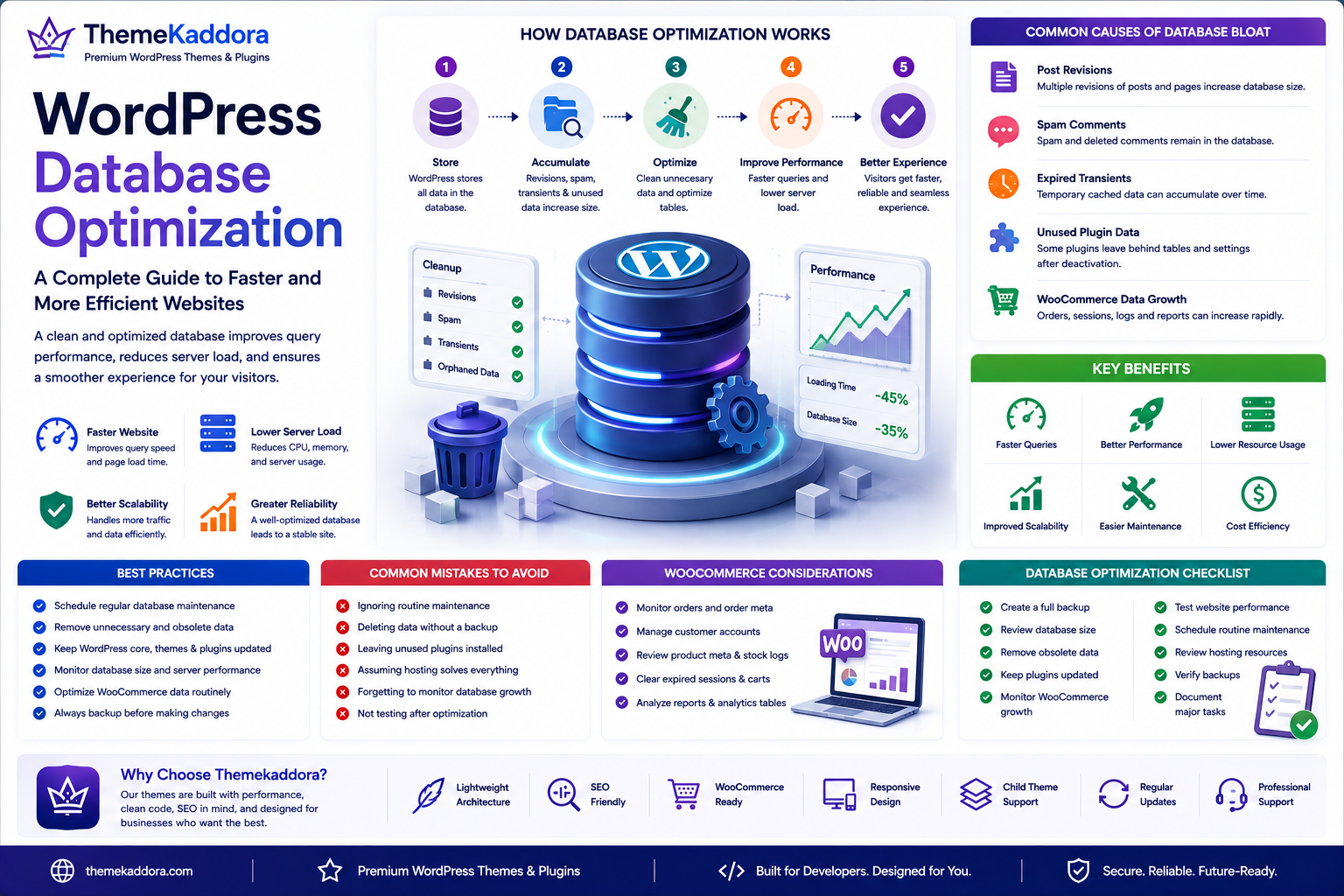
WordPress Database Optimization: A Complete Guide to Faster and More Efficient Websites
Introduction
Every WordPress website relies on a database to store posts, pages, settings, comments, users, products, and other essential information. As your website grows, the database also grows, and without regular maintenance it can become inefficient.
A bloated database may slow page generation, increase server load, and affect the overall user experience.
Database optimization is the process of improving how data is stored, retrieved, and maintained. Regular optimization helps websites load faster, improves scalability, and reduces unnecessary resource usage.
Whether you manage a business website, WooCommerce store, membership platform, or large publishing site, optimizing the database should be part of your maintenance strategy.
What Is the WordPress Database?
WordPress uses a relational database to store website content and configuration.
Typical data includes:
Posts and pages
User accounts
Comments
Categories and tags
Media information
Plugin settings
Theme options
WooCommerce products and orders
When a visitor requests a page, WordPress retrieves the required information from the database and generates the page dynamically.
Why Database Optimization Matters
An unoptimized database can lead to:
Slower page loading
Increased server response times
Higher CPU usage
Poor admin dashboard performance
Longer backup times
Reduced scalability
Routine maintenance helps avoid these issues and keeps your website responsive.
Common Causes of Database Bloat
Over time, unnecessary data accumulates.
Common sources include:
Post Revisions
WordPress automatically saves revisions, which can increase database size.
Spam Comments
Spam and deleted comments often remain until cleaned up.
Expired Temporary Data
Temporary cached information can accumulate if not managed properly.
Unused Plugin Data
Some plugins leave behind tables or settings after removal.
WooCommerce Data
Large stores generate significant order, customer, and session data.
Benefits of Database Optimization
Faster Queries
Optimized tables help WordPress retrieve information more efficiently.
Better Website Performance
Reduced database overhead contributes to faster page generation.
Lower Server Resource Usage
Efficient queries reduce CPU and memory consumption.
Improved Scalability
Optimized databases handle increasing traffic more effectively.
Easier Maintenance
Smaller, well-organized databases simplify backups and migrations.
Best Practices
Schedule Regular Maintenance
Review and optimize the database on a regular basis.
Remove Unnecessary Data
Delete obsolete revisions, spam comments, and unused plugin data when appropriate.
Keep Plugins Updated
Modern plugins often include performance improvements and better database management.
Monitor Database Growth
Track database size over time to identify unusual increases.
Back Up Before Major Changes
Always create a verified backup before performing maintenance.
WooCommerce Database Considerations
Online stores often experience rapid database growth.
Monitor:
Orders
Customer accounts
Product metadata
Analytics data
Session information
Regular reviews help maintain performance as the business grows.
Common Mistakes to Avoid
Avoid these common issues:
Ignoring routine maintenance
Removing data without backups
Leaving unused plugins installed
Assuming hosting alone solves performance problems
Forgetting to monitor database growth
Database Optimization and SEO
A faster database supports:
Better page speed
Improved Core Web Vitals
Lower bounce rates
Better user engagement
More efficient crawling
While optimization alone does not improve rankings, it supports many technical SEO factors.
Why Choose Themekaddora?
Themekaddora themes are built with performance and maintainability in mind.
Our themes provide:
Lightweight architecture
SEO-friendly code
Responsive layouts
WooCommerce compatibility
Clean development standards
Flexible customization
Accessibility-ready design
Cross-browser compatibility
Regular updates
Professional support
Combined with good database maintenance, Themekaddora themes help businesses create fast, reliable, and scalable WordPress websites.
WordPress Database Optimization Checklist
Before optimizing your database, make sure you:
✅ Create a full backup
✅ Review database size
✅ Remove obsolete data
✅ Keep plugins updated
✅ Monitor WooCommerce growth
✅ Test website performance
✅ Schedule routine maintenance
✅ Review hosting resources
✅ Verify backups
✅ Document major maintenance tasks
Conclusion
A healthy database is the foundation of a fast and reliable WordPress website. Regular optimization improves query efficiency, reduces server load, and helps websites scale as traffic and content grow.
By combining database optimization with quality hosting, caching strategies, and lightweight themes from Themekaddora, businesses can deliver a faster, more dependable experience for visitors while simplifying long-term website maintenance.
Frequently Asked Questions
What is WordPress database optimization?
It is the process of cleaning, organizing, and maintaining the WordPress database to improve performance and efficiency.
How often should I optimize my database?
The ideal frequency depends on how often your website changes. High-traffic websites and WooCommerce stores generally benefit from more regular maintenance than smaller sites.
Can database optimization improve website speed?
Yes. Efficient database queries can reduce page generation time and improve overall performance.
Is database optimization safe?
It is generally safe when performed carefully, but you should always create a complete backup before making significant changes.
Why choose Themekaddora?
Themekaddora themes combine lightweight architecture, responsive design, SEO-friendly code, WooCommerce compatibility, clean development standards, accessibility support, regular updates, and professional support—providing an excellent foundation for high-performance WordPress websites.
Comments (0)