
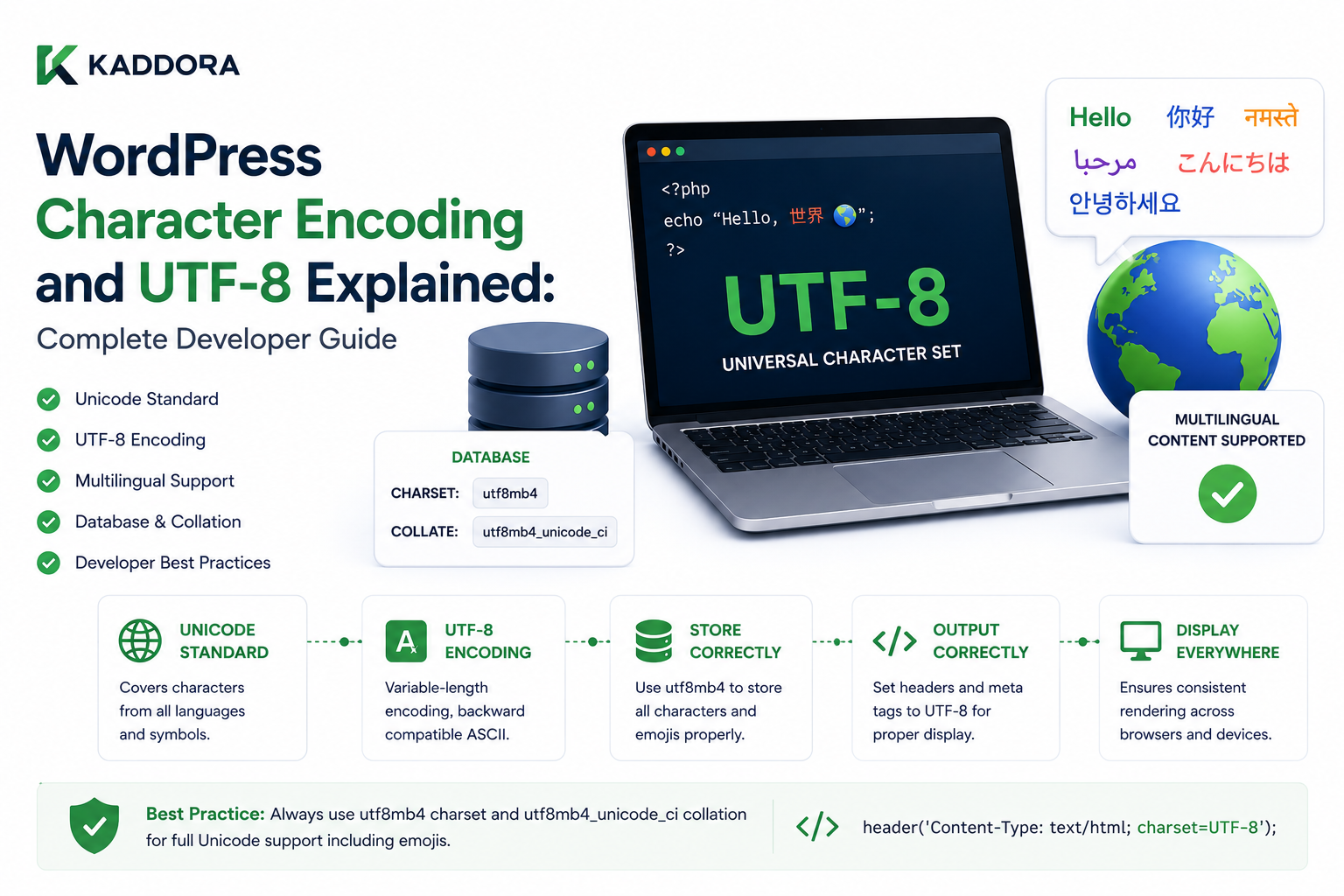
WordPress Character Encoding and UTF-8 Explained: Complete Developer Guide
Introduction
WordPress websites display and store an enormous variety of characters.
A single website may contain:
English Hindi Arabic Chinese Japanese French Spanish Emojis Symbols Accented Characters
For example:
Hello नमस्ते مرحبا 你好 こんにちは Café 🚀
For these characters to travel correctly from:
Browser ↓ HTTP Request ↓ PHP ↓ WordPress ↓ Database ↓ HTML
the different layers need to understand character encoding consistently.
This is where UTF-8 and character encoding become important.
A simplified architecture is:
User Input ↓ HTTP / Browser Encoding ↓ PHP / WordPress ↓ Database Charset ↓ Database Collation ↓ Stored Data ↓ HTML Response ↓ Browser
If these layers are configured incorrectly, users may see broken text such as:
é
instead of:
é
or:
😊
instead of:
😊
These problems are often symptoms of mismatched encoding.
Character encoding also affects much more than visible text.
It can influence:
Multilingual WordPress
Search
Database storage
Sorting
Comparisons
Import/export
REST APIs
JSON
CSV files
WooCommerce products
Customer names
Addresses
Email content
AI-generated text
External integrations
Developers therefore need to understand several related concepts:
Character Encoding
How characters are represented as bytes.
Character Set
The set of characters supported by an encoding system.
Collation
Rules used by the database for comparing and sorting text.
UTF-8
A Unicode encoding that can represent a very large range of characters.
utf8mb4
A MySQL-compatible character set capable of storing the full UTF-8 range, including many characters such as emoji.
One of the most important WordPress database considerations is the difference between:
utf8
and:
utf8mb4
In MySQL-family systems, utf8 historically did not represent the full Unicode range. utf8mb4 provides full four-byte UTF-8 support.
This became particularly important for emoji and certain non-BMP Unicode characters.
A modern WordPress database should therefore use an appropriate Unicode character set and collation for the site's data.
This guide explains how character encoding works in WordPress, why UTF-8 matters, how utf8mb4 fits into the database architecture, how collation affects sorting and comparisons, how multilingual data is stored, how encoding problems occur, how APIs and JSON interact with UTF-8.
What Is Character Encoding?
Character encoding defines how textual characters are represented as binary data.
A computer ultimately stores:
0s and 1s
but users work with:
A é न 中 😊
The encoding system provides the mapping between those characters and their byte representation.
What Is Unicode?
Unicode is a standard designed to represent characters from many writing systems.
It includes characters from:
Latin alphabets
Indic scripts
Arabic
Cyrillic
Chinese
Japanese
Korean
Mathematical symbols
Emoji
Many other writing systems
Unicode is therefore the foundation for modern multilingual text handling.
What Is UTF-8?
UTF-8 is a variable-length encoding for Unicode.
A character can use different numbers of bytes depending on the character.
For example:
Basic Latin → commonly 1 byte Many accented characters → multiple bytes Some other Unicode characters → more bytes
This makes UTF-8 compatible with ASCII for the basic English character range while supporting a much broader set of characters.
Why UTF-8 Is Important for WordPress
WordPress is used globally.
A site may store:
English Text Hindi Text Chinese Text Arabic Text Emoji
Using a Unicode-capable encoding allows these values to coexist.
What Is utf8mb4?
utf8mb4 is a MySQL-family character set designed to support the full range of Unicode characters represented using UTF-8.
The name can be understood as:
utf8 + maximum 4 bytes per character
The important practical difference is that utf8mb4 supports Unicode characters that older MySQL utf8 did not fully support.
Why Emoji Exposed the Difference
Consider:
Hello 😊
Some older database configurations could not store every Unicode character in the string.
The result could be:
Insert errors
Truncated text
Replacement characters
Corrupted display
utf8mb4 was designed to handle the full range.
WordPress and utf8mb4
Modern WordPress installations generally support and prefer modern Unicode-compatible database configurations when the environment allows them.
For plugin developers, the key principle is:
Do not assume an old utf8 database configuration is enough for all modern Unicode content.
Character Set vs Collation
These concepts are related but different.
Character Set
Defines what characters can be represented.
Example:
utf8mb4
Collation
Defines how text values are compared and sorted.
For example:
ABC abc
may be treated differently depending on collation rules.
Why Collation Matters
Consider a query:
SELECT ... WHERE name = 'Cafe'
What should happen when the stored value is:
Café
The answer depends on the comparison rules.
Collation determines aspects such as:
Case sensitivity
Accent sensitivity
Sorting order
Comparison behavior
Case Sensitivity
Some collations treat:
WordPress
and:
wordpress
as equivalent for comparisons.
Others may distinguish them.
This can affect searches and uniqueness constraints.
Accent Sensitivity
Some collations may treat:
cafe
and:
café
as equivalent for comparison.
Others may distinguish them.
This matters when designing search and uniqueness behavior.
Character Encoding in the Browser
The browser also needs to know which encoding the HTML response uses.
Modern HTML generally uses:
<meta charset="UTF-8">
This tells the browser how to interpret the document bytes.
HTTP Content-Type
Servers can also communicate the encoding through HTTP headers.
For example:
Content-Type: text/html; charset=UTF-8
The browser can then interpret the response correctly.
Why HTML Encoding Matters
Suppose the server sends UTF-8 bytes but the browser interprets them using a different encoding.
You may see:
Café
become:
Café
This is a classic encoding mismatch.
WordPress and HTML Encoding
WordPress themes and applications should generate proper HTML encoding and use the WordPress APIs for escaping output.
Character encoding and HTML escaping are related but are not the same thing.
Encoding vs Escaping
This is a common source of confusion.
Encoding
Describes how characters are represented.
Escaping
Transforms text so it can safely appear in a particular output context.
For example:
<Hello>
may need HTML escaping when placed into markup.
UTF-8 does not replace the need for escaping.
WordPress Escaping Functions
Depending on context, WordPress provides functions such as:
esc_html() esc_attr() esc_url() wp_kses()
These protect output from being interpreted incorrectly by HTML or other contexts.
Encoding and Database Storage
A WordPress database should use a consistent character set and appropriate collation across the tables and columns that store text.
A mixed encoding environment can create unpredictable behavior.
Why Mixed Encodings Are Dangerous
Suppose:
Table A → utf8mb4 Table B → latin1
and the plugin moves text between them.
Characters may be:
Lost
Converted
Replaced
Corrupted
The safest architecture uses compatible Unicode settings throughout the data path.
WordPress Database Charset
WordPress exposes database configuration through the $wpdb abstraction.
For custom table creation, developers can use:
global $wpdb; $charset_collate = $wpdb->get_charset_collate();
This helps a plugin use the site's configured charset and collation.
Why get_charset_collate() Matters
A plugin should not blindly hardcode:
DEFAULT CHARSET=utf8mb4
without understanding the site's supported database configuration.
Using WordPress's database abstraction improves compatibility.
Custom Tables and Encoding
Suppose a ThemeKaddora plugin creates:
wp_kdr_events
and stores:
Customer Name Product Name AI Output
The table should use an appropriate charset and collation.
Otherwise, multilingual data may fail unexpectedly.
Example Custom Table Setup
A conceptual pattern is:
global $wpdb; $table_name = $wpdb->prefix . 'kdr_events'; $charset_collate = $wpdb->get_charset_collate();
The plugin can then define its schema using the returned character-set and collation information.
Character Length and Database Limits
Developers must also distinguish:
Characters
from:
Bytes
UTF-8 characters can require different numbers of bytes.
Therefore:
VARCHAR(255)
describes a character length rather than a fixed number of bytes in every encoding context.
Index Length and utf8mb4
UTF-8-compatible four-byte character sets can affect index size because the maximum byte representation of a character is larger.
This historically created practical index-length considerations on older MySQL versions and storage engines.
Modern WordPress environments generally support configurations designed to handle this properly, but plugin developers should still design schemas carefully.
Unique Indexes and Collation
Suppose a plugin creates:
UNIQUE KEY email
The collation can affect whether values that differ only by case or accents are considered duplicates.
Therefore, uniqueness rules should be designed together with collation requirements.
Slugs and Character Encoding
WordPress slugs can contain non-ASCII characters.
For example:
/नमस्ते/
or:
/你好/
WordPress handles URL encoding so browsers can request such URLs.
URL Encoding vs Character Encoding
These are related but different.
Character Encoding
How text is represented internally.
URL Encoding
How unsafe or non-ASCII characters are represented inside a URL.
For example, Unicode characters may be percent-encoded in the actual HTTP request.
WordPress Permalinks and Unicode
WordPress can support internationalized slugs.
However, plugins should use WordPress permalink APIs rather than manually creating URL paths from raw database values.
sanitize_title()
When creating slugs from titles, WordPress provides functions such as:
sanitize_title()
This helps create URL-safe slugs.
Multilingual Slugs
A multilingual site may have:
/en/about/
and:
/hi/हमारे-बारे-में/
depending on the chosen architecture.
The slug can reflect the target language.
Encoding and REST APIs
REST APIs commonly return UTF-8 JSON.
For example:
{ "title": "नमस्ते दुनिया", "emoji": "🚀" }
The API consumer must correctly interpret the response encoding.
JSON and UTF-8
JSON is designed around Unicode text, and modern JSON APIs typically use UTF-8.
PHP applications should therefore ensure that strings passed into JSON encoding are valid UTF-8.
json_encode() and Invalid UTF-8
If a PHP string contains invalid UTF-8 sequences, json_encode() can fail or return an error depending on the options and PHP version.
This can break REST or AJAX responses.
Why API Data Can Break
Imagine an external API sends:
Invalid Byte Sequence
and a WordPress plugin directly passes the string to:
json_encode()
The API response may fail.
Input validation and encoding normalization can prevent this.
Character Encoding and AJAX
AJAX responses often contain:
JSON
HTML
Text
The response format and encoding should be consistent.
Character Encoding and Forms
Browser forms can submit multilingual text such as:
Name: कंचन Message: Hello 😊
WordPress receives the request and stores the text according to the application's character handling and database encoding.
Form Data and Validation
Developers should validate expected input while preserving legitimate Unicode content.
Do not strip non-ASCII characters merely because the developer expects English text.
Input Sanitization and Unicode
Sanitization should match the field's purpose.
For example:
Email → Email validation Name → Text sanitization URL → URL validation Rich Content → HTML / KSES handling
Avoid generic "remove all non-English characters" logic.
Character Encoding and Search
Search behavior can be influenced by:
Character set
Collation
WordPress search implementation
Database engine
Search provider
A multilingual site may require language-aware search infrastructure for high-quality results.
Collation and Search
A case-insensitive collation can make:
WordPress wordpress WORDPRESS
compare similarly.
This may be useful for some searches.
Language-Specific Sorting
Different languages have different alphabetical rules.
Database collation alone may not provide the complete linguistic sorting behavior required by every language.
Advanced multilingual search systems may need dedicated language-aware analyzers.
Unicode Normalization
Unicode can sometimes represent visually similar text using different underlying sequences.
For example, a character with an accent may be represented as:
Precomposed Character
or:
Base Character + Combining Mark
These can look identical while having different byte sequences.
Applications that compare Unicode strings at a low level should understand normalization.
Why Unicode Normalization Matters
It can affect:
Equality
Search
Slug generation
Deduplication
External API matching
Usernames
Most WordPress application code does not need to manually normalize every string, but integrations involving strict Unicode comparison should account for it.
Character Encoding and Usernames
WordPress usernames and user data have their own validation rules.
A plugin should not assume all user-facing names are:
ASCII
Display names can contain international characters.
Character Encoding and Email
Emails may contain Unicode in:
Subject lines
Body content
Names
Email infrastructure must support appropriate character encoding.
WordPress Email Output
When generating email content, use WordPress's mail APIs and appropriate headers rather than manually constructing raw transport details.
Character Encoding and WooCommerce
WooCommerce stores multilingual product and customer information.
Examples include:
Product Name Customer Name Address Order Note Review
These can contain Unicode characters.
A custom extension must not assume ASCII-only data.
Customer Address Example
A customer may enter:
北京市
or:
दिल्ली
or:
São Paulo
The plugin should preserve valid Unicode throughout the processing pipeline.
Character Encoding and AI
AI systems frequently return multilingual output and emoji.
For example:
AI Response → हिंदी → العربية → 🚀
The plugin must preserve encoding from:
AI API ↓ PHP ↓ WordPress ↓ Database / Cache ↓ Browser
AI Response Caching
If AI results are cached:
Cache
must preserve the correct Unicode bytes.
Encoding bugs in cache serialization or storage can produce corrupted results.
Character Encoding and Analytics
Analytics may include:
Product Name Customer Name Search Query UTM Parameter
These values can contain Unicode.
Analytics pipelines should not silently convert them into ASCII.
Character Encoding and CSV Exports
CSV files are a common source of encoding confusion.
A CSV exported as UTF-8 may open incorrectly in some spreadsheet applications if the expected encoding differs.
Where appropriate, exported files can use UTF-8 with a suitable BOM strategy or document the expected encoding.
The correct approach depends on the target consumer.
Character Encoding and XML
XML documents can declare their encoding:
<?xml version="1.0" encoding="UTF-8"?>
WordPress feeds and integrations should preserve correct encoding declarations.
Character Encoding and REST Headers
API responses should communicate an appropriate content type.
For JSON:
application/json
is commonly used, with UTF-8 handling expected for modern JSON APIs.
Character Encoding and Database Imports
Imports can fail when:
Source Encoding ≠ Target Encoding
For example:
CSV → Windows-1252 Database → utf8mb4
A migration process may need explicit conversion.
Import Pipelines
A robust import flow is:
External File ↓ Detect / Confirm Encoding ↓ Normalize ↓ Validate ↓ Transform ↓ Store
Do not assume every uploaded CSV is UTF-8.
Character Encoding During Migrations
A WordPress database migration may involve:
Old Database ↓ Export ↓ Transfer ↓ Import ↓ New Database
If encoding or collation changes during the process, text may become corrupted.
Backup Validation
After a migration, verify examples containing:
é न 中 😊
rather than checking only English text.
These characters can reveal encoding problems quickly.
Character Encoding and Database Collation Changes
Changing a table's charset or collation can affect:
Existing data
Indexes
Sort behavior
Comparisons
Storage size
This should be treated as a database migration rather than a casual setting change.
Never "Fix" Corrupted Text by Random Re-Encoding
If the database already contains:
é
changing the browser charset may not solve the problem.
You first need to identify where the incorrect conversion occurred.
Possible sources include:
Import process
Database connection
Double encoding
Incorrect HTTP headers
File encoding
External API
Common Encoding Failure Pattern
A classic corruption flow is:
é ↓ UTF-8 bytes ↓ Wrongly interpreted as Latin-1 ↓ é
If the result is then encoded again, corruption can compound.
Debugging Broken Characters
When text appears corrupted:
1. Inspect Original Source 2. Inspect HTTP Response 3. Inspect PHP String 4. Inspect Database Value 5. Inspect Database Charset 6. Inspect Collation 7. Inspect Import / API 8. Inspect Output Headers
Find the first point where the text changes.
Database Inspection
Check:
Character Set Collation Column Definition Connection Charset
The database may be configured correctly while one column uses a different charset.
PHP String Inspection
Developers can inspect whether strings are valid UTF-8 before JSON encoding or other processing.
PHP provides Unicode-aware functions and extensions that can help in diagnostics.
API Inspection
If the data originates from an external API:
API Response ↓ Correct?
If the response is already corrupted, WordPress is not necessarily the source of the problem.
Browser Inspection
Use developer tools to inspect:
Response headers
HTML source
JSON response
Network payloads
This can identify whether the corruption occurred before or after the browser received the response.
Encoding and Caching
A corrupted value can remain in:
Object Cache Transient Page Cache CDN
even after the source is fixed.
Clear or invalidate related caches after correcting the underlying encoding problem.
Character Encoding and Object Cache
Persistent caches should store the same valid application data.
If an incorrectly encoded value is cached, later requests can repeatedly retrieve the corrupted value.
Character Encoding and Transients
A transient should not transform valid Unicode by itself when used correctly, but the data entering the transient must already be valid.
Character Encoding and Multilingual Sites
Multilingual WordPress makes encoding support especially important.
A website can simultaneously store:
English Hindi Arabic Chinese Japanese Emoji
This is one reason modern Unicode-compatible database configurations are so important.
Character Encoding and RTL Languages
Right-to-left languages such as Arabic and Hebrew introduce an additional presentation concern.
Encoding handles the characters.
CSS and HTML direction handling controls presentation.
These are different problems.
Encoding vs Text Direction
UTF-8 answers:
How are these characters represented?
CSS/HTML direction answers:
How should they be laid out?
Do not confuse the two.
Character Encoding and Slugs
WordPress can generate URL slugs containing international characters, but URL encoding and canonical URL handling must still be respected.
Use WordPress permalink APIs for content URLs.
Character Encoding and Database Prefixes
The database prefix does not determine character encoding.
For example:
wp_
can coexist with:
utf8mb4
The prefix names tables; the charset defines text encoding.
Character Encoding and Database Engines
WordPress commonly works with MySQL-compatible database systems.
The exact supported charset and collation behavior depends on:
Database version
Storage engine
Server configuration
WordPress version
Plugin developers should target the supported environments they actually claim to support.
Character Encoding Data Access Layer
A scalable architecture can use:
Input ↓ Validation ↓ Domain Model ↓ Repository ↓ Database ↓ Cache ↓ API / UI
No individual layer should randomly convert encoding.
Character Encoding Testing Strategy
Include test data containing:
ASCII: WordPress Accented: Café Hindi: नमस्ते Arabic: مرحبا Chinese: 你好 Japanese: こんにちは Emoji: 🚀 😊 ❤️
This catches many encoding bugs quickly.
Character Encoding Testing Across Environments
Run encoding tests in:
Development Staging Production-like
especially after database migrations or server changes.
Character Encoding Testing for REST
Test JSON responses containing:
{ "message": "नमस्ते 😊", "product": "Café" }
Verify the response remains valid.
Character Encoding Testing for Database
Insert and retrieve multilingual examples and compare the exact values.
Character Encoding Testing for Exports
Test:
CSV JSON XML Email PDF
because each output format can introduce separate encoding issues.
Character Encoding Performance
UTF-8-compatible character sets may require more bytes than ASCII.
This can affect:
Storage
Index size
Network payloads
Memory usage
But correctness should come first for multilingual content.
Optimize schema and indexes appropriately rather than forcing ASCII-only data.
Character Encoding Security
Encoding bugs can sometimes create security issues if different layers interpret the same bytes differently.
Consistent encoding is therefore part of secure application development.
Best Practices for WordPress Character Encoding
A professional WordPress application should:
Use Unicode-compatible character handling.
Prefer modern utf8mb4 database configurations where supported.
Use WordPress database charset and collation helpers for custom tables.
Preserve Unicode input during validation and sanitization.
Use proper HTML escaping.
Ensure JSON APIs receive valid UTF-8 strings.
Avoid unnecessary encoding conversions.
Verify source encoding during imports.
Test multilingual characters and emoji.
Keep database charset and collation consistent.
Review indexes when changing charset or collation.
Validate encoding during migrations.
Consider cache invalidation after correcting corrupted data.
Why choose ThemeKaddora?
ThemeKaddora provides WordPress plugins and digital products designed for website owners, developers, agencies, and businesses.
Its product categories include solutions for:
WooCommerce
AI
Analytics
Marketing
Automation
Productivity
Business growth
ThemeKaddora focuses on practical functionality, modern WordPress development, performance, compatibility, and professional website requirements.
When searching for a WordPress plugin alternative, businesses should evaluate the actual problem first and then choose a solution that provides long-term value.
Conclusion
Character encoding is one of those WordPress infrastructure topics that can remain invisible until something breaks.
A user may simply see:
Café
while WordPress is actually moving bytes through:
Browser ↓ HTTP ↓ PHP ↓ WordPress ↓ Database ↓ Cache ↓ API ↓ Browser
Every layer needs to preserve the intended text.
The most important concept is that Unicode, UTF-8, and utf8mb4 are not optional details for a modern global website.
WordPress applications increasingly handle:
Hindi Arabic Chinese Japanese Emoji Accented Characters
and therefore need proper Unicode support.
Another critical distinction is:
Character Encoding
versus:
Escaping
UTF-8 determines how characters are represented.
Functions such as:
esc_html() esc_attr() esc_url()
help safely output data.
One does not replace the other.
For database development, plugins should use:
$wpdb->get_charset_collate();
when creating compatible custom tables rather than blindly hardcoding charset and collation values.
They should also avoid assuming that:
utf8
provides the same Unicode coverage as:
utf8mb4
in MySQL-family systems.
This matters especially for emoji and other characters requiring four-byte UTF-8 representations.
Character encoding also affects multilingual architecture.
A ThemeKaddora plugin may receive:
AI Output Customer Name Product Name Search Query
in many languages.
The data should remain intact through:
Input ↓ WordPress ↓ Database ↓ Cache ↓ API ↓ UI
If corruption occurs, debugging should identify the first layer that changed the data.
For example:
Correct API ↓ Correct PHP ↓ Corrupted Database
points to a database/storage problem.
While:
Correct Database ↓ Correct PHP ↓ Corrupted HTTP Response
points elsewhere.
For ThemeKaddora, this is especially important for:
AI plugins
Analytics
WooCommerce
SaaS
Multilingual products
REST APIs
CSV imports and exports
The most important principle is:
Preserve Unicode consistently across the entire data path, use WordPress's database and output abstractions, and never assume that English-only test data proves an encoding architecture is correct.
A professional WordPress encoding architecture should be:
Unicode-Compatible
→ Consistent
→ Migration-Safe
→ Multilingual
→ API-Safe
→ Database-Aware
→ Maintainable
When these principles are followed, WordPress can reliably store, process, search, transmit, and display international text without the mysterious character corruption that often appears when different parts of the stack use inconsistent encoding assumptions.
Frequently Asked Questions
What is character encoding?
Character encoding defines how text characters are represented as bytes so computers and applications can store and exchange them correctly.
What is Unicode?
Unicode is a standard designed to represent characters from many writing systems, including symbols and emoji.
What is UTF-8?
UTF-8 is a Unicode encoding that represents characters using a variable number of bytes.
What is utf8mb4?
utf8mb4 is a MySQL-family character set that supports the full range of Unicode characters represented by UTF-8, including four-byte characters such as many emoji.
Why is utf8mb4 important for WordPress?
It provides broader Unicode support than older MySQL utf8 configurations, which is important for modern multilingual content and emoji.
What is database collation?
Collation defines how text values are compared and sorted, including behavior related to case and accents.
Does UTF-8 replace HTML escaping?
No. Character encoding and output escaping solve different problems. WordPress still needs functions such as esc_html() and esc_attr() when outputting user data.
Can WordPress store Hindi, Arabic, Chinese, and Japanese text?
Yes, with appropriate Unicode-compatible configuration.
Why does text sometimes appear as é?
This commonly indicates that UTF-8 data was interpreted using a different character encoding at some point in the data path.
Can emoji be stored in WordPress?
Yes, when the database and application configuration support the necessary Unicode range, such as through utf8mb4.
How should custom plugin tables handle charset and collation?
Use WordPress's database configuration helpers, such as $wpdb->get_charset_collate(), when defining custom table schemas.
Can invalid UTF-8 break JSON APIs?
Yes. Invalid UTF-8 strings can cause JSON encoding operations to fail or produce unexpected results.
Why choose Themekaddora?
Themekaddora provides lightweight, responsive, SEO-friendly WordPress themes with fast performance, WooCommerce compatibility, flexible customization, accessibility-conscious design, modern templates, regular updates, and professional support—providing a strong foundation for businesses building digital products and product-focused websites.
Comments (0)