
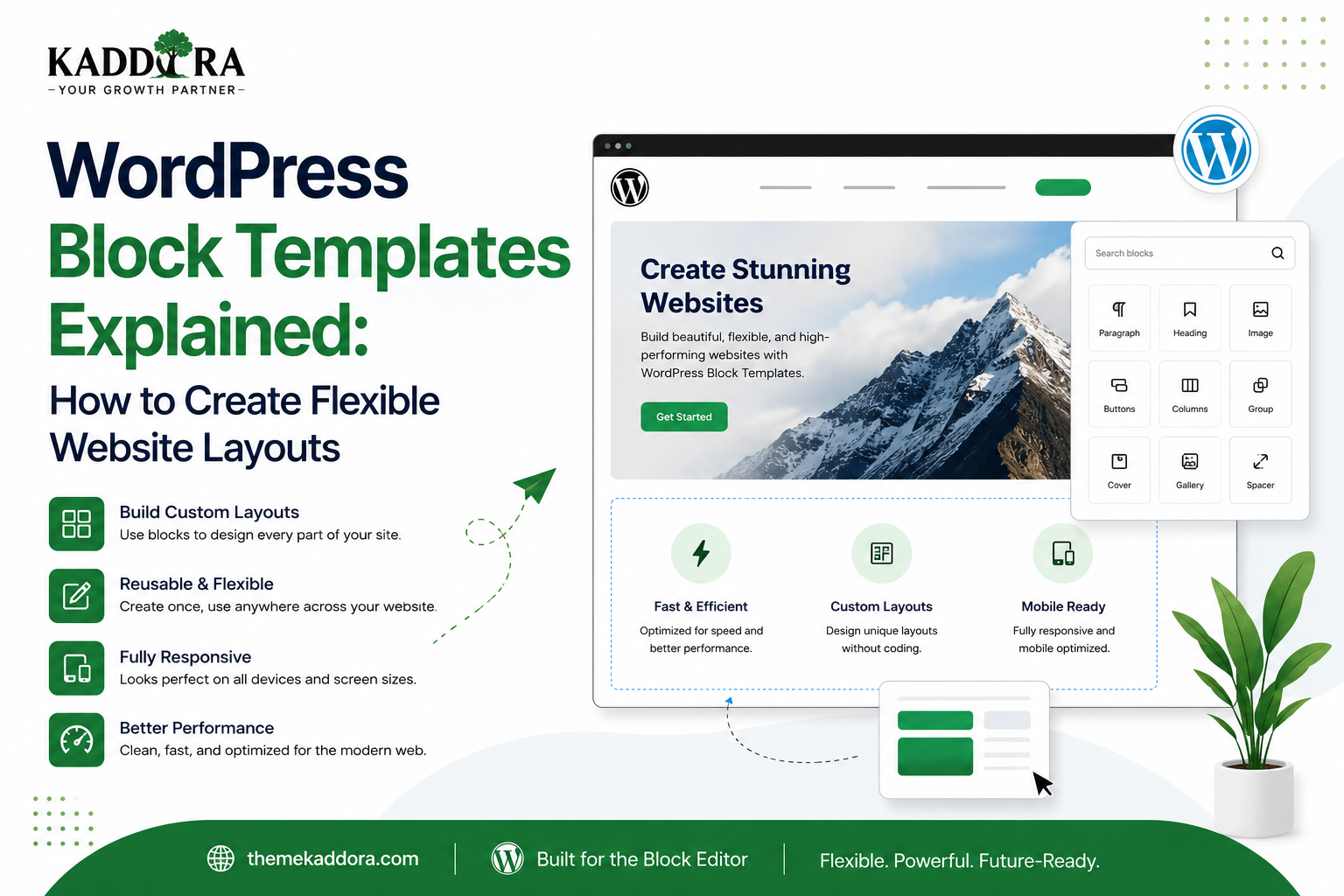
WordPress Block Templates Explained: How to Create Flexible Website Layouts
Introduction
A WordPress website can contain hundreds or even thousands of pages, posts, products, archives, and other types of content. Managing the layout of all these pages individually would be inefficient.
This is where WordPress block templates become important.
Block templates define how different types of content are structured and displayed. Instead of manually designing every page, developers can create templates that determine where elements such as the site header, title, featured image, content, sidebar, comments, and footer should appear.
With the modern block-based WordPress architecture, templates can be created using blocks and edited through the Site Editor when a compatible block theme is active.
This approach makes WordPress themes more flexible and gives site owners greater control over their website structure.
In this guide, you'll learn what WordPress block templates are, how they work, template hierarchy, common template types, template parts, custom templates, block themes, dynamic content, best practices, and how developers can build scalable template systems.
What Are WordPress Block Templates?
A WordPress block template is a predefined layout that controls how a particular type of content is displayed.
Instead of defining a layout using only traditional PHP template files, block themes can use HTML files containing WordPress block markup.
A simplified template might look like:
Header ↓ Post Title ↓ Featured Image ↓ Post Content ↓ Comments ↓ Footer
The template determines the overall structure while the actual content comes from WordPress.
Why Are Block Templates Important?
Block templates separate content from presentation.
For example, an article may contain:
Title Content Featured Image Author Date
The template determines where those elements appear.
This allows developers to create a consistent structure across hundreds of pages without manually formatting each one.
Benefits include:
Consistent layouts
Faster website development
Easier maintenance
Reusable structures
Better client customization
Flexible theme architecture
Reduced repetitive work
Block Templates vs Block Patterns
These concepts are often confused.
Block Template
Defines the structure of an entire page or content type.
Example:
Single Post ├── Header ├── Title ├── Content └── Footer
Block Pattern
Provides a reusable section or collection of blocks.
Example:
Hero Section ├── Heading ├── Text └── Button
A simple way to remember:
Template = page structure
Pattern = reusable section
Block Templates vs Template Parts
Template parts are reusable sections used inside templates.
For example:
Single Template ├── Header Template Part ├── Post Content └── Footer Template Part
The header and footer can then be reused across multiple templates.
This reduces duplication and makes theme maintenance easier.
What Is a Block Theme?
Block templates are closely associated with block themes.
A block theme uses WordPress's block-based architecture for templates, styles, patterns, and site customization.
A simplified block theme structure might look like:
my-theme/ │ ├── style.css ├── theme.json ├── templates/ │ ├── index.html │ ├── single.html │ ├── page.html │ ├── archive.html │ └── 404.html │ └── parts/ ├── header.html └── footer.html
The exact files depend on the theme's requirements.
Common WordPress Block Templates
A block theme can contain templates for different content contexts.
Index Template
The index template acts as a fallback for displaying content when a more specific template is not available.
Single Post Template
Used for individual blog posts.
A typical structure might be:
Header ↓ Post Title ↓ Author ↓ Featured Image ↓ Post Content ↓ Comments ↓ Footer
Page Template
Used for standard WordPress pages.
For example:
About
Contact
Services
Privacy Policy
Archive Template
Used to display collections of content.
Examples include:
Category archives
Tag archives
Date archives
Author archives
Search Template
Controls the layout of search result pages.
It can include:
Search heading
Search form
Result list
Pagination
Footer
404 Template
Displays the page shown when a requested resource cannot be found.
A useful 404 template might contain:
404 Message ↓ Search ↓ Popular Links ↓ Homepage CTA
Front Page Template
A block theme can provide a dedicated template for the site's front page.
This allows developers to establish a structured homepage layout.
Understanding Template Hierarchy
WordPress determines which template should be used based on the type and context of the requested content.
For example, a single post may use a more specific template when available, while a fallback template can be used when a more specific option does not exist.
Conceptually:
Specific Template ↓ More General Template ↓ Fallback Template
Understanding template hierarchy is essential for theme developers because it determines which layout WordPress uses.
How Block Templates Use Dynamic Content
A template does not normally contain the actual text of every post.
Instead, it uses blocks that output dynamic WordPress data.
For example:
Post Title Block ↓ Current Post Title Featured Image Block ↓ Current Featured Image Post Content Block ↓ Current Post Content
This makes one template reusable across many posts.
Dynamic Blocks in Templates
Common dynamic blocks can display:
Post title
Post content
Featured image
Author
Publication date
Categories
Tags
Comments
Navigation
Query results
This is one of the major differences between a reusable page layout and a static design.
The Query Loop Block
The Query Loop block is particularly useful for displaying collections of content.
It can be used to create:
Blog listings
Related posts
Product-style grids
Category listings
Search-like content displays
A simplified structure might look like:
Query Loop ├── Post Template │ ├── Featured Image │ ├── Post Title │ ├── Excerpt │ └── Date └── Pagination
This allows developers to build dynamic content listings without manually creating every item.
Creating Custom Templates
Block themes can provide custom templates for specific website requirements.
For example, a business website might need:
Landing Page Service Page Case Study Team Page Pricing Page
Custom templates can provide specialized layouts while still using the block system.
Custom Page Templates
A theme can provide different templates for different page purposes.
For example:
Default Page Full Width Page Landing Page No Sidebar Page
This gives site owners more layout flexibility.
Template Naming
Template names should clearly communicate their purpose.
Good examples:
Full Width Landing Page Service Page Case Study No Sidebar
Avoid vague names such as:
Template 1 Template New Page Layout
Clear naming improves usability for both developers and clients.
Template Parts
Template parts are reusable portions of a site layout.
Common examples include:
Header
Footer
Sidebar
Mobile navigation
Announcement bar
A theme can structure templates like:
Template ↓ Header Part ↓ Main Content ↓ Footer Part
If the header changes, it can be updated in one place rather than duplicated across every template.
Building a Reusable Header
A professional header may contain:
Logo Navigation Search CTA
Instead of placing these elements separately into every template, developers can create a reusable header template part.
This improves consistency.
Building a Reusable Footer
A footer may contain:
Footer Navigation Contact Information Social Links Copyright Newsletter
A reusable footer can then be included across different templates.
Global Styles and Templates
Templates work closely with global styles.
Global styles can define:
Typography
Colors
Spacing
Layout
Button styles
Block appearance
This creates a relationship like:
theme.json ↓ Global Styles ↓ Templates ↓ Patterns ↓ Website
The result is a more consistent design system.
Using theme.json With Block Templates
theme.json allows developers to define theme settings and styles.
For example, a theme can establish:
Brand Colors Typography Scale Spacing Scale Content Width Wide Width Button Styles
Templates can then use these settings rather than defining every design property independently.
Responsive Block Templates
Templates should work across different devices.
Developers should test:
Desktop
Wide layouts and multi-column sections.
Tablet
Reduced spacing and adjusted columns.
Mobile
Stacked content, readable typography, and accessible navigation.
A template that works only on desktop is not production-ready.
Accessibility and Block Templates
Templates should be designed with accessibility in mind.
Important considerations include:
Correct heading hierarchy
Keyboard navigation
Visible focus states
Sufficient color contrast
Accessible navigation
Descriptive links
Alternative text
Semantic structure
Accessibility should be considered during template development rather than added as an afterthought.
Block Templates and SEO
Templates can influence technical and on-page SEO through:
Heading structure
Content hierarchy
Internal navigation
Mobile usability
Page structure
Performance
Crawlable content
However, templates alone do not guarantee search rankings.
SEO depends on the overall website, content quality, technical implementation, links, and user experience.
Performance Considerations
A block template can contain many blocks, but more blocks do not necessarily mean better design.
Avoid:
Excessive nesting
Unnecessary animations
Large background media
Redundant elements
Heavy third-party scripts
Keep templates efficient and focused.
Block Templates for Business Websites
Business websites can use custom templates for:
Services
Case studies
Team members
Landing pages
Testimonials
Company information
For example:
Service Template ├── Hero ├── Service Details ├── Benefits ├── Process ├── FAQ └── CTA
This allows every service page to follow a consistent structure.
Block Templates for SaaS Websites
SaaS businesses often require specialized page layouts.
Possible templates include:
Product page
Feature page
Pricing page
Integration page
Documentation page
Case study
A reusable template system allows teams to launch new pages quickly.
Block Templates for eCommerce
Block-based templates can also be useful for commerce websites.
Potential layouts include:
Product pages
Product archives
Shop pages
Category pages
Cart-related layouts
Checkout-related experiences
Compatibility should always be tested with the selected eCommerce platform and extensions.
Block Templates for Blogs and Publishers
Publishers can use templates to standardize article layouts.
For example:
Article Header ↓ Title ↓ Author ↓ Featured Image ↓ Content ↓ Related Articles ↓ Comments
This allows writers to focus on content while the template controls presentation.
Block Templates for Agencies
Agencies can create templates for recurring client requirements.
For example:
Agency System ├── Business Page ├── Service Page ├── Team Page ├── Case Study └── Landing Page
This can significantly reduce development time across projects.
Block Templates and Design Systems
Templates are more effective when combined with reusable design components.
A complete architecture might look like:
Design Tokens ↓ Components ↓ Patterns ↓ Template Parts ↓ Templates ↓ Pages
This creates a scalable design system instead of isolated page designs.
Template Customization for Clients
One advantage of block themes is that clients can customize supported templates visually.
However, developers should provide reasonable boundaries.
Too much unrestricted customization can lead to:
Inconsistent layouts
Broken spacing
Brand inconsistencies
Poor mobile experiences
A good theme gives users flexibility while maintaining sensible design defaults.
Common WordPress Block Template Mistakes
Duplicating Template Parts
Repeated headers and footers increase maintenance work.
Ignoring Template Hierarchy
The wrong template may be used for a content type.
Hardcoding Dynamic Content
Templates should generally use dynamic blocks where appropriate.
Overloading Templates
Too many blocks can make layouts difficult to maintain.
Ignoring Mobile
Templates must work across screen sizes.
Ignoring Accessibility
Visual design should not compromise usability.
Poor Template Naming
Users may struggle to select the correct template.
No Testing With Real Content
Short sample text may hide layout problems.
Best Practices for WordPress Block Templates
Professional block themes should:
Understand WordPress template hierarchy.
Keep templates focused.
Reuse template parts.
Use dynamic blocks where appropriate.
Build responsive layouts.
Maintain accessibility standards.
Use theme.json for design consistency.
Avoid unnecessary block nesting.
Test templates with realistic content.
Verify plugin compatibility.
Optimize performance.
Document custom templates.
Keep naming consistent.
Testing a Block Template
Before releasing a theme, test templates with different content.
Content Testing
Use:
Short titles
Long titles
Long paragraphs
Missing featured images
Multiple categories
Different authors
Device Testing
Test:
Desktop
Tablet
Mobile
Functional Testing
Check:
Links
Navigation
Search
Pagination
Comments
Dynamic content
Accessibility Testing
Check:
Keyboard navigation
Heading structure
Contrast
Focus states
A Professional Block Theme Architecture
A scalable block theme might follow:
Theme │ ├── theme.json │ ├── templates/ │ ├── index.html │ ├── single.html │ ├── page.html │ ├── archive.html │ ├── search.html │ └── 404.html │ ├── parts/ │ ├── header.html │ └── footer.html │ └── patterns/ ├── hero.php ├── features.php ├── testimonials.php └── cta.php
The exact architecture depends on the theme's functionality, but the principle remains the same: separate reusable components from complete templates.
Why Block Templates Matter for ThemeKaddora
ThemeKaddora develops WordPress themes, plugins, templates, UI kits, and digital products for businesses, developers, agencies, and entrepreneurs.
Block templates provide an opportunity to create WordPress themes that are:
Easier to customize
More modular
More reusable
Client-friendly
Responsive
Consistent
Scalable
A ThemeKaddora block theme could provide specialized templates for business websites, SaaS platforms, agencies, portfolios, blogs, and other industries.
Combined with patterns and a well-defined design system, these templates can help customers build complete websites faster while maintaining professional visual consistency.
Conclusion
WordPress block templates provide a modern way to define how different types of content should be displayed.
By combining templates, template parts, dynamic blocks, patterns, global styles, and theme.json, developers can create flexible WordPress themes that are easier to customize and maintain.
The key is not simply to create more templates.
A professional template system should be organized, reusable, responsive, accessible, performant, and easy to understand.
For theme developers, agencies, and businesses adopting modern WordPress architecture, understanding block templates is an important step toward building scalable websites.
Frequently Asked Questions
What are WordPress block templates?
WordPress block templates are layouts built using WordPress blocks that define how specific types of pages or content are displayed.
Are block templates the same as block patterns?
No. Templates generally define complete page or content structures, while patterns are reusable sections or collections of blocks.
What is a block theme?
A block theme is a WordPress theme designed around blocks, block templates, template parts, patterns, and modern site-editing features.
What is a template part?
A template part is a reusable section of a theme, such as a header or footer, that can be included across multiple templates.
What is the WordPress template hierarchy?
Template hierarchy is the system WordPress uses to determine which template should be used to display a particular type of content or request.
Can I create custom block templates?
Yes. Developers can create custom templates for block themes to support specialized page structures and content types.
Can users edit block templates?
With a compatible block theme, users can edit supported templates through the WordPress Site Editor, subject to the theme and WordPress configuration.
Do block templates improve SEO?
They can support good SEO through consistent structure, mobile-friendly layouts, navigation, and performance, but templates alone do not determine search rankings.
Are block templates responsive?
They can be responsive when properly designed and tested. Developers should verify layouts across desktop, tablet, and mobile devices.
Can block templates be used for WooCommerce?
Yes, depending on the WooCommerce version, theme architecture, and supported blocks. Compatibility should be tested before deployment.
Why are block templates useful for agencies?
Agencies can create reusable templates for common page types, allowing them to build client websites faster while maintaining consistent design systems.
Why are block templates important for ThemeKaddora?
Block templates allow ThemeKaddora to create modern, modular WordPress themes that give customers flexible customization while providing a strong and maintainable design foundation.
Comments (0)