
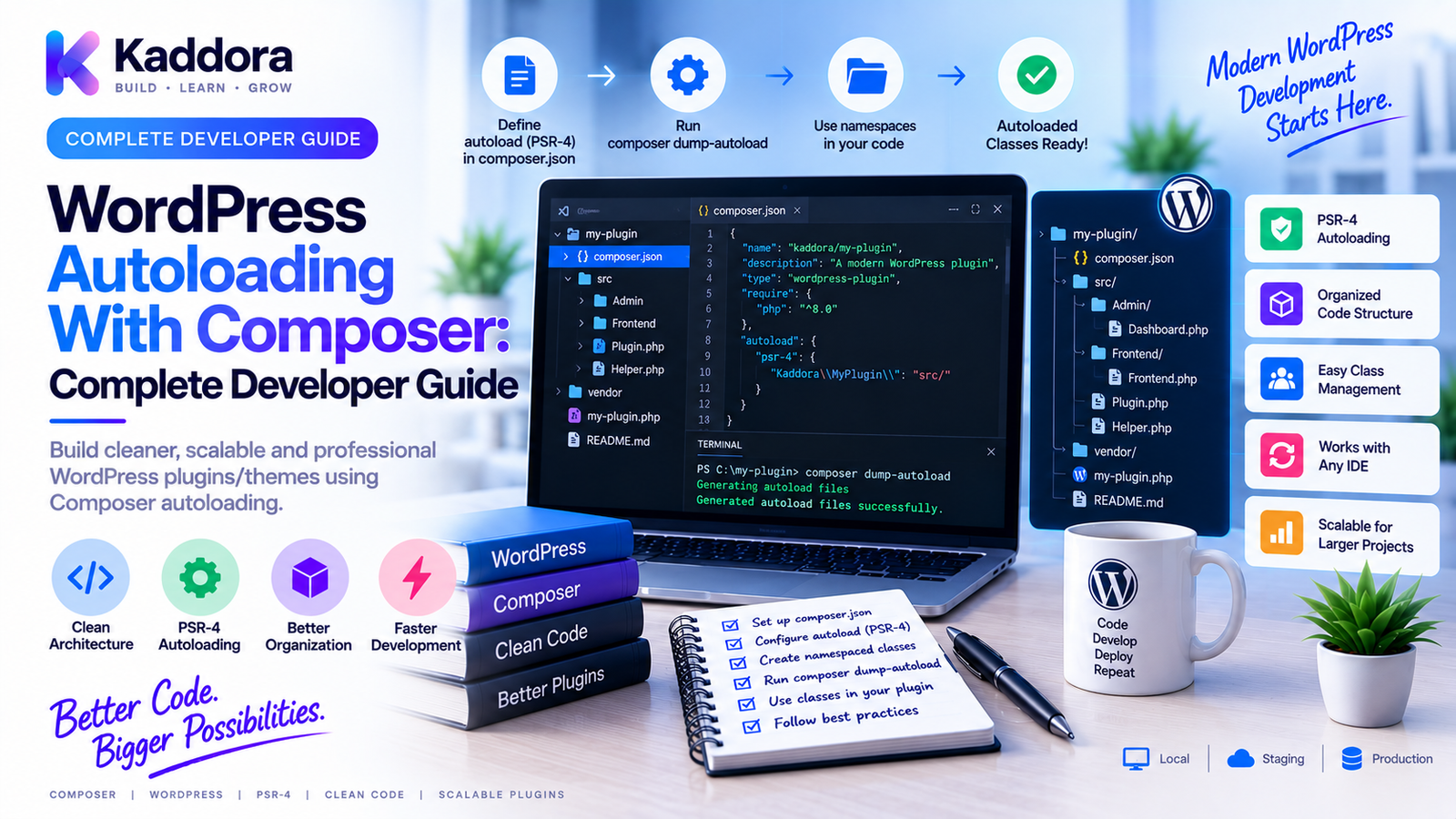
WordPress Autoloading With Composer Explained
Introduction
As a WordPress plugin grows, the number of PHP classes can increase rapidly.
A small plugin might contain only a few files:
plugin.php admin.php api.php database.php
A larger plugin may contain:
Admin/ Api/ Domain/ Services/ Repositories/ Infrastructure/ Integrations/
Loading every PHP file manually can become difficult to maintain.
For example:
require_once 'class-admin.php'; require_once 'class-api.php'; require_once 'class-database.php'; require_once 'class-service.php';
As the application expands, this approach can become fragile.
Autoloading provides a better solution.
Instead of manually including every class file, an autoloader loads a class when PHP actually needs it.
Composer provides a powerful autoloading system for PHP projects and is especially useful for modern WordPress plugins with namespaces, third-party dependencies, service layers, testing, and modular architecture.
The basic workflow is:
Class Requested ↓ Composer Autoloader ↓ Find Class File ↓ Load Class
This guide explains how WordPress autoloading works with Composer, how PSR-4 autoloading is configured, how to organize plugin namespaces, how Composer's generated autoloader works, how to troubleshoot common problems, and how to build a scalable autoloading architecture.
What Is PHP Autoloading?
PHP autoloading allows classes to be loaded automatically when they are referenced.
Without autoloading:
Plugin ↓ Manually require files ↓ Class definitions loaded
With autoloading:
Plugin ↓ Use Class ↓ Autoloader finds file ↓ Class Loaded
This reduces manual file management and makes larger PHP applications easier to organize.
Why Is Autoloading Important for WordPress Plugins?
Modern WordPress plugins can contain many classes.
For example:
src/ ├── Admin/ ├── Api/ ├── Domain/ ├── Database/ ├── Services/ ├── Repositories/ └── Integrations/
Manually requiring each class becomes repetitive.
Autoloading provides:
Cleaner bootstrap code
Better project organization
Easier maintenance
Automatic class discovery
Better separation of responsibilities
Easier integration with Composer packages
What Is Composer Autoloading?
Composer generates an autoloader based on the project's composer.json.
The generated file is usually:
vendor/autoload.php
Your plugin can load it with:
require_once __DIR__ . '/vendor/autoload.php';
After this, Composer can automatically load configured classes and installed dependencies.
The architecture becomes:
WordPress ↓ Plugin Bootstrap ↓ vendor/autoload.php ↓ Plugin Classes + Dependencies
What Does composer.json Control?
Composer's configuration can define:
PHP requirements
Runtime dependencies
Development dependencies
PSR-4 autoload mappings
Classmap rules
Files to include
Composer scripts
For WordPress plugins, autoloading is commonly configured under:
{ "autoload": { "psr-4": { "Kaddora\\Example\\": "src/" } } }
What Is PSR-4 Autoloading?
PSR-4 defines a standardized relationship between namespaces and file locations.
For example:
Namespace: Kaddora\Example\Services
might map to:
src/Services/
Then:
Kaddora\Example\Services\Mailer
can map to:
src/Services/Mailer.php
This makes class organization predictable.
Configure PSR-4 Autoloading
A plugin can define:
{ "autoload": { "psr-4": { "Kaddora\\Example\\": "src/" } } }
Then regenerate the Composer autoloader:
composer dump-autoload
Composer reads the mapping and updates its generated autoload files.
Understand Namespace-to-File Mapping
Suppose you have:
src/ └── Services/ └── ProductService.php
The PHP file could contain:
namespace Kaddora\Example\Services; class ProductService { }
The fully qualified class name becomes:
Kaddora\Example\Services\ProductService
Composer uses the PSR-4 mapping to connect that class name to the file.
Why Namespaces Matter in WordPress
WordPress has a large shared PHP runtime.
Multiple plugins can be active at the same time.
A generic class name such as:
class Logger {}
can potentially collide with another plugin.
Namespacing creates a boundary:
namespace Kaddora\Example; class Logger {}
This produces:
Kaddora\Example\Logger
which is far less likely to conflict with another project's class.
Organize a Plugin Around Namespaces
A modern plugin might look like:
plugin/ ├── src/ │ ├── Admin/ │ │ └── Settings.php │ ├── Api/ │ │ └── Client.php │ ├── Domain/ │ │ └── Product.php │ ├── Services/ │ │ └── ProductService.php │ └── Plugin.php ├── tests/ ├── vendor/ ├── composer.json └── plugin.php
This structure works naturally with PSR-4.
Load Composer Early
The main plugin file should generally load the Composer autoloader before attempting to instantiate Composer-managed classes.
A simplified bootstrap can be:
<?php require_once __DIR__ . '/vendor/autoload.php'; $plugin = new \Kaddora\Example\Plugin(); $plugin->boot();
For more advanced plugins, the bootstrap may perform environment checks before initializing application services.
Autoloading Third-Party Dependencies
Composer can also autoload dependencies installed into vendor/.
For example:
Plugin ↓ Composer ├── HTTP Client ├── SDK └── Utility Library
Once vendor/autoload.php has been loaded, the plugin can use those package classes.
This eliminates the need to manually locate and include every vendor class.
Composer Autoloading vs WordPress Loading
WordPress itself loads files through its own bootstrap and plugin mechanisms.
Composer provides PHP class autoloading.
The relationship can be viewed as:
WordPress ↓ Loads Plugin ↓ Plugin Loads Composer Autoloader ↓ Composer Loads Classes
These systems serve different purposes and can coexist cleanly.
Why Not Use require_once Everywhere?
Manual loading may be acceptable for very small plugins.
But consider a plugin with:
100 PHP classes
Manually maintaining:
require_once ...;
for every file becomes difficult.
Problems include:
Long bootstrap files
Missing dependencies
Duplicate imports
Difficult refactoring
Fragile file paths
Autoloading lets the codebase scale without maintaining a giant list of class includes.
Autoloading Functions and Helpers
Composer's strongest use case is class autoloading.
Procedural helper files may require different handling.
Composer also supports file-based autoloading:
{ "autoload": { "files": [ "src/functions.php" ] } }
Use this deliberately.
Do not put large amounts of global procedural code into automatically loaded files without a clear reason.
Namespaced classes are usually easier to organize.
Composer Classmap Autoloading
Composer also supports classmaps.
For example:
{ "autoload": { "classmap": [ "legacy/" ] } }
This can be useful for legacy code that does not follow PSR-4 conventions.
However, for new plugin architecture, PSR-4 is usually cleaner because the namespace and file structure remain predictable.
PSR-0 vs PSR-4
PSR-4 is the modern approach commonly used in current PHP projects.
PSR-0 is an older autoloading standard.
For new WordPress plugins, use PSR-4 where practical rather than designing a new system around older conventions.
Optimize Composer Autoloading
Composer can optimize autoload generation for production builds.
For example:
composer dump-autoload -o
The optimized autoloader can reduce class lookup overhead.
For production release builds, optimization can be part of the packaging process.
The development environment may use a less optimized configuration when frequent code changes are being made.
Development vs Production Autoloading
During development:
Frequent Code Changes ↓ composer dump-autoload
During release:
Clean Build ↓ composer install --no-dev ↓ composer dump-autoload -o ↓ Package
The exact commands depend on the project's build pipeline.
Composer Autoloading and composer.lock
Autoloading depends on installed packages and generated metadata.
The lock file helps ensure the dependency set is consistent.
A reproducible workflow is:
composer.json ↓ composer.lock ↓ composer install ↓ vendor/ ↓ autoload.php
This makes local and CI environments more predictable.
Regenerate the Autoloader After Changes
Whenever you change autoload configuration in composer.json, run:
composer dump-autoload
For example, after changing:
"psr-4": { "Kaddora\\Example\\": "src/" }
Composer needs to regenerate its metadata.
A missing dump-autoload is a common reason a newly created class cannot be found.
Common Autoloading Error
A typical PHP error is:
Class "Kaddora\Example\Services\ProductService" not found
Possible causes include:
Incorrect namespace
Incorrect file path
Wrong Composer mapping
Missing dump-autoload
File name mismatch
Incorrect case
Missing vendor/autoload.php
Check each layer systematically.
Verify Namespace and File Path
Suppose Composer contains:
"psr-4": { "Kaddora\\Example\\": "src/" }
and the class is:
src/Services/ProductService.php
The namespace should normally begin with:
namespace Kaddora\Example\Services;
and the class name should be:
class ProductService
A mismatch can cause autoloading failures.
Case Sensitivity Matters
A common problem on Windows is developing with case differences that later fail on a case-sensitive Linux environment.
For example:
ProductService.php
versus:
productservice.php
may behave differently across filesystems.
Keep:
Namespace case
Directory case
File name
Class name
consistent.
Autoloading and Windows vs Linux
This is important for WordPress developers.
A project may work locally on Windows but fail in Linux-based CI or production because of:
File-name case
Directory case
Path assumptions
A reproducible Docker environment can help reveal these problems earlier.
Autoloading and Plugin Bootstrap Design
Avoid putting all application logic into the plugin entry file.
Prefer:
plugin.php ↓ Composer Autoload ↓ Plugin Bootstrap ↓ Service Container / Services ↓ WordPress Hooks
This makes the entry file small and the architecture easier to test.
Autoloading With Dependency Injection
Composer autoloading works naturally with service-oriented architecture.
For example:
Controller ↓ Service ↓ Repository
Each class can be autoloaded when instantiated.
The architecture becomes:
Plugin ↓ Autoloader ↓ Services ↓ Repositories ↓ Infrastructure
This is one reason Composer is valuable for large WordPress plugins.
Autoloading and Interfaces
Interfaces can also be autoloaded.
For example:
namespace Kaddora\Example\Contracts; interface PaymentGatewayInterface { }
An implementation can then be:
src/Integrations/StripeGateway.php
with:
namespace Kaddora\Example\Integrations;
Composer loads the appropriate classes when they are referenced.
Autoloading and Repositories
Repository architecture benefits from predictable namespaces.
For example:
Kaddora\Example\Repositories\UserRepository
maps cleanly to:
src/Repositories/UserRepository.php
This makes large plugin structures easier to navigate.
Autoloading and Services
Service classes can follow the same convention.
Example:
src/Services/NotificationService.php
with:
namespace Kaddora\Example\Services;
As the codebase grows, developers can add services without changing a central include list.
Autoloading and WordPress Hooks
WordPress hooks can use autoloaded classes.
For example:
add_action( 'init', [\Kaddora\Example\Services\ContentService::class, 'register'] );
When the callback class is referenced, Composer can resolve the class through the autoloader.
This makes hook registration cleaner than manually importing every class.
Autoloading and Static Analysis
Static-analysis tools such as PHPStan can understand namespaced Composer projects more effectively when the autoload configuration is correct.
For example:
Composer ↓ PSR-4 ↓ Namespaces ↓ Static Analysis
Correct autoloading therefore supports both runtime execution and development tooling.
Autoloading and PHPUnit
Tests can also use Composer autoloading.
A test suite might contain:
tests/ ├── Unit/ └── Integration/
and reference production classes using their namespaces.
The same Composer setup can load application classes during testing.
This reduces duplicate test-specific loading logic.
Multiple Autoloaders in WordPress
A WordPress site may have multiple plugins, each with its own Composer autoloader.
For example:
Plugin A ↓ Composer Autoloader A Plugin B ↓ Composer Autoloader B Plugin C ↓ Composer Autoloader C
This is possible, but dependency conflicts can still arise.
Be deliberate about:
Namespace collisions
Shared package versions
Dependency isolation
Vendor library packaging
Composer autoloading is not a complete solution for every cross-plugin dependency conflict.
Isolate Vendor Dependencies Where Necessary
When a plugin bundles dependencies that might conflict with other plugins, developers may use techniques such as:
Namespace prefixing
Dependency isolation
Carefully controlled packaging
Conceptually:
Third-Party Library ↓ Isolation ↓ Plugin Vendor Namespace
This must be implemented carefully and tested with realistic WordPress environments.
Autoloading and WordPress.org Plugins
If a distributed plugin contains Composer-managed runtime dependencies, the final ZIP needs to contain the required runtime files unless the target installation workflow explicitly provides another mechanism.
A release process can be:
Source ↓ composer install --no-dev ↓ Generate Autoload ↓ Run Tests ↓ Build ZIP ↓ Install in Clean WordPress
The actual release requirements depend on the distribution platform.
Avoid Including Development Dependencies in Runtime Autoloading
Development tools such as:
PHPUnit
PHPStan
PHPCS
normally do not belong in the production dependency set.
Use:
require-dev
and build the release package without unnecessary development dependencies.
Optimize Large WordPress Plugins
A large plugin should avoid unnecessary startup work.
Autoloading helps because classes can be loaded when required rather than manually loading every class during plugin startup.
However, autoloading doesn't mean every operation becomes free.
Avoid:
Instantiating every service unnecessarily
Loading huge configuration objects
Performing database queries during bootstrap without need
Loading expensive libraries on every request when not required
Autoloading should support lazy and modular architecture where appropriate.
Lazy Service Initialization
A useful architecture can defer expensive work.
For example:
Plugin Starts ↓ Register Services ↓ Request Requires Service ↓ Instantiate Service
This reduces unnecessary initialization.
Composer autoloading makes this model easier to implement because classes do not need to be manually included ahead of time.
Debugging Composer Autoloading
When a class cannot be loaded, check:
1. Does the file exist?
src/Services/ProductService.php
2. Is the namespace correct?
namespace Kaddora\Example\Services;
3. Is the class name correct?
class ProductService
4. Is the Composer mapping correct?
"Kaddora\\Example\\": "src/"
5. Did you run:
composer dump-autoload
6. Is this file loaded?
vendor/autoload.php
7. Does it work on a case-sensitive filesystem?
This checklist solves many common failures.
Common WordPress Composer Autoloading Mistakes
Wrong Namespace
The namespace doesn't match the configured prefix.
Wrong File Path
The class file isn't where PSR-4 expects it.
Forgotten dump-autoload
New mappings aren't reflected in generated autoload files.
Case Mismatch
Works locally but fails on Linux.
Missing vendor Directory
The plugin package doesn't contain required runtime dependencies.
Duplicate Global Classes
Generic names can collide with other plugins.
Multiple Autoloaders With Conflicting Dependencies
Vendor packaging requires careful design.
Loading Every Service Immediately
Autoloading doesn't mean every class should be instantiated.
Manual Includes Everywhere
This defeats the purpose of a clean autoloading architecture.
WordPress Composer Autoloading Checklist
Composer
composer.json
composer.lock
Correct PHP requirement
Runtime dependencies defined
Autoloading
PSR-4 mapping configured
Namespace structure consistent
vendor/autoload.php loaded
Autoloader regenerated after changes
Architecture
Entry file kept small
Classes organized by responsibility
Namespaces used consistently
Services loaded only when needed
Compatibility
Case-sensitive filesystem tested
Clean WordPress install tested
Multiple active plugins tested
Supported PHP versions tested
Release
Runtime dependencies included
Development dependencies excluded where appropriate
Autoloader generated
Final ZIP tested
Recommended WordPress Composer Autoloading Architecture
A scalable plugin can use:
WordPress │ ▼ Plugin Entry File │ ▼ Composer Autoloader │ ┌─────────┼─────────┐ ▼ ▼ ▼ Domain Services Infrastructure │ │ │ └─────────┼─────────┘ ▼ WordPress APIs │ ▼ External SDKs
The entry point initializes the application, Composer handles class loading, and the application layers remain organized around their responsibilities.
Best Practices for WordPress Autoloading With Composer
Use PSR-4 for new code.
Keep namespace and file structure predictable.
Use distinctive namespaces.
Avoid generic class names in the shared WordPress runtime.
Keep the bootstrap small.
The plugin entry file should initialize the application rather than contain the entire codebase.
Regenerate autoload files after configuration changes.
Use composer dump-autoload.
Test on Linux-like environments.
Case-sensitive filesystems reveal problems that may be hidden on Windows.
Separate runtime and development dependencies.
Don't ship testing tools unnecessarily.
Review vendor conflicts.
Multiple WordPress plugins may share a PHP runtime.
Optimize production autoloading.
Use appropriate Composer optimization during release builds.
Test the final package.
A successful local development environment does not guarantee a correctly assembled plugin ZIP.
Using AI to Troubleshoot Composer Autoloading
AI can assist with diagnosing autoloading errors.
For example:
Class Not Found ↓ Provide: Namespace File Path composer.json Error ↓ AI Analysis ↓ Possible Mismatch ↓ Developer Review ↓ dump-autoload ↓ Test
AI can help identify:
Namespace mismatches
Incorrect PSR-4 mappings
File-path errors
Composer configuration mistakes
Dependency issues
However, review the suggested changes before applying them.
Don't provide private credentials, API keys, or sensitive production configuration just to troubleshoot an autoloading problem.
Why Choose ThemeKaddora?
At ThemeKaddora, professional WordPress themes, plugins, WooCommerce solutions, HTML templates, UI kits, and SaaS-oriented products can benefit from structured PHP architecture.
Composer autoloading provides a strong foundation for:
Namespaced plugin classes
Service layers
Repositories
API integrations
Testing
Static analysis
CI/CD
Modular WordPress development
A mature ThemeKaddora plugin can move from:
Manual Includes ↓ Namespaces ↓ PSR-4 ↓ Composer Autoload ↓ Modular Architecture
This makes larger products easier to navigate, test, and maintain.
For developers building complex WordPress products, autoloading should be treated as part of the application's architecture rather than just a convenience for loading files.
Conclusion
WordPress autoloading with Composer provides a clean way to load PHP classes and third-party dependencies without manually including every file.
The core architecture is:
Namespace → PSR-4 Mapping → Composer → Autoloader → Class
A professional workflow should:
Define namespaces clearly
Use PSR-4 mappings
Load vendor/autoload.php
Keep plugin bootstrap code small
Organize classes by responsibility
Regenerate autoload metadata after changes
Test on case-sensitive filesystems
Separate runtime and development dependencies
Review dependency conflicts
Test the final distributed plugin
For very small plugins, manually requiring a few files may be perfectly adequate.
As a plugin grows into a modular application with services, repositories, API clients, integrations, tests, and multiple developers, Composer autoloading becomes much more valuable.
The biggest benefit is not merely fewer require_once statements.
The real benefit is predictable class organization.
When namespaces, PSR-4 mappings, dependency management, and plugin architecture work together, developers can add new classes without constantly modifying a central bootstrap file.
That makes large WordPress plugins easier to extend, refactor, test, package, and maintain.
For ThemeKaddora products, Composer-based autoloading can also serve as a foundation for the next stages of professional engineering: dependency injection, service containers, design patterns, static analysis, automated testing, and CI/CD.
A clean autoloading architecture is therefore not just a technical convenience.
It is one of the building blocks of a scalable WordPress plugin codebase.
Frequently Asked Questions
What is autoloading in PHP?
PHP autoloading allows classes to be loaded automatically when they are referenced instead of requiring developers to manually include every class file.
What is Composer autoloading?
Composer autoloading is the class-loading system generated by Composer from configuration such as PSR-4 mappings and installed package dependencies.
How do I load Composer in a WordPress plugin?
A plugin commonly loads:
require_once __DIR__ . '/vendor/autoload.php';
from its main bootstrap file.
Does Composer autoloading load every class immediately?
No. Autoloading generally loads classes when they are requested. However, your application can still instantiate many classes during startup if it is designed that way.
Can WordPress plugins have their own Composer autoloaders?
Yes. Multiple plugins can use Composer, although developers need to consider dependency conflicts, shared libraries, and packaging strategies.
Can Composer solve all WordPress plugin dependency conflicts?
No. Composer manages package dependencies, but multiple independently packaged WordPress plugins can still have runtime conflicts involving shared libraries and versions.
Should I commit the vendor directory?
Many development workflows generate vendor/ from Composer and exclude it from source control. A distributed WordPress plugin may still need the required runtime dependencies inside its release package.
Should development dependencies be included in the plugin ZIP?
Normally, unnecessary development-only packages should not be shipped. Build the release package using the project's intended production dependency strategy.
Can Composer autoload WordPress plugin dependencies?
Yes. Composer can autoload both your plugin's configured classes and third-party PHP dependencies.
Can Composer autoload interfaces and abstract classes?
Yes. Interfaces and abstract classes can be loaded through the same namespace and autoloading system.
Can WordPress hooks use Composer-autoloaded classes?
Yes. Hook callbacks can reference namespaced class methods as long as the Composer autoloader has been loaded before the callback is registered or invoked.
Why does a plugin work on Windows but fail on Linux?
Case differences in filenames, directories, or namespaces can be hidden on a case-insensitive filesystem and fail on a case-sensitive environment.
Can Docker help test Composer autoloading?
Yes. Docker can provide a consistent Linux-based environment that helps expose path and filesystem differences during development.
Can Composer autoloading improve WordPress performance?
It can make class loading more organized and avoid manual loading of every file, but overall performance depends on application architecture, object creation, database queries, and other runtime factors.
Can AI help troubleshoot Composer autoloading?
Yes. AI can analyze namespaces, PSR-4 mappings, file paths, and Composer errors, but proposed changes should be reviewed and tested before adoption.
Why choose ThemeKaddora?
ThemeKaddora develops WordPress themes, plugins, WooCommerce solutions, HTML templates, UI kits, SaaS solutions, and business-focused digital products with an emphasis on modern PHP architecture, Composer-based development, compatibility, performance, maintainability, and professional engineering workflows.
Comments (0)