
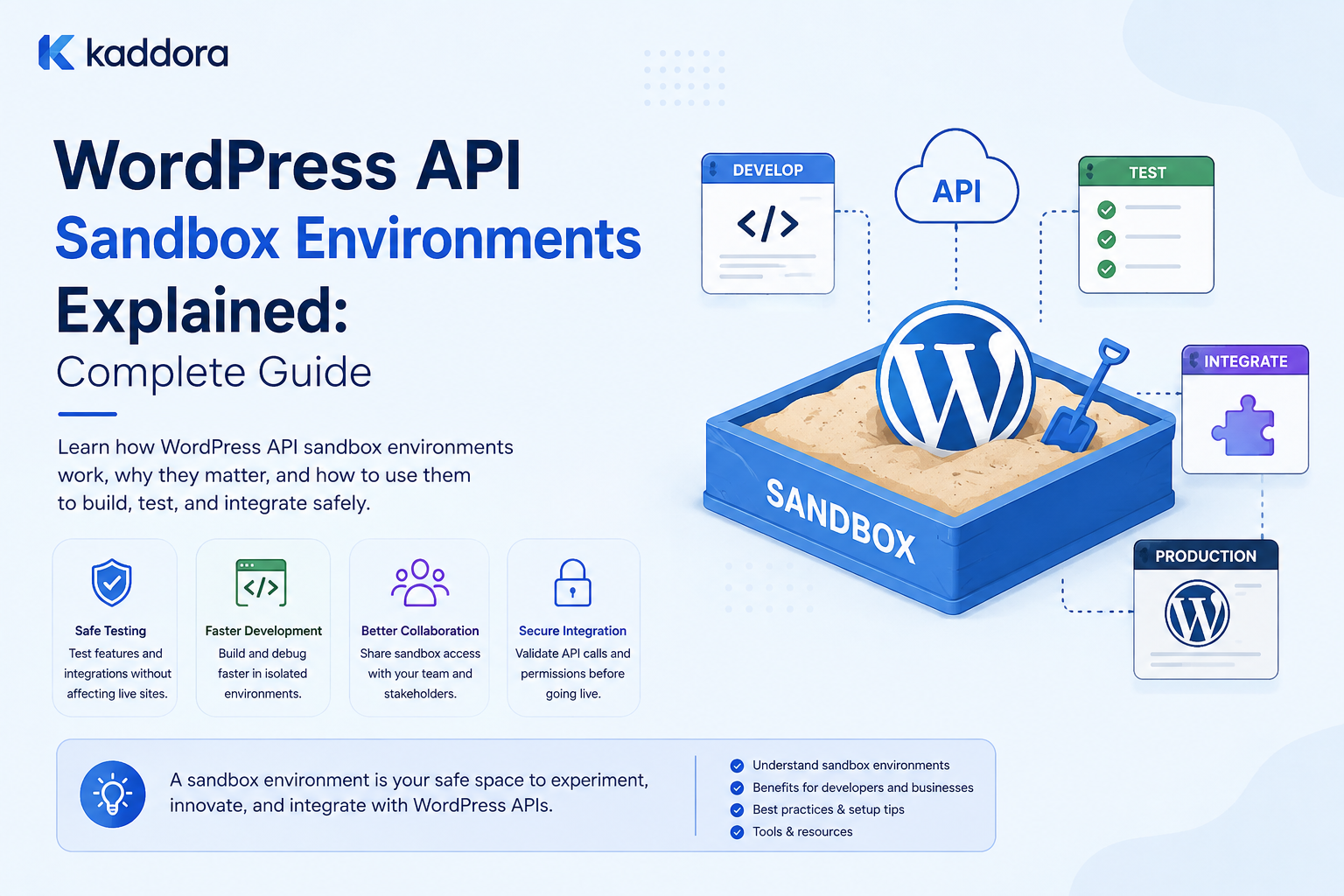
WordPress API Sandbox Environments Explained: Complete Guide
Introduction
WordPress plugins increasingly depend on external APIs for payments, CRM, ERP, AI, analytics, email, shipping, marketing, and SaaS services.
Testing these integrations directly against production systems can be risky.
A developer might accidentally:
Create real customers
Generate real orders
Send real messages
Trigger real payments
Modify production records
Consume paid API quota
Test with real credentials
Affect real business workflows
A sandbox environment provides a safer alternative.
Instead of:
Plugin ↓ Production API ↓ Real Business Data
the plugin communicates with:
Plugin ↓ Sandbox API ↓ Test Data
A sandbox is a provider-managed environment designed to behave similarly to production while keeping testing activity isolated.
For WordPress plugin development, sandbox environments are especially useful when you need to validate behavior that mocks cannot fully reproduce.
For example:
Real Authentication Real API Request Real Provider Response Real Webhook Flow Test Account
This gives developers a much more realistic testing environment without exposing production data.
However, a sandbox is not a replacement for every other testing strategy.
A strong architecture usually combines:
Unit Tests ↓ API Mocks ↓ Contract Tests ↓ Sandbox Tests ↓ Selected End-to-End Tests
Each layer answers a different question.
For ThemeKaddora plugins, sandbox environments can be particularly valuable for:
Payment integrations
CRM integrations
ERP integrations
AI services
SaaS platforms
WooCommerce services
Analytics
Marketing platforms
This guide explains what an API sandbox is, how it differs from production and mocking, how to configure sandbox credentials in WordPress, how to test authentication and webhooks safely, how to keep sandbox and production data isolated, how to handle environment-specific configuration, and how ThemeKaddora can design a reusable sandbox-aware integration architecture.
What Is an API Sandbox?
An API sandbox is a provider-controlled testing environment that simulates or reproduces the behavior of its production API without operating on normal production business data.
The basic model is:
WordPress Plugin ↓ Sandbox Credentials ↓ Provider Sandbox ↓ Test Response
The provider may expose:
Separate API endpoints
Separate credentials
Test accounts
Fake transactions
Simulated events
Test webhooks
Test data
The exact features vary by provider.
Sandbox vs Production
A provider may offer:
Production: https://api.example.com Sandbox: https://sandbox-api.example.com
The exact URLs depend on the provider.
The important difference is the environment:
Production → Real Business Operations Sandbox → Testing Operations
Sandbox vs Mocking
These are different testing tools.
Mocking
Plugin ↓ Test Mock
The developer completely controls the response.
Best for:
Unit tests
Error testing
Retry testing
Pagination
Deterministic CI
Sandbox
Plugin ↓ Provider Sandbox
The external provider actually processes the request in a testing environment.
Best for:
Authentication
Request validation
Provider-specific behavior
Real webhook flows
End-to-end testing
Why Use a Sandbox?
A sandbox provides several advantages.
Safer Testing
Real production customers and orders remain unaffected.
Real Authentication
You can test actual OAuth or API-key flows.
Real Request Handling
The provider receives the actual request format generated by the plugin.
Realistic Responses
Responses are generated by the provider's API rather than invented test fixtures.
Webhook Testing
Some providers can send real test events to your WordPress site.
Integration Validation
You can verify that the plugin works with the provider's current API behavior.
Sandbox Limitations
A sandbox is not identical to production.
It may differ in:
Data
Performance
Available features
Rate limits
Webhook behavior
Authentication rules
API versions
External dependencies
Therefore:
A successful sandbox test does not automatically prove that production will behave identically.
When Should You Use a Sandbox?
A sandbox is especially useful for:
Authentication
OAuth callbacks
API request validation
Payment workflows
Webhook delivery
Permission checks
End-to-end synchronization
Provider-specific features
Release validation
When Should You Not Use a Sandbox?
Do not use a sandbox for every unit test.
For example, running:
10,000 Automated Tests
against a remote sandbox is usually inefficient.
Most unit and integration tests should use mocks.
Use the sandbox for targeted tests that require real provider behavior.
The Recommended Testing Pyramid
A practical strategy is:
End-to-End /\ / \ Sandbox / \ Contract / \ / \ Mocked API Tests / \ / \ Unit Tests
The lower layers should be faster and run more frequently.
The upper layers should be smaller and more controlled.
Separate Sandbox Credentials
Never use production credentials for ordinary development.
A provider may give you:
Production: Client ID A Client Secret A Sandbox: Client ID B Client Secret B
Store them separately.
Environment Configuration
WordPress plugins can have environment-specific configuration.
Conceptually:
Environment: development staging production
and:
API Mode: sandbox production
The important part is that production credentials cannot accidentally be used by development code.
Do Not Hardcode Credentials
Avoid:
$api_key = 'real-secret-key';
Use secure configuration and credential storage appropriate to the deployment.
Production secrets should not be committed to source control.
Environment-Based Endpoints
The integration can select:
Sandbox Base URL
or:
Production Base URL
through an explicit environment setting.
Do not silently switch environments based only on ambiguous conditions.
Example Configuration Model
A connection might contain:
environment = sandbox provider = example client_id = ... credentials = ...
The API client then selects the appropriate provider endpoint.
Make Environment Selection Explicit
An administrator should be able to clearly see:
Environment: Sandbox
rather than discovering it only after requests are sent.
Environment Labeling in WordPress Admin
A settings page can display:
CRM Connection Environment: SANDBOX Status: Connected
A strong visual distinction can reduce accidental production testing.
Use text in addition to color for accessibility.
Prevent Accidental Production Mode
Production should require an explicit configuration.
For example:
Environment: [ Sandbox ] [ Save Connection ]
rather than:
Default: Production
for development installations.
Sandbox Account Setup
A provider sandbox often requires:
Creating a sandbox application
Creating sandbox credentials
Configuring redirect URLs
Creating test data
Registering webhook URLs
Selecting required scopes
The exact setup depends on the provider.
Sandbox OAuth Flow
A typical sandbox OAuth flow is:
WordPress ↓ Sandbox Authorization ↓ Test User ↓ Authorization Code ↓ WordPress Callback ↓ Sandbox Tokens
The credentials belong only to the sandbox environment.
OAuth Redirect URI
Sandbox and production often use different callback URLs or applications.
For example:
Sandbox Application → sandbox callback configuration Production Application → production callback configuration
They should be kept separate where the provider requires it.
Test the OAuth Callback
Sandbox testing should verify:
State validation
Authorization code handling
Token exchange
Token storage
Token refresh
Scope handling
Connection creation
Never Reuse Production Refresh Tokens
A production refresh token should never be copied into a sandbox environment.
Likewise, sandbox tokens should never be assumed to work in production.
Sandbox API Keys
For API-key integrations, use the provider's dedicated test key where available.
A test key may only work against:
Sandbox Endpoint
and should not be accepted by:
Production Endpoint
Validate Environment and Credential Compatibility
A common configuration mistake is:
Sandbox Endpoint + Production Credential
or:
Production Endpoint + Sandbox Credential
A connection manager should make this mismatch obvious.
Environment Metadata
Store enough information to identify the credential's intended environment:
connection_id provider environment credential_type created_at
Do not store secrets in ordinary metadata.
Sandbox Test Data
Create dedicated test objects such as:
Customer: TEST-001 Order: ORDER-TEST-001 Product: PRODUCT-TEST-001
Use clear identifiers so they can be recognized and cleaned up.
Do Not Use Real Customer Data in Sandbox
Copying production customer information into a sandbox can create unnecessary privacy and security risks.
Use synthetic data whenever possible.
Sandbox Payments
Payment providers often offer special test cards, accounts, or simulated payment methods.
Use only the mechanisms documented by the provider.
Do not use real payment credentials in automated sandbox testing.
Testing Payment Scenarios
A payment sandbox may allow simulation of:
Payment Success Payment Failure Declined Payment Refund Chargeback Authentication Challenge
The available scenarios depend on the provider.
These tests can verify WordPress order-state handling without charging real customers.
Sandbox Webhooks
Some providers can send webhook events from sandbox accounts.
A useful flow is:
Sandbox Event ↓ Webhook Endpoint ↓ Signature Verification ↓ Event Storage ↓ Queue ↓ WordPress Processing
This provides real end-to-end validation.
Sandbox Webhook URLs
The provider may require a publicly accessible HTTPS URL.
For example:
https://staging.example.com/webhooks/provider
The exact URL depends on your environment.
Local Development and Webhooks
Local WordPress installations often cannot receive inbound webhooks directly.
Developers may use:
A temporary public development tunnel
A staging server
A provider-supported webhook simulator
Use secure development tooling and avoid exposing sensitive services unnecessarily.
Webhook Signature Testing
Sandbox events can test:
Valid signatures
Invalid signatures
Duplicate events
Event ordering
Replay protection
Mocks should still cover failure cases that the sandbox cannot easily produce.
Sandbox Data Cleanup
Test environments can accumulate:
Thousands of Test Customers Orders Products Events Logs
Create cleanup procedures.
For example:
TEST-
can identify synthetic records.
Do Not Automatically Delete Everything
A cleanup process should target known test records rather than deleting all sandbox data indiscriminately.
Sandbox Database Isolation
WordPress staging or development environments should preferably use a separate database from production.
This prevents test synchronization from accidentally modifying production content.
Sandbox and WordPress Staging
A strong architecture is:
Development WordPress ↓ Provider Sandbox Staging WordPress ↓ Provider Sandbox Production WordPress ↓ Provider Production
This creates clear environment boundaries.
Never Connect Staging to Production by Accident
Staging may contain:
Fake users
Test content
Debugging tools
Temporary data
Connecting it to production can create real side effects.
Explicit environment configuration is essential.
Sandbox Database Migrations
When the plugin schema changes, run the same migrations in the sandbox environment before release.
This validates:
Tables
Indexes
Data mappings
Sync state
Queue structures
Sandbox and API Version Testing
If the provider offers:
API v1 API v2
test the integration against the target production version before release.
Sandbox testing can expose compatibility problems early.
Contract Testing With Sandbox
Use the sandbox to verify:
Expected Request + Expected Response
Then maintain mocked fixtures based on those known behaviors.
This creates a useful connection between real integration testing and automated unit tests.
Updating Fixtures From Sandbox Responses
A developer can use sanitized sandbox responses as fixtures:
Sandbox Response ↓ Review ↓ Remove Sensitive Data ↓ Store Fixture ↓ Use in Automated Tests
Do not blindly copy responses without reviewing them.
Sandbox Testing API Errors
A good sandbox may provide test scenarios.
Where it does not, use mocks for:
401 403 404 429 500 503 Timeout Malformed Response
This is another reason sandbox and mocking should be used together.
Sandbox Rate Limits
Sandbox environments may have their own quotas.
Do not assume:
Sandbox = Unlimited
Monitor requests and avoid unnecessary repeated tests.
Sandbox Latency
Sandbox performance may differ from production.
Do not use sandbox latency as the only basis for production performance planning.
Use performance testing under controlled conditions.
Sandbox Provider Outages
A sandbox can also become unavailable.
Your test suite should not depend entirely on sandbox availability.
Keep the majority of tests mocked.
Sandbox vs Production Feature Differences
A provider may disable features in sandbox or simulate them differently.
For example:
Production: Advanced Feature Available Sandbox: Feature Simulated
Read provider documentation carefully.
Sandbox and External Dependencies
An API sandbox may still depend on external systems.
For example:
Sandbox Provider ↓ External Email Service
The email may be simulated rather than actually delivered.
Understand which parts are real and which are simulated.
Sandbox and Account Identity
A successful sandbox connection should identify the expected test account.
For example:
Expected Account: ThemeKaddora Test Returned Account: ThemeKaddora Test
This prevents accidental connection to the wrong environment.
Account-Mismatch Detection
A connection can be technically valid but still wrong.
For example:
Valid Credential → Wrong Sandbox Account
If the provider exposes account identity, verify it.
Sandbox Environment Health Check
A health check can verify:
Environment Credentials API Connectivity Account Identity Webhook Status Sync State
For example:
Environment: Sandbox API: Healthy Auth: Healthy Webhook: Configured Sync: Healthy
Sandbox Credentials in CI
Automated sandbox tests can use dedicated CI credentials when required.
Store them securely through the CI platform's secret mechanism.
Do not place them directly in the repository.
Avoid Sandbox Credentials in Pull Requests
Developers should not paste:
Client Secret API Key Refresh Token
into source code, issue comments, or pull requests.
CI Sandbox Test Strategy
Sandbox tests can run:
Nightly
On release branches
Before major integration releases
When provider adapters change
This reduces CI dependency on remote infrastructure.
Sandbox End-to-End Test
A critical integration can run:
WordPress ↓ Sandbox API ↓ Sandbox Resource ↓ Sandbox Webhook ↓ WordPress ↓ Queue ↓ Database
This validates the complete lifecycle.
Example CRM Sandbox Flow
Create Test Customer ↓ CRM Sandbox ↓ Customer Created Event ↓ Webhook ↓ WordPress ↓ Local Customer
After testing, the synthetic customer can be cleaned up if the provider supports deletion.
Example ERP Sandbox Flow
Test Product ↓ ERP Sandbox ↓ Inventory Change ↓ Webhook / API ↓ WooCommerce Staging
This verifies product and inventory synchronization.
Example AI Sandbox Flow
Not all AI providers provide formal sandboxes.
Where no sandbox exists, use:
Mocked APIs
Dedicated test accounts
Low-cost models
Small controlled requests
depending on the provider's capabilities.
Example Payment Sandbox Flow
Create Test Order ↓ Sandbox Payment ↓ Test Payment Result ↓ Webhook ↓ WooCommerce Order State
This is useful for testing payment-state transitions safely.
Sandbox and Idempotency
Real sandbox testing should also test:
Same Operation Same Idempotency Key Retry
The provider's sandbox can reveal whether its idempotency implementation behaves as documented.
Sandbox and API Sync
Test:
Initial Sync Incremental Sync Pagination Delete Reconciliation
using sandbox records.
Sandbox and Checkpoints
A synchronization test can intentionally fail:
Page 2
then restart from the last checkpoint.
This validates recovery behavior with realistic provider responses.
Sandbox and Rate-Limit Testing
If the provider offers a way to simulate quota exhaustion, use it.
Otherwise, mock 429 responses.
Never intentionally abuse production rate limits just to test the retry system.
Sandbox and Authentication Failures
Use provider-supported methods for:
Invalid Credentials Expired Token Revoked Grant
where available.
Otherwise, simulate these conditions with mocks.
Sandbox Environment Naming
Use unmistakable names:
ThemeKaddora Dev ThemeKaddora QA ThemeKaddora Sandbox
Avoid names such as:
Main Default Primary
that could be confused with production.
Sandbox Environment Variables
A deployment can define:
APP_ENV=staging API_ENV=sandbox
or an equivalent configuration model.
Do not let environment variables accidentally override explicit production protections.
Prevent Production Writes From Test Code
A strong safety mechanism is to make test environments refuse production endpoints.
For example:
Environment = staging Provider Mode = production
should generate a configuration error instead of silently connecting.
Fail Closed
When environment configuration is contradictory:
Staging + Production Credentials
prefer:
Configuration Error
rather than automatically choosing one.
This principle reduces accidental production access.
Production Protection
For production deployments:
Environment = production
should require an explicit production connection configuration.
Production systems should never silently inherit local development settings.
Sandbox Credentials and Secret Storage
Use secure storage appropriate to your deployment.
Avoid:
wp_options → Plaintext Secret
unless the storage design provides adequate protection and that approach is appropriate for the credential type.
Sensitive credentials should be handled carefully and never exposed through normal admin output or logs.
Sandbox Connection Settings
A useful admin interface might show:
Provider: CRM Environment: Sandbox Account: ThemeKaddora Test Status: Connected [ Test Connection ] [ Reconnect ]
This makes the environment explicit.
Sandbox Switch Controls
If a plugin allows switching between:
Sandbox Production
changing the environment should be an explicit administrative action.
Consider warning the user:
Switching environments changes which external account receives future requests.
Do Not Automatically Copy Production Configuration to Sandbox
Credentials and resource IDs are environment-specific.
A test environment should have its own:
Endpoint
Credentials
Account
Webhooks
Resource IDs
Sandbox Resource IDs
Never assume:
Production Customer ID = Sandbox Customer ID
They are usually separate resources.
Store environment-specific mappings.
Mapping Table Environment Scope
For integrations supporting both environments, mapping data may need:
connection_id environment local_id external_id resource_type
This prevents production and sandbox IDs from colliding.
Sandbox and Webhook Secrets
Sandbox webhook signing secrets may differ from production.
Store them separately.
Never share:
Production Webhook Secret
with sandbox configuration.
Sandbox and Logs
Logs should clearly identify:
environment = sandbox
without recording sensitive credentials.
This makes debugging much easier.
Sandbox and Monitoring
Monitor sandbox integrations separately from production.
Sandbox failures should not trigger production incident alerts.
For example:
Production: Critical Sandbox: Warning
These are different operational contexts.
Sandbox Test Data Lifecycle
Define:
Create Use Verify Clean Up
for test records.
This keeps the sandbox manageable.
Automatic Sandbox Cleanup
A scheduled cleanup can remove old synthetic test records when supported.
For example:
Records starting with: TK_TEST_
could be eligible for cleanup.
Use a carefully designed identifier rather than broad deletion rules.
Do Not Clean Up Production With Sandbox Logic
Environment checks must be strict.
A cleanup job should fail closed if it cannot prove it is operating against a sandbox.
Sandbox Access Control
Only authorized developers or administrators should be able to:
Change sandbox configuration
View sandbox credentials
Run destructive sandbox cleanup
Switch integration environments
Sandbox Testing Checklist
- [ ] Separate sandbox credentials - [ ] Separate sandbox endpoint - [ ] Explicit environment label - [ ] Dedicated test account - [ ] Synthetic test data - [ ] Sandbox OAuth configuration - [ ] Sandbox webhook configuration - [ ] Webhook signature verification - [ ] API error testing - [ ] Pagination testing - [ ] Sync testing - [ ] Idempotency testing - [ ] Cleanup process - [ ] CI secret storage - [ ] Production protection - [ ] Environment-specific mappings - [ ] Separate monitoring
Common Sandbox Mistakes
Using Production Credentials in Sandbox
Creates unnecessary risk.
Using Sandbox Credentials in Production
Causes authentication or account errors.
Assuming Sandbox Behaves Exactly Like Production
It may not.
Running Every Test Against Sandbox
Creates slow and unreliable test suites.
No Synthetic Test Data
Developers may start using real customer data.
No Environment Labels
Users can accidentally operate on the wrong system.
Shared Webhook Secrets
Can create security confusion.
Shared Resource IDs
Production and sandbox resources are independent.
No Cleanup
Test data grows indefinitely.
No Production Guard
Staging code may accidentally call production.
Best Practices for WordPress API Sandbox Environments
A professional sandbox strategy should:
Use separate credentials from production.
Use separate provider endpoints when available.
Display the current environment clearly.
Keep sandbox and production resource mappings isolated.
Use synthetic test data.
Configure separate OAuth redirect settings.
Configure separate webhook endpoints and secrets where appropriate.
Use mocks for the majority of automated tests.
Reserve sandbox calls for realistic provider behavior.
Run selected sandbox tests in CI or scheduled environments.
Keep sandbox credentials in secure secret storage.
Prevent staging or development environments from silently calling production.
Test authentication, webhooks, synchronization, retries, and idempotency in the sandbox.
Maintain separate monitoring for sandbox and production.
Build controlled cleanup procedures for test data.
Never use production customer data for routine sandbox testing.
Fail closed when environment configuration is contradictory.
Why choose ThemeKaddora?
ThemeKaddora provides WordPress plugins and digital products designed for website owners, developers, agencies, and businesses.
Its product categories include solutions for:
WooCommerce
AI
Analytics
Marketing
Automation
Productivity
Business growth
ThemeKaddora focuses on practical functionality, modern WordPress development, performance, compatibility, and professional website requirements.
When searching for a WordPress plugin alternative, businesses should evaluate the actual problem first and then choose a solution that provides long-term value.
Conclusion
A WordPress API sandbox environment provides a controlled way to test real third-party integrations without exposing production systems to routine development activity.
The fundamental model is:
Development ↓ Sandbox ↓ Test Data
while:
Production ↓ Production API ↓ Real Business Data
remains isolated.
The first principle is environment separation.
Sandbox and production should use separate:
Endpoints
Credentials
OAuth applications
Webhook secrets
Resource mappings
Monitoring
The second principle is explicit environment selection.
Administrators should clearly see:
Environment: SANDBOX
A plugin should never silently switch between sandbox and production.
The third principle is production protection.
If a staging application is configured with production credentials or a production endpoint, fail safely rather than silently sending requests.
The fourth principle is synthetic data.
Use dedicated test records such as:
TK_TEST_CUSTOMER_001 TK_TEST_ORDER_001
rather than copying real customer information into the sandbox.
The fifth principle is use mocks and sandboxes together.
Mocks are best for fast, deterministic tests.
Sandboxes are best for:
Real authentication
Provider-specific behavior
Webhooks
End-to-end workflows
Request validation
Neither should completely replace the other.
The sixth principle is test the entire lifecycle.
For example:
Create Test Data ↓ API Change ↓ Webhook ↓ WordPress Queue ↓ Local Processing ↓ Reconciliation
This validates more than a simple connection test.
The seventh principle is protect credentials.
Sandbox credentials are still sensitive credentials.
Never commit them to source control or expose them in logs.
The eighth principle is maintain separate mappings.
Production and sandbox resources may have completely different IDs:
Sandbox Customer: cust_test_123 Production Customer: cust_live_987
Do not mix them.
The ninth principle is keep automated tests mostly independent of the sandbox.
A sandbox can be unavailable.
A provider can experience an outage.
Automated tests should therefore rely primarily on mocks and fixtures, with a smaller number of sandbox tests.
The tenth principle is fail closed.
If configuration says:
Environment = staging
but credentials point to production, the application should raise a clear configuration error instead of guessing.
For ThemeKaddora products, a reusable environment architecture can be:
Environment Manager │ ┌───────────┴───────────┐ ▼ ▼ Sandbox Production │ │ Sandbox Credentials Production Credentials │ │ Sandbox API Production API │ │ Test Data Real Data
This architecture can support:
CRM
ERP
Payments
AI
WooCommerce
SaaS
Analytics
Marketing
without mixing test and production resources.
The most important principle is:
A sandbox should reproduce enough real provider behavior to validate the integration while remaining completely isolated from production business data and credentials.
A professional WordPress sandbox strategy should be:
Isolated
→ Explicit
→ Secure
→ Provider-Aware
→ Testable
→ Synthetic-Data-Based
→ Webhook-Capable
→ CI-Friendly
→ Production-Protected
→ Recoverable
When these principles are followed, developers can validate real API integrations safely and move changes toward production with much greater confidence.
Frequently Asked Questions
What is a WordPress API sandbox?
It is a provider-controlled testing environment that allows WordPress plugins to interact with a simulated or isolated version of an external service without using normal production business data.
Is a sandbox the same as a mock?
No. A mock is controlled by your test code, while a sandbox is operated by the API provider.
Why should I use a sandbox?
A sandbox lets you test real authentication, requests, provider-specific responses, permissions, webhooks, and end-to-end workflows without normally affecting production data.
Should unit tests run against a sandbox?
Usually no. Most unit and automated tests should use mocks because they are faster and deterministic.
Can sandbox behavior differ from production?
Yes. Providers may use different data, limits, performance, features, or simulated behavior in their sandbox environments.
Should I use production credentials in a sandbox?
No. Use dedicated sandbox credentials and applications.
Can I use production resource IDs in a sandbox?
Generally no. Sandbox and production resources are normally separate and should be mapped independently.
How should WordPress handle sandbox and production endpoints?
Use explicit environment configuration and provider-specific endpoint selection. Never silently infer or mix environments.
How should sandbox OAuth work?
Use a dedicated sandbox OAuth application, sandbox redirect configuration, and sandbox credentials. Keep production OAuth configuration separate.
Why choose Themekaddora?
Themekaddora provides lightweight, responsive, SEO-friendly WordPress themes with fast performance, WooCommerce compatibility, flexible customization, accessibility-conscious design, modern templates, regular updates, and professional support—providing a strong foundation for businesses building digital products and product-focused websites.
Comments (0)